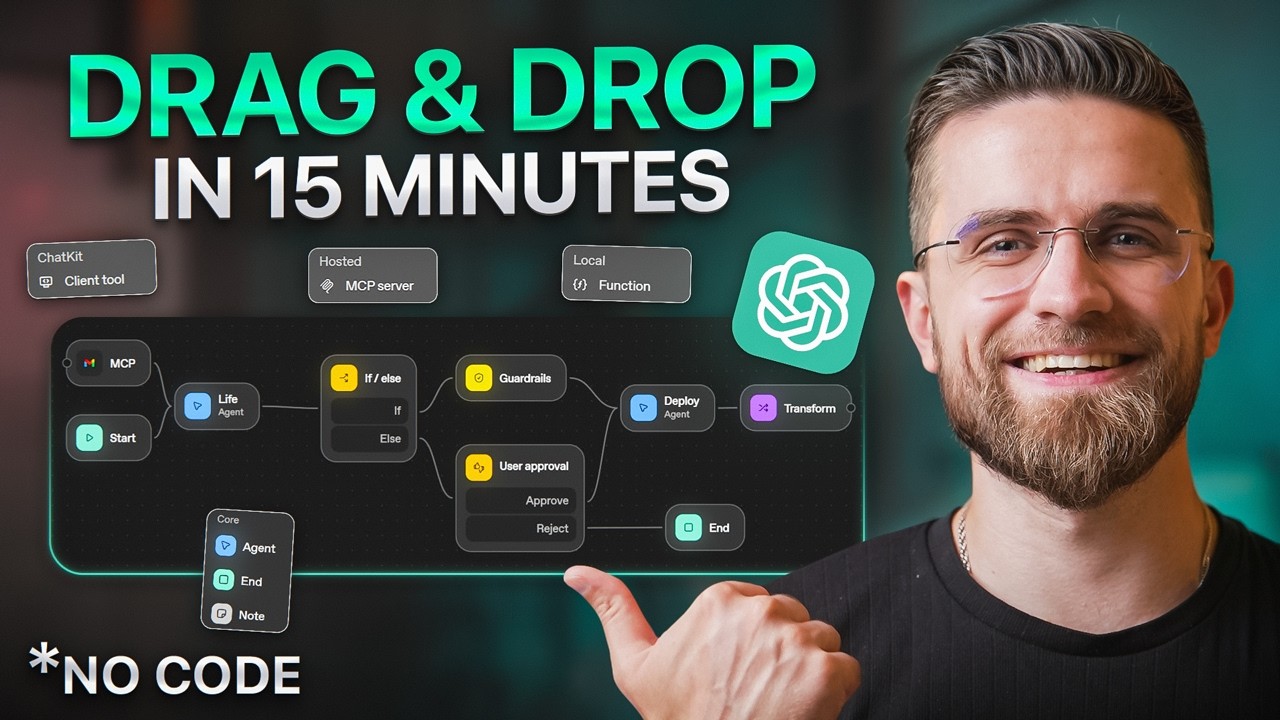
NEW ChatGPT Agent Builder: From Zero to Automation Hero (2025 Guide)
15:42

NEW ChatGPT Agent Builder: From Zero to Automation Hero (2025 Guide)

AI Master 25.10.2025 118 553 просмотров 2 061 лайков обн. 18.02.2026
Поделиться Telegram VK Бот
Транскрипт Скачать .md
Анализ с AI
Описание видео
#sponsored Sign up for Consensus today! https://consensus.app/ 🚀 Become an AI Master – All-in-one AI Learning https://aimaster.me/ 📹Get a Custom Promo Video From AI Master https://collab.aimaster.me/ 2025 is the Year of AI Agents—and ChatGPT just made building them ridiculously easy. No coding. No developer experience. Just drag, drop, and automate. In this complete beginner's guide, I'll show you ChatGPT's NEW Agent Builder: a visual workflow tool that lets you build powerful AI agents in minutes. We're building 3 real agents live on screen—meeting automation, email drafting, and research assistant—so you can see every step. By the end of this video, you'll go from zero to confident AI agent builder. Let's go. ⏱️ TIMESTAMPS 0:00 – Why 2025 is the Year of AI Agents 0:29 – What is Agent Builder? 2:25 – AI Research 4:04 – Building Agent #1: Meeting Summarizer 7:07 – Building Agent #2: Professional Email Drafter 10:58 – Building Agent #3: Competitive Research Assistant 13:39 – WHY THIS CHANGES EVERYTHING 14:45 – Final Thoughts + How to Get Started 🎯 WHAT YOU'LL LEARN ✅ What AI agents are and why they matter in 2025 ✅ How to use ChatGPT's new visual Agent Builder interface ✅ Build 3 real-world agents from scratch (meeting automation, email drafts, research) ✅ Connect external tools like Google Calendar, Gmail, and Docs ✅ Use logic blocks (If/else, loops, user approval) ✅ Deploy and test your agents ✅ Best practices for reliable agent workflows 💡 WHO THIS IS FOR • AI enthusiasts who want hands-on automation skills • Entrepreneurs looking to save hours on repetitive tasks • Business owners who want to automate scheduling, emails, and research • Productivity lovers ready to level up with AI agents • Anyone who thinks AI agents are "too technical"—they're not anymore #ChatGPT #AIAgents #Automation #NoCode #AITools #Productivity #OpenAI #AgentBuilder #ChatGPTTutorial #AIMaster


Оглавление (8 сегментов)

  1. 0:00 Why 2025 is the Year of AI Agents 92 сл.
  2. 0:29 What is Agent Builder? 304 сл.
  3. 2:25 AI Research 268 сл.
  4. 4:04 Building Agent #1: Meeting Summarizer 533 сл.
  5. 7:07 Building Agent #2: Professional Email Drafter 666 сл.
  6. 10:58 Building Agent #3: Competitive Research Assistant 469 сл.
  7. 13:39 WHY THIS CHANGES EVERYTHING 191 сл.
  8. 14:45 Final Thoughts + How to Get Started 170 сл.
0:00

Why 2025 is the Year of AI Agents

2025 is the year of AI agents. But here's the problem. Most people think building them is hard, technical, and expensive. What if I told you Chad GPT just released a tool that lets you build agents in 10 minutes? Drag, drop, done. No coding. Watch this. By the end of this video, you'll go from zero to strong AI agent builder. I'm building three real agents live on screen using Chad GBT's brand new agent builder. You'll see every step, meeting automation, email drafting, research assistant. So, let's go. Okay, first
0:29

What is Agent Builder?

what exactly is this agent builder thing? Here's the quick version. OpenAI just launched a visual workflow builder inside chat GPT. You build AI agents like flowcharts, drag blocks, connect them with lines, done. No code, no developer experience needed. This is massive. Until now, building agents took developers hours, sometimes days. You needed API knowledge, coding skills, debugging sessions. Most people couldn't even start. Even using tools like N8N or Zapier still required logic building, web hook setups, and endless trial and error. Now, anyone can do it in minutes. Let me show you the interface. When you open agent builder, you see a dark canvas. There's a start block. That's where every workflow begins. On the left side, there's a tools panel organized into four categories. Core, tools, logic, and data. Core has the basics, agent blocks, end blocks, and note blocks for comments. Tools has file search, guard rails for safety checks, and MCP for connecting external apps like Gmail or Google calendar. Logic has if else branches, while loops, and user approval steps. Data has transform blocks for processing info and set state for storing variables. You drag these blocks onto the canvas, connect them with arrows, and the workflow runs in order. Click on any block and a settings panel opens on the right where you configure everything. Instructions, model choice, output format. Think of it like building with Lego blocks, not writing code. Each block does one thing. You snap them together. The agent follows the path you create. Why does this matter? Because every business, every creator, every entrepreneur has repetitive tasks eating their time. scheduling meetings, drafting emails, researching competitors, summarizing documents. Agents can handle all of that. And now you can build them yourself instead of hiring developers or paying for expensive tools. All right
2:25

AI Research

before I show you how to build these agents, I had to do my research. I'm researching. Do AI agents actually deliver ROI? What's the productivity gain? Search results are packed with random blogs, and AI assistants sound confident, but sometimes hallucinate. Here's the problem. Google gives you random blogs. ChatGpt sounds confident, but sometimes just makes stuff up. What if you could get answers backed by actual peer-reviewed science? That's consensus. It's an AI search engine that only pulls from peer-reviewed research papers. So instead of guessing, you get real evidence. Let me show you. Say I'm curious. Does AI actually improve workplace productivity? I type that into consensus. First thing you see, the consensus meter. It's this visual bar showing how much scientists actually agree or disagree on the topic. You instantly know, is this well researched? Are we still figuring it out? Then you get the pro-analysis summary, clear, structured breakdown of what the science says with tables and key claims. Here's the best part. Every claim links directly back to the exact peer-reviewed paper. No blackbox, no hallucinations, just transparent sourcing. You can use deep search for comprehensive lit reviews or threads to have an ongoing conversation with the research. It's like if Google Scholar and Chad GBT had a baby, but one that only tells you the truth. Sign up for Consensus today with the link in the description and pinned comment. They have a free plan to get started pro for $10 a month with unlimited searches and deep for $45 a month if you're doing heavyduty research. All right, theories done.
4:04

Building Agent #1: Meeting Summarizer

Let's build first agent meeting prep assistant. This one's going to pull my upcoming meetings from Google calendar, grab relevant notes from Google Drive, summarize everything, and draft a prep email. Entirely automated, starting from scratch, blank canvas with just the start block. I'm going to the left sidebar, clicking on tools, and I see MCP. That's the connector for external apps. I click it, and a panel opens showing all available connections. There's Gmail, Google Calendar, Google Drive, Outlook, Microsoft Teams. I'm selecting Google Calendar. It drops onto the canvas as a blue block labeled Google Calendar. Now I click on the calendar block to configure it. The settings panel slides in from the right. I'm giving it a name, get upcoming meetings. In the instructions field, I choose tool batch read event. Next, I need context from my drive. Back to the tools category on the left, I add another MCP block, this time Google Drive. Click on the drive block. In the tools, I choose search. Now, here's where it gets smart. I need an agent block to analyze all this data. I go to the core category on the left sidebar and drag an agent block onto the canvas. This is the AI brain. I connect the calendar block and drive block both with an agent. Clicking on the agent block, the settings panel opens. I'm configuring it now. Name meeting analyzer. In the instructions field, I write, "Read the calendar events, and related drive files. Create a bullet point summary of each meeting, including key topics, action items, and who's attending. And by the way, if you're struggling with writing good prompts for agents like this inside AI Master Pro, we have a prompt lab with 300 plus readyto-use templates for different workflows. Saves hours of trial and error. Back to our agent, I set the model to GBTO3 Mini, reasoning effort to medium. Output format text. Final step, another agent block for drafting the email. I drag a second agent block from core. Connect the analyzer to it. Click to configure. Name, email, drafter. Instructions. Write a concise, professional email summarizing the upcoming meetings and prep points. Keep it under 200 words. Use a friendly but business-like tone. Last thing, I add an end block from core and connect the email drafter to it. That closes the workflow. Let me hit preview in the top right corner. The workflow is running. I can see each block lighten up as it executes. Calendar block pulls my real calendar data. Found three meetings this week. Drive blocked searches. Found two relevant documents. Meet analyzer. Processes everything. Email drafter outputs. And here's the final result. Hi Arthur. Here's your prep for this week. Meet in one with the marketing team on Thursday. Discuss Q1 campaign performance. He dock Q1 results summary. Meet in two with legal on Friday. Contract review for a new vendor. Key dock. Vendor agreement draft. Meet in three with the product team on Monday. Road map prioritization. Perfect. Ready to send. This took me 9 minutes to build. It just saved me an hour of manual work. No coding. Just drag, connect, configure. Second agent, email
7:07

Building Agent #2: Professional Email Drafter

assistant. This one's going to read my inbox, categorize emails by urgency, and draft replies to simple ones. New workflow. Start block with agent on the canvas. I go to the left sidebar tools section. and then MCP. I'm selecting Gmail this time. The Gmail block drops onto the canvas. I connect Gmail to my agent. Click on the Gmail block. The MCP settings panel opens. In the tools section, I choose get recent emails. Next, I need another agent block to categorize these emails. From the core category, I drag an agent block onto the canvas. Connect this agent block. Click to configure name. Email categorizer. Instructions. Read each email and categorize it as urgent, normal, or spam based on the content. Urgent requires immediate response or involves important decisions. Normal, standard business communication, spam, promotional, or irrelevant. Model 03 mini. Reasoning effort, medium, output, format, text. Now, I need logic branching. From the logic category on the left, I drag an if else block onto the canvas. Connect the categorizer to the if else block. I'm setting up the condition. If category equals normal, proceed to draft reply. Else flag for manual review. This ensures urgent emails don't get auto replied. That's a safety layer. For the if path, I add another agent block from core. Name reply drafter. Instructions. Draft a polite professional reply. Keep it under a 100 words. Maintain a friendly but business-like tone. Don't commit to specific dates without my approval. Connect the if else true output to this agent. For the else path, I add a user approval block from the logic category. This pauses the workflow and asks me to review urgent emails manually. Connect the if else output to this user approval block. Finally, I add an end block and connect both the reply drafter and user approval to it. Hit preview. The workflow runs. The Gmail block pulled 14 unread emails. Categorizer sorted them to urgent nine normal, three spam. The if else block routed the nine normal emails to the reply drafter. Here's one draft. Thanks for reaching out. I'll review the proposal and get back to you by the end of week. Let me know if you need anything sooner. Perfect. Sounds like me. The two urgent emails triggered the user approval block. They're waiting for my manual review. One more thing, I'm going back to the categorizer block settings under the tools section. I can add guard rails. I click the plus icon, select personally identifiable information, and toggle it on. Now the agent won't accidentally leak sensitive data like credit card numbers or SSNs in its outputs. OpenAI built safety checks directly into the system. You're not building this alone. Now, you might be thinking, "Okay, I get the basics, but how do I actually master this stuff? " Here's the thing. Agent Builder is incredible, but it's just one piece of the AI puzzle. Most people jump from tool to tool, tutorial to tutorial, never really building a cohesive understanding. They're learning random tactics, not systems. That's exactly why I built AI Master Pro. It's your all-in-one AI hub. Think of it as your home base for everything AI. You get byte-size lessons that actually stick, 100 plus ready to use prompts, PDF guides, templates, and weekly digests so you're never behind the curve. But here's what I'm most proud of. The AI Master Method. It's an action sprint that walks you through building real AI products and services you can sell, not theory. Actual offers, funnels, and workflows. Perfect if you're a freelancer, creator, or entrepreneur trying to turn AI knowledge into real income. Look, agent builder is fantastic for automation. But if you want to go deeper, understand the strategy behind agents, build more complex workflows, and actually turn this into business, AI Master Pro is your move. We're offering 24% off annual memberships for the first 1,000 people. Links in the description. All right, back to building. Third
10:58

Building Agent #3: Competitive Research Assistant

agent, research assistant. This one's for business intel. It's going to search the web for information on the topic, summarize the findings, and create a report. New canvas with a start block. I need an agent block that can search the web. From the left sidebar, core category, I drag an agent block onto the canvas. Connect start to this agent. Click on the agent block. The settings panel opens. Name web research agent. In the instructions field, you are a helpful assistant. Use web search to find information about AI video generation tools 2025. Focus on top tools, pricing, features, and user feedback. Now, here's the key. I need to give this agent web search capability. In the settings, there's a tools section with a plus icon. I click it. A panel opens showing available tools. I select web search and add it. Now, the agent can search the internet directly. I'm also toggling on show search sources. This way, the agent will site where it found the information. model GBT5 nano reasoning effort low for speed output format text I toggle on display response and chat so I can see the results immediately that's it one agent block with web search enabled I connect it to an end block two blocks total hit preview the agent runs it's searching the web right now I can see it pulling results from techrunch product huntd threads YouTube reviews it's analyzing and here's the output top AI video tools 2025 Sora by openai realistic text to video weight list access price in TBA runway gen 3 $95 per month fast rendering popular with creators picabs free tier available strong for short form content user feedback highlights Sora leads on quality but access is limited runway offers best value for professionals suits beginners look at the bottom there are source links it cited every claim that's a $500 research report an analyst would write this agent did it in 90 seconds. Real world use case. Imagine you're launching a product. You need competitor research, market trends, customer pain points. Build this research agent. Set it to run weekly. Maybe add a while loop from the logic category to repeat the search automatically and you'll always have fresh intel. That's a massive competitive edge. One more thing, at the top of the canvas, there's a code button. Click it and you can export this entire workflow as code if you want to integrate it into your own system. But most people won't need that. The visual builder is enough. Last thing, publishing. I'm clicking the three dot menu in the top right. Then share. This generates a link. I can send this agent to my team. They can run it themselves without rebuilding anything. One agent. Everyone benefits. Let's talk about why
13:39

WHY THIS CHANGES EVERYTHING

this is a turning point. Agents equal time savings, cost savings, and competitive advantage. Let me break that down. old way. You hire people to do repetitive tasks or you pay for expensive automation tools like Zapier, premium, make or custom dev work. That's thousands of dollars a month and weeks of setup time. New way, you build agents yourself for free during the beta in minutes. They run 24/7. They don't get tired. They don't make mistakes and they scale instantly. If you save one hour a day with agents, that's 365 hours a year. $50 an hour, that's $18,000 in value. Most businesses can build dozen agents. That's real money. But it's not just about saving time. It's about what you do with that time. If you're not stuck in email hell or scheduling chaos, you can focus on strategy, creativity, growth, the stuff that actually moves the needle. And here is the uncomfortable truth. Companies figuring this out now will dominate in 6 months. The ones that don't will be buried in manual work while their competitors automate everything. This is the new baseline. You're either building agents
14:45

Final Thoughts + How to Get Started

or you're falling behind. All right, let's recap. You now understand what AI agents are. You saw three built live, meeting prep, email assistant, research agent. You know the interface, the workflow, the notes. You're not starting from zero anymore. Here's what I want you to do next. Go sign up for Chat GPT agent builder. Start with one agent. I recommend the meeting notes agent. Here's why. You'll use it tomorrow. It solves a real problem and it's simple enough to build in 15 minutes. Build it, test it, break it, learn, then build another. By the end of the week, you'll have five agents running and you'll wonder how you ever lived without them. And if you want the next level, if you're serious about mastering AI beyond just agents, check out AI Master Pro. It's where I keep all the deep dive content, weekly updates, and the full AI master method. 24% off the first 1,000 members. So, links below. Thanks for watching. Now go build something.

Ещё от AI Master

Ctrl+V

Экстракт Знаний в Telegram

Транскрипты, идеи, методички — всё самое полезное из лучших YouTube-каналов.

Подписаться



