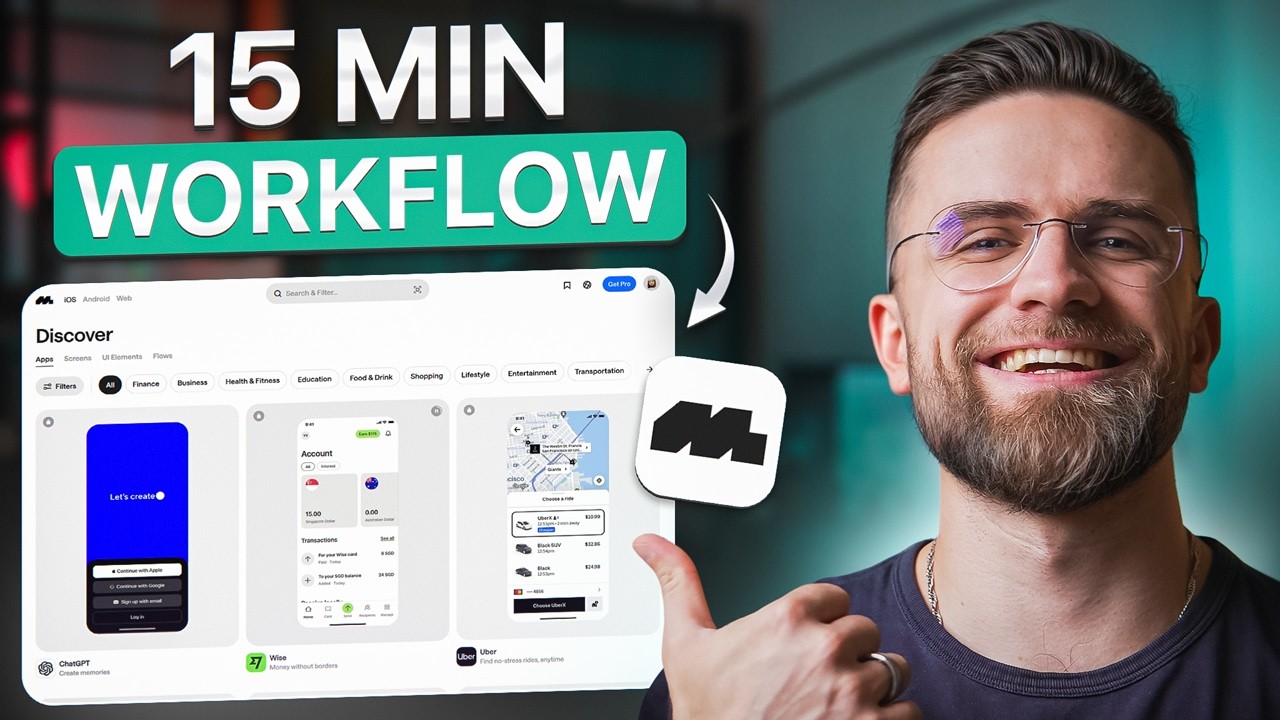
#sponsored Get 20% off your first year of Mobbin annual plan! https://mobbin.com/aimaster
🚀 Become an AI Master – All-in-one AI Learning https://whop.com/c/become-pro/qtqi2ros-kc
📹Get a Custom Promo Video From AI Master https://collab.aimaster.me/
Building apps in 2025 doesn't require a development team—just the right AI workflow. In this tutorial, I'll show you my complete system for designing and prototyping professional mobile apps using ChatGPT, Mobbin, and no-code tools.
You'll learn how to:
✅ Leverage Mobbin's 500,000+ UI screens from top apps like Airbnb, Uber, and Netflix
✅ Build production-ready app interfaces in under 15 minutes
✅ Combine AI-generated wireframes with battle-tested design patterns
✅ Export prototypes to no-code builders
✅ Create apps that actually convert and retain users
I'm building a real fitness app prototype live on camera—no theory, just a proven workflow you can copy immediately. Whether you're a startup founder, indie hacker, or business owner who needs an app, this system will save you months of work and thousands of dollars.
🔗 Resources mentioned:
• Mobbin: https://mobbin.com/aimaster
• ChatGPT: https://chatgpt.com
⏱️ TIMESTAMPS:
0:00 – Can you build an app in 15 minutes?
1:23 – SECTION 1: TOOL FOR INSPIRATION
4:00 – SECTION 2: THE THREE-TOOL WORKFLOW
8:17 – SECTION 3: LIVE BUILD—FOOD DELIVERY APP
12:48 – SECTION 4: WHY THIS MATTERS
14:55 – Conclusion
💡 This workflow works for MVPs, investor pitches, and rapid prototyping. No coding required.
👉 Subscribe for more AI tools, automation workflows, and no-code tutorials.
---
#ai #nocode #appdevelopment #mobbin #chatgpt #startup #appdesign #uidesign #flutterflow #tech
Оглавление (6 сегментов)
Can you build an app in 15 minutes?
Is it possible to build fully functional app in 15 minutes? No code, no developer, just AI, the right workflow, and a platform called Mobin. And by the end of this video, you'll be able to do the same thing. Here's the reality. In 2025, spinning up an app is easier than ever. AI can generate screens, build prototypes, even spit out code. But here's the catch. 90% of apps still fail. Not because the tech is bad, because the interface is bad. Users open your app, they're confused, they bounce, and they never come back. No users equals no revenue. And when your UI looks amateur or confusing, it doesn't matter how powerful your back end is. The problem isn't access to AI anymore. It's knowing how to use AI to build interfaces that actually work. Interfaces that keep people engaged, that guide them smoothly through the experience, that feel intuitive from the first step. That's where most founders and solo builders completely drop the ball. So today I'm walking you through my end-to-end workflow for building apps in 2025. You're going to see exactly how I combine AI app builders with Mobin, which is a massive library of proven UI patterns from the world's best apps. This isn't theory. We're building a real app on camera from scratch in under 10 minutes. By the time we're done, you'll have a repeatable system that works whether you're launching MVP, pitching investors, or just test an idea fast.
SECTION 1: TOOL FOR INSPIRATION
All right, let's talk about Mobin. Mobin is a design reference library, but it's not like Dribble or Behance where you're looking at concept art or fantasy redesigns. Mobin catalogs real apps. Apps that are live in the app stores right now. Apps that millions of people are actually using. We're talking Airbnb, Uber, Netflix, Spotify, Door Dash, Tik Tok. Over 500,000 screens from more than 1,200 industryleading apps. Every flow is documented. onboarding, sign up, checkout, settings, pay walls, you name it. Why does that matter? Because these UI patterns are battle tested. They've been AB tested by companies with massive design teams and huge budgets. If Airbnb settled on a particular booking flow, it's because that flow converts. If Netflix uses a specific layout for their homepage, it's because millions of users understand it instantly. You're not guessing. You're borrowing from the best. Here's how Mobin works. You search for a specific element or screen type. Let's say you need a signup flow. You type sign up into the search bar and Mobin instantly pulls up hundreds of realworld examples. You can filter by platform, iOS or web. category like finance, education, social, and productivity. You can even do a visual search if you already have a rough design and you want to see similar layouts. Every screen is high resolution. You can zoom in, inspect details, see how buttons are labeled, how forms are structured, how micro interactions are designed. You can save screens into collections which act like mood boards. And if you're working in Figma, there's a plug-in that lets you export screens directly into your design file. Insanely fast. Mobin also has over 260,000 documented user flows. So, you're not just looking at isolated screens. You're seeing the entire journey. How does Uber handle a ride request from start to finish? How does Stripe on board a new merchant? You see every step, every transition, every edge case? That's the gold. Because when you're building your own app, you can model the entire experience on something that already works. And here's a killer feature, flow tree. This is basically an X-ray view of any app structure. Mobin takes every screen in an app and maps out the entire hierarchy. how screens connect, where users can navigate, what the information architecture looks like. You see the whole tree. It's like having the app's blueprint. This is gold. When you're designing your own navigation, you can see exactly how Netflix structures their categories or how Spotify organizes their menu system. No guessing. Just copy the structure that works. Now
SECTION 2: THE THREE-TOOL WORKFLOW
here's where the complete workflow comes together. The secret to building apps fast in 2025 isn't using one tool. It's combining three tools that each do one thing brilliantly. Chad GPT for planning and prompts, Mobin for proven UI patterns, and a no code platform to bring it all to life. Let's break down the workflow step by step. Step one, Chad GPT becomes your planning assistant. Before I even touch a design tool, I open Chad GPT and describe my app idea. Let's say I'm building a food delivery app called Quickbite. I tell Chad GBT, I'm building a food delivery app focused on speed and local restaurants. I need to define the core user journey, identify key screens, and create a feature list. Chad GBT thinks through the problem, suggests a threecreen MVP, home, menu, checkout, and even recommends which features to prioritize for version one. It's like having a product manager in your pocket. Next, I use chat GPT for prompt engineering. This is crucial. I ask it to help me write specific detailed prompts for my no code platform. For example, I say write a prompt for generating a restaurant home screen with horizontal carousels, a search bar, and featured restaurants. Chat GPT gives me a clean, structured prompt that I can feed directly into my app builder. This saves hours of trial and error because the prompts are optimized from the start. Step two, Mobin provides the visual references. Now that I know what screens I need, I open Mobin and search for realworld examples. I type restaurant home and filter by food and beverage apps. Door Dash, Uber Eats, Postmates. I'm looking at layouts that have been tested by millions of users. I save the best examples to a collection. These become my design blueprint. Here's the key. I'm not copying these designs. I'm studying them. How does Door Dash arrange their carousels? What language does Uber Eats use on their CTAs? How does GrubHub structure their checkout form? Mobin lets me zoom in, inspect every detail, and understand why these patterns work. Then I download a few reference screens to use as visual guides. Step three, the no code platform brings it together. There are several solid noode app builders out there. You've got platforms like Adelo, Bubble, Flutterflow, and others. For this workflow, I'm using a platform that lets me describe what I want and generates functional app screens. Some of these tools can even take visual references, which is perfect when you're working with mobin screenshots. I upload the mobin reference for the home screen and use the prompt chat. GBT helped me craft, generate a food delivery home screen with a hero section for featured restaurants, a search bar at the top, and three horizontal carousels labeled popular, nearby, and new. Use warm colors, oranges, and yellows. The platform processes the request and generates a screen. It's not pixel perfect, but it's 80 to 90% there. The structure matches Door Dash's proven layout, but the branding is unique to QuickBite. If something feels off, I iterate. Maybe the hero section is too big. I go back to Mobin, find a tighter example, and feed it back into the platform with an updated prompt. Reduce the hero section by 30% and add a promotional banner. Regenerate better. This loop, reference, prompt, generate, refine, is incredibly fast. Because I'm starting from patterns that work, I'm not guessing. I'm building on a proven foundation. The same process applies to every screen. For the menu, I find an Uber Eats reference, write a chat GPT optimized prompt, and generate the layout. For checkout, I use a GrubHub example, and simplify it for my use case. Each screen takes minutes, not hours. One more advantage of this workflow, consistency. Because I'm using mob and references from apps in the same category. My screens naturally feel cohesive. The navigation patterns are familiar. The button placements make sense. Users don't have to learn a new interface. They see quick bite and instinctively know how to use it because it follows conventions they've seen in every other food app. And here's the beautiful part. You don't need to code. The no code platform handles all the technical work. You're just guiding it with smart prompts and proven design patterns. It's like having a designer and a developer working for you at 10 times the speed and a fraction of the
SECTION 3: LIVE BUILD—FOOD DELIVERY APP
cost. All right, let's build something live. We're doing a mini food delivery app. Start to finish on camera. I'm going to show you exactly how this workflow plays out in real time. Step one, concept. My app is called Quick Bite. The pitch is simple. Ultra fast food delivery with a focus on local restaurants. Three core screens, home with restaurant listings, menu with dishes, and checkout. Step two, Mobin research. I open Mobin, search restaurant home screen. I take the same examples from Door Dash, Postmates, Uber Eats. I like how Door Dash organizes restaurants into horizontal carousels. Clean, scannable, familiar. I save that to my collection. Next, I search food menu screen. Uber Eats has a great vertical layout with dish photos, descriptions, and prices. I save that, too. Last I search checkout flow. Grubhub's checkout is super streamlined. One screen, all the info you need. Done. Save. Step three, export to Figma. I use the Mob and Figma plugin to pull all three screens directly into my Figma file. Now I've got a visual reference library right next to my workspace. Step four, chat GPT prompt creation. Before I even open the no code platform, I go to Chad GBT and say, "Write a detailed prompt for generating a food delivery home screen with a hero section for featured restaurants, a search bar, and three horizontal carousels labeled popular, nearby, and new. Use warm colors, oranges, and yellows. Chat GPT gives me a perfectly structured prompt that's clear, specific, and optimized for app builders. Step five, feed to the noode platform. I open my no code app builder. There are several great options out there. Platforms like Adalo, Flutterflow, Bubble, and others that let you build apps visually or with AI assistance. For this build, I'm using a platform that accepts visual references and text prompts. I upload the Door Dash home screen from Mobin, paste the chat GPT generated prompt, and hit generate. The platform processes it. About 20 to 30 seconds later, I've got a home screen. It's not pixel perfect, but it's 85 to 90% there. The layout matches Door Dash's proven structure. The branding is unique to QuickBite. The carousels are in place. The search bar is positioned correctly. Step six, iterate with Chad GPT. The hero image feels too big. I go back to Chad GPT and say, adjust the previous prompt to make the hero section 30% smaller and add a promotional banner below it. Chad GPT rewrites the prompt. I copy it. Go back to Mobin, find a tighter example from Postmates, upload it to my platform with the new prompt, and regenerate. Better the proportions feel right now. Step seven, menu screen. Same process. I find the Uber Eats menu reference in Mobin. Go to Chad GBT and say, "Write a prompt for a vertical scrolling menu with dishards. Each card should have a dish photo, name, short description, price, and an add to cart button. Use the same warm color palette. ChatGBT delivers the prompt. I paste it into my no code platform along with the Uber Eats reference and generate. Boom. Menu screen done. Again, it's a solid first draft. The UI is intuitive because it follows a pattern users already recognize. Step eight, checkout. I upload the GrubHub checkout reference. Ask Chad GPT to write a prompt for a single page checkout with delivery address, payment method, order summary and a place order button. Minimize form fields. Chat GPT gives me the prompt. I paste it into the platform. Generate. Done. I now have three screens that form a complete user flow. Total time about 10 to 12 minutes of actual work. That includes the time spent in chat GPT refining prompts, searching Mobin for references, and generating screens in the no code platform. Step nine, refine if needed. If I want to tweak spacing, adjust colors, or swap out icons. Most no code platforms let you do that visually. Or I can export to Figma for final polish. But the workflow got me 90% of the way there, and Mobin ensured every screen was based on a UI pattern that's already proven to work in the real world. This is the power of the workflow. You're not reinventing the wheel. You're using the best wheels that already exist and you're customizing them with AI to fit your vision. Fast, high quality, and most importantly, user
SECTION 4: WHY THIS MATTERS
tested. So, why does this matter? Why is this workflow a gamecher? First, speed to market. In traditional development, designing an app takes weeks. You hire a designer, they create mockups, you go through multiple rounds of feedback, then you hand it off to a developer. With this workflow, you can go from idea to prototype in under an hour. That's massive if you're a founder trying to validate an idea or if you're pitching investors and you need something tangible to show. Second, cost savings. Hiring a designer and developer for a simple app can easily run you $10 to $20,000. With this workflow, your only cost is a Mobin subscription, which starts at around $10 a month for individuals and an AI tool subscription. If you're using a pay tier, you're talking hundreds of dollars instead of tens of thousands. that opens up app building to solopreneurs, bootstrapped startups, and small businesses that couldn't afford a custom build before. Third, user tested patterns. This is the big one. When you base your UI on apps like Airbnb, Uber, and Netflix, you're leveraging millions of hours of user research, and AB testing that those companies have already done. You're not guessing what will work. You're copying what already works. that dramatically increases the odds that users will understand your app, navigate it smoothly, and complete the actions you want them to complete. Higher usability equals higher conversion equals more revenue. Fourth, iteration speed. Let's say you launch your app, and users give feedback. The checkout feels clunky. Okay, you go back to Mobin, find a better checkout reference, feed it to your AI tool, regenerate, and push an update. The whole process takes an afternoon, not weeks. You can iterate based on real user behavior fast. This workflow is perfect for MVPs. It's perfect for testing ideas before you commit to a full build. It's perfect for startups that need to move fast and stay lean. And honestly, even if you do have a designer on your team, this is a great way to create mock-ups for brainstorming or client presentations. It's faster than wireframing from scratch. All
Conclusion
right, let's recap the three tool workflow. One, use Chad GPT for planning. Define your app concept, map out the user journey, identify key screens, and create optimized prompts for your no code platform. Two, use Mobin to find proven UI references from real apps in your category. Search, filter by platform and industry. Save the best examples to collections. Study how top apps structure their flows. Three, choose a no code app builder. Look for tools that accept visual references and detailed prompts. Four, combine the three. Upload mobin references, paste chatgbt generated prompts and generate your screens. The platform handles the technical work. You guide it with proven patterns and smart prompts. Five, iterate. Something feels off, go back to chat GBT to refine your prompt. Find a cleaner example in Mobin and regenerate. The loop is fast because you're building on proven foundations. Six, test with real users if possible. Get feedback. Iterate again. That's it. That's the system. And once you've done it a few times, you'll get dramatically faster. You'll start to recognize which AI patterns work for which use cases or build mental library of what converts and what doesn't. If you want to try this yourself, Mobin has a free plan that gives you limited access to their library, which is enough to get started. If you are serious about app building, the pro plan is absolutely worth it. You get full access to all 500,000 plus screens, all the flows, all the filters, the Figma plugin, everything. Chat GPT is free to start and most no code platforms offer free trials or generous free tiers. Links in the description and see you in the next one.