Want to build AI Agents and change the way you work? VectorShift is the best place to do it, go try it out now 👉 https://vectorshift.ai/
In this video we'll take a look at automations and AI Agents, and I'll explain the differences and show you examples of each. But even better than that, I'll use VectorShift to actually build an AI Agent, walking you through the process step-by-step so you can build your own. It's a good old fashioned tutorial video, enjoy!
Links:
https://vectorshift.ai/
https://cdn.openai.com/business-guides-and-resources/a-practical-guide-to-building-agents.pdf
Chapters:
0:00 End Goal
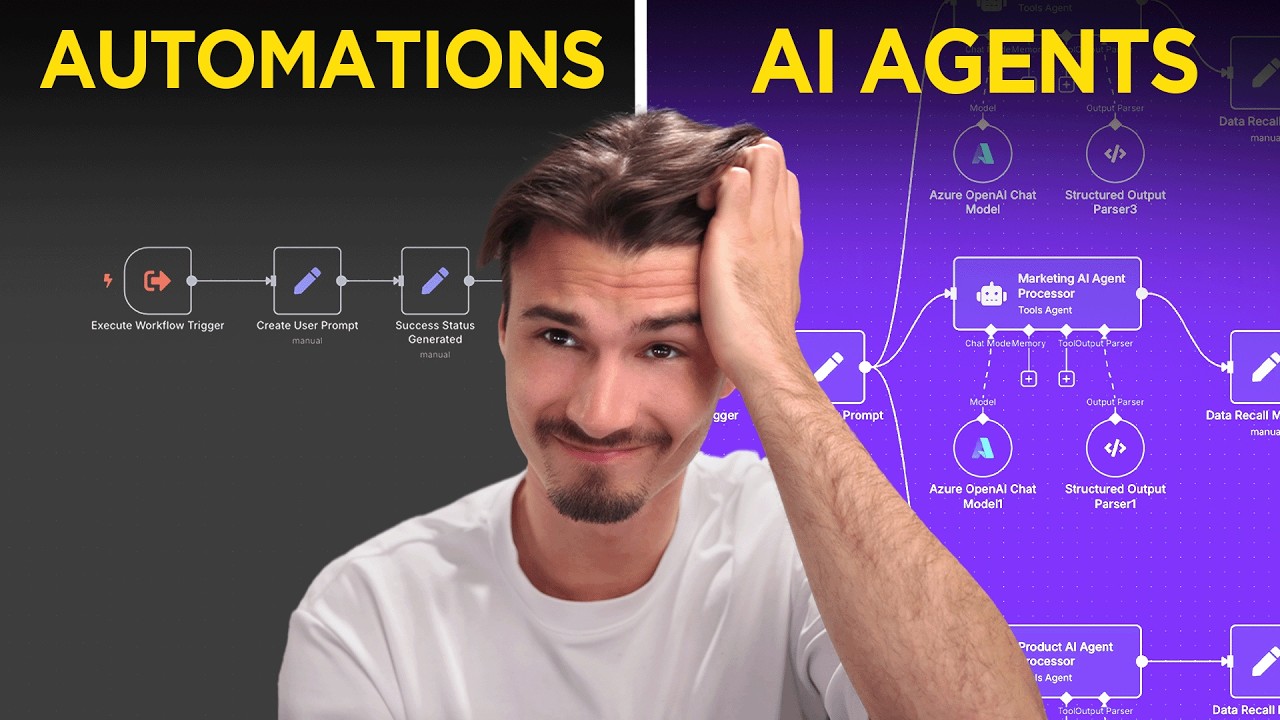
0:33 AI Workflows vs. AI Agents
1:12 VectorShift
1:44 Theory: Automation & Agents
5:51 Practical Automation Example
8:38 Building an Automation
13:59 Agent Instructions
14:31 Building an Agent
16:40 Most Useful AI Agents
#ai
This video is sponsored by VectorShift.
Free AI Resources:
🔑 Get My Free ChatGPT Templates: https://myaiadvantage.com/newsletter
🌟 Receive Tailored AI Prompts + Workflows: https://v82nacfupwr.typeform.com/to/cINgYlm0
👑 Explore Curated AI Tool Rankings: https://community.myaiadvantage.com/c/ai-app-ranking/
💼 AI Advantage LinkedIn: https://www.linkedin.com/company/the-ai-advantage
🧑💻 Igor's Personal LinkedIn: https://www.linkedin.com/in/igorpogany/
🐦 Twitter: https://x.com/IgorPogany
📸 Instagram: https://www.instagram.com/ai.advantage/
Premium Options:
🎓 Join the AI Advantage Courses + Community: https://myaiadvantage.com/community
🛒 Discover Work Focused Presets in the Shop: https://shop.myaiadvantage.com/
Оглавление (9 сегментов)
End Goal
My end goal here is that I want a website on which if I type any term, then it has the power to use Google search, my custom knowledge base that rescrapes the Google blog every single day in combination with my whole blog writing workflow to send a custom email with up-to-date article to whomever I want. And in here, if I say write an email to eigormyadvantage. com with an article about the latest Google AI releases, 2 minutes later, it says success. And if I check out my sent emails right there, yep, that's the article with details on Gemini 2. 5 Pro sent to the correct email address. So in
AI Workflows vs. AI Agents
today's video, I'm setting out on a mission to teach you about the basics of AI workflows and AI agents and where I draw the line between just a workflow or as many people call it an automation and an actual agent. And I'll be doing that by starting with some theory for which I prepared a little drawing setup right here. We'll go through it step by step and then I'll show you how to build the automation and how to build a simple agent. And by the end of this video, you'll hopefully have a full understanding of what the difference is between an automation and an agent, what an agent actually could look like in practice. And then thirdly, I want to give you my take on which agents in the market are actually worth your time. And that list is actually very short. So I think that might be super interesting for many of you, but we'll be starting out with an explainer. Before we get
VectorShift
started, I do want to say thank you to the sponsor of today's video, Vector Shift, a tool that allows you to build both automations and agents, or as they call them, pipelines and agents. They offer a straightforward way to build both workflows and agents, making it ideal for both beginners and intermediate users to grasp these concepts. Now, I do want to make clear that there are many platforms out there on which you could build workflows and agents, but I've had this idea for a while on doing an educational video where we also show the workflows and vector shift is the perfect partner for that because it goes beyond the features of some of these standard automation platforms that you might be familiar
Theory: Automation & Agents
with already. And with that being said, let's launch right into understanding the difference between an automation and an agent. Okay, so let's start with automations and let's first clarify that there is synonyms for this term. Okay, whether you say automation, workflow or pipeline, these are all essentially the same and there's nothing new about this. Software has been automating processes ever since the dawn of the first computer. But when you hear automation these days, usually people are referring to online platform that moves data around based on predetermined rules. And there's usually two core steps that happen. The first one is a trigger. So, something happens to trigger the automation. Whether that's an email arriving in your inbox or in the example I'll show you later on in this video, somebody typing a message into a text box and sending that, something triggers the automation. And what that causes is an action. Now, at this point, you'll have to forgive my handwriting. I'm doing my very best here. But, as you can see, it starts with a trigger and then it continues with an action. And you usually have one trigger and then you can add as many actions as you want. A simple example of this would be if a email shows up in my inbox, then save the content to a Google sheet. That's it. That could be a workflow/automation/pipeline. Now, the reason a lot of people are talking about these automations and workflows these days is because now we have AI that we can put into the middle. So before doing the action, you can actually head on over here, use something like GPT40 in the middle, and then you perform an action. So now you can put some intelligence into the middle. And this is where the definitions of a workflow and an agent start becoming blurry. And if you ask 100 people, you're probably going to get 100 different definitions. Even in the research I did for this video, you're going to find many varying definitions based on who you ask. So, for example, here, this is a recent document from OpenAI that is a practical guide to building agents. And it starts out by defining agents so we're all on the same page. And they basically say that agents are a system that independently accomplishes tasks on your behalf right here. Okay, but that's sort of broad. No, independently accomplishes tasks. Doesn't a simple automation like this that triggers and then does certain steps also independently accomplish tasks? I mean, this task would be running somewhere on a server and whenever the trigger happens, it independently accomplished the tasks that I set it to. So, I don't think just this sentence does it. While they add a few examples right here, I think the most important part of the definition is here. Applications that integrate LLMs aka artificial intelligence, but don't use them to control workflow execution. Think simple chat bots, single term LLMs, or sentiment classifiers are not agents. If we return to our little drawing here, if the trigger is us getting a new email and then the AI step is maybe something like drafting a response to that email and then the action is saving that response as a draft in your email account. Well, in that case, we are using AI or an LLM in the middle, but we don't use it to control the workflow execution. Yes, there is an LLM in the middle to write the draft, but the AI step does not decide what happens after that. What happens after that is the same every time. It just saves the draft in your account and that's it. And I think that is the most critical element to differentiating workflows from agents. And if you look at social media, many people are showing you how to build agents, but really it's just a workflow with a AI step in the middle. And in today's video, I'll do my best to actually show you both. Now, just to round out this section on the definition, I want to show you how Google Cloud defines agents because their definition is even more narrow. They say AIENT are a software system that uses AI to pursue goals and complete tasks on behalf of the users. Okay, fair enough. Pretty standard stuff right there. That aligns with what we just looked at from OpenAI. They show reasoning, planning, and memory, and have a level of autonomy to make decisions, learn, and adapt. And this is where they get super specific because they say, "Okay, it's a agent if it can reason, plan, and if it has memory, and a level of autonomy. " As you can see, that's way more of a narrow definition because sure, OpenAI talked about having a level of autonomy in the decision-m, how to guide the workflow. But Google is saying it's only an agent if it also learns and adapts. So I just wanted to point this out to show you that different people are going to have different definitions of this. But I myself draw the line at the point that hey if it's a workflow and there's some dynamic decision making by AI in the middle on how the workflow will proceed that's when it's an agent versus if it just follows certain rails every time. People also call this a deterministic workflow where it's predetermined what the outcome is going to be already and how it's going to be achieved. That's when it's a workflow aka automation aka pipeline. Okay. Okay, now that we have
Practical Automation Example
the theory out of the way, let's move into the practical part where we'll be using the very basic concept of blog writing that has been the first use case for LLMs ever since the advent of GPT3. And we're going to use that example because I believe everybody will be able to follow and maybe you'll be able to transfer this use case to something that might be relevant to you. But I think with blog writing absolutely everybody will be able to follow what we're doing here. Okay. So here we are inside of the vector shift interface and as you can see we'll be mainly working in two tabs today. One of them pipelines aka the workflows and the second one is agents which will continue after we look at this blog writing pipeline right here. And if I zoom out here a little you'll see that there's a few steps involved here starting with an input on the left and then output on the right. So essentially this pipeline transforms an input in this case the topic for the blog on one end and then an output which would be a finished blog post on the other end. And to get from topic to blog post there's a few steps in the middle that have to happen. So, I'll rebuild this for you from scratch in a second here, but I think this way it's best to explain. So, let me zoom in so you can read this a little better. And let's start here on the left. As you can see, we have the input where we selected that we're putting in text. Then we move to a knowledge base and the OpenAI node right here. Essentially, this allows us to use a OpenAI model. In this case, we're using GPT 4. 1 over here and the knowledge base down here. In this case, we're using the May 28th knowledge base. I'll show you how to handle that in a second. But just know the knowledge base allows you to add documents or and this is the interesting part, use various tools. But basically right now you just need to know the context is in the knowledge base. And this openi step right here basically uses GBD4. 1 to write an outline for a blog. Okay. So this step only writes the outline with the topic being what we put in here and it uses the knowledge base for context. And then what happens is we have a second open AI step which again uses GPT4. 1. And here we use a different prompt where we actually tell it to write a blog post. In this case we tell it to use the outline and the context to help. And then we tell it okay the topic is well it's the original topic that we typed in. The context comes from the knowledge base and the outline comes from the first step where we wrote the outline and then whatever GP4. 1 writes here will be delivered as an output and that is it. Let me show you how this works in practice. And before I do that, I'll just collapse these output panels, which makes the whole thing look a lot simpler. Input a term, run two prompts with some context, get a blog post. Okay, so I'm going to deploy all the changes here. Then you can export this either as a chatbot or a form. I really like these forms because it's a simple to use interface. So if I just go to export, you can see that this is hosted on the web for me. And if I share this link with anybody, well, there's a blog post writer. And if I want to write a blog post on peanut butter manufacturing, that's just comes to mind cuz that's what's on my desk right now. And I submit, the workflow will run in the background and I should get a output here any second. And there it is. As expected, we have our blog post here in markdown format, ready to go for anywhere. Press blog. Okay, so let's
Building an Automation
quickly rebuild this, show you how simple this can be. I'll go to new. There's a few presets here. I'll just create a brand new pipeline. And I won't explain everything in detail because I think you get the concept here. I mean, we have one input node over here. Then by clicking here on top, I'll add another output node. Then we had two open AI steps in the middle. That's one. That's another one. And then we also had a knowledge base under knowledge. I can just add it down here. Okay. Then it's about hooking it up correctly based on how I want the information to flow. So in this case, I want the input to go from here into the first prompt, but I also want the input in my knowledge base and the second prompt. So just link it to all three of them like so. as of the output. I only need to link the second node to the output because that's the only thing I want to be outputting. That is set. And then the final connections would be what comes out of the first prompt. The outline going into the second prompt cuz I want to use the outline in the second writing prompt. And finally, I want to link up the knowledge base to everything cuz I'll be using it as context in the first prompt and the second prompt. And that's it. Everything is linked up. So now what is left to do is to set the two prompts and then set up the knowledge base. So the prompts have the correct context. So let me set up the knowledge base first because I will need that in both of these prompts. But before I set up the knowledge base, I'll do one more thing which is in the input I'll just rename this input to blog topic to make this all make a little bit more sense. And the output I'll also rename to final blog. Very nice. So in this knowledge base I want to go down and say create new knowledge base. I'm going to name it tutorial knowledge base. And here's the cool thing. It opens up the knowledge base builder. And this is a really critical component to understanding how these agents work because the context they have can be dynamic as you'll see here. So I could do various things. I could add a document, add an integration or I could scrape a specific URL. So adding a PDF as context is pretty straightforward. But what I want to do here is I'm going to actually scrape a URL and then let's take a more serious example. So in this case I'm going to take the Google blog for all their AI releases. Okay, I'll just copy this URL, paste it in here, and then I can set the frequency and I can say, okay, rescrape this every day. So, if a new blog post shows up once a day, this knowledge base will refresh itself with the newest content of this website, knowing everything that Google might add onto this page, like immediately seeing new releases. And as I said, add document. This will immediately scrape the blog. And you can see that for example here, this Gemini 2. 5 is scraped into here into this chunk. Let's not get into vector databases and chunking, but basically it's in this knowledge base now and it updates once a day. Now, you could even add integrations in here with all these different apps. So, if you have a Google Drive folder that is dynamic, you could also add that here and then it would dynamically pull in the new content in there. Or maybe you have a Google doc that keeps changing can also have that there. Same for notion type form entries, you name it. But for this knowledge base, we'll stick with the Google blog. Then I'll head back to my pipeline, which I'll quickly name tutorial workflow. And down in my knowledge base, you can see it links with the tutorial knowledge base right here already. So now we're actually almost done. What I need to do is now I need to set up the two prompts so that they prepare a draft with the context of the knowledge base and then write the blog post based on the draft and the context. And the way I do that is quite simple. I'll just copy over these super simple prompts into both of these. Model set to GPT41 is fine here. And in the first prompt, we need two variables. First of all, the topic. So I'll say topic and then vector shift what you need to do is two curly braces and then you can dynamically link it to other variables. So in this case for the topic we want the blog topic from the input and then I also want the context which comes from our knowledge base. I'll select the knowledge base and here it gives me two options. I want the chunks or the citations. In this case it does take a little bit of technical knowledge to understand that the chunks are all of the knowledge split up into different chunks. So for our purposes we'll be selecting that. And there you go. First prompt ready to go. Second one equally as easy. We'll just need to pull in three things because now we also want to consider the output of this first draft prompt. So I want my context, I want my topic, and I want my outline. The context comes from the knowledge base just like before. The topic comes from well the block topic in the input. And the outline now comes from well this open AI_0 which is an LLM step and we want the response the output of the LLM. Perfect. Now that was just referencing the name up here. I suppose I could also name it to make things clearer with just two nodes here. This is fine. And then this already smartly recognized because it's linked to one thing only that it wants the output of this as the final output. And we're done. Deploy changes. Let's export this one as a chatbot. And again, we have a live website with this workflow in the background that we could customize further. And all I need to give it is the topic. So I'll just say latest Google AI releases. And OpenAI by itself would have no way of knowing about Gemini 2. 5 Pro, etc. us. So if we see that in here, that's the proof of the knowledge base working. And then we can move on to the final step is going beyond that workflow, which is building an agent that uses a workflow and other tools like this. And yeah, there you go. That looks really good. Gemini 2. 5 Pro and Gemini models. You can see it's scraped. It used all the context from the website to write this blog post. And I'll leave it up to your imagination what kind of prompts you could turn into dynamic workh horses that pull in their context from wherever you might have it or wherever might be all across the internet. Super powerful stuff. And most people don't know that it's actually relatively easy to put this together, especially when you already have the prompts and know what kind of context
Agent Instructions
they need. Okay, so now let's switch gears because we talked about workflows and the knowledge bases that they can intake. So now let's move on to agents. And I'll just go to this agents tab and say new right away. And this base preset really works for a lot of things you might want to do already. But the only thing I'm going to add here in the instructions is the fact that this agent is actually going to have some tools. So we're going to give it Google search and say use this for general queries. Then I'm going to give it the knowledge base we just built with information on the latest Google AI releases and the blog writing tool we just created to demonstrate how an agent can use these
Building an Agent
workflows that you built. Okay, so now that we put it into the instructions, that's all well and good, but that doesn't mean it can actually do it yet. What we need to do for that is we need to move over to the tools here. And as you can see, we can add various tools. So I'm going to start with the knowledge base link the tutorial knowledge base we just made. And that's all I need to do here. I'll add another tool, Google search. I'll also leave this on default as this all works as is. Now I'm going to add a third tool, the pipeline. So if I go to pipeline here, I can pick my tutorial workflow and now it will be able to use what we just built. And maybe let's add once more just to show you this. How about sending an email? I do need to sign in with Google. I'll just take my burner account I use everywhere. And then here I can add multiple inputs and outputs. But I think in most cases it actually suffices to have one thing that comes in and out of the agent. So I'm just going to deploy these changes like so. And now the final step. I'm going to build a new pipeline with an input here, an output here. And under objects, I can add a agent right here in the middle. My end goal here is that I want a website on which if I type any term, then it has the power to use Google search, my custom knowledge base that rescrapes the Google blog every single day in combination with my whole blog writing workflow to send a custom email with a up-to-date article to whomever I want. And all I need to do to achieve that at this point is select the tutorial agent right here, link my input like so. Done. And then what comes out of the agent, I want to go into the output, which I also want to link out like so. And that right there is really all there is to this. I'll say deploy changes. And now if we export the test chatbot writer and in here if I say write an email to eigormyadvantage. com with an article about the latest Google AI releases, the agent with access to Google search, my email account, a web scraper that looks at the Google blog once a day and the blog writing workflow that I created here can use all of those tools to actually do what I tell it here. 2 minutes later it says success. Great success. And if I check out my sent emails right there, yep, that's the article with details on Gemini 2. 5 Pro sent to the correct email address. And this is data that just chat could not have because we pulled it in from our knowledge base, but we could have also used a Google search. And that right there is what this looks like. Now, this
Most Useful AI Agents
leaves us with one last thing because I told you at the beginning of the video that I'll tell you what the most useful agents on the internet are for most consumers that is. And I think it can be really narrowed down to two of them. Now remember this blog writing workflow, we do not consider an agent. This is a workflow. There's almost an infinite amount of useful workflows. This is incredible. But when it comes to agents, I think at least in my circles, the consensus is that one, it's the various coding assistants that we're covering extensively on this channel, but that's not the topic of this video. And then the second agent is the various deep research products. Now, these are agentic in and of itself because the quality of the outputs we get for a good deep research, it's just next level. And without building it, I just want to show you that vector shift here also has these deep research integrations. So I could add a perplexity step here and I could switch to the sonar deep research product which in and of itself is aentic already and I could add this to my workflows which I could then add to an agent which I can access via chat interface like this. And then you can build these custom agents that use custom knowledge bases, have the ability to run deep researches, and they have the access to various workflows that you build out like this. But if at this point you're feeling overwhelmed, let me tell you, all of that starts inside of chat GBT with prompts that are actually useful to you and context that matters to those prompts. If you have those two things, only then would I start worrying about things like building workflows or pipelines as they're called here. And only after having workflows that are doing work for you would I worry about building agents that have access to them. And that is really everything I have to say for today. I hope this helped you orient yourself in this arguably complex space of workflows, agents, LLMs, knowledge bases. Start with prompts in the correct context, then build workflows and only then graduate to agents. And I just thought Vector Shift is the perfect partner to communicate this message because they put all of those things into one platform that is usable for essentially everybody. So, if you want to start this out, go sign up to Vector Shift today. They have a free plan that even includes a dollar of free AI credits. So, you can try building your own workflow, see if that helps you out. And if it does, as you can see, there's many routes afterwards that you could take. All right, I hope this was helpful. My name is Igor and I hope you have a wonderful