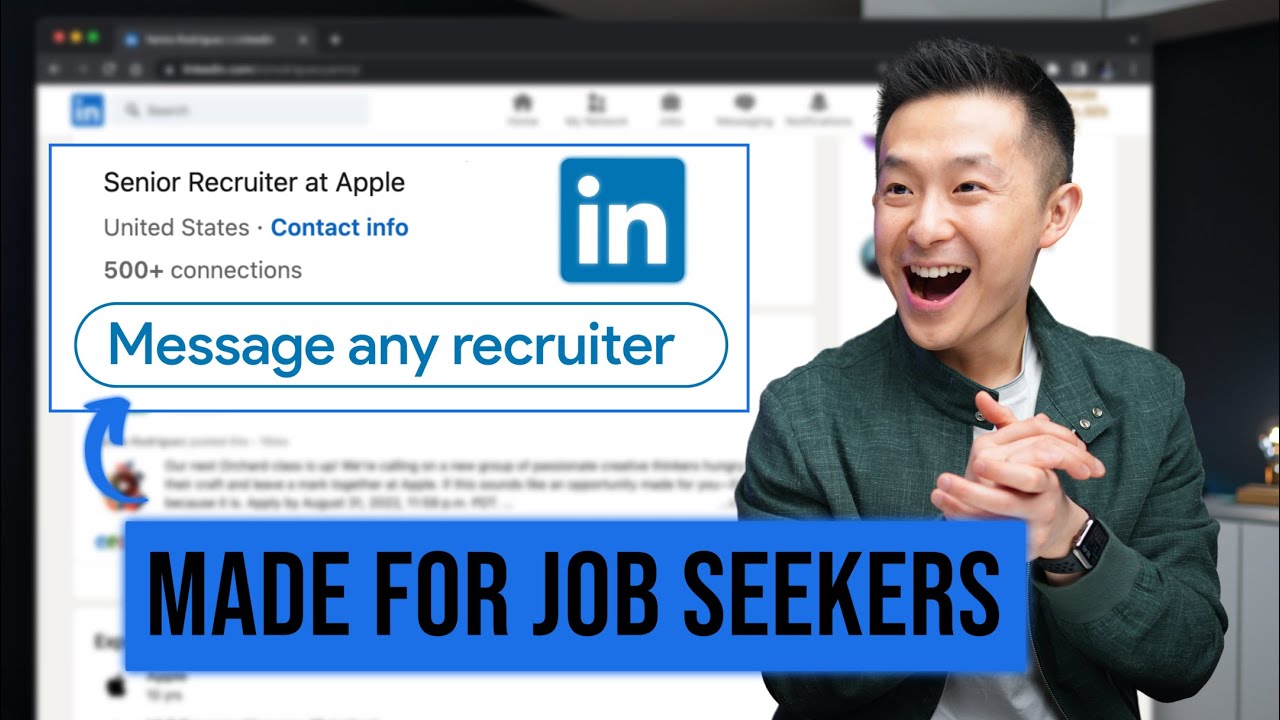
Job Seekers on LinkedIn Need to Know These 8 Things
8:47

Job Seekers on LinkedIn Need to Know These 8 Things

Jeff Su 06.06.2023 215 780 просмотров 7 611 лайков обн. 18.02.2026
Поделиться Telegram VK Бот
Транскрипт Скачать .md
Анализ с AI
Описание видео
🎯 My free Job Search Toolkit: https://academy.jeffsu.org/job-search-toolkit?utm_source=youtube&utm_medium=video&utm_campaign=135 My Premium Resume Package: https://jeffsu.gumroad.com/l/premium-resume-package Here are 8 powerful, but often overlooked, LinkedIn features that can significantly enhance your job search: 1. *Message Anyone for Free:* If you're part of the same LinkedIn group, you can directly message anyone, including third-degree connections, at no cost. The trick here is to join LinkedIn groups related to your field, school, or company. 2. *People Tab on LinkedIn Pages:* Explore the 'People' tab on your university or prospective employer's LinkedIn page to find potential connections. A pro tip is to copy their names and search within relevant groups to message them directly. 3. *'I'm Interested' Feature:* Simply visiting the 'About' tab of a company's page and clicking 'I'm Interested' could make recruiters take note of your profile. Remember, this feature may not be available on every page, and its effectiveness may vary. 4. *Career Explorer:* This tool helps you understand the career transitions of others in your industry. Use the data provided to shape your own career path, upgrade your skills, and optimize your LinkedIn profile with the most searched titles in your industry. 5. *Skill Assessments:* Demonstrating your skills through LinkedIn's assessments can increase your visibility to recruiters. Professionals at all stages of their career can benefit from this feature. 6. *Career Break Feature:* If you've had an employment gap, you can explain it using the Career Break feature. However, instead of giving a weak impression, creatively use your profile to showcase what you're looking for next. 7. *Featured Section for Job Seekers:* The 'Featured' section isn't just for content creators. As a job seeker, this section can be utilized to display your resume, portfolio, or other significant work. 8. *Personalize Connection Requests:* When using LinkedIn's mobile app, remember to 'Personalize request' rather than simply clicking 'Connect'. This approach can increase your chances of your connection request being accepted. *THE NO BS PRODUCTIVITY NEWSLETTER* 📧 https://www.jeffsu.org/productivity-ping/ *TIMESTAMPS* 00:00 Actually useful LinkedIn tips for Job Seekers 00:16 #1 Message anyone on LinkedIn for free 01:07 #2 Leverage the People tab on LinkedIn Pages 02:07 #3 Let Recruiters on LinkedIn know you’re interested 02:38 #4 LinkedIn Career Explorer tool 04:11 LinkedIn Companion App (Dex) 05:22 #5 Skill Assessments 06:30 #6 Career Break 07:31 #7 Featured Section for Job Search 08:17 #8 Tip for LinkedIn Mobile App *RESOURCES I MENTION IN THE VIDEO* Effective networking tips for LinkedIn - https://youtu.be/CwjwnHJE5sU Career Explorer tool - https://linkedin.github.io/career-explorer/ Free Featured Section thumbnail - https://www.jeffsu.org/8-genius-linkedin-features-for-job-seekers/ *MY FAVORITE GEAR* 🎬 My YouTube Gear - https://www.jeffsu.org/yt-gear/ 🎒 Everyday Carry - https://www.jeffsu.org/my-edc/ *MY TOP 3 FAVORITE SOFTWARE* ❎ CleanShot X - https://geni.us/cleanshotx ✍️ Skillshare - https://geni.us/skillshare-jeff 📖 Readwise - https://readwise.io/jeffsu/ *BE MY FRIEND:* 📧 Subscribe to my Productivity newsletter - https://www.jeffsu.org/productivity-ping/ 📸 Instagram - https://instagram.com/j.sushie 🤝 LinkedIn - https://www.linkedin.com/in/jsu05/ *👨🏻‍💻 WHO AM I:* I'm Jeff, a tech professional trying to figure life out. What I do end up figuring out, I share! _PS: Some of the links in this description are affiliate links I get a kickback from and my opinions are my own and may not reflect that of my employer_ 😇 #linkedin #jobsearch

Оглавление (10 сегментов)

  1. 0:00 Actually useful LinkedIn tips for Job Seekers 7 сл.
  2. 0:16 #1 Message anyone on LinkedIn for free 168 сл.
  3. 1:07 #2 Leverage the People tab on LinkedIn Pages 201 сл.
  4. 2:07 #3 Let Recruiters on LinkedIn know you’re interested 95 сл.
  5. 2:38 #4 LinkedIn Career Explorer tool 318 сл.
  6. 4:11 LinkedIn Companion App (Dex) 248 сл.
  7. 5:22 #5 Skill Assessments 234 сл.
  8. 6:30 #6 Career Break 213 сл.
  9. 7:31 #7 Featured Section for Job Search 174 сл.
  10. 8:17 #8 Tip for LinkedIn Mobile App 99 сл.
0:00

Actually useful LinkedIn tips for Job Seekers

huh let's get started the first extremely
0:16

#1 Message anyone on LinkedIn for free

underrated LinkedIn feature is to message anyone without using LinkedIn premium normally for anyone who is not a first degree connection you either press connect and hope they get back to you or you try to message them only to get prompted to buy this totally not overpriced service but if you're in the same LinkedIn group you can click show all under the all members tab here and now we can message anyone even third degree connections directly and for free because of this I recommend joining your high school and college alumni groups and once you start interning and working full-time make sure to join your company's LinkedIn group since those are the people who are most likely to help you down the line Pro tip on the main LinkedIn homepage job Seekers can search for the field they're interested in for example digital marketing and here you can actually filter for groups and you can join these to network with Professionals in that specific industry
1:07

#2 Leverage the People tab on LinkedIn Pages

LinkedIn feature number two is to make use of the people slash alumni tab on LinkedIn pages for example with this a page for my college I go to the alumni tab here and under where they work I can add Apple for example right and boom here 67 alumni if I scroll down that I can reach out to if I wanted to work at an overpriced phone company Pro tip and prepare to get your mind blown instead of trying to connect with them from here copy and paste their name into the college alumni group to see if you can message them directly there's a very good chance they're part of both or you can go directly to a company page for example Amazon go to the people tab here first filter by location let's say New York City right and then choose a department you want to be in for example I sales for that sweet commission then scroll all the way to the right and filter for your first and secondary connections and if you scroll down these are the people most likely to agree to a coffee chat check out this video for Effective networking
2:07

#3 Let Recruiters on LinkedIn know you’re interested

tips the third amazing LinkedIn feature is a quick one staying within the company page go to the about tab up scroll all the way down and click the I'm interested button here this adds your profile to their recruiters backend database so they can message you directly no app further action needed on your side and this interest expires after one year two quick things some companies will not have this feature enabled so not every page will have this and second this function is relatively new so don't expect a bunch of messages
2:38

#4 LinkedIn Career Explorer tool

right away LinkedIn tool number four is called Career Explorer and to get here simply type in this URL which I'll link down below if you scroll all the way down past the fancy animations you'll see this explore job Transitions and this is awesome for job Seekers First add a location for example New York City again then input your current role for example I used to be a Management Consultant and here sort popularity high to low and in a nutshell this is a list of roles that management consultants in New York City moved into as their career progressed it obvious makes sense some Consultants end up becoming managers in Consulting but according to the data a lot of Consultants move into the program management track as well so if you're feeling a bit stuck or lost in your career getting inspiration is the first great use of this tool second if you are a consultant looking to go into program management in Tech which is very common the skills on the left are ones you most likely already have and you want to work towards the skills in the middle and on the right and actually you can take immediately is to add all these skills into your LinkedIn profile since you now know recruiters for program managers are looking for these skills and you also want to take something called the skills assessment which I'll talk about in a minute Pro tip the titles from the enter or job field here are the LinkedIn approved titles you want to use on your profile as opposed to what your company calls you for example I used to be called a torso account strategist which doesn't exist here but I really was just a key account manager and this is what most Recruiters on LinkedIn are actively searching for by the way check this out
4:11

LinkedIn Companion App (Dex)

this is show he's pretty big on take talk and I know I caught up with him two months ago because of this LinkedIn companion app called Dex it keeps track of all our previous interactions and as you can see I've set up a reminder to catch up with show at least once every quarter so he doesn't forget me when he's Rich I'm super lucky Dex agreed to sponsor this video because I've been looking for a tool like this it's free as a lot of features but my three favorite ones by far is first being able to add notes reminders and manage contacts directly in LinkedIn so I can refer back to all of this the next time either one of us reaches back out second the mobile app super clean view with everyone I've set up reminders to keep in touch with I can swipe to dismiss or snooze and if you sync your Facebook account you get reminded of their birthdays as well third and this is super underrated on the web app I can actually see the city my contacts are currently in so I know who I can meet up with whenever I travel the next one is kind of creepy but you can low-key stock people as well because you can see whenever someone updates their title on link then him landed the job there just kidding I'm not that judgmental link down below to start your free trial
5:22

#5 Skill Assessments

of decks and let me know what you think LinkedIn feature for job Seekers number five is skill assessments on your profile scroll all the way down to skills click on demonstrate skills and then skill assessments each assessment has 15 multiple choice questions I actually took a few myself and if you score in the top 30 you receive a skill badge and you'll also start to rank higher than your peers with the same skill when recruiters search for that skill in this oversimplified example someone with a skill badge and endorsements in that skill will rank higher than someone with just a lot of endorsements but that number two person will still rank higher than other people with a lower number of endorsements in that skill and so on and so forth if you're in the first few years of your career I recommend taking the assessments for Microsoft Excel word PowerPoint and Outlook at the very least for experienced professionals it really depends on the industry that you're in for creatives you might want the Adobe student tools and AutoCAD for cloud there's Azure gcp and AWS for marketing there as Google ads and Google analytics right now skill assessments is relatively new so I would check back regularly for new assessments just go to the all tab scroll all the way down click show more assessments and pick the
6:30

#6 Career Break

ones relevant for you feature number six is called Career break and it works like this if you are laid off or you have an employment gap scroll all the way down to your experiences click the plus sign choose add career break and pick one of these types now when recruiters and high managers land in your profile instead of seeing an end date with no explanation they can now see why you're on a break and what you've been up to during that time Pro tip while this feature is great I personally don't think a headline that says position eliminated or career break gives a strong first impression when someone first lands on your profile so if you are between jobs I would recommend adding an experience and in the title mention the roles you're looking for add LinkedIn in the company name for that icon and include what you've been up to in the description field with quantifiable metrics this just makes such a better first impression I know some of you watching might not agree with this tip but in my opinion this is a creative way to show you're looking for new opportunities and recruiters will definitely take notice but the choice is yours both options are
7:31

#7 Featured Section for Job Search

available Linked In tip number seven is to make use of your featured section as a job Seeker most LinkedIn users think this feature section is mainly for Content creators selling stuff to make a quick Buck totally not me of course but when I was a job Seeker this was where I put my resume and portfolio all you have to do is under the feature section click add a link paste the URL to your resume in Google Drive click add title my resume I'll leave the description field blank you'll see why in a bit and add a thumbnail and because I'm such an angel I've actually created a template in canva that you can use for free I'll link that down below now because we left our description feel blank other people will just need to click once to get to our resume as opposed to clicking twice if you include it in the description for whatever reason and of course you can now also add your website portfolio or
8:17

#8 Tip for LinkedIn Mobile App

other social media profiles if you wanted to tip number eight is super practical and it's when you want to connect with someone over the LinkedIn mobile app do not click on the connect button because it just sends a super generic connection request instead you want to personalize your invite to maximize the chances of the other person accepting your connection request to write the perfect message for your connection request regardless of who it is check out this video for a simple three-step process see you in the next video in the meantime have a great one

Ещё от Jeff Su

Ctrl+V

Экстракт Знаний в Telegram

Транскрипты, идеи, методички — всё самое полезное из лучших YouTube-каналов.

Подписаться




