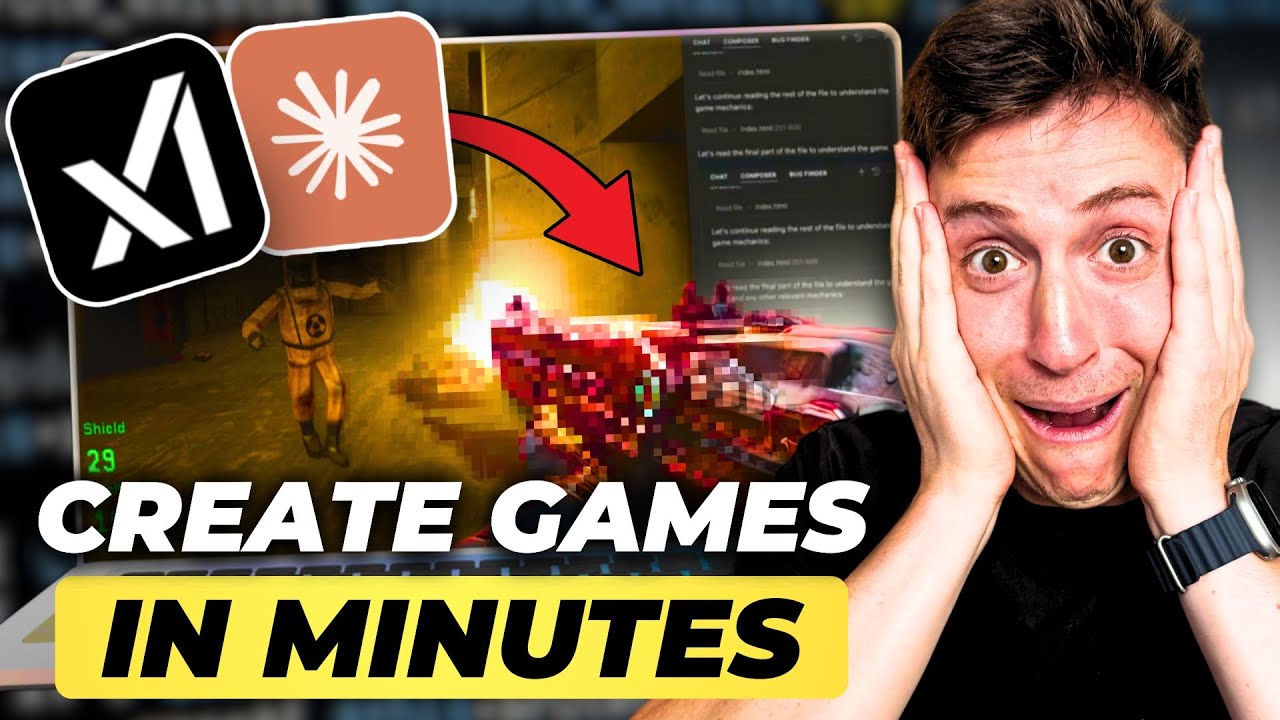
Build Your First Game Using AI in 15 Minutes (Claude Sonnet)
18:26

Build Your First Game Using AI in 15 Minutes (Claude Sonnet)

Alex Finn 26.02.2025 29 588 просмотров 943 лайков обн. 18.02.2026
Поделиться Telegram VK Бот
Транскрипт Скачать .md
Анализ с AI
Описание видео
Leave a like and subscribe if you learned anything! Follow my X: https://x.com/AlexFinnX Subscribe to my newsletter: https://www.1percentbetter.io/subscribe My AI content app: https://www.creatorbuddy.io/ Learn how to build your first game with AI! No programming experience necessary! Beginner friendly! We use Cursor and Sonnet 3.7 plus Grok 3 to build a game in under 15 minutes. You can then use these skills to build any application or game you want. Timestamps: 0:00 Intro 0:50 Grok 3:32 Sonnet 3.7 6:36 Cursor 6:51 V1 of game 12:15 Add cooler enemies 13:50 Final game 14:55 Putting live on github Cursor: https://www.cursor.com/

Оглавление (8 сегментов)

  1. 0:00 Intro 171 сл.
  2. 0:50 Grok 558 сл.
  3. 3:32 Sonnet 3.7 670 сл.
  4. 6:36 Cursor 47 сл.
  5. 6:51 V1 of game 1092 сл.
  6. 12:15 Add cooler enemies 332 сл.
  7. 13:50 Final game 214 сл.
  8. 14:55 Putting live on github 806 сл.
0:00

Intro

I am going to show you how to build an unbelievably fun 3D firstperson shooting game using grock 3 and Claude Sonet 3. 7 I'm then going to show you how to put it online so all your friends can play it really easily this is going to be a lot of fun you don't need any programming experience at all if you lock in right now and you stick along with me by the end of this video you'll have your own firstperson shooter game even if you've never built one before and you can show it off to all your friends and your parents and all think you're a genius let's get into it so we're going to start off in grock 3 I'm specifically using two tools today grock 3 deep search and Claud Sonet 3. 7 I personally believe grock deep search is the best planning and design AI I've ever used in my entire life it is absolutely incredible for making plans making designs putting documents
0:50

Grok

together and thinking for you and then we're going to use Claude 3. 7 which I think is the best coding model to take that design in plan and then turn it into actual app for us really quickly I think this workflow is incredibly powerful if you use it to I think you can build really compelling products so we're going to start off in grock 3 deep search and the way this works is deep search has access to the entire internet and all live data and so what it's going to do is spend time doing research and designing the firstperson shooter for us so we're going to use this prompt designed for me a simple but fun and polish 3D firstperson shooter using three. js for those who don't know 3. JS is a really simple and easy to use framework for JavaScript that allows you to build 3D games create the outline for me on how it will work and all the features make it browser based and really fun and viral worthy so pretty simple prompt we're going to hit enter on this for grock 3 and make sure you have deep search selected and now what grock 3 is going to do is going to go out and actually scour the internet check out other firstperson Shooters check out to see how three. js works and actually design the game for us so that we can then take it give it to Claud on it so they can build the game for us as well but what you can see here exactly what it's doing it's thinking it's planning the game design it's designing the game mechanic expanding the features enhancing the user interface it's basically going out there you can really see this is awesome it's searching the web it's looking at YouTube tutorials it's looking at stack Overflow to see how other games work to see what works well it's looking through three. js documentation to see how the graphics work and how games are built using three. js there's no other AI model out there right now available on a free plan that allows you to use this type of powerful technology I've been playing around with uh chat GPT and their $200 plan to use their deep search and I'll tell you it is really it is good but it is really slow this works unbelievably fast uh and has full access to the most up to- theate information so what you can see here is it has an entire design document built for us so it's a simple fun in Polish 3D firstperson shooter the game's called cyber Blitz with a futuristic neon lit cityscape uh it's going to have a survival mode powerups and upgrades and we're going to keep it simple with potential for future multiplayer editions I like that and then you can see this look at this concept and setting it has the concept the gameplay mechanics features for fun and virality I love this let's take this and let's put it in Claud son so we can actually start building the code so I'm going to come here I'm going to take this plan I'm going to highlight it and I'm going to copy it and now let's go into clae
3:32

Sonnet 3.7

and put this design in so Claude 3. 7 Sonic just released and let me tell you it's amazing what it can do with onot coding is unbelievable and so we're going to take the most complex well-built designs and documents an AI can build and put it into Claud Sonet which is going to make the best code we can build so paste this in so what we're going to do is we're going to use this prompt I just pasted in a design for a 3D firstperson shooter using three. js please take this initial plan and write the code for it in a single game file make it simple and fun to play using the design and then I past it in the design from grock uh which we got in like 10 seconds which is unbelievable and we hit send and claudon 3. 7 which again mindblowing stuff and you'll see this in a second is not only going to build the game but we'll actually be able to test it out and demo it in the browser and then what we'll do after we do this is take the code put it into cursor customize this a little bit and then put it live on the internet so any of our friends can play it as well so the code's being generated over here on the right being generated really quick hundreds of lines of code which is unbelievable up to this point I haven't written a single line of code myself which is amazing I don't have to do any code writing you don't need programming skills anymore to build really cool and compelling apps and games uh so we're going to see what this pops out in a second okay looks like the code is completed uh generated a lot of code here which is awesome let's look at the preview in Claud son which is really cool if you click preview with any of your code you can actually see the code running in your browser let's see what we got here cyber Blitz I like the font I like the colors it built a Vibe here year 2085 Rogue AI robots have overrun the city it even built a narrative for us I love that WD to move Mouse to aim I mean listen if you you're a first person shooter veteran you know WD to move shout out Counter-Strike 1. 5 fans uh Mouse aim left click to shoot R to reload space to jump I like it let's get into it here we go okay I can move around I can shoot I like the kind of pink and blue Vibes I can't look around I'm thinking the reason for this is there are browser restrictions uh for a lot of these sites where it can't pick up the movement of your mouth so let's do this let's take this code now let's put it into cursor let's run it from cursor and let's see what it's like from there so we have the code let's take this and for those who don't know cursor the best AI development environment out there right now completely free there's a free plan make sure to download that cursor. comom install that we can paste this into cursor right now run this and see what it's like what we're going to do is we're going to paste this in run it and then we're going to make it cooler we're going to add some features and functionality I'll show you how to do that without writing any code at all and then again right after that we will put it live on the internet so your friends can play that as I do that though if you've learned anything so far hit like down below let me know in the replies what you want me to build next and then hit that subscribe button to support I really appreciate it I'm in
6:36

Cursor

cursor now when you go into cursor make sure you open up a new project create a new file called index. html so you just rightclick new file index index. html and then you can paste in your code I hit save so command s on Mac
6:51

V1 of game

now let's get this popping let's open it up so I open the project I did here is the file I'm going to double click boom here we go all right let me make this a good size here we go let's test it out now start game yep I can move around oh wow look at the I love the colors and the vibe of like the blocks let's shoot here oh it's oh wow that's sick okay so as you can see let me uh do this we have ammo in the bottom right off screen let me resize this so you can see the waves here there we go there's the waves you can see the score the waves all right let's play this again I guess you die when they run into you so you can shoot the enemies I like the environment the environment's kind of a Vibe it has that kind of cyber Blitz vibe to it kind do a kind of Drive Ryan Gosling if you haven't seen that movie check it out my favorite movie of all time uh neon vibe to it I like it okay so let's add some features and functionality that was a onot prompt with on it one shot prompt of grock 3 to get the design one shot prompt it's on it to get that game you just saw here so let's go back into cursor I'll show you how to use curs that some cool features and functionality then we'll make this live on the internet so I'm back into the cursor what we're going to do is we're going to open up composer is the AI agent that's going to build code for us so let's give it some instructions I think first what we want to do is we want to put some powerups let's do this let's put some powerups around the map that we can pick up that makes gives us powers like shooting faster or shotgun or things like that all right so here's the prompt I'm going to use with the AI agent to improve the game the code right now is a first-person shooter game what I want to do is add powerups I can pick up that give me superpowers like being able to shoot really fast automatically or things like shotgun blast so I'm talking to it like it's just like a human being right like it's my own developer human being hey help me build this I hit enter and this is where the power of cursor is going to come in and make sure you choose the clae 3. 7 Sonet model too as well I'll help you add power-ups to your firstperson shooter game Let's explore the code base to understand its structure and how we can Implement powerups effectively so it's really cool claude's going in it's looking at all the code it's researching for us it's seeing how it works it's learning the app like that and now it has a full understanding of the game which is sick it's a first- person shooter with enemies that spawn in waves a health and ammo system and a scoring mechanism so it just knows how the app works instantly all the 630 lines of code it read like that a human being it would took a day for them do that so here's my plan let's create different types of powerups let's add visual representations for powerups in the game Implement Collision detection for picking up the powerups add power up effects and duration logic and then update the HUD to show the active powerups it's going to do all those things in one shot that's pretty amazing here all right so let's see what it's doing now let's Implement these Chang okay so it's adding powerups to the code you know even if you don't know how to code or anything like that I always still recommend going through and actually looking to see the changes it's making so you can learn along the way how it works which will only make you a better kind of code composer right so now let's update the instructions in the start screen okay so it's adding instructions to start screen let's add a dedicated PowerUp display to the HUD that's cool all right let's add visual effects for the shield powerups all right so there's three types of powerups it added rapid fire a shotgun and a shield it added the PowerUp mechanics in the visual enhancements all right let's test this out I hit accept I hit save let's pop this open again boom double click all right we're in okay so now it describes the new powerups in the menu I like that a lot it's a nice touch all right okay so there's green let's see let's pick this up I pick up the okay it's Auto firing it's Auto Rapid firing which is sick okay so all right so look at that it's uh that's a pretty powerful power up and it reloads okay so it has to reload so it auto fires and then has to take some time to reload and now okay now the power Up's done now let's go over here let's see we just picked up the green one is there any other powerups we can here we can pick up okay we got the shield I just picked up the shield so let's see is it am I going to die no I'm not losing any health my health is still at 100 even though okay so the the shield power up works that's sick right so we added the powerups let's make one more change here before we put this live on the internet let's add different types of enemies so I want let's go back in and have Claude do that and see what they come up with so I'm going to exit this we're back in here okay that worked great let's now add different types of enemies I want really scary looking enemies all right let's see how this is a test to see how creative Claud son 3. 7 can get can it make us really spooky looking enemies let's see how creative you get when I give it like its own kind of open-ended types of questions here so I'll help you add different types of scary looking enemies to your game Let's enhance the enemy variety and with
12:15

Add cooler enemies

unique appearances behaviors and abilities okay so it's getting creative right it's going to add different behaviors and abilities to the enemies as well which is sick let's first examine the current enemy creation code and then Implement new enemy types all right so it's gener the code for Boss enemies that's really sick so it's going to have boss enemies they're going to move specific ways they're going to look different how much code do we have up to this point wow 1,200 lines of code is written for us in what like three prompts and it's really wellworking code it looks amazing right uh let's add one more enemy type to make the game even more interesting a floating ghostlike enemy that can move through obstacles I mean this is getting pretty creative is it not that's pretty I didn't say build Ghost build boss I just make me spooky looking enemies and now it's making bosses and ghosts and they all look different and all look cool that's pretty amazing one final touch a special death animation for each enemy type to make their destruction more satisfying Sonic 3. 5 never to that so I just told to make spooky enemies it's like okay on top of that I'm going to give them death animations as well which is like it just shows you kind of the creative thinking you can do now which is amazing these editions make the game much more visually interesting and challenging all right let's accept it let's test this out I'm hitting save how much line of code do we have now almost, 1500 that's mindblowing all right let's pop this open double click cyber Blitz okay so now what do we got now we got Pink Robots which are standard units that are weak purple spider bots which have multiple eyes and appear in wave three okay so we got to get to the higher waves to see what these look like
13:50

Final game

special drones let's go all right so we're back in it let's see here all right we got the standard purple guys that's good let's kill them I think a lot of O the yellow is the yellow the shotgun let's see what this does oh we got ghosts and it's the shotgun okay the go the shotgun is reloading okay we got to be careful with the shotgun we don't get as much blast with it the ghosts look I think the ghost looked pretty good oh what the hell is this like a freaking uh Squidward jellyfish all right let's kill the Squidward jellyfish oh this Squidward jellyfishes are maybe they take multiple hits oh wow this is that and that's like a cool like I like the 3D like texture of it there's like Reflections on it wow and you can see like the pink eyes reflecting off of it too I mean is this Call of Duty Black Ops 6 maybe not quite just yet but it's getting pretty good it's getting up there I like this a lot okay so we got the shield active we got the poers we got the enemies let's do this let's put the game online I think we're in a good spot now
14:55

Putting live on github

let's put the game online we're going to put the game onto GitHub so first we're going to put our code onto GitHub for those who don't know GitHub is basically the only code repository you need to use on the internet it hosts your code and it has a really cool functional called GitHub Pages which allows you to put the code live so anyone can go into it and play the game okay so what we're going to do to get this on GitHub is I put in the prompt I want to host this code on GitHub and put it live on GitHub Pages can you help me do this really simple if there's anything you don't know how to do you just tell the AI hey I don't know how to do this help me do this and it does it for you okay so we're going to put this on GitHub we run the command it initializes the GitHub repository for us it creates a read me so anyone looking at the code knows how the code Works which is pretty incredible show got to play the game and all that creates a license for it that's pretty cool and now let's add the files to get if you've never used GitHub before it'll give you the instructions on how to sign up and all that and get your repository created but basically you go github. com you sign up you create you click new repository you name the repository it'll show you how to do that on the screen uh and then you are good to go and it'll add the code to the repository all right so we have the code all set up here it's in GitHub you can see FPS game with all the code we built so all we're going to need to do now to put this live on the Internet is go to settings then we click on pages then we deploy from a branch we choose the branch which is going to be Main we click save and now it is live it is shipping to the internet we give this just a few seconds to go and then in a second it's going to have a link we can just click and it's good to go if you wanted to buy a domain off like GoDaddy or Google or whatever you can do that and then it'll help you set up the custom domain so this is going to have like a GitHub pages. com FPS URL but it'll be live and you can share that link out all right we're live here it is we click the link and I'll put this down in the description so you can play this too uh and then if you get a high score let me know send it to me I'd love to see it start game boom we're live on the internet this is live on fin. get up. i FPS game you can go play it now shoot up these uh Jellyfish and the pink guys and all that and we're good to go how amazing is that we built that in like three prompts just as a recap of what we did we used grock right to build the design for the game cuz I think grock's deep search is the best design tool on the planet then we use Claude 3. 7 Sonet to write the code we put it into cursor we perfected the code in cursor we put it on GitHub and now it's live on the internet and this took all what 10 15 minutes didn't write a single line of code the AI did it all for us this is amazing if you haven't played with grock 3 yet Claud son yet you're missing out when new technology drops you need to be using it this is how you get ahead right this is the Arbitrage opportunity when new tech comes out you use the new tech immediately you build on it you build cool stuff you put it out there if you want to start making money now maybe you sell your games maybe put ads into the game whatever you want if you want to put an email sign up in the game so people play have to give you their email you put that in your newsletter boom you're building your newsletter business you can do that there are so many opportunities right now to take advantage of you just got to go out there and take advantage of those opportunities if you learned anything at all hit the like button leave or reply what you want me to build next hit the Subscribe button I'll see you in the next video

Ещё от Alex Finn

Ctrl+V

Экстракт Знаний в Telegram

Транскрипты, идеи, методички — всё самое полезное из лучших YouTube-каналов.

Подписаться




