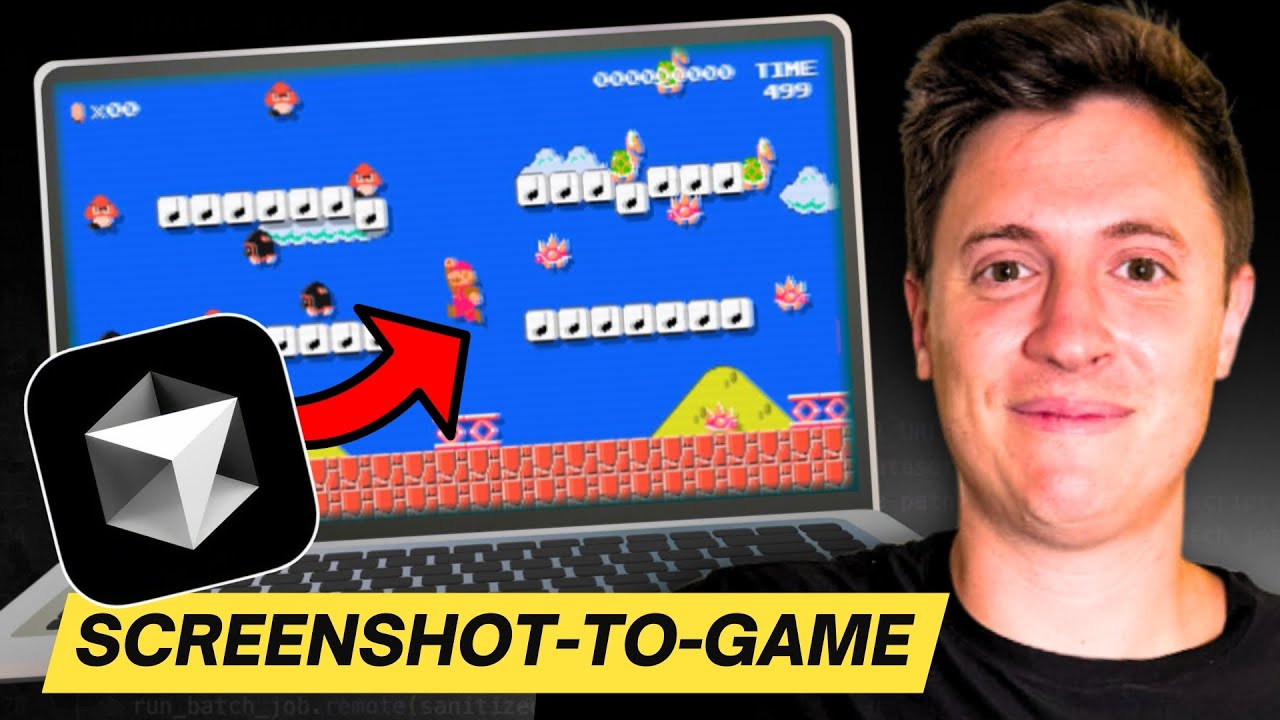
I Build a full game with AI using only a SCREENSHOT (Cursor, no code)
14:10

I Build a full game with AI using only a SCREENSHOT (Cursor, no code)

Alex Finn 12.09.2024 7 600 просмотров 194 лайков обн. 18.02.2026
Поделиться Telegram VK Бот
Транскрипт Скачать .md
Анализ с AI
Описание видео
#ai #coding #programming #cursor #games Follow my X: https://x.com/AlexFinnX Subscribe to my newsletter: https://www.1percentbetter.io/subscribe Learn how to build a simple game with AI using only a screenshot! No programming experience necessary! Beginner friendly! We use Cursor to build a simple game in under 10 minutes. You can then use these skills to build any application or game you want. Timestamps 0:00 What are we building? 0:28 Install React 2:19 Input Screenshot 3:26 Version 1 launched 4:27 Background and stage created 6:28 Movement and enemy elimination 8:55 Enemies Moving 11:06 Improved details 12:50 Score implemented Commands: npx create-react-app mariogame cd mariogame npm start #ai #coding #programming #cursor #games

Оглавление (9 сегментов)

  1. 0:00 What are we building? 106 сл.
  2. 0:28 Install React 352 сл.
  3. 2:19 Input Screenshot 163 сл.
  4. 3:26 Version 1 launched 155 сл.
  5. 4:27 Background and stage created 282 сл.
  6. 6:28 Movement and enemy elimination 363 сл.
  7. 8:55 Enemies Moving 369 сл.
  8. 11:06 Improved details 300 сл.
  9. 12:50 Score implemented 268 сл.
0:00

What are we building?

I'm about to build a video game just with the screenshot you see here no coding whatsoever what we're going to do is we're going to take this screenshot we're going to plug it into an AI tool and we're going to start building the game no coding at all no programming let's go so what you see here is cursor is the most powerful AI tool I've ever used in my life just through an AI prompt you're able to start building out different apps and games doesn't matter if you never coded before what I'm going to do is open the terminal and we're
0:28

Install React

going to install rea react is a web app technology used to build most of the web apps you see online today we're going to use this to build the Mario game so first thing we're want to do is open up a folder for us to place this game in I'm going to do open folder I built this Mario folder here open that up once we're in there we can do command till day and we can type in npx create react app we're going to call it Mario game hit enter this is going to start installing react into this folder once this is installed we're going to take the screenshot I just showed you plug it into the AI say hey build this game out for us and see what we get I think it's going to build something really cool so this is installed we can see over here on the left our boilerplate codes all built out so we're in the Mario game we just created let's get this running we're going to do npm start that should run the boilerplate react technology we just created I'm going to hit yes here and again if you need any of these commands they're down in the description below feel free to pause here so you can code along with me we pull it open boom there it is there's our Buller plate app whenever you create a new react app and you do npm start to start it this is what you're going to see let's start building the game though this should be fun so we're going to come back in here we're going to open the main file which is app. js I'm going to do command L which opens up our chat box right there which is going to help us build the game out and I'm going to say create a 2d platformer similar to the one in my screenshot I'm going to pull in a screenshot I just took so I just Googled Super Mario 2D got this screenshot right there you
2:19

Input Screenshot

can see there make it so the user can jump on the turtles head to kill them bu build it using react make the characters and the game look as similar to the screenshot as possible all right let's send in a screenshot and see what it can build for us here we go all right so it's going to start building the code it is the AI is going in writing all the code for us we don't know need to know any code at all it's just going to build it all out so it built out this file here and what we're going to do is we're just going to hit apply it's going to put the code in for us we're going to hit save and then I'm going to apply it on the second file this is the CSS this is the styling accept then we're going to save that and we're going to see what we got
3:26

Version 1 launched

here so far keep in mind this is just step one we're going to iterate here we're going to give it more prompts uh as you can see okay looks like we can jump up and down we're getting closer this is a starting point we got some of the colors right let's go back in and iterate here right now it's just a blue screen with a red and green dot please draw the background ground and characters more like the screenshot all right we're massaging it a little bit we're saying okay let's build it let's make it a little bit more close now so now it's going in it's refreshing the code it's making it so things look more a little bit more similar to the screenshot I'm going to hit apply we're going to accept save I'm going to go into the styling accept that hit save let's pull over see
4:27

Background and stage created

what we got here okay we're looking a little closer now the background looks much like the sky in the screenshot let's pull open the screenshot so you can see this so we can do some comparisons all right so it's look looks like it got the cloud it has the background Mario kind of looks I mean it's the same I don't know the shape's looking kind of funny but the colors are looking the same let's keep massaging It Let's Get Closer here and I moved this over so we can watch this play out in real time so let's say uh make the main character look even closer to the screenshot give it the same body shape and head so we're massaging it closer we have this one screenshot we're refining it a little bit more sometimes the AI will get a little lazy with us let's go in here let's apply the new code let's save there okay now we're it's got its it's gave it some pants accept that okay he's giving it an eye all right so the AI it's getting it's getting something it's we're getting somewhere all right um let's do this let's make it so the character can move left and right as well and jump on the turtle head to eliminate it all right so now we're going to give it some functionality here we go left and right movement we're going to get it so it can kill the turtle all right so let's apply it's generating new code let's apply this new code apply accept let's save and then we'll come down here apply accept save all right let's test
6:28

Movement and enemy elimination

this out here okay we can move left and right now can we jump we can jump the up button jumps can it kill it oh it kills it okay so let's talk about where we're at so far here the AI was able to get a general sense of what the game looked like with the clouds and the background and the ground itself as for Mario itself not looking too close let's massage it some more let's get a little bit closer maybe we can add more enemies and make it move around like it's doing in the screenshot too let's make the main character look more like it does in the screenshot make it look like a human with legs body head and arms all right so we're massaging we're getting the AI closer we're building out Mario a little bit more we're refining the main character this is all based on the one screenshot and I haven't written a single line of code here so let's apply the CSS we apply the JavaScript here and accept and okay we're starting all right let's comparison again here we're looking pretty damn close it's got the Hat it determined the hat from the screenshot all right now let's do this let's say okay let's add a few more Turtles and make it so they move around and I have to dodge them the only way I can beat them is if I land on their head all right let's see what we got here so we're going to put in a couple more Turtles to match the screenshot we're going to give him some functionality to Mo be able to move around I'm going to wait for the code to generate cursor is just going in generating code right before I keep building this out if you've enjoyed this so far and learned anything make sure to hit subscribe below and let me know what you think I should be building next everything I builds based on user comment so let me know and make sure to hit that like button too accept Okay you can see it on the right
8:55

Enemies Moving

it's already moving around let's see oh okay I'm elimin the turtles it works it makes me jump up too when I hit the turtles okay now let's make those Turtles look a little bit more uh accurate here let's make the turtles look a little more accurate I want them to look like the screenshot they should have feet and eyes I don't know why turtles have eyes I'm also pretty sure these aren't Turtles uh I forgot the name of these are they go is that what they are anyway let's go here let's make it look more like the screenshot we put that in all right so we're doing a little bit more styling on the enemies I'm going to apply that now let's update the rendering accept that save and then you might want to just a size and colors to match a screenshot more closely all right so we're going to match it more closely all right let's refresh this let's see what we got oh wow those kind of look like the Mario characters do they not so this is all based on the one screenshot we sent and it was able to get a feel I had a massage little but say hey make it look more like the screenshot make sure it looks like the human in the screenshot but I mean it was able to basically go in determine the sky color the clouds it detected the clouds in there it detected the ground lightly it has the person it has Mario um it detected kind of the shape of the turtles I mean we can even add a couple more details here let's uh add in the pipe in the adding the pipe from the screenshot and the platform we can jump on in the middle let's send that all right now where what we're doing is I'm trying to make it look just like the screenshot I'm trying to get it so it has that pipe in there as well as that platform let's see if it can detect it and put it in all right so let's apply the new code accept it okay look at this
11:06

Improved details

okay so it detected the pipe and it detected the platform it even has the question mark it found the question mark in there too let's see if we can I don't know we might be too short to jump on it but the point is the AI is pretty incredible it found the question mark on the platform and put it on there uh and now if we refresh this we're going to have the turtles let's see can I jump on the turt oh no it's not going to make me go tall enough point is it found the different elements in the game it put it in there does it look exactly the same no but I basically just made pretty close to the most iconic game of all time based on a screenshot and a few prompts that's pretty incredible you know think about what happens when this AI technology advances more you know maybe I send it a screenshot of Doom and it makes an entire 3D game for our for us pretty amazing uh all based on a screenshot I didn't really have to tell colors or build shapes or anything like that it looked at the screenshot it kind of got a gist of what the things looked like and it built it for us and now I have a playable game you know if I wanted to add a score here I can do that in fact let's do that let's add a score add a score to the top of the screen like in the screenshot when I jump on a turtle increase the score okay so it's going to do that it's going to build out the score for us let us go in here apply save this okay let's
12:50

Score implemented

refresh all right so we got a score all right this is interesting this is cool okay so it's adding the score but look what also it detected the time and the world it detect it was able to read the exact time in the exact World from the screenshot uh in the Mario so it has the score in there the score worked you saw it just increase as I beat the Turtles it even has the coin so the coin times 22 it put it in there automatically so I put the screenshot I kind of had a massage to say look here look here Implement that but when it was able to find it in the screenshot it implemented it pretty amazingly let's look at one more time this game so on the screenshot on the left is Mario and the screen and what we got on the right is what the AI was able to build based on that screenshot that is mind-blowing if you don't if this technology doesn't blow your brain then I don't know if you have a brain to begin with all I do is make videos showing you how to build cool stuff make sure to follow if you want more videos like this let me know in the replies what else you'd want me to build Mario came straight from the replies as a recommendation I will build anything you want let me know in the replies hit like if you enjoyed this too can't wait to build you more cool stuff see you in the next video

Ещё от Alex Finn

Ctrl+V

Экстракт Знаний в Telegram

Транскрипты, идеи, методички — всё самое полезное из лучших YouTube-каналов.

Подписаться




