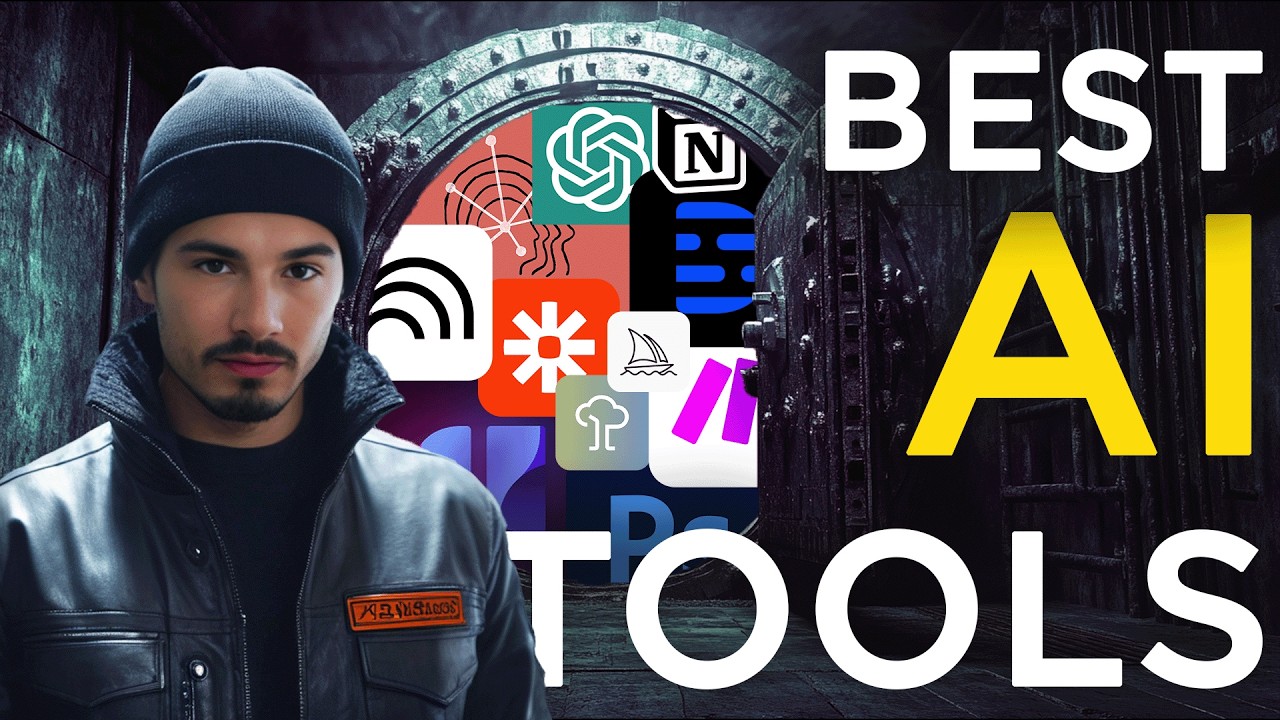
I Tested 1000 AI Tools, These Are The 22 I Actually Use
22:24

I Tested 1000 AI Tools, These Are The 22 I Actually Use

The AI Advantage 28.11.2024 32 818 просмотров 1 212 лайков обн. 18.02.2026
Поделиться Telegram VK Бот
Транскрипт Скачать .md
Анализ с AI
Описание видео
Take the quiz to receive personalized AI resource recommendations: https://v82nacfupwr.typeform.com/to/cINgYlm0 "What AI tools do you actually use?" is the question I get asked the most, and today I'm giving you the answer. In this video I'll be going over EVERY AI tool that I and The AI Advantage team use on a regular basis. While we aren't using all of these tools every day, we do use every tool in this video for work use cases consistently. Links: https://www.adobe.com/products/photoshop.html https://www.adobe.com/products/premiere.html https://app.artflow.ai/ https://www.canva.com/ https://www.capcut.com/ https://claude.ai/login https://chatgpt.com/ https://www.descript.com/ https://elevenlabs.io/ https://blackforestlabs.io/flux-1/ https://gamma.app/ https://support.google.com/meet/answer/14754931?hl=en https://www.heygen.com/ https://www.make.com/en https://www.midjourney.com/ https://notebooklm.google.com/ https://www.notion.so/ https://www.perplexity.ai/ https://replicate.com/ https://runwayml.com/ https://www.nextdiffusion.ai/tutorials/dreambooth-super-easy-ai-model-training-with-automatic-1111 https://zapier.com/ Chapters: 00:00 Criteria 03:00 Adobe AI tools 05:13 Artflow 05:50 Canva 06:47 ChatGPT 07:32 Claude 09:14 Descript 10:43 ElevenLabs 12:40 Flux AI 13:48 Gamma AI 14:50 Google Gemini 15:48 Make 17:36 Midjourney 18:07 NotebookLM 18:38 Notion 19:35 Perplexity 20:14 Runway 21:00 Zapier #ai Free AI Resources: 🔑 Get My Free ChatGPT Templates: https://myaiadvantage.com/newsletter 🌟 Receive Tailored AI Prompts + Workflows: https://v82nacfupwr.typeform.com/to/cINgYlm0 👑 Explore Curated AI Tool Rankings: https://community.myaiadvantage.com/c/ai-app-ranking/ 🐦 Twitter: https://twitter.com/TheAIAdvantage 📸 Instagram: https://www.instagram.com/ai.advantage/ Premium Options: 🎓 Join the AI Advantage Courses + Community: https://myaiadvantage.com/community 🛒 Discover Work Focused Presets in the Shop: https://shop.myaiadvantage.com/

Оглавление (18 сегментов)

  1. 0:00 Criteria 687 сл.
  2. 3:00 Adobe AI tools 512 сл.
  3. 5:13 Artflow 167 сл.
  4. 5:50 Canva 236 сл.
  5. 6:47 ChatGPT 182 сл.
  6. 7:32 Claude 422 сл.
  7. 9:14 Descript 348 сл.
  8. 10:43 ElevenLabs 495 сл.
  9. 12:40 Flux AI 276 сл.
  10. 13:48 Gamma AI 223 сл.
  11. 14:50 Google Gemini 235 сл.
  12. 15:48 Make 429 сл.
  13. 17:36 Midjourney 135 сл.
  14. 18:07 NotebookLM 124 сл.
  15. 18:38 Notion 212 сл.
  16. 19:35 Perplexity 153 сл.
  17. 20:14 Runway 192 сл.
  18. 21:00 Zapier 361 сл.
0:00

Criteria

so there's this one question that we get all the time what AI tools do you and the AI Advantage team actually use in your day-to-day workflows and I think it's a fantastic question because actual use of something shows that there's not just value there but that there's also a certain amount of stickiness there as I like to put it we try a lot of tools and use but it's a different story to look at it three months later and evaluate which ones are still a part of our workflows so that's why in this video we'll be looking at every single AI tool in our team's workflow that is AI po this includes some tools like Photoshop or notion that have ai features or llm platforms like chat GPT or CLA and so many more in between I was actually surprised by how many tools are on this list and before we begin we need to clarify two things first of all what is the work that we do so that you can contextualize all of these tools within our workload at this point the AI Advantage team consists of five full-time people and another eight Freelancers that have weekly recurring tasks and without naming all the particular responsibilities and taking up another two three minutes here the workers really divided into two categories first of all the work on the YouTube and the free content that includes researching and testing all the releases cating content for the YouTube videos and the newsletters and our tier list in the free area of the community this could be summarized at staying on top of the entire AI space when it comes to releases Innovations and functionality and then us communicating that either through the YouTube channel the newsletter or the rankings in the free area of the community and then there is the paid side of things which breaks down into two subcategories one of them would be the AI Advantage Community which is our Learning Hub it's our school that teaches you practical skills and gives you personalized assistance and here's where a lot of tools come in because over the past two years we built a lot of processes that rejuvenate the community we create around 10 guides every week hold around 20 events on various topics and all of that is supported by some of these tools and workflows that happen in the background and besides some of the automations that we have obviously the people are the ones that use all of these tools to create the value in forms of AI tool education okay now that we covered that I'm able to go through this list as I'll be referencing some of the parts of the businesses when they relate to a specific tool or workflow that we use this tool in and look every single week me and the entire team made it our Lifeline to try all the new tools and see if they can be implemented into our workflow it's literally what we do and although we try a lot only a few of them stick around so these are the tools that we actually use on a week toe basis one very last thing before we begin and trust me this is a fun one we actually created something very unique over the past few months as a combination of many of these tools and also as a challenge to ourselves it's a quiz that takes less than 1 minute and will recommend specific resources and prompts based on your interests it's a more custom way of delivering free resources and prompts right to you completely for free we'll link it in the description and this will become important as some of these tools we only use in there because we really haven't found another meaningful use case for them but in the context of this little quiz that recommends resources to you they do make a ton of sense and they're a lot of fun concretely the avatar generators all right so let's get
3:00

Adobe AI tools

into this I'll just go alphabetically here starting with the Adobe products and mainly we use Adobe Photoshop and Adobe premere Pro Adobe Photoshop has some of the best AI Integrations in the entire Graphics design space they have the generative fill tool now they even added a new AI power selection tool that works super well but as we do around 80% of our Graphics inside of Photoshop it's absolutely amazing not to have to round trip to other apps if you want to fill in a specific area select something and as Photoshop was the very first software I learned back when I was 16 years old that's 14 years ago even though I myself don't do this work inside of the company I can appreciate how much of a productivity booster these AI Powers tools are in Photoshop it's incredible to just select over area and to be able to say what you want in there instead of having to mask it out bringing another object and then making sure it blends with everything and then also having to artificially manipulate the light on there thei tools just do this in seconds and that way we can get more versions out in a shorter amount of time it's just a feature none of us would want to give up anymore inside of Adobe Premiere Pro on the other hand we have this generative extent feature which can come in Hy but in our Productions it's not super useful because we don't have a lot of b-roll and if we do have b-roll it is screen recordings and there's no need to extend those generatively if you would be doing something like event videography like I used to at the beginning of my career this would be an absolute godsent a lot of times you're missing a second of footage to cover something else up or to flow with the music and there is generative extent tool would be amazing same with narrative storytelling but we do tutorials so it's a feature we use here and there to extend the clip to make things fit but it's not essential but what is essential inside of Premiere Pro is the ability for it to transcribe the entire sequence and to remove the gaps this actually speeds up our workflow a ton the first step in editing is always bringing in the footage syncing it up and creating what we internally called The Raw cut it's taking out all the gaps of the footage and making sure all the pauses are removed there's an automatic feature in Premiere that uses AI under the hood to transcrip the whole thing and to create this edit for you uses in every single project and effectively this feature alone saves us around 5 hours every single week if not more and that's on around two videos if we do more that number goes up from one feature That's The Power of AI lovely to have around and now let's move on to the next one
5:13

Artflow

which is artf flow. a and this is a platform to generate custom images you can really easily train it on your face and there's a lot of presets there but now that flux has come out we started transitioning more and more to using those models as they're arguably better in many situations and as they're open source you can also really easily train them on your face we use replicate for that more on that later but artlow has a lot of these presets and it uses dream boo under the hood which is just a different flavored image and we still use it a lot of times cuz they have a lot of these presets where we don't need to be thinking up a new scenario or prompt engineering your way into something that looks good they just have a plethora of presets where you can put your custom avatar into it and they work great next up we have canva ai and this
5:50

Canva

is one that we experiment with on and off as we have multiple Photoshop users on the team this is our go-to but for things that need to be turned around quickly and a lot of social media Graphics like if we need a quick Instagram story or even an Instagram Carousel to communicate something canva is just fantastic because you have those presets there and with the AI features it really does speed up the workflow we don't really use the text generation features but some of the image editing features and even generation features right inside of canva can help speed up the workflow now I think the Photoshop Integrations with AI are way more significant and all the canva AI stuff is all well and good I think it's especially aimed at beginners if you have more of a concrete vision and a lot of the assets predefined within the company as we do and you have access and knowledge of Photoshop a lot of it does become redundant but when it comes to quickly producing a visual canva is fantastic and I can only recommend it the AI makes it really beginner friendly by the way not a single one of these tools that I mention here are sponsored I'm just giving you the raw take and we pay for all of these ourselves okay next up we have cat GPT I
6:47

ChatGPT

don't think I need to spend too much time on this we talk about it a ton of this Channel and it ranks as number one on our teist rating this is because it has the most tooling with the new model it's also fantastic for creative writing has a more human tone and things like the advanced voice mode and the gpts just set it apart from the rest of the pack and the tooling really allows us to get the most out of this we use it for everything from brainstorming or rewriting with 01 preview all the way to data analysis and summarization and even more through their API it's just our llm of choice and early on I made a decision to pay for a team plan and every one of our team members is inside of our team so we get to share gpts and it also make sure that everyone in the team is at the Forefront of what AI tooling makes possible as open AI really is pushing the boundaries of the space which we're
7:32

Claude

all about next up we have Claude And this is one that I have an individual subscription to and I know multiple team members decided to opt for an individual subscription but really there's one thing that stands out with cloth and that is its ability to generate code with Sonet 3. 5 it's absolutely incredible at that and any development related project that we do or any little script that I write for myself that I use in my workflows I just go to CLA 3. 5 Sonet and it gets the job done I think everybody who's a bit deeper in the development department will agree with this it's pretty much the consensus opinion at this point some people argue that o1 preview from chat GPT is great and it is it has longer output length so that can be useful sometimes but generally speaking if you need code just use CLA 3. 5 Sonet and you will be fine obviously all of these opinions are dated with the release of this video and the space evolves quickly but as of right now that would be my recommendation I do also have to point out that we have a few projects going inside of CLA cuz we still really love the tone of it and before we used it for all sorts of creative writing but now with the new catb release it's become a bit more balanced but we have a lot of projects where we uploaded multiple examples of our writing and we use it to draft up emails or events descriptions inside of our community this is something that is pretty static and follows the same template every single time so we just uploaded 10 examples of various event descriptions that have been written by hand and now Claude can help us craft new ones we really like the tone of it for that it cuts straight to the Chase and sounds pretty human Plus in I event description it doesn't matter as much as in something like an email or a video which by the way I'm speaking of the cuff here I'm not following any script here I have a database of all these tools that we maintain inside of the community it also includes non- AI tools that we use inside of our company but really all I'm reading is the name of the tools and I just know how we use them because I'm involved in this 7 days a week free 65
9:14

Descript

days a year so next up we have descript and this is a video editing platform that already existed before AI tools were around but they really heavily leaned into this entire AI wave and I think they did a fantastic job matter of fact from all the video editing tools that I've seen I think they did the best job they're trying to be AI native that's at least how I perceive it they have all of these varying features like transcriptions and the removal of certain words as Premiere does but they go even further they've repurposing into smaller clips and you can do all sorts of edits on top of the transcript so this means this tool allows you to edit a video as if it was a Word document not a video you get to go through the thing and remove certain words and it edits them out a lot of this can be done automatically with the power of AI if you say make it more concise it looks at entire transcript and it takes out the things that make it more lengthy and we particularly use the script for any transcription related workflows if we just want to transcribe something and get the timestamps for example of a live stream well we pull the live stream from YouTube we throw it into dript and we hit the button that creates the timestamps and there you go now this could surely be done on a lower budget I think the script costs around $30 per seat I think in the company you have two seeds right now between me and Daniel our digital content manager but it is the easiest interface for this yes we could spend a little bit of time and create app that does the transcription and the timestamping for us but we just appreciate the pleora of the tooling and they keep adding new ones and as we're very video Centric we just keep finding the value in the script although we do all of our editing inside of
10:43

ElevenLabs

Premiere Pro all right next up we have level apps and this is the one where I need to reference the quiz that I pointed out in the beginning because this is one of the main spots we use it at if you fill out the quiz at the end you will get a custom video that is generated with haen and I guess we can skip ahead and talk about haen here too and in haen I essentially trade up Avatar of me sitting here at this setup and then we can use the haen Avatar in combination with the 11 Labs voice to look like me and sound like me and we can generate any script that we want hey there I'm glad you landed here I'm Ai igore and based on what you've told us about yourself we recommend you check out the following resources to learn about AI now generally speaking I don't think the quality is as good as this and that's why we don't really use it I think there was one or two YouTube clips where we used it briefly 11 Labs we actually use in some YouTube clips sometimes if I get a word wrong or right before uploading we realize there's some little inconsistency or some fact that I got wrong we edit that out and regenerate The Voice with 11 labs and it virtually sounds the same and I have to sit down and re-record something from scratch but beyond that the main reason we use 11 labs and haen in tandem is for this quiz where at the end you meet AI igore for one minute and I give you the different resource recommendations and the reason we went with this workflow is that as we update the resources or the prompts inside of the quiz results at the end we can really easily edit the video I don't need to sit down and re-record eight new videos every time we make a new change we can just slightly change the script export the new clip and there you go we have a brand new video so the speed of the turnaround plus the different courses we're building inside of the community we're starting to use haen and 11 Labs as a part of it for me to explain certain Concepts and as AI keeps evolving I don't have to sit down and re-record something every single time a new update comes out we can simply use these tools to regenerate a certain passage and it looks I don't know 60 70% of the way there to the real world recording and when it comes to education I think that is fine the sound is Flawless by the way it's the video that is about 60 70% there so there you go that's 11 labs and haen and how we use it in our process let's move on to the next one okay next
12:40

Flux AI

up we have flux and I want to discuss this one in combination with replicate because that's the platform we use flux on top of you could totally run it locally but I'd rather pay a little extra and not have it on my local hardware plus other teammates can easily access the models we train and this is the way we use fluxing we train custom models with image of mostly me and then use these in our thumbnail designs as you might have noticed on this channel we find that the quality of the surroundings and the images overall is the highest and the resemblance of me is pretty much equally as good as the other alternative which is using stable diffusion on a platform like artflow so if you want to make custom images of somebody using flux on a platform like replicate or there's also file AI that I've used before is a great call and although you could run it on local hardware there's no real point in that to be honest I've been looking for a reason any reason really to get a local AI computer but the main reason that makes sense for is privacy for companies that want to run local models and that's just not the case for us we want to test out all of The Cutting Edge stuff and see how it performs and in that case renting gpus is not just perfectly fine but more cost efficient and easier and you can make changes really easily if something in the setup doesn't work as you want it to so that's flux next up on
13:48

Gamma AI

my list I have gamma Ai and this is what co-pilot 365 in PowerPoint wants to be it's a AI native presentation creation app and again none of these apps that we mentioned here are sponsored but I'm just a big fan of gamma AI because it makes creating presentation so easy it works exactly as you would expect that if you bring text in there's an option for that it maintains the text and creates a wonderful presentation from your text or it generates all the text for you it creates AI images makes all the designs and if you want to make changes you can do things like go to a specific slide and say exactly what you would like to change in natural language and it will figure it out and do it for you it works like a charm if you don't mind the watermark the free version actually exports PowerPoint presentations with a little gamma AI watermark on the bottom and you can just use that for school University whatever it might be I really enjoy doing public speaking and teaching publicly and I learned over time that having a PowerPoint to support you really does help communicate your message and Gamma AI is my go-to when it comes to creating presentations of the power of AI today
14:50

Google Gemini

next up we have Gemini and I want to limit this one to Gemini inside of Google meets cuz we use that for all meetings and actually having the Gemini assistant in there has been and valuable now there's many alternatives to this if you use zoom they have their own built-in tool and I believe most other video conferencing platforms also have something like this but in our case we do use Google workspace and Google Drive and Gmail and all that and as a part of that we also use Google meets we find it really great you can create these breakout rooms that has all the features we need and I pay for the Gemini upgrades there to have the meeting summaries Works fantastically well that's the way we use Gemini and we pretty much use that for every internal meeting I will say that I have my executive assistant go over the track transcripts and check if everything is correct just to make sure no hallucinations are present it's a really quick process for her if she's present in the meeting which she always is then it's not a hard task it only takes a minute or two and it makes sure that our meeting summaries are perfect because sometimes hallucinations do sneak in so you know just be careful that's the case with all llm summaries all right next up
15:48

Make

we have make the automation platform and at this point I should put a disclaimer we have been sponsored by in previously but this is a platform we've been teaching and using before they even reached out to sponsor us the reason really like it is because the plans are very beginner friendly and you can export blueprints with prompt presets in them whereas if you do that in some of the competitors like zapier it doesn't save the prompt inside of it plus you can get started on a free plan and just start building start creating start learning these tools without spending money which is really great beyond that these no code automation tools are just a no-brainer for us we use them in so many ways we have a bunch of automations for our community so in noal we maintain a bunch of databases with all community members and for example the info they fill out in the onboarding form and then some of these make automations help us use something like a fine model that we create to classify people into different districts by interest so if they come in and they express acute interest in creating photos and videos with AI and we sort them into the creative district and if they want to learn more about automations we sort them into the no code district which has content specific to that now this is really easily possible and editable and updatable through a no code automation tool like make so we have a bunch of automations running on the background I think in total in day Advantage we have around 35 to 40 automations running right now some of them very simple some of them more intricate like hey if person has outcome number six in the quiz that recommends the various resources then make sure to fire our web hook which will be picked up by the automation software and then we can tag them inside of our email marketing software and send you a custom email with your resources Plus in the future if you do decide to sign up to the community we can help you get to the relevant resources faster because in the past you already expressed interest in a specific topic so we can recommend materials that go along with that to be fair some of the stuff is more advanced but hey tools like this make it very accessible as opposed to doing everything with custom code where it does become a bit trickier to maintain
17:36

Midjourney

okay next up we have mid Journey this is sort of our go-to for all the art we have a lot of banners and Graphics inside of the community and also the shop now but mainly in the community for all the events and all the guides and resources we create custom banners and mid journey is our go-to tool because it has the most appealing visuals we created specific Styles and have a specific visual language that we follow there and by now it's really easy to maintain a consistent style inside of M Journey so we do that and then we can just generate new and new visuals that are relevant to whatever the content is so M Journey still Best in Class in terms of Art in my opinion next up we
18:07

NotebookLM

have notebook LM and this one is sort of a no-brainer at this point everybody loves notebook LM if you're learning something if you're researching something this is your go-to tool you put all the sources in there and then you can generate these podcasts to either refresh your mind or retain the knowledge or even communicate it to somebody else it's just a great way to do it this natural podcast is just a thing that worked and I wouldn't want to go without it anymore I don't use it all the time but when I'm learning something new exploring a new topic it's my go-to I put the sources in there and it really helps in the process of exploring a new
18:38

Notion

topic okay then we have notion I'll keep this brief but basically become sort of notion obsessed and everything we do is inside of notion from all of the research workflows to all of our video production the Community Management everything from cataloging new ideas or feedback all the way to managing the guide flow or even the event scheduling with external speakers that we have inside of the Community everything happens in Ocean I just wanted one platform where I can build it all and the wonderful thing is it integrates very well with some of these no code automation tools meaning we can really easily plug it together with something like the cat GPT API and then work with the data inside of the otion and alter the databases extend them whatever we want to do everything is in notion and I really like their AI features and I paid for the add-on I don't use it all the time but sometimes it's just a fantastic way to manipulate tables into databases into articles into whatever you might need I really use it for cont content transformation as everything lives in Ocean and then the AI helps me transfer it from one format into another then we have perplexity AI
19:35

Perplexity

my go-to AI search engine so I'm still kind of flip-flopping between chat GPT search and perplexity right now they're both great I don't think they replace Google at this point but when it comes to something like product reviews or any human opinion I will always go to perplexity AI also when I have factual questions where I just want the answer maybe I want a little bit of research and info then I also like perplexity Ai and actually my favorite thing is you can ask concrete questions and compare two things and it will look into that so hey should I buy this headset or this headset and then it will come up with an answer for you with the various resources supporting that if you haven't tried it I would recommend it there's a reason we consider this a s tier tool and everybody seems to agree then we
20:14

Runway

have Runway and we kind of play with this we really love this tool in the video production we use it a lot to remove the backgrounds of videos so basically green screening something and then also more and more we use it for b-roll where we generate image with M Journey or flux and then we animate it with run way and we turn it into video which we can then use as a b-roll clip inside of our YouTube videos it's a great way to freshen things up and something that on a generative AI educational Channel just makes sense other than that you can use it to create transitions but I don't know this is sort of in the experimental category the killer use cases haven't surfaced with these tools yet in my opinion but we keep using them to stay on top of it I feel like once we get character consistency it's going to be able to do a lot but that's just not the case right now nevertheless a powerful tool that we keep playing and experimenting with and our go-to video generator because of all
21:00

Zapier

the tooling and then lastly on my list here we have zapier another no code automation tool this is the one I was used to from back in the day from my other video production business I already use AP in the background now this is probably the most expensive noord automation tool and the reason is because it's the simplest they kind of set it up in a way where it's quite intuitive to get started but with that being said also make is quite intuitive to get started with all the tutorials we do prefer to teach inside of make because you can export the blueprints so easily and they contain the prompts and the pricing is more accessible than zapier but I'll just say that there is specific connections and apps that just work better in zapier others work better in make but as I kind of move through this apps some sometimes something doesn't work in make and then you try and zapier and it works perfectly and the other way around I kind of like having both that's just me making a living of experimenting a bunch of these tools and also teaching them to others and that is essentially it those are all the tools that were really sticky that we keep using that we keep coming back to if you're interested in learning about what's new and what you could add to this stack you can check out the Friday show news you can use where we cover all the new AI use cases of that given week and then in a year or something I'll update this video as mentioned in the community we update this regularly and it also includes all the non- AI tools that we use in our TCH stack but other than that I hope this was helpful if I missed any tools that you feel like belong on here the comment section is there exactly for that I would love to hear which AI tools you use regularly that might not be on my list and yeah with that being said I hope you have a wonderful day

Ещё от The AI Advantage

Ctrl+V

Экстракт Знаний в Telegram

Транскрипты, идеи, методички — всё самое полезное из лучших YouTube-каналов.

Подписаться




