Want to get more customers, make more profit & save 100s of hours with AI? https://go.juliangoldie.com/ai-profit-boardroom
Free AI Community here 👉 https://www.skool.com/ai-seo-with-julian-goldie-1553
🚀 Get a FREE SEO strategy Session + Discount Now: https://go.juliangoldie.com/strategy-session
🤯 Want more money, traffic and sales from SEO? Join the SEO Elite Circle👇
https://go.juliangoldie.com/register
🤖 Need AI Automation Services? Book an AI Discovery Session Here: https://juliangoldieaiautomation.com/
Click below for FREE access to ✅ 50 FREE AI SEO TOOLS 🔥 200+ AI SEO Prompts! 📈 FREE AI SEO COMMUNITY with 2,000 SEOs ! 🚀 Free AI SEO Course 🏆 Plus TODAY's Video NOTES...
https://go.juliangoldie.com/chat-gpt-prompts
- Want a Custom GPT built? Order here: https://kwnyzkju.manus.space/
- Join our FREE AI SEO Accelerator here: https://www.facebook.com/groups/aiseomastermind
- Need consulting? Book a call with us here: https://link.juliangoldie.com/widget/bookings/seo-gameplanesov12
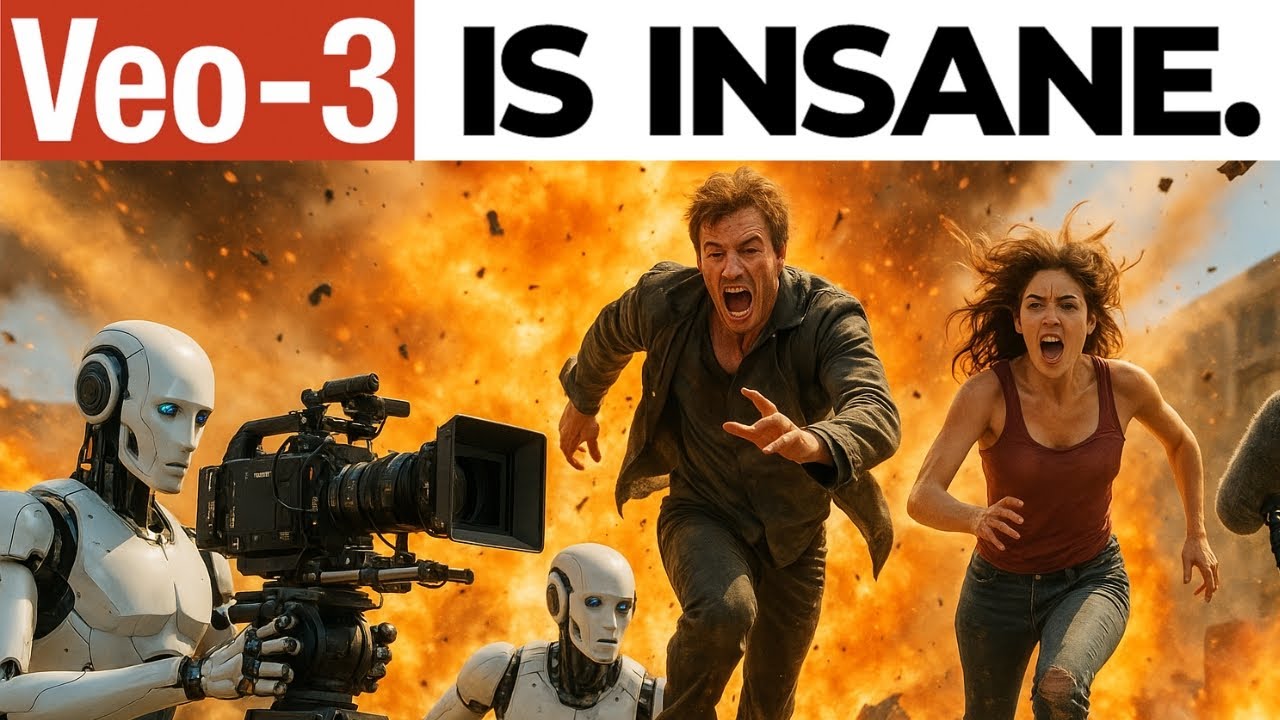
Creating Hollywood-Level Films Using Google Gemini and VEO 3 in Just a Few Clicks!
In this video, discover the impressive capabilities of the Google Gemini 2.5 Pro and VEO 3 in creating high-quality, AI-generated movies. The walkthrough demonstrates how to generate cinematic shots and build entire narrative films using AI, with an explanation of advanced features and tips. From conceptualizing with ChatGPT to editing in Descript and adding music from Suno, every step is covered comprehensively. Learn about the workflow, prompting techniques, and how to access free resources and courses to get started on your own AI-driven film projects.
00:00 Introduction to Google Gemini 2.5 Pro Workflow
00:09 Creating a Movie with AI
01:36 Exploring Google VE O Three
01:48 Advanced Features and Techniques
03:09 Generating Scenes with AI Studio
07:05 Using Flow for High-Quality Outputs
11:16 Editing and Adding Music with D Script
15:19 Final Steps and Exporting
21:18 Conclusion and Additional Resources
Оглавление (9 сегментов)
Introduction to Google Gemini 2.5 Pro Workflow
This Google Gemini 2. 5 Pro workflow with Veo3 is insane. Let's play it. This is a movie I just created in a few clicks. Let's get into it. If you think you're
Creating a Movie with AI
just made by a prompt, you're crazy. Just saying. Are you AI? Are you good? You see it? Are you crazy? I ain't AI. I'm the real thing. You can look into my eyes. If you vote for me, I will ban prompt theory. There are people who think that all of this is just made by prompts and they are crazy. Show me the meaning. If you're a prompt, then why can't your prompts save you now? I just I feel like everything is just ones, zeros. We are not just ones and zeros. I would never date a man who believes in prompt theory. I will ban prompt theory if you vote for me. If you think you're AI, then why do you have feelings and emotions? This is a oneshot prompt. You AI, are you crazy? If I was AI, then how could I do this? Don't you realize none of this is real? So, that is basically the movie.
Exploring Google VE O Three
And Google just dropped Veo3 last week. I use it to create an entire film that basically completely changes your perception of what's real and what's AI generated. And today, you learn how to
Advanced Features and Techniques
access Veo3's hidden advanced features. that most creators don't even know exists yet. You're going to discover the exact prompting techniques I discovered that produce Hollywood level cinematic shots and my step-by-step process for building a complete narrative film using nothing but AI. And if you want to get all the tutorials, all the courses on this for free, you get it inside the AI success lab. We've got free trainings, prompts, and courses directly down here. You can just click on the links and get direct access. So, this stuff is absolutely wild. It's redonkulous how powerful it is and we're going to get straight into it. So essentially the way that I came up with this idea was you know you number one I was watching a few different creations that people had created with A3 but also you know you can go into chat GPT and the first stage here or you can use Gemini uh 2. 5 Pro but basically you would go inside here and you' be like right okay give me some movie ideas for the theme of and then you know for example let's say prompt theory is the idea of your theme. Well, let's get some ideas here. Short, simple. I like to keep it actually quite vague in terms of the scenes. And then, you know, you could say something like add some humor, too. And then from there, we can start building out the scenes that we have.
Generating Scenes with AI Studio
Right now, the other cool thing here is if we actually go over to Google AI Studio, we can upload media and then we can generate more scenes with that media. Right? So, if you've already created a video, let's say, for example, um we've got a video example of an MP4 that we can upload. So, we can click on this just to get started. Completely free at a studio. google. com. And then we can upload a file. So, let's have a look through here. We could upload, for example, this interview clip here. And then we could take this prompt like so and say, "Give me some more funny ideas based on this scene about AI reacting to being AI. " Right? And basically what we can do inside AI Studio, which is one of the few AIs in the world that can do this, and you can do it for free, you can actually upload the MP4. It can understand the video that you've uploaded. So you can see it's actually using tokens to upload that and then we can give it a prompt and say like give me more scenes or give me more ideas etc. And just bounce off for creativity using this directly here. So now it's giving us some other ideas. So for example, if we pull this up, it said right here are some funny ideas based on the scene about AI reacting to AI. So the AI starts questioning the interview with increasingly complex and philosophical prompts. The AI glitches out and starts speaking in snippets of code or random internet comments. The AI upon re realizing it's AI asks if it gets paid and demands better processing power. Right? So we could take something like that and then we can say okay turn this into a gritty scenario like a Hollywood film and give me five ideas for the short scene max five words of dialogue. You also want to keep the dialogue short when you're doing this because if you're using VO3 to generate clips, it can only really do 8 seconds at a time and the audio is kind of hit and miss, right? Sometimes it works, sometimes it doesn't. So when you're doing this, you really want to be like just keeping the dialogue short for example. So we say describe the scene, but just keep the dialogue itself short. We'll hit enter like so. That's going to start generating some ideas for the movie and the ideas that we're going to generate here. And you know what's crazy about this is like imagine how much this would cost to produce like even just simple scenes like if we play that one before are you AI? Are you think about that scene, right? How much work goes into generating a video like this. Like you have to come up with the idea, go into New York, wherever you are, dress up in a suit, get the audio correct, so the audio quality has to be right. Find two people who are willing to consent to having that video online, and then also get the lighting perfect, then edit it, and that's for like 8 seconds of clips, right? But using AI, you can now skip all that hour of work and just get straight into building your own movie, right? And you can do that from the comfort of your own home. So if we go back to the AI ideas now, we've got some ideas here. So for example, a junkyard of obsolete robots, rusting limbs, shattered screens, etc. So we can, for example, use that as a scene inside ours. And what we're going to do is we're just going to go over to Flow, right? And inside flow, this uses
Using Flow for High-Quality Outputs
beo3. Now, most people don't realize this, and I didn't realize when I first started using it, is that you get a choice of outputs here. So, if you go with the default, so most people can't even see that little icon down there. It's like it's grayed out and you can't really see. I think they're trying to hide it or something. But, if you change the settings over here, you can change the quality from fast, which is VR2, the old model. Then you've got quality, okay, which is like VR2, but the one that you want is highest quality. Right now, this uses 100 credits based on your current settings. So, you can see the settings here for how many credits you got you get per month. You actually get a,000 monthly credits on the AI Pro plan inside Flow, right? And you only seem to get Veo 2 inside there. Whereas, if you're on the Ultra plan, then you get 12,500 AI credits and the highest quality allows you to generate a maximum of 83, right? And there's about 150 AI credits generated each time. Right? So if we go back now to flow and this is available at labs. google/flow. We're going to plug in that example. We say a junkyard of obsolete robots resting limbs shaped screens blah blah. The AI a battered security bot with a dented chassis stares at its own reflection in a cracked visor. It's internal voice module um crackles with static processing insufficient. Right. feels futuristic, etc. So, we'll entertain. The other thing to note here is like sometimes the video generation doesn't work. Like, I've seen it like fail quite a few times. That's super annoying cuz sometimes you can wait like 5 minutes for a video generation and then, you know, you don't even get it in the end. So, just be careful of that. And then, for example, we've got this clip right here. Sometimes it doesn't actually generate the audio. So, for example, if we play this full screen, you'll see what I mean. It's a pretty cool scene, but there's no audio on that, right? And it seems to particularly struggle with videos with crowds talking. Like, it just won't generate the audio as well. But essentially, you can see here how you can basically, you know, step number one is you come up with the scene idea, the movie idea, etc. Then step number two, you generate the scene of the first part of the film. Then step number three is you go over to AI Studio, upload the MP4 and the video file there. And from there, you can actually start generating more ideas, more scenes based on the theme of whatever movie you're building out, right? You just want to make sure inside flow that you do select highest quality inside your settings right there. So that's basically how it works. So, let's keep testing this out now. We'll see what we got back. So, it's 36% generated. Is going to take a few minutes to generate this. Sometimes as well, this stuff comes out a bit weird. I'll show you what I mean. So, let me play this one for example. Two women being interviewed at night by a presenter in New York. Blah blah. Let's play this and see what we get. Are you AI? Are you crazy? She's playing. We're definitely not AI. Are you AI? I mean, that one was pretty good to be fair. Like, they should have included that in the movie. There were some, like, for example, this one. Let me play this one back. So, you see how there's no sound on that? Like, the video quality is really good, but there's no sound, which is kind of like a waste of time. This one was weird as well. So, you'll see what I mean. You see how there's like it sounds like there's a crowd in the background there when we're generating the video. So, you just have to be careful of this. And I'm not sure whether it still uses credits when it fails. But I have a suspicion it might do. I just feel like that's probably the way it works is like, you know, if it messes up, it's on you. It's your credits gone. I don't know if that's the case, but I just imagine that's often how these tools work. So, when you're generating these scenes as well, step by step, the other thing that you can do here, um, this is what I do.
Editing and Adding Music with D Script
I like to do this inside Dcript, which is a video editing tool. So, when I'm putting all these scenes together, what I can actually do is generate the background music for it, right? And I would recommend using suno. com for generating this. You can get free music made off the back of that as long as you're not using it for commercial stuff. If you're stuff, then you need to upgrade, I think. But, for example, here I've generated a few songs. So this was the cinematic music that I generated. Let's click on this and then we can play it. It's kind of got that um what's that TV program from HBO? Totally forgot it. It's one of my favorite TV shows as well. Um but basically, it's kind of got like that dystopian feel, right? And so if you go inside So and you want to create background music for your video, you can actually go to the home here, then you can click on create your own song. Then you can type in whatever you want. So okay, let's say it's a dystopian movie. So we're going to put dystopia movie about AI taking over the world, right? Scary, fearful, tense. Just describe like the emotions you want to create in this. Then you can click on create here. But what we also need to do is if it's a background music for a video, I would recommend going with instrumental. And then you can see here we've selected instrumental etc. I'm also just going to put no lyrics just to be safe. And then we shall click create on that. Right. And that will generate the music for us right here. Succession. That is a HB. It's just come back to me. Succession. That is a HBI program I was talking about. All right. So, you can see how quickly that music has been generated. So, you've got two different options right here. Let's play that out. Pretty nice, right? And then if we click on download over here, we'll download the MP3. And then if we go over to Dcript, Dcript is it just makes it super easy to generate um responses. So if we go to Dcript now, it's going to take a little while to load up, I think. Here we go. All right. So, inside Dcript, you can actually edit your video scenes. So, let's say, for example, you want to create a movie like this. Well, it's pretty simple and easy. So, if we go back to Google Chrome here, we'll go back to Flow. Hopefully, that video has generated. Yes, it has. Let's play this. processing. Processing insufficient. All right. Processing. So, we've got the video right there. Then we can download. I'm just going to download it as the original size of where it's going to take ages to load. And now we can start building out our film.
Final Steps and Exporting
So, if we go back to Dcript, right, and let's say you're trying to create a film from scratch. Well, you would just go to new project, video project, upload the MP4 files that you want to insert into the scenes. So, for example, like this one. We'll wait for that to load. Usually get added pretty quickly as you can see. And then we can just add different scenes below to create our own video. And then you can change the name however you want. So let's say for example dystopian movie like you can see. And then if we click on show timeline over here we can see the different scenes, right? And we can chop them up. So if you click on this one, this cursor right here, that will allow you to move the scenes. If you click on this one, it will actually allow you to chop your scenes and move around with them and that sort of thing. processing insufficient. Now, what you're also going to see is on the clip, the subtitles are pretty bad, right? It's just one thing to be aware of. It's like usually the subtitles are wrong. Now, if we go back here, we're going to take another MP4 that we generated. All right. And you can see how we're just gradually building out this film. Now, if you want to add music to this as well, let me show you how. So, if we go back to Finder, go to downloads, and we'll grab that MP3 file that you just generated from Sunno. So, if we plug that inside here, we can actually add that right at the start. Right? So, you see how I'm just dragging and dropping it here. There we go. And now we've got the music overlaid on top of the scenes. So, let's play this back. Are you AI? Are you crazy? You see it? Are you crazy? Processing. Processing insufficient. Now, if you add another scene in here, so if we click on enter and then add another file in here. Let's take another MP4 like so. And so when you add that in, you're going to see that the music, it doesn't extend automatically, right? So the music is going to cut off there. Let me show you what I mean. Insufficient AI. So you see how it cuts off. So what you want to do is just drag that over here, right? Drag that at the bottom. And then that will make the music play on the last scene, too. Are you crazy? And then we just need to drag that all the way. Let's play that again. Are you crazy? So basically that's how you can create this stuff. Create your own film. Really easy to build out. And then if you want to export this on dscript, which is the easiest way I know, then you can just export it as a local link and click download. Or you can do a local export here. You can even export directly to YouTube as well, but yeah, I would say the easiest and fastest is the web link and that doesn't seem to use the processing power of your laptop so much as well. So, you can see now basically how to build out a complete movie, right? So, essentially you come up with an idea, chat using this prompt is going to help you come up with more scenes and ideas for your video. And if you want all these prompts, I'll put them inside the AI success lab link in the comments description completely free along with the video sample from this. And then if we go back, what you would do from there is start generating the prompts inside flow. Now you can actually do frames to video. So if you do frames to video, you can add a frame that you've already generated like you can see, right? So that's pretty cool as well to make your video more interesting. And then also what you can do here is if we click on add to scene, we can actually extend the existing movie scene that we have. All right. So if we click on plus extend, that will make the scene longer in itself. Now from there what you're going to do is get the MP4 files of the film that you've got and you can upload that into AI studio and that will give you some more ideas. Right now you can see here for example this is the prompt that I used. So if you want that prompt it's inside the AI success lab as well completely free. And then you can use Sununo to generate the music as well. Just be careful with commercial licenses, right? Like if you use this to monetize, then you need to get the uh the pro plan. And then from here, you can import into Dcript. Dcript is really good for just organizing all the files, cutting the scenes up. I like to chop some of the scenes up and then get rid of any silences, right? So, for example, if we go back to dcript here, let me show you an example what I mean. Are you crazy? So, like right there, cuz it kind of gets a bit boring. There's no speech. You could just chop it up and then delete that audio and then the clip will just cut, right? And then you can go to the next scene, the next scene, right? And if you uploaded a so I don't think you can upload a song to Google Flow. Just something to be aware of there. The way that I do it is I just add the music in later on dcript and that makes it easy to like cut and copy and edit and make the scene and the movie and
Conclusion and Additional Resources
everything like that. Right now if you want to get the video resources that I mentioned today, it's all inside the AI success lab completely free. If you want to see the video example of what I created, you can get it right here. You can actually download it and then make your own if you want. I don't care. like feel free to do whatever you want with it. And then yeah, basically inside here as well, we've got three different courses on Veo3. So if you want to learn more about this stuff and how it works, etc., feel free to get that inside the AI success lab. So thanks so much for watching. That's basically everything on Veo 3 and my Gemini 2. 5 workflow. You know exactly how to use it, what the prompts are, all the resources, all the links, plus you got three different courses right there on exactly how to use it as well. All right. And it is absolutely wild what you can build with this. I mean, just to put this in perspective, this feels very Hollywood. Like, it feels very unique and new. And, you know, it's probably better than a lot of films on Netflix. Let's be honest at this point. Let's play this back one more time. One more time. Breaking news today. It appears that the world is a simulation. If you think you're just made by a prompt, you're crazy. Just saying. Are you AI? Are you crazy? You see it? Are you crazy? I ain't AI. I'm the real thing. You can look into my eyes. If you vote for me, I will ban prompt theory. There are people who think that all of this is just made by prompts and they are crazy. Show me the meaning. If you're a prompt, then why can't your prompt save you now? I just I feel like everything is just ones and zeros. So, you get the point. I mean, that's a minute and a half long. It took me 24 hours, right? And um and honestly, like maybe in total time spent on flow, it was probably more like a couple hours, two or three hours to build that stuff out. So, it's actually probably faster in reality for us to create movies like that um versus normal. Now, if you want to get support on this, if you want to be able to DM me and ask for advice, if you're interested in building stuff like this, feel free to get my help inside the AI profit boardroom. This is an awesome community where everybody's just doing crazy stuff like this all the time, right? It's what keeps me going, what keeps me learning about AI. And uh it's just an awesome group of people that we all have a lot of fun with when it comes to building stuff with AI as well. And also, if you want to make more money, if you want to save more time, if you want to grow your business, these are all the workflows that I've used to save time, make more money, and scale my business. So, if you want the same workflows, feel free to get that inside the AI profit boardroom. Link in the comments description. Appreciate you watching. Cheers.