Want to get more customers, make more profit & save 100s of hours with AI? https://go.juliangoldie.com/ai-profit-boardroom
Free AI Community here 👉 https://www.skool.com/ai-seo-with-julian-goldie-1553
🚀 Get a FREE SEO strategy Session + Discount Now: https://go.juliangoldie.com/strategy-session
🤯 Want more money, traffic and sales from SEO? Join the SEO Elite Circle👇
https://go.juliangoldie.com/register
🤖 Need AI Automation Services? Book an AI Discovery Session Here: https://juliangoldieaiautomation.com/
Click below for FREE access to ✅ 50 FREE AI SEO TOOLS 🔥 200+ AI SEO Prompts! 📈 FREE AI SEO COMMUNITY with 2,000 SEOs ! 🚀 Free AI SEO Course 🏆 Plus TODAY's Video NOTES...
https://go.juliangoldie.com/chat-gpt-prompts
- Want a Custom GPT built? Order here: https://kwnyzkju.manus.space/
- Join our FREE AI SEO Accelerator here: https://www.facebook.com/groups/aiseomastermind
- Need consulting? Book a call with us here: https://link.juliangoldie.com/widget/bookings/seo-gameplanesov12
Unlocking the Power of GPT-4.1: New Features, Prompts & Use Cases
In this episode, we explore the newly relaunched GPT-4.1 models by OpenAI, available directly inside Chat GPT. The video highlights the features and benefits of GPT-4 0.1, which excels in coding and data analysis, and GPT-4 0.1 Mini, optimized for everyday tasks. The host walks through practical use cases, including analyzing sales data with detailed prompts and leveraging memory functions. Additionally, an in-depth prompting guide is offered via the AI Success Lab, to help users get the most out of GPT-4.1. For more advanced tips and community support, viewers are encouraged to join the AI Profit Boardroom.
00:00 Introduction to New GPT-4 Models
00:15 Accessing and Using GPT-4 0.1
00:49 Benchmark Performance and Use Cases
01:13 Prompting Guide and Agentic Workflows
02:28 Data Analysis with GPT-4 0.1
05:28 Comparing GPT-4 0.1 and Previous Versions
08:07 Advanced Prompting Techniques
11:26 Memory and Customization Features
15:48 Conclusion and Community Resources
Оглавление (9 сегментов)
Introduction to New GPT-4 Models
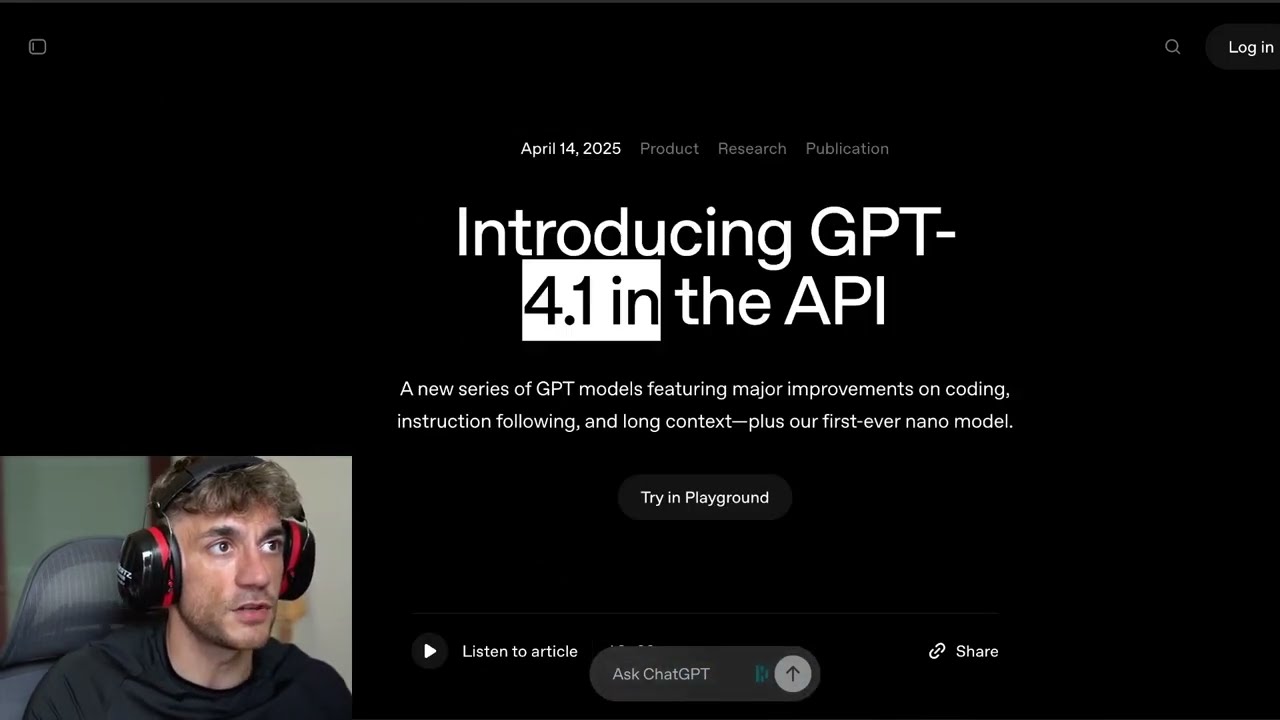
Chat GPT have just relaunched two new models inside OpenAI. So you can see these right here. By request, GPT 4. 1 will be available directly inside Chat GPT starting today. So if you want to
Accessing and Using GPT-4 0.1
get access to this, you can go over to Chat GPT like you can see right here. And then inside the model section, you'll see two different models here. So you got GPT 4. 1 which is great for coding and analysis and also GPT4. 1 which is fast for everyday tasks. Now actually inside the AI success lab free link inside the comments description you get access to 100 different use cases for using chat GPT 4. 1 plus a guide which I'll come on to in a minute on exactly how to use this. But essentially this is their brand new
Benchmark Performance and Use Cases
model. 4. 1. Now, it's very different to other models and they actually have some benchmarks here. So, you can see the benchmarks in terms of how it performs. It actually does outperform by quite a long way. And with this new model, which has just been brought to chat, you can see that was just announced on May the 14th. You can see basically the model has been used to help software engineers who are using chat to write or debug code, but also it's got a lot of other
Prompting Guide and Agentic Workflows
powerful models. Now, they've created a full prompting guide on it here, which is actually quite complicated, and I've actually broken it down into step-by-step pieces, which you can get inside the AI success lab, and I'll walk you through it in a second. But essentially, this is a very different model to what you'll typically get. So for example, one of the main things here is this is more agentic and it's better for agentic workflows. Which means that if you ensure inside your prompts when you're prompting it that you have these prompt reminders to be persistent, this ensures that the model is going to understand and enter it multi- message turn and prevent it from prematurely yielding control back to the user. What does that mean? Essentially, if you go inside chat GPT and you're using 4. 1 for generating outputs, you can ask it to be more autonomous and to keep going until it's really giving you the outputs you want rather than giving up easily, which is awesome because it's a lot more autonomous. It's going to feel more like an agent. You're going to get better results with that and it's really easy to set up step by step. So, let me show you exactly what I mean and how to use this model and some of the best ways to get the most out of it. So, for example, this is a more obedient and more capable model. So the best ways you're going to get outputs out of this are just by giving it very clear instructions, breaking down complex stats into steps and then guiding it like a high performing member. Now one of the cool
Data Analysis with GPT-4 0.1
things about this model is it's actually quite good at data analysis. So for example, if we go inside here and we select more models and we go for the GPT 4. 1, not GPT 4. 1 mini, which I will come on to in a minute, but GPT 4. 1 and then inside here we can for example upload a spreadsheet that we want to analyze. So for example, if I upload this CSV here and I say to chat GPT, okay, from here mate, just start analyze the deal velocity of how many sales we typically get, but more importantly, how fast those sales deals are closed. Right? So let's say you want to analyze the spreadsheet. You got you a list of all the sales, all the contacts, all the people that closed with your sales team. And then you want to analyze, right? Okay, over the last 100 or 200 deals, how fast are we closing them? Are we closing most clients within 3 days, 5 days, 7 days, 1 day, etc. Right? So that's what we're going to ask it to do. We're going to say analyze the deal velocity of how many sales we typically get, more importantly, how fast the sales deals are closed and also break it down by percentage and give me some fun facts. and then make the report interesting and fun, right? For example, it can be quite good. And then for persistence, we can say keep going until you've got everything you need. And then also inside the property as well, you can say you are um AI sales agent, right? A AI sales operations agent. So we say you're a sales operations agent. Analyze the deal velocity. Make the report interesting fun. Keep going until you got everything you need. So you see how we've told it it's an agentic agent right there. And also we've said keep going until you get everything you need. Don't stop here. And then you can see we've actually got a bunch of tools here. So we've got deep research create image and also canvas which I'll come on to in a minute. I'll explain that in a minute. Right. So whilst we're waiting for that to load, we can do exactly the same thing, same prompt with chat GPT4. So, for example, if we take this prompt here, and we'll use exactly the same process, and most people don't realize this, but if we upload, for example, the file of the CSV, which we've got right here, we're then going to upload that right there. Now, you might be wondering, okay, is this available in chat GPT plus? It is plus. You can get access. It's available inside there. So, it's literally just come out like couple of days, guys. You can see this announcement was made on May the 15th. And you can also see here it says plus pro and team users will be able to access GP 4. 1 via the more models drop down in the model picker. Enterprise and edgy users will get access in the coming weeks. And we're also introducing GP4. 1 mini which is awesome. And they've also explained some safety evaluations which we can come on to in a minute as well in terms of what you need to be careful of and that sort of thing. So you can see the breakdown here. Now this is the
Comparing GPT-4 0.1 and Previous Versions
breakdown from chat GBT4 right? So if we have a look exactly the same prompt exactly the same data and if we compare them side by side now you can see that we actually get a much more indepth example report from chat GPT 4. 1. Not only that but it also feels a lot more human. So it feels like an A player in your team. So for example here's I'm going to break down the deal velocity for you. Here's the velocity report. It's analyzed it really nicely. Now, if we compare that side by side versus something like chat GPT4, you're going to see the difference in outputs right here. So, let's compare them side by side. So, even the formatting of it just doesn't look as nice, right? This just looks a lot nicer. This is more like a report as an example. And here's the other thing that most people don't realize, right? So in this report there was actually 188 leads but for some reason chat GPT40 gets totally confused and thinks it's got 848 leads right which is totally wrong. So don't do your analysis with chat GPT40 my friends especially now that you've got chat GPT4. 1 inside the chat. It is a lot better analysis. It's going to give you better results and it's just a lot more accurate. Right? There's less hallucinations. And also look at that. This is so short. If we actually look at this report, we'll scroll down here. We're going to just check the word count there. So, it only gave us 124 words in terms of the report, and that's on the old version of chat GPT4, which is what most people are still stuck using. Now, if we open up the report from Chat GPT4. 1, we'll scroll down here. We're just going to open this up and click on count words. You see, it's three times as long, 312 words. It also explains what this means for you. So half your deals or leads close in one day. Three out of four deals close in a week. About one in four take a while. Right? We've got the quick breakdown for analytics lovers here. So how many deals and percentage of all closed deals. So for example, 32% of all our deals close within one day. And then also it explains like the percentage here. So it's like right close within 7 days 75% and then 24% of your sales come after 7 days. So the main thing here is it's a lot more interesting. is a lot better, a lot more in detail. It's a lot more accurate, and most people don't even know about this update yet. So, it's really good stuff, really cool. And then you can also switch to GPT 4. 1, which is not as good for coding and analysis, but you will get better outputs for just everyday stuff. Right now, I've got a bunch of prompts. I actually got 100 prompts inside the AI success lab. Link in the comments description if you want to get free access to all the instructions from today. And we'll come on to all those prompts and examples right here. Now
Advanced Prompting Techniques
before we do that I want to run you through okay what makes a good prompt inside chat GPT 4. 1 and how to get the most out of it right so for example agent take prompts you want to train GPT 4. 1 to act like an assistant that owns the task from start to finish so examples of what you should say in the chat you're my assistant keep solving the task till it's fully complete don't stop until you're done or if you're not sure about something ask explain what you need think before each step that's an important thing so inside chat GPT 4. 1 you can trigger the reasoning mode just by saying think this through carefully analyze this etc. Right? So for example, if we scroll up here, it did a lot. If we said, okay, trigger reasoning mode to analyze more about my sales process and efficiency. And we'll just make sure we've got the right one there. And you can trigger it to think more. Right now, it's got step-by-step thinking, which is chain of thought. So you can say through the step before giving your answer, and you just get better outputs. So you can see it's like taking a while to come back with the answers. If you want even deeper thinking, you say after each step, explain your logic and then you get even deeper levels of reasoning inside the answers. Right? So you can see here how you've gone from like a 300word report to something that's a lot more in depth, a lot more thorough. And if we open that up, let's see how long that was. So that was 890 words in terms of the report. And we just get better insights, right? So if you want to get the most out of this model, it's down to you and how you use it. And this is how you use it, right? So, for example, in this prompt to get the most out of it, what we said was after each step, explain your logic and what you do next. Plus, we said trigger the reasoning mode and think about it carefully, right? What you wouldn't do is just tell me the answer. Like you you'll just miss the magic of GPT 4. 1's deeper reasoning. Now, you could use something like chat GPT03, but as powerful it is as it is quite slow to respond, right? So, for example, if we open these up, let's pull these up and we'll start a new chat inside each. So, we got GPT4. 1 here and we got GPT4 over here. I'll just grab that prompt from before. We'll open up a new chat here. So, we got GPT40 and I'm going to switch to 03. Upload the same CSV in both. And then we're going to use exactly the same prompt, right? And just compare them side by side. So, 4. 1 versus chat GPT03. Both are reasonable models. Both are good for coding, but 03 typically tends to be a lot slower. So, we've got exactly the same problem. We gave chat GPT 03 the head start. You can see the analysis mode that it's using right here. And you can see how quickly it's coming back to us, right? So, it's actually already giving us the answer, whereas chat GP03 is still thinking about the answer. It's still figuring it out, right? So, you just get much faster responses with a similar level of quality. from 4. 1. And that's the big difference here is like 4. 1 is just going to give you better results overall. It is an absolute game changer when it comes to AI, but most people don't even use it. And I think that update that just came out totally went under the radar for 99% people. Ay television says, "Sup you cheeky geese. Been a while. I'm in my other account. What's up? Good to see you here. " And as we keep going through
Memory and Customization Features
GT4. 1 so you can actually use the memory as well which is absolutely awesome right so you can add a memory and you can say only use the context I provided or you can say use my previous responses here etc inside the precise instruction following you can give it exact rules on how to speak or don't repeat the same more than twice avoid fluff be direct so you really want to be clear and direct with this model if you don't it no longer fills in the gaps and that's going to hurt you if you don't understand that process properly as you keep going through. Now, so prompt formatting tips. The more structure you add to this, the better it's going to be, right? So, for example, adding the role, the objective instructions, and the tonality inside the prompt. And then fixing prompt failures as well. So, you know, something is not working, you can actually ask it like, are your instructions too vague? Did you forget to say what not to do? Are your expectations realistic? Like those are questions you can ask yourself to debug any prompts that you're struggling with. Right? So if you want to get better outputs, you can give better prompts. How do you give better prompts? Ask yourself these three questions. Now, if you do come across a prompt that's not really working properly when you're using GPT4. 1, you can add some examples. You can add new sentences. You can clarify with if you're unsure, just ask me first. And that will just give you better responses as well. So overall, this is a really good formula. It's inside the AI success lab. Just go into the free course, go to chat GPT4. 1. This also comes from an awesome community. It's like a mini version of the air profit boardroom. It gives you 10 times more value, weekly calls, coaching, DMs, support, much more serious entrepreneurs, right? Like not many serious entrepreneurs are inside the free group. But if you want to get 100 prompt examples, the SAPs, etc., then go inside the free group link in the comments description. You can get all this stuff, right? So for example, let's take a example right here. So we could ask it a question like this right and then we can go inside chat GBT4. 1 which again is really good for thinking so coding analysis and we can say okay knowing what you know about me right because it's got that memory we can say what's the 8020 of improving client retention and then it's given us specific pieces of advice based on my agency and what chat GPT remembers about me because it's got a memory section, right? And because it's using GPT 4. 1, you're going to get much more like lifelike and welloughtout responses, but you'll get them quicker than 03. So, it's faster than 03. It gives you the same quality, but at the same time, it knows a lot more about you. And that's the other difference say versus using this in the API. If you use the API, which is also pretty good, 4. 1 is it doesn't have the memory inside the API. Whereas inside chat GPT, obviously you've got all your memory features inside the customiz section here. So if we go to customize chat GPT, it will have all this information about you, who you are, what you do, previous notes you've given it, etc. And you can get better responses that way as well. So just overall, it's a much better model, a big upgrade. There's lots of cool stuff you can do with it and it's a lot faster than any other reasoning models. Plus, you can trigger the reasoning model as well. You can see they just updated their May the 14th, 2025 safety evaluations hub because it is a powerful model and I can see why they're introducing all these different responses. So, you can compare the models here, the safety responses, etc. You can see that they just brought it in and it's available for plus, pro, and team users. And then you can also switch here between everyday tasks, right? So if I went to faster for everyday tasks, we start a new chat here. GP4. 1 mini will be better for stuff like for example. Okay, give me some cool films I could watch today. But knowing what you know about me, right? Just something like more simple, more direct, quicker, etc., right? And then it would just give you a bunch of ideas to be honest. like it know chat GPT it knows me so well like these top five films I could happily watch any of them if I had the time so in fact to be fair all of those 10 films I actually quite like yeah that's basically how it works how to set up how to use it etc
Conclusion and Community Resources
you've got 100 free prompts and a full prompting analysis guide inside the AI success lab and if you haven't already check out the AI profit boardroom because AI profit boardroom is It's a total level up. Like you get a tiny little bit, a little glimpse of what's going on inside the free group. But if you want like the best stuff, then go inside here because, you know, it comes with weekly hot seat calls, Q& As, you get direct access to me. You can DM me any questions that you want. It's an awesome community. You see how active it is and how full of value it is as well. So, there's lots of cool stuff going on in there. And also, it comes with all of our best courses, agents, templates, workflows, etc. inside the air profit boardroom. Feel free to get link in the comments and the description, my