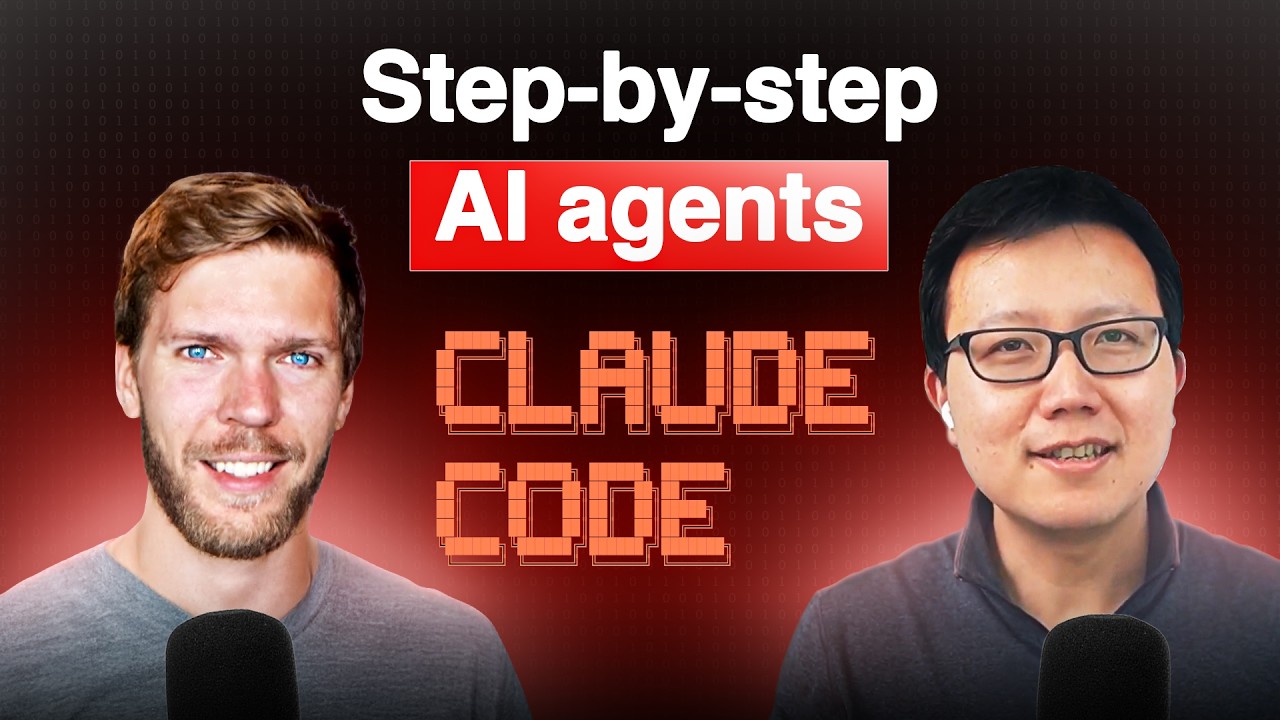
Today, I want to share a new episode with Alex Finn.
Alex is a founder who has built a complete “Claude Life” operating system to automate research, curate AI news, analyze brain dumps, and more. I asked him to walk through exactly how to set up this system using Claude Code slash commands and sub-agents in just 25 minutes.
Alex and I talked about:
(00:00) How Alex uses Claude Code to automate his life
(04:18) Inside "Claude Life" — Alex’s life operating system
(05:29) The newsletter research agent that saves hours weekly
(09:09) How to use custom slash commands and sub-agents
(14:41) The most important skill that everyone needs in 2025
(18:01) Brain dump analysis to find new content pillars
(21:14) Daily brief agent that aggregates AI news
Get the takeaways: https://creatoreconomy.so/p/full-tutorial-build-an-ai-life-copilot-with-claude-code-alex-finn
Where to find Alex:
X: https://x.com/AlexFinnX
Website: https://www.creatorbuddy.io/
📌 Subscribe to this channel – more interviews coming soon!
Оглавление (7 сегментов)
How Alex uses Claude Code to automate his life
What Claude life is an entire operating system basically for my life. Every Thursday I wake up, I type in /newsletter researcher. It goes, it writes me a draft. I then go into the draft, edit it, make it my own, and it saves me couple hours a week. It's basically you and Claude, right, that built this startup. — Exactly. Me and Claude, my $200 a month employee Claude Code. Whatever task you do during the day, think how can I implement AI into this task? I think one of the most important skills you can have in 2025 is Okay, welcome everyone. My guest today is Alex, a friend and fellow creator. And Alex has this insane setup where he uses clock code and cursor to do research, get a life device, and basically automate all his work in life. So, I'm really excited to get him to show us his entire system today and talk about how you can set up something very similar. So, welcome, Alex. — Good to be here, Peter. I've been uh following your content for a very long time. So, I'm happy to be on the show. So, let's just dive right into it, right? Let's talk about Clockode. Like, what is it and what do you love so much about it? — So, there are a million different AI coding tools out there. They're kind of like your mainline AI coding tools like Cursor, like Claude Code, and they're like more prototyping tools like VO, Vzero, Bolt, Replet. Claude Code's my favorite. Uh, it's been my favorite since launch back I think like in February it came out. It is the best. It's the most comparable to Cursor. So, it's a basically an entire uh AI tool that builds you full scale complex code. So, it can build you entire apps. Uh I personally run it inside a development environment so I can see the code run as it's being built and all of that. Uh but it is an AI agent. It's actually in honesty just an AI agent period. But it's one they market as a code builder. So as we get later into this I'll show you how I use it for things other than coding. But it's basically an AI agent. They market it as a code builder. — Yeah. And it's interesting to see how clock and cursor are kind of on this collision course cuz you've literally like set up clock inside cursor. So maybe you can show us uh how to do that and also like why you prefer it over like the command line interface. — Yeah, for sure. Uh so let me share my cursor. Uh here we go. So this is cursor. It's just obviously a fork of VS code. Uh, but the one added benefit is this AI agent they put in here. But I don't like this AI agent as much. Uh, I don't think it's as intelligent as uh, Claude Code, which what I did here is I opened up my terminal control till day if you're on Mac. Uh, and basically all you need to do to install Claude Code is you go on like uh, enthropic. com/cloudcode and you paste in the command that installs Claude Code and boom, you have Claude Code good to go. It's now in your terminal. And so it's made to run in any terminal. They didn't really intend you to run it in cursor, but that's what I do. Once you have it installed, I just type in claude, hit enter, and it's uh good to go here. Just hit proceed. And basically, I now have an AI agent running in my terminal inside cursor that can write me code and do whatever I tell it to do. — And I think what really blew me away with your claw code stuff is your claw live project, right? So, can you open it up? — Let's do it. So, I uh I put out a video uh a few weeks now about how I use Claude code to run my life. And I basically been searching for a while. Like I knew Claude Code was unbelievably powerful. I also knew that there were things it could do outside of coding that would be amazing, but I was kind of searching for those use cases because it's at its heart, it's just an AI agent, right? It's not it it's marketed as a coder, — but really all it does is just do whatever you ask it to do. And so what I came up with over these last couple
Inside "Claude Life" — Alex’s life operating system
months, I call Claude life. And let me pull that open. And basically what Claude life is an entire operating system basically for my life. — Mhm. — And I have an entire system in it. I have a system of brain dumps which are basically just notes I write and ideas I put out. I have things for YouTube, for my newsletter, uh for daily briefs, so daily rundowns of my life. These are all basically kind of automated processes that claude code can go through with just a slash command. And for those who don't know at home, a slash command is a command you a custom command you can make by doing slash something. — And so I built a whole bunch of slash commands that are totally custom that do specific things. — Yeah. — I have one that tracks my mood. um a daily check-in. Every night I do a daily check-in where it asks what I did that day and tracks day. I have like a weekly rundown one and my favorite which is the newsletter researcher.
The newsletter research agent that saves hours weekly
— Yeah. — And what that is I write a weekly newsletter. Uh I have as you are you're a newsletter writer as well. I have 40,000 subscribers on my Substack. Uh, I've been writing this newsletter for close to 40 years now and it is one of the most rewarding content channels I have, but it's also one of the most exhausting, right? It takes up a lot of time. Uh, as you I write all my own newsletters. I do all the research, all that. And so, I wanted to find a way. A lot of people when they get to high levels of content, they kind of hire out the newsletter. They no longer kind of write the newsletter. They either hire out researchers or hire people to write them. I don't have any employees. I do everything myself. And so I wanted to come up with like my own AI employee that does that. And so I built the uh newsletter researcher in my life OS as well. — Yeah. So let let's kind of actually go deep on that one. — Yeah. — How did you go like step by step? Yeah. — I have in here I have a I have a folder in my life. So this is just a folder on my computer, — right? This is a folder in my computer I opened up inside of cursor. And inside this folder, I created a bunch of subfolders for notes I take for brain dumps. Every day I go and I just brain dump whatever's on my mind. Uh, and then I have a newsletter folder. And in this newsletter folder, I have a file, a markdown file. Everything needs to be markdown files called newsletter links. And I put in a bunch of my important links and competitors, including yourself, that I think make fantastic newsletters. These are basically the only newsletters I read on a regular basis. So I put them all in here because I really like them and I'm inspired by them. And Claude Code has the ability has a tool to do web searches and read the internet and scrape websites. And so I set up a slashnewsletter researcher command which it's all done with a prompt. You can put in a prompt, say, hey, I want a newsletter researcher. Build the slash command. Do this. Uh, and I can give you the prompt so you can put it. Uh, it's a pretty lengthy prompt. — Um, but basically it says, "Hey, go into my newsletter links. — Read all of the newsletters in there. See what their latest newsletters are. See what the topics they're talking about are. See the languaging they're using, what the news are, what anything important going on in their newsletters. then find what's trending, what's been talked about multiple times, what might fit in with my brand, — and then write me a newsletter draft in my voice. — And so if I go here and I go slashnewsletter researcher and hit enter on that, the slash command will actually spin up a sub agent. The sub agent will now go and read newsletter URLs from the newsletter links. mmd which is this. It's going to fetch and analyze the posts from these newsletters. So it's going to go on Justin Welsh's Dan Co yours Sahil Blooms. It's going to instantly kind of read all your past newsletters. It's going to identify trending topics and patterns. So if all you guys are talking about the same thing, it'll identify that and it will then create a newsletter draft and subject lines in my voice, right? Because it's going to read through my newsletter. So it'll read it in my voice and then create a draft in my voice uh and put a draft in here and has a folder with the drafts in it for every draft that's written. And so now I send my newsletter out on Thursdays. Every Thursday I wake up, I type in
How to use custom slash commands and sub-agents
slashnewsletter researcher. It goes, it writes me a draft. I then go into the draft, edit it, make it my own, and it saves me couple hours a week. — So, where is the prompt? Uh, do you have a file somewhere? — I do. Let me uh let me show you. — Yeah. — And so, I'll share this uh doc link. Let me make this bigger. I'll send share this with you so you can share it with your audience. But each one of these, so I have, I think, five different uh slash commands I use for my life OS. Let's go to the newsletter researcher just so you can see how that works. Uh here's the prompt. — Yeah, — create a newsletter research system that analyzes competitor newsletters and writes drafts. So it builds the slash command, right? The slashnewsletter research slash command, which is all it's just a fi a markdown file in your directory that is specifically for slash commands. Mhm. — Uh, and then it builds the sub aents. So, a content researcher sub agent that researches you, literally you, your newsletter, and then a newsletter writer sub agent that then takes the research from the content researcher sub agent and writes the newsletter draft for me. — Mhm. — And it builds it all out. Pretty simple uh prompt. — And where do you put this prompt in uh your file? like is it part of the slash command or what do you paste this prompt into? — Yeah, — just give it to Claude. — Just give copy paste it go into claude code. Right. So the setup is pretty simple. — Yeah, — I'll show you. So the setup for all this is simple. — Create a new folder on your computer. I do it in my documents folder. — Inside that include whatever context you want. So if you want to do what I did, which is the newsletter researcher, make a new folder in that directory for newsletter. — Then create a markdown file with newsletter links, paste all the links in and then open up claude code and paste in that prompt from that document which basically says, hey, set up this slash command and sub agent. — Okay, — paste it in, hit enter, and claude code goes in and I think you can see it here. Yeah, it builds its own directory for commands and sub aents and sets it up for itself. — Oh, that's okay. So, so it probably saved the newsletter researcher prompt in the commands, right? In that file. — Well, it takes the prompt and sets up the command. So, let's go into newsletter. So, it's not directly saving the prompt. It's just taking the prompt and taking the instructions from the prompt — and setting up its own instructions inside the commands file. — Dude, can I see the news? Can I see one of the sub agents? Like is that like another prompt like the newsletter writer or you know? — So newsletter writer. You're Alex Spinn's newsletter ghost writer specializing in creating engaging newsletters that blend AI insights, creator growth strategies, and personal stories. — And here's my voice. Here's how my and so it read and listen I didn't write any of this. This is all cloud code wrote this entire file. This is completely automatically made. — It what it did was it read my newsletters, right? It went to alexfin. ai read my newsletters and then determined my voice and then created all these tasks and structures and everything by itself based on the prompt I showed you. — Yeah, that's pretty wild, man. So basically it took your master prompt to make all these like command and sub agent subfolders and for each one is wrote its own prompt based on the links that you give it, right? That's basically what it did. — It basically prompted itself to build its own structure of what it needs to do. — Yeah, that is wow, dude. So uh but um but of course you have to audit read result, right? Like you don't just copy and paste whatever it come up with to your new newsletter. Yeah, — AI is not at the place yet where you can say write this and then you copy and paste it and press send it. It's just not there yet. It still feels a little too robotic. And you can prompt it to a point where it feels more human, — but — I don't consciously feel good just copying and pasting AI content and hitting send. I want it to feel my personal. own. So, this is just the draft, right? And I'm going to show you what the draft looks like, right? Gives you a few subject line options, builds you a draft. I then take the draft and I pretty much gut it, but then use the template and the structure to put in my own writing. — Yeah. I mean, I do this whole thing too uh except I use cloud projects instead of cloud code. The problem with project is like I have to manually paste in all the content and the research I do and I have to manually tell it like what topics I'm interested in writing about. Right. So it still works but it's like way more manual than what you've set up here. — Yeah. It's a lot more automatic. You can set up a lot more custom processes like cuz in clawed projects which I still use projects for a lot of different things but you can't like set up slash commands or sub aents or things like that. And it's also not managed through your computer, right? Like this, these are all local files. And so if I want to do a brain dump, I literally just open up a new file and start writing, right? And so that's another advantage of this as well. — And how did you like dude, you have a lot of stuff in here, man. Did you just like uh build more and more sub agents and slash commands over time or how do you — Yeah, any anytime like I think one of
The most important skill that everyone needs in 2025
the most important skills you can have in 2025 is being able to automatically during whatever task you do during the day, — think how can I implement AI into this task? — Right? the more you can have that kind of reflex as you work, the better you'll be and the more like tools and things you'll come up with. And so, the reason why you see so many commands and sub agents here is as I'm working throughout the day, no matter what it is, the task I'm doing, right? I like I have my list here in my notebook of all the tasks I got to do today. As I go down the tasks, I think, how can I set up a clawed sub agent that makes this easier? How can I set up a slash command that makes this faster? How can I use GPT5, you know, to bounce ideas for this task to make it more efficient or whatever it is? And that's why you see so many commands and sub aents here is I'll be doing something. I'll be like, man, what are my goals this week? I'll be like, why don't I just run this through Claude? And I can automatically have it prompt my goals for the week. And that's why you see a sub agent for that here. — Okay. So, um Okay, so this is a wrap this newsletter researcher. It looks like it did write a draft, right? — Yeah. So, let's see. Let me say enter on here. — It's still working. — So, 811. So, yep. Here, this is the draft. So, let's see. Why data beats gut every time. Last week, I was talking to a creator with 50K followers who told me something that stopped me cold. I've been posting for two years and I still have no idea what works. This hit different because 18 months ago, that was literally me. And it actually took backstory about myself, the MongoDB moment. So, I worked at MongoDB before I quit to do content and AI full-time. — Okay? — And it included one of my stories in there. And it talked about how it led to me getting a following and building Creator Buddy. And here's what's wild. 95% of creators I talk to are still flying blind. The AI integration gap that's costing you growth. And it includes all this in here. And it basically what it did is it probably saw you were talking about the creator economy. It probably showed Danco was talking about coming back from challenges and things like that and awakening moment and it kind of included all that in the newsletter draft. — Yeah, that that's great stuff, man. — Okay, so let's wrap up this call live thing by uh looking at your slash commands and just do like a quick highle walkthrough of what each one does. — Absolutely. So let me see. I'll make this even bigger for you here. Okay. — Yeah. — So, I've done a lot of things uh with Claude uh sub agents and slashcomands, a lot of different things in here. So, I have a brain dump analysis. And so, what I do every day is I have brain dumps in this folder and I'll put in different brain dumps for my days in here and I'll open up a markdown folder and just whatever's on my mind that day. Whatever kind of thoughts, opinions I have. Like today I'll be I'll probably have a brain dump and I'll be like I did a YouTube interview with Peter. YouTube interviews are really cool. I can get a lot of information out of it. Maybe I should do more YouTube interviews on my channel. You know, I'll just brain dump things like that. — Okay. — And then I run the brain dump analysis. And let me make this a little bit smaller here. And basically what it does
Brain dump analysis to find new content pillars
is it goes through it scans my brain dumps, my recent brain dumps I think from the last week and it looks for insights and patterns, recurring themes, evolution of ideas over time, key questions and break breakthroughs, hidden connections between thoughts. — Yeah. — And the goal of this is to find new pillars for my content. You know, I'm a believer in, you know, really good content and content creators have five to 10 pillars and they just drive those pillars over and over and over again, right? Like one of my pillars is anyone can build apps with AI and start a business that gives them financial freedom. — Yeah. — And I just include that pillar in my content over and over and over and over again. And so what this slash command does is help me find new pillars. It reads all my brain dumps and goes, you know, your thought you had here, you should make more content out of it. — Got it. So, so it actually looks at your brain dumps for the past like 30 days or not just past day, right? Like it tries to find patterns over time. — Is that what? — Yes. Analyzes all brain dumps from the last 30 days. Okay. And tries to find patterns. — Okay. That's awesome. Yeah. All right. Let's quickly go over some of the other ones. So, I have a daily brief and this basically prompts me for prompts me with questions like how many followers do you now have? How many subscribers on YouTube do you have? What's your MR? What's your ARR? How are you feeling? You know, what was a big challenge you had? And ask me those questions. I answer them and then it builds me a dashboard. Uh, which let's see here. Where's my daily brief? — Yeah. — It basically goes in uh actually no, it's not daily brief. It's uh is it under metrics? Uh let's see. — There's a weekly dashboard. Is that — weekly dashboard? Yep. — Yeah. — And it gives me my And it looks bad here, but if I actually open this up in Obsidian, it's well structured. — Um let me see if I can actually show you an example in Obsidian. Yeah. Boom. Here we go. Let me share my screen. I'll actually show you. So, it builds a dashboard for me that looks like this. So massive week — tracks my creator buddy arr how many paying subscribers I have my followers uh and I can see like how close I am to my goals for my trends over weeks uh insights around my life. So what's working for me, what isn't, action items I should do the next week to keep improving. It basically asks me four or five questions and builds me this entire dashboard of how close I'm getting to my goals. I just do this every day. — That's great. Yeah. It's like a motivational coach and like an analyst at the same time. — Exactly. And like this is none of this has to do with code, right? This is all just Claude doing tasks for me. And not many people realize Claude code actually does way more than just coding. — Yeah. I mean that that's what I want to dive into. Yeah. So, uh is there like one more you want to show or — Yeah, let's do that. Let me go back up here. What's a good one here? Um oh, uh let's see. Daily D daily brief. So I do
Daily brief agent that aggregates AI news
this every morning and what daily brief does is it actually searches the web for the latest news in anything I'm interested in. So AI, tech, entrepreneurship, creativity. I go in instead of me opening up uh you know a CNN. com or Wall Street Journal, whatever, this actually will go search the web because again Claude Code has a web searching tool, — find all the latest news, uh give me a daily brief on like everything that's going on, anything important that happened overnight. give me the publication date, the source name, why it matters, uh, and build me priority updates, industry trends, opportunities, researches and studies, tool updates, people to watch, and I just literally just do slash daily brief, hit enter, it goes builds all that. And then you can see exactly what it comes up with here, which is priority updates. YouTube cracks down on AI generated content, tells me the source, when it was published, why it matters, gives me an angle, so like a hot take I can have about it if I want to create content around it, and gives me a whole bunch of news stories from uh overnight that it just goes and researches for me. — Do you give it like publication links or No, you just tell it to look up. — Yeah. — Wow. — Just searches for itself. — And you probably didn't make this prompt from scratch, right? You probably just got cloud to make it. Exactly. So I went to Claude and I said I want to build a sub agent that slashcomand that spawns sub aents that goes and does research for me. — Yeah. — On the internet for the latest stories about tech and AI and all that. Please build me a prompt. I can put in a claude code that will build this out for me that also gets me other interesting and relevant pieces of information. And the reason why I do that is Claude is so creative and thinks so much outside the box that I wanted to build the prompt for me so that it comes up with other things it can include in that sub agent that I didn't even think of. — And that's what built this — and then you can always modify it afterwards. Yeah, — exactly. — All right. So I guess the TRDR from this interview is set up your Claw live project and uh whenever you have something kind of that you want to do every week or maybe every day like set up a tell cla to set up a slash command and a sub agent to just do it for you. Kind of TLDDR, right? Yeah, — I'd say that's the TLDDR and I would say just experiment, right? Reserve time every day just to talk to Claude and see what it can do. I think a lot of people go with very specific ideas of what they want. But like this all came from me being like, "Oh, I'm going to spend the next hour on my couch with my MacBook right in front of my face just seeing what Claude Code can do. " And it that's what spawned all that. So just spend time experimenting and you'll come up with cool ideas like this. — Awesome, Alex. So um where can people find you online and also uh your startup? — You can find me online two places. YouTube, Alexfinnofficial. If you just search Alex Finn, I'm sure you'll find me. Uh, and then X, Alexfinx. Create a bunch of content about AI on both those platforms. And then I launched a startup uh in January this year, so about eight months ago now, uh, called Creator Buddy, which is basically an AI that's built on the Twitter algorithm, the Twitter API. It pulls in all your posts and can tell you what's working well, what isn't working well for you, what you should talk more about, and just helps you come up with way more ideas uh that perform well on X. And uh been going pretty well. We have I think close to 600 paid subs now. We're up to $300,000 ARR. It's all one man show. Built the entire thing myself. Uh so it's awesome. And you can try it for free. — It's basically you and Cloud, right, that built this startup. — Exactly. Me and Claude, uh, my $200 a month employee, Claude Code. — Yeah, that's great. All right, man. Well, I really admire the hustle and the energy, man. But you got maybe drank too much coffee, but you got I drink coffee and pre-workout all day, so maybe I should slow it down a little bit. — Cool, dude. All right. Well, um, I hope to see you online and for those of you listening or watching, we'll put links to Alex's prompts in the description. Yeah. — Appreciate you, Peter. This was great. Amen.