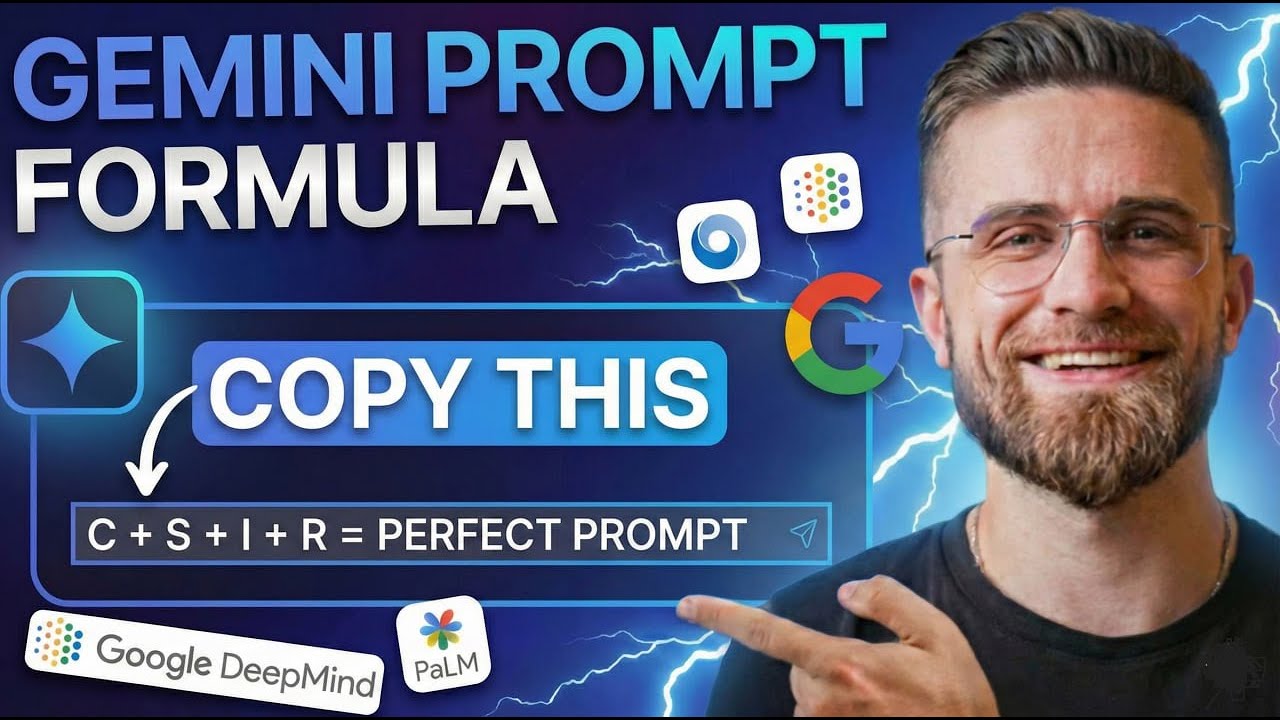
The ULTIMATE Gemini 3 Prompting Guide – Master Google's Formula!
23:47

The ULTIMATE Gemini 3 Prompting Guide – Master Google's Formula!

AI Master 09.01.2026 33 192 просмотров 1 076 лайков обн. 18.02.2026
Поделиться Telegram VK Бот
Транскрипт Скачать .md
Анализ с AI
Описание видео
#sponsored Try Merlin AI here - https://www.getmerlin.in/pricing and USE my code "AIM5" for discount 🚀 Become an AI Master – And create best Prompts - https://aimaster.me/ 📹 Get a Custom Promo Video From AI Master https://collab.aimaster.me/ Most people are using Gemini 3.0 wrong. They type vague prompts and get mediocre results. But Google's latest AI models—Gemini 3.0 Pro and Flash—are absolute powerhouses when you know the right prompting formulas. In this complete guide, I'm breaking down the exact techniques, lifehacks, and cheat formulas to master Gemini 3.0 prompting. Whether you're studying, researching, working, or building a business, these strategies will transform how you use AI. 🎯 WHAT YOU'LL LEARN: ✅ The secret formula Google uses for optimal prompts ✅ Pro techniques beginners can apply immediately ✅ How to structure prompts for maximum output quality ✅ Advanced lifehacks for Gemini Pro & Flash ✅ Real examples and use cases across different fields ✅ Common prompting mistakes (and how to fix them) 📌 TIMESTAMPS: 0:00 - Why Your Gemini Prompts Are Failing + 101 Google Guide 1:15 - SECTION 1: RESEARCH & SYNTHESIS 1:20 - Hack 1: Deep Research – Your Personal Research Team 4:27 - Hack 2: Audio Overviews – Listen to Your Documents 8:01 - Hack 3: @ Mentions – Ground Your AI 10:47 - Hack 4: Jargon Translation – Boardroom to Breakroolm 11:22 - SECTION 2: COMMUNICATION & DRAFTING 11:30 - Hack 5: Help Me Write – Beat the Blank Page 12:53 - Hack 6: Refine & Polish – One-Click Tone Control 13:34 - Hack 7: Summarize Email Threads – Inbox Zero, Faster 14:17 - Hack 8: Template Generation – Standardize Your Best Work 17:35 - SECTION 3: DATA & VISUALIZATION 17:37 - Hack 9: Analyze Data in Sheets – No Formulas Required 18:24 - Hack 10: Formula Generation – Describe It, Gemini Writes It 18:59 - Hack 11: Create Image in Slides – Custom Visuals on Demand 20:00 - SECTION 4: WORKFLOW AUTOMATION 20:09 - Hack 12: Take Notes in Google Meet – Never Miss a Detail 20:35 - Hack 13: Repurpose Meeting Transcripts – One Meeting, Five Outputs 21:15 - Hack 14: Gems – Your Personal AI Team 22:05 - Hack 15: Plan Your Video with Google Vids – Storyboards in Seconds 22:46 - Final thoughts 🔗 RESOURCES: 🤖 Try Gemini 3.0: https://gemini.google.com 📜Gemini Prompting Guide 101: https://workspace.google.com/learning/content/gemini-prompt-guide Stop guessing with your prompts. Start mastering Gemini 3.0 today. #Gemini3 #GoogleAI #AIPrompting #Gemini #AITools #Productivity #ChatGPT #AI

Оглавление (21 сегментов)

  1. 0:00 Why Your Gemini Prompts Are Failing + 101 Google Guide 219 сл.
  2. 1:15 SECTION 1: RESEARCH & SYNTHESIS 14 сл.
  3. 1:20 Hack 1: Deep Research – Your Personal Research Team 526 сл.
  4. 4:27 Hack 2: Audio Overviews – Listen to Your Documents 631 сл.
  5. 8:01 Hack 3: @ Mentions – Ground Your AI 463 сл.
  6. 10:47 Hack 4: Jargon Translation – Boardroom to Breakroolm 80 сл.
  7. 11:22 SECTION 2: COMMUNICATION & DRAFTING 24 сл.
  8. 11:30 Hack 5: Help Me Write – Beat the Blank Page 214 сл.
  9. 12:53 Hack 6: Refine & Polish – One-Click Tone Control 109 сл.
  10. 13:34 Hack 7: Summarize Email Threads – Inbox Zero, Faster 109 сл.
  11. 14:17 Hack 8: Template Generation – Standardize Your Best Work 556 сл.
  12. 17:35 SECTION 3: DATA & VISUALIZATION 7 сл.
  13. 17:37 Hack 9: Analyze Data in Sheets – No Formulas Required 133 сл.
  14. 18:24 Hack 10: Formula Generation – Describe It, Gemini Writes It 102 сл.
  15. 18:59 Hack 11: Create Image in Slides – Custom Visuals on Demand 169 сл.
  16. 20:00 SECTION 4: WORKFLOW AUTOMATION 27 сл.
  17. 20:09 Hack 12: Take Notes in Google Meet – Never Miss a Detail 65 сл.
  18. 20:35 Hack 13: Repurpose Meeting Transcripts – One Meeting, Five Outputs 97 сл.
  19. 21:15 Hack 14: Gems – Your Personal AI Team 131 сл.
  20. 22:05 Hack 15: Plan Your Video with Google Vids – Storyboards in Seconds 106 сл.
  21. 22:46 Final thoughts 167 сл.
0:00

Why Your Gemini Prompts Are Failing + 101 Google Guide

Do you know that Google released their own official prompting guide for Gemini and they keep updating it? Most people have no idea this exists. While everyone's guessing how to write better prompts, Google literally published the internal formula their own teams use. And here's the best part. These techniques work with any LM, Chat GPT, Claw, Gemini, whatever you're using, and you can use it on your free plan. By the end of this video, you'll know how to prompt Gemini like a pro. No more fake prompts. No more generic outputs. We're talking Google's cheat codes. The ad hack for grounding your AI in your actual files. The refine button for instant polish. Deep research that reads 100 sources for you. Whether you're studying, building a business, or just trying to get through your inbox faster, these techniques will change your workflow. I pulled this straight from Google's own workspace prompting guide, tested every technique in real workflows and broke it down into the 15 highest impact hacks. No fluff just what works. If you want to read it yourself, I put a link in the description below. Download, open your Gemini, and let's get into it. Most people are drowning in information. Emails, PDFs, reports, random tabs open for 3 days. Gemini can turn that chaos
1:15

SECTION 1: RESEARCH & SYNTHESIS

into clarity in seconds. Here are the four research hacks that will save you
1:20

Hack 1: Deep Research – Your Personal Research Team

the most time. This is the single most powerful research tool Google has ever released. Let me show you exactly how this works and why it's a gamecher. Open the Gemini app. You're not in a Google Doc or Gmail. You're in the standalone Gemini interface. Now, here's the key. You need to describe both the topic and the scope. Don't just say AI video tools. Instead, try something like what are the top three emerging trends in AI video generation? For each trend, identify the pros, cons, and which companies are leading. I need this for a strategic decision on whether to invest in video AI for our content team. Hit enter. Now watch this. You'll see a progress indicator. Gemini is autonomously searching dozens of websites right now. It's reading articles, pulling data from multiple sources, cross referencing information, and reasoning over what it finds. This isn't a search engine giving you links. It's a research assistant doing the reading for you. 3 minutes later, you get a structured report with clear sections. Trend one, trend two, trend three. Each section has pros, cons, leading companies, and citations to the source material. You can click those citations to verify, but the synthesis is already done. Here's the 8020 breakthrough. Traditional research is 80% gathering information, opening tabs, skimming articles, copying quotes, organizing notes, and only 20% actually analyzing and making decisions. Deep research flips that completely. It handles the entire gathering phase. You jump straight to analysis and decision-making. But I mostly prefer short, concise answers for my personal needs. I'm going to show you some of these features in AI master. It's powered by Gemini 3 Pro, so it's the same engine. But this is just my approach to using AI. everything in my own workspace. I type my prompt. What are the top three emerging trends in AI video generation? For each trend, identify the pros, cons, and leading companies. This is for strategic decisionmaking on where to invest in video AI tools. Hit enter. Gemini processes through our platform and provides me exactly what I need. Short yet concise answers that I can read and understand quickly. If you need a real example with comparison, I described exactly what I needed. Compare Zapier, Make N, Active Pieces, and Relay. app. Focus on pricing for small teams, ease of use for non-technical users, and AI integration capabilities. Include any major complaints from users. Gemini came back with a comparison matrix, highlighted which tools had the best AI features, flagged that N8N requires more technical knowledge, and even noted that make recently raised prices, hours of work done in a minute. The key to making this work is being specific about scope and context. Don't just ask what is quantum computing. Ask explain quantum computing for a non-technical executive audience. Focus on current business applications. Timeline to mainstream adoption and which companies are leading. Keep it under three pages. I'm testing all these live on my platform. So if you see that interface, don't confuse. That's just my workspace where I prefer to work. Same prompts work everywhere though. This one changes how
4:27

Hack 2: Audio Overviews – Listen to Your Documents

you consume information. You know, Notebook LM, Google's AI note-taking tool. It has a feature called audio overview that feels like magic the first time you use it. Here's how it works. Go to Notebook LM. Upload any document, PDF, Google Doc, research paper, meeting notes, whatever. Notebook LM analyzes it, then generates a podcast style conversation between two AI hosts who discuss your document like it's their morning radio show. And if you were hoping for a simple storylike AI is growing fast, that kind of thing, — you're going to be disappointed. — Exactly. — I'm not exaggerating. These aren't robotic texttospech voices. They sound like two actual people having a natural conversation about your content. One host explains a concept. The other asks a follow-up question. They joke. They emphasize key points. It's genuinely engaging. Real example, I uploaded a dense 40page marketing report. The kind of document that would take me two hours to read and synthesize. 10 minutes later, I'm listening to two AI hosts breaking down the key findings while I'm making coffee. They highlighted the three main insights, explained the methodology in simple terms, and even flagged where the data seemed inconsistent. It's like having a personal tutor who read the whole thing for you, distilled it down to what matters, and is now explaining it in plain English while you multitask. One warning, this works best with structured documents. If you upload a random collection of unconnected notes, the audio will be disjointed. Give it something with a clear topic and flow. You've probably noticed Gemini is powerful for research, but sometimes you need Chad GPT for creative writing or claude for reasoning or even rock for social media copy. Each model has different strengths. The problem is paying for all of them separately adds up fast. Chad GPT $20 a month, Claude 20, Gemini 20. You're looking at $60 plus dollar a month just to have access to the models you need. That's why I use Merlin. It's an all-in-one AI tool that gives you access to all the top LMS under one single subscription. Chat GPT, Gemini, Claude, Grock, all of them for around $5 a month. And that's not a typo. Here's how they did it. Merlin AI purchases API credits in bulk from major providers like Cad GBTE, Anthropic, Google, and others, and passes those cost savings directly on to users. You only pay for what you actually use, not a flat $20 a month whether you use it or not. And here's the part I actually use daily. Merlin's browser extension. You can highlight any text on any website, an article, a Reddit thread, a technical doc, and instantly summarize it, translate it, or ask questions about it without leaving the page. It's called chat with a web page. And it's insanely useful when you're doing research. They also have deep research built in just like what I showed you in Gemini. So, if you're comparing models or need a specific feature from Claude, but don't want to pay $20 just for that, Merlin gives you the flexibility. And real quick, here's the price comparison. Chad GBT costs $20 per month, while Merlin is offering a 75% discount on its annual plan, which brings the price down to $60 per year, or just $5 per month for access to all top models. Click on the link in the description and enter my code AIM5 for limited time discount. Look, I use Marilyn for model access and quick web research. I use AMER for learning how to prompt effectively and organize in my workflow. They work together. One gives you the tools. The other teaches you how to use them. All right, back to Gemini. This is the hack
8:01

Hack 3: @ Mentions – Ground Your AI

that separates beginners from power users. And most people completely miss it. When you're in Google Docs, Gmail, or the Gemini side panel, you can type the ad symbol just like you would to mention someone in a comment. But instead of tagging a person, you're tagging a file from your Google Drive or any Google service or change models. etc. Select one. That file is now grounded context for whatever you're about to ask Gemini. This is the difference between asking a generic AI, write me an email, and asking you were personal AI assistant, write an email using this specific knowledge. Let me show you the power with a real example. I'm in a blank Google doc. I type the ad symbol. My drop-own shows recent files. I select Q1 marketing brief from 3 weeks ago. Now I prompt. Write a three paragraph email to the sales team explaining our new positioning. Focus on the value props for enterprise clients. Keep the tone professional but approachable. 5 seconds later, Gemini writes the entire email using only the data from that marketing brief. It pulls the exact positioning statements we approved. It references the three value props we defined for enterprise. It's not hallucinating features or making up claims. It's writing with my knowledge grounded in my actual company documents. This is contextual grounding. Without the ation, Gemini would write something generic based on its training data. With the atension, it writes something specific based on your files. The quality difference is massive. Here's the 8020 magic. Normally, to give an AI context, you'd copy the relevant parts of your document, paste them into the prompt, then write your instruction. That's slow. That's manual. The ad symbol automates the entire context injection. You don't waste time copying and pasting. You just point Gemini at the source and let it work. Use cases are everywhere. Drafting client emails, using project notes, summarizing meeting transcripts using your team's style guide, creating presentations using data from a specific quarterly report, generating product descriptions using your company's technical specifications. All of it grounded in your actual files, not generic internet knowledge. One important detail, Gemini can access any file you have permission to view in Google Drive. So if a doc is shared with you, you can at mention it. If it's in a shared team folder, you can at mention it. This makes collaborative workflows incredibly fast. Prompt example. Use add to reference our Q3 project brief. Generate a summary email for the executive team highlighting progress, challenges, and next quarter priorities. Keep it under 200 words and use bullet points for readability. Another example at mention our style guide document. Now rewrite this draft blog post to match our brand voice and tone guidelines.
10:47

Hack 4: Jargon Translation – Boardroom to Breakroolm

Technical people speak technical. Executives speak business. Gemini translates between the two instantly. You have complex engineering notes. Gemini can rewrite them for a non-technical audience in seconds. I tested this with a developer explanation of API rate limits. prompted summarize this for a CEO who has never coded. Gemini 3 turned three paragraphs of technical jargon into three clear bullet points explaining the business impact. Prompt example translate this technical documentation into a one-page executive summary for non-technical stakeholders.
11:22

SECTION 2: COMMUNICATION & DRAFTING

Writing is where most people get stuck. Blank page syndrome, inbox paralysis. Gemini has four hacks that obliterate both. You're in docs, blank page
11:30

Hack 5: Help Me Write – Beat the Blank Page

blinking cursor. You click the little pencil icon with sparkles. That's the help me write button. Type a simple instruction. Draft a job description for a content marketing manager. Here's how I use its help me write feature. I open AI master. Same Gemini 3 Pro, but here's the difference. Everything I generate, every prompt I test stays in my workspace in a special chat. I can save it, organize it, and reuse it. I type, "Help me write a marketing email for a SAS product targeting freelancers. Include a painoint, a benefit, and a CTA. Tone, conversational, under 150 words. Boom. A full page of formatted text appears. Headers, responsibilities, requirements. Is it perfect? No. Is it better than staring at nothing? Absolutely. You now spend your energy refining, not creating from zero. Gemini 3 analyzed millions of prompts and found the best ones average 21 words. Most people type fewer than nine. Add detail. Instead of write an email, try write a professional email to a client explaining a two-week project delay, emphasizing our commitment to quality, and proposing a new timeline. The difference is night and day. Prompt example. Draft a welcome email for new employees. Include sections for company culture, first week expectations, and who to contact with questions. Friendly
12:53

Hack 6: Refine & Polish – One-Click Tone Control

tone. You just wrote a rough email. It's casual, maybe too casual. You need to send it to your boss. Don't rewrite it. Just ask Gemini to refine. Here's how I use its refine feature. I just type refine and formalize it. Watch the transformation. Hey, need that report by Friday. Thanks. Becomes dear team, kindly ensure the report is submitted by end of day Friday. Thank you for your attention to this matter. Same message, different polish. This works in reverse too. Formal draft too stiff. Type rephrase or shorten. The AI handles the stylistic heavy lifting. You capture ideas rough and fast, then polish in one click.
13:34

Hack 7: Summarize Email Threads – Inbox Zero, Faster

click. You return from vacation. Your inbox is a war zone. One thread has 23 replies. You don't have time to read every message. Open the thread. Click the Gemini icon. Click summarize this email. Sidebar appears. Issue budget approval for Q2 campaign. Decision approved by Sarah on March 3rd. Action item. Submit final invoice to finance by March 10th. You just caught up on 23 emails in 10 seconds. This works for any long thread. Gemini parses the back and forth, identifies key players, decisions, and action items. You jump in only where you're actually needed. Prompt example. Summarize this email thread. List all action items and deadlines.
14:17

Hack 8: Template Generation – Standardize Your Best Work

Most teams reinvent the wheel every time they write an email or document. Gemini can generate templates in bulk. Prompt: Create five email templates for customer onboarding. Welcome, product setup, first check-in, feedback request, thank you. 30 seconds later, you have five formatted templates. I'm using the same Gemini 3 Pro you'd use in Google Workspace, but the difference is I can save these templates directly in my prompt lab after I generate them. You can save them to a shared drive. Your whole team now has consistent, highquality starting points for every common communication. You just scale your best practices across everyone. Prompt example. Draft three templates for project status updates. On track, at risk, delayed. Include sections for progress, blockers, and next steps. Okay, this next one is the moment that made me realize Gemini isn't just a tool. It's a workflow revolution. Watch this closely. I'm in Google Sheets. I have a massive data set. Sales by region, hundreds of rows. I open the Gemini side panel. I type, "What are the top three revenue trends by region over the past quarter, no formulas, no pivot tables, just a question. Gemini analyzes the data, generates a chart, and drops it into the sidebar. I drag the chart into my sheet. Done. " That entire process, analyze, visualize, insert, took 15 seconds. Without Gemini, I'd be googling how to create pivot table in Sheets for the fifth time this year. This is the shift. You're not an Excel wizard anymore. You're a director. You describe what you want. Gemini builds it. This is the same workspace integration I use in my own AI environment. Whenever you open the side panel in any section, you will find a custom AI chatbot specifically tailored to that topic. While you're generating images or videos in AI Studio, you can simultaneously consult the AI to determine which model best fits your goals. Understand the technical differences between them and even have the assistant refine and optimize your prompt for a specific model to ensure the perfect results. This applies to every single section you're literally learning and created in one place. Beyond that, I have this multi-purpose prompt creator tool built in. Instead of staring at a blank prompt box, I describe what I need and it generates a structured prompt for me using best practices. I've been using it to create variations of these Gemini techniques we're covering today. Saves me probably 30 minutes every time I need a custom prompt. I have also integrated Nano Banana Pro, GPT Image 1. 5, VO3, Sora 2 Pro. So, if you join now, you will receive bonus generation credits. Moving forward, I plan to integrate every proven model that I've personally tested and found to be top tier. My goal is to ensure you only work with tools that deliver perfect results, not AI hype. Look, I'm not saying you need this to replace Gemini, but if you're serious about learning AI and using it daily, having a hub where the learning material and the tools live together just makes sense. I'll drop the link in the description below if someone wants to check this. And right now, I'm giving every AI enthusiast 30% off annual subscription for the first 1,000 people. Data work is where Gemini gets scary
17:35

SECTION 3: DATA & VISUALIZATION

good. These three hacks will save you
17:37

Hack 9: Analyze Data in Sheets – No Formulas Required

hours every week. We just saw this in action. Open any Google sheet with data. Open the Gemini side panel. Ask a question. Which product had the highest growth month over month? Or, "Show me average sales by rep. " Gemini queries the data and gives you the answer. Want a visual? Ask. Create a bar chart showing this. Drag it into your sheet. You're now doing data analysis at the speed of conversation. The 8020 win. Most people spend 80% of their time wrestling with blue cup and if statements and 20% actually interpreting results. Gemini flips that. You focus on the insights. It handles the syntax. Prompt example. Analyze the sales data. Identify the top five performing regions and create a summary chart. You need a complex formula, something with nested
18:24

Hack 10: Formula Generation – Describe It, Gemini Writes It

ifs or rejects or an array formula you don't fully understand. Don't Google it. Don't spend 20 minutes debugging. Open the Gemini side panel in Sheets. Describe what you need. Write a formula that extracts the domain name from an email address in column A and puts it in column B. Gemini writes the formula. You copy, paste, done. I tested this with a semifs formula that had four conditions. took me 90 seconds, including the time to describe it. Prompt example: Create a formula that calculates the percentage change between this month and last month for each row. You're building a
18:59

Hack 11: Create Image in Slides – Custom Visuals on Demand

presentation. You need a visual for a slide, not stock photography, something specific. Here's where having everything in one workspace pays off. We have image generation tools built right into the platform. Nano Banana Pro and other AI generators integrated directly. I type my prompt right here. Create an image of a futuristic cityscape at sunset with flying cars, cinematic lighting, wide angle. 30 seconds later, I've got a unique image. Download it, drop it into my slide deck. If it's not quite right, I tweak the prompt and regenerate. This isn't just for presentations. I used this last month to create custom icons for a pitch deck. Used to take me an hour on Fiverr waiting for revisions, back and forth emails. Now 5 minutes all in the same hub where I'm already working on the script and organizing my prompts. Prompt example. Generate an image of a diverse team collaborating around a digital whiteboard in a modern office. Bright professional lighting corporate style. This section is where
20:00

SECTION 4: WORKFLOW AUTOMATION

Gemini stops being a tool and starts being a co-orker. These four hacks automate the repetitive stuff so you can focus on the work that actually matters.
20:09

Hack 12: Take Notes in Google Meet – Never Miss a Detail

You're in a Google Meet call. You're trying to listen, participate, and take notes at the same time. Impossible. Turn on Gemini's take notes for me feature. It transcribes the entire meeting, identifies key decisions, and generates a summary with action items. When the meeting ends, the notes are automatically saved to your drive. You were fully present in the conversation. Gemini handled the documentation.
20:35

Hack 13: Repurpose Meeting Transcripts – One Meeting, Five Outputs

You just finished a client call. You have the Gemini generated transcript. Now multiply its value. Open the transcript in Google Docs highlighted. Prompt. Draft a follow-up email to the client summarizing these next steps. Email draft appears in the sidebar. Copy. Send. Now prompt again. Create a project tracker using the action items from this meeting. Another output. You just turned one conversation into an email, a tracker, and a summary dock in under 5 minutes. Prompt example. Generate a project tracker with columns for task owner and deadline based on ad meeting notes from Gemini.
21:15

Hack 14: Gems – Your Personal AI Team

Gems are custom versions of Gemini that remember specific instructions, tone, and context. Think of them as personas you design for recurring tasks. I created a gem called script editor. I told it you are a script editor. You specialize in making content punchy, conversational, and visual. You always could fluff. Now, every time I need script feedback, I just open that gem and paste my draft. It responds in character instantly. You can create gems for anything. Career coach, code reviewer, social media copywriter. The 8020 magic here is that you're not repeating context every time. The gem remembers. You just jump straight to the task. Prompt example. Create a gem designed to act as a skeptical tech journalist. Use it to pressure test your talking points before a pitch.
22:05

Hack 15: Plan Your Video with Google Vids – Storyboards in Seconds

Google Vids is their new AI powered video tool. You describe the video you want to create, a training video for new sales hires covering our product lineup, demo flow, and common objections. Gemini generates a full story board, writes the script, suggests scenes, and even recommends stock footage and background music. You're not starting from scratch. You're editing a first draft. I use this to plan a product launch video. Took me from concept to storyboard in under 10 minutes. Normally, that's a multi-day process. Prompt example, create a 90-second announcement video about our new mobile app, upbeat tone, include product demo, and customer testimonial
22:46

Final thoughts

scenes. These hacks aren't just tips, they're a system. If you take nothing else from this video, start with three things. At mentions to ground your prompts in your actual files, refine to polish your drafts in one click, and deep research to compress hours of work into minutes. But here's the bigger shift. You are not memorizing prompts. You're learning to think like a director, not an operator. You describe the outcome you want. Gemini handles the execution. That's the Google formula. The people who master this in the next 6 months will have an unfair advantage. They will be producing twice the output and half the time they will spend their energy on strategy, creativity, and decision-m, not formatting emails and googling formulas. And if you want all these prompts in one organized place, plus courses and how to build actual AI products and services, check out AMS or Pro. We're given 30% off the annual link below. And see you in the next one.

Ещё от AI Master

Ctrl+V

Экстракт Знаний в Telegram

Транскрипты, идеи, методички — всё самое полезное из лучших YouTube-каналов.

Подписаться




