Ultimate GoHighLevel Guide 2026: How To Use HighLevel For Beginners
12:37

Ultimate GoHighLevel Guide 2026: How To Use HighLevel For Beginners

AI Master 03.02.2026 8 708 просмотров 41 лайков обн. 18.02.2026
Поделиться Telegram VK Бот
Транскрипт Скачать .md
Анализ с AI
Описание видео
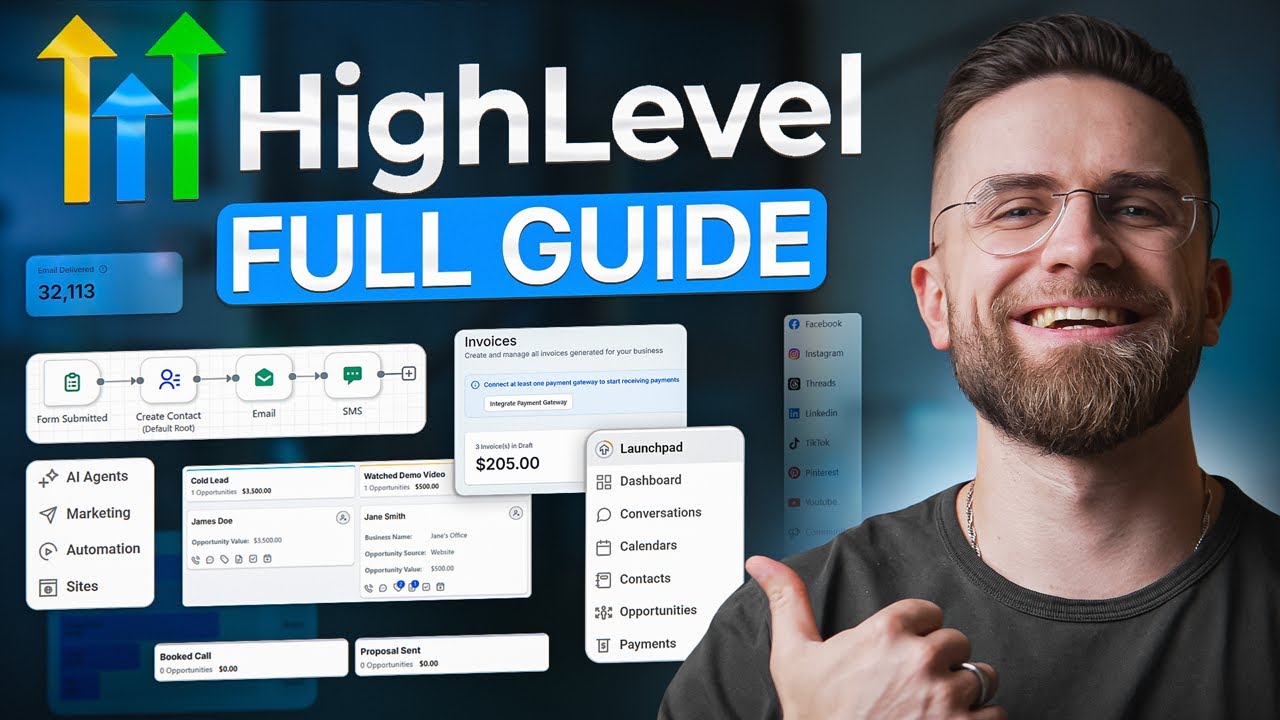
#sponsored Get your 30-day free trial here! https://gohighlevel.com/aimaster 🚀 Become an AI Master – All-in-one AI Learning https://aimaster.me/ 📹 Get a Custom Promo Video From AI Master https://collab.aimaster.me/ Overwhelmed by GoHighLevel? This complete beginner's guide shows you exactly how to use HighLevel in 2026 — step by step. If you're juggling multiple tools for CRM, email marketing, funnels, calendars, SMS, and automations, you're wasting time and money. GoHighLevel consolidates everything into one platform, but most beginners don't know where to start. In this tutorial, I'll walk you through: ✅ Setting up your GoHighLevel account from scratch ✅ Navigating the dashboard without getting lost ✅ Building your first funnel and landing page ✅ Setting up email and SMS automation ✅ Managing contacts and CRM workflows ✅ Creating appointment calendars ✅ Organizing multiple client workspaces (for agencies) ✅ Replacing your entire tech stack with one tool Whether you're a business owner, agency owner, or entrepreneur, this guide will help you finally understand how to use GoHighLevel to automate your marketing and sales processes. 🔗 Resources mentioned in this video: https://gohighlevel.com/aimaster ⏱️ Timestamps: 00:00 Replacing 10 Tools with One 00:58 Pricing Plans Breakdown 02:06 Dashboard Overview 02:47 CRM & Contact Management 03:50 Setting Up Sales Pipelines 04:53 Creating Automations & Workflows 06:35 Marketing Suite (Social, Email, Funnels) 08:04 Calendars & Booking System 08:32 Payments, Invoices & Contracts 09:02 SMS, Reviews, Courses & Reporting 09:56 Setting Up AI Conversation Agents 11:55 Conclusion & 30-Day Trial 💡 Want more AI tools and automation tips? Subscribe for weekly tutorials! #gohighlevel #highlevel #crm #marketingautomation #businessautomation

Оглавление (12 сегментов)

  1. 0:00 Replacing 10 Tools with One 175 сл.
  2. 0:58 Pricing Plans Breakdown 198 сл.
  3. 2:06 Dashboard Overview 125 сл.
  4. 2:47 CRM & Contact Management 200 сл.
  5. 3:50 Setting Up Sales Pipelines 198 сл.
  6. 4:53 Creating Automations & Workflows 317 сл.
  7. 6:35 Marketing Suite (Social, Email, Funnels) 246 сл.
  8. 8:04 Calendars & Booking System 71 сл.
  9. 8:32 Payments, Invoices & Contracts 85 сл.
  10. 9:02 SMS, Reviews, Courses & Reporting 131 сл.
  11. 9:56 Setting Up AI Conversation Agents 355 сл.
  12. 11:55 Conclusion & 30-Day Trial 119 сл.
0:00

Replacing 10 Tools with One

If you're running a business and juggling 10 different tools right now, CRM, email marketing, funnels, calendars, SEO, social media scheduling, automations, you're not just wasting money, you're wasting time. What if I told you that one platform could replace all of them? This is GoHigh Level, and by the end of this guide, you'll know exactly how to use it to run your entire business from a single dashboard. Let's get into it. Go High Level can feel overwhelming at first. There's a lot packed in here, but once you see how everything fits together, it's actually pretty straightforward. I've organized this guide into six core categories to make it super clear. Before we dive in, here's the most important thing I want you to take away from this entire video. Watching tutorials isn't enough. You need to get your hands dirty. The number one way to learn Go High Level is to actually open it up, click around, and build things yourself. Within one day of using it, everything clicks. Trust me on
0:58

Pricing Plans Breakdown

that. Let's start with the basics. Go High Level has two main pricing tiers. The starter plan is $97 per month. This is perfect if you're running one business and you just want to consolidate your tools. You get access to pretty much all the features, CRM, automations, funnels, email marketing, SMS, everything we're about to cover. The unlimited plan is $297 per month. This is designed for agencies. With this plan, you can create unlimited sub accounts for your clients. Think of each sub account as a separate business workspace. If you're managing five clients, you create five sub accounts. If you're managing 50, you create 50. You also get API access and a branded desktop app. For most solo business owners or small teams, the starter plan is more than enough. If you're an agency or you plan to manage multiple client accounts, go with unlimited. One more thing, normally Gohigh Level offers a 14-day trial, but I've got an exclusive 30-day extended trial linked in the description that gives you more time to really test it out and see how much money you'll save by replacing all your other tools. All right, let's log into
2:06

Dashboard Overview

the platform and look at the main dashboard. If you have the unlimited plan, you'll see an agency level dashboard where you can switch between sub accounts. Each sub account feels like its own separate business environment. For this tutorial, I'm working inside a single sub account. So everything I show you applies whether you're on starter or unlimited. The main dashboard gives you a snapshot. Your pipeline value, how many contacts you have, recent conversations, upcoming appointments. If you're a numbers person, you'll spend a lot of time here. It feels empty now. So we'll come back later after we enter some data. But for now, let's move to the left sidebar. That's where all the real functionality lives. Contacts are the backbone of
2:47

CRM & Contact Management

GoHigh Lee. Every single feature in this platform connects back to your contacts in some way. When you click into the contacts section, you'll see every person in your system. Each contact has a detailed record that shows three things. Their information, your communication history with them, and their activity timeline. Let me show you what I mean. If I open a contact, I can see their name, email, phone number, tags, custom fields, basically any data I want to track. In the communication panel, I see every email, SMS, and call I've had with this person. And the timeline shows me every action they've taken, when they filled out a form, when they opened an email, when they clicked a link. This is powerful because you're not switching between different tools to piece together a customer's journey. It's all right here in one place. You can import contacts from a CSV file, tag them for organization, create smart lists based on filters, and perform bulk actions like sending an email blast or updating tags. As your business grows, and you add more people to your list, they all show up here and everything stays organized. Next up, pipelines. If
3:50

Setting Up Sales Pipelines

you've used tools like Notion or ClickUp, this will feel familiar. It's a canban style board where you drag contacts through different stages of your sales process. Let me create a new pipeline to show you how this works. I'll click the plus button. Give it a name. Let's call this sales pipeline. And then I'll add stages. Stage one, call lead. Stage two, watched demo video. Stage three, booked call. Stage four, proposal sent. Stage five, closed one or closed lost. Now, every time a new lead comes in, I can add them to this pipeline. As they move through my sales process, I drag their card from one column to the next. At a glance, I can see exactly where every prospect is and what the next step should be. Here's where it gets really powerful. A lot of this movement can be automated. For example, when someone fills out a form on my website, an automation can automatically add them to the cold lead stage. When they book a call through my calendar, they move to booked call. We'll get into automations in a minute, but just know that pipelines and automations work together seamlessly.
4:53

Creating Automations & Workflows

Okay, this is the section that makes go highlevel worth it. Automations are what turn a collection of tools into an actual business system. If you're using go high level and you're not using automations, you're missing the point. This is what takes a manual timeconsuming process and turns it into something that runs on autopilot while you sleep. Let me show you how the automation builder works. When you click into the automations tab, you'll see a list of workflows. Each workflow starts with a trigger, something that happens that kicks off the automation. Then you have a series of actions that happen automatically. Here's a simple example. Let's say the trigger is contact fills out a lead form on my website. Once that trigger fires, here's what happens. The contact gets added to my sales pipeline in the new lead stage. Then they get an email thanking them for their interest. 5 minutes later, they get an SMS with a link to book a call. 3 minutes after that, if they haven't responded, they get an automated voicemail drop. All of this happens automatically. I didn't have to manually send the email, the SMS, or the voicemail. The system did it for me. And here's the best part. Go HighLevel has a ton of pre-built workflow templates. If you're just starting out and you don't know how to structure your automations, you can choose from recipes like welcome series, birthday promotion, abandoned card follow-up, and dozens more. You just click on a template, customize the text and timing, and turn it on. As you get more comfortable, you can build your own workflows from scratch. The builder is drag and drop, super intuitive, and you can get as complex as you want. You can add conditional logic, split paths based on customer behavior, trigger different actions depending on whether they replied positively or negatively. It's
6:35

Marketing Suite (Social, Email, Funnels)

incredibly flexible. Let's talk about the marketing side of gole. This is where the platform really shines for content driven businesses. First, social media planner. You can connect your Facebook, Instagram, LinkedIn, Tik Tok, YouTube, Pinterest, and Google Business profile all in one place. Once connected, you can schedule posts, see your content calendar, and even repost content across multiple platforms with one click. If you're managing social media for your business, this alone can save you hours every week. Second, email marketing. Go HighLevel has a full email suite. You can create campaigns, build email templates with a drag and drop editor, set up automated email sequences, and track open rates and clicks. They have a library of professional templates, so you don't have to design from scratch. Third, funnels and landing pages. Yes, you can build entire sales funnels inside go highle. If you're currently using clickfunnels or lead pages, you can replace them with this. The funnel builder lets you create multi-step funnels. landing page, opt-in form, thank you page, upsell page, all connected. They have a massive template library so you can launch a funnel in minutes. You can also build standalone websites, create forms and surveys, and even host blogs. The editor is intuitive. Click on any element to edit it, drag in new sections, change colors and images. You don't need to be a designer to build something that looks professional. Go HighLevel has a built-in calendar and booking system.
8:04

Calendars & Booking System

This replaces tools like Calendarly. You can create different calendar types, one-on-one meetings, group calls, roundroin scheduling if you have a team. You set your availability, share your booking link, and clients can schedule directly. The system sends automatic reminder emails and SMS before the appointment. You can also connect your Google calendar or Outlook so everything syncs. No more double booking or manual back and forth. Yes, you can handle
8:32

Payments, Invoices & Contracts

payments directly inside go high level. You can create invoices, send estimates, accept payments via Stripe or other payment processors, and even set up subscription billing. If you're running a service business or a membership, this is huge. There's also a document and contract feature. You can create contract templates, send them to clients, and they can sign them electronically all within GoHigh Lee. This replaces docuign. You save the cost of that subscription, and everything is stored in one place. A few more features
9:02

SMS, Reviews, Courses & Reporting

worth mentioning. SMS campaigns. You can send bulk SMS messages, set up textbased automations, and even have two-way SMS conversations with clients. You can get a go highlevel phone number for this. Reputation management, collect and manage reviews from Google, Facebook, and other platforms. You can send automated review requests after a service is completed. Memberships and courses. You can host online courses, create membership sites, build communities, and issue certificates. This replaces platforms like Kajjabi or Teachable. AI conversation bots. You can build AI powered chat bots that respond to customer inquiries automatically. Reporting and analytics. Create custom reports to track your marketing performance, sales pipeline, and team activity. App marketplace. If you need additional functionality, GoHigh Level has a marketplace where you can install third-party apps and integrations. Now
9:56

Setting Up AI Conversation Agents

here's where things get really interesting, especially if you're into AI. Go High Level has built-in AI conversation agents. This isn't just a basic chatbot. This is an AI powered system that can have actual conversations with your leads, qualify them, answer questions, and even book appointments all automatically. Let me show you how to set this up. In your go highlevel dashboard, go to settings, then click on conversation AI. Here you can create a new bot. First, you'll give it a name and choose a personality. You can make it professional, friendly, casual, whatever fits your brand. Then you train it on your business information. You can feed it FAQs, your service descriptions, pricing information, anything you wanted to know. Here's a practical example. Let's say you run a marketing agency. Someone visits your website at 2:00 a. m. and starts a chat. Instead of waiting until morning for a response, your AI agent jumps in immediately. It asks what services they're interested in. It asks about their budget and timeline. It answers their questions about your process. And if they're qualified, it offers to book a discovery call right then and there, automatically adding them to your calendar and your CRM pipeline. And here's the powerful part. This bot can work across multiple channels. You can connect it to your website chat widget, your Facebook Messenger, Instagram DMs, even WhatsApp. One AI agent, multiple touch points. I've seen businesses use this to handle 20, 30 conversations simultaneously. That's work that would normally require a full-time person now running on autopilot. But here's what you need to know. The AI is only as good as the information you give it. You need to spend time training it properly. Write out your most common questions and the best answers. Give it clear instructions on when to escalate to a human. Test it with different scenarios before you go live. If you set it up right, this feature alone can transform how you handle inbound leads. No more missed conversations. No more waiting hours to respond. just instant intelligent engagement 24/7. But watching this video
11:55

Conclusion & 30-Day Trial

is not enough. You need to actually open Go High Level and start building. Click around, set up a pipeline, create an automation, build a landing page within 1 day of hands-on work. Everything will click. I've linked a 30-day free trial in the description, not the standard 14 days, an exclusive extended trial. Use that time to explore the platform, import your contacts, build out a workflow, and see how much time and money you'll save. If this guide helped you, hit the like button and subscribe for more AI and automation tutorials. I break down the best tools, the smartest workflows, and the strategies that actually work. Thanks for watching. I'll see you in the next one.

Ещё от AI Master

Ctrl+V

Экстракт Знаний в Telegram

Транскрипты, идеи, методички — всё самое полезное из лучших YouTube-каналов.

Подписаться




