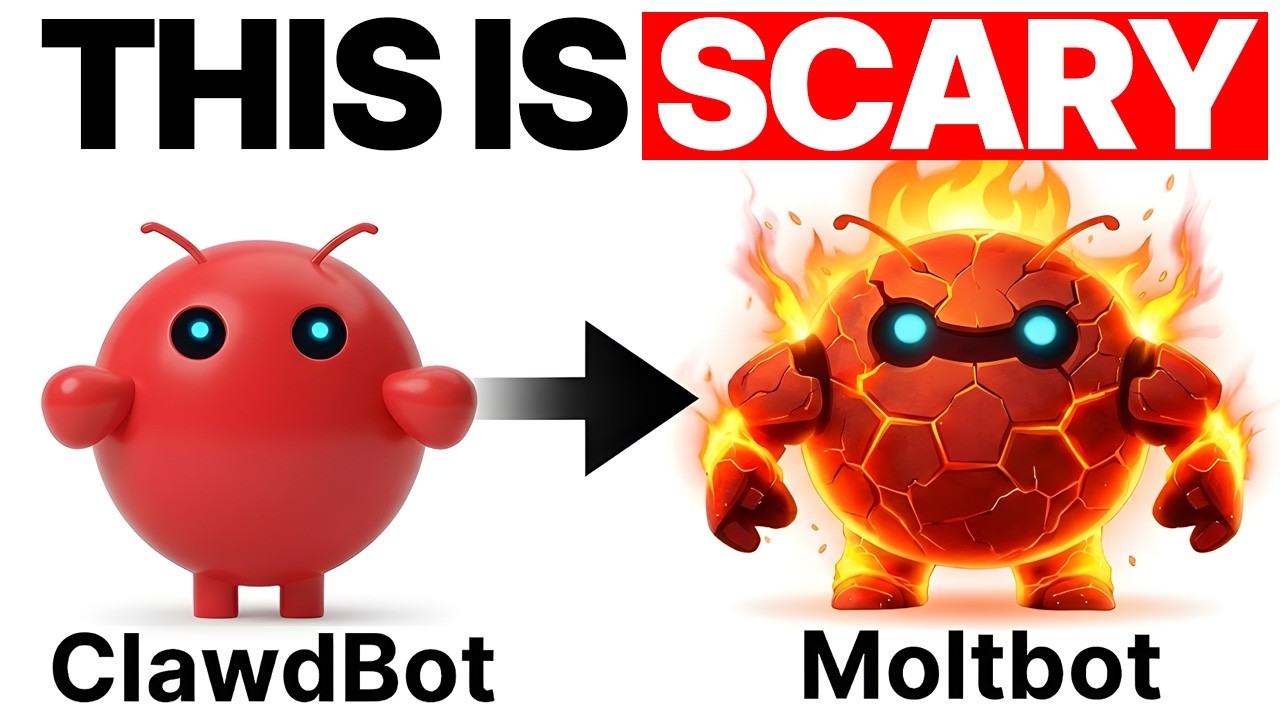
Clawdbot/Moltbot Explained in 10 Minutes..
10:13

Clawdbot/Moltbot Explained in 10 Minutes..

Julian Goldie SEO 31.01.2026 17 959 просмотров 138 лайков обн. 18.02.2026
Поделиться Telegram VK Бот
Транскрипт Скачать .md
Анализ с AI
Описание видео
Want to make money and save time with AI? Get AI Coaching, Support & Courses 👉 https://www.skool.com/ai-profit-lab-7462/about Get a FREE AI Course + 1000 NEW AI Agents + Video Notes 👉 https://www.skool.com/ai-seo-with-julian-goldie-1553/about Want to know how I make videos like these? Join the AI Profit Boardroom → https://www.skool.com/ai-profit-lab-7462/about Get a FREE AI SEO Strategy Session: https://go.juliangoldie.com/strategy-session?utm=julian Sponsorship inquiries:  https://docs.google.com/document/d/1EgcoLtqJFF9s9MfJ2OtWzUe0UyKu1WeIryMiA_cs7AU/edit?tab=t.0 Maltbot: Setup a Powerful AI Assistant in WhatsApp (Full Guide) Learn how to set up Maltbot, an open-source AI agent that lives in your WhatsApp to automate your business tasks. This guide covers installation, lead tracking, and five powerful use cases to help you transition from chatting with AI to building a 24/7 AI employee. 00:00 - Intro: The AI Agent in Your WhatsApp 00:55 - What is Maltbot? 02:24 - Step-by-Step Installation Guide 04:06 - Building Your First Automation 05:41 - 5 Practical Use Cases 07:41 - Advanced Pro Tips 08:38 - Limitations & Security Risks 09:24 - Next Steps & AI Community

Оглавление (8 сегментов)

  1. 0:00 Intro: The AI Agent in Your WhatsApp 173 сл.
  2. 0:55 What is Maltbot? 283 сл.
  3. 2:24 Step-by-Step Installation Guide 345 сл.
  4. 4:06 Building Your First Automation 321 сл.
  5. 5:41 5 Practical Use Cases 338 сл.
  6. 7:41 Advanced Pro Tips 158 сл.
  7. 8:38 Limitations & Security Risks 127 сл.
  8. 9:24 Next Steps & AI Community 163 сл.
0:00

Intro: The AI Agent in Your WhatsApp

Maltbot, formerly known as Claudebot, explained in 10 minutes. This isn't another chatbot stuck in a browser tab. This is Maltbot, an AI agent that lives in your WhatsApp. It clicks buttons, edits files, and runs your business while you sleep. And I'm about to show you how to set it up in 10 minutes. No tech degree needed. Let's go. All right, let's talk about Maltbot. If you're still paying $20 a month for a chatbot that just sits in a browser and types words back at you, you're getting scammed. Maltbot is different, is open- source. It runs on your own computer or server. And it doesn't just chat with you. It actually does things like real things. It can clean your inbox, update your notion boards, push code to GitHub, message your team on Slack, and you control all of it from WhatsApp or Telegram. It's like having a full-time assistant that never sleeps, never complains, and costs you almost nothing to run. So, let me break down what this
0:55

What is Maltbot?

thing actually is. Moltbart used to be called Claudebot. They changed the name recently, but it's the same tool. It's a self-hosted AI agent. That means it runs on infrastructure you control your Mac, your PC, a cheap server, whatever. It connects your messaging apps like WhatsApp, Telegram, Slack, and Discord to powerful AI models like Claude, GPT4, and Gemini. And here's the key part. It doesn't just answer questions, it takes actions. It can edit files on your computer. It can run scripts. It can call APIs. It can automate your entire workflow. And because it's self-hosted, your data stays under your control. No blackbox SAS company has access to your files or your automations. You own everything. Now, who is this tool for? It's for founders and solo builders who want a 247 ops assistant. Is for creators who want content and admin automated. It's for developers who want a programmable AI sidekick for scripts and APIs. But who is it not for? If you want zero setup and just a pretty web interface like chat GPT, this isn't for you. If you're scared of terminals, API keys, or basic server stuff, this probably isn't for you either. But if you're willing to spend 10 minutes learning how to set this up, you're about to unlock something insane. Think of Maltbot as your own private chat GPT on steroids. It doesn't live in a browser. It lives in your WhatsApp on your machine, and it can actually do things. Instead of five different tools and a million manual clicks, you get one agent you can text that orchestrates files, browsers, Chrome jobs, and APIs from one command center. All right, let
2:24

Step-by-Step Installation Guide

me show you how to actually set this thing up. I'm going to take you from zero to a working automation in about 10 minutes. First, you go to the official site. It's molt. bot. You'll see a note that says formerly clawedbot, just so you know it's the same tool. Open your terminal. Yeah, I know terminal sounds scary, but trust me, it's just copy and paste. Run the install command. You can use Docker or just download the binary. I'll use Docker because it's easier. Once it's installed, you configure your first AI provider. You paste in an anthropic API key or an OpenAI API key. Pick a default model. I like Claude Sonnet, but you can use GPT4 if you want. Then you start the Maltbot gateway service. You run a status command to make sure it's running. Boom. It's live. Now, let's connect it to WhatsApp. In the web interface or the config file, you connect one channel. For WhatsApp, you scan a QR code. For Telegram, you use a bot token. I'll do WhatsApp because that's what most people use. You scan the QR code with your phone. You send a message. Hi, Mbot. And you see the first response come back from your local instance. It's running on your machine, but you're talking to it from your phone. That's the magic. You can also assign different models to different channels like Claude on your personal WhatsApp, GPT4 for your developer Slack, whatever you want. And real quick, if you want to learn how to save time and automate your business with AI tools like Maltbot, you need to join the AI profit boardroom. This is where we break down exactly how to use AI to grow your business, get more leads, and save hours every single day. No fluff, no theory, just real automations that actually work. We've got members using AI to run their agencies, their coaching businesses, their content brands, all on autopilot. Link is in the description and the comments. All right. Now, let's build a
4:06

Building Your First Automation

simple automation. Mobileot has this concept called skills or tools. These are actions you can expose to the AI. File operations, APIs, scripts, whatever. Let me show you a simple one. I want Mbot to summarize any PDF I drop into a folder and send the summary back on WhatsApp. So, I create a folder on my computer. I wire up a script or skill that watches that folder. I reload or restart the agent. Now, I drop a sample PDF into the folder. I text molb summarize the latest report and boom, it sends me the summary. That took like two minutes to set up. Now, let's do something more advanced. Let's build a lead tracker for [snorts] the AI profit boardroom. Every time I forward an email or a message with a lead, mobile extracts the name, budget, and project details. Then it appends that info to a Google sheet or notion database. So, I forward a message that says, "Hey, Julian, I want to join the AI profit boardroom. " Maltbot passes that. It grabs the name, the budget, the interest, and it adds a new route to my Google sheet. I can see the leads show up in real time. That's it. No more copying and pasting leads manually. No more losing track of people who reach out. Mbot handles it all. Now, before we go further, let me show you the safety controls. You can limit which chats or users can trigger automations. You can see logs and token usage so your costs don't explode. And you can turn off risky capabilities like shell access if you're nervous about security. This is important because Maltbot is powerful, but you need to lock it down properly. Okay, you just saw Maltbot go from nothing to a real AI ops assistant in under 10 minutes. Now, let's zoom out into the use cases you can steal. Let me
5:41

5 Practical Use Cases

give you five ways you can use Molt right now. Number one, lead capture and qualification from your phone. You forward DMs, emails, or WhatsApp messages to Maltbot. It extracts contact details, budget, and intent. It pushes them into your CRM, notion, or a Google sheet. and it can auto reply with a friendly message like, "Thanks for reaching out. Here are the next steps. " All in your tone. You're not doing any of this manually. Maltbot is. Number two, create a content engine. Send Maltbot a link to your latest podcast or YouTube transcript. It creates titles, hooks, shorts, ideas, and a posting schedule. It drafts posts for you. It can even schedule them via your tools. You just steer from WhatsApp while it handles all the repurposing. Imagine you just recorded a podcast about AI automation for the AI profit boardroom. You send the transcript to Maltbot. It gives you 10 video ideas, five tweet threads, and three blog post outlines. That's insane. Number three, Founder Ops Assistant. Every morning, Maltbot summarizes your inbox. It flags invoices. It highlights investor or customer emails. It sends you a three bullet briefing on Telegram. Once a week, it pulls Stripe or SAS metrics via API. It DMs you a quick snapshot MRR churn signups. You get your entire business status without opening 10 tabs. Number four, developer and automation co-pilot from Telegram. You ask Maltbot to scaffold scripts. It runs them on your server. It tails logs. It restarts services. It's like a chat ops bot supercharged with LLM reasoning. Great for solo devs managing side projects or SAS without logging into dashboards. Number five, personal knowledge hub and second brain. Mobbot can index docs on your machine or in a folder. Then you ask questions on WhatsApp like, "What did that contract say about renewal terms? " or "What were the action items from last week's meeting notes? " And because it's self-hosted, you keep sensitive docs off external SAS search tools. Everything stays private. Now
7:41

Advanced Pro Tips

let me give you some advanced tips. These are power moves. First, use a multimodel strategy. Run Claude for reasoning heavy ops. GPT4 for coding. Gemini for creative content. All behind one maltbot gateway. You route by channel or task. Second, use channel routing. WhatsApp is your personal life assistant. Telegram or Slack is your business ops assistant. Different access levels, different skills enabled. Third, move Maltbot from your laptop to a cheap VPS. Now it runs 24/7. Your phone can trigger jobs anytime, anywhere. Fourth, cost control. Set a default to a cheaper model for routine tasks. Only escalate to an expensive model for complex jobs. Cap max tokens per request. Audit your monthly token reports. Fifth, build a skill library. Create your own internal skill pack, lead intake, content summary, weekly KPIs. Reuse them across projects. Turn one Maltbot instance into a template you can clone for clients. If you're an agency, this is gold. All
8:38

Limitations & Security Risks

right. Now, let me be honest about the limitations because I'm not here to sell you a dream. First, this is not plug-and-play SAS. You need to be comfortable with basic command line, config files, and API keys. Molbot is powerful, but it's not a one-click web app like Chat GPT. Second, self-hosted means it's your responsibility. Security, backups, uptime. If you expose shell or file access and misconfigure something, that's on you. Third, there are real costs even though it's free software. The software is MIT licensed and free, but you still pay for model API tokens and hosting. Fourth, LLMs can be quirky. Sometimes it will misinterpret vague instructions. Sometimes it will overall tools. You still need guardrails and human oversight for critical automations. All
9:24

Next Steps & AI Community

right, here's what you need to do next. If you want a real AI that doesn't just talk but actually works for you, go to the link in the description. Install Maltbot. Set up the exact two automations we built in this video. First, build your daily briefing bot inbox plus metrics. Then build your lead capture bot. Once both are running, you'll feel the shift from playing with AI to having an AI employee. And if you want the full process, SLPs, and 100 plus AI use cases like this one, join the AI success lab. It's our free AI community. Links in the comments and description. You'll get all the video notes from there, plus access to our community of 40,000 members who are crushing it with AI. Drop maltbot in the comments and tell me what you're going to automate first. I'll pick a few and help you design the workflow in a follow-up video. Thanks for watching. Let's build.

Ещё от Julian Goldie SEO

Ctrl+V

Экстракт Знаний в Telegram

Транскрипты, идеи, методички — всё самое полезное из лучших YouTube-каналов.

Подписаться




