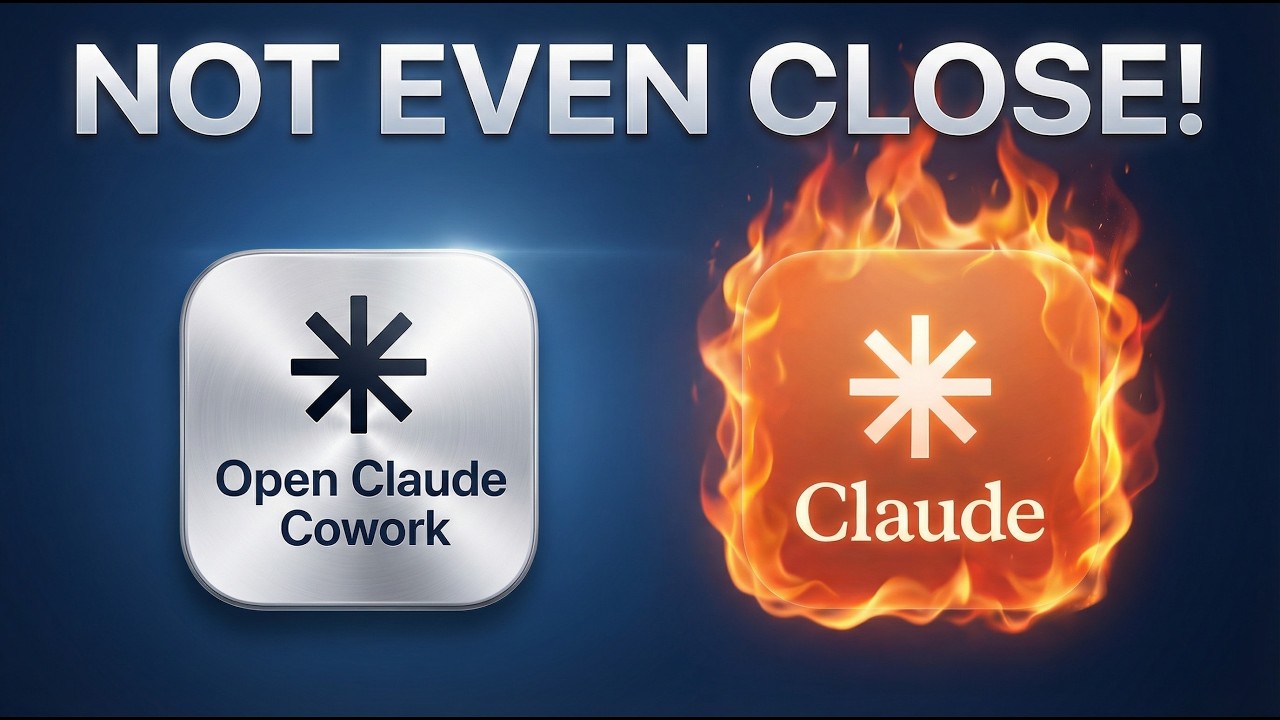
Open Claude: FREE Claude Cowork Alternative is INSANE!
14:27

Open Claude: FREE Claude Cowork Alternative is INSANE!

Julian Goldie SEO 19.01.2026 7 102 просмотров 106 лайков обн. 18.02.2026
Поделиться Telegram VK Бот
Транскрипт Скачать .md
Анализ с AI
Описание видео
Want to make money and save time with AI? Get AI Coaching, Support & Courses 👉 https://www.skool.com/ai-profit-lab-7462/about Get a FREE AI Course + 1000 NEW AI Agents + Video Notes 👉 https://www.skool.com/ai-seo-with-julian-goldie-1553/about Want to know how I make videos like these? Join the AI Profit Boardroom → https://www.skool.com/ai-profit-lab-7462/about Get a FREE AI SEO Strategy Session: https://go.juliangoldie.com/strategy-session?utm=julian Sponsorship inquiries: https://docs.google.com/document/d/1EgcoLtqJFF9s9MfJ2OtWzUe0UyKu1WeIryMiA_cs7AU/edit?tab=t.0 Exploring Open Claude: The Ultimate Open Source AI Desktop Assistant! In this episode, we dive into Open Claude, an open-source version of Claude Cowork, an AI desktop assistant. We showcase its capabilities, test its performance, and compare it to the original Claude Cowork. Open Claude automates tasks such as organizing files and managing calendars, proving to be faster and more efficient. The video also highlights how marketing plays a crucial role in the success of AI tools and introduces the Open Desktop Framework. Additionally, the AI Profit Boardroom is discussed as a valuable community for entrepreneurs using AI. Get insights into setting up and using Open Claude, and learn how AI can elevate your productivity! 00:00 Introduction to Open Claude 00:43 Setting Up Open Claude 01:33 Comparing Open Claude and Claude Cowork 02:28 Organizing with Open Claude 04:22 Marketing and Adoption Insights 05:31 Open Desktop Framework 08:51 AI Success Lab and Community 11:44 AI Profit Boardroom 14:07 Q&A and Final Thoughts

Оглавление (9 сегментов)

  1. 0:00 Introduction to Open Claude 158 сл.
  2. 0:43 Setting Up Open Claude 185 сл.
  3. 1:33 Comparing Open Claude and Claude Cowork 179 сл.
  4. 2:28 Organizing with Open Claude 400 сл.
  5. 4:22 Marketing and Adoption Insights 255 сл.
  6. 5:31 Open Desktop Framework 746 сл.
  7. 8:51 AI Success Lab and Community 626 сл.
  8. 11:44 AI Profit Boardroom 516 сл.
  9. 14:07 Q&A and Final Thoughts 78 сл.
0:00

Introduction to Open Claude

Today we're going to be looking at a new tool called Open Claude. Right. So if you've never come across Claude Co-work, basically it's an AI agent that can work locally and basically automate like anything inside your laptop. That could be controlling your browser. It could be for example organizing your desktop and you just type in plain English exactly what you want. Another is actually an open source version and it is called Open Claude Co-work. So, we're going to test this out, see how it performs, and I think you can get free access to it cuz it's open source. So, let's see how we go. John Sedano says, "Is this the real Julian Goldie or the AI avatar version? " This is the real McCoy, my friend. I get that every single day now. Every single time I go live, I get asked, "Am I the real Jillian Goldie? " All right, so we're
0:43

Setting Up Open Claude

going to start running these commands and just getting this bad boy set up. Just going to use claw code to get this set up with GitHub. As you can see, at this point, I don't know why Claude still asks me for permissions for anything cuz I just I'm always going to say yes. Like, it should remember I've never said no. Now, it's asking for Composio and API keys for Anthropic, too. Let's try this out. So, just bear in mind like the actual tool itself is free, but you're going to have to pay for the APIs, right? So, I'm going to try this out now. We'll sign up for Composio. And I'm going to grab an API key from Claude as well. If we go to here, we can grab one. Do you know what? I should probably delete those and then just not show my API key on a live stream. How about that? Let's go back a step for Casper says, "Wow, the real Julian live. " Okay, one request say Victor. There you go. So, we have Claude
1:33

Comparing Open Claude and Claude Cowork

Co-work set up as you can see. John says, "Can we use a local LM with open called Co-work? " You actually can't, I don't think. I think you can only use Anthropics. And then also, don't worry, bro. API key is safe with me, which thanks John. I trust that mate. All right, so we've got Claude coworker over here as you can see and we're going to test this out. So let's have a look what we got here. It looks identical, doesn't it? Let's just pull this up side by side. This is pretty crazy. So this is open claw coork, which is obviously open source. This is the original version of claw co and you can see them side by side. They basically look the same. I like the fact that they've removed having to add a folder. That just saves so much time. We can switch on extended thinking. We can choose between claw. open code. And then we've also got Opus, Sonnet, and Haiku. Right. So, let's just go with the basics, the
2:28

Organizing with Open Claude

classics. We're going to say organize my downloads folder and see how that performs. So, we'll hit enter in there. And this is Claude Co. It actually still says Claude at the top, which is madness. And then at the bottom for the actual name of the program, it's called Electron. So you can see it running terminal commands here. I'm going to say you do what you think is best, mate. And it's just gone off and it's starting to run its magic. All right. But if we have a look at the downloads folder here. Oh, that's instantly organized, isn't it? That's looking beautiful. Wow, that was fast. Okay, that was way faster than Claude Co. So you can see it's organized my downloads. My downloads folder is looking absolutely pristine. And as you can see right here, it's beautiful. And it's also organized that right now. So it said here's what I did. Organize structure, videos, images, archive, results. Boom. Freed up 6 GB right there, my friend. Boom. Shakalaka. All right, that was awesome. I actually prefer that to the original. So let's just pull these up side by side. So we've got the desktop here. Super messy, as you can see. Let me show you. This is the original. So this is Claude Co-work, and this is Open Cowwork, which I'm beginning to think already. I may prefer it. If we open up a new task here and we'll like, okay, help me organize my desktop so it's easier to manage. And we'll do that inside Claude the original. And we'll see how it performs and see whether it's as fast or whatever, right? Which one's got the best experience. Now, it's going to ask me a few questions. I've given it exactly the same prompt. And you can see it's a little bit slower. Like, it's just not responding as quickly. We have to send this request. And then, yeah, that's taking way longer. If we have a look at the desktop, it's still not organized. is still quite messy as you can see and I would say if I have to look at okay which one's the fastest or the most autonomous I'd probably go with open claude right now so open claude is destroying claude coowork it's early days but you get the point right this is taking absolutely ages it's redonkulous
4:22

Marketing and Adoption Insights

Sam says do you think it's worth building something if there's already two options for it out there I would say with most of these things like even if you build like the world's best free AI tool the problem is that if you don't market it relentlessly even if It's free. Nobody's going to use it, right? Like how many people know about OpenCloud Co-work, right? Not that many compared to Claude Co-work, but it seems to be a better version, right? This has taken ages whereas this did it instantly, right? And so the difference here is not the tool itself and not even how good the tool is. The difference is the quality of marketing, right? So if you look at Claude, they have a huge network. audience. They just dominate, right? They're going to reach far more people and get far more users. And so that's the biggest difference here is it's not about the tool itself. It's not even about the quality of the tool, although that of course has to be good. The biggest difference really is how many people can you reach, get to know about your stuff, right? It's all about the marketing. So I would focus on that. Ask yourself, can you market better than the people you're competing with? two other options out there? If you can, awesome. You already know you're on to a winner. So Claude Co failed the task. Let's go with another one. We're going to start a new chat on
5:31

Open Desktop Framework

both. What I've actually done is if you want to get access to the GitHub and all the resources from today plus this whole framework on how to use Open Cloud Co-work, you can get that inside the AI success lab completely free link in the comments description. And essentially what we're looking at here is that this is basically free, right? So you can use the same AI desktop assistant that I had to go on the max subscription plan for Claude which was quite expensive or you can just use this open- source alternative that connects to all these other tools right and what I like to see here I'm calling this the open desktop framework. So this is a framework I'm using to replace expensive AI tools with free alternatives whilst getting better results right and I call it the open desktop framework because it runs locally on your machine giving you full control and connecting to everything. Right? So number one, it's actually free. There's no hidden costs, no usage limits, just your API costs. It connects to 500 tools through Composio. So that could be Gmail, Slack, Google Drive, GitHub, Calendar, etc. You control everything. So it runs on your desktop. Your data stays local. And then you decide which AI models to use. Apart from the API, of course, and then it supports multiple AI providers. You can switch between cloud and that sort of thing, right? So let's take an example. And I've actually got a 30-day plan on exactly how to use this stuff. But I'm going to run down to the prompts down here and we'll test an example. Right. So, I'm going to say check my calendar for today and create a prioritized list of meetings with prep notes. Let's see if that works. And then we just need to connect our Google calendar. So, you can see we've connected that to Composeio now. And it makes it really easy by the way cuz if you want to connect it to for example like Google calendar, you just click that, click a couple of buttons, and then you just say, "Okay, we're done. " And then let me fetch the calendar events for today. as you can see and it'll basically check through the calendar and see what we got here. Now we'll try the same thing inside for example Claude as you can see. So this is the original version of Claude. This is Claude openwork on the right hand side and you can see this is now pulled in the information right so it's like priority one here's the information here's the attendees of who's going to join here's a Google meet link here's the preparation notes for the calendar as you can see and that was super easy and simple right whereas for example if you have a look at claude the original co-work via the browser so let's try that it's going to work through claw to chrome right so google chrome and access my calendar here and then it's going to open this up as You can see. So, it's pulling in the information there. I actually think like this method is way more efficient because you're connected directly to the calendar whereas this one has to use my browser to actually access it, right? And also, if you look here, like the notes and the meeting prep is way better versus what we're getting over here, right? So, the quality of outputs from Claude Openwork seems to be much better. And also, this is a lot slower simply because it's using my browser, right? It's going to take a lot longer to open and that sort of thing. So overall, I think Claude Open co-work is actually better, right? It's genuinely really powerful. It's the best alternative I've seen. It is open source as well. It's free to download. It's works really nicely with these tools as you can see. So with the calendar and that sort of thing. The is really nice. It's as close as it possibly can be to the original Claude and it was easy to set up as well. You can just use claw code to help you set it up in the first place as well. and then you can connect it to all these different tools inside composing and that really doesn't take long at all. So, thanks so much for watching. What
8:51

AI Success Lab and Community

I've actually done is I've created a full guide to open claude co-work see you get access to all the resources and the links in the GitHub and everything from today. I've shown you the open desktop framework which breaks down how to get these autonomous AI agents to run for you locally. You could build all sorts of things that could be, for example, like client reporting systems, content distribution assistance, lead follow-ups, etc. And I've actually created a 30-day plan that you can implement day by day to really master this stuff with terminal commands, prompts, etc. Right? And additionally, what I've also done is included a list of 100 prompts you can test out inside open as well. Right now, the old belief really with AI was like people would think, okay, AI automation requires complex workflows and programming. The real truth here is like most people think AI automation looks like connecting 47 different apps through complex flow diagrams with error handling and conditional logic. That's really the old way, right? That's the zappier thinking. AI automation with monitor tools is different really because you describe what you want to play in English and the AI figures out how to do it. You've seen what happens in Claude Co. So, it's a lot simpler. It handles the complexity. And I would say if you want to win with AI really, you don't need to think like a program anymore. You just business owner who clearly describes what they need, right? The AI handles the programming and when I built all the stuff I did today, it was literally just tell it exactly what to do. Other people say AI tools are going to replace me. This is the fear that I hear the most. If AI can automate my work, what's my value? Here's what's actually happening. It's like AI automates the boring parts of your work, the repetitive tasks, the data entry, the email sorting, the report generation. What it can't automate yet is strategy, relationships, creative problem solving, understanding your specific clients and their unique situations. An open [clears throat] core co-worker doesn't replace you. It just makes you super human, right? Because you become a one person operation with the output capacity of a team. Right? So for example, my SEO agency, I have over 50 team members, but I personally can monitor more clients, respond faster, and stay on top of more data than ever before because AI handles the admin task whilst I focus on strategy and relationships. And the solarreneurs winning right now aren't competing on who works the longest hours. They're competing on who uses AI to multiply their effectiveness. And here's the empowering frame, right? AI doesn't replace you. It elevates you. It removes the ceiling on how many clients you can serve, how fast you can deliver, and how much value you can create. This is what it's all about, peeps. You can get all the video notes from here inside the AI success lab link in the comments description. You can see this amazing community that connects you with nearly 47,000 entrepreneurs. And also inside the classroom here, if you go to January Automations, you'll get all the free video notes from today along with all these other video trainings you can see on the lefth hand side. So, for example, if you want to learn notebook or claude AI SEO, the new Microsoft AI updates or Miniax, and this is all updated from this month, by the way, is more updated. It's a free course, but it's more updated than most paid courses. You can get that all inside the AI success lab. Link in the comments description. If you haven't
11:44

AI Profit Boardroom

already, check out the AI profit boardroom. This is an amazing community that connects you with 2,100 serious entrepreneurs who are focused on growing and scaling their business with AI automation. Inside the community, you can ask any questions you have. You can connect with people in your local area. You can actually see this map where you can see people in your local area and then DM them or get in touch with them. So, for example, let's say you're in London right now, right? You can see the 72 entrepreneurs in London who are also using AR automation and are part of the AR profit boardroom. So, it's just an awesome community, a network that you can connect with and build with, right? Also, inside the community, you can ask questions and get help and support. You see how active it is. You can join our daily accountability group if you struggle with overwhelm or information overload or shiny object syndrome. And basically what this will do is you post your goals and then you're like today I just focus on that. I lock in on that, right? That's what it's about. And then also you can see inside the win section you can share your wins. So for example, Dylan is crushing it with NA10. You got Steve Light crushing it on YouTube with AI. You've got Jeffrey making huge progress in just seven days. Right? These are all wins inside the air report. You can also see inside the calendar here, you get four coaching calls a week. So you can ask questions live and jump on a call live with an AI automation expert and team and meet the community live on these calls each week. And we also have these courses inside the classroom where you can, for example, learn how to go from complete beginner to expert with AI automation in just five weeks. Plus, you'll learn how to build your first AI agent in under five minutes. Top of that you will discover the AI playbook that shows you how I generate my AI avatar videos, how I automate shorts, how I automate news X, etc. This is all inside the AI profitable boarding. And by the way, this AI automation for X is insane. Let me show you this. Yesterday, we reached 590,000 people in one day, right? Using AI automation on X. So if you want to learn how we just check out the AI profit boardroom automation processes that we have and the playbooks inside there. Also, we show you exactly how to land more clients for your agency. If you can't make the coaching calls, you can watch them back there. If you want to learn how to rank number one inside AI search engines, you can learn that here. And then also, you can learn how to grow and scale YouTube channel based on what's working for me with the six week road map. So, that's all inside the AI profit boardroom link in the comments description or just go to aiprofitboardroom. com.
14:07

Q&A and Final Thoughts

Cedric says, "What plan is needed to access Claude Co-work? " So, you have to be on the pro or the max plan if you want to access Claude Co-work inside desktop. They just released it to pro people last week. And then if you want to get access to open cloud co-work, you don't need to be on any specific plan, right? Anyone can access it. Anyone can plug their APIs in. Great question, Cedric. Thank you.

Ещё от Julian Goldie SEO

Ctrl+V

Экстракт Знаний в Telegram

Транскрипты, идеи, методички — всё самое полезное из лучших YouTube-каналов.

Подписаться




