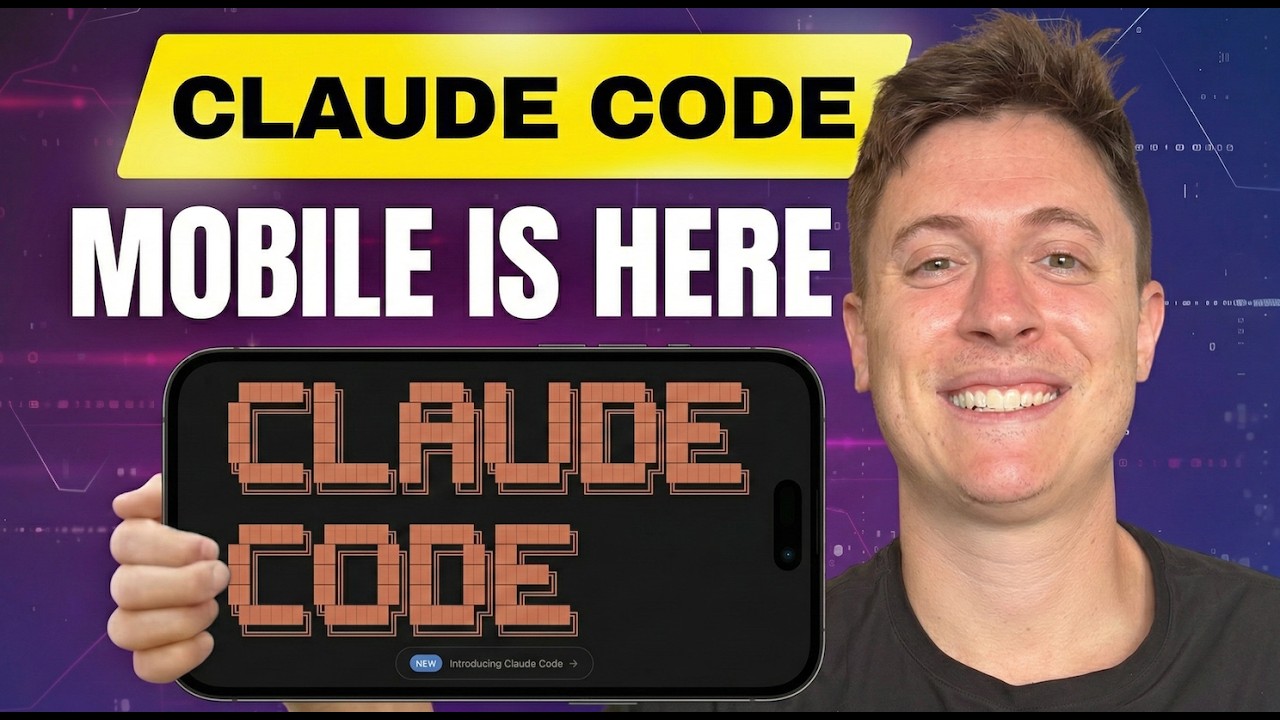
Claude Code for Mobile is the BEST way to build apps with AI (Remote Control)
8:42

Claude Code for Mobile is the BEST way to build apps with AI (Remote Control)

Alex Finn 27.02.2026 16 819 просмотров 563 лайков

Machine-readable: Markdown · JSON API · Site index

Поделиться Telegram VK Бот
Транскрипт Скачать .md
Анализ с AI
Описание видео
Claude Code remote control is Claude Code for mobile. Here is how it works and how to use it. Also should you use this instead of OpenClaw? FULL OpenClaw bootcamp in the Vibe Coding Academy: https://vibecodingacademy.dev Sign up for my free newsletter: https://www.alexfinn.ai/subscribe Follow my X: https://x.com/AlexFinn My $300k/yr AI app: https://www.creatorbuddy.io/ Timestamps: 0:00 Intro 0:57 Building an app 3:08 V1 of app 3:45 Send to mobile 6:06 Final version of app 6:42 Claude Code vs OpenClaw

Оглавление (6 сегментов)

Intro

You're about to become five times more productive. Anthropic just released a new feature for Claude Code that I've been waiting for forever and I'm sure you have too. You can now claude code natively on your phone on the go wherever you are and have the projects built out on your computer. No need to do any sort of crazy SSH or terminal emulation to get this going on your phone. You can now run projects from your phone that build on your computer without having to do any sort of technical work. It's official. You can claude code anywhere. If you're a nerd like me, you can officially touch Grasp while also still cla coding. In this video, I'll cover how it works, how to get it set up, how to build your first app with it, where we'll start building on the computer, then take it on the go. I'll cover some best practices, and I'll show you when you want to be using Claude Code, and OpenClaw, cuz this is clearly in direct response to OpenClaw. Now, let's lock in and get into it. So this is not

Building an app

a channel where we just sit here and read blog posts for 15 minutes. Let's just go straight into building a project with cloud code mobile. If you follow along with me here, you not only build a really cool app, but you also see how cloud mobile works. I am in my terminal. What we are going to do is start a brand new project. So I'm going to start building this on our computer. Then we are going to move it to mobile. That's the key workflow here. That's what they're going for is you start your deep dive projects on your computer. And then when you're ready to go, maybe you got to go to the gym, grow, maybe you got to grab a sod pop, I don't know, you can hit a button and all of a sudden it will be on your device and you can continue your Claude code sessions on the go. So let's do this. I'm in a brand new project folder. I'm going to do claude. I'm going to say yes, I trust this folder. And at any time during this session that we want, I can do slash remote control. And that will send this project to my clawed app on my phone so I can keep going on the go. And what's so powerful about this is this isn't running on the cloud like cloud code was before on mobile where you give it prompts and it does stuff on the cloud that adds a lot of friction to your process where you need to pull down code, merge it, a whole bunch of other things which can get complex. This is different. When you send it to your phone, it actually keeps running on your computer. So when you get back to your computer, you can just test it right away. You don't need to merge code or do anything complex that's tougher for newer people. So let's kick this off. Let's build V1 in the app. and I'll send it to my mobile and I'll show you how this works. So, I'll put this prompt down below. Feel free to take it build this along with me. I'll show you how to bring it on mobile. I want to build a second brain app. This is an obsidian-l like note editor where I can edit markdown files and save them to folders. Make it simple and beautiful. The bonus part about this, if you build this out, this could be a great plugin for your open claw that you can use to store all your memories. So, let's do this. I'm going to hit enter. One last thing I'll add on, use Nex. js to build this store notes locally. I'm going to hit enter on that and Claude code is going to get to building. I'm going to show you V1 of this on my desktop in a second and then I will show you how to move this to mobile and show you what the mobile building workflow is like. All right, looks like the V1's going to have a lot of really cool stuff in it. Man, claude code with Opus 46 is so good. So, let's get it built out here. So, I went to

V1 of app

localhost 3000. Wow, this is what we got. This is pretty nice looking. Let's see. They even wrote us a welcome note. Total markdown editor right there. Amazing. We got all the different markdown options at the top. We can bold it, put it in different formats. Let's create a new note test note. Do this like and subscribe. Looks like that works. Okay. Can we put that in a folder? We'll call this join vibe coding academy. Boom. We got the folder. I cannot click and drag notes. So, let's do this. Let's send this to mobile and finish our work on the go. So, maybe I got to go to

Send to mobile

the gym. I got to get a pump on to keep my biceps and triceps massive. Let's send this to mobile so I can keep working on this app in between bench press sets here. So, we'll do this. I'm going to do slash remote control. So, slash remote control sends this session to your mobile device. Boom. There it's going. So, it has a link. So, you have two options now with this new mobile feature. You can either copy this link and put it in your browser on your phone and keep it going from the browser. The other option you have for running this is on your clawed app. So if we come in here and I actually open up the clawed app, you can see it automatically takes me to the session we're just in. So let's do this. Let's start building on the go. So I'm on the bench press. I hit a personal record of 250 lbs. I just come up with an idea. I want to make it so I can click and drag notes in a different folder. So, I go in here and I say, "Make it so I can click and drag notes into different folders in the sidebar. " And I hit enter and it gets to work. And what's happening is, you can see it over here on the right. It's actually doing the work on my local computer. This isn't happening in the cloud. GitHub. This isn't going to force me to have to pull down code when I get back to my computer and merge and figure out where conflicts are and put in another hour of work. It's just doing it locally on my computer. This is going to save me so much time having to figure out different merges and things like that. It all just happens locally in one single place. And it's quick, too. You can see the moment something happens on my phone, it's happening on my computer. And this is a really nice UI, too. You can see all the code changes. You can see every little thing it's doing in here. This is a really nice user interface for using Claw Code. Before this, so many people were coming up with hacks and workarounds. They were emulating their terminal on their device. They were sshing from their phone to their computer. Whole bunch of things that required extra complex work that is no longer needed. It is just built in natively. And this is really, really cool. And you can see even when it gives you options, you can choose the options in here. So, let's do allow for this session. And it goes and it will build it out for us. All we had to do is include code when we start working slash remote control. And boom, we're on mobile doing work on the go. So, there it goes. says it's all done. Let's give

Final version of app

it a test. I click, I drag, boom, it's in the folder now and it works just like that on the go. I come back to my computer and I have fully working code. But the question becomes this. If you've been watching this channel last month, you know I've become obsessed with openclaw. When should you be using clawed code? openclaw? Because this is clearly a shot at openclaw. This is clearly anthropic trying to make clawed code closer to the functionality of openclaw. One of the things that makes OpenClaw so great is you can do work on the go. You can be on your computer, then you go on the go and it's still doing work on your computer even when you're on mobile. Well, let me

Claude Code vs OpenClaw

break it down for you. I got answers for you right here. There are times when you want to use OpenClaw to do your vibe coding work. There's times when you want to use Claude Code. I use OpenClaw if I'm just trying to do quick prototypes. Maybe I'm on the go. I think of an idea for an incredible app. I go to my Telegram. I message my OpenClaw. It builds out the prototype real quick for me. It is fantastic at that. If I'm building out tooling for OpenClaw, so I'm always adding new tooling for my OpenClaw, ways to manage my agent, see different information about work they're doing. I like to use OpenClaw for that because it has all the context and memories about your setup. And I also like it for passive work. What do I mean by passive work? This could be work I wanted to do while I'm sleeping. So I'll give it a list of 20 different tasks to do. I'll go to sleep and it will go down that list while I'm sleeping. Claude Code still can't do that. But for claude code in this mobile functionality, I'm doing it for big projects, right? So big complex hairy projects that I want to be hands-on with guide step by step. I'm using claude code for it. If I'm in deep work and I'm focused, I'm not multitasking. I just want to focus on doing one thing really well. I'll still use Claude Code for this because Claude Code is so good at giving you the nuance and asking you tons of questions. Open Claude doesn't really ask you questions as you go. And then just quick fixes I need to ship. If there's a bug in my app, Creator Buddy or something like that, I'll just go to Claude Code, say, "Hey, fix it. " And then I'll say, "Ship it. " And it's good to go. Claude Code for those really quick fixes I just need to ship out. But that is the new Claude Code mobile experience. It's incredible. I'll be using it all the time to continue my deep work on the go. If you learned anything in this video, leave a like down below. Make sure to subscribe and turn on notifications. All I do is make amazing videos about AI. I will also be adding a full deep dive guide on this Claude Code mobile experience to the Vibe Code Academy and do a live boot camp on it as well. So, make sure to click the link down below to join that. I do live boot camps every single week and you get access to all the past recordings. Hope this was helpful. I'll see you in the next video.

Другие видео автора — Alex Finn

Ctrl+V

Экстракт Знаний в Telegram

Экстракты и дистилляты из лучших YouTube-каналов — сразу после публикации.

Подписаться

Дайджест Экстрактов

Лучшие методички за неделю — каждый понедельник




