Плачу $100 за Claude. Он автоматизировал весь мой YouTube
17:27

Плачу $100 за Claude. Он автоматизировал весь мой YouTube

Лысый из браузера 11.02.2026 50 127 просмотров 1 859 лайков

Machine-readable: Markdown · JSON API · Site index

Поделиться Telegram VK Бот
Транскрипт Скачать .md
Анализ с AI
Описание видео
Я плачу $100/месяц за Claude, хотя эта нейросеть даже не умеет рисовать картинки. Зачем? Потому что Claude Code автоматизировал весь процесс производства YouTube-видео: от улучшения звука до публикации. В этом видео показываю, как работают AI-агенты и навыки (skills) в Claude Code. Пока я записываю видео, нейросеть делает всё остальное: улучшает звук через Auphonic, транскрибирует через Whisper, генерирует заголовки и обложки, создаёт описание, публикует на YouTube. Всё это — без единого клика в браузере. 📚 ГЛАВЫ: 00:00 - Почему я плачу $100 за Claude 00:47 - Что такое Claude Code 01:42 - Автоматизация YouTube: запись видео 02:10 - Навык "Процесс" — полная автоматизация 02:34 - Агенты: что это и как работают 03:13 - Улучшение звука через Auphonic AI 04:00 - Транскрибация видео через Whisper 04:48 - Параллельная работа агентов 05:23 - Генерация заголовков для видео 06:23 - Перевод субтитров на английский 06:42 - Нарезка тизера для соцсетей 08:00 - Критика и выбор лучших заголовков 08:43 - Генерация обложек через Gemini 11:11 - Как создать навык для Claude Code 12:43 - Обзор готовых обложек 13:13 - Команды для нарезки Shorts и Reels 14:28 - Публикация на YouTube и ВКонтакте 15:03 - Анонс-пост в Telegram 16:05 - Публикация видео через агента 17:04 - Как научиться создавать агентов 🔗 ПОЛЕЗНЫЕ ИНСТРУМЕНТЫ: • Auphonic AI — улучшение звука: https://auphonic.com • Claude Code — официальный сайт: https://claude.ai/referral/33Lz9zJfrA • Whisper — транскрибация видео 💬 Хотите научиться создавать своих AI-агентов для автоматизации работы? Напишите в комментариях, какие задачи вы хотели бы автоматизировать! #ClaudeAI #ClaudeCode #нейросети #автоматизация #YouTube #AIагенты #искусственныйинтеллект #продуктивность #нейросеть #Auphonic #Whisper #AIдлябизнеса #автоматизацияконтента #YouTubeавтоматизация #ChatGPT 📱 МОИ СОЦСЕТИ: • Telegram: https://t.me/+2qI3y89Hi2FiODNi • ВКонтакте: https://vk.com/baldfrombrowser 🛒 ПОЛЕЗНЫЕ СЕРВИСЫ: • ChatGPT с оплатой в рублях: https://t.me/ChatGPT_TopStore_Bot?start=r_17408070 • Аренда сервера (оплата в рублях): https://timeweb.cloud/r/cj28624
Оглавление (20 сегментов)

  1. 0:00 Почему я плачу $100 за Claude 114 сл.
  2. 0:47 Что такое Claude Code 150 сл.
  3. 1:42 Автоматизация YouTube: запись видео 76 сл.
  4. 2:10 Навык "Процесс" — полная автоматизация 66 сл.
  5. 2:34 Агенты: что это и как работают 110 сл.
  6. 3:13 Улучшение звука через Auphonic AI 117 сл.
  7. 4:00 Транскрибация видео через Whisper 128 сл.
  8. 4:48 Параллельная работа агентов 102 сл.
  9. 5:23 Генерация заголовков для видео 139 сл.
  10. 6:23 Перевод субтитров на английский 43 сл.
  11. 6:42 Нарезка тизера для соцсетей 205 сл.
  12. 8:00 Критика и выбор лучших заголовков 117 сл.
  13. 8:43 Генерация обложек через Gemini 390 сл.
  14. 11:11 Как создать навык для Claude Code 192 сл.
  15. 12:43 Обзор готовых обложек 73 сл.
  16. 13:13 Команды для нарезки Shorts и Reels 181 сл.
  17. 14:28 Публикация на YouTube и ВКонтакте 99 сл.
  18. 15:03 Анонс-пост в Telegram 152 сл.
  19. 16:05 Публикация видео через агента 133 сл.
  20. 17:04 Как научиться создавать агентов 73 сл.
0:00

Почему я плачу $100 за Claude

This is Claude AI, and I pay $100 per month for a subscription to this neural network. This AI charges my card $100 every month, even though it can't even generate images. In this video, I'll explain why. Why I'm willing to pay a full $100 every month for what seems like an ordinary neural network that's somewhat similar to ChatGPT. The thing is, this neural network is just like ChatGPT or DeepSeek. You can write your task here and it will do it for you. Rewrite a post, write an email, and so on, even write program code. But they have something that sets them apart from other neural networks. It's Claude Code.
0:47

Что такое Claude Code

A tool that was originally made for programmers, but after watching this video, you'll understand there's nothing about programming here. And even if you're a regular manager, someone who just moves files around on a computer, makes presentations, maybe does design, you can also delegate your tasks to it. So you can train this neural network to do your work and give it to this AI using skills. These are capabilities - you can teach Claude to work the way you work. Make presentations like you do, write texts like you do, create documents like you do, download videos, edit videos, add subtitles. Everything you do every day for your work, you can package into a skill. It's like a little file that you give to the neural network, and after that it knows how to do something. Let me show you with a real example of what I do.
1:42

Автоматизация YouTube: запись видео

I record videos on YouTube, and out of this whole process, I only like one thing - recording videos. Like right now I'm explaining to you, showing something, clicking the mouse, commenting on the whole process. I like that. But I don't like coming up with video titles. I don't like drawing thumbnails, coming up with descriptions, uploading this video through a browser and checking all the boxes. So I trained Claude to have this skill.
2:10

Навык "Процесс" — полная автоматизация

I call it "process". I delegated the entire process that's not related to recording the video. I don't want to do this. I just write a command here, like in a Telegram bot, slash process, throw in the video that's in my projects folder, this is my YouTube folder, and press enter. That's it. I don't need to do anything else. Because what will Claude do?
2:34

Агенты: что это и как работают

It will call agents. Agents that have skills. These skills that I just showed you can be put into agents. And agents will actually do things on your computer. For example, right now it's asking me for access to a new folder it created. It just created a folder right before our eyes with the name of this project. It figured out what this project is based on the video name. It created a video folder here and moved my video file there. It also prepared a thumbnails folder in advance where it will put the covers later. And now it's going to work on improving the audio through Auphonic.
3:13

Улучшение звука через Auphonic AI

If you didn't know, there's a website called Auphonic, where you can improve the audio in your video. It's like Adobe Enhance, which improves audio quality, removes noise. Just a cheaper alternative. And before, I had to go here and upload my video file for audio processing here, wait for it to upload, then download it. Instead, I set up an agent that has this skill. I created an agent that extracts audio from my video, sends this audio to Auphonic, gets it back from there and attaches it back to my video. And my video ends up with good audio. Right away with the right filters. After this stage is finished, the next stage will begin
4:00

Транскрибация видео через Whisper

where it will start extracting text from my video. And here's the video that it will improve, it will put it right here. And this process took only one minute for a 10-minute video. A little more, okay. It'll be two minutes. Here it is, this video. Here was the video that was my original. Here's the video with improved audio. Enhanced. And then the third stage will begin. It will start extracting the text. Here it says it's finished working on audio improvement. And I can leave this window open and go, for example, have some tea. Which, by the way, ran out. Or I can do some other tasks. This window will be working, and I'll be resting at that moment. And the next stage begins.
4:48

Параллельная работа агентов

It starts transcribing my video. If you don't know what transcription is, check out my other video. I showed how to extract text from video using neural networks. What's this for? For subtitles. So that the subtitles that are at the bottom of the video are written correctly. With all punctuation marks. With correct terms. And it does this quickly too. A 10-minute video it does in one minute. It will extract all the text from there. For what? So that then, based on this text, it can create a description for the video. Pick the most successful title for the video.
5:23

Генерация заголовков для видео

And then do something else. I'll show you what exactly. Now it will extract files. Here it got the transcription. And it wrote at which minute or second what text I'm saying. It's written here. Now on Instagram there's a trend that parents and children record. A complete transcription of the entire video. Next it starts correcting errors. This transcription sometimes has errors. Some terms were recognized incorrectly. Recognized. Some extra sounds in the video prevented it from correctly identifying what word it was. And the neural network reviews these subtitles and redoes them. Corrects the errors. And then it will translate this into English. And the coolest thing is you can run multiple agents in parallel. For example, I'll go to the YouTube folder and run Claude there. And I can, for example, use a command called Teaser.
6:23

Перевод субтитров на английский

Teaser. Teaser means to cut the video, the best moments from the video. From this video of mine. I need to cut the best moments from this video. And I have two employees working in parallel. One is doing transcription, then correcting errors.
6:42

Нарезка тизера для соцсетей

And the other one at this moment can make a teaser. It takes my video, finds the best moments in it, the coolest catchy phrases, which it will cut out and make into a small short clip. Here the transcription is corrected. Found five corrections. It's finishing work now and then it starts doing translation and titles in parallel. It translates the subtitles, launches the task itself. And then in parallel launches a task that picks a title for this video. This is all set up according to the templates I gave. I trained it in advance. Told it which skills are needed for which task. Yes, I had to tinker with this. And someone might say it's easier to do it myself. But right now I'm recording a video for you, doing some process in parallel. I'm recording a video. At this moment work is going on. And the work will be done regardless of whether I was present here or not. And what does this look like? Translation and titles generating in background. Waiting for both agents to complete. It can run multiple agents in parallel. If, for example, the task is solved. Look what happened. It went and cut a teaser here.
8:00

Критика и выбор лучших заголовков

It said it's taking my father. No, he hasn't been with us for more than 15 years. I would like to sing this song with him. Then it goes further. But for now I have the opportunity to do this only with his digital copy. And so on and so forth. And it starts cutting this video. First it asks my permission to create a file. And then it cuts this video. And we'll see it here. In the main project folder. I could not run a parallel teaser. The teaser would still get made. Because the task called process would execute. But now I'm getting a teaser. It's not ready yet. And here when it's ready.
8:43

Генерация обложек через Gemini

Here I got titles here too. When the teaser is ready, I'll see an icon that it's ready. And it can be launched. Teaser is ready. My father hasn't been with us for more than 15 years. And I would like to sing this song with him. But for now I have the opportunity to do this only with his digital copy. And it cuts this video. Here it cut it. Says where you can upload this. And I, let's say, finish this agent's work. And it tells me, titles are ready. Waiting for translation to complete. Let's see what we have for titles. Video title options. It picked 10 title options. Numerical with a specific number. For example, two neural networks brought my father's photo to life. How to repeat? Question. Yes, how to bring any photo to life through a neural network. Practical. How to make a video with any character in Kling AI. Provocative. I brought my father's photo to life through AI. Here's what I got. Comparative. Kling AI versus regular video. It throws out titles. And then makes a comparison table of all options. Which one has the most potential. Then it gives recommendations. That option 4. Will get maximum clicks. Best option for SEO. This one. The tenth. Balanced. Which will increase clickability. And will be successful for SEO. It suggests options for A/B testing. Which I can test through the YouTube interface. And next, what not to use. And then the final recommendation. Use option 1 as the main one. Two neural networks brought my father's photo to life. How to repeat? Why? And if you need a more viral option. SEO-adaptive option. It suggests several titles. It translated the video text into English. If I want, I can later re-voice it in English with my own voice. But I'm not doing that yet. Next. After the agent finished translating. Choosing the best titles is happening. There's an agent that criticizes titles. Breaks them down. And says what's wrong with them. And which title is better to choose. Then another agent will make a description for the video. A third agent will publish this video. I'll be able to publish this video in one click. It will appear on the YouTube channel. Even though I didn't even open YouTube. That's the thing. Here.
11:11

Как создать навык для Claude Code

It critically analyzes titles and creates improved versions. How does this work? If I want, for example, to teach Claude AI a skill, I need to run it in the command line. Just in the terminal. On Mac it's Terminal. On Windows it's Command Prompt. Look how to install Claude. It's not difficult. You can go to the website and copy the command from there that will install it in your environment. In your terminal. After you run it, you can write any task to it. You can tell it. I want to create a skill for presentations. Want to make PPTX presentations based on brand style. Create the necessary skill, instructions and command. And it will do it. It will just complete this task, breaking it into subtasks. And you'll end up with a command that you can run. You can also set up MCP servers here. But I'll talk about that separately in a separate video. Because this gives the ability to attach hands to the neural network so it does some task. For example, opening a browser, opening your Google documents and doing something there. Next is thumbnail generation.
12:43

Обзор готовых обложек

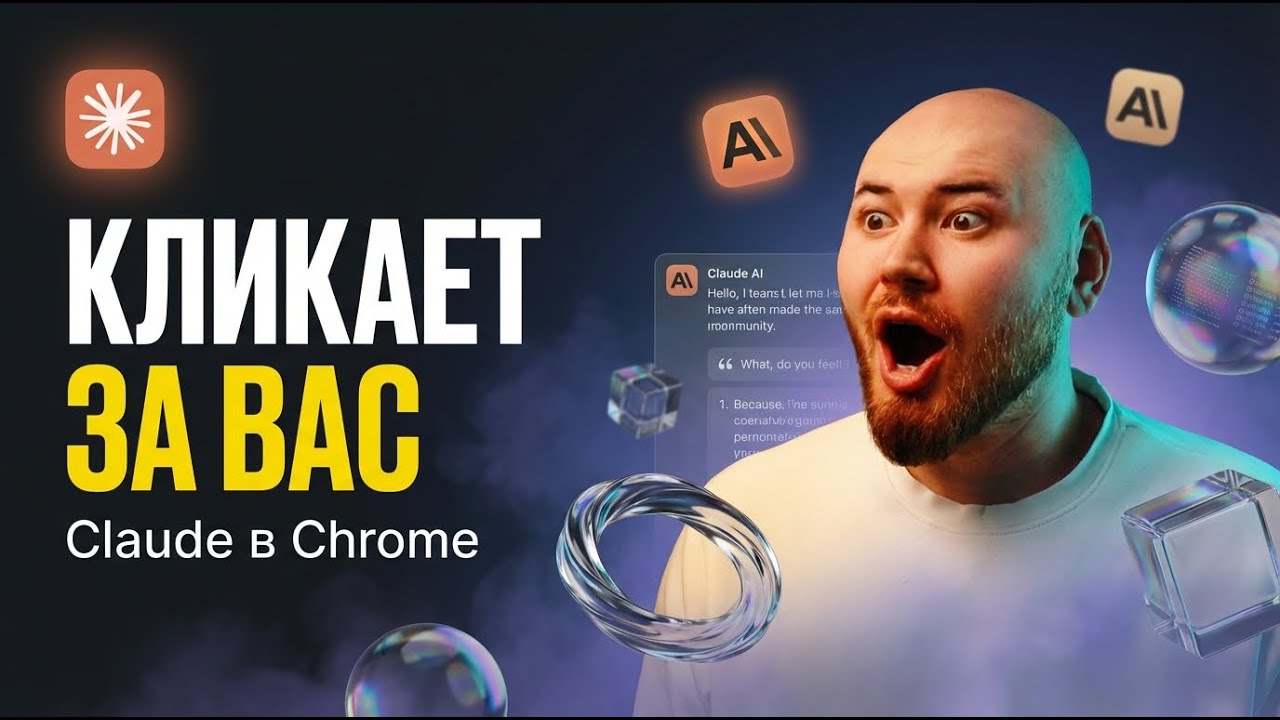
This moment is probably the most impressive. Because the neural network, instead of me, while I was chatting with you here, it made a thumbnail with the right styles, with my photos. I have cut-out photos that are in a separate folder. This folder is called YouTube. In it I have thumbnail examples and my photos. Photos that I took so that... With a lid, by the way. To make thumbnails for YouTube.
13:13

Команды для нарезки Shorts и Reels

You can take any of my photos and stick it on a thumbnail. And what does this look like? I'll show you now. Opening the project. Opening thumbnails. And here's what it did. Brought a photo to life using a neural network. life. It takes the main title. And uses it to make thumbnails. Throws out several options. It can make up to 10 thumbnail options. Then it criticizes these thumbnails, looks at them. Reviews them visually. And gives some recommendations. What needs to be improved to get a better thumbnail. And redoes it. In general, this thing works just incredibly well. And integrates into all processes. And you can assign any task to it. Want to make a presentation? Make a presentation. Want to cut videos? Cut videos. By the way, I have a separate command here that cuts videos. Into small pieces that can then be used in Reels and TikTok. There's something that adds subtitles. There's something that publishes this to YouTube and publishes this to VK. Here it tells me it's ready to cut a new teaser.
14:28

Публикация на YouTube и ВКонтакте

Although I already have a teaser. I ran it separately. Then it will suggest after all this work to just publish this video on YouTube. And it will upload and will be in YouTube. And all I have left to do is just open YouTube Studio and click the publish button. That's it, nothing else to do. Oh, I remembered. It also makes a Telegram post. It cuts a teaser video and sends me a message in Telegram. Now I'll try to open Telegram. And it should send me a message in Telegram with an announcement of this video.
15:03

Анонс-пост в Telegram

Now somewhere here I should have an assistant. Here it says parsing error, will fix parse mode. By the way, this is a cool thing, that an error just came out. It says I have some error in the code. It fixes this code for itself. Redoes something and says, like, everything is fixed, look at the announcement. So it fixed its code. And now in Telegram the assistant sent me a teaser clip and briefly about what this video is about. I'll then publish this in my channel so people go to Telegram. So out of the whole process of recording and publishing a video, I only did the recording. Next the neural network helps to complete tasks. As you can see, the videos are live. That's me, not a neuro-avatar. But everything else that's not related to the video itself is done by the neural network. That's it. Next step.
16:05

Публикация видео через агента

It says, check the materials. If everything is good, then run the publication. I write, and it publishes. I select the video publication command. Next this video will appear in my YouTube Studio. Done. It published the video. It's in the studio. I can open it in Creator Studio. And look, it uploaded a thumbnail here. Uploaded a title here. Uploaded description, chapters here. Everything, everything. As it should. Loaded my social media, icon here. Checked all the boxes. Whether the video is for kids or not for kids. And most importantly, it even put tags here. These ones. AI for video, Gemini Advanced, bring photo to life and so on. It checked all the necessary boxes. All I have left is to publish this video. Change its access. Isn't this a miracle?
17:04

Как научиться создавать агентов

If you want to learn how to make such agents, make such skills, then write about it in the comments to this video. Hit the like. That's how I'll understand this topic is relevant and interesting to you. And we'll either make a workshop on this topic, or I'll record a video on this topic. And subscribe to the channel so you don't miss it. And with that I say goodbye to you.

Ещё от Лысый из браузера

Ctrl+V

Экстракт Знаний в Telegram

Экстракты, дистилляты и транскрипты — проверенные знания из лучших YouTube-каналов.

Подписаться