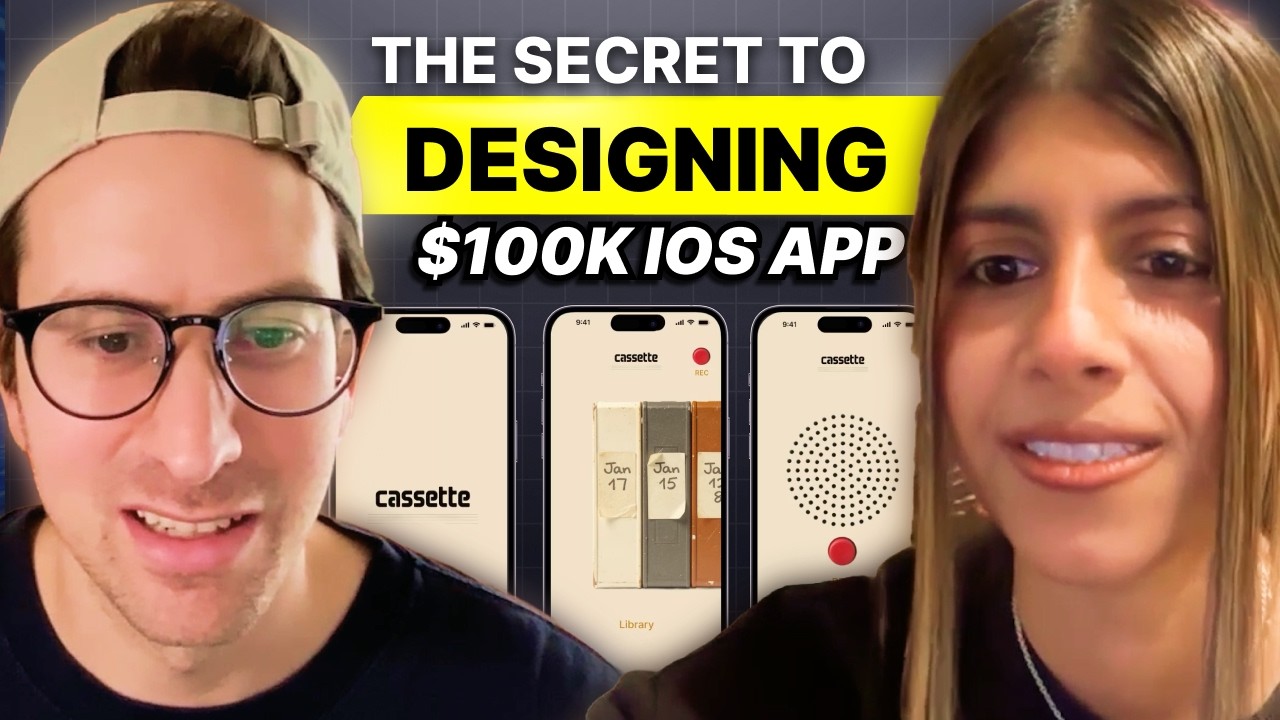
I sit down with Cova, a creator known for racking up millions of views on Instagram Reels through her signature AI-enhanced visual style. She has worked with brands like NVIDIA and Adobe, and for the first time ever, she walks us through her entire creative workflow. I watch her use Manus AI to reverse-engineer viral video styles, FreePik's Nanobanana Pro model to transform plain talking-head shots into cinematic scenes, and AI video generators like SeaDance to create impossible transition shots. She also reveals how she plans and scales her content pipeline using Obsidian paired with Claude Code.
Cova’s Content Creation Stack:
Video Editing: Premiere Pro, After Effects (for visual effects)
Image Generation: Freepik (Nanabanana Pro her preferred model)
Video Generation: Seedance (her current go-to), Kling (especially Kling 3)
AI Research & Planning: Manus AI (for analyzing existing videos, creating style breakdowns, and building replication plans)
Project Planning & Organization: Obsidian (for storing scripts, storyboard templates, style guides, and project files), Poke (for daily task management and scheduling)
AI Coding / File Automation: Claude Code and Cursor (used alongside Obsidian to convert scripts into storyboards, restructure project folders, and execute on templates automatically)
Timestamps
00:00 – Intro
02:59 – Using Manus AI to Analyze Creator Videos
09:41 – Video Breakdown and Replication Plan
20:57 – Using FreePik to Transform Static Shots
28:46 – Using Seedance for AI-Powered Transitions
33:44 – The Importance of Differentiation
34:31 – Full Tool Stack Rundown
35:44 – Obsidian & Claude Code for Content Planning & Scaling Systems
39:23 – Closing Thoughts
Key Points
- Manus AI can watch a creator's video, break down the style and story structure, and produce a full replication plan with aesthetic keywords, script transcription, and step-by-step filming guidance.
- FreePik's Nanobanana Pro model lets creators transform bare or average-looking rooms into visually rich, cinematic sets by generating and masking in new background elements — all from a single still frame.
- AI video generators like Seedance create short transition clips (three to four seconds) from a start frame and a prompt, enabling "impossible shots" that hook viewers in the first seconds.
- When prompting video generation models, use positive terminology and describe what the camera is doing rather than what it is avoiding. Models respond better to affirmative descriptions.
- Pairing Obsidian with Claude Code (or Cursor) lets creators automate repetitive planning tasks — turning scripts into storyboards, restructuring project folders, and enforcing personal style guides across every edit.
- Creator differentiation increasingly depends on smart tool use; Cova credits AI-driven artistry as the factor that made her content stand out and grow.
Numbered Section Summaries
1. Reverse-Engineering Viral Videos with Manus AI
I watch Cova prompt Manus AI to analyze one of her own Instagram Reels. Manus runs scripts to download, transcribe, and visually parse the video frame by frame. It returns a detailed breakdown of style keywords, typography categories, and story sections — a process that would normally require hours of manual note-taking. Cova is visibly surprised by how accurately it captures her creative process.
2. The Full Creator Tool Stack
Cova breaks down her daily toolkit: Adobe Premiere and After Effects for editing and VFX, Nanobanana Pro on FreePik for image generation, Seedance (and Kling 3) for video generation, Manus for video research and analysis, and Obsidian with Claude Code for project planning. She also mentions Poke for daily task management. Each tool serves a specific role in a system designed for repeatable, scalable content creation.
3. Scaling Content with Obsidian, Templates, and Claude Code
Cova opens her Obsidian vault and shows her storyboard template, editor handoff template, and project folders. She demonstrates using Claude Code to instantly convert a script file into a formatted storyboard table using her own style guide. Her core message: creators who build documented systems and let AI execute the repetitive parts can scale their output while maintaining creative quality.
The #1 tool to find startup ideas/trends - https://www.ideabrowser.com/
LCA helps Fortune 500s and fast-growing startups build their future - from Warner Music to Fortnite to Dropbox. We turn 'what if' into reality with AI, apps, and next-gen products https://latecheckout.agency/
The Vibe Marketer - Resources for people into vibe marketing/marketing with AI: https://www.thevibemarketer.com/
FIND ME ON SOCIAL
X/Twitter: https://twitter.com/gregisenberg
Instagram: https://instagram.com/gregisenberg/
LinkedIn: https://www.linkedin.com/in/gisenberg/
FIND COVA ON SOCIAL
Instagram: https://www.instagram.com/covacut/
Youtube: https://www.youtube.com/@covacut
X: https://x.com/covacut
Оглавление (9 сегментов)
Intro
How could you create short form videos, Instagram reels that gets millions of views with AI? I mean, if you were able to do that, you could vibe code software, you can build software, and you'd be able to have attention, take that attention, and sell your startup. So, we all know how important it is to generate followers, likes, comments, but how do you do it? In this episode, I brought on Kova. Kova is well known for getting millions of views on her Instagram short form. She's worked with the biggest brands on the planet like Nvidia and Adobe. They call her when they want to create short form video that goes viral. Well, what if I told you that I can share her entire workflow with you? How she uses Manis AI, how she uses Freepick, how she uses Adobe Premiere Pro, how she uses Claude Code and Obsidian. Well, you're in for a treat because in this episode, for the very first time ever, she shares her entire workflow. The stuff that she creates, the video content that she creates is gorgeous. I've seen her videos and I love them. In this episode, we will teach you how to do the same. And people who stick around to the end are going to have this unfair advantage because building audiences in the AJI is so important. Enjoy the episode. It's going to get your creative juices flowing and I can't wait to see what you end up building. So, we are super lucky to have Kova on the podcast. She is someone who I've seen just completely blow up sharing videos that I think are made with AI some of it at least. And I asked her to come on the pod for the first time ever. She's going to be sharing her AI workflows with us. Kova, for the listener of this pod, for the people watching, by the end of this episode, what are people going to learn? — Yeah. So, by the end of this episode, you guys will first understand how to use tools like, for example, Manis to understand how to create like your favorite creator. Second, you'll be able to execute two very simple but very powerful workflows that I use for 90% of my edits that make all of my videos look super super good no matter where you film it. And finally, I will show you how you can plan your projects in Obsidian and use an AI tool like cursor or cloud code to be able to quickly build up a project. and you're in for a treat because this is something that Kova hasn't shared anywhere. And I think that people who stick around to the end of this episode, they're going to have an unfair advantage. So, I'm Thank you, Kova, for for opening the Kimona's box. Uh, and give Kova in this episode a like and comment to fire her up. She doesn't do this ever, so thank you for sharing the sauce. I appreciate it. — Yeah, of course.
Using Manus AI to Analyze Creator Videos
— Yeah. What is your manis workflow to take a Kova video and use AI agents to break it down why this is interesting? Can you show this to me? — Ooh, I haven't done this in a while, but let me see if I can do this. Yeah, — I think the style of prompt I would be like I I would use is I really like the style story of this video. and story of this video. Break it down in terms of one style and aesthetic keywords. I think specific keywords probably work a lot better for myself and then it'll probably go on Pinterest. — Then you say number two, script transcribe it and separate it into story sections. Okay. — And then I would just be like I'm not exactly sure what I'm looking for. So you down in terms of this — overall this. Okay. — Give me a plan. Okay, that's smart. For how I should replicate it. That's really interesting. So you're putting like the onus on Manis. — Yeah. — To basically come up with a plan. — Yeah. Sometimes I like putting the burden of proof on the AI. Um, let me try. I'm really curious if it does so with Twitter videos — and can you walk me through why or just, you know, tell me why do you like Manis versus other products — or you just find it works well? — Yeah, I like Manis because it's probably the closest thing to an actual agent I've used. probably like second to open cloud from what I've been hearing. But um for example, if I gave this like claude claude or like cloud code or chat or Gemini, it would probably not fully like watch the video etc. and transcribe it, break it down. Um for Madness, like they would actually run like scripts to probably like parse the video. I I think I've seen like in some of like the process areas it was talking about like oh like I've I ran this command on the video to extract the transcription etc. So it's actually doing everything granularly um and doing the task rather than making assumptions which is what you would get with you know something like claude or chat. Yeah, and I think Manis just launched their version of Open Claw. So, basically a hosted version of OpenClaw. I haven't played with it, but I think it's in beta from what I earned. — Amazing. Yeah, I still need to play around with it. I just Yeah, I just don't want to give it access to anything without understanding like how secure — Yeah. — my data will be. — Totally. So, let's just read what's happening here. So, — so this is using a computer. It's going onto your Instagram. It's watching some of your videos. It's observing the Instagram reel. It's actually a computer watching your stuff. — Yeah, exactly. I'm curious what it does cuz I think the link was not working. But let's see what it's doing. It's so funny how it's operating my own browser. I think you can probably see it go like here. Oh yeah, look. And it's operating my browser here, too. — That's cool. That always trips me out. — Yeah, super odd. Also, the audio is playing and I'm really peeved. — So, that's analyzing the Twitter and this is analyzing Instagram. — That's cool. Oh, wow. — Ah, there. Okay. So, I think I need I'm going to help it out because I don't think I can find the real. It was getting confused. — Oh, I think it found it. I think I found it. — Yeah, you're right. — Okay. It's pretty cool cuz Yeah, I think the link was just wrong, but still finding it. Let's just stay here so we can watch. Think you think our friend Manis needs a little push in the right direction? Let's — see. I see it does. It's not able to actually like extract the right video. — Okay. So, we've given it the direct link. It's accessing it now with the full URL parameters. — I've never tried this before, like telling it to analyze my own content, — but I'm really curious. — Feels weird, right? — Yeah. Usually I would I think I've done it before with like YouTube videos I really liked or like specific reels. — Okay. Direct real URLs being logged into the exact account. However, I've gathered enough from the search results captions and thumbnails to do a thorough analysis. That's actually quite interesting. — Yeah, I'm surprised that the link isn't working. — I mean, can you upload videos to Manis Direct? I'm pretty sure you can, right? — Yeah, for sure. So if people want — they could do that. Yeah. — Yeah. I'm just saying like if people wanted to do that they don't have to give a link. They can go download a video and upload it. — Yeah. But like if we see what's happening to the video on Twitter like it's downloading the video. I think it's doing a transcription. It's looking at like all of the frames to kind of understand what is going on. I'm surprised cuz I remember last time Instagram links worked. — Mhm. Well, things are constantly changing. Think about it, right? Like agents are now getting more and more popular and like I'm sure the Instagram team is like, — "Yeah, what is happening? " — Yeah. What is happening? Yeah. But I think this is really interesting, like as a place to start for people. It's like, hey, you know, find creators that you really like um in your niche, maybe even outside your niche. Um, — and try to get Manis to create a plan for you. Uh, so that it gives you ideas, vocabulary, and just a mood board for how to create scroll stopping videos and content. — Yeah, exactly. And I'm actually like I was just taking a quick look as you were talking about that. I'm a little bit spooked by like how well I got my process here because right now like it just analyzed what I was aesthetic keywords. Yeah, this is pretty much exactly like my vibe. — Okay, so let's just let's just, you know, I'm going to speak through the scroll up a little bit. So it says video
Video Breakdown and Replication Plan
breakdown and replication plan. This video operates within a highly specific visual language that blends maker and hacker culture with kawaii nostalgia. Do you know what that is? Yeah, Kawaii is like it's like an it's like a very cute like cute characters etc. like aesthetic originating like Japan. — That's how that's how I'm not in the niche, you know. That's how I'm so out of it, you know. — But cinem cinematic bedroom aesthetics, every element from the typography to the lighting is deliberate and cohesive. Could not agree more. Overall vibe, dark academia maker, cozy hacker den bedroom devlog, personal tech nostalgia. Is that right? — Everything. Yeah, that's really good. I'm really surprised by like it's separated my typography into titles, section headers, and captions cuz that's exactly what I do. That's like in my style guide, I have those three like three um three things, — b-roll, aesthetic. — Like all these don't matter too much. — You all do that. You do that. — I do all of these things. The things I actively think about are like the first six, — right? But like the others are like great because I think for myself it's provides a little bit of it my knowledge about like the things I like so I can be like probably like hyper dialed in. — Yep. — Oh, here we go. — This is the perfect transcript. — So okay, so part two script transcription and story sections. The video is 65 seconds and follows a clean fiveact build log structure. Section one, the hook. This is day one of building a Tamagotchi flash drive. Here's the idea. This little guy lives off your files. Add files to your drives and he gets chunkier. No files and he gets sad. Wow. And then it says what it does. It opens the finished product with the rainbow Tamagotchi. Immediately states consequences accent. The hook is visual first. You see the device. That's true. Then verbal. You hear the mechanic. No preamble. No intro. — This is great. — So then it goes into the conflicts and stakes. introduces the creator's personal challenge with zero hardware experience which creates relatability and stakes. — This is so granular. I'm actually so because like for example like this section is punctuated by VFX shot of retro tech devices orbiting around the creator. This was probably a 0 like 5second shot but like they got it. It was really awesome. — They got it. The build section. — Yeah, I had like three steps pretty — three steps circle numbers. Nailed it. Then the problem in resolution classic 3B comedic dramata dramatic arc too slow too fast just right interesting — this is awesome because I like the way I think about it is I follow like the hero's journey which is pretty much what this is like you have a hook in context then you have conflict um then you have like problem solving etc and then resolution um and then CTA which is like a very creative thing to do but yeah here I'm just seating like in the next couple episodes what will But yeah, it's like a perfect I'm actually surprised by how good this is. — And then part three, it says replication plan. So this is how you could recreate a video in this style for your own project. Define your bit. So the concept hooked. Every great video in this format has a one-s sentence concept that is both technically interesting and emotionally resonant. Kova is a flash drive whose character gets chunkier the more files you add. Before filming anything, write your own version thing that does something emotionally resonant based on a technical mechanic. The concept must be explainable in under 10 seconds and have a visual payoff you can show immediately. — I actually really love this. I don't follow this myself. I love I always use a one sentence concept thing. That's great, but I've never thought about it in this way, but it sounds like a great direction. — Step two, and I'm curious your thoughts on this one, too. Film your talking head segments. Set up. Film in a dark room at night. Blackout curtains. The background should have multiple monitors or screens visual visible ideally with different content playing. Use RGB lighting, purple, teal, etc. Wear dark and solid clothing. Shoot vertically. Hold your project or hardware in your hands during talking head shot. It grounds the video in the physical world and gives your hand something to do. Delivery shorts, punchy sentences, one idea per breath. Casual first person language bro chunkier. Write your script in advance, but deliver it conversationally, not recite. What do you think? — Well, it's good. Like, it's basically it. It's very basic, but it's just like it's like so long. Like, all you can do is just like film in a dark room, use RGB lighting. Um, the clothing doesn't really matter. I use I wear anything. — Um, chew on your phone. Yeah, this seems like pretty basic, but I'm just surprised by like how well it got like the process. Like I would just film the talking head separately. It's like my first thing and then I would shoot like all of my B-roll at once. — So it says you need three types of B-roll. Step three, use your phone uh portrait macro mode. Get extremely close to circuit boards, pins, and wires. — Screen recordings. Use, you know, Figma, Photoshop while working on the project. Capture the creative process in real time. I think that's cool. Product reveal shots. — Yeah. uh film the finished device in a natural light near a window with a plant or clean surface. This contrastes with the dark room and signals completion and that's something that you know you can do using Adobe Premiere and Free Pick and stuff like that too, but — you know, but it's interesting that they have that in there. — Yeah, I really like this. I think the one thing like I would just change screen recording to process shots because screen recording is like one part of the process, but if you're working with like hardware electronics, you just want to capture like builds at like key stages. When something's working, when something stops working, just take a shot of it and it's just helpful as B-roll down the line. Step four, uh, for the explainer segments, uh, two options, After Effects. Option A, After Effects and motion. Draw simple line art diagrams and animate them with a glow effect. Um, option B is cap cut in Da Vinci. Use the neon or glow effect preset on simple shapes drawn in the editor. Less control but faster. — Oh yeah, this is good. like option a after effects like um I yeah I use scan line I don't think I use dot matrix but I do use scan line I use pure background and orange stroke with the scan line so it's pretty much spot on — um you maybe add like a glow on top and stuff — step five design your typography system you got a main title card chunky rounded multi-gradient you got headers and you got word by word captions. — Oh, this is great. I do like Fredoka. It's like a font I use, but it's not the exact same one. — Laura is also good. Play for display is also good. Um, this is like redundant because it was already covered in like the typography style like above right here like typography titles, — but like and you would define this before you edit at all. But it's good. — Yeah. Create the we'll do the last few very quickly. Create the VFX physical backshot. So this is the most technically demanding element. Um film yourself against a dark background uh photograph or source PNG cutouts. Um and then layer the objects on top of talking head footage and cap cut, etc. Animate each object and add a slight motion blur to make them feel physical. — Yeah, this is pretty hard. Um, I intentionally do it so like no one can really create a shot like that. — Yeah. So, good luck for the listeners. Good luck on that. — Yeah. — Uh, step seven, edit to the script structure. Follow the five act structure, adapting it to your project hook, conflict, the build, problem resolution, tease, and CTA. You talked about that. — This is really great. I really like this. — Audio and music. Use a lowfi, slightly nostalgic background track. 70 to 90 BPMs. warm crunchy texture. Uh, what do you think? — Wow, what an interesting way to put a name on it. Like the way I did it was just vibes. Like this feels like the right song to use with it. I used to play Undertale, so I just used, you know, this upbeat 8bit song, but I like describing as like lowfi crunchy texture, like chip tune adjacent or lowfi hip-hop, like with 8 bit elements. Like that's exactly the type of music I would use with something like this for like nostalgic tech. I think it might be interesting to ask like AI, if you're not really well versed to like putting together music and visuals, what kind of music goes well with you know, a certain kind of visual, — especially if you don't have a grasp on it. So, this is cool. — And then it says there's like a little post checklist. So, before you post your video, double check that your video is vertical. Your opening 3 seconds, show the finished project. — This concept is stated in the first 10 seconds. All three typography styles are applied consistently. Captions are word by word, no, not full sentences. The runtime is under 75 seconds. Caption text in the post itself mirrors the video's tones lowercase casual. Post caption ends with the series hook day one episode one part one. How is that? — Well, Mattis always has like a checklist. If you use it at the very end, but you should just disregard it — because you should already have done these things like way earlier on. If you're checking them in the end, it's just like it's already over. — So, I would just disre disregard this. But, I think in general as a style guy, this is like really spot on. and for like an analysis of the example shot, it's like a perfect transcript. So, if I don't want to like remember every sentence and like type it down as I'm analyzing a video, this is really great. — And this is something that if you're if you're, you know, trying to create content, this is one style guide. like you might have 10 creators that you look up to and you might like something you might say you know I really like Kova's nostalgic vibe but I really like someone else's you know the way they do music or storytelling so you know I think it's about bringing it this helps this is just a creative process to help you get to you know whatever it is going to work for you. Yeah, exactly. I think every creator is kind of a mashup of different kinds of creators and different kinds of aesthetics they like. — Yeah, — absolutely. — Everyone has the capability to do exactly what I do because the tools, the technology is there. — So, you're going to show basically how a non-technical person can take any video and just make it look 2,000 times better with some little AI tweaks that you're going to share. Um, and that could be like enhancing static shots, that could be transitions, anything else. And anyone should be able to do this, right? — Yeah, I think anyone should just be able to do this. — Okay, let's see what you got. — Yeah. So, I can show a couple examples. I think the first one we could if you
Using FreePik to Transform Static Shots
have any kind of like static talking shot. So, for example, for this one, I already had it like pretty well lit, but um if I So, this is like from a YouTube video I'm editing. If I take away like all of these tweaks, and this is just like the original footage, you can see that the camera is not moving. It's just there. This can be a phone shot, etc. I just need to take a single frame and I'm going to bring it into freepick which is a place to get all of the latest image and video models. Yeah. So in Freepic you can use the image editor and it basically surfaces a bunch of different models I could use. I would put the still frame and I really like to use that banana pro. So that's kind of my go-to and yeah this is super quick. I would really prefer to use like the visual feature because then you can directly annotate on the image and kind of specify what you would like to add or remove. So I already have like a nice bouquet going on. Um but it might be nice to add a couple more objects to like the left side to kind of balance out the frame. Yeah. So here I don't know Greg. What do you think I should add here? Um, I mean, you're the pro, but I would say more flowers. Is that crazy? — No, we can do more flowers. Let's do more flowers. You can go with like more detailed prompts. Like I can be like — Yeah. Like when you're prompting, when you're doing visual prompts, you're being really specific or you're kind of general. — Ooh. People are surprised by how general I can be with my prompts. Sometimes I just put like orange tulips in a vase or I say more flowers. And the reason I do this is I like to enable multiple generations to kind of like find what I look for. Like I like seeing what the model comes up with. I also find that when you have simpler prompts, the model tends towards output it's actually good at as opposed to giving a very specific prompt. So, I can put orange tulips in a vase. And here I can put, I don't know, like a plush like or 10 plush. Okay. And then you can be sitting on the window sill. And yeah, this is just super quick. All you do is annotate the image and you press generate. Let me make sure it's back on Nana Banana Pro. — And you see you're seeing the best results with Nana Banana Pro. So you just most of the time go there. — Yeah, I think Nana Banana Pro is great. Um, for image gen, yeah, for video gen, it varies a little bit. Like I like Cance. I like Cling. — Like why even, you know, someone listening to this is probably like, well, why would I even do this, you know? This looks pretty good as is, you know? — Yeah. Okay, that's a great question. Perhaps I shouldn't use this image cuz I already like took care to make sure it's well lit and stuff like that. But I can show an example where it just completely transformed the background and made it look super nice. Let me see if there's any others. Yeah, like this one's a great one. So this was the original background. Like it's just super bare. You have like a full wall that's just nothing on it. Yeah. Just see what I did with everything. Like I added fairy lights. I added a little window behind me, a vinyl record player, a fan, like bookshelves, everything. And this is just so much nicer than the original. So, going to cut back to the original right here and then new one. — Wow. Yeah. And I think like for people listening, it's not even just the aesthetics that like make it more interesting. It's the fact that now your retention is probably going to go up. — Yeah. — On Instagram. And if your retention goes up, Instagram is going to share your video with new audiences, right? So, you're going to get more views, more likes, more comments. So, there's like a real like business use case for this, right? — Yeah. Now, I'm definitely known as a creator for my visual style and for these insane backgrounds, insane sets. But all of this was done literally in my dorm room, for example. No longer is, you know, Hollywood level studio sets kind of just get gay kept to those studios. Any kind of creator can just do it in their bedroom. So, yeah, that's it. There's a real business use case. I would not be a creator if I did not use AI. Oh, here we go. So, now you have the orangutan plush and then you have a couple more flowers and if you can take a look at the original. So, put the kind of it kind of put the flowers behind me and also the orangutanine plush. It's interesting because like I the original photo I thought was actually pretty good, but now that I'm seeing the plush and the more and more flowers I feel like it's more interesting. — Yeah, exactly. It always is the case that um you can make a set look nicer. I think perhaps like my original set was already really nice, but you can imagine how many tweaks you can do like to the edges and just make it look like ridiculously nice and no one would no one can really tell um the difference. — So, what would you do now? So, it's like you would save this and put it back into Adobe Premiere. I think that's the tool you use. — Yeah, I would save this and put it back into Adobe Premiere. You can also use any kind of um video software. It's all the same kind of like notion. — Why do you use Adobe Premiere? — I use Adobe Premiere because I just want like the most flexible software for anything I want to do. Like with Adobe Premiere, you have so many different types of effects. You have like everything from like VR effects to a ton of different types of blurs. It's just so granular that I can have full control over my edit. But cap cut is really it's really simple to do this in cap cut too, — right? So you can do this in cap cut which is basically like a nerfed nerf down more stripped down non-technical version of Premiere Pro. — Yeah, precisely. So if I take the image, it's all just the same principles of just masking out the area. I think I really like the orangutan push and I really want to keep them there. So I would go ahead and mask them out and then just put them right here. The one caveat is that um because it's overlapping a little bit with my shoulder, — it would be hard to like fully mask it out perfectly. And that's why in free pick I would probably need to like prompt again and ask them to put their rangutang push like a little bit farther away. But yeah, like the same masking feature is pretty much available in every kind of editing software and masks are your best friend when you use AI. It's just because like if you modify a specific aspect and you want to overlay on top of existing footage, then you just have to use a mask. — Yeah. I think we'll move on. But point being, you might need to take a few tries, but once you get a mask that's perfect, you just need to like draw a little circle or something around the generation. Just try to make sure the generation isn't too close to your body. Um otherwise, if your body moves, then you can tell that it's fake. And yeah, you can add things like orangutan plushies, more plants. You can just yeah, especially if you're in not as decorated a room and you don't have nice things framing your face, etc., you can just easily add them in. So, the second thing
Using Seedance for AI-Powered Transitions
I can show is how to do transitions. And this is always helpful if you want like really gripping like hooks. Like for example, I can show this transition. I don't know if you can hear it. Maybe I should play out loud so you can hear it a little bit. Hey, Kova. So, what do you do? Well, I'm an artist, — but you just graduated from Stanford. — Okay, so there was two parts that were AI here and it's just super simple transitions. So, this one, hey, Kova, so what do you do? — Like the kid bouncing like that's not real. And this is also not real. I'm an artist. Yeah, that was just not real. That was an impossible shot. The way you would do transitions like that are you would take star frame, end frame. So I would also go back on freick and I go to video generator. So the way you would do that is you have your starframe and the starframe is just like the image of me as a kid. And I tend to like seance. C dance pro is great because it also gives you audio and you would get like the kid laughing and stuff and it's usually pretty nice. Um, so I can do C dance. I would give it probably high resolution maybe 4 seconds on audio. And people are always unsure of how to prompt for video gen. The prompt is a little bit interesting. You always want to be really specific about what the camera is doing. So I would be like, "Oh, the camera is static. " And then I would go ahead and say whatever else is happening. You want to describe it like a story. You never want to write a very generic description. Yeah. Kind of talk through it like you're narrating what's happening in, you know, a book you just picked up randomly. So on the table is a picture of a kid. The kid is waving their arms. Tripulous. Wow. with the gh okay with the while the photo doesn't move. I would also probably not use like doesn't or not things like that. — Why is that? — For some reason, I think models don't really understand don't have this or do not do this. They would actually do it because of the keyword that's present in the prompt cuz they're not actually like comprehending. They're comprehending like a string of words. um like the order doesn't matter as much. So um I think camera is static is like positive terminology. So it would work well. We can try this but there's another way that could work well with AI. There's always a bit of unpredict unpredictability. You can do something I like to use prompt editor. So I would just kind of describe what is happening. camera is on the table is a picture of a kid and then I want the kid in the center of the picture to be waving their arms gleefully while the picture doesn't move. — And sorry, what is prompt editor? — Yeah, it's kind of helping you write what would be a good prompt. — Okay, so it's helping you optimize the prompt for the model to get the most out of it. — Yeah, that's a great way to put it. Okay. And now I have a prompt. I would just look through it and make sure it's kind of saying what I wanted it to say. Yeah, this should probably be pretty good. — So, it sounds like with the prompt editor, more times than not, you're getting like pretty good output. — Yeah, always. Yeah. So, a lot of these I did either with a prompt editor or with a very simple prompt. Like, for example, this one I just said, the brown book flips open and zooms into my writing. And I had this as the starting shot and this is the ending shot. So, what you're doing basically is you're creating three or 4 second clips and then you're stitching it together. Is that what you're doing? — Yeah. Here I'm kind of having two different shots in the same scene. But instead of like doing a direct cut from like here to here, it would just not tell as good a story in the beginning. And I think this is also like the aha moment for people when watching a YouTube video that would get them to stay for the rest of the video because the first 15 seconds is genuinely like so important. So you kind of want to make sure you have the aha moment that makes people stay. And I think this was definitely one of them. Here we go. Let's see how it looks. Yeah. — Mhm. — Worked the way we wanted it to. The camera isn't as static. So, I think we can try again with like camera stationary. Yeah. So, this is super simple both of these, but like they're how I do 90% of my craziest shots in this
The Importance of Differentiation
this — co. Anything else you want to say? Um I guess like a thought I have been having which might may or may not be interesting is that creative culture has gotten so much more fragmented that really like the creative the creators of the future to some extent need to think about scale a lot but they really need to now think about differentiation and one of the ways to differentiate is to be really smart about using the right tools and for myself it's my differentiation my differentiating factor is the artistry that comes with my content and that AI helps me achieve a lot. So I think it's it will be something interesting for every person who wants to start telling stories and creating content to think about.
Full Tool Stack Rundown
— And can you give a rundown of the tools you use just so we have it? You use Manis, you use Adobe Premiere, you use Freepick, what other tools are you using? — Yeah. Yeah, for sure. I can also bracket them up. So for video editing, I like to use Premiere Pro and After Effects for visual effects if you want to go crazy with it. For image gen, I like to use Nana Banana Pro. For video gen, my go-to recently has been Cance, but you can never go wrong with Clling, especially Cling 3. For research on existing videos and not having to go through every step of the process, I do like to use Madness. I think right now it's a little broken with Instagram links, so might need to look into it. Other tools I like to use on a daily basis as a creator. Yeah, I love using Obsidian with Claude Code to plan all of my projects. I love using Poke to organize everything I need to do in my daily life and kind of break it down day by day. Yeah, I think that's pretty much it. — And just curious, I won't I won't, you
Obsidian & Claude Code for Content Planning & Scaling Systems
know, we'll end here, but how do you know, I'm just curious about Obsidian and Claude Code in general. Uh you don't need to show your Obsidian, but because I know it's a very personal vault, but how — I can show it. I don't care. — Okay. How do you think about using as a creator, Obsidian and Cloud Code? — Yeah. Well, the thing is with notes and projects, it feels incredibly static about a year ago, but since then, I've just really loved I can keep a bunch of different templates. I have my own storyboard template for everything to keep track of all of the things that we need to get to create a video. And this is my template. I also have an editor story temp storyboard template because I'm currently trying to find an editor and I want to sometimes adapt my own template to something that is readable for an editor. I keep everything from every single project in Obsidian. So if you look at that, you know, for example, I have my Tamagotchi video and I often bring this into like cursor for example or cloud code and I would open up my Obsidian vault. Let me do that. my vault and I could just be like, "Oh, turn my fruit script into the self storyboard template. " So, if I already have a script ready and it's this one and I want to turn it into a storyboard, I have the template ready and it can do it for me. I also do other things like sometimes I go through mass restructuring and I'm like, "Hey, like this other process worked well. maybe organize my projects, you know, using this kind of folden folder nom and like folder structure in nomenclature. So I would just immediately ask like cursor or cloud code. Cursor is a bit faster if I use cursor with like claude. Um but yeah, I really think it's kind of like a superpower for anyone who's writing their stuff in files. You can easily index into any file and find what you need. you can easily turn one file type into another kind of type like from script to storyboard. Um yeah. — So is the idea like a good place to start for people to create templates. Is that a good place to start? — Yes. If you have like a way of doing things like I really am a big believer in systems. — Yep. — In order to scale content you always need to build great systems. And one way to do that is to have AI execute on the systems you want to you don't want to do by having like a well doumented approach already. For example, I also have a Kovac cut style guide, my own thing um — that I keep to Yeah. So when I'm turning a script into a storyboard and starting to fill out that storyboard, I can ask Claude to do a first pass following my style guide. — Right. Makes sense. And then if you're using tools like Manis to create your style guide, basically you just, you know, you can export that to um Obsidian and then sort of edit it yourself. Um and then now all of a sudden tools like cursor and cloud code could access it. — Exactly. It's super awesome. Like just in like the minute we were talking, it turned the script into this nice table. So I can now find all the things I need and review it. — Amazing. Um — yeah
Closing Thoughts
— Kova, this has been awesome. Thank you so much for coming on the show and sharing with us. Um for folks who want to follow Kova and her journey and all the great content she's doing, I will include links in the show notes in the description. Um obviously her stuff is topnotch and I encourage everyone to go check it out. Covisor, anything else you know you want to leave people with? I guess like the last thing would be there is no better time than now to make art. So you should go and do that — 100%. Quit listening to us and just go make some art, you know, get off, you know, get off this thing. Go go do it. Go have fun. Have a creative day everyone — and we will see you next time. Um and thanks again, Kova. Thanks, Brag.