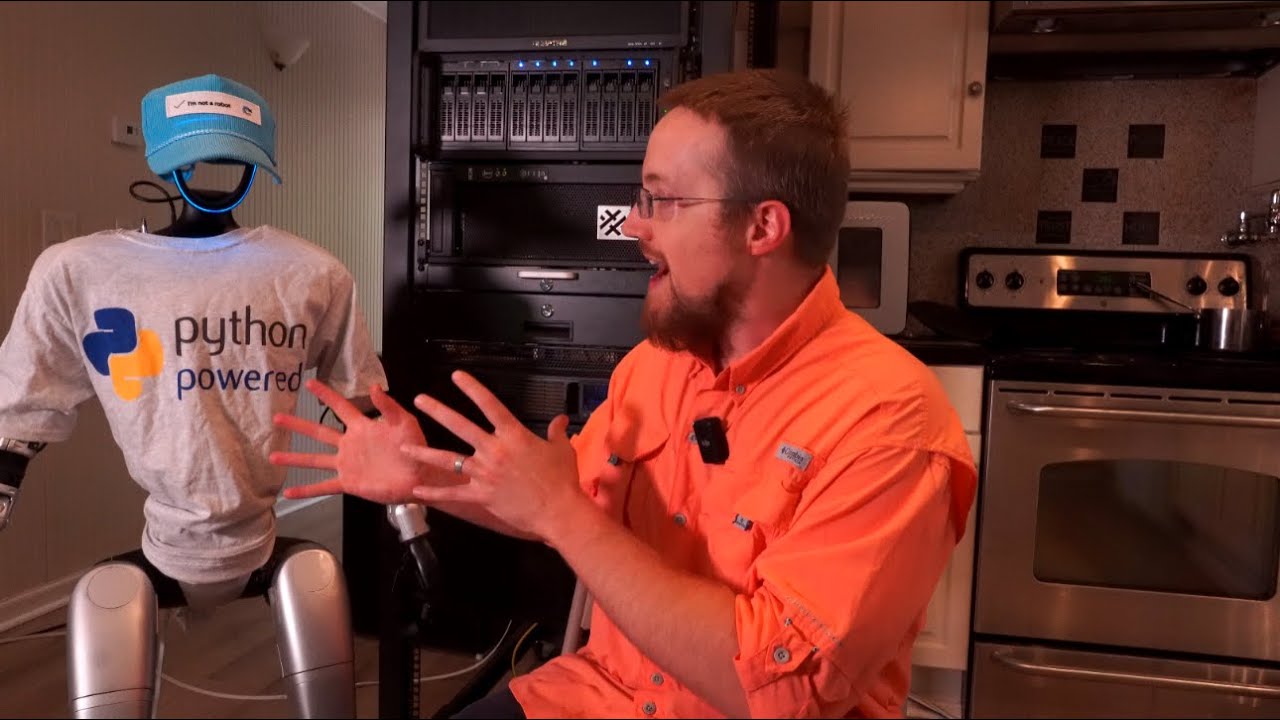
intelligence of getting this all to kind of work is the VLM or vision language model. The one that we're using here is Moonream 2. It is a little shy of two billion parameters. It takes about 5 gigs in memory. There's also a quantized version uh but it doesn't work with the points and the points are very specific to what we're we need and there's for some reason there's like a little bit of an accuracy difference uh between points and object detection. I'll try to illustrate that in a little bit. But anyways, I'll put a link to this in the description. I might put up this the UI that I'll show you here in a moment also in the des or in the GitHub. Uh but anyways, this model is actually really cool. So you can it can either caption like a real short caption or do like a normal caption. Why would you want either one? Uh the short caption is just going to be faster. It's going to be quicker to generate a short caption. A normal caption, it might take a little longer, have a little more detail. You can ask questions. Uh you can do object detection, which is like make a bounding box essentially. And then you can draw a point. And so anyway, um I made a little gooey. Well, I used uh codeex in 03. And u also since the last video, Claude 4 has released. So I do need to try that out. See, we might actually make a change in the series. We'll see. But uh I've been very happy with 03 so far and there were some things I did not like with claude 3. 5 with codeex so or not codeex so hard to keep track of this claude code anyways um so we'll see what I think but anyways so this is a guey and basically uh what I want to do is just show you some of the so it can detect uh so object detection point and then query uh queer let's see query uh oh and then we have the captions oh my gosh I got something in my eye it's brutal uh anyway Right. Okay. So, uh, so what we can do, let's see if I can make this a little wider. Okay. So, we'll type into here what we want to look for. So, we've got lots of stuff on the counter. It's just in the kitchen. Uh, for the record, the head in this photo is actually tilted back. I want to say it's tilted 25°. Uh, we'll talk a little more about that. Uh, we have already kind of referenced the issue with the head tilts, but anyway. So, if we search for, for example, uh, we'll do point. We'll do red bottle of water and we will uh run. And you can see this apparently took 466 milliseconds probably because that's the first query. Let's just run it one more time. Yeah, 142. We can keep running it. We can see we're mostly in the 140s 50s and so on. Um so there this is our red bottle of water. Uh we can also do I think in this guey I have the multiple we'll have to check. Uh yellow bottle of water. I can't even remember. Yes. Okay. So, we have the red bottle of water and then the yellow bottle of water. Hopefully, that's coming through on the video. Okay. Um Okay. And then we can do a detection. So, let me go ahead and run that. And you can see here, this is a perfect example of the two things are not the same. Like point and object detection. So, uh it's red bottle of water, I think, will detect the yellow bottle of water. Yeah. So, red bottle of water, it detects that one. Um, so anyways, I did seemingly find that point seems to be more accurate for some reason on a lot of things, not just red and yellow bottles of water. Um, some of the other things that you can do. So again, it's because it's a VLM, you can it you can describe things in a lot of ways. So you could also say maybe sync. Hopefully we'll Yeah. So there's our sync. Um, you could say microwave, right? Run that. Okay, that is that's the microwave. Um, but then you don't it doesn't have to be like an object described in that way. So it could be like um like device to heat food or something. Uh let's see if that works. Yeah. And uh it still detects the microwave. Um so it could be um much more abstract type things. And so like the power of these VLMs for robotics is honestly just like super staggering to me because um there's so many things that you can do. So, uh, another one like canned air. I don't know. Let's see if we can detect our canned air. Yep. So, that's a little bottle of canned air. So, um, you know, in the old days, you had these like object detection models that had maybe 30 objects that it was trained on, and it would work pretty well for those 30 objects. And then if you wanted new objects, you would have to like fine-tune the model basically and sometimes even take the place of some other previous object. So, um, so this way is it's actually really cool, uh, to see that, you know, like how powerful these things are and how fast they are. Like 143 milliseconds, that's crazy. Um, we can also check the short caption. So, you can just kind of get an idea. So, short caption here. White dishwasher and a sink. A blue robotic arm reaching towards it. Interesting to call it blue. I think it's probably it probably is detecting the blue from like this. The head like lights up blue, you know, with the little LED lights or whatever. um occupying a kitchen with white cabinets, black countertop. Sure, we'll take that. And then there is a window there. It's kind of surprising, but yeah, even that is being detected as and that's accurate. There's a window there. Um and then we could go along caption just so you can kind of get an idea what's the difference, but uh this time it's a white robotic arm. Interesting. Um yep. Kitchen features cabinets with silver handles so it gets a little more uh descriptive. Brown laminate floor. Yep. Sink visible in the background. on various bottles and containers on the countertop. Black microwave is also present on the countertop. Um, oh, and then we get the angle. Interesting. Emphasizing the height, emphasizing the height and the reach of the Interesting. So, anyways, I'm not using those, but again, it's a it is a way for your robot to begin to get an understanding of its surroundings. Um, and then like I said, for even very general abstract ideas of what things are, like a thing to heat up food for example, um, that's just cool. I mean, what a what an incredible time to be doing stuff in robotics when you have just these tiny models like the nano board on the uh on the unitry has 16 gigs or 32 and I can't even remember now if it's 32 that we have on the one that we have or not. It might be 32. Well, I'll have to check that in a moment. Um but uh it's just crazy. And this is only 5 gigs. Like it's just incredible. Uh really cool and really cool model. So uh yeah, definitely check that out if you have VLM needs. So, one
of the other side quests was the figuring out, can we retain the slam? Well, really the liar, which is giving us slam, um, and the occupancy grid. So, can we retain all of that technology while tilting that head backwards such that the camera aims outwards? So, uh, part of the problem is like, so if we run it with the head tilted back, we'll get this started up real quick here. He sticks his hand out. Oh my gosh. So, you can see how fast he moves his hands. That's why I don't really want to be there. So, you can already see here. Let me bring this over to hereish maybe. Yeah, you can see now at least the occupancy grid. Um, and then yeah, so like if we uh I think I'll let him come down just a little bit here. So, um, as you can see, it's already it like the LAR works, right? Like you can see, um, like here's the this is like the pitch roof of the uh, of where I'm working. And but the problem is like the actual like you can't understand like the orientation of the robot. And then um like if we just kind of walk around a little bit more here. Um as you can see part of the issue is this occupancy grid is just totally um saturated basically. So, uh, one of the questions I had was, well, can we figure this out? Like, because this on the one hand, um, you know, it's still it obviously is still working, right? Like, this would essentially be the occupancy grid, right? So, it's still very functional. It's just it doesn't understand the orientation yet. And you can see the orientation of the robots all wrong. And because of that, our um occupancy grid is messed up. So, one of the first things that I wanted to figure out was can we adjust for that? And why not? Like you should be able to identify what is the floor and then you would it should just be like a simple calculation of the um the detected angle of the robot with respect to the floor and then do the translation, right? And I couldn't find a way or I couldn't figure out how to just do that automatically, but I did. But we can't move the head dynamically anyways. Like we can only manually move the head where we want it to be. So then I was like, well I could just move it 25 degrees. And then I know we are 25°. And then what about then can we then translate that 25° angle to the slam and occupancy grid calculations to fix it? And the answer of course is going to be yes. Um before I do that though, I am going to bring our buddy Jeff back here. Uh, mostly I just wanted to bring them back so I can hook them back up and do the reset safely just in case anything goes wrong. But one of the cool things I do want to just kind of like point out is that this gives you like in here like this is the actual ceiling and if we allowed like we didn't even enter the kitchen and like you get so much more like fidelity to the actual um slam data here which I think is is kind of cool actually. You just get more out of the LAR unit. So um I don't know that's cool. I don't know if we're going to use it like this. Um but it is kind of interesting to me. Uh so anyways, I did uh let me just copy and paste. So the we can export an environment uh variable here. So we're going to say the LAR tilt is actually 25°. We'll go ahead and run that. He'll probably drop his hand. He's so aggressive. Oh my god. Okay. So, as you can see now, uh with that change, uh one is we do have an improved occupancy grid. It does actually look like um some over here is off. My guess is it's we probably have the head at not quite um 25 degrees. You'd probably want to use a level or something, but you get the idea though. It is likely working. And in fact, it's curious. I mean, there's also just a lot of junk over there. Um, as you can very clearly see, my uh my working space uh is run by toddlers now for the most part. So, it gets messy. So, now we'll move Jeff out a little bit. Hopefully, he's not going to trip on his wiring here. There we go. Bye, Jeff. Okay, so um yeah, I almost wonder if this is the uh if that's because of the roof potentially. I actually don't know because like in the slam it doesn't look like it should look like that. So I that might just be the height calculation screwing up potentially. I'm not really sure. Let's head over this way. He looks so stupid with his head back though. I'm not going to lie. Yeah, at some point he definitely is picking up um he's definitely picking up a little too much. Uh and I don't know if that's because he's maybe bouncing weird as he's walking. Um but you can even tell like it's detecting a lot of these as being higher pixels than they are. So maybe, you know, it might be potent like we might have to change that. Like that's a that's like a hard-coded value for um like the floor height basically. So, what would you mark in the occupancy grid? So, we obviously just need to move that around, but you should be able to tell visually that we are at least much closer to having this robot um his level being correct. Okay. So, um so you can do that. And then I also I do like I said, I don't know. I just the geek in me really likes that we have like the roof and the ceiling over here like all that stuff is like mapped. Um which it's just kind of cool. But yeah, so if we want to continue through, you know, having the head tilted back, we will we'll have to do something like this and probably improve it a little bit. I think the problem is as he walks, he does kind of his head bobbles and um we're likely detecting some pixels as being too high. So if you have that degree just wrong a little bit at a distance, it makes a big difference. And I think that's why at the start of all this over here, it was detecting this as being um higher. And I think it's because we'll probably have the degrees off just a little bit and at a distance it's thinking those come up. So anyways, um we can work on that. Uh long story short, you it is fixable. Um we got to get the degree right like it looks like maybe we are off just by a few like maybe two degrees or something like that. But anyway, so uh that can work. Um so that that's cool. Uh because I do think we're going to need the occupancy grid likely at some point. But anyways, that's the uh slam and the side quest that I went down that currently we're not using at all. Okay, so what is next?
getting back to inverse kinematics, just for the arm policy of like moving the arm up, down, left, right, forward, back, inverse kinematics, I think actually is a really uh attractive option. And I might pursue that a little more just because I want the arm to look better when it's moving. Um, and so I might do that. But then the other problem is like if you have a bottle of water and the hand is here, right? And the bottle of water is here. Hopefully that's coming through. Yes. Um the currently the way things are written, if in the most perfect world, the robot's just going to go and like bang this away. Or if the bottle of water is like on the other side of a bar, it's going to try to go through the bar. Like it has no understanding of like path planning. And we need you're gonna need path planning. So I think that no matter what you're going to need some sort of like understanding of the environment and then you have to plan the path and then you need an ARM policy to get there. So the path like the path is going to need something different likely than the inverse kinematics part. But once you have the path, you could use inverse kinematics to to map the pathway, right? Uh or to go along like follow that path, right? So that kind of makes sense. And I guess the question I'm having is at the end of the day, we're going to likely either need a simulator or again we're going to need something very specific to this robot. And again, the problem is what will the inputs be to the let's say the neural network to get at least path planning done. And I I'm not sure I have it I haven't really fully decided because I think like potentially you could have like we had the point, right? Like that's just like a that's a pixel point, right? So you have a point and you could get the point and so like what are the x ycoordinates of that point and then you extrapolate the delta of distance based on the depth camera. I think we could probably create an algorithm that understands the head is up here. It's angled down at this degree. So then we could do the calculations for what is the position of the hand and whatever the detected object is based on the XY and depth value and then do a little bit of a calculation to get the depth with respect to the hand um based on the the angle you like the camera angle the hand position the delta or the depth reading for the hand and object. I think we can do a translation it because we also would know the X and Y coordinates. So I think we could translate that and convert it to a depth based on the hand instead of from the camera itself. And then you'd have a neural network essentially that you have um you really would just the input would be the two X and Y values and then the extrapolated depth value. And then from there you could use inverse kinematics to bring the arm to the object. So, I think to start before we get too crazy, before I'm just trying to avoid the sim as long as possible, I kind of want to try something like that where we use I'm going to say IK for now, otherwise people are going to make fun of me for saying uh inverse kinematics too many times, like cartisian space. Um, so I think that's probably the next thing I want to try to do because I just want the arm to look better when it moves. Like that's I really want that. And so either inverse kinematics will work. I should have said IK or if that doesn't work, I think I would you I could we could use the simulator just to train an ARM policy. Um, and I think that would work pretty well. But like for you like you trying to use a simulator to learn to like grab objects and like the path planning all that, that's actually kind of hard. Like when you think about so like physics in simulators is hard and I don't want to like berate that topic. Um, but if you're trying to train like a gate or like make the robot dance or do a backflip or any of these things, you can train that in a simulator and you have no in you have like no sensory inputs. You have like just the stuff that's on the robot itself that's like maybe reading uh physics values back. But you don't have to map the camera. like the depth camera stuff. You don't have to map LAR because that's going to be way different in this sim. It's going to be very difficult I think for us to like actually get a good representation or a good match that will such that we could go from sim to real with those things. I think that will be a challenging task. But I also it's tough because I think that's also that's one of the more most challenging tasks with doing like gate or anything like that because the physics in the sim just isn't going to match real physics. So any whatever your task is it's always best if you could use real life data or it's going to be easier. But I think the way forward for robotics in the future, everything will be done in the sim. So I think that is the inevitable path and we're probably just like wasting our time not getting there. But even then, I still think well I would like to at least try to see what works best in reality and then we can move to the simulator and kind of like work off that principle at least. But anyway, that's my idea. Uh if you have, you know, suggestions, as I'm sure you are going to do, you can feel free to leave them below. Um otherwise, I will see you in another video. Hopefully, we'll have a little bit more attractive of an arm policy. Um and hopefully I'll figure out what I want to do about the cameras. I that that's really the hardship is like even with all these other things solved. Uh we still have a real problem. We can't walk into the kitchen and see what's on the counters. or we can counters, but we can't see the hands. And then, but potentially maybe what we do is we create some sort of awareness of the robot of like where the hand is in space or something. Um because you could also calculate that like it doesn't really matter um if the camera can see the hands. It just needs to be able to see objects and then know even when it can't see its hand, where is the hand in space, right? because you could definitely calculate that as well. You know the arm pos all the positions of all the mo motors down the arm. So just because you can't see it with the camera doesn't mean you can't know where is the hand. Um so yeah um lots of rabbit holes have been um uncovered here and uh yeah and we don't have we only have one working hand at the moment. So that kind of stinks. Uh but anyway, okay that's all for now. This is going to be too long of a video already. Uh like I said, questions, comments, concerns, inverse kinematics, uh whatever, feel free to leave those below. Otherwise, I will see you guys in another video.