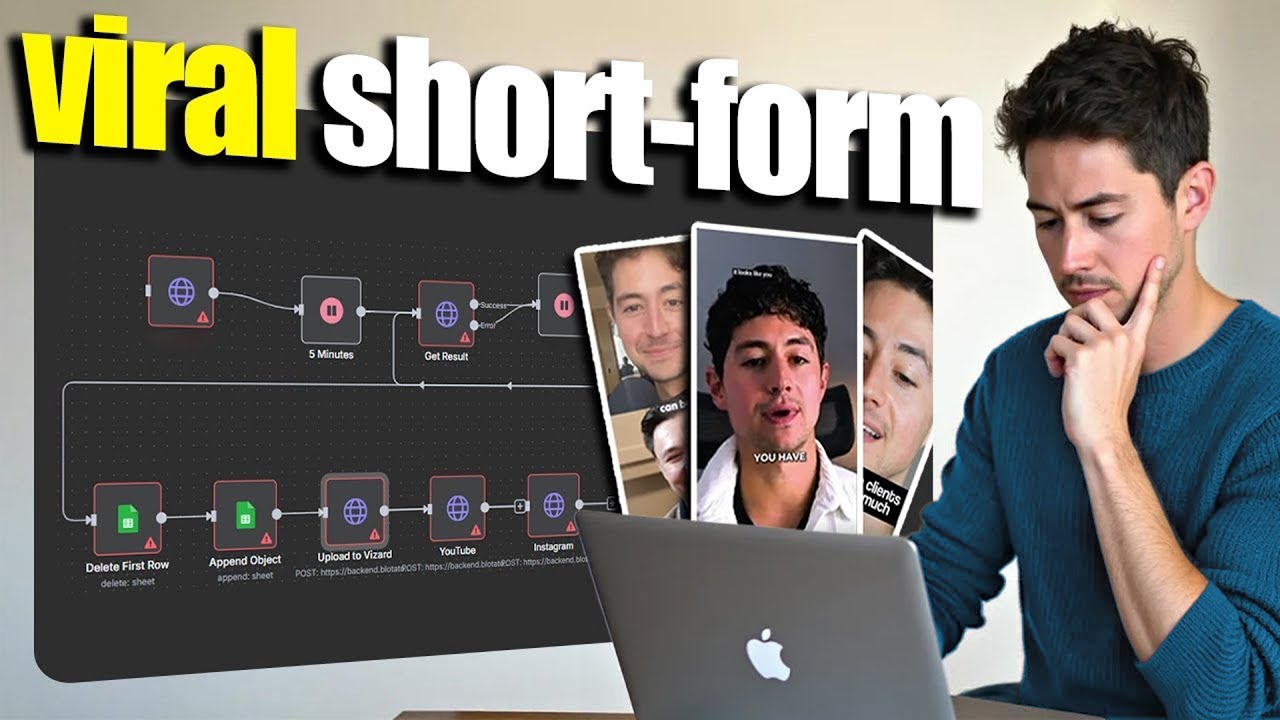
All right, so as mentioned, this is a live build, meaning I haven't actually done the building yet. But I want you guys to know that I prefer doing all of the building in front of you and then leaving in all my detours and stumbling blocks cuz I think it's a lot more instructive of a way to show people how to put together systems. I've noticed a trend on YouTube where they just show you guys like the really sexy finished product. And while I think that's, you know, marginally useful to look at a finished product and then to sort of like ask yourself, okay, well, so how did we get here is a lot more difficult than actually just watching somebody go through the process of getting there. And that's what I aim to do with all my content. So I don't actually know exactly what I'm going to do. Got a blank NAD workflow over here that I'm just going to create. And then basically what I have here is I have an outline of a couple of ideas that I think are probably going to work, but I don't know for sure. So yeah, you know, in a nutshell, basically what we're going to start with is we're going to use one of the few tools available that do like short form transcription plus slicing and stuff like that just out of the box. And the reason why I'm using one of these as opposed to like rebuilding a wheel is just because I've seen how a bunch of other people try and do this thing and just way too complicated. It's way too fragile. The reality is like there are bespoke specific machine learning models that these companies have access to. just do everything we're asking for automatically and then slap a caption on top. So, that's going to be my approach. After we're done with that, we're going to create a database to store the content calendar. Now, when I say database, just know I mean a Google sheet. And then finally, add a data source that'll let you clip things automatically. When I say data source, I mean like one big reason why I think this system is so cool and one of the reasons why I'm making it is because I currently run a creator reward campaign. To make a long story short, I pay people to clip my content and then turn it into shorts and then publish it on social media platforms for me. So, this system is basically going to do that out of the box. I'll be able to feed my own content into it, create shorts automatically for me, and then either give it away to the clippers to do all the rest of the work or like give the system to the clippers and have them use it for themselves. This is pretty cool. I think there's a lot of leverage in a system like this. So, let's get to building. Okay, so the very first step is I need to choose a software platform that I'm going to be doing this on. And I got two that I'm picking from right now. One's called Clap, the other's called Visard. Both do what we're asking for. Basically, they allow us to through an API request send a video in. Those videos can be, I think, binary or they can be like a YouTube video link. I'm obviously going to prefer the YouTube video links because that's so easy. And then they go through some, you know, custom processing pipeline with probably some bespoke machine learning model and then they output something. So this is Clap. I'm just going to check the pricing real quick. And then this is Visard. Just going to jump onto this. I'm not affiliated with either of these just to be abundantly clear. Uh, I mean, you know, this one definitely looks a lot cheaper. And all I'm really doing here is, uh, you know, just making like a demo flow right now. So, what I could do is I could build this out with Visard at 29 bucks a month. And then, assuming that it works, if I need the functionality of Clap, then I can move it up to Clap. But I think this is fine. Like, you know, I get API usage. I can upload 600 minutes of content, upload 4K. Okay. Yeah, that sounds fine. So, very first thing I'm going to do is I'm just going to subscribe to this platform. Okay. And I'm right over here. Completely new software platform. never used this in my life. What do I actually care about here with the software platform? I care about their API. So, I'm going to go visit API and I did already check to see that they had an API. That was the most important thing for me. So, what do we got? Introduction, quick start. Okay, let me show you guys how I always find API authentications and so on and so forth as quickly and easily as possible. The best APIs always have a quick start. So, that's what we're going for. We click on a quick start, follow these steps to quickly start using their API. First, obtain your API key. So, I'm going to go over here. And how the hell do you do that? Log into your account. Make sure you're on a paid plan. Okay. So, right, I need to pay for it. Okay. So, now that I've paid, I now can grab my API key. So, where is this? You click on this button up here and then API. Looks nice. So, generate API key. Going to copy this puppy over. And now, what the hell do they want me to do next? Submit a video for clipping. Send your video to the API to start processing. Awesome. So, what I'm going to do now is I'm just going to copy this whole curl request. Anytime you have a curl request and you're developing something in NAD, it is the bee's knees. All you do is you type an HTTP request, click import curl, paste in the curl request. When you do the importing, it'll actually automatically map everything for you. Obviously, the one thing they didn't is the API key, right? So, I'm just going to go and grab my API key again. Paste it in here. And then looks like we have language as a parameter, prefer length, video URL, and then um this. Now, I don't actually know what any of these mean. Let me at least look try and figure it out first. Okay, so it looks like what we do first is we submit a video for clipping, then we retrieve the clips after. That's really interesting. I think I'm probably going to want to use this web hook automatic notification. So yeah, let's do that. So um configure a web hook URL in the workspace before submitting a video to automatically get notified once the clips are ready. The API will post the clips metadata to your web hook endpoint. So what does that mean? We have to do going to set up a web hook. Then what I want to do is they say post, right? It'll post the clips metadata to your web hook endpoint. So this has to now be a post endpoint. Cool. And then yeah, we should just be able to copy this. Then I don't know, can I listen to a testament while I'm sending? Okay, no I can't. But that's all right. I'm going to do both at the same time. So that sounds pretty good. Now I just need to grab that URL and then paste it under the web hook section. That's easy enough. Cool. So now what I'm doing is I'm going to send a request and then they're going to do the processing because it's AI. It takes a little while. Then they're going to send it back to me at the web hook address that I specified. If you guys haven't heard of this design pattern before, it's called a call back, but I don't really know what all these things mean. Okay, so parameter video type YouTube. Okay, cool. Video URL. Okay, cool. Clip length. Prefer length automatically chosen. Okay, so we can actually prefer certain length. Okay, yeah, know this looks pretty sick. So, what video am I going to do? Uh, why don't I just go on my own YouTube channel and then why don't I find a video that's like reasonably short. Not the longest video, but not the shortest one. the best online business for beginners to start. I know for a fact this one's pretty short, so I should be able to go back here, pump this in, right? Okay, cool. I did. I'm noticing that there's like a parameter here, an and ab channel and t. Actually, if we get rid of this stuff, be better. Okay, and now I have everything that I need. So, I'm just going to execute this step. Looks like it was sent. Now, what I'm going to do is I'm just going to listen for a testament just in case it comes back. But yeah, like suffice to say things went well. We received a code of 2,00. I don't know why it's 2,000, not 200. Usually it's 200. Then we also received a project ID. If I go into my Visard thing, looks like I actually have it, which is really cool. So, you know, this is now currently generating the clips and stuff. Typically takes a few minutes. Um, but then yeah, once all of the stuff is done, I'm going to get the results right back. Okay. And while we're waiting for this, why don't I go and start setting up the database. When I say database, just to be clear, what I mean is I mean a Google sheet. Google Sheets are databases are Google Sheets. It's super simple and straightforward. All we're going to do is go sheets new. That's their little like TLDD that they bought that allows you to like really quickly and easily whip up a Google sheet. I'm going to call this like shorts database. And now, if you think about it, there are a couple columns that you're going to want in all of the shorts that you generate. You know, the first thing I'm going to want is this project ID here. The reason why is because in any database, you always want what's called a unique key. And I'm assuming that these projects that I'm going to be creating are always going to be unique. So, this will be some unique number. other a unique number and so on and so forth. And each of these because they're unique are going to distinguish them as individual records in the database. If there are two of the same, that'll mean that we have effectively duplicated a record. And then I'll build logic in that checks and double checks to see if there's already something in the database. If there is, then it'll overwrite it. And then if not, then we'll just create a new record. This is just like pretty standard database stuff. And I don't mean to scare you guys away with that. You don't actually need to think super hard about this. As you see, just have a project ID column. probably good. Okay, so I know for sure I'm going to want some sort of project ID, but what other information is there that I might be able to use? I just went to their API and I found retrieve video clips and I'm seeing there's an example response here. I'm pretty sure this is all the data that kind of comes in when you make an API request or when the web hook gets called. So, let's just work our way top code. Do I need a code? No, obviously not. Share link. This is probably the share link to the parent project, which I imagine contains all the videos. So, I mean, like, you know, I should probably keep this just in case, but it's probably just like the ID wrapped around a URL. So, not that important. This is the most important part is the videos array. And because it's an array, usually anytime you see a dot dot, they're implying that there's going to be more records. These are the things I'm going to put in. So, actually, project ID is not going to be my unique key. Video ID is this is going to be a pipeline of videos. Okay, so video ID will go here and then project ID over here. And then every video will have a video URL. So this is how we associate it to the same project. This is video URL video millisecond duration. Sure, why not? Title transcript viral score viral reason. I'm just going to copy this and I'll say this is a schema turn into CSV headers that I can copy paste into sheets. Well, I guess I didn't need to do that. It took me just as long to write that as it did to actually copy and paste it. But let this be a lesson. You guys could do this anytime you want. You just go to data and then split text into columns. It'll automatically add them all for you. So, this looks pretty good to me. Clip editor URL. I don't really know about this related topic. that, but anyway, this looks fine. And then, yeah, there's the project ID. So, I'm going to grab the project ID. video ID. And then we should have the video URL. And I imagine we could probably watch this immediately, which is sufficient. I'm also seeing a couple other things here. I'm seeing viral score, viral reason. So, it looks like there's some stuff going on here. What we could do is we could pass the transcript through AI and then have that generate like a title for the YouTube video and maybe like a caption. That probably makes sense. Like an Instagram caption or a Tik Tok caption. I think we'll probably do that. So that'll allow us to add a little bit more complexity to this project and then also automatically create some stuff. So why don't we do that here? We'll call it video caption or maybe we'll go generated caption. Let's do that. All right. So now we have the database ready in the same amount of time that it was going to have taken us to actually get our very first request. Okay. Okay, so I just jumped onto Visard and saw the project had completed. Just thumbming through here. It looks like just because, you know, my content usually involves some sort of screen share that's baked in. Some of the bottom half videos are kind of pixelated and stuff. This one looks pretty cool. So, why don't I play it and see what it's saying? Video is not technically skills. It's not finding clients. It's taking action and putting yourself out there. Most people who try this aren't on Google. They're going to over planet and ultimately self-sabotage before they even get their first client. the biggest. Nice. This seems pretty great. Yeah, it's fantastic. Let's see this one. Will intentionally sell simple systems made using straightforward no code tools the customer can understand actually maintain themselves. Cool. So, I mean, this looks to be like the vast majority of what I was looking for. I bet you if we were to feed in just like 30 minutes of straight me talking head full screen, it would do extraordinarily well with it. The question is, how do we get it? So, I had a web hook going. The thing is web hooks in N8N when you're testing time out I think after 30 seconds or something like that. So I clicked listen to web hook 30 seconds went by video process and we're like 10 minutes I obviously didn't get it. So I see now why polling was a pretty major point of their API because basically we just pull over and over and over again verify that you know it's online or not. So I mean we could set this up with a web hook but just because of the testing loop I don't think I'm going to do that for now. Basically what we're going to do is we're just going to call this URL right over here. Just going to copy this now and go back to get done. And I mean I just did this offscreen but let me rebuild it again just for posterity. Import curl. Let's paste this in. So now you'll see the structure of the API call has changed quite a bit. It's a get request and then we get this project ID and we also feed in the API key. So two things we need obviously. I'm just going to go back to my old HTTP request and then I'm going to grab the API key here. And then uh what else did we get? Project ID. I think we got a project ID as well, didn't we? So this was the API key. Oh yes, 21292525. Project ID is just going to be in the URL here. So I paste that in here. And now we have ELB- API blah blah/ whatever the heck we're looking for. So let's execute this. What do we end up getting? We end up getting the data structure we were looking for. We have a videos array with a viral score, related topic, transcript, video URL, clip edit URL, millisecond duration, video ID, title, and viral reason. Okay, so now that we have the vast majority of this, what do we need to do? Well, if you think about it, we need to split these out because we have videos, right? So, I'm just going to move videos in. I'm going to include no other fields. Should I include any other fields? I don't know what else we got. My god, that's a lot of videos. No, we have the project ID, so we don't actually need to. Now, I'm going to pin these two. I'm going to call this a retrieve project. Let's call it that. Then we're going to split these out. So I'm going to test this now. This was our send to Vzard. And it looks like we have 37 sub videos, which is awesome. Couple things I'm going to do here. Because we're generating so many items in NADN, a lot of the time if you try and pass a number of items through to a Google sheet in quick succession, you'll run into rate limit problems. So I just personally like avoiding rate limit problems. I use this a loop over items node over here. And basically what it does is it takes as input one of the items then one by one processes a loop and then takes in the second item and then processes that loop. Third item processes over and over until the 37th. After the 37th is done, what it does is it finishes by going up this route over here. So the question is what is it that we want to do in between these two? Okay. So I'm just going to delete this replace me node. I'll delete this little circuit loop that does nothing. The question is what do we do kind of like over here? And if you think about what we're going to do logically is we are going to grab the data from the split out then we're going to add this puppy to some open AI caption creator which we're going to make ourselves. And then after it's done with that we're going to dump in sheet. And after it's done with that we're just going to loop back over and just repeat this over and over again. And then when we're done, I mean, we can do whatever the heck we want with it. We could maybe draft up a quick email notification to send to our editor or something like that. And then we're good to go. That's what I'm thinking of doing for maybe I'll add a wait in between as well. Not entirely sure. Okay, so let's do that. Let's type OpenAI and then I'm just going to go message a model. If you've never done any sort of authentication with OpenAI before, just click on this button and all you need is you need the API key, which is very simple and easy to get. All you do is you just go to their API keys page, create a new secret key, and then paste it in. Feel free to read the rest of this if you guys got a moment, but it's probably one of the more straightforward APIs to use. Then I'm going to go GPT4-1 under model. This is going to pick one of the better models currently available. And then I'm going to add a system message saying you're a helpful, intelligent social media assistant. You make captions for Instagram and Tik Tok. Okay. Then what I'm going to do is over here I'm going to say your task is to generate highquality engaging captions for Instagram and Tik Tok. Return your captions in JSON using this format. And then we'll just go captions. Uh let's just go caption and then like this. Okay. So next up, we actually need to give it some rules. So let's just say write short engaging captions. Use a Spartan tone of voice favoring the classic western style though still a fit for Instagram and Tik Tok. Use emojis but sparingly. Okay, cool. So now what I'm going to do is I'm going to add another user in here and then this is where I'm just going to feed in the transcript that I'm getting. Uh question is how do we get the transcript? So I'm just going to exit this out and then press go. This is going to shove the data inside of this loop over items node. Now, you can't pin the loop over items node, which is why you have to do this. And now, what I'm going to do is I'm just going to feed in a transcript. Okay, you'll be fed a trans probably specify that. Okay, so now we're going to execute the step. Oh, you know, I realized I didn't output content as JSON. So, let me just give that a click. Do this again. Strike fast. Earn more. Respond in a minute. Triple your release. This is a little too short. Keep captions to around 50 words. Let's do this. Okay, I like this. Let's do 100 words. Spartan tone of voice favoring the classic western install. The still fit for Instagram and Tik Tok. Write conversationally, i. e. as if I were doing the writing myself. The idea being we make it first person. And I'm just going to continue playing around. Cool. I mean, that seems reasonable. Ensure each sentence is over five words long. Maybe we should say write for a university reading level. That probably makes more sense. Cool. Yeah, that sounds a lot more realistic and a lot more like me, which is great. So, I'm just going to pin this output now. And then logically, what do we do after we do this? Well, we're just going to dump this straight into the spreadsheet. So, I'm going to go to the Google Sheets node and then click append row to sheet. Now, the Google Sheets node is pretty easy to connect to. Um, if you're using the cloud hosted version of Edn, it's a simple oath. That just means it'll say sign in with Google and you give that a click. I've already done so, which is why it says YouTube. I'll select my shorts database that we made earlier. And what are we going to do? I'll just go shorts. Then we have the opportunity to map each column manually. Very cool. All right. So now we need the video ID, project ID, video URL, video MS duration, title, transcript, viral score, vile reason, related topic, clip editor URL, and generated caption. Now, because I pinned this though, we don't actually have access to most of that data. So let's now do this one more time manually. We get everything we need here, I think. So I'm now going to wire this up. We should have access to everything in the loop over items. No, we don't. Weird. I don't know why we don't have access to that. It's really annoying. Let me see what happens if I use the split out instead. If I feed this in as video ID, will this work? Let's see. Keep on forgetting the item matching when you're inside of a loop. Uh, okay. Yeah. So, actually that did work. So, we're just going to run this. Okay. So, project ID is just going to be from retrieve visard project. Go all the way down to the very bottom. Please feed that in. Then the rest of it is pretty straightforward. We just go video URL right there. Video MS duration, which I think was right over here. Title. We then have the transcript. Of course, we have the viral score. Then reason. I mean, we might as well get the viral reason related topic. This is just an array. We could just join this array if we wanted to. Could we? Let me see. I think this is actually just a string. Yeah, it is. So, we can't actually join the array unless we instantiate the array. And that's okay. Then we'll dump in the clip editor URL. And then finally, the generated caption, but the generated caption is from this content caption. Cool. All right. So, logically, we now have something that now iterates through and dumps things into our database. What I'm going to do next, I'm just going to wait. And I'm going to wait for two seconds. The reason why I'm doing this is I just want to uh give it some time in case there's some issue. And I'm now going to hold shift option and press T. This is going to rearrange things for me. And then I'm going to execute the workflow. Then I'm just going to check our little database here to see what we got going on. Cool. So we just dumped in the first result. Wonderful. Now we got the second result. That's wonderful. We got the video MS duration over here. We got the title. We got the viral score. Nice. So yeah, we're we are actually getting most things that we need. Can I open these in incognito? So the biggest obstacle here is not technical skills. Nice. They even added a thumbnail for us. We self. Cool. Cool. So now we have access to them. I should note that these have an expiry date it looks like. So you see where it says 175166 7224. So this is what's called a Unix time stamp. So we can just go Unix time stamp and figure out how many seconds or like what time this actually expires. Looks like it expires in 7 days from now. So as long as we're downloading these and then making use of them within 7 days, we're fine and we can keep on adding them. Something that you could do instead if you didn't want to do this is you could download them directly onto NADN, host them maybe on your Google Drive or something. Uh I'm not going to do that personally. I don't really think it's important. But anyway, yeah. So, this is the simple nugget of the system. Um where do you go from here? Now, I mean, I could make this arbitrarily complex. I think for a first pass, this is probably sufficient, at least for a lot of the clipping guys I'm going to be giving this to. But if you think about it logically, you could now, let's say you had an issue like me where, you know, because I do talking head footage with a bunch of overlay like this. Sometimes it doesn't like cut into my face properly. What you could do is you could feed this into something like Gemini, which I've done at an earlier video. Check out the um video where I did some ad analysis for more on that. And then once you feed that into Gemini, it'll tell you about the image. And then you could ask it, does this include any screenshot or any screen cap, right? Is it just a talking head? If it's a talking head, then great. If not, then you could filter and you could stop right there. Obviously, going to leave that up to you guys. Um, looks like most of these videos are, you know, 20 seconds, 30 seconds a length. This one looks like it was significantly longer than that, which is interesting. Hm. Interesting. Um, but yeah, now we have it in our database. Okay. So, just checking back, we've now authenticated with clap. We have created the database. Question is, how do we get our data source to let us clip things automatically? Cuz, you know, we've done some stuff here. We're retrieving the Visor project, splitting out, looping over items, and then doing this flow over and over again. But what do we do next? Well, that's a great question. What we need to do if we want to have this do some sort of automated clipping for us at like scale is we need to split this into two workflows. Okay, the first workflow is going to send projects to Visard. The second workflow will wait with a web hook for the project to be completed and then run this. So, what we're going to do is I'm going to type in note. Then I'm going to generate two workflows. I can stop this now so I could type a little faster. Thank you. This is going to be the retrieve and generate. Then down here, we'll say this flow retrieves the Visard project through web hook and then splits the videos for adding them to a Google sheet. So that is what this part of the flow is going to do. And I'm going to add the web hook logic shortly. Also, I've realized that I prefer bigger text. So I will do this. Nice. Very cool. That looks clean as hell. And then up here, I'm just going to copy and paste this. This is going to be the first flow, which is going to be not the retrieve and generate, but we'll say scrape and send. This flow scrapes a channel of your choosing and then sends new videos to Visard for later clipping. Okay, the question is what are we going to scrape? Well, there variety of different ways we could scrape. I think probably what I'm gonna do just so that this doesn't take, you know, for absolutely ever, let's just um make this the same size here, just so it looks as clean as humanly possible. I think probably what I'm going to do here is I'm going to attach this to some sort of front-end appy scraper that feeds in video URLs. You know, we don't even need an appy scraper. We could just have like JSON. Okay, you know, there's an RSS feed for all YouTube channels. So all YouTube channels have an RSS feed where what you do is feed in this URL along with the channel ID and then you can actually scrape a bunch of YouTube channels entirely free. So I'm going to show you guys how to do this. We click more. And down here where it says share channel, you copy the channel ID. Go back here. Paste this in. What happens when you do this? We get all of the data for the entire channel. This may not seem like much, but all of this data is actually structured data that we can call. So that's pretty cool. Um, I think that's pretty cool. Might be something else. You could also use a service like RSS app where you take the channel ID and you just paste it in here. This will then generate a simple RSS feed for us. The value of this RSS feed is now we have a list of structured data. And so what we can do with that RSS feed that I got earlier is we should is there an RSS? Yeah, there's an RSS read. So we're just going to feed this in. Execute this. RSS is just like a data structure that allows us to call a URL and then get everything nicely formatted like this. And then what's the one thing that we want here? This link. So we could theoretically do we could just on some sort of regular schedule or whatever. Let's not let's do it manually executed. We could execute this RSS feed really easily and then you know do this manually at least this initial part and then just send off like a little batch of let's say three or four of these. I'm just going to add a limit because I only want to send let's say two simultaneously. So I'm going to execute this. Now we will have done two. And yeah, now what we can do is we just send those two long form videos directly to Vizard. So I'm just going to go here. I will feed in the URL. So now video URL. Oh, doesn't look like it popped up in the right place. Okay, cool. So now we have the JSON link. If I'm checking this, this looks good to me. I don't like how this is on another line. Oh, I get It's not on another line because it has to be. It's just because that's how my thing made it look. And now we have a system that, if you think about it, starts by sending stuff over to Visard. And then after we just need a web hook to catch this and then trigger the rest of everything. So that's what I'm going to do. I'll go with my web hook. I'm going to pull this in here. And then Visard returns things as a post. And I'm just going to use the production URL here. Copy this over. And then I will go back to my Visard then go to Nyx workspace API and the new URL that I'll be sending all of my queries to is this NADN web hook cloud. Now the reason why I've done this and I've kept in the retrieve visor project is because I can actually make the same request. I can receive the data in the web hook and then I can just fill this in here. The way that I'm going to do so is I will make this an expression, a dollar sign JSON, and then I believe it's just project ID by making it project ID. What I'll do is I will allow myself to run the full project without any changes. Like I don't have to adjust the data structure despite the fact that I've just like materially changed the flow by adding in a web hook. Let me just um rearrange this a little bit, make it a little bit tighter. We'll do the same thing with all this. This is reasonably tight already. And then at the very end of this, why don't I have another branch to this that just sends an email. So what I'll do is I will go to Gmail node and I'll send a message. Just going to send it over to I don't know, hypothetically whatever email address you want to notify it. Hey, your clips are ready to go. Just going to do this in plain text. Hi Nick. Maybe we'll do it in ht. Uh, no, plain text. Hi Nick, your clips are ready to go. Just check the spreadsheet here. I'm just going to share this so that it's a view. This will allow me now to share this with anybody. Just check the spreadsheet below. Happy clipping. I'll go. Thanks other Nick. Okay. Now, this will only run when everything is done. That's why it's up here at the done loop. And then we should now be good to go. So, let's give it a try. First thing we're going to do is we are going to scrape this YouTube channel. Obviously, the YouTube channel is me. So, let me scrape both of these. Execute workflow. This is now sent two items over to Visard. We go to the JSON. You can see that we've sent one, then two. Okay. So, I just went through and I updated a couple of other things. Namely, just added some more documentation to make it easier to get up and running with. And there you guys