Project Genie Tutorial (How to use Project Genie)
8:02

Project Genie Tutorial (How to use Project Genie)

TheAIGRID 30.01.2026 15 234 просмотров 217 лайков

Machine-readable: Markdown · JSON API · Site index

Поделиться Telegram VK Бот
Транскрипт Скачать .md
Анализ с AI
Описание видео
Checkout Free Community: - https://www.skool.com/theaigridcommunity 🐤 Follow Me on Twitter https://twitter.com/TheAiGrid 🌐 Intersted In AI Business: https://www.youtube.com/@TheAIGRIDAcademy 00:00 AI Worlds 00:20 Access Catch 00:45 Free Generation 01:05 Roll Dice 01:30 Beginner Tips 01:55 How It Builds 02:20 Preview Choice 02:50 Camera Modes 03:05 Prompt Formula 03:35 World Interaction 04:05 Environment Design 04:30 Image Uploads 05:05 Creative Examples 05:40 Controls Explained 06:05 Time Limit 06:30 Remix Worlds 07:00 Wild Ideas 07:35 Physics Surprise Links From Todays Video: https://labs.google/projectgenie Welcome to my channel where i bring you the latest breakthroughs in AI. From deep learning to robotics, i cover it all. My videos offer valuable insights and perspectives that will expand your knowledge and understanding of this rapidly evolving field. Be sure to subscribe and stay updated on my latest videos. Was there anything i missed? (For Business Enquiries) contact@theaigrid.com Music Used LEMMiNO - Cipher https://www.youtube.com/watch?v=b0q5PR1xpA0 CC BY-SA 4.0 LEMMiNO - Encounters https://www.youtube.com/watch?v=xdwWCl_5x2s #LLM #Largelanguagemodel #chatgpt #AI #ArtificialIntelligence #MachineLearning #DeepLearning #NeuralNetworks #Robotics #DataScience

Оглавление (18 сегментов)

AI Worlds

Project Genie is an experimental research prototype from Google DeepMind. This lets you create, explore, and remix virtual worlds in real time, all generated by AI. And in today's video, I'll show you guys exactly how to use it. So, who can access it? All right, so here's the catch. Project Genie isn't available to everyone right now. In order to access this, first you need to be a Google AI Ultra subscriber. This is

Access Catch

Google's premium tier that costs around $200 a month. And I know that is steep, but with that subscription, you get higher AI usage limits across Google's AI tools and 30 TB of storage. Secondly, you do need to be in the United States and be 18 years or older. This is a phase rollout, so even if you meet these requirements, access is rolling out gradually. Third, you'll access it through Google Labs at labs. google/project genie using your eligible Google

Free Generation

account. Here's some good news, though. Once you do have access, you don't need to spend AI credits to generate worlds. Since this is an early prototype, generation is free with your subscription. Once you've accessed Project Genie at labs. google/pro Genie, you'll see a clean user interface with a few options. Here's my recommendation for absolute beginners. Before you start

Roll Dice

writing prompts or uploading images, click the roll the dice button. This is a randomizer that completely generates random worlds and a character for you. There's no thinking required. This is perfect for your first experience because it lets you see what Project Genie can do without any effort. Get familiar with how the controls work and understand what a generated world looks like and feels like. And this also allows you to build confidence before creating your own. Now, here's a few technical tips while generating. Make

Beginner Tips

sure that you do have a stable internet connection. Stay on the page while your world is generating. It does take a few moments, usually 10 to 30 seconds, and don't click away or refresh or you might interrupt the process. Once your world is ready, it'll automatically drop you into the environment and you can start exploring immediately. How world generation works. Now, let's talk about the actual generation process because understanding this will make you better at creating worlds. When you're ready to create your own world, you'll write a prompt or upload an image. Your prompt

How It Builds

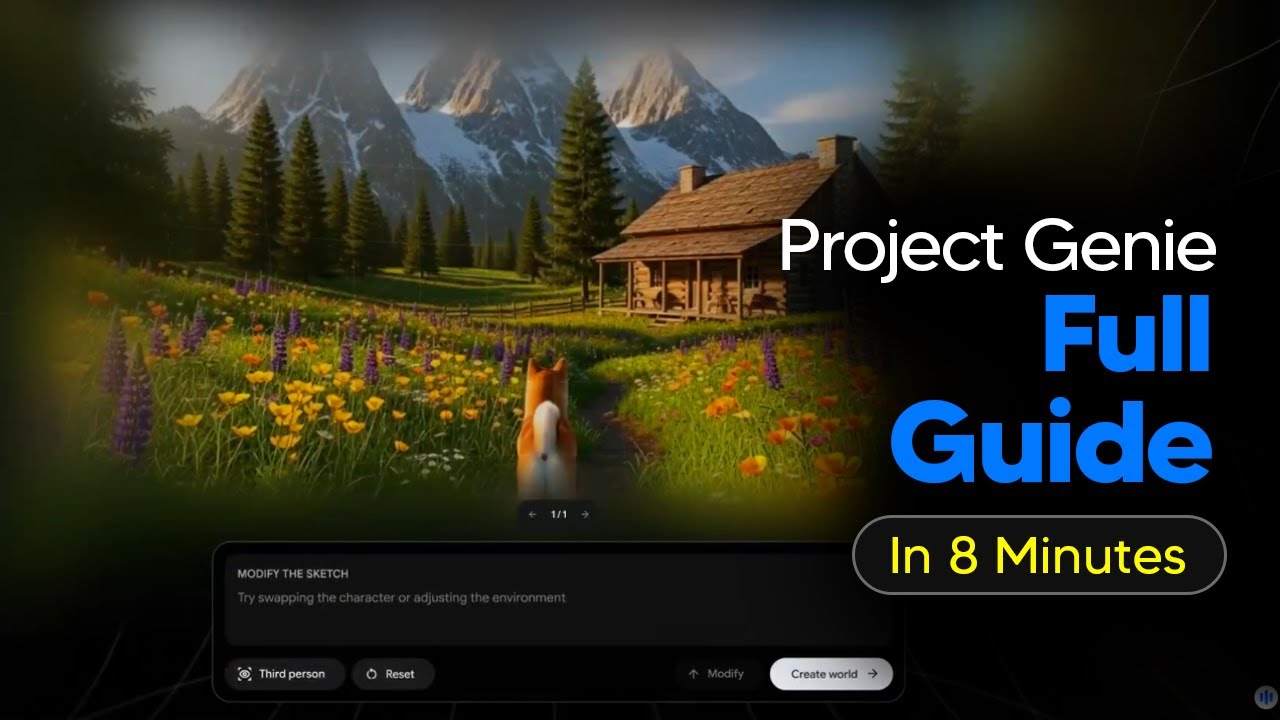
essentially just describes two things. Number one, the environment or landscape. This is the world itself, the terrain, the scenery, and the atmosphere. Number two, the character. This is what you'll be or what you'll control. It defines your appearance and how you'll move through the world. Here's the cool part. Project Genie uses another AI called Nano Nana to first generate a world sketch preview. This is basically a concept image showing you what your world will look like before it actually builds the full interactive

Preview Choice

version. You'll see this preview image and at this point you'll have two choices. Choice one, if it looks good, you can approve it and jump right into exploring the full interactive world. Choice two, if it's not quite what you wanted, you can edit the preview before generating. You can add elements, change things, or remove stuff you don't like. This saves you time because you're refining the vision before spending time on full generation. You'll also choose between firsterson view, where you'll see your character's eyes, like a firstperson shooter game, or a third person view, where you see your character from behind or above, like most adventure games. For beginners, I

Camera Modes

recommend third person because it's easier to navigate and see your character, which helps with complex movement. Okay, so this is where most beginners struggle. I'm going to give you guys the exact formula for writing great prompts. First, you're going to need to describe the appearance or

Prompt Formula

identity. Be clear about who your character is and what it looks like. Is it a fluffy white rabbit? Is it a microscopic ant or robotic arms gripping the handlebars of a motorcycle? Make sure you're completely clear about the identity of your character. Next, you want to make sure that you define primary actions, capabilities, and the movement. Describe what your character can do and how it moves. Is it capable of graceful flight? Does it drive forwards and backwards? Can it run and hop? Does it leave a trail of blue paint as it moves? Ensure that you're really clear on the actions, capabilities, and movements. Prompting your character

World Interaction

describe how the character movement affects the world. Does this vehicle leave tracks in the dirt as it drives? Does the grass mower cut as it moves through the field? Make sure you understand how it's going to interact with the physical world. Next, let's take a look at the environment prompting. First, make sure you describe your environment. Is it a forest, city, or mountain? Get specific about the surfaces and terrain. Is it a dirt path, an asphalt road, a calm ocean? Next, make sure you describe the style of your environment. Is it real world, gamelike, cartoonish? What is it built of? Next, make sure you describe what's inside

Environment Design

your environment. List out any key structures, objects, or additional characters. Is there a stone building with terraota roofs, temple ruins in the distance, or volcano on the horizon. Next, describe the way the environment behaves. Include any specific movement you want to appear in your world. Is there wind? Does the dirt road release a dust cloud when your character walks on it? Are there objects that appear while you're exploring? One of the coolest features of Project Genie is that you can upload images instead of writing text prompts. This opens up some really

Image Uploads

creative possibilities. For image upload tips, use high resolution images for best results. Blurry or lowquality photos won't work as well. Second, if you're uploading an image that will become your character, make sure the character is centered prominently in the frame. If it's off to the side or small in the image, the AI might not recognize what you want to control. Third, you can upload photos of real places and turn them into explorable worlds. This is amazing for creating macros scale environments. You could take a picture of a project you've been working on and stage the environment to make it a rich world to play around in.

Creative Examples

Or you can bring your artwork to life, expanding its scope and adding in a playable character to explore it in a new way. You can even make a world based on yourself using Nano Banana to create a portrait in the style of a retro video game as well as a low poly environment. Now, if you're struggling to write prompts for Google's Genie 3, don't forget you can simply use this free prompt. So, if you join my completely free community, I have a complete prompt that you can use or you can just click the link to access the custom Google Gemini gem where you just simply tell it what you want and it's going to output the exact prompts using all of the guidelines we just discussed. Here's

Controls Explained

where we get into controls. All right, your world is generated and you're ready to explore. Let's go over the controls. They're simple, but there are some tricks to know. The W key is to move forward. The S back. The A key is to move left, and the D key is to move right. Spacebar is to jump or ascend if you're flying. The arrow keys rotate the camera view or change your orientation. These are standard video game controls, so if you ever played a PC video game, this will feel familiar.

Time Limit

There's also a 60-second countdown. Sometimes you'll see a progress bar showing your remaining exploration time. My advice is don't try to explore everything in one generation. Instead, test specific features and physics. If you want to explore more, just regenerate the same prompt. You'll get a variation of the world and can continue testing. Currently, you can build your own worlds or explore a gallery of pre-made ones. You can use these gallery worlds as a jumping off point for making new worlds of your own. For example, if

Remix Worlds

you like this meadow world, but want to explore it with a different character, you can simply modify the sketch with natural language. From there, you can modify your character and environment to make as many new worlds as you want. Now, if you're struggling for ideas, Genie 3 opens up a complete world of possibility. For example, let's take a

Wild Ideas

look at Riley Goodides controlling a discarded pack of cigarettes. Here, you can see he's on the underground metro controlling a pack of cigarettes and looking around and changing the camera angles. You can see surprisingly all of the physics remain intact and this is a perspective that you wouldn't usually be able to get. Or let's take a look at Matt Schumer's skiing adventure. Here you can see he's controlling a skier as they ski down the mountain. And this also includes the realistic physics as well as being able to jump and control the skier as they ski down the mountain. This is really cool as it does manage to simulate gravity really well as colliding with the snowy objects in the terrain. And here is one of my

Physics Surprise

favorites. You can simulate body cam footage with Genie 3. Take a look at this footage by Chris first. Once you get a little bit, you can control the entire environment from this super specific camera angle that does look super realistic. This is a very simple prompt and due to the nature of body cam footage, this looks incredibly realistic. It really does just depend on what your creativity is or where your limits lie. Don't forget to leave a comment letting me know which kind of worlds you'd love to explore.

Другие видео автора — TheAIGRID

Ctrl+V

Экстракт Знаний в Telegram

Экстракты и дистилляты из лучших YouTube-каналов — сразу после публикации.

Подписаться

Дайджест Экстрактов

Лучшие методички за неделю — каждый понедельник




