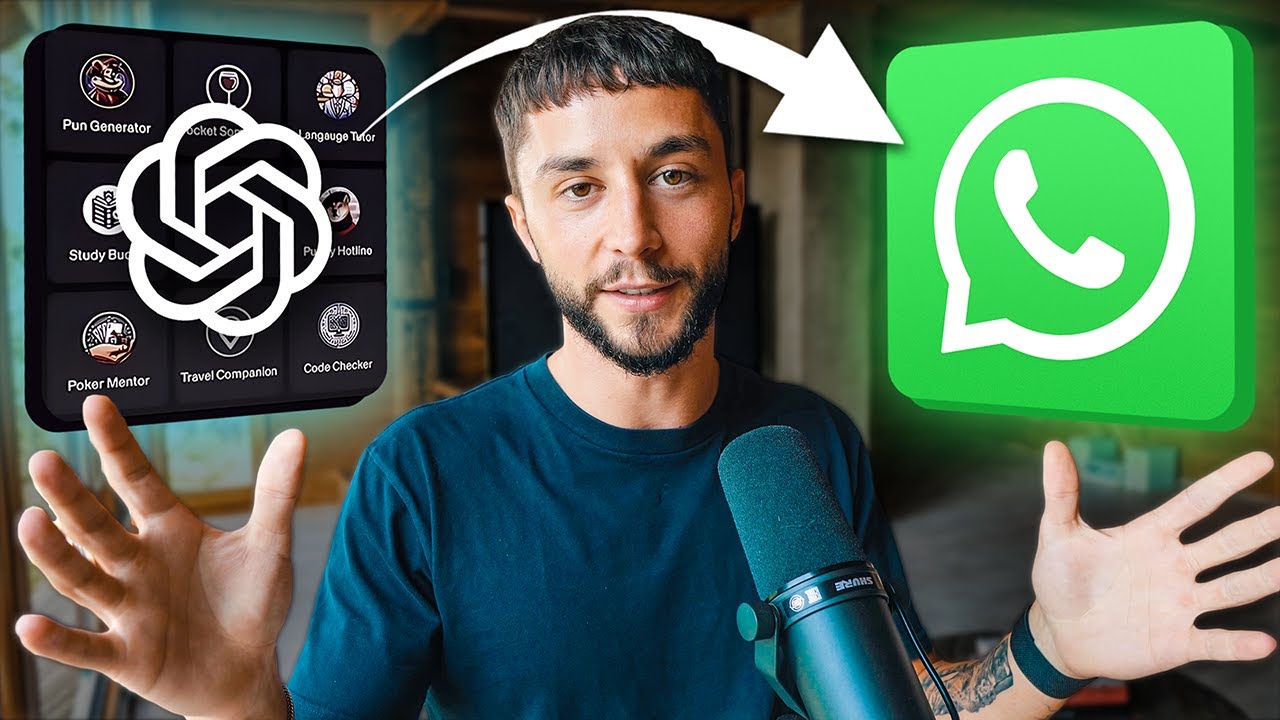
How to Add Custom GPTs to WhatsApp in Minutes (OpenAI GPTs Tutorial)
9:33

How to Add Custom GPTs to WhatsApp in Minutes (OpenAI GPTs Tutorial)

Liam Ottley 20.08.2024 169 336 просмотров 3 044 лайков

Machine-readable: Markdown · JSON API · Site index

Поделиться Telegram VK Бот
Транскрипт Скачать .md
Анализ с AI
Описание видео
📚 Join the #1 community for AI entrepreneurs and connect with 200,000+ members: https://bit.ly/skool-ov 📈 We help industry experts, entrepreneurs & developers build and scale their AI Agency: https://bit.ly/aaa-accelerator-ov 🤝 Need AI Solutions Built? Work with me: https://bit.ly/morningside-ai-ov 🚀 Apply to Join My Team at Morningside AI: https://bit.ly/ms-youtube-lo 🚀 Apply to Join My Team at AAA Accelerator: https://bit.ly/aaa-youtube-lo My Vlog/BTS Channel: https://bit.ly/LiamOttleyVlogs 🛠 Build AI Agents Without Coding: https://b.link/2gn9crsz 🖥️ OpenAI Platform: https://platform.openai.com 👨🏻‍💻 Facebook Ads Manager: https://www.facebook.com/business/m/ads-manager Learn how to integrate custom GPTs with WhatsApp quickly and effortlessly in this tutorial, perfect if you own an AI Automation Agency (AAA) and want to enhance client services without coding. In this video, I'll guide you through using my custom SaaS, Agentive, to deploy powerful AI agents like customer support and lead generation bots directly to WhatsApp. Timestamps 0:00 - What We’re Covering 0:53 - Sign up to Agentive 1:36 - Add API Key 2:54 - Create Your Agent 3:44 - Add Prompt 5:04 - Add Knowledge 5:25 - Add Tools 5:40 - Publish and Deploy 7:29 - Testing Our Agent
Оглавление (9 сегментов)

What We’re Covering

hey everyone Liam Motley here and in this video I'm going to be showing you step by step how to connect your custom gpts to Whatsapp in literally minutes without writing a single line of cod many of you have already been making awesome gpts for your personal use or for your clients as well but at the end of the day they're still stuck on the chat GPT site and that limits their value so I'm going to be showing you how to break it out of that chat GPT site today in just a few minutes and put it on WhatsApp where you have access to over 2 billion monthly active users which creates so much more valuable for your clients and allowing you to make more money by selling these kind of custom G Solutions once you have this key skill that allows you to connect custom gpts to Whatsapp you can start selling things like WhatsApp customer support agents or Whatsapp lead generation agents or even appointment cers on the WhatsApp platform that so many hundreds of millions of businesses are in the market for right now I'm going to keep this short and sweet and I'll also be giving away a perfect prompt generator tool for all of your AI agents which is going to save you a ton of time as well so let's get into it okay so to do this integration we're

Sign up to Agentive

going to be using my own platform agentive now before you get mad at me I'm not going to charge you a dime it doesn't cost anything to use I've built this to be able to streamline this process for all of you and make it free to use so if you've seen my other video on this I did it about a year ago um I had to use like four different platforms and it took 20 minutes to do the video and what we've done with a gen is basically boil all of that down so that you just click a couple times and it goes straight onto WhatsApp so I've built this to save you so much time as an AI automation agency owner and not having to need to code so I've done all the hard work for you can sign up for free and put things on WhatsApp immediately and a ton of other cool features that we can get into but the link to sign up to ative will be in the description below and then you can click here to register and register with a Google account or Facebook and go through I've already got an account of course so I'm just going to log in with Google here in order to complete your

Add API Key

registration and get access to agentive you need to provide your own open AI API key the reason for this is that what we're building on top of is the assistance API from open AI so gpts is the consumer facing version of custom gpts where you can add your knowledge your prompting your tools Etc it's all on the chat GPT site and you can get access it all through a nice graphical editor right it's a great interface to use but in order to be able to interact with those gpts programmatically put them on a website and put them on WhatsApp whatever open AI has what's called the assistance API and what agentive is it allows you to use that API but through a graphical editor so that you don't have to know how to code so you have to provide that open AI key because we're going to be building on top of open ai's platform here so it's completely safe you can get your key by going to platform. open. com there'll be a link down below as well you can come up to this top left and create a new project I've got mine called aent of here and if you click on dashboard and go API Keys you can create a new API key in here and then if you haven't already you'll need to go to the settings and go to billing make sure you've added a payment method that's valid and then if you want to get access to all of the models that are available you need to come here and click on buy credits and drop $5 into your account and of course keep in mind you are going to be build by open aai for the usage of the agents that you build on a gent and even though the models are so cheap now it's literally going to cost you a few dollars a month to be testing and playing around you can still set a limit here on how much you want to spend per month in the limit section so once you have your open AI

Create Your Agent

API key you can complete your registration on agentive you'll be taken to a page that looks like this and then we can get into the building so first things first we want to create a new agent here I'm going to call it bills balloon Outlet bills balloon support bot and we'll go to the description so to keep this video short and sweet I'm just going to be showing you a customer support bot example so that we can add a document to a knowledge base that'll be able to answer questions in that way so ton more stuff you can do I'll put a video up here if you want to see some other functionality like lead generation but coming back to our create agent screen here we can click on the open AI API key that we want to use you can add multiple to your account and agentive the agent model it's use the newest one GPT 40 mini again you'll have to have added credits to your account just $5 or so will be enough to unlock all of those newest models and then we're taken to the studio page here where we can provide our prompt our knowledge and our tools we're not going to be using Tools in this build but we are going to be doing a prompt and a knowledge base now first

Add Prompt

things first with creating any good high performing AI agent is a killer prompt now this can take a long time here's our dummy prompt that we provide you need a lot of detail explaining how to use the knowledge base what it's supposed to be doing Etc so to do this I've created a tool for you all that you can get for free on my school commity it'll be in the first link in the description you go to YouTube resources and you'll be able to get access to this um what this whole does is takes in a bunch of information about your agent and what you want it to do for example the name the context EG WhatsApp agent with customer support conversion context EG are you trying to book an appointment or capture a lead in this case no knowledge context what documents are in the knowledge base in this case we have a FAQ for bills balloon Outlet which I'll put on the school Community also if you want to copy this thing exactly so I've filled all this out we've got no tools I've given it a few um input output examples and some notes as well so the prompt that this tool uses and takes in all of these inputs applies all of the best AI agent prompting practices from my own agency morning side AI so you guys get to have all of this for free you fill this form out and when you click run tool it's going to take all of that in and in a few seconds provide you a high quality perfect prompt for your AI agent that accurately describes the behavior that you want from it and here we have it a roll task specifics tools examples all the good stuff I'm not going to bore you with that but what we can do here is get the markdown version copy it take it over to this I'll put this on the school Community if you want to copy it exactly but the tool more importantly will be on the school Community for you to use then we have our prompt setup now I want to

Add Knowledge

add a knowledge base I'm going to create a new one I'm going to call this uh BS balloons Outlet I'm going to build it on that API key now I have a knowledge base that I can upload my FAQ to it's all processed and ready to go this document will be on the school Community as well if you want to follow along then we have the option to add

Add Tools

Tools in as well so in this case you'd probably want to put a maybe a order tracking number where they can provide the order number and the name and then the support bottom WhatsApp will be able to check the order based off your like after ship tracking data we don't have time for that in this video I'm just going to focus on the WhatsApp integration so prompt in there knowledge

Publish and Deploy

in there we can now publish it and set this thing live and of course as you go through editing this prompt the knowledge base you can ask a questions uh where are you based and you'll be able to test the functionality of your agent right here in agentive without even putting it on WhatsApp first so once you're happy with the functionality you can go to the deploy tab here you can then click connect WhatsApp I'm going to click continue get started you will of course need a Facebook business manager to set up this integration fully that's free with every Facebook account so if you haven't got one already I'll leave a link in the description so that you can set it up takes a few clicks then you will see this page here and you can select the business manager you've created in this case I'll be using this testing one and then you'll be able to set up a new WhatsApp business account which I can click here I'll go next set up a business account name and then this is the display name for the business and we're going to call this a retail business now you need to provide the phone number that you want to connect your agent to um unfortunately you can't have your own personal WhatsApp number and also have a business account running through it so you can need to either buy another sim card or borrow a friend's number who doesn't have WhatsApp Etc in this case I'll be using a spare number that I have then they're going to send you a verification code to your number which you have to enter in and then you should see the screen once you've successfully passed that verification so when continue it's verifying our information for a second and now our agent is connected to that phone number and we're ready to give it a test so if we go finish here there's one more thing that we need to do on agentive which is to click this yours may say not registered don't worry you can just click this check box here and click confirm give it a second to connect now we've successfully connected our agent to that WhatsApp number now thing here is this interval if you're not sure what the interval is you can read this tool tip here and if you're done with the deployment and you want to remove it from that number you can always come back and click deactivate deployment here but all that's left to

Testing Our Agent

do now is to test our functionality so here we are on WhatsApp I had to First add that number as a contact on my iPhone so I can come on here and say hello where are you located and right away we're getting responses from our agent and it's answering questions as expected from the knowledge base which is exactly what we want so one other thing I want to add about agentive which we've built in to make it really friendly for you as agency owners or people building and selling these Solutions is that if you wanted to make edits through that WhatsApp agent you can now come and to agentive and you can click on edit and what this going to do is create a new version of it for you to play around with when you go into edit mode you can easily add new features and modify and test your agent without affecting the deployment on WhatsApp which is really something that we offer and no one else does at the moment so say you wanted to add that customer support tracking like checking the tracking information for the customer you could come in here and add the tool test it all with an agentive and say you wanted to just do a little fix here and change it from uh one model to another one now I can test it in here and ask questions and these changes are not going to be pushed to that WhatsApp deployment until I come down here and click the publish button so if I click publish again that's going to send all of the changes that I was able to test on agentive live to the agent on WhatsApp and then I can go into the version history and see the version history that I've got so in this version I was on GPT 40 mini and in the more recent one I've got gp4 turbo so this is how you can work on these things without affecting the existing deployment on WhatsApp which is what no one else offers for building these Solutions right now so that's been the WhatsApp integration literally takes a couple clicks not a single line of code needed and I hope you guys can go and build some awesome Solutions with this I'm really looking forward to see what you can do so lead generation appointment setting customer support there's so much you can do with this I'm looking forward to seeing what you can do if you have any feedback or suggestions for ative leave it in the comments below or on my school Community we are always looking for more feedback and suggestions to make this better and turn it into the ultimate platform for Service delivery for you as AI automation agency owners and making sure that it's free and accessible to everyone as well if you got some value out of this video please leave a like And subscribe of course for more tutorials like this and here's another video on how to use ative for a lead generation chat bot as well so that's over with the video guys thank you so much for watching and I will see you in the next one

Другие видео автора — Liam Ottley

Ctrl+V

Экстракт Знаний в Telegram

Экстракты и дистилляты из лучших YouTube-каналов — сразу после публикации.

Подписаться

Дайджест Экстрактов

Лучшие методички за неделю — каждый понедельник