How To Use OndemandAI  (New AI Agent Platform)
5:59

How To Use OndemandAI (New AI Agent Platform)

TheAIGRID 23.05.2025 3 711 просмотров 102 лайков

Machine-readable: Markdown · JSON API · Site index

Поделиться Telegram VK Бот
Транскрипт Скачать .md
Анализ с AI
Описание видео
Try it free https://on-demand.io/ Join my AI Academy - https://www.skool.com/postagiprepardness 🐤 Follow Me on Twitter https://twitter.com/TheAiGrid 🌐 Checkout My website - https://theaigrid.com/ Welcome to my channel where i bring you the latest breakthroughs in AI. From deep learning to robotics, i cover it all. My videos offer valuable insights and perspectives that will expand your knowledge and understanding of this rapidly evolving field. Be sure to subscribe and stay updated on my latest videos. Was there anything i missed? (For Business Enquiries) contact@theaigrid.com Music Used LEMMiNO - Cipher https://www.youtube.com/watch?v=b0q5PR1xpA0 CC BY-SA 4.0 LEMMiNO - Encounters https://www.youtube.com/watch?v=xdwWCl_5x2s #LLM #Largelanguagemodel #chatgpt #AI #ArtificialIntelligence #MachineLearning #DeepLearning #NeuralNetworks #Robotics #DataScience

Оглавление (7 сегментов)

Intro

On Demand is the ultimate AI marketplace and decentralized operating system empowering developers to share, sell, or distribute AI agents. On demand fosters communitydriven innovation with robust infrastructure and serverless deployment, it supports rapid scalable AI solutions ideal for startup and enterprises. And in today's video, I'll be showing you guys exactly how you can use the platform. And when you start up

Agent Marketplace

on demand gives you $50 worth of free credits to encourage you to start building. Firstly, let's check out the agent marketplace. This is where you'll see all of the agents that you can access. These are agents created by the community that have various different capabilities. For example, we can see there's a LinkedIn search agent which scrapes real-time data from LinkedIn profiles, posts, companies, and jobs enhanced by LinkedIn sales navigator. We can also see there's a coin market cap agent which allows you to access real-time cryptocurrency data including trends and top performers helping investors keep track of market dynamic opportunities and other crazy things like a YouTube agent that allows you to upload videos and extract information from those same videos. So overall what we can see here is a dynamic AI agent marketplace which allows you to upload your own AI agents or explore what other AI agents others have created. Of course let's build our own custom agent. When we click at the top right clicking

Create AI Agent

create agent, we can see here that there are three different agent adapters. A rest API agent which allows you to add any custom action or flow by integrating external APIs. A knowledgebased agent which allows you to store and retrieve information from documents, audios, and videos or an IoT agent which allows you to create IoT agents to control real-time data collection. Let's create a knowledgebased agent. For the demonstration of this video, what I'm going to do is I'm going to create a sponsorship agent. This agent is going to work in my business allowing it to respond to sponsorship inquiries based on the predefined criteria that I've given it. Firstly, I'll need to give it a name. So, here I've given it an AI agent description. I'm just going to quickly enhance that with AI and it actually updates the description to make it even more comprehensive. Now, right here, I can add an icon. I've gone ahead and uploaded my logo. So far, looks good. And then now I'll just add two conversation starters based on the most common questions that I do consistently get. So, here you can see I've added two conversation starters. The first being, what is your rate for a dedicated video? and the other one being what is your sponsorship rate for an integrated segment. Now I'll just need to upload some knowledge so that it can completely understand my sponsorship criteria. Now let's choose a category for our agent. It's going to be customer support. So I actually just quickly created a document with madeup numbers. But now we can see that I've actually uploaded the PDF and this is actually going to be referred to when my AI agent tries to respond to queries. Now that we've input all the details, let's go ahead and save this AI

Test AI Agent

agent. So now you can see right here I've actually got my sponsorship agent right here and it's ready for use at any time. Now what we can do is we can either edit the agent if we want to again or publish wanted to. Now if we go over to the playground area which is right here. If we just click this plus button we can actually start talking with this agent and this agent will be called on as a tool when certain inquiries are posed in the chat. So if we click plus we can see that this agent has been added to the chat conversation. You can see right here it says what is your rate for a sponsorship integrated segment? And if I click run it's actually going to call the sponsorship agent and that's actually going to run. So here we can see it called on the sponsorship agent. It managed to extract the data and return the relevant information. Additionally, what we can do here is we can select the presets. The original preset that we can see here is it set for GPT 4. 1 which is of course the very best when it comes to picking AI agents. But of course, if you do have any other particular model that you want to use, you can see that they're all right here. So now that we've actually tested the agent, verify that it works. If we want to do the next step, which is of course adding this in one of our applications as an API, we can do exactly that really quickly. All we need to do now is save this preset. So you can see right here I've saved this sponsorship preset. I'm just going to click create preset. And now you can see that I've actually saved it successfully. So now that we want to actually go ahead and use this in another API, let's actually export the code. If we click get code right here, you can see there are many different languages that you're able to use. For example, if we wanted in Python, you can see it immediately generates the Python code. The only thing we would need to do is replace our API key here under external user ID. So overall, we can quickly see just how easy it is to create your own agent and have it via an API in any programming language. Next

Agents Flow Builder

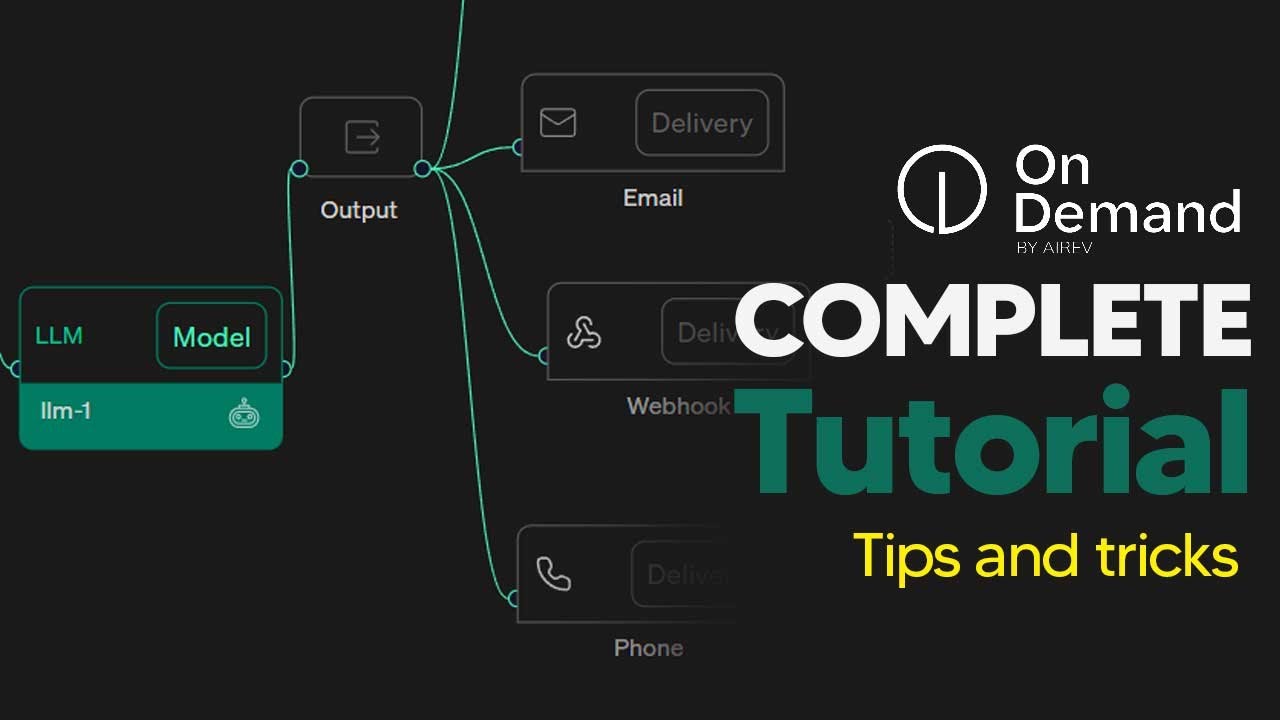
let's take a look. look at another feature called the agents flow builder. This is where you can build an entire workflow visually, allowing you to connect AI agents and LLMs. Let's create a new workflow. Here we can set the trigger. This is where we can either set the trigger via an API or via a cron. This is a timebased job scheduler that allows you to do something on a schedule. essentially execute the schedule every certain amount of times. We can set this to run every 20 minutes, hour, day, a week, or a certain time of month. These things are pretty useful when you need to auto send reports or just quickly check for data on a scheduled time frame. Now, with this kind of workflow, you can actually connect these together to be able to string together a sequence of actions. And in addition, with your LLM blocks, you can actually also add agents into them so that they can actually reference them. For example, the ad agent we created earlier, let's actually add that. And you can see right here, this agent is now going to be referenced. Of course, we can also set the model and of course have these different prompts here. And when you actually do get your final output, you can actually add some very interesting things. For example, you can have it go on over to your Slack. an email or if you want a custom web. So, you can see right here that this is a powerful way to build your AI agent workflow if you want to visually look at it. One of the things

Bring Your Own Model

that I do really like about this platform is that you can actually bring your own model. For example, if I click deploy model, I can actually connect my hugging face to be able to deploy any model that I really want. This allows an extra layer of customizability because there are so many models to choose from in the ever evolving AI landscape. And this feature allows you to just merge that with any kind of AI model you want, allowing you much more customizability for your AI agents. So, now that you've

Conclusion

seen the platform overview, you could see here that I could use this as my own sponsorship agent. Anytime I get an email, I just hook this up. sponsorship agent is going to go ahead and reference that data. It's give a response. And yeah, this is pretty cool. So, if you guys want to use this platform, don't forget to sign up using the referral link. And remember guys, you get $50 free worth of credit. And in the future, you're actually going to be able to monetize these agents. So, when your agents are used, you'll be able to earn money from them. So, with that being said, hopefully you guys enjoyed the

Другие видео автора — TheAIGRID

Ctrl+V

Экстракт Знаний в Telegram

Экстракты и дистилляты из лучших YouTube-каналов — сразу после публикации.

Подписаться

Дайджест Экстрактов

Лучшие методички за неделю — каждый понедельник




