❤️ Check out Weights & Biases and sign up for a free demo here: https://wandb.com/papers
❤️ Their mentioned report is available here: https://wandb.ai/_scott/omnimatte/reports/Omnimatte-Associating-Objects-and-Their-Effects--Vmlldzo5MDQxNTc
📝 The paper "Omnimatte: Associating Objects and Their Effects in Video" is available here:
https://omnimatte.github.io/
Meet and discuss your ideas with other Fellow Scholars on the Two Minute Papers Discord: https://discordapp.com/invite/hbcTJu2
🙏 We would like to thank our generous Patreon supporters who make Two Minute Papers possible:
Aleksandr Mashrabov, Alex Haro, Andrew Melnychuk, Angelos Evripiotis, Benji Rabhan, Bryan Learn, Christian Ahlin, Eric Haddad, Eric Martel, Gordon Child, Ivo Galic, Jace O'Brien, Javier Bustamante, John Le, Jonas, Kenneth Davis, Klaus Busse, Lorin Atzberger, Lukas Biewald, Matthew Allen Fisher, Mark Oates, Michael Albrecht, Nikhil Velpanur, Owen Campbell-Moore, Owen Skarpness, Ramsey Elbasheer, Steef, Taras Bobrovytsky, Thomas Krcmar, Timothy Sum Hon Mun, Torsten Reil, Tybie Fitzhugh, Ueli Gallizzi.
If you wish to appear here or pick up other perks, click here: https://www.patreon.com/TwoMinutePapers
Or join us here: https://www.youtube.com/user/keeroyz/join
Thumbnail background image credit: https://pixabay.com/images/id-4762800/
Károly Zsolnai-Fehér's links:
Instagram: https://www.instagram.com/twominutepapers/
Twitter: https://twitter.com/twominutepapers
Web: https://cg.tuwien.ac.at/~zsolnai/
Оглавление (2 сегментов)
Segment 1 (00:00 - 05:00)
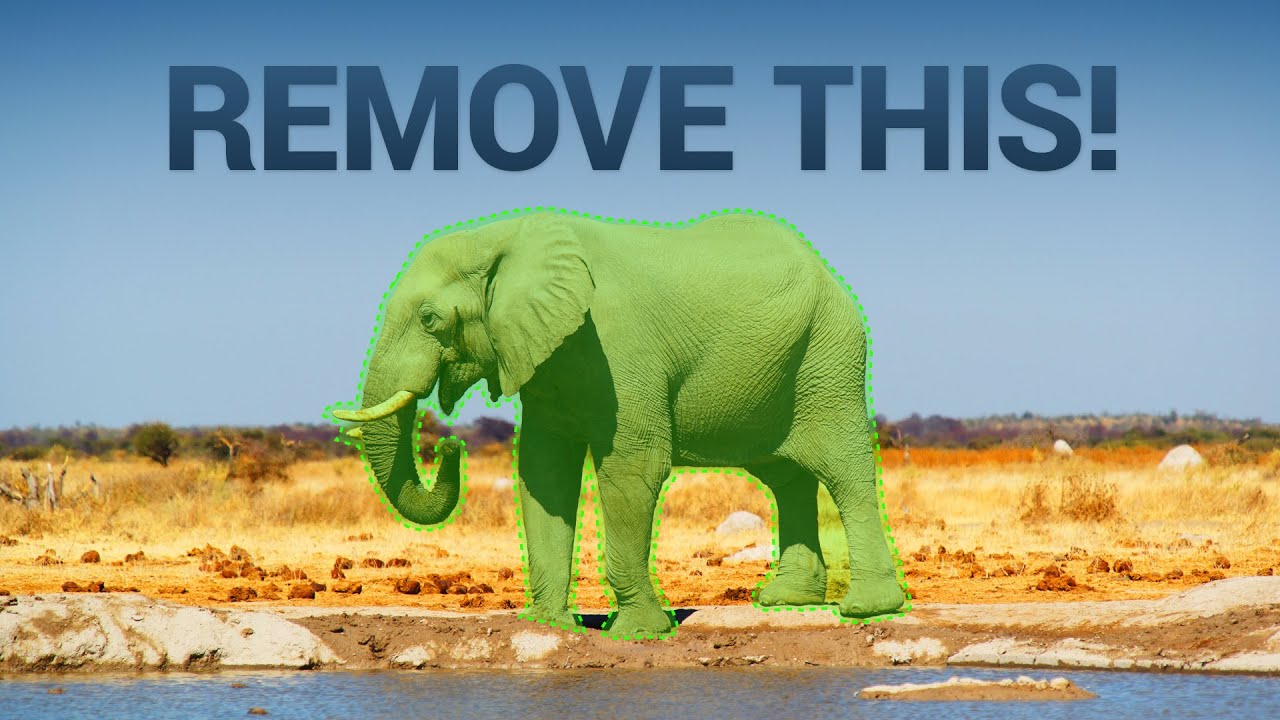
Dear Fellow Scholars, this is Two Minute Papers with Dr. Károly Zsolnai-Fehér. Today we are going to see magical things that open up when we are able to automatically find the foreground and the background of a video. Let’s see why that matters! This new technique leans on a previous method to find the boy, and the dog. Let’s call this level 1 segmentation. So far so good, but this is not the state of the art. Yet. Now, comes level 2 - it also found the shadow of the boy, and, the shadow of the dog. Now we’re talking! But it doesn’t stop there! It gets even better. Level three, this is where things get out of hand - look, the dog is occluding the boy’s shadow, and it is able to deal with that too. So, if we can identify all of the effects that are attached to the boy and the dog, what can we do with all this information? Well, for instance, we can even remove them from the video. Nothing to see here. Now, a common problem is that still, the silhouette of the subject still remains in the final footage, so let’s take a close look together! I don’t see anything at all. Wow. Do you? Let me know in the comments below! Just to showcase how good this removal is, here is a good technique from just one year ago. Do you see it? This requires the shadows to be found manually, so we have to work with that. And still, in the outputs, you can see the silhouette we mentioned. And, how much better is the new method? Well, it finds the shadows automatically. That is already mind blowing, and the outputs are…yes, much cleaner. Not perfect, there is still some silhouette action, but if I were not actively looking for it, I might not have noticed it. It can also remove people from this trampoline scene, and not only the bodies, but it also removes their effect on the trampolines as well. Wow. And as this method can perform all this reliably, it opens up the possibility for new, magical effects. For instance, we can duplicate this test subject, and even fade it in and out. Note that it has found its shadows as well. Excellent! So, it can deal with finding not only the shape of the boy and the dog, and it knows that it’s not enough to just find their silhouettes, but it also has to find additional effects they have on the footage. For instance, their shadows. That is wonderful, and what is even more wonderful is that this was only one of the simpler things it could do. Shadows are not the only potential correlated effects, look. A previous method was able to find the swan here, but that’s not enough to remove it, because it has additional effects on the scene. What are those? Well, look, it has reflections, and it creates ripples too. This is so much more difficult than just finding shadows. And now, let’s see the new method... and! Whoa. It knows about the reflections and ripples, finds both of them, and gives us this beautifully clean result. Nothing to see here. Also, look at this elephant. Removing just the silhouette of the elephant is not enough, it also has to find all the dust around it, and it gets worse, the dust is changing rapidly over time. And believe it or not…wow, it can find the dust too, and remove the elephant. Again, nothing to see here. And if you think that this dust was the new algorithm at its best, then have a look at this drifting car. Previous method. Yes, that is the car, but you know what I want. I want the smoke gone too. That’s probably impossible, right? Well, let’s have a look. Wow. I can’t believe it. It grabbed and removed the car and the smoke together…and, once again, nothing to see here. So, what are those more magical things that this opens up? Watch carefully…it can make the colors pop here. And, remember, it can find the reflections of the flamingo, so, it
Segment 2 (05:00 - 07:00)
keeps not only the flamingo, but the reflection of the flamingo in color as well. Absolutely amazing. And, if we can find the background of a video, we can even change the background. This works even in the presence of a moving camera, which is a challenging problem. Now, of course, not even this technique is perfect - look here. The reflections are copied off of the previous scene, and it shows on the new one. So what do you think? What would you use this technique for? Let me know in the comments, or if you wish to discuss similar topics with other Fellow Scholars in a warm and welcoming environment, make sure to join our Discord channel. Also, I would like to send a big thank you to the mods and everyone who helps running this community. The link to the server is available in the video description. You’re invited. Thanks for watching and for your generous support, and I'll see you next time!