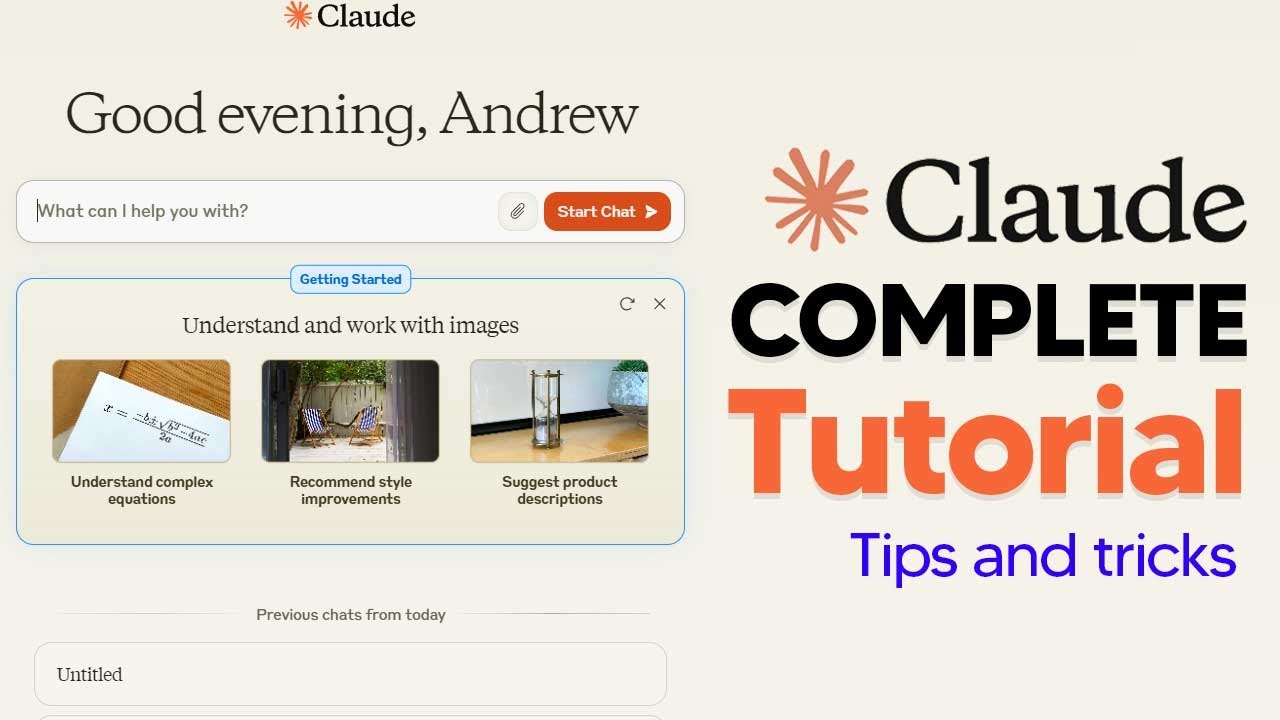
How To Use New Claude 3.5  (Claude 3.5 Artifacts) Complete Guide With Tips and Tricks
9:49

How To Use New Claude 3.5 (Claude 3.5 Artifacts) Complete Guide With Tips and Tricks

TheAIGRID 22.06.2024 37 981 просмотров 688 лайков

Machine-readable: Markdown · JSON API · Site index

Поделиться Telegram VK Бот
Транскрипт Скачать .md
Анализ с AI
Описание видео
How To Use New Claude 3.5 (Claude 3.5 Artifacts) Complete Guide With Tips and Tricks Learn A.I With me - https://www.skool.com/postagiprepardness 🐤 Follow Me on Twitter https://twitter.com/TheAiGrid 🌐 Checkout My website - https://theaigrid.com/ Links From Todays Video: https://www.anthropic.com/news/claude-3-5-sonnet Welcome to my channel where i bring you the latest breakthroughs in AI. From deep learning to robotics, i cover it all. My videos offer valuable insights and perspectives that will expand your knowledge and understanding of this rapidly evolving field. Be sure to subscribe and stay updated on my latest videos. Was there anything i missed? (For Business Enquiries) contact@theaigrid.com #LLM #Largelanguagemodel #chatgpt #AI #ArtificialIntelligence #MachineLearning #DeepLearning #NeuralNetworks #Robotics #DataScience

Оглавление (2 сегментов)

Segment 1 (00:00 - 05:00)

so anthropic have released clae 3. 5 along with something really cool called artifacts in this online tutorial I'll show you exactly how to get started with this amazing feature because it is something that is absolutely incredible so without wasting any more time let's get into the new clae 3. 5 tutorial and how exactly it works one of the first things you're going to need to make sure you do is to activate the artifacts tab so when you ask CLA to generate content like code Snippets text documents or website designs Claude will create an artifact that appears is in a dedicated window alongside your conversations if you already have this setting enabled then you're completely fine but most of you won't have the setting enabled so be sure to go ahead and make sure that the setting is enabled so some of the features of this tutorial will actually go ahead so now once that's there and you're on the main menu you can then go ahead and start a new chat and what we're going to do is we're going to use the features of clae 3. 5 and the new artifacts feature to generate something amazing the first bit what I'm going to show you guys is claude's ability to take advantage of its Vision right here I'm just going to paste in a very basic image this is of a simple neuron Network and I'm going to ask claw to recreate this as an animation so that I can understand how it works so you can see right here can you recreate this as an animation so that I can understand how it works and then I'm going to click enter all I need to do now is simply wait because Claude now will go ahead and do the coding and then whilst it's doing the coding essentially what will happen is at the end it should pop up with something like this you can see right here that this is somewhat of an animation that does look okay you can see we have the input layer the hidden layer and then of course the output layer what you can do and what's really cool about react or whatever output that sometimes Claude might put it in you can actually immediately edit this so for example I can say can you add some lines to make this more visually appealing I could say can you add some lines between the layers to show how it works and then I'll click enter what Claude 3. 5 will do now is it will actually modify the react component to include the lines between the layers which will help illustrate the connections between the nodes in the different layers you can see Claude is currently getting to work and then instantly we can see that we do have a change right here now this of course doesn't look as great sometimes you can see that sometimes things do mess up but the beauty of this is that you're able to switch between your versions you can see we have version right here and then of course we have the second version right here we can always ask Claude whether or not we want to iterate on this design to ensure that things do look a little bit better something that Claude also excels at is the ability to recreate simple user interfaces from a simple image so here I've pasted the chat gbt user interface in just a very basic example and then I'm going to say can you recreate this using react and then I'm going to see if Claude is able to do this so I'm going to just wait for Claude to be able to do this and you can see it says chat GPT like interface it's going ahead and it's going to recreate this now the beauty of this is that it doesn't take that long and you can see right here instantly we managed to get a chat GPT like interface immediately you can click in the Box you can type in it of course it's not going to work because this is not an actual live demo but this does show the very Advanced capabilities of Claude Sonet 3. 5 truly amazing stuff another amazing feature of Claude is that you can literally ask Claude to create you games that are unique by Nature so you could literally say can you create a little game that I could play and that interactive so now we can see certainly I'll create a simple interactive game used using react let's make a memory card game where you need to match a pair of cards this game will be interactive and demonstrate several react Concepts so you can see right here it's going ahead and it's immediately created this game within a couple of seconds this is the memory card game you can see I can go ahead here and I can see that this is a fox I click again and bear these now disappear and then I'm going toe and tried to find the bear and of course you can see that is the pair found so this is a pretty simple game that is really cool that just kind of tests your memory things like these are really cool because what this allows you to do is customize things and work well with ideas if you want to expand your custom education you can see also that I can Shuffle and restart this game and it actually does work very effectively so once again Claude is showing us that being able to immediately code things like this is something that is really effective another thing that Claude can do is that it can actually visualize data so I'm going to type in hey Claude can you visualize this data for me and then what I'm going to do now is I'm going to just simply wait and see what Claude is able to do in this react dashboard so I'm going to go ahead and just give it a couple of seconds and whilst Claude is coding away I can then even think about how in the future I could add this to certain presentations or what I would even want in other scenarios so you can see right here this

Segment 2 (05:00 - 09:00)

is the dashboard that is made based on the data and you can see that for this one I would have to do a few different things in order to actually make this usable but this is of course the first preliminary areas where Claude shows some remarkable efficiency so if I want to visualize this data I'm firstly going to ask Claude can you transcribe this data into Json so I'm just going to put that in and then Claude is going to do that into Json then once that is done in a couple of seconds which shouldn't take that long Claude is just going to be coding away in this area right here on the right hand side this does take a little bit longer because it's an Excel file of the amount of coffee cups consumed I'll then ask Claude to combine the data from the chart into a single interactive plotly. js chart that allows me to actually hover over each data point and learn more about each data point which is really cool because this actually converts your data into something more interactive another amazing feature of clae is that you can actually get long pieces of information like this then Asik to summarize the information and make a simple presentation that you can flick through using react so I simply give CL this command and then I'm going to wait for this right here we can see that Claude has actually managed to do this so I can flick through the ai's impact on employment rapid AI advancement psychological impact unemployment studies free time usage historical insights post gear City challenges preparing for post AGI and of course AI as a solution so this is a very basic demo on what you can do with Claude of course this isn't the most remarkable thing but it is an example on how you can distill information very quickly claw 3. 5 something that is really also amazing about this is that it can craft really long pieces of text and you're able to see what it's crafting while it's doing that so let's take advantage of this by putting in the same piece of text and then we can ask it to craft a story about someone who's experiencing the year 2030 after automation has been implemented so now all I need to do is I just need to wait you can see that it's generating the text on the right hand ins side you can see that it's able to generate a lot of these information decent amount of information quite noticeably more than it used to be I think this is been noticeably because of this new feature the artifacts where it's able to just get a lot of this text paste it all out and then we can see right here that it's able to have a smaller summary so this is a feature of Claude where you can see that it's actually able to Output a lot of text which I don't remember it doing in the past so if this is a new feature this is definitely something that you want to take advantage of because it allows you to look at summaries and of course allows you to get huge pieces of text that are really coherent and are really good at writing in terms of their comprehension now if Claude does actually hit your limit because the majority of you might have not signed up for Claude just yet what you do want to do is of course switch to the other models you can see right here if you click this button on the left hand side depending on if you're in a chat or not you can click this and you can see we've got CLA 3. 5 Sonic claw 3 Opus and Claw 3 Hau and on all of these if you want you can click this button right here and you can see that this is of course the artifacts feature so this is a feature that is of course really good and it's something that we do like to use but you do have to remember that if you do go ahead and switch to clae 3 Opus you still do get the artifacts feature but it isn't going to be the most intelligent model is clae 3. 5 Sonet followed by Opus and of course if you just want something that's extremely fast you can just use claw 3 hu cuz that's what exactly the model is for so Claude is also actually able to create simple animations using svgs so what you can do is you can say Claude can you visualize a neural network with SVG a basic one and then what we can do here is we can see that Claude 3. 5 sonnet is going to use that creating an SVG so it's going to use the data that I've said which is in your network and then it's going to do a basic neural network visualization that we can see right here this is something that is really cool if you want to visualize some very basic things in SVG of course this has multiple different applications but prior systems weren't this good at visualizing using SVG which is why this is a highlighted feature in this tutorial what you could also do here as you've seen is that I've managed to animate this new network using the react component I simply just ask Claude can you animate this using react and you can see that it's showing the input layer then it's showing the hidden layer and output layer so if you create something with SVG a very simple diagram you can then animate this using the react component and you're going to get a very nice easy information that you can use for whatever project you need it for

Другие видео автора — TheAIGRID

Ctrl+V

Экстракт Знаний в Telegram

Экстракты и дистилляты из лучших YouTube-каналов — сразу после публикации.

Подписаться

Дайджест Экстрактов

Лучшие методички за неделю — каждый понедельник




