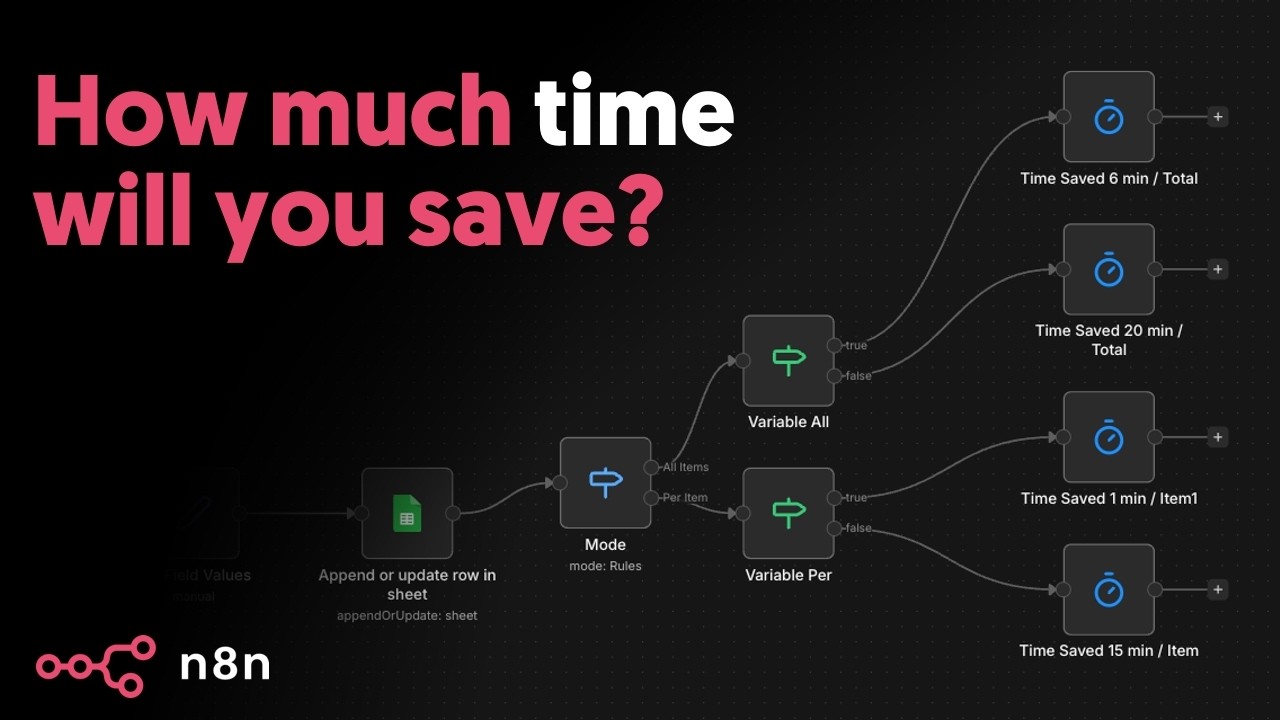
Introducing the Time Saved node
4:11

Introducing the Time Saved node

n8n 29.01.2026 4 492 просмотров 142 лайков

Machine-readable: Markdown · JSON API · Site index

Поделиться Telegram VK Бот
Транскрипт Скачать .md
Анализ с AI
Описание видео
Tired of _feeling_ the impact of automation but struggling to _prove_ it? In this video, Angel walks through the *Time Saved* node in n8n, built to help builders and leaders measure automation ROI with a shared, consistent metric. No more painful spreadsheets, formulas, and manual logging just to answer one question: _is this automation actually saving time?_ *What you’ll learn* * Why proving impact (not flashy workflows) is what gets automation into production * The difference between *execution-level* tracking and *in-workflow* tracking * When to use *Once for all items* vs *Per item* * How to track *variable time saved* across different workflow paths * A practical approach to estimating time saved without overthinking it *Demo workflow* * Star Wars API → Google Sheets (plus Time Saved tracking) *Useful links* * Time Saved node docs: add link * Insights docs: add link *Time stamps* 00:00 – 750 hours saved/month and why impact matters 00:20 – Why most teams can’t measure automation ROI 00:55 – Introducing the Time Saved node 01:00 – Execution-level tracking setup 01:31 – Once for all items vs per item (explained) 03:05 – Variable tracking with branching logic 03:32 – Best practice: start conservative + refine over time 04:01 – Wrap-up Want to connect? * LinkedIn: https://www.linkedin.com/in/angelgmenendez/ * X: https://x.com/djangelic

Оглавление (7 сегментов)

750 hours saved/month and why impact matters

This right here is the first workflow I ever built for an organization. It saved 50 hours per month per customer success manager and we had 15 of them. That's 750 hours saved every single month. And that's what convinced leadership to go allin on automation and nadn. And here's the thing, it wasn't the workflow itself that sold the idea. It was proving the

Why most teams can’t measure automation ROI

impact. You see these Google sheet notes? This was my first real attempt at showing a return on investment. And it was painful. formulas, logs, constant maintenance, all just to answer one question. Is this automation actually saving time? If you're building automations, you already know this. Real ROI isn't flashy workflows. It's time saved every day for every team. The problem is most teams feel the impact of automation, but they can't measure it. And when you can't measure it, automation gets questioned, deprioritized, or never makes it into production. That's exactly why we built the time save node.

Execution-level tracking setup

Before this, you could only track time saved at the execution level. One run, one fixed value. Now you can track time saved inside your workflow with much more control and roll it all up to insights. This is especially powerful for individuals and teams because there are really two audiences here. Leaders want proof of value. What changed for the business? And builders want proof of impact. Is my work actually making a difference? The time save node gives both of them a shared metric and it's available to everyone, community, cloud

Once for all items vs per item (explained)

and enterprise. Let's go ahead and start with execution level tracking. This is the simplest setup. Every time this workflow runs, a fixed amount of time is logged and saved. This workflow right here goes to the Star Wars API and grabs all of the film names and stores them in a Google sheet. So, when I run this, it can run up to six different times. So, as you see, we pull six different films, and that means that six films were added to our spreadsheet, which is great. So, now we need to track the time saved here. So, I'm going to go ahead and hit the plus and hit time saved. There we go. Now, if I step out for just a moment, you'll notice that we have our time saved node. And now, when we open it, we have a question of once for all items or per item. Now, this might be confusing at first, but it's actually pretty straightforward. So if we step out for just a moment here, you'll notice that we have six items that flow into our time save node. Those six items can either trigger this time save node six times or once. So for example, if I open this up once for all items and set it to six and we run this, it'll run one time at the end of these six items being updated and then it'll set the time saved to 6 minutes for this run. Now, if we set it instead to per item, we can set it to 1 minute saved. And then when this runs, it'll actually save a total of 6 minutes because for every item entering in, we're saving 1 minute. Now, this works, but not all workflows are created equal. Different workflows save different amounts of time. And sometimes even the same workflow saves different amounts of time depending on what it processes. So, let's add it to the time

Variable tracking with branching logic

save note. Let's build out this hypothetical situation. I'm going to go ahead and hit the plus here and add an if check. And we're going to go ahead and give two different branches out here. So what we can say is whenever the workflow goes through the top branch, it saves per item 1 minute and then if it goes through the bottom path, it saves once for all items 10 minutes. This allows you to create variable tracking across the same workflow. With per item

Best practice: start conservative + refine over time

tracking, your time save metric automatically scales with the actual work your workflow does without you needing to predict anything up front. Whether you track time saved once for all items or per item, the goal is the same. You're creating a consistent, repeatable way to measure impact. My recommendation is to start conservative. Pick a baseline your team agrees on. Apply it consistently and refine it over time. You're not trying to be perfect. You're trying to build momentum. If you want to go deeper, I'll link the docs for insights and the time save node in

Wrap-up

the description below. And that's it for the time save node. This is Angel signing off. And as always, stay curious.

Другие видео автора — n8n

Ctrl+V

Экстракт Знаний в Telegram

Экстракты и дистилляты из лучших YouTube-каналов — сразу после публикации.

Подписаться

Дайджест Экстрактов

Лучшие методички за неделю — каждый понедельник


