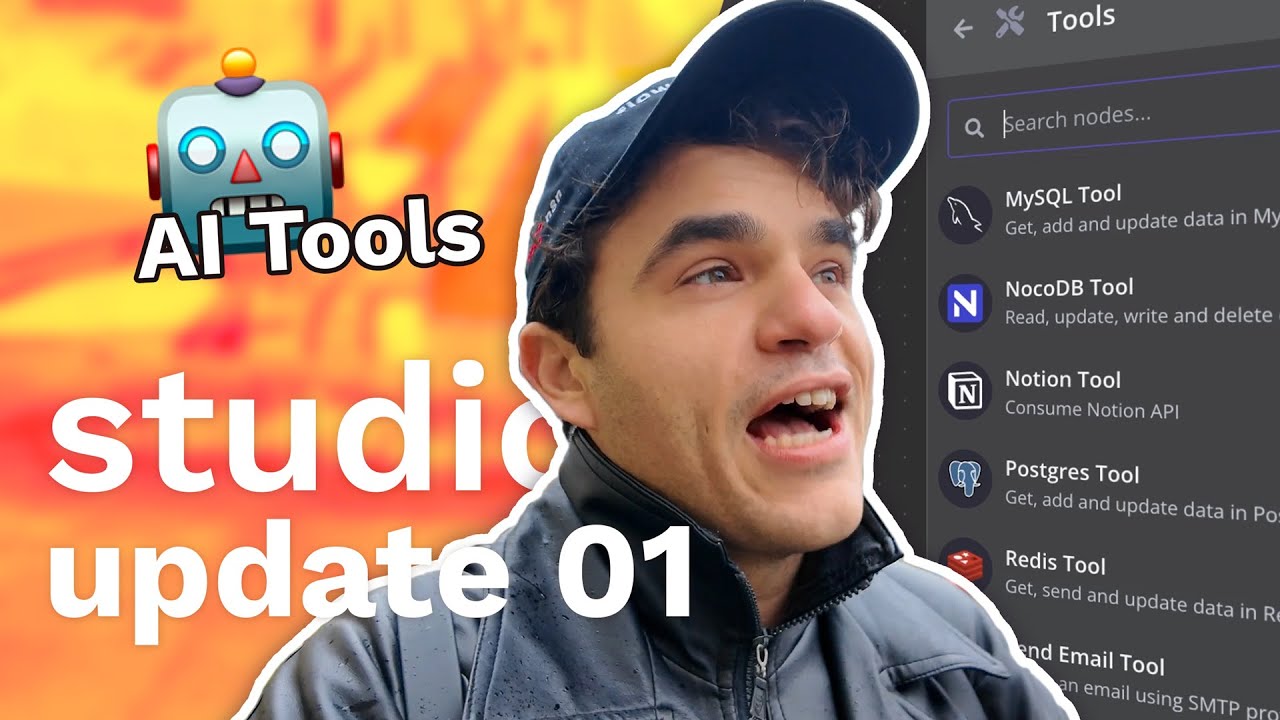
Studio Update #01: AI Agents Tutorial, Mitre Attack RAG, new AI App tools in n8n, Invoice Automation
24:15

Studio Update #01: AI Agents Tutorial, Mitre Attack RAG, new AI App tools in n8n, Invoice Automation

n8n 29.11.2024 6 677 просмотров 262 лайков

Machine-readable: Markdown · JSON API · Site index

Поделиться Telegram VK Бот
Транскрипт Скачать .md
Анализ с AI
Описание видео
It's episode one of the Studio Update! This series offers a behind-the-scenes look at our AI and automation projects, previews of upcoming n8n features, and inspiring stories from our global community of builders. In this episode: 🚀 Max shares his new AI Agents tutorial series (Part 1 is live!), covering the fundamentals of building agents in n8n. 💻 Angel introduces his project, a MITRE ATT&CK Vector Store for automated AI ticket processing. 🛠️ A walkthrough of "App AI Tools," a feature that makes setting up tools for AI agents much faster. 📂 Jim Lee from the community demonstrates a workflow to automate invoice processing. Chapters 00:00 - Intro 00:45 - Studio Project Updates 03:00 - App AI Tools feature walkthrough 11:15 - Jim Le’s Invoicing workflow 23:14 - Wrap up 💬 What did you enjoy? What should we explore next? Share your thoughts in the comments! 🔗 Links and Resources: Sign up at n8n.io and get 50% off for 12 months with coupon code MAX50 (apply the code after your free trial)! docs.n8n.io for documentation community.n8n.io for help whilst building

Оглавление (5 сегментов)

Intro

hey there I'm Max and welcome to the studio update this is our weekly show to give you updates on our Ai and automation projects to get a sneak peek and what's happening inside NN and to hear stories from our Global community of Builders here's what I've got for you in today's episode I've got an update on my first project I'm working on a tutorial series on building AI agents Angels also picked his first project so we'll give a quick update on that I've also got a walkthrough of app AI tools a really cool new feature in N at end that makes it way faster to set up tools for your AI agents to use and then Jim Lee from our community is going to demo a workl he built out to help automate some of the drudgery around invoice processing oh jeez it's cold and before we get into

Studio Project Updates

all that angel has picked his first project he's working on hold that thoughts he's building a miter attack Vector store for automatic AI ticket processing so I had no idea what that is so I looked it up so miter attack is basically a public know base of adversarial cyber tactics so what that means in layman's terms is basically it's a database of all the naughty things you're not supposed to do with your computer that's probably illegal really curious about that one because as we've seen I think so far in the AI space the quality and the efficacy of your solution is very often modulated by prompting but then also by context and a global database of everything we know about adversarial cyber tactics that sounds like some really good context so I'm really curious to see what he's cooking up with that one next week's episode he's going to give a deep dive on that use case for my first project I broke ground on a building AI agents tutorial series part one of that series is out now and in that one I cover the fundamentals of AI agents and end so really just the foundation stuff you've got your AI agent the chat trigger to interact with it I explain Concepts like memory so that you can have statefulness between conversations we also get into some Basics on system message and user message and prompting best practices so it's uploaded now to the studio playlist on nnn's YouTube so if you haven't played around with AI agents in NN right now it's designed exactly for you it covers some of the basics of end as well so you don't have to watch other videos it's kind of a I don't know what I'm doing start a kit for AI agents and then the second part that I'm going to work on next week and hopefully upload next week is going to be all about tool usage in AI agents because I think arguably that's the most exciting aspect of AI agents today CU tools allow them to interact with apps's services do things like math and it really adds that content awareness that's necessary for most useful use case and then if you're watching that video please do give me some feedback just let me know what would be most helpful to you and I will go do that thing what's next speaking of projects I have set up a notion board that's starting to track my projects and Angel's projects I'm going to Z that up a little bit and aim to make that public by next week so Pro tips when you have expensive company equipment in the rain bring your umbrella so you don't have to tell your boss Luis Gman that you need a new camera due to gross and compet and

App AI Tools feature walkthrough

negligence next up I did a walk through of the awesome new app AI tools featured in nadn check this out if you've worked with AI agents in NN you've probably interacted with tools what are AI tools they're essentially nods in the NN canvas that allow AI agents to do things this could be interacting with various apps and services making calls in the database fetching information from a specific source so far you've had two primary ways to do that you could either call a separate workflow and the agent could use that workflow as another tool or you could use the HTTP request tools where you teach the AI agent how to invoke an arbitrary API inut both of those come with a whole lot of flexibility there's also a little bit more setup friction to using those the edit end team shipped this awesome new feature as part of version 1. 62 which streamlines how you can set up and use tools for popular apps and services within NM let's check it out if I click on the plus here opens up the notes panel and in here I can see all the various new tools that Ned 's added they've added over 22 new app tools and there's more coming along the way let's check out these tools with a simple Google Calendar example so I've got a Google Calendar tool that's set up to read events so this can fetch multiple events based on some filter criteria let me connect it to my AI agent we'll run this so you can get a quick demo and then we'll quickly rebuild the tools to see how easy it is for your AI agents to be interacting with these new tools I'll open up the manual chat and let's ask what events are scheduled for this Wednesday while that's running let's take a quick look at my calendar and I've got four events so I've got lunch a few other ones there so these are the ones that should pull up okay we see we've got lunch this all looks correct if I open up a meeting it shows the coal link itself right there that's great so let's break down uh what's happening in this work for and then we'll quickly rebuild the tool I've got an Ned and chat trigger in here that's taking my message and feeding it into my AI agent and then the chat model that I'm using here is GPT 40 but any llm that can interact with tools uh should be able to do this like Claude Sonet for example could be a good choice here if I open up my AI agent and here we're using the tools agent mode because we're consuming tools then the prompt we're taking from the chat trigger so the question what events are scheduled for this Wednesday is being Auto piped into this node now I have added a custom system message in here but that's more so to control the output format and provide some context so if I open this up we can see that we're telling it it's a helpful assistant we're telling it the time right now using nin expression using the now method here and then we got some basic prompting best practices a little bit of filtering on the events here and also in which format I'd like it to Output these new events this is rather use case specific but just to give you the context on my whole solution soltion here and then we have the tool itself what I'll do is disconnect it and let's rebuild this so you see how quick it is to set this up I'll click on the tools here and we'll scroll down and we'll click to add the Google Calendar node now nns automatically selected the credential I already have on here but you would just need to add a Google Calendar credential the tool description we're going to leave to set automatically that's a neat aspect of these new tools it does a lot of this stuff under the hood for you and the resource we want to operate on is an event and for the oper we want to get many events cuz we're basically setting up a search operation here I'm defining the action that we're allowing our AI agent to make in my Google Calendar this is a great example of how nadn is enabling you to add guard rails to your tools usage so that your AI agent is doing more predictable things within your apps and services which is great when you need peace of mind for example that it can't delete resources okay the next thing I'll just select the calendar that I'd like to monitor for I don't expect it to be many events or at least not more than 50 so we don't need to return all and now in the options we do want to add the before and after options so these are basically filter Fields so in here it expects a date and time and it'll return any events after that time as well as before this time we want to allow our AI agent to populate these things so it can do queries like give me all events for a certain day or a certain period of days so in order to do that what I'm going to do is change this to an expression and I'll start typing an expression with my brackets here and then I'll hit dollar sign and then from this is going to show the from AI method in my autocomplete here and you can see from the inline documentation that expects four different arguments we've got the key this is basically the name of this variable that we're going to allow our AI to populate we've got the description for it which is helpful to describe what kind of information it expects in here then there's also the data type and a default value in this case I'm just going to define the key and we'll just use the exact same name as the name of this parameter here we'll copy that and let's do the same for before we'll set it to an expression and we'll change it to before now my advice whenever you're using AI tools and adding context and descriptions is less is more try without adding a bunch of descriptions if it's working leave it as such only start to add descriptions once you identify cases where it's not working because it's going to add more usage costs because there's more tokens being sent along to the LMS as the models get more capable and get updated over time those God rails that you add on that description for example could actually limit a more capable model okay so now that we're only allowing our AI agent to populate these filter conditions and otherwise just receive a list of events now that I've done that and it's connected let's clear my execution data from my previous execution and let's test that again what events this Wednesday and we can see we've got a very similar response so it's reproducible if we test this again yep it's opening those up correctly so as you can see in a few quick steps we set up this Google Calendar tool that my AI agent can now interact with now this is the get all events action that we set up so I could for example duplicate this and connect it and perhaps we want to also be able to create an event so we would do that and for the start time and end time I might set something like see from Ai and start time for example same for end time we'll probably want a few other parameters that it can control as well like description so for here I might write event description this is maybe a good case where you would want to use the other arguments available in this method I. E the description here so I might say add a short event description ensure XY Z is in included right so the key points to remember when setting up a tool is that you're still going to have to define the action that it can do so certain jobs that you want it to complete for example to book a calendar event you'll have to break down into two separate actions it has to First be able to get your events to understand what your C availability looks like and then a separate tool to actually create events and then once you're setting up a tool itself anything that you do want the AI to be able to manipulate you'll have to use an expression inside a parameter with an NN and use the from AI method and again this inline documentation on how to fill that bad boy out this is a relatively new feature in NN there's 22 app tools available today more are scheduled by the nadn team but when you're working with an AI agent use case and you don't see a native app tool for that you can always set up an HTTP request tool instead which allows your AI agent to consume arbitrary API end points and Define the parameters it can and cannot control or you can even have it call an entire NN workflow which would allow you to use the hundreds of different apps and services that we do integrate with natively today in no code hey Max thanks for that one super insightful stuff all right what's next

Jim Le’s Invoicing workflow

last but not least Jim Lee a prolific builder in our Global Community was gracious enough to get on a call with me and show me a work for use case he built out to help him automate some of the manual boring parts of dealing with invoices is there any fun I guess the getting paid part right let's go check out what Jim built hey everyone it's Max here and I'm joined by Jim hey Max everyone how you doing today Jim yeah I'm doing good yourself oh I'm doing really well you're our inaugural guest for flow and T so thanks so much for joining I really appreciate it thank you for inviting me my pleasure so Jim before you walk us through your workflow would you mind telling us a little bit about yourself yeah so I'm currently a freelance developer working with automation Ai and I'm using NN for a lot crme worker very cool and so I've heard that you have an invoicing workflow for us could you tell us what the workflow is and then perhaps what inspired you to flow gram this out yeah for sure so my workflow here is invoice reconciliation so the automated process of receiving invoices extracting uh the numbers from it and then I'm storing it in a data store like a spreadsheet what inspired me was having a long history with working with operations and the manual processes for importing invoices which is very timeconsuming I came across o OCR a long time ago and been inspired to find alternative solutions to do better OCR today so came across Vision language models and found that they performing really well in doing this job gotcha so you're basically taking what folks would usually do with OC and using Vision models to extract uh information from invoice PDFs is that right yeah that's correct very cool and so for the folks that perhaps aren't in finance or don't have to deal with as many invoices the lucky ones what's the process look like before sort of automation enter the picture like what does someone have to do manually when they're doing this kind of task yeah so you would receive the invoices uh via email and you would print them out have to put them in folders then you would have to manually reconcile against purch orders and manually do the Ed data entry to put that data in do you have an estimate of how long that would take yeah I mean it's I know people whose entire job is to do this enti like um supplier invoices vendor invoices yeah you can imagine it's a lot of work for manual entry I can imagine that invoice on Friday at 4:45 p. m. is a real Grind Great so could you walk us through your work for and how you automated the solution so someone doesn't have to spend their whole day doing this so we'll here is kind of a brief overview of the we FL and just very briefly downloading the code PDF converting it into uh the single image so the invoice single image then using thei agent to do the Recon distraction and Reconciliation in the air table now if I can I'll pop over to the air table I have for this demonstration and here I got a put fin where we have purchase order which is approved and there's an empty invoice number where we'll do the matching the second tab is for invoices so this is where we actually capture invoice data from the extraction and you can see it empty looking at the invoices all these columns here like file purchase order vendor is this the information that someone would have to be manually extracting before or using OCR to do okay exactly especially the line item so this agent what it does is it reads the invoice it will add the like I said before invoice data to the sheet it will then query the purchase order sheet for a matching purchase order number and if it has it will update the purchase order status finally once all that's done it will send notification to slack so it will send a notification to this channel notifying the channel That Ino was accepted or rejected would you mind running the workflow for us and then perhaps we could inspect the key parts and have a look with some populated data yeah for sure I'm going toit test work FL now and so what Jim's done here he's got his Google Drive trigger pinned so it's just taking some pinned data for testing purposes but once this Workforce activated that would run automatically every time there's a new file in the folder is that right yeah that is correct yeah so it seems like so we've converted that invoice to an image right and now we've sent it to our AI agent and it's doing the magic right now is that right yeah that's correct very cool and I noticed here something is that you even added the slack as a tool there so you're not running it afterwards you're having the AI agent itself send that confirmation message that's very interesting I haven't seen that patent before yet very cool it's fantastic yeah so noce tools uh recent kind of addition to AI features allows you to do this very easily so we finished and if we go back into our sheet so in our purchase order sheet we can see the status was updated to invoice accepted and the invoice number was populated here going into our invoice role you can see the invoice number the purchase number which is recognized the vendor address I total amount and the line items and then finally if I go into the slack I can see the message generated here and then the message just a quick confirmation that it was successfully added wow very cool I can imagine uh for anyone whose job involves anything to do with this is a rather exciting thing to see would you mind Jim back in the workflow seems like a lot of the magic is happening inside this AI agent could you walk us through the key steps and how that all comes together so this is a tools agent and the input as you can see is an image here and this is the invoice image so this comes two parts system prompt and the text prompt so the system prompt it says it is designed for a reconation and it has three steps all very natural language no kind of funny kind of prop tricks or anything like that so first step is add the invoice details to the table second step is to query for the purch order number and if you do find it update purchas order Ro in the T and finally the third step is just the send a notification message to the uh the slack Channel and in the text prompt it's just saying that this is the given invoice which is with this total activated is to send binary images to the agent and just a file URL so I can fill in that now what I'm not doing is saying convert this invoice into another format such as markdown or text or extract the numbers I'm just telling it generally what I want to happen my first takeaway is how little there is in here for it to get its job done you know I would have expected even with some of the examples I had is that you need a lot more specificity I think as models get smarter more capable being too specific might limit what it understands it has to do it may be crutches that you use for older models but in new models may be unnecessary and it maybe actually negatively affect the goals if it's kind of misinterpreted definitely keep it simple I don't think you need to be a developer to like these PRS just clear and concise instructions is fine and it seems like you've got like numbered steps on how to break down the task is that something you do in common across your AI gentic workflows I do yes especially for these type of workflows where not more much of a conversation but rather sort of instructions like you would do to like a colleague or passing it a number of steps clear concise steps that's usually a better approach to get what you want makes a lot of sense okay so this is the AI agent we got a pretty simple system prompt we see we've got a few options there looks like you're automatically passing through the B images right so that's that invoice file coming in and Jim before we have a look at the tools could you quickly walk us through which LM model you chose and why so I used gbt 40 which is currently the best open air model usually it's you can go with all models for kind of cost considerations but you want a multimodal model for one to enable this yeah but it I think it works best could you walk us through some of these tools that you've got set up here so this is the an table Tool uh I use for have done this one queries the purch table so here what I'm doing is I'm going into the air table with the right team purchase orders and then running a field to BU formula where the field to by formula is the order number equals and then the agent fills in the purchase order number that it sees on the invo and here it returns data second most interesting one is actually the adding the invoice entry so this is the create or create an update operation and here we ask the AI to fill in these columns with the data C so here I'm using the expression from AI which is a new expression you can use and this just answering the placeholders as it were into these columns so here I'm saying get invoice number get invoice URL uh Pur order number the vendor name the address invoice total and some of line items and can you quickly walk us through this from a i variable like crash course I don't want to read the docs what's like the 10sec how to use it yeah so expressions and then you put from Ai and then you just basically give it a variable name so in this case where I put vendor name I didn't mean to put any kind of descriptions I didn't need to put any like where would you find it on the document I just say just give me the vendor name that you see and we have remember nothing on the invoice says vend the name say it's just the name is on there which it infers is the vendor it's really it really is impressive and I think it really highlights like that you do not need to be a developer to do some of the most powerful stuff in here finally we'll move on to the SL tool and here it's a Mion stand operation with uh the channel predefined and then here what we're doing is very similar to the previous tool we're just using the front AI variables just defining it to reply in a certain way say the invoice was Ed successfully or it was rejected once everything's done the agent knows to use this tool to send them message to slank more importantly it doesn't send it before doesn't send it in between he knows to use this tool at the very end to send that notification I'm curious why did you choose na to build this solution so I'm been a big fan of an for a long time I used to be a developer but I'm definitely more a flow Grammer today but yeah the amount of cod you would need to put something like this together it's a lot and N1 allowed me to build something like this in this particular work floor like in an hour and more Flows In Like days rather than weeks and months makes a lot of sense I mean I'm a flow gramar so you're speaking my language and Jim is this something that folks can duplicate if someone's inspired by this how could they go check it out yeah so this workflow will eventually make it on to my creus page but I have a creus page on n10 and you can check it out there with my I have other templates which utilize this technique using C binary images with agents and definitely checking them check them out there very cool I highly recommend to everyone go to Jim's uh page it's going to be somewhere I don't know up off Below on this video I would also recommend even if it's not your specific use case you can learn so much from inspecting the AI prompts themselves and how they're written and whatnot for any inductive Learners if you learn by seeing things that are already built a jym's workfor is are going to be an amazing uh resource for you and Jim outside of your template creative page where could folks follow you if they like what they see definitely check out the community forums quite happy to share on that and yeah connect with me on LinkedIn and on Twitter fantastic well Jim thanks so much for your time also I really appreciate you being my guinea pig you're the very first flow and tail guest so I really appreciate you taking the time to share your workflow thanks a lot Max thanks for having me my pleasure until next time Chia awesome stuff from Jim there and

Wrap up

wow that Max guy what a great interviewer this week I've been having multiple calls with other builders around the world I met with Devin kin from Custom AI studio and a few other folks so there's more of these coming that's all she wrote for this week's episode I'm really curious what you liked what you'd like to see more of what you think I should do less of although the cheeky banter is definitely non-negotiable that's just kind of part of my personality and you know I'm 30 now guys so I'm kind of over the thin veil of corporate platitudes so that's definitely not going to change so drop a comment hit that like button and help me during performance reviews and we'll catch you all next week for another Studio update deep

Другие видео автора — n8n

Ctrl+V

Экстракт Знаний в Telegram

Экстракты и дистилляты из лучших YouTube-каналов — сразу после публикации.

Подписаться

Дайджест Экстрактов

Лучшие методички за неделю — каждый понедельник


