Create an API to generate images
4:38

Create an API to generate images

n8n 20.01.2022 3 115 просмотров 16 лайков

Machine-readable: Markdown · JSON API · Site index

Поделиться Telegram VK Бот
Транскрипт Скачать .md
Анализ с AI
Описание видео
At Hackmation 0.5, Harshil and Michael created an API that can take screenshots of websites and return an image. Hackmation is an internal company hackathon where we use n8n to automate our tasks or build low-code products. #api #puppeteer #n8n

Оглавление (4 сегментов)

Intro

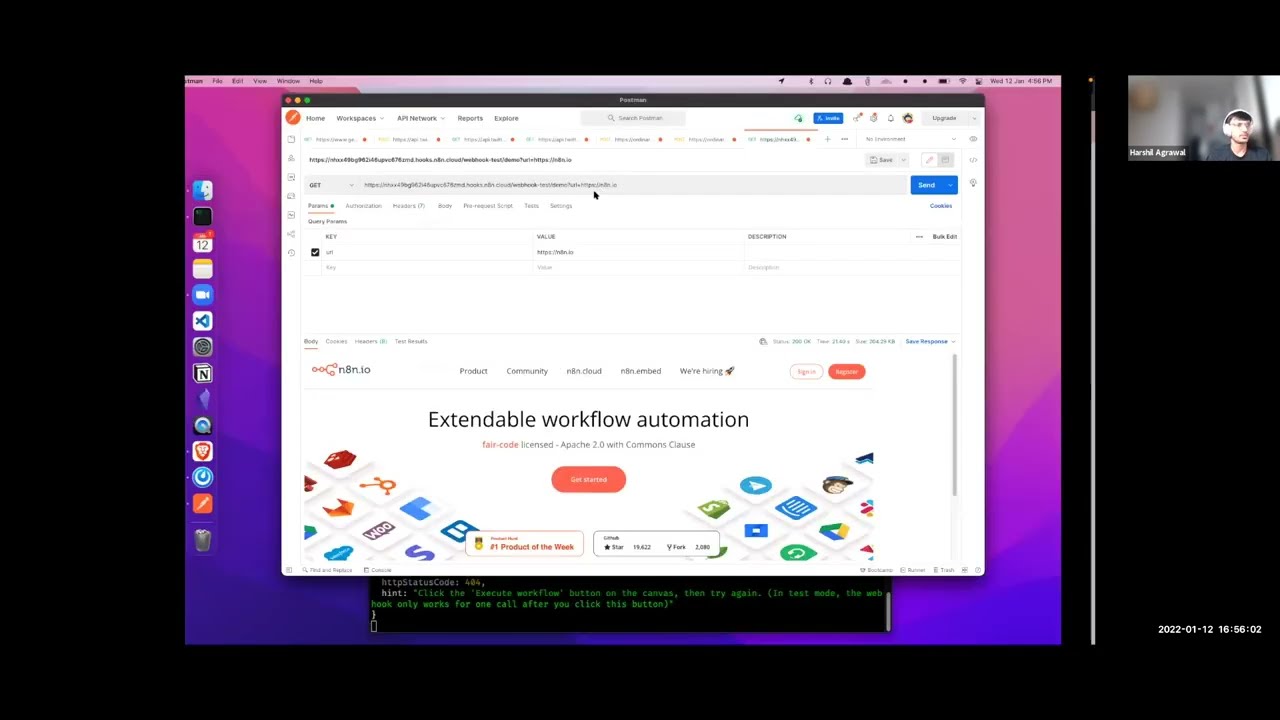
so what we wanted to do today was to build an api endpoint which would do something to sim something similar to what uh david and mutasm did but the use case is completely different uh the endpoint that we created is basically using puppeteer under the hood taking screenshots of the website or taking html content uh creating a dom element out of it capturing that or taking the screenshot of that and then returning it to the user now the use cases for this are pretty massive uh one of the one of my favorite use cases is going to be in the su sector because in seos we have open graph images which are always dynamic and i wanted to create that keeping that in mind and for i saw that jason was doing something with youtube so if you know jason wants to create uh youtube thumbnails dynamically this is something that he can use as well so let me see okay this is the register endpoint now there are various checks for this obviously we don't want someone to keep on using the same email address to register for their account so we have uh taken care of that as well what i'm going to do is remove this and should start this oops send the request in here so this is going to go to uh the workflow here

Workflow

check in a table if it exists or not if it does not create an api key has that api key store all that information in our table said that uh send an email to the user like hey here is uh thank you for registering here is your api key and then also give a response back to the user so we have like the user knows what the next step is so that they can go ahead work with that api key and use it in the next process now for the next process we have an image and over here obviously we have taken care of again uh the authentication making sure that the user is providing the correct api key and the user can provide select the mode it can be either a url or html if with html the content changes to the html content that they provide and they can also pass in the resolution let's check with uh the url mode again it's going to make a request in here

HTML

we created a new node called page res which is actually a npm package that we are using to create this and then we get the image outside or the screenshot of the website if we do html and let's just wrap this up in an h1 type execute the workflow once again now this will just give us the html hmm okay my bad it should have the uh

Result

respond to my book note at the end but it wasn't connected that's why we don't see that but eventually that would be the result we can check this in here so this is the result that we have so this is basically again an image now just to give you a quick demo about how seo thing works i created another endpoint which has a slides demo and which takes the query parameter url with this whenever someone passes on that url or the query parameter they get the image so over here let's update the url and start the workflow so right now we are passing on the url dot io it will make a request to that so here we see that it takes that screenshot and renders it out now i have tried it on metatext. io it should work if it does not there might be some uh i'm not sure why it won't work like it works it takes some time because it uh needs some time to create the image there is something that we need to see like how we can optimize this and how we can implement caching to this but then in the uh metadata my. x. io you would see the meta information as well as the preview image so that's the that's what we created today

Другие видео автора — n8n

Ctrl+V

Экстракт Знаний в Telegram

Экстракты и дистилляты из лучших YouTube-каналов — сразу после публикации.

Подписаться

Дайджест Экстрактов

Лучшие методички за неделю — каждый понедельник


