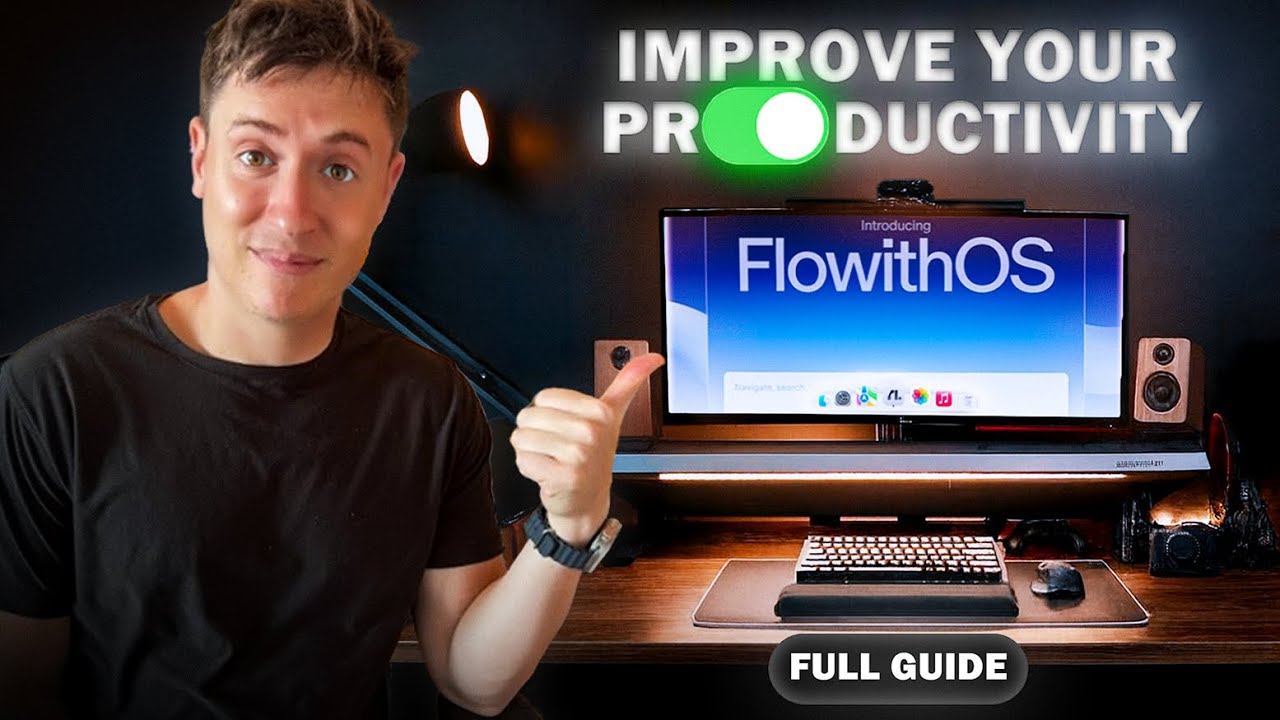
This AI browser works for you 24/7 (FlowithOS guide)
12:10

This AI browser works for you 24/7 (FlowithOS guide)

Alex Finn 04.12.2025 4 349 просмотров 136 лайков обн. 18.02.2026
Поделиться Telegram VK Бот
Транскрипт Скачать .md
Анализ с AI
Описание видео
FlowithOS is an AI browser that literally does work for you 24/7. Here's how it works. Thank you Flowith for partnering for this video! They had ZERO control over the final video or any of my opinions. Everything said in this video is of my own, authentic opinion. Try Flowith! https://try.flowith.io/?utm_source=alexfinn Reply below for an invitation code! Join the Vibe Coding Academy: https://www.skool.com/vibe-coding-academy Sign up for my free newsletter: https://www.alexfinn.ai/subscribe Follow my X: https://x.com/AlexFinnX My $300k/yr AI app: https://www.creatorbuddy.io/ Timestamps: 0:00 Intro 0:54 Platform walkthrough 1:46 Starting first agent task 5:34 Second agentic task 7:20 Teaching the browser skills 10:08 Teach mode

Оглавление (6 сегментов)

  1. 0:00 Intro 167 сл.
  2. 0:54 Platform walkthrough 173 сл.
  3. 1:46 Starting first agent task 797 сл.
  4. 5:34 Second agentic task 364 сл.
  5. 7:20 Teaching the browser skills 574 сл.
  6. 10:08 Teach mode 427 сл.
0:00

Intro

Flowwith OS is a brand new agentic browser from Flowith and it might just be the most powerful AI browser ever. It allows you to automate literally everything you do on the web, including research, managing your social media, making purchases, booking travel. Anything you do online can now be completely automated and scheduled. I mean, you can literally run an entire Twitter or Tik Tok account from this browser without touching those platforms once. In this video, I'll cover how the browser works, what makes it different from browsers like ChatGpt Atlas or Perplexity Comet, and I'll show you how you can spin up armies of AI agents to do work for you online inside your own browser. This isn't just another Google Chrome fork. This is an entire browser operating system. Shout out Flowith. They reached out to partner up. They gave me early access to the browser. They gave me a whole ton of credit. So, I hope you enjoy the video. Let's get
0:54

Platform walkthrough

into it. So here is flow with OS. It does not look like any of the other browsers out there that are just Google Chrome forks. This is entirely built around the AI agent experience. And a lot of people ask me how it compares to Chad GBT atlas and perplexity comment. Look at these benchmarks. It is significantly better at agentic tasks than anything you can do with chat GPT or even Gemini's agent. So it is incredibly agentic. It blows away the benchmarks from computer use perspectives. But let's check out some of the use cases you can do in here. So here we are in the task interface. This is the first screen you see when you go in. So it is focused around giving the agent tasks rather than being focused on just browsing the web and having kind of a chat box bolted on. It's focused on giving the AI agent tasks and it also learns from those tasks. Here's an example. So, something I regularly do is
1:46

Starting first agent task

look for ideas for apps to build from Product Hunt and other websites. And then I go and I build those apps. So, I'm going to ask you to scan Product Hunt for the top 10 products on Product Hunt. For those not familiar, Product Hunt showcases brand new popular apps. For each capture, the name, link, tagline, core job to be done, dependencies, complexity, potential revenue model, and a how it works. then write me a prompt I can give to Claude code to build my own version of each. So basically I'm going to capture the most popular new apps right now on the web and I'm going to have it build me a report on each as well as a prompt for claude code so I can build my own version. One, this helps me just build useful products for myself, but two, this might help me build competitors for popular products right now. So this is going to autonomously do this research for me. So, I'm going to run the task. And what it's going to start doing is an agent will actually control its own browser and do all these tasks for me. This isn't just a web scraper scraping the web. These agents will actually control its own browser on the side here and complete this task for me. I can even watch it work. So, if I click this button here, it opens up what the agent is doing. And I can watch it go around the app and choose the different products and write the report. This is really powerful because a lot of websites nowadays actually block AI agents from scraping. For instance, if you try to ask chat GPT to tell you the best videos on YouTube now or tell you some top tweets, it won't be able to tell you because YouTube and Twitter block AI agents from scraping. What this is doing is it's actually controlling its own browser. So, it's not scraping. You can't block these agents from accessing the websites because they're doing it with their own browser. So that is really different and really powerful. I'm also going to show you after we get the results here how it's actually learning as it goes. So it can learn new skills. workflows and improve every time it does this, which is pretty cool. So we can see what it's doing over here on the right. It extracted the top 10 products. It's creating an analysis for each. It's creating a markdown table which will have all the links and the prompts it's creating. We can even open this up here if we want. It's actually creating local market files that we can open up as it goes along. And you can see all of the top 10 products on Product Hunt that it's researching as it goes. And what's also awesome is this is totally multitaskable, right? So I can pin this to the right while it's working and I can go and I can do other things on the web while it works. A lot of these other Gentic browsers like Atlas for instance, you tell the agent to do something and it just controls the brows and you're kind of stuck watching it there. I can spin up three, four, five agents to do things on the web while I do my own browsing. If I want to spin up an agent that goes and replies to a bunch of tweets on Twitter by itself, I can do that right now, too, while I'm doing something else. Okay, so looks like it's done. Let's see what it came up with here. This is amazing. So, it has every single product in the top 10. It shows the key features of each product. It has the market gap of the product, so why it became popular. So if we wanted to use this information, take this market gap and build our own version of a similar app, we could do that. It has the entire tech stack of the app in there as well as MVP features we can implement and development shortcuts. So, if we like some of these apps or some of these ideas, we now have because of the work the agent did to research every app, check out the tech stack, see the different features in each, I can just come in here every day, have this task scheduled, look at the top 10 products, and see if there's any ideas that stick out to me as interesting, then go to Claude Code and just build it out. So, it's like I have my own product researcher just working for me and finding me ideas automatically. Here's a
5:34

Second agentic task

good one. If you're a content creator, I have it research my niche on YouTube every single day. It goes researches the things I talk about and find similar popular videos in those niches. Doesn't matter if you're a content creator on YouTube, Twitter, Tik Tok, wherever you are. You can now have this set up so it's automated and going and researching popular content in your niche and bringing you back reports. This saves me a ton of time because usually what I was doing before was typing vibe coding every single day into YouTube and then look at the videos manually. Now that's all automated. Tons of time saved. Let's run this task. I hit run. The AI goes opens up its own browser on the side here and it starts doing the research. So I love this because every step of the way it creates a file with all the research it found. So, for instance, if I wanted to come in here and I wanted to see, okay, it did the research on the top five Claude Code videos or the top five cursor videos, I can just click open and boom, it shows me every one of the top videos on Cursor. I'm surprised I'm not seeing my own top cursor video on here, but whatever. So, now I can quickly go pull the link, open it up, watch the video. This is really cool research. Oh, and this is sick. So then afterward it goes and it built me outlines for videos to record based on the research it did and what worked in each one of the other videos. Honestly, I think one of the best use cases for this is if you're a content creator, being able to quickly do research, find what videos and content are doing well, automate your content, automate writing scripts, automate doing replies. This is like an entire social media manager in one spot, which is really cool. So that's how the agent can do work. There's also a lot of other cool things here. Something that the other browsers like Comet and Atlas can't do is really learn. There's so
7:20

Teaching the browser skills

much in here around learning. So for instance, we can teach the browser new skills. So for instance, I created my own markdown file with a stock investment skill. It's almost like Claude skills in a way where you can describe in a markdown file how to do something and then it will remember that every time you tell it to do something similar. So for instance, I explain to it how to research stocks for me. So, I showed it my holdings, what stocks I hold, and then I explained when I wanted to do stock research, this is what I want you to do. Find the prices on Trading View, get the company information on their website, go to different research sites and get information from there, create a report on recent price movement, give me a technical analysis, show me all the latest news, and give me a nicely formatted document. Now, anytime I say, "Hey, can you research my stocks for me? " That's all I need to say. And it will go and do that. So, I go in here and all I need to say is research my stocks for me. And then I just say run the task and it is going to find that skill and research the stocks exactly how I want it to be researched. So, it went in, it went to Trading View for every single one of my stocks. It screenshotted the stocks. It extracted all the information. Then, it went searching the web for each one of the stocks. It gave me pricing news. So, let's open this up. Let's see what the uh pricing news it found was. Okay, so it found the current price of each one of the stocks up to the moment. And that's a thing a lot of the AIS can't do is if you went to an AI and said, "Hey, what's the current price of this? " It it'll first like go back in its memory and it won't have relevant up tothe- moment information. Because this agent actually controls its own browser, it can find up to the millisecond information, which is really, really sick. And let's see this final stock report here. Let's pop this open and see what we got. So you can see this comprehensive stock report here with the company overview, current price, performance analysis for the day, month, year, a ton of other really awesome information, which is great to see. That's really nice. Now I can automate this and now I have a stock researcher doing research for me every single day. I wake up and I have this nicely formatted report to read every single day for me. Some other cool things here, we have memories. So we can actually upload our own context to the browser. So for instance, I am finishing up a claude code master class right now. I put the entire outline for the master class into this memory. Now as I'm working on this course, I can say hey find new modules for my course I can record and it will know exactly everything that was in my cloud code master class. So you can upload any context you have. If you're a content creator, upload everything you talk about, whatever it is. And now will remember this for every single task you give it. There's even a teach mode which
10:08

Teach mode

is really sick. So if I go to the teach mode, it will start watching what I'm doing in my browser and learn what I'm doing so it can automate itself. So for instance, if I wanted to show it how to buy me toothpaste, right? I would go on Amazon in here, buy the toothpaste, and it would learn how I do it. So let's do start here. Let's show you how you can do. So now it is recording my screen. I am going to go in here and I'm going to go to amazon. com. I'm going to hit enter. And right now it's watching everything I do. You can see everything I do here on the left. Then I can say Crest toothpaste. Click there. It captures all my mouse clicks, everything I'm typing in. I can go to the exact Crest toothpaste I like. I can hit add to cart and then proceed to checkout. And now at this point, it learned literally every single thing I did in here, right? It captured every mouse click, everything I typed. And now if I hit stop and complete and then hit generate, it's actually going to remember every single thing I did. And now if I want to say, "Hey, go buy me toothpaste. " It'll do exactly what I just did. Buy the toothpaste, ship it to me, good to go. And then if I wanted to automate that, it would just go and buy me the toothpaste every two weeks. It literally is like your own AI employee. So you can see here, here's the prompt it wrote for itself. Navigate to the site, locate the search bar, find the toothpaste, add it to the cart, ship it. Pretty amazing. Look at the detail for everything it captured and saw on my screen. That's pretty amazing. So, if you have very specialized processes like research you do or whatever it is, it could capture that and then just copy you and do it for you automatically. So, that is Flowwith OS, brand new Agentic browser from Flowith. Shout out Flowith for partnering up and giving me early access. I'm going to leave a link to the early access plus a bunch of access codes down below. So, check that out in the description. Let me know what you think down below in the replies as well. Leave a like, subscribe, turn on notifications because all I do is make amazing videos about AI. and I'll see you in the next video.

Ещё от Alex Finn

Ctrl+V

Экстракт Знаний в Telegram

Транскрипты, идеи, методички — всё самое полезное из лучших YouTube-каналов.

Подписаться




