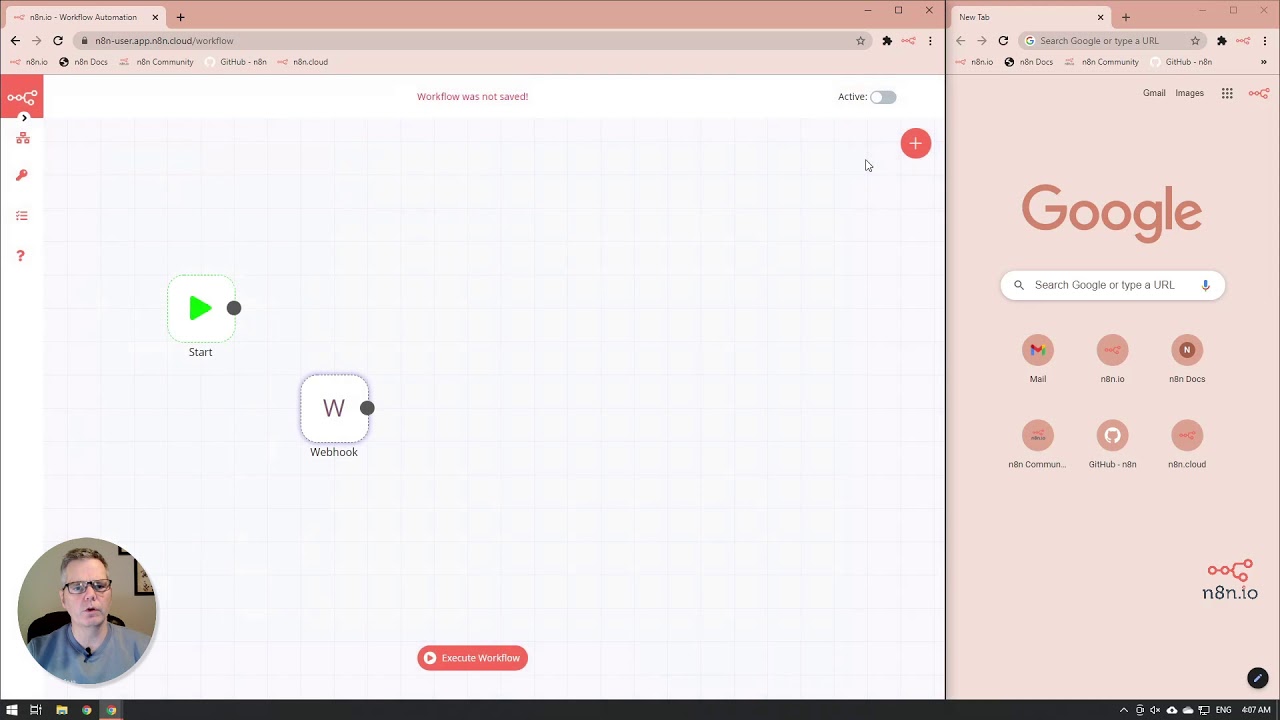
Webhook Introduction
1:47

Webhook Introduction

n8n 01.02.2021 14 299 просмотров 27 лайков

Machine-readable: Markdown · JSON API · Site index

Поделиться Telegram VK Бот
Транскрипт Скачать .md
Анализ с AI
Описание видео
An introduction to using n8n to create quick and easy webhooks so that applications and services can communicate with n8n in realtime! You will learn how to: - Set up a webhook - Test a webhook Resources: - n8n Website - https://n8n.io/ - n8n Documentation - https://docs.n8n.io/ - n8n Community - https://community.n8n.io/ - n8n Workflows - https://n8n.io/workflows/ - n8n Webhook Node - https://docs.n8n.io/nodes/n8n-nodes-base.webhook/ A Basic Introduction to Webhooks - https://markheath.net/post/basic-introduction-webhooks

Оглавление (3 сегментов)

Intro

in today's video we're going to show you how to create a web hook using naden to create a new node and under the trigger tab you will find the webhook node

Test URL

and you'll notice here that there's a section that says webhook urls when i expand that you'll see that there's a production and a test option we're going to use the test option right now i'm going to pause for a second here and talk a little bit about why we chose to use the test version of the webhook url rather than the production one when we are running in the test version the url will only be active for 120 seconds and it will allow you to see the data as it comes into the web hook in production it actually ends up going straight into the n8n system and it never will show up in the editor ui this way with using the test url we can actually see what's going on and get a sense for what we need to do anyway back to the video click on the

Save Workflow

url and it'll save it to your clipboard and then you want to close down the webhook node and save your workflow the reason we need to save the workflow is so that it registers the url otherwise the web hook itself will not so save the workflow and then from here we want to open up the web hook again and we're going to execute the node this allows the node itself to catch information in a different web browser while you paste in that url that you had captured earlier and you'll notice that on the right side it says that the workflow got started and that the web hook actually worked and we have all the information that was sent back thanks for joining us

Другие видео автора — n8n

Ctrl+V

Экстракт Знаний в Telegram

Экстракты и дистилляты из лучших YouTube-каналов — сразу после публикации.

Подписаться

Дайджест Экстрактов

Лучшие методички за неделю — каждый понедельник


