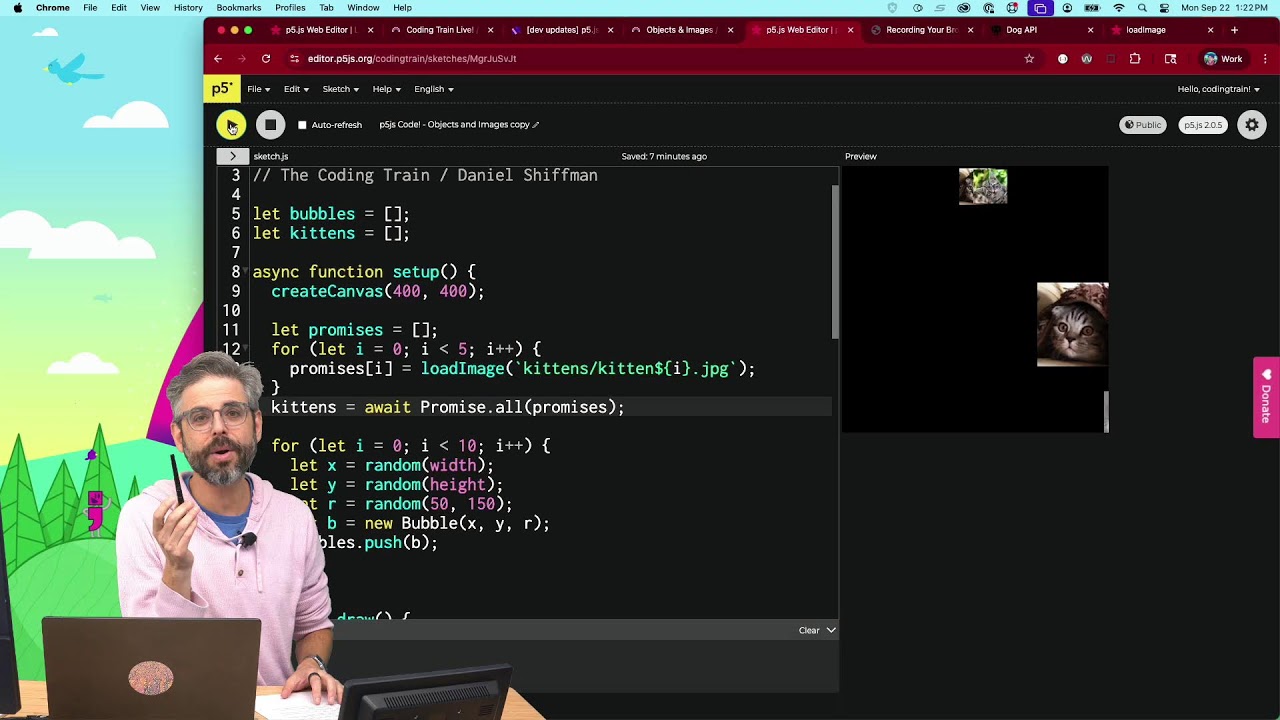
Thank you. Heat. Oh, hey there. Uh, I'm doing a quick audio check. Uh, as the counter times way down, the song's got a little bit more time. Um, I'm I have a having some technical issues that I am currently sorting out. Um
Segment 2 (05:00 - 10:00)
welcome everyone. Let me know if you can hear me, I guess, even if it's a little bit quiet over the audio. Great. Thank you, Darl. Who has been the first to tell me that you hear me. All right. Uh, yes, I'm live with my audio going with you seeing me. Little music in the background. Hi everybody. Forgot my tea or my coffee. I don't know which it is today. I was sick last week if you recall. Although maybe I wasn't really. So I was sick in the head during my Okay. Let's start over. Hi, I'm Dan. Welcome to the coding train, which at present time this fall is every Monday at approximately 10:30 a. m. Eastern. Ideally earlier than that, uh, but I have not been able to make that happen as of yet. Um, so, um, last week, this is the second stream of this fall season, back to school. I've got a lot of stuff that I'm teaching at my regular oldfashioned day job at New York University, ITP, Particer School of the Arts, but I'm here on Mondays separately to broadcast tutorials, knowledge, who knows what. There are bees flying around me again. I think there must be a nest. So, if you see a bee go across the screen, that is why. Um, so last week, if you perhaps recall, if you were here last week, I am sorry. Um, I Oh, and it's somebody's birthday in the chat. We don't know that this is true, but um I think according to Over the Box, everyone wish J Barbo Art a happy birthday. All right. Um, so last week I and I have a little test. I have so many things on my mind and I can't get them out in any orderly, methodical way. If you were here last week, let's move over to let's just see if everything's working here. Let's come over here. Um, and let me come to this screen here and see if you can see this. How's this looking? I didn't check the focus. Oh, I turned the um or anything, but looks like you can mostly see this. Um I have the other thing that I have here. I'm just going to test now. Let's see. I got a new pen, which supposedly when I Ah, yeah, look at that. So, I can switch to the eraser just by pressing a button on this pen. Okay. God, the bees are buzzing. Do you hear that? So last week the topic for last week's live stream was I don't know I guess I didn't write down that anywhere here was basian text classification and I attempted if you were here you experienced something quite challenging I where did it go I pressed a button oh it went to like the next slide like it made a new Oh made a new canvas no I don't want a new page. How do I go back? Oh, I go back like this. Oh, look at that. I made all these new pages with a button. I realize you can't really see this at all. Uh, I'll just come back over here. Oh, I wanted to make a new scene. I really can't. Let's just see. Ah, there we go. This is I wanted to add myself to this so I could talk to it. Okay, wait. Hold on. Can we please Can I start over? Let's start over. Let me play this song again. Oh, it's a whole minute long. Hi everyone, welcome to the coding train. My name is Dan, your host here on the coding train, which is the name of the channel that I just said. Uh, I have been on YouTube for over 10 years. And uh, in the last year or two, I have been mostly off
Segment 3 (10:00 - 15:00)
YouTube. And this fall, I am trying to come back. So, every Monday, I will be here live streaming. I'll pick a few topics. I'm going to go through a couple um uh tutorials and then uh wrap things up. And the other thing that you might be uh like to follow is if you're watching the live stream, things that I do during this live stream will be edited down and condensed into video uploads that will happen uh that will come out later this week. So today's topic if you're wondering I mean I have a list of multiple things I would like to do today but at a minimum what I will be covering today is how to load data how to load external things images sounds JSON files etc into p5 js 2. 0 0 with the keywords async and await and I've even prepared some notes to follow. So that could ideally I in my mind that's like a little 10-minute exploration but I'm sure I will explore it for a much longer period of time. So that is the main topic. The other topic that I hope to look at today is an introduction to the library transformers. js. Um, and I hope that will be a series. I have a series on my channel about ML5JS, which is a JavaScript library for machine learning. Transformers. js is a different library. ML5 is one that I've worked on and is specifically designed for p5. Transformers. js, I guess I will cover what it is um, and how to use it um, in an over as an overview today. and then the ideas this fall I might show you like oh let's look at this particular model and capability uh that I can access through transformers. js. So that's if I can get through those two things today. The other kind of critical thing that I would like to do um is I am and I don't know how to approach this to be honest. Um let me go here to tracks. So, if you are beginning to learn to code and you've never coded for hi, are you actually somebody who's never coded before and happen to be watching this live stream? Well, I have news for you. You could uh learn all Oh, you don't see what I'm showing you. You could see learn all of the basics. This is the coding train website and I have this No, this is the wrong one. Where is it? Here it is. Uh this here is a particular series. It's actually one long uh five and a half hour video that goes through all the fundamentals of learning to code with the processing programming environment. That's my newest latest probably in some ways most recommended beginner track on the coding train. However, the uh probably the more relevant one for most people if you are looking to learn JavaScript and work with p5 js is this particular track code programming with p5 js. So, and you'll see here on the track, uh, if I scroll down here, we've got, um, all sorts of different like, oh, you could learn about variables, and you could learn about, uh, shapes and drawing. And this is all in order to follow all these videos in sequence, and eventually you get down to learn object-oriented programming, all these old thumbnails with these bubble letters. But some of these, if I just like click down over here, like look at this. Who is this guy? This is I think from 2016. Uh, and this like is using like an editor for P5 that doesn't exist anymore. I did some weird some stuff in there that maybe doesn't make as much sense to teach it. So, there's so many outof-date videos in here. Um, and I would like to every week like replace at least one of them, but I'm I was a little bit stuck on I need to do the whole thing all from the beginning again. And then I felt like I couldn't even I didn't know how to get started with that. It felt overwhelming. So it might actually make sense for me to go and find uh like I think this is for example also quite old. Um and what I'm actually teaching in my class this week at NYU is the basics of functions. And I really don't like uh what I did in this video. If we could like just sort of scroll through it for a second. I think. Yeah, I have this weird video with this like object literal that I really don't Ah, so maybe I'll redo this one today. I don't know. And replace it. Uh, indeed. I think J Barbo Art uh confirms it is in fact their birthday. So, happy birthday. We should always be wishing people a happy birthday here on the coding train. Okay. Um, so, um, and let's address this
Segment 4 (15:00 - 20:00)
excellent question. And also, let me see. I was looking watching back last week, and these comments are like quite huge. They really don't need to be. So, hold on. Uh, let me fix this. Um, okay. So, I think this is still quite readable for you. Maybe this is a good placement of the comment. Okay. Why learn machine learning in JavaScript when you can do it in Python? I would say why do it in Python if you can? No, it's not. The reverse isn't really true. This is a great question. If you are interested in becoming a machine learning engineer and excuse me for a second here while I cough, I'm still getting over my co I muted my mic. Hopefully that helped. So I think the question is an important one and I would say and I I'm just going to continue my sentence here. If you want to become a machine learning engineer or uh develop do research in machine learning models and architectures you should be learning Python and you should be working and developing and experimenting with machine learning in Python. These are not mutually exclusive. Python is just not some I am not a machine learning engineer. I am not doing low-level uh machine learning AI research. I am exploring the applications of machine learning and in particular I'm client side. What can you do on your own consumer hardware and even in the browser? So it's just a component of the bigger picture of the field of research. And if you are looking to make animations and websites and installations, creative coding applications, if you will, then doing it in JavaScript and seeing what you can get to work with no. js in the browser, it's a valuable, important, and meaningful skill. It does not replace or erase the sort of fundamentals of Python being a primary programming language and environment for data science, machine learning. I'm trying to avoid saying AI, but AI. Uh, okay. So, that's really my answer there. There's, you know, there's so many excellent and I actually would like to do some videos on this channel. I over the summer learned how to use the hugging face transformers Python library to train my own uh LLM with only my own data. And so I would like to look at um a video about that. Maybe Matthew McConna would like to watch that live stream. Somebody get in touch. I'll build him his own personal LLM that he's apparently interested in. Uh, okay. Everyone keeps saying there. So, if you didn't catch I got to pull this up because I'm gonna have to pull up this. The other thing I would like to do is like sort of do a little commentary on things happening. Hold on. Uh, let me let's look at this. Let's watch this together. See, Matthew, because I haven't. Okay. Uh, all right. Let's look for this clip. Okay. Reddit is a safe place to be. Uh, oh, I don't know if you're going to be able to hear this audio. You won't. Okay, I know what I'm going to do. You're gonna have to hear it through my mic. Let's watch this clip together. Let's move this off the screen. We're going to We're 11 o'clock. I have to be doing my tutorials. The first half an hour is my waste of time. Let's listen to this. — I can upload. Hey, here's three books I've written. Here's my other favorite books. here's my favorite articles I've been cutting and pasting over the 10 years and log all that in — and here's all my journals whatever the people out and log all that in so I can ask it — first of all I love the phrase log all that in as if the data is logging in that's kind of a wonderful interesting turn of phrase there — based on that — right — and basically learn more about myself on — yeah so I think the thing I saw this clip being shared quite a bit around and the Um, the comment I saw the most was, "Oh, he's describing Notebook LM. " And if you don't know what Notebook LM is, it is a product from Google. Um, it is, uh, developed by or led by, at least the project is led by Steven Johnson, who's the author of the book Emergence, and many other wonderful books. I definitely recommend if you haven't read any of Stephen Johnson's books. I actually took a class from Stephen Johnson 20 plus years ago as a graduate student. Um, so Notebook LM is an example of what I would say is the highest level of context engineering. I wonder if I can just kind of pop in here. Um, so and let's try, for example, if I were to uh I don't want to go to the I wanted to try an example one. Um, where are the example ones? No, I don't want to I
Segment 5 (20:00 - 25:00)
I'm not prepared for this. I would like to cover notebook LM more. Uh, wait, how? Let's go back to here. Can I All right. Well, let's go to this one. So, this just shows the interface. So, essentially like what Matthew McConna is describing. If if uh Matthew, if that's the appropriate way to refer to him, uh Mr. McConnA, I think, is probably what he would like me to say, wanted to had all of his journals and books digitized and could save them as text documents or PDFs or some format, you know, diary, video diaries, audio notes, anything, any media, text, uh, audio, video or textbased content that you own or have access to the rights to use, you could load into this system. And essentially, you now have this chatbot that's powered by Google's Gemini model where you can ask questions, write prompts just like you might do with any chatbot system, but the responses you get should be using all of the knowledge from all of the data sources that you loaded. So, however, there is no model that has been trained on your data here. The model is still the giant big Gemini model that has been trained on some vast amount of data on the internet for which Google has not, you know, does not publish uh exactly what data it's used. All of that data then it's been fine-tuned reinforcement learning, you know, tuned to work to try to answer questions in a helpful way, to not harmful way. all of the things that are in the sort of discussion around these models today. Um, and when but if I were to ask a prompt like you know what does the color blue mean? All of these documents would be searched for discussions around the color blue and all of the various information the text and metadata around those areas where it could find stuff. I'm really doing a poor job of explaining this would be brought in. This is known as retrieval augmented generation which is essentially the idea is like I'm going to ask this model a question. But the model isn't going to only receive the question. It's going to receive the question along with all this other data from a knowledge base that is probably relevant to that question. I say probably because it's using all sorts of kind of heruristics and maybe something called an embedding search and all so all sorts of stuff. I I'm gonna off my off way off on and never neverland here on this road here. So, but all of the biases, the behavior of of and the style of the answers you get back are all still based on Gemini itself. Um whereas the knowledge is coming from here. So, I think this is an incred this can be an incredibly useful tool, but it's very different than saying, "No, I don't want you your big tech hands in my LLM. I want my own private little brain that was trained only on my data, which I think is a noble is a weird word to use here. I think is a meaningful goal. " the and but we're stuck in this catch 22 because the entire esse GPT5 claude etc. The entire reason these models work, sound like humans, appear to have some kind of intelligence, are able to put together a coherent sentence is because of the massive amount of data. And I you won't be able to with a with just one essay that I've written there's the transformer architecture is not going to be able to learn the sort of broader way to chat with a person um just from that one small piece of data. Um so uh and is there a sound issue? Some people are saying sound issue then no issue. All right. So, I think that's kind of the problem, but I do think it would be really interesting to trust all this. Let's see if anything else comes up here. — I'd like to — No, that's what I'm would like to do, which is sort of a glorified word document, — but it still would hold a lot more information than just, oh, can you find this term? I would be asking it and it would be responding to me on things that I've forgotten along the way. Load it with the information I'd like to load it with. — Right. — Yeah. Again, this really is Notebook LM or you know, a custom system. You
Segment 6 (25:00 - 30:00)
could you could build your own custom system like Notebook LM. — Yeah. — Maybe even like I was saying in this in the words of belief in the in the man I'm working to be, the man I want. Load it with that. Load it with my aspirational. — Well, it certainly could be done. — And then, — oh my goodness, I didn't realize this was a Joe Rogan interview. Okay. Uh — get and it's giving me answers going, "Oh, this is before. " — All right. I think we get the idea. I think I've talked about this enough. Oh, it's almost 11 o'clock, so we got to move on. The reason why this is fresh on my mind is uh one of the things I want to cover and we'll come back to this um uh I am interested in and I I got to put this off and come back to it, but one of the things I I'm am exploring this fall is looking at smaller language models that are open source and I mean really truly open source in more sensitive of the word than some of these models that you can download and use locally that are technically open weights. I like to talk about the difference between open source and open weights. And uh transformers. js I mentioned which is a library from a company called hugging face um is uh has released this collection of models called SM which I assume I was like thinking it must stand for small. What does it stand for? Um, Does anybody know? Could somebody tell me in the chat um but the point of what I um uh I'm looking for the specific quote here. Yeah. So, the reason why I'm interested in this is one these models are uh small and you can run them locally on your computer even in the browser like in p5. js. like I have an example where this model loads into p5 js and you can talk to it. It also is a fully open model open weights and they have published all of the training detail details including what data they use to train and what configuration. So there is nothing really sort of hidden here. uh something you might be interested to learn about. Um I think I my Google search is a little off here, but there's something called the Foundation Model Transparency Index, which is um a group at Stanford. I don't quote I might have some of the details here wrong. Uh it's a looks like it's a um they uh score every uh language model. I think mostly language models. Maybe they're doing other types of models as well. We can see here um May looks like May 2024 is maybe the last time. Is there a higher resolution image? There we go. Um and they score them based on a bunch of different uh categories of openness. For example, do they publish the weights of the model? training data? Uh do they publish the source code? I think Whoops. Um I uh here are all the um they publish their data. Do they publish the labor, the compute, the methods, the capabilities, risks many these are all the um the features I guess that they score for every one of these different systems. And I think it's interesting to look at um where you see uh different uh models that are from big tech companies and how they kind of rate on this transparency index. I assume if we put the small I don't know how to pronounce it small slang for small slang small open language model um it would be somewhere up near the top. Okay. So I got to get started with my tutorials here. I'm just kind of talking about stuff. Um and we're going to come back to hugging face and notebook LM. Maybe I'm going to do this. Oh, this is a issue. Ah, okay. Hold on. Hasn't gone to sleep. I just got to keep my eye here um on my whiteboard. I have an issue. So, all right. So, last week, let's talk about last week. So, let's go to YouTube coding train and let's have a little recap here. Look, I'm live right now. People are watching me. Whoa, a lot of people joined. This is great. I gotta Okay, time subject to change. Well, no, it's happening now. Okay, let's go to live. So, if you are and look at the thumbnail is now Matthew McConna. Okay, if you were here last week, uh the live stream I just labeled it after the fact as a train wreck, which is a label I use when a stream kind of goes off the rails and I have a lot of trouble with the code. technical difficulties. Uh I redo things multiple times. uh pretty I would say somewhat unwatchable at
Segment 7 (30:00 - 35:00)
least in the archive maybe if you were here during it. It was an enjoyable experience in the moment. Uh I did get some fairly harsh but good constructive feedback in some of the comments here. Um I have so one of the goals that I have with this new system is that as I mentioned I'm able to record separately what I'm drawing on the whiteboard. I'm able to record what you're seeing on the laptop. am able to record just me talking to the camera as well as like all the pieces. So, while I'm streaming, all of the pieces of this recording are being recorded to a Mac Studio computer. Last week, that recording failed in the middle. And I believe it failed because this thing goes to sleep after about 20 minutes. Nope. Uh and uh the green the other camera failed too because the battery died. So when if any of these cameras kind of like shut off, the recording system just stops. So I need to keep my eye on that today uh to notice if this has gone to sleep or if the green screen camera has failed. I'm just sort of looking at my monitor over there, which is why I'm looking over there. I should be talking to you. Um because the point of this is to be able to reassemble the pieces afterwards to make something a little bit more coherent than whatever happens in the live stream. That's point number one. Now, um, so I have actually, not me, because Mata, who does the editing for the coding train, has actually taken last week's live stream and made currently a one-hour video out of it. I'm going to release it. I mean, I'm almost I'm like 95% sure I'm going to release it because first of all, he put a ton of work into it. I recorded some corrections of things that I got wrong um already. Um but and yes, one of the cameras overheated says Mark in the chat. Um over the box, this is a great comment says, and I lost my mouse here. so, uh there's so many good questions here. So, I got to address them. So, first, uh I would say this is true. Wouldn't call it enjoyable. Let's just say we all got through it together. Uh, and um, Mark says, "Uh, you can't adjust the sleep mode on that screen. " Yeah, I can, but guess what? I can't. So, for whatever reason, I signed into my NYU account on that screen, and it is now managed by NYU, and I don't have like admin privileges, and that wasn't a setting I could change. So, I've emailed an IT person to see if I could fix that. I might factory reset it, but I actually couldn't. I just I spent like a half an hour this morning trying to figure that out. Um, uh, Bruno is asking something. Yeah, I would like to make a video about how to make a blue sky bot. I have too many things I want to do and I'm my time management leaves a little bit to be desired with these live streams. So, that that's a great question. All right, let me move on here. So, um, this the goal, as I mentioned, is for there to be very little post-prouction in the videos that get released from the live streams. So, they should be just rolling out. Oh, by the time like by next Monday, everything I do today should be out. This one was quite complicated. It's mostly done, but I think I'm going to give it some time. And what I'll say is um if you are a member of the coding train, um meaning you support through the and this is another thing I need to talk about because I I don't think I have the capacity to mail out the stickers this year, but I maybe I can figure that's a separate topic. Uh but um I've been sharing previews of it. So one thing that's a little perk if people want to join or support the channel in that way. But also if you have some expertise or uh knowledge around basian text classification and might want to help like sort of review and check the video for errors. Um you know reach out to me in the discord the codingrain. com I think. Well I'll just show this right now. If I go to the codingrain. comisord, uh this will just take you to this page where you can uh join the server. Um there's information in there about the rules of the server. You can introduce yourself. It's a little bit it's a um it's not the most active server these days, but I'm trying to mention every week and be more active in there myself and kind of and grow that community. Okay, so stay tuned. Um that's coming. And I had some corrections. I was maybe going to try to record from the whiteboard, but who knows? All right, so let's get ready to start some tutorialing today. That's definitely a verb. Let me see if I got a response uh from it. Not yet. Oh, but the um the other thing I was going to say is I found so the system I'm using to do this uh recording is called eCam and it does
Segment 8 (35:00 - 40:00)
say uh during a recording you may wish to end the current recording and start a new recording. So there is this start new recording button and so I feel like if something if I get that error message or if I notice it went to sleep and I didn't catch it in time maybe I could start a new recording. So, keep your You can't really see all the things I can see, but maybe you can help remind me about this. All right. Um, I just wanted to check one thing. If you'll hold talk amongst yourself for a second. Today is Yeah. So, no folder shows up yet while it's recording. I just have to assume that it's recording. What are the options? Like, can I pause and restart? What if I hit start new recording now? See, I'm afraid I'm going to break the whole thing. Can I can't even pause. I can only end the live session. I can't pause don't know what to do. But the recording Let me just double check that the recording settings were on. Uh, preferences recording record all broadcasts. A B C and A is laptop, B is green screen, C is the vibe board. Okay, I'm just going to have to assume that it's working and um we'll do I'm gonna do my best. All right. Okay, everyone. Let's take a minute here to um come over here. So, I want to make a new uh canvas, a blank one, an infinite canvas. Uh let's give it a name. Uh rename. This is going to be P five. Bothers me to have an uppercase P. Why can't I make it lowercase? Oh, there we go. P five 2. Okay. P52 canvas. Um, All right. So, let's talk about how I envision this for a moment. And also, let me get an image. Shoot. Uh, what's a good Hold on. Let's I think this is a little bit silly what I'm going to do. But no sliding puzzle game. No. Didn't I do a slide puzzle with Choo Choobbot? How come there is no What's the coding challenge? These are things I really should do before. Yeah. Well, this one. How does that not show up? Uh, slide. I'm just looking to get an image. Uh, and this is going to be the easiest way for me to get this image. Uh, I guess I'm going to download this. It's insane what I'm doing here, but I'm going to do it anyway. Uh, and then now, okay, great. So, I have an image. I need a I need something to load. Um, so let me uh Whoops. Uh, loading image and let's switch this to P51. Uh, upload sorry upload file. And I'm going to add Great. And then I'm also going to
Segment 9 (40:00 - 45:00)
I'm just setting myself up for the tutorial. Move this over, but this is going to be commented out right now. Okay. You know what? I think maybe I don't want this in there. I'll have to like type that in because it's going to look messy. Okay. Just checking out the Oh. Oh, sorry. Sorry everybody. Uh, okay. Don't worry, you didn't miss much. I was just typing all this in and loading that image. It's all got recorded, but we I don't need that part. Okay. So, the way I'm going to do this, I believe, is I'm going to make I'm imagining two videos on the channel. And I don't I want these live streams to be sort of organic and watchable on their own. So I'm sorry for the amount of meta commentary about recording a video because the whole point is like you could just watch the live stream and learn this. But I have to think this through a little bit because I think it would be most useful to point people towards um here's a video if you're already a p5 user um who knows how to load things with p51 as well as here's a video for if you're just new to p5 and trying to learn how to load things into it right and it's in the future and you're just using p52. So, what I'm going to do there's I'm going to do some stuff redundantly. Um, and I'm sorry, I have to cough again. I'm going to do some stuff redundantly. I'm going to start by looking at Yeah, I think explaining how what's changed and how to do it now and then I'll stop and I'll do another video that just starts from the beginning without anything about p5 1. 0 explains how to load stuff but then goes to and here's what I'm going to make a list of. So I need to load one thing. Then I need to look at loading. Loading things in sequence. loading with a progress bar. And then at the very end I might look at something called promise. all. all which is really not part of P5 but I think would be useful to look at. Can anybody think of anything I'm missing there? Right. Again, this is a generic video that's going to show you really like how to load an image into p5. And by the way, this in with the new syntax that this isn't um with p5. And by the way, if you are you're if you're a teacher, you're in the US, you're probably not watching this right now because you're busy at school. Um but um if you are in uh I this to me is like what I one of the things I would like to be on the coding train is a helpful resource to teachers who are overwhelmed and really busy and using p5 in their curriculum and need to be like wait what is it what do I need to know how to do? Um, so, uh, I want to make a video that just helps people with that smooth that transition because async and awake can be a little bit scary, but I've been thinking about it and playing with it. I think it's like a really good thing to move towards. So, um, okay. So, does anybody think of anything I might be missing? Um, loading one thing, loading multiple things, uh, and figuring out make sure the order of them is being loaded correctly. um lo loading things where the draw loop can start so you can start animating while you're waiting for stuff to load. Um and then promise. all which is just like a slightly more efficient way of loading a sequence of things. I think that's it. Okay. All right. Um so I think I'm ready. All files from folder with a certain type. So Derek, this is a great question. This is beyond uh how about loading all files from folder with a certain type. That unfortunately is beyond the scope of what I uh would do.
Segment 10 (45:00 - 50:00)
That's a great topic for like another video, but it's beyond the scope of this because it's not really realistic to do that um in an easy obvious way with the p5 web editor. Um but I do like that idea. Okay. All right. The other thing that I want to mention to start with is here. Okay. So, I think I'm ready. Oh, wait. I'm going to try this. I'm going to click add marker. I don't know what that just did, but I pressed this button, add marker, which is something that's part of the eCam and my stream deck system, which in theory would tell Matia like this is where to look for like where to pull your thing out. Okay. All right. Um, by the way, I have slow mode on uh in the chat for five seconds, and that's something I've just had historically. The live streams used to have many more people watching them. Um, yeah, I'll talk about the uh compatibility. So, hold on. Let me make so P5 one how to change version. Then I'm going to talk about the compatibility add-on and then the new async and await. Okay, thank you. Um okay, so here we go. Yeah. And uh I didn't mean to imply that Matthew McConna didn't know what he was talking about. Actually, I think it was I mean I just watched a short clip. I mean uh I imagine he's thought a lot about this and there's some nice comments about his uh background and experience and understanding and uh etc. So um yeah, get in touch. Let's uh let's talk about opensource LLMs customized to your own personal body of work. Okay. Um here we go. I don't know if this match you later. makes sense to actually show on screen, but I've got it here uh for my own personal reference, which is fine. All right, let's let's do this. And remember, even though I imagine that in the future, the primary way people will be watching what I'm doing right now is in the edited version that comes out as a separate video on the channel. I would like to prioritize you, the live audience, and not record this in a way where I have to like get it perfect and I'm like trying to do a script and stopping and starting and all that stuff. Okay. Uh, web dev story asked, "Are you going to talk about the reasoning for the new changes features? " Um, not really. I am um very happily not involved. I mean, I I was an adviser to P52, so I shouldn't I guess like minimize my involvement in helping to answer questions and offer advice, but I see my role as not making the decisions for P5 and as helping to support the project and teach people about how to use it with however the API is. Um, so I can certainly speculate and talk about why I think it's a good idea and um I'm happy to answer questions about that. Maybe let me come back to that afterwards a little bit. I can offer some more commentary. Um but yeah. Okay. Um All right. Okay. Right. Everything is still just going to like touch my whiteboard there for a second. So match I hope this is all recording but you know it's fine. All right. Okay. Hi everyone. This is the first video that I'm making that I've making. See don't restart. You should just have to keep this in there because I'm not allowed to restart. That was within the first sentence. No restarting. I also like Okay. It's 11:20 already. I'm gonna That's fine. Hi everyone. This is the first video that I'm making uh in a series about P5GS 2. 0. What? Did you know there's a p5 2. 0? Now, don't worry. Uh if you are in the p5 editor, which I currently am, this is an example I'm going to talk about. you know, you if you don't know what version you're using, good news for you. The P5 web editor now has this lovely little I don't know, call this
Segment 11 (50:00 - 55:00)
chip up in the top right that shows you the P5 version. So, in a minute, I'm going to click on this, which will allow me to change the version. But I just want to talk about like as far as I know where we are in the picture of the transition from P51 to two. And by the way, this video is going to tackle probably one of the bigger topics and question marks around P52 is like, "Oh my goodness, I have to use async and await now. I'm going to make it not scary for you and make it fun and interesting and hopefully by the end of this video be like, oh, that makes sense. I'm excited to use async and await. " That's my goal. Uh, but let me show you if if you if you've never heard of p5 2. 0, let me talk to you a little bit about that so you can get some background. So, um I recently did a live stream with the current um P5 lead, uh Kit Kenok. Uh that's a couple hours long and they did a wonderful presentation about in particular the variable font weight and talked about P52. Um that's on my channel on the coding train website, link in the description. Um but if you're on this page, I think the thing to focus on here is under references. So the P5 2. 0 0 reference if you're looking for that currently at the present time uh at the time of this recording which is September 2025 is at beta. p5js. org. So if you're just on the regular p5js website you'll still be looking at the documentation for uh p51. Um and then you can also find some of these nice posts. There's a discourse thread, a GitHub issue. there are discussions and um you know an organized catalog of all the new stuff that's happening in p5 2. 0. The main thing I think you want to focus on let me click on this one which is the you are here. Um this is where we are. Uh we're somewhere in between. Well when this image was made you were here but we're somewhere in here now. So p5 2. 0 has been released and that is why I'm starting to make videos about it and how to use it. Um, but the switch to it as the default will not happen till next summer. So, I'm hoping this video there will be enough. By the way, you could also just go straight to my other video that's going to follow this one which is going to just go through how to load data into p5 with the 2. 0 um async and08 keywords and I'm going to go through a lot of examples there. here. This video is about the transition from 1. 0 to 2. 0. So, if you're a teacher or a student who's used to P51 and wants to understand what's changing to anticipate it when if and when you go and use it. Um, and I think if I were you, if I were a teacher, I would plan to try to make that transition for next academic year. I'm doing it now because I like to experiment and try it early. But, you know, you might already have all your curriculum materials and a lot of my if you're using my videos, they don't have a lot of the new stuff in them yet. I'm going to be re-recording them a lot over the course of this year. So, that by next fall, my goal is by next fall, somebody please keep me accountable and like bug me about this constantly in a friendly nice way on the internet. I hope to have a whole new set of learn the basics of p5 as a total beginner all using p5 2. 0. And again, almost nothing has changed for the beginner and the end user of P5, but there there are some things and I would like the tutorials to look shiny and new. And anyway, I'm talking too much. Let me get to the important stuff. So, you want to know uh um so read and there's more about the timeline and all the stuff that's changing in this post. I encourage you to read it. I forgot there can be editing though, so I can pause and take a break for a minute. That's the good thing about doing this live. Okay. All right. So, okay. So, first things first, if you want to switch one of your sketches to P52, you, as I mentioned before, I can go over here to the corner. I can click this, and I have this new modal window, and it's going to show me a bunch of things. The most important thing here is the P5 version. So, I'm going to click this, and I'm going to change it to whatever the latest 2. 0 release is. By the way, I don't want to make this video too long, but I might as well mention, did you know that this is called semantic versioning, and it has to do with these numbers are like major, minor, and patch. I think those are the right terms. Major means it's new and things are breaking potentially. That's the transition. That's the big transition. We're going from one to two. If you see a 2. 1 or a 2. 2, two, then some things might have been added, new features
Segment 12 (55:00 - 60:00)
bigger updates, but nothing has changed or broken in terms of the bigger picture of the uh reference and the API. I'm using like terms I don't necessarily want to use here, but um but the last numbers are batch. So, if you see like 2. 0. 6, it means a very small like bug or a little thing has changed. So, if you're watching this video and you're 2 anything, it should apply. Uh, and again, this video is about making the transition. And later I'll also have videos that are just about like we don't even remember one. We're just doing the 2. 0 stuff. So, I'm going to switch it. Look at that beautiful animation. The other thing I should point out is this is not magic, right? The version of p5 that you're using is specified here in index. html and you can see it here. It's being hosted on a cloud server and the version is noted here. So, I could just change the version manually, which is how I always used to do it. Let me hit save. Look at that. And this even auto detected that I did that, which is kind of awesome. But this, what this does is it changes automatically, which I think is a nice uh feature. You can see now I'm at 2. 0. So, if I were to run this sketch now, it doesn't work. It doesn't work because the way you load images has changed. And I'm going to show you how to fix that. Sorry, I'm keeping my eye on the chat while doing this. However, if you just want to be using 2. 0 for some of the other features or aspects, but don't want to rewrite your loading code, you have another option. Right now, I'm going to go back to this and look at this. There is the P5 1. x compatibility add-on library. So, if I click this to on, and there's other compatibility libraries for other things that I'm going to look at in future videos, but if I click this to on, now this sketch runs again. I'm using p5 2. 0, you know, but I have added and you'll see it here. Where is it? Oh, I guess I'm going to just scroll it. I've added it and you'll see it here. It is loading a special compatibility library. But let's take that off and let's get this working. Okay. Oh, and by the way, this should have a glo this example the whole time should have a global variable declared at the top. I'm trying to think of what I want to do, how I want to do. want to go to the whiteboard yet? Oh, the lawnmowing is starting. So, we're going to have some sound issues shortly, but that's okay. Uh, hasn't come too close yet. I don't think it Okay. Oh, I have to switch the now. Okay. And I'm really going to take off the 0. 0's here because the version could be anything. We're talking about anything that's 1. x or 2. x. the two ways to load and okay, the other thing I want to say is this applies to anything that you might be loading. I'm going to use images just for right now. Can I do that again? Because I forgot what I was just like no auto. And this applies to any kind of data that you might be loading with load image, load strings, load table, load JSON, etc. But I'm just going to show you load image only. Right now the two ways to load data with p51 are using preload
Segment 13 (60:00 - 65:00)
and two is using a call back. The whole point of preload is that sort of whenever I come to the whiteboard is where I start to just like my thoughts start to want. You know what it is? It's not the whiteboard. It's the lawn mower. Got to reschedu the mower. I forgot to do that this week. Ah, and I keep pressing the this fancy stylus is great, but I keep pressing the buttons on it like accidentally and it's like going to like new I can go oh I but I can press the buttons to go back and forth. That's cool actually. So I could do pages. And All right. And the only way to load data with P5 2. 0, and it's good that there's only one way. It's one way that's very flexible, and that's what I'm going to show you, is with something called a promise. Okay. Ah. Why? the reason. Oh, maybe this isn't where I want to start. Sorry, the lawnmower is I'll just check the chat for a second. I'm thinking about how to talk about this in the most coherent way. Okay, I know what I'm I know what I've got now. Okay, let's talk about first why preload might exist. exists in the first place. So in setup I might have code like create canvas. I might set some properties of variables. I might load an image. I might set some property of a variable. I'm like, maybe I want to initialize a variable W based off of I guess it doesn't make any sense what I'm doing. Remember how I said I wasn't going to stop and start? I blame the mowing. Listen how loud that is. They're going to finish soon. It's just like right around here. Um Okay. Yeah. Do you hear it or it's so loud for me? I think last week people told me it was faint. Um, I'm going to, you know, set uh some variable values. Maybe I want to draw a circle. I keep pressing the buttons by accident. You know, I think this direction doesn't make sense. I want to talk about what it means to something to be asynchronous. Okay
Segment 14 (65:00 - 70:00)
try this again. set a marker. Let's talk about why preload exists in the first place. Let's say I've got some variable that's going to be holding the image that I want to load and I have setup. So I what do I do in setup? I create a canvas. Maybe I set some variables, other variables, etc. Maybe I draw something. Um, maybe I load that image. And then oh maybe I have a variable that I want to be equal to the width of that image. This would be very reasonable normal code for you to write. So we're writing this code in JavaScript. So if we're in JavaScript, we have to ask the question, is this line of code, is this call to this function synchronous or asynchronous? synchronous asynchronous What do those terms mean? Synchronous means the task, all of the code, all the instructions for pressing that but pressing the button by accident too many times. I had to practice this better. Synchronous means all of the instructions, all of the work that needs to be done to create the canvas will be completed before moving on to the next line of code. Asynchronous means a process is going to start to perform the action of this function load image asynchronously separately as a side project happening in parallel but this code is going to continue. Now why do we have this distinction and why are some things synchronous or asynchronous? Well, there is not some I was say higher power but that doesn't make any sense. What functions in a particular library are synchronous versus asynchronous is not a pre- pre-ordained thing. It is uh I guess that's the right way to say it without too much religious overtones. which ones of which function which line of code whether it's coming from native JavaScript or p5 js is synchronous or asynchronous this is not some sort of pre-ordained thing it that the these things are asynchronous or synchronous based on the decisions of the designers of the p5 library language the specification for JavaScript have made and they've made them for good reason if the thing can be executed super fast and there's no reason to I'm so tired. Teaching this stuff is hard and I should just I got trapped in my um own thoughts there for a second. Okay, we're gonna I'm gonna get back into this and finish this video. I'm making this so long. This is a problem I have. I overexlain everything. But it's fine. This is interest. This is this is learning. You are learning. I am teaching. Okay. Which ones of these are synchronous or asynchronous? It's not some kind of like pre-ordained thing. you know the decisions like the designers of the p5 library, the designers and architects of the JavaScript programming language and
Segment 15 (70:00 - 75:00)
its specification for browsers are making decisions about what functions what parts of the API should be synchronous or asynchronous. And if something like loading an image has to go and make a network call and then wait for that then collect some data. If it takes a really long time, you don't want to block the code from running and have a system freeze up. So it is set up to be asynchronous. The problem is this creates for some awkwardness because what if what I want to do is get the width of this image and use it in the next line of code. This is why preload exists in p5 to simplify the question. just remove the variable declaration even though we do need it. If the go if we need to access use the image in setup, we can have a separate event that loads the image and guarantees that it is finished loading. all of the data is inside this variable before setup even happens itself. This is how p5 handles load. Um, this is the way that P51 allows you to this is the primary way to load external data into P51. Have a preload event, if you will, where everything is loaded and setup is guaranteed not to start until that's finished. And we can use all of the data that we loaded in preload in anything in setup. Okay. That is the preload method of P51. So how is that replaced with this concept of a promise? I don't know if I should be using the whiteboard here, but anyway, I'm I'm doing it. Okay. My handwriting is terrible. Let me actually if I'm just gonna like have Machia speed up me writing this stuff out so I can explain it, I might as well do it slower and more neatly. Okay. All right. Let's look at Okay. Well, I think I already said that. Here we go. Well, that's so much neater than last time.
Segment 16 (75:00 - 80:00)
Okay, JavaScript has this concept of something called a promise. Promises in JavaScript have been around for quite a long time. And in fact, I have a whole series of videos that go through the details of what a promise is and how to work with promises natively, how to use the callback, function and all sorts of like low and stop restarting my explanation. I have a whole set of videos about the lower level details about how promises work and how you can write your own code use making use of them in JavaScript. But those details aren't actually important for the context here. The only thing important for you to realize is that in the new p5 2. 0 know instead of load image actually loading the image and putting it in the variable itself what the load image function actually does is return this thing called a promise what are I made some notes here pending fulfilled rejected like right a promise is an object that can exist in three states. Pending, fulfilled, or rejected. when you call load image, this promise gets put into the image variable in its pending state. So if I wanted to do some kind of more uh elaborate I don't want to talk about this. Okay, see this is too much information. I should do the TLDDR version of this. I do that as like a short. I'm really in my own head here. Um it's hard obviously being on the whiteboard without seeing the chat. I also hopefully let me just make sure there's no like horrible thing going on. Okay. Yeah. No, no like crazy uh Okay. So, let's see here. Um, so you might be wondering, oh, I got to write some more code to like check if it's pending and then I need like a call back for when it's fulfilled and I have to catch the error if it's rejected. All this is true again if you are working with the lower level details of handling promises. But the beautiful thing about the new syntax, it's not what JavaScript allows you to do with promises and what now p5 allows you to do is that you could just any function that returns a promise. Basically, that promise is at some point in the future, I will have the data for you that you're waiting for. That's what the promise says. And with the keyword await, if you add this keyword here, what that means is this line of code will wait for the promise to be fulfilled before it goes on to the next line. So this is actually the entire story in essence, which is that you no longer need a separate preload function to make sure the data is loaded before you get to setup because there's no way to sit and wait during setup for the data to be loaded. Now there is a way for this code to essentially act as if it's synchronous. This is now like a synchronous line of code. It will not go to the next line until the data has been finished loading. However, one more step here. If a function like this setup function uses the await keyword to stop lines of code essentially from moving on until a promise has been fulfilled, you need to in advance tell JavaScript that this function is handling asynchronous events. And so a modifier for the function has
Segment 17 (80:00 - 85:00)
to be involved. async. So, you need to Oh, that's not the green I wanted to Can I undo? How do I undo? Oh, here it is. So to load, so for these loading functions to be inside of setup, you need to make sure you proceed them with the await keyword and that you modify the setup function with the async keyword. Whoops. Just do this for a second here. Okay. So, let's make those changes to this sketch. I'm just going to move this into setup. I'm going to delete preload. I'm going to add a wait here and I'm going to And this is giving me that clue, right? Missing semicolon. There's no missing semicolon. This is strange. I don't know why I'm getting this um error message. I'd have to think about that. Maybe that'll get fixed sometime in the future. But what's missing is the async modifier. And now the sketch works again. So I'm talking I'm doing this in a live stream right now and the question just came up. Why the change here? Uh the whole idea is for P5. So the chat is discussing I'm recording this right now during a live stream and the chat is asking why the change and I think it's an interesting I'm trying to think of like a way I want to talk about this and we can decide I can decide whether it makes sense to keep it in the video or not. So I'm recording this during a live stream right now. I'm getting the question why this change. I think preload served its purpose and this is me talking here. my point of view. I think maybe I won't um this doesn't make sense to include in the video, but let me talk about it right now. If you one of the things about P5 is it is a friendly place for you to both explore the fundamentals of programming and express yourself through code draw um all the things that we love about P5 all the things and it has all the things that I love about P5 and creative explore. See I still think like I'm recording a video I got to stop and start. Um, but I just like talking. P5 is a wonderful is a place for beginners and simplifies a lot of things for you. And preload is one of those things. It kind of allows you to just, oh, I could just have this separate function to load stuff. I don't have to worry about all these things. However, the way that if you're learning JavaScript and you're learning JavaScript through p5, there is no escaping the sort of the essential nature of asynchronous events and JavaScript. And the way that works now in modern JavaScript is with async and await. So you if you only ever used P5 ever and never like escaped the boundaries of it in any way whatsoever. Um I just think it's a night it's a good uh way I guess I think it makes sense in the that it's like giving you the sort of foundational knowledge to be able to move uh past P5 if and when you need to. Anyway, I couldn't say that too coherently now. I won't I'll have to think about that more. But that's that to me I think is kind of important. It's, you know, P5 on some level needs to and you should go and read the threads because I think there's more interesting discussion about that than I'm able to say. But to me, like I and in all of my classes that I've taught at NYU, eventually at some point I'm like, "Okay, well now I need to teach you about async and await. " And then I have to like it's totally different than how P5 works. So it's if you're learning that through P5 itself, you'll it'll sort of help you um use other libraries and other parts of JavaScript. Okay. All right. Um
Segment 18 (85:00 - 90:00)
now let me show you one of the most important gotchas because I think this is a thing that if you're a teacher, your students are going to have this issue. If you're a student, you're I see it all the time. It's if I forget the async keyword, no big deal. It's going to kind of give me this nice error message saying await is only valid in async functions. So that's like a reminder. Oh, I need to put the async keyword. But what's more common, and I do this all the time, is to forget the await keyword now. Oh, look at this. Well, look at this. So, this you would not see in normal JavaScript. This is one of the reasons why we love P5. It was smart enough. And it a it says here, oh, did you mean to put a wait before a loading function? An unexpected promise was found. If we scroll up, we can see there's some other un, you know, incomprehensible kind of like error stuff. Guess. Oh, I see. If I put this on just out of curiosity, I'm just curious exploring this right now. Ah, okay. You know, this is a good chance, excuse for me to show you like if we didn't have the p5 friendly error system, what error would come up? I can actually change from referencing the P5 library, which is the um I don't know if this is worth showing, but I think I'm going to do it. Uh, you know, I'm probably covering too much in this video, but you can actually change your reference to the p5 library with p5. min. js. That's referencing the minified version of the library. It's essentially like a JavaScript library. I might as well show this to you now. If I take this URL and I put it in here, this is the entire p5 library. All of the code, this is not minified. It's the literal like long format code with all the comments and all the information. If I were to change this to p5 min, look at this. This is also the p5 library, but it's minified. meaning all of the comments in the library, all the longer variable names. This is an automated process that reduces the file size of the library. This is good for if you're releasing a project onto the web for millions of people around the world to use. You want them to like have load the smaller versions of the libraries. How um so general best practice is to use minified versions of JavaScript libraries. What this means in p5 is if I switch manually in index. html to the minified version of the library, the friendly errors will no longer come up. So this is the error I would get. I would only see now it can't draw the image. Why event? Because the process for loading the image started separately off to the side and then draw went and happened. It didn't wait to load the image before it tried to draw. Look at now. log image. Look at that. We now see what's actually in that variable is a We don't want a pending promise. We want the fulfilled promise. So, we just need to await for that promise to be fulfilled. Tada. O I'm think by Okay. Um All right. I'm going to, you know, we're going to figure out what to include. I'm just like learning how to do this again. All right. So, um, this is an interesting that's this is a good question. Why doesn't the minified version not have the help message? Shouldn't the minified and non-minified code result in the same behavior?
Segment 19 (90:00 - 95:00)
Yes, but that's just a nice con um that it could be the case, but I think P5 has made that decision because like if again if you're running a um a sketch like in production, like it's released onto a web, you don't want all the extra console friendly error messages. Like the friendly error messages are just for your development purposes and using the full non-minified library is just for your development purposes. So, it's just a clean way of being able to enable it and disable it. Uh, yeah, my internet is bad. Okay, while they're waiting for me, I think that whole explanation of minified is too much. So, what I'm going to do is just record this and I think you'll be able to splice this in. Just for your edification, I behind the scenes disabled the friendly error system. And you can see this is the error you would get if you forget the await keyword. It's going to try to draw that image. It's going to start the loading process. Immediately go to draw. The image is not loading yet because we didn't wait for it. And it can't draw anything that hasn't been loaded yet. This is, and I guess you might be able to use what you had before, but I guess I'll just come. This is why Oh, and if I add a console log here, what we'll see is aha, it's a pending promise. I don't want a pending promise. A pending promise is not something I can draw. I want a fulfilled promise. So I will add back in the await keyword. And we can see now it's waited to finish loading. It logged the image. Right? This is the image object that we're seeing here. And now it's drawing the image again. Okay, I'm back. I re-recorded that without the minif re-record. I redid that without the minifying thing because I think that that's interesting for those of you watching now, but not. Okay. back to oh the whiteboard. Okay, hold on a second here. Okay. Uh oh, wait. I'm here. Now, there is one more thing though that we have to ask. What if you actually wanted draw to start immediately? What if Choo Choobbot that image was 100 megabytes and I wanted to show a loading bar happening in draw while I'm waiting to load the image and then the image appears once it's loaded back. Let's look at how that works.
Segment 20 (95:00 - 100:00)
in p51 I can call load image not setting the result back to any variable. I could just start the process of loading an image and give it a name of a method that will be executed when the image is finished loading. So this is very much like the Oops. This is the epitome of asynchronous code. We start a process, the code continues, and then we write a function. That name has to match. When the image is loaded, it comes in the argument to the function. The image data is there in this variable data and I can set it equal. I can set image equal to that data. So this is the asynchronous way without preload. I declare a variable. I start the process in setup. Now draw immediately starts. So draw is going and then at some point the image is loading. Draw pauses for a second. The call back happens. The data comes in. The variable is set. So in draw what would I want to do? Since draw has already started, I have to do my own check. I have to check and see does the image exist already. Um in JavaScript, any variable can be interpreted as true or false. And the variable image is in is initially undefined and it doesn't get defined until it's set equal to the data that comes in. So this will evaluate to false while it's undefined and then eventually when the data comes in draw is looping it will not be false and it will draw it. I could put an else and draw a loading bar etc. So this is the methodology for doing that. the call back pattern and this is still um this is the methodology for doing that. Okay. So, hold on. I duplicated this sketch. Let me put it this code in there. Let's switch this to 1. 0. Okay. So this is that code for 1. 0 but without the if statement. So if I run it, it's giving me an error. Just make sure. Oh, it's got the min version. That's fine. If I run it, it's giving me an error that it cannot draw this undefined image because remember it went straight from line five to draw
Segment 21 (100:00 - 105:00)
which begun. It went straight from line fi. five to the draw loop. And then But the callback hasn't happened yet. So I can add my if statement. And there we go. Let me make a red background here. Let's see if we see that red background. just for a blip before the image loads. There we did. A better way to write this might be with an else. And this could be an animation. I could make, you know, a spinning wheel that says loading. Okay, now this is really where async and await shines and I think is one of the main reasons why it makes sense for P5 to switch over to async and a wait because and I'm going to do this in that next video that uh you might choose to watch. I'm going to show you this issue. I'm not going to sorry. So you might be thinking, well, this is fine. Why? This is a good pattern. Why not just do it this way? Why switch over to async and await? So even though this looks good and callbacks have their place and and are useful, a useful tool in programming with asynchronous events. What if what you were loading was not the image, but you were asking some other service to give you the URL for an image? Then when you got that URL from that service, you then need to ask for the image. If you want to sequence two things happening in a row, this is what's known as call back help. You would first load the image, which would then initialize this call back. You would first load the image, which then at some point would trigger this call back. And then inside of this call back, I'd have to write some code that calls another line that has another call back. And then I put the call back somewhere else. And if I want to have three things in a row, four sequence stuff, it becomes a nightmare. So async and await, as you'll see in the next video where I go through more scenarios, makes that really nice and simple and easy. But what I'm doing right now is just showing you the transition. How do you go from this call back to async and a wait? I'm trying to figure out how to explain this. Okay, actually, let me go back to this one. All right. So, this is what we had before with async and await. But draw has to wait. How do I make draw not wait? Oh, I remove the word await. Ah, but then I can't draw the image because it's not loaded yet. We're stuck in this catch22. Here's how you do this. What if I made my own function, right? I don't want setup to be a blocking function. no async property for setup. Instead, I want a separate asynchronous function. I'm going to call this function load stuff. And again, this is going to be much more valuable when I have to load multiple things, which I'll show you in the next video. I'm going to put this line of code here. I now have an asynchronous function that uses the await keyword to load the image from this file into this variable. So I can now put load stuff here in setup.
Segment 22 (105:00 - 110:00)
Ah, but now I have the prop the problem that I'm like acting acting. Ah, and it's bug bugging me because even though I know Matio can fix this, I don't really want him to have to. I'm going to just raise this up a little bit. Oh, now I have the problem where it loaded the stuff and went right to draw, but the image isn't ready yet. Incidentally, I can always await load stuff. Now it works again. When you define your own asynchronous function like p5 defined the load image function as an asynchronous function, you can actually await it inside of other asynchronous functions. So, a little bit out of scope here, but I just wanted to show you that piece of the puzzle here. But the whole point is I don't want to await it. But now this framework is essentially offering me the solution because I'm calling load stuff. It will wait for the promise to be fulfilled. This is the problem that I didn't mention. Let me go back really quickly a second. Why not just put the if statement in this code? I still breaks. The problem is image isn't false. It's an unf. This maybe isn't worth explaining. All right, that I think this is not worth I mean what I was trying to show is like you can't like wait and draw for the promise to be fulfilled. It doesn't really make sense to do but I guess that I don't really know how to explain that there's so many this is actually like become I made this so complicated but it's okay I'm working my way through this. It's like, oh, let me redo this whole this is like redo this whole video. But um Okay, I Okay. Oh, oops. Let me do redo. I I think I unfortunately went down this road. Uh where's my load stuff? How do I get back to that? I can't undo my way back to that. Oh jeez. Um load image. I'm trying to think of like how Okay. I forgot where I was. was a second ago and I thought I could just undo my way out of this, but it was this encountered an HTTP error. Oh, I have the same problem actually. Oh, no. Wait, what? What is going on now? Oh, this is load stuff. Sorry, there we go. Okay. But now I can start the process, the asynchronous process of waiting for the image to be loaded with my load stuff call and have an if statement in draw where I checked to wait to see if the image is loaded. There we go. So admittedly this second way of doing it is much less commonly needed. The point of p5 generally speaking is that you just want to load everything in
Segment 23 (110:00 - 115:00)
setup and then have draw a weight. So await and async makes that really simple. But this is a way that you can kind of farm off the asynchronous calls to a separate function and call it within setup without it being blocking and then use an if statement and draw to wait for that separate asynchronous function to complete. Okay, I think I finished. Um, I think All right, so this was much longer than I intended and probably a little bit too much in the weeds, but hopefully it gives you a good understanding of how to make that transition from P51 to two for loading images. If you feel so inclined, if you're interested in more, you can go and watch my other video where I don't even refer to P51. I just look at how to load data in p52 and I'm going to go through some other scenarios like loading things in a sequence. What if I need to load from a JSON file and then an image? Um as well as showing you another feature of working with promises which is called promise. all um and those will be in the other video. All right, let me um Okay, I take so long to do this stuff now. Uh let me just say that again. All right, so this was admittedly a bit in the weeds and kind of long, but hopefully you got a sense of ah what is p52? How do I switch from one to two? and how do the patterns of preload and callbacks change to async and await? If you want to learn more or want to watch a tutorial that never refers to p51, just shows you all the steps and details about loading data in p52 with some extra things like loading in a sequence. And I'll also show something called promise. all. Um that's in the next video that you can find uh linked in this video's description. and uh you know, thanks for watching. Okay, that's good. All right, so Okay. Um Okay, let's Close some stuff. Okay. Yeah, you wouldn't be able to do this. Oh, the sequence I'm thinking about with preload oracle. Yeah, that's one of the reasons. let me just create something for you. Uh, let me I don't know if we're going to fit this in. Okay, hold on. Make a new sketch. No, no, no, no. Just
Segment 24 (115:00 - 120:00)
okay. You can't Bruno you can't the you I mean you can use callbacks in general this so this question came up um so uh but can I still use callbacks in v2 if I want not without the I don't think so no I mean you can use callbacks for where their callbacks are supported like mouse pressed is has a callback but for loading data there's no load image callback. As far as I know, I don't think there's a compatibility add-on for it either. I think the compatibility add-on is only for preload. Okay. Let me see. All right. Uh let me see if I can uh record a little extra bit that might go in that video. Might make sense to. But I'm just going to talk this through now anyway for people who are watching this live. Or this could be a this could be its own video. Um uh a loading sequence. All right. I want to take a minute to look at why a certain scenario that with what I've shown you uh preload and callbacks is really hard to do with p51 and is a reason why you might want to switch over to await and a sync and async and await in p52. So there's this uh lovely API called the dog API dog. dog-I. you go to this URL and you get a message back with a URL for an uh an image of a dog. So essentially what I want to do in this sketch is load the JSON and then get the message to load the image. But I can't do that in preload because preload doesn't work that way. Preload doesn't actually wait for the things one at a time. Preload only waits as a whole before setup is executed. So then you could say like, oh, I could use the callback for the load image because what I need to do is load the JSON in preload and then load the image with the JSON's message uh and got data. But this is really clunky. So this would work. Let's let me put the code in and make sure it works. Just make this a little bit smaller. I didn't realize I had the font so big. You could still read this text, right? Okay, let's run this. Ah, I got my image of a dog. But look how convoluted this is. I got to load the JSON and preload. Then I have to do a call back in setup and I got to have an if statement. I just want to like load these things one at a time in setup and then draw the image and draw. And you might be thinking, well, what if I didn't use preload? Like I definitely have to use the callback for the second step. What if I use two callbacks? Well, then I have an even worse problem. I have to load the JSON with a callback and then I have to call load image with another call back. There's the lawn mower. I assume that's pretty loud.
Segment 25 (120:00 - 125:00)
So, this also works, but I have so much to keep track of the sequence. I first load the JSON, then I have got data. Oh, and then in got data, the data comes in. I call load image. And then got image is the next call back. And I just can't keep track of what's happening where. And I've got like four different functions in this code. Guess what? Let me switch to p52 and use async and await. I'm going to make setup async. I'm only going to draw the image and draw. I don't need any of this. And I can just say let JSON equals await load the JSON. No call back. And it's going to wait to go to the next line of code. So I can say image equals await load image the message from the JSON. And I only need the image as the global variable. I can run this. And I'm loading a dog. Look at that. Oh my go Oh my goodness. It's so much nicer. I could just load things in sequence and setup with a wait and then wait for draw to run. Okay, this was a good demonstration, I think. Yeah, I'm not going to go into um I don't think I think this code is right now. Someone's saying no let somewhere. Chris Manning is making a good point about like arrows and all of that and then but that's beyond the scope of what I'm going to do. All right, let me um I I'm I'm making a complicated project for Matio which I'm so which I'm really trying not to do but um let me just say a thing for like um okay I'm this is what goes before that just in case it helps before I wrap up let me just show you one of the reasons why it await and async could be really helpful and that's if you need to load data in a sequence. Then I'll show this demonstration and then I can go back to the wrapup. Okay, I think that's going to be enough. All right, so that's the end. I think the whiteboard is actually kind of unnecessary for this particular video, but Okay. So now Um, P52 Okay. So, um, now I'm going to Now, what I'm going to do is uh I'm thinking about this. I'm going to run through a quick tutorial. I think I'm going to try not to use the whiteboard because I think that sent me off on a lot of unnecessary digressions. Um I'm going to and some of this will be a repeat, but I'm going to go through it quickly. I'm going to do a tutorial on um how to load data in p52. And I'm not going to talk about one. So I'm not going to mention preload. callbacks or anything. Okay. All right. Hi, welcome. In this video, I am going to show you how to load things into your p5 js sketch. Hi, welcome. In this video, I'm going to show you how to load things into your p5 js sketch. What I mean by things like load an image, load a JSON file. What's a JSON file? You might be asking this question. That's okay. Load from an API, some other web service. What's the weather today? What are the headlines from a news service? How do you get stuff from somewhere else into p5 js? And this video is specifically for if you're using p52. Hopefully, you're
Segment 26 (125:00 - 130:00)
watching this in the future where of course you're using p52, but at current time we're in a little bit of a p51 transition to p52 phase. If you are a p51 user and you want to learn how to make that transition, I did make a separate video that shows you how to do the transition, but here I'm just assuming using p52. All right, let's get started with the first thing you might want to do, which is show an image in your p5 js sketch. I'm gonna So I have an im how can I have an image here on my desktop of choo choobbot. The first thing if I want to load that image into my p5 js sketch is to bring it into the p5 web editor itself. I can do that by clicking here, uploading a file, then simply dragging that file into here. It's now uploaded. And there it is in the sketch files um navigation. Oh, shoot. This whole time, Hold on. I didn't want async to be there yet. So, I can click here to open the sketch files navigation. I can click the plus symbol to upload a file. And then I can go to the finder and grab that file and drag it in. And there it appears over there in the navigation. I can click on it to double check there's the image. Can I filter by keyword? So now I'm on the p5gs reference which I'm filtering by the keyword load. So I could see load model, load font, load image, load JSON, load strings, load bytes. All of these functions work the same way. I should also mention at the time of this recording I'm using the beta reference for 2. 0 but you might be watching this in the future where 2. 0 is the default version. This would be in summer 2026 and thereafter where this will just be at p5. org. work. Um, and so, um, so let's go look at the load image page. And here you could read all about how to load images into p5. But why am I looking at this page? Actually, I'm going to show you how to do it. But it's important for you to see the reference uh where the where the information is that you could uh look up for other of these functions. And I'm stopping and starting again. Hello people from the future. Yeah, I know. My handwriting was so bad. I'm sort of figured I think I you know there's a reason for using the whiteboard and I think writing out code is not actually that helpful. I kind of want to redo that whole video, but I'm not going to. I'm going to just That's fine. The good news is hopefully the recording is working and we can that'll help. Anyway, all right. Why did I look at the reference? Um so this is the reference page. I would encourage you to read it. It's going to have all the information that I'm covering in this video, but I'm not going to look at it now because I'm just going to show you. Okay, so I need a variable to store a reference to the image. I'll declare that as a global variable. I'll just call it img. And then in setup, I'm going to call the load image function and give it the name of my image.
Segment 27 (130:00 - 135:00)
Now, let me go back to that reference. This sentence is key here. The function returns a promise and should be used in an async setup with a wait. Let me explain that to you. Load image returns a promise. What do you mean? Doesn't it just return the image? No. This is what's known as an asynchronous event in JavaScript. Create canvas is not an asynchronous event. It happens synchronously. The canvas is created and the next line of code happens. Load image cannot be done as quickly as creating a canvas or maybe another line of code that just adds two numbers together. An asynchronous event is something that takes some time. No, load image So the designers of p5 js chose to make it asynchronous because maybe this is going load image is an asynchronous event. However, the thing is we actually want to use it syn this is so confusing. I had this like I had this down in my head and I was doing well. Uh yeah. Um okay. Let me let me give back here. Create canvas is a synchronous event. We don't have to treat it any differently. But load image starts a process. It makes a network request. It has to find the file. It has to read all the data in package it up. This is something that could potentially cause problems in a piece of software where you were loading a thousand images and you need to think about having that process happen in parallel and do something else. It shoot how do I got to gloss over this. It is hard to explain. Okay, try I'm gonna try this again. I know I said I wouldn't stop and start, but thus is my life. Load image is a synchronous event. Yeah, a lot of things in JavaScript have events associated with them and start a proc um I'm looking in the chat. Yeah, looking in the chat and the feedback is helpful. Yes. All right. Um, load image is a special kind of function that starts a process. It has to re it makes a network request. It loads the file. It reads the bytes of the file. It packages them up into the image. So, this is something that potentially needs to be handled in different kinds of ways. The way that we want to handle it, however, um, needs to be handled in different kinds of ways. The way in JavaScript to handle an event like that is typically with something called a promise. So the what a promise is something that's behind the scenes of p5 and you don't have to worry about it. But essentially load image doesn't actually return the image. It returns a promise. It returns a promise that says I will in the future deliver this image to you and what you want what I want is the promise fulfilled. The way to receive the promise fulfilled is with the keyword await. So the load image function is a special time kind of function that requires the keyword await. If you have functions in setup that require the keyword08 that are asynchronous functions that fulfill promises, you need to tell p5, JavaScript in advance that those will be there. And that is done with the async modifier. So now this is the full code. I'm going to make my setup function asynchronous. I'm going to call load image and wait for it to finish before the data is put in the image variable and then I will move on to draw. What am I going to do in draw? Maybe I want to draw that image. So now I'm loaded that image in setup and I'm calling image mode center. So I draw it from the center and I'm drawing
Segment 28 (135:00 - 140:00)
the image at mouse X, mouse Y with a width and height. And there you go. There's my little choo bot. Okay. So, that was good. Okay. So, now um Okay. The next thing I'm going to show is loading things in a sequence. Okay. The next thing I'm gonna do, yeah, Chris, uh, this is a good comment from Chris. I actually showed this earlier, but um, it might make sense for me to include that here. Yeah. Okay. So, what are the most common mistakes that people make when doing this? and I want to just show them to you so that you catch on to this in the f. Okay, so there's a couple really common mistakes that I've made so many times now working with loading data this way and I just want to show them to you in case you end up making the same mistake yourself. So the first one is forgetting the async keyword. The good news about that, if you forget that, it's going to give you a nice error message here. Await is only valid in an async function. You can even see here there's like a red squiggle there that's kind of showing you there's some mistake. So that just means ah I forgot the async keyword. The harder mistake is if you forget await in the first place which I've done many times and if you forget async. Um, so you might write if you if you forget await in the first place, which I've done many times. And it doesn't matter whether you have async or not. But what I more commonly forget is just to add await or async. So if I wrote my code this way, which looks like it should work, and run it, it fails. Now, the good news is p5 is set up to give you this friendly error message. So it's actually telling me what I've forgotten. Did you mean to put a wait before a loading function? But let's look at why this fails. If I console log the image here, you can see that what I've actually logged is the promise. So what I put in the variable is the promise that eventually this image will be loaded which is not a thing you can draw in draw. You can't draw a promise. You can only draw the image. So this is where we have to await for that promise to be fulfilled. Once I have a wait, I have to remember to add a sync. And now if I run this again, we are good. And you can see the console log right that finished loading. It's actually loading. It's console logging all the information about that image. Um, if you want to learn more about promises and the lower level details about how they work as well as async and await, I do have another video series which I go through that in detail. I use a different JavaScript function for loading data called fetch. And so you would you welcome to watch those. But for loading stuff in p5, that's all the information that you really need. Okay. I'm trying I have two things that I want to do here. I mean loading the sequence is actually not okay. Let's look at another example where I need to load um let's look at another example. So, let me save this. Loading data one. Duplicate. Loading data 2. Let's look at another scenario, a little bit more sophisticated, and I'm going to use this API called the dog API, the internet's biggest collection of open source dog pictures. So, this is a very simple API where you take this URL. I'm going to bring it into my p5 js sketch. Let's comment out the image for right now.
Segment 29 (140:00 - 145:00)
And I'm going to here in setup, I'm going to make a variable called JSON. I'm going to say load JSON. And I'm going to give it that um I'm going to close this here. I'm going to give it that URL. And let's log the JSON. Ah, did I do that on purpose or not? I forgot. Look, I only have the promise of the JSON. That's not what I want. I want the JSON. So, I need to await that. Now, look what I have. I have this JavaScript object that has two properties, a message and a status. Now, guess what I can do? I could say, hey, image await load image that JSON's message. And let me put drawing the image back. And look, there's my dog. Now, let's uh not my dog, but my the picture of the dog that I got from the API. Let's just draw the dog the full size of the canvas. So this is one of the nice things about using this await async pattern is it allows me to step through multiple calls that of data that might be related to each other one at a time and this should be a global variable. Now I kind of want to load an array. Okay. Um Okay. So I'm trying to think that's so that's load one things load things in sequence. Okay. Now, what if what I want to do is load a hundred dog images. I'm going to make an array and I'm going to write a loop. Let's just do 10. And I can put both of these in sequence. So 10 times call the API, get the image, and then put those images into my array. Push the image into my array. Now, depending on when you're watching this video, you might not have learned about arrays yet because this could be relevant for just loading an image. But, you know, stop now, go learn about arrays and come back or vice versa. But just to acknowledge that now in draw, let me draw all those images and I'll put them somewhere on the canvas. Make it small. I'm going to add no loop. Just do it once. And let's see what we got. Great. I have a collection of 10 images. Oh my goodness. Oh, I had to wait so long. What if I wanted a hundred of them? Oh man. Oh, you know what? I think maybe the API didn't like me doing that hundred times. Oh, no. Shoot. Ah, okay. The problem happened. Time out. Where the problem happened where the whiteboard went to sleep. Okay, we're gonna I'm gonna wake it back up. I'm going to try to debug this issue.
Segment 30 (145:00 - 150:00)
Um, just bear with me for a second. I'm going to come back to this example I'm making, but I need to uh, by the way, I'm just gonna I'm just curious. Did it like is it going to block me now? No, it just didn't like doing 100. Let me get back to that. I'm sure that error will come again. Um, okay. Just give me a second here to see what's happening with my recording. What's today's date? The 22nd. I'm a little bit afraid to do start new recording. I don't know what to do. So, I know it stopped. So, on the one hand, it's fine because I don't think I'll use the whiteboard again right now because that didn't go very well. Um, and I'm going to start a new recording. I guess I'm going to try start new. Hopefully it doesn't break all the recording of everything. That's what I'm concerned about. But I think I have to know. I'm gonna try it. Okay. Ah, okay. So, that was all the recording up until this moment and then I started a new recording. So, now it's starting again. So, I think I'm actually good. So, that's the solution I think. Let me just see here. Okay. I don't know. Uh, okay. All right. Uh, oh, it actually worked to do all 100 just now. That's funny. I think there was just a bad image in there. Okay. Yeah, I think there's a bad image. I'm just getting unlucky. So, hold on. So, let's try 20 images. I don't know where. Okay. So, what if what I want to do is have actually let draw start immediately and show some kind of progress bar instead of having it just wait for setup to finish and draw to move on. So the way to do that is actually to take all of the loading code outside of setup. So I'm going to take all of this loading code outside of setup because I don't want setup to be an asynchronous function that's waiting for things anymore. I'm going to write a function called load stuff and I'm going to put all that code back in that function. Then I'm going to make that function asynchronous and I'm going to call load stuff in setup. So essentially I created a separate function that loads things asynchronously with the await keyword one at a time in sequence and then I'm triggering that in setup without a wait. so that draw can start immediately. Let's run this now. Why don't I get an error? Oh, so I was expecting an error because it can't draw the dogs yet. I was expecting an error because if it's going to go straight from setup to draw without this finishing, there are no images to draw and there should be an error. But I just realized it's actually no error because dogs start as an initial dog. The dogs array starts as an empty array. So dogs. length is zero. So
Segment 31 (150:00 - 155:00)
none of this triggered and it just sort of went to draw, stopped looping. Let's put I know I need to remove the no loop. Yeah, everyone's ahead of me. Okay, so this is kind of a unique scenario which I didn't anticipate which is that so I was expecting an error because we went straight to draw but the images aren't ready. Well, when we went straight to draw, the length of the array was zero. So, there's no loop, no error. It just stops looping and it's done. But the images aren't loaded. They never get drawn. So, I need to fix that. I could leverage the fact that I could check how much of the array is ready. But for right now, let's just do the following. I'm going to create a variable called data loaded equal false. data loaded equals false. At the end of load stuff, I'm going to say data loaded equals true. Then in draw, let's we need draw to loop because I whole point is I want draw to start and animate something until data loaded equals true. Now I'm going to check if data is loaded draw all the images otherwise Let's draw a loading bar. How do I do that? Let's draw a rectangle. Z 0. Let's fill that rectangle with the color black. I'm going to draw it across the top or just across the whole thing. I'm going to just say with height right now. So, let me just load five dog images. There's no animation here, but let's see what happens. And then I'm going to put the no loop here. Once I have the images, I'm going to stop draw from looping, which might not be what you want to do, but I'm going to do it here. Okay. So, I see that black rectangle until the images are ready. How wide should that rectangle be? Well, I could just do an animation of something spinning, but because I'm loading an array here, could do something a little bit more sophisticated. I could check how many things are in the array so far because I'm adding them one at a time. Let width equal map dogs. length which should have a range from 0 to five to zero to the width of the canvas. And now draw the loading bar with that width. Let's do 20 images. Let's see what happens. Oh, I mapped it to five. If I'm going to do So that should be a variable somewhere. But if I'm going to load 20, my mapping has to be with 20. There we go. So, a little bit crude of an interface, but you can see how this pattern works. You can create your own separate function called load stuff to put all your loading data in it. You can keep track of things that are happening in that function with a boolean variable or by tracking the length of an array. And then you can essentially in draw decide what to do based on the current state of that loading function. And the key here is setup doesn't have async and a wait. The separate loading function does. Again, much simpler to have just done what I did at the start of this video where I just load everything in setup with async and await. Don't need all these extra variables and tracking everything. But if you want to have a custom animation that's happening while you're loading, this is something you could consider doing. Okay. I think the discussion in the chat about whether async and await was a good idea or not is played out. So I I'd prefer if you're commenting on what I'm actually doing just to just to put that out there. But I do appreciate the discussion. Um, okay. Because it's hard for me to follow if that's all anybody's talking about. Um, I'd rather hear your feedback on specifically what I'm showing here and whether it makes sense or if you have better suggestions of how to show the current capabilities of P52. Um, okay.
Segment 32 (155:00 - 160:00)
Now, what else do I want to show? I mean, that's kind of everything. All right, let me It's okay. I'm not crit Don't take this as a criticism. It's just it m it's making me feel angst and so I just want to focus on like you know what I'm doing. But don't apologize. You really do not you do not need to apologize. Okay, let me the one of the reasons why also I like this is because I'm gonna go use transformers. js and we have to use await async for all of that. Yeah. So Chris is Chris this is such a good comment. Um so I'm gonna show this next. I just I the problem with this I was going to simplify and just load a bunch of cat images and not use the API and show promise. all because I just feel like the um the to use promise. all with this two-step process feels com very complex because I need to load all the JSON things first I think. Uh um okay. Um so Yeah, that's a good point. Over the box. Uh, very good comment from over the box which is I mean do I Yeah. Okay. Actually, let me just Very good com very good comment here from over the box. Um, something I should also mention is that 20 very fast calls to an API might be I don't see how to say this. Um, couple other things I should point out here. One is it's generally not the best practice to just like flood an API with a lot of calls all at once. So, you know, I think the dog API can handle our asking for 20 images just from this little p5 example, but that's something to think about depending on what kind of service you're actually using and what its requirements and constraints are. I should also note that there's no error checking here. So, if for one of those images, if one of the URLs of one of those images comes back and is an invalid image, this whole thing might break. So, you know, that is something that I might need to think about as a future update to this example. and love to hear your questions and thoughts about that in the comments. Um, okay. But let me show you one more thing. Let me actually just go to this example. Oh, no, no. Duplicate. I'm going to take out the flower. I don't remember what the flower is full for. Okay. Okay
Segment 33 (160:00 - 165:00)
just going to simplify this. There's only five minutes. Okay, this is a similar. So, all right, I want to demonstrate one thing to you. This is a sketch from my objects and images tutorial. It was actually written with an earlier version of p5 1. 0, but I've rewritten that example to use async and await to load all the images and it works. There are five kitten images here in the p5 web editor. The for loop loads all five of them with await load image. And then the bubbles and the bubble objects are created each to display a random kitten image. So there's nothing that I need to change about this. But it actually is quite inefficient for the system for this p5 sketch to load each kitten image one at a time. That's actually what's So this sketch works. I don't need to change anything about it. But I do want to point out that this is actually not as efficient as it could be. So with five images, it really doesn't matter. But it has to load them all one at a time. It can't load kitten one until kitten zero is finished. It can't load kitten two till one and zero are finished. That's what's happening in this for loop. Await. Await. Something that could make this run faster is I can actually create an array of all of the promises. I don't have to load them all one at a time, right? Something I could do to make this faster is to allow the system to start loading all the images in parallel. How do you do that? Well, the way that I do that is by making an array. I could call that promises. And instead of every kitten, instead of putting the fulfilled loaded image into each spot in the kitten array, I'm going to put the promise of the image without a weight into that array. So now I have an array with no images in it but just with a collection of promises. All of the loading has started. All of the promises are going. I can then use a special JavaScript function. This is not part of p5. This is from JavaScript itself called promises. all to take the result of all of them when they are finished. So kittens now equals promises. all all of the promises. So this is a special way to instead of loading the images one at a time to collect all the promises to start them all loading but then wait to fill the array until they're all finished. And I think this should work. Let's try it. No. What did I do wrong? Um, somebody will tell me in the chat. Oh, promise. all. Oops. It's not promises. all. It's promise. all. Okay. And Oh, right. Where am I here? Oh, and I made the classic mistake again. I need a new song. Instead of this song, I need the await song. Await promise. all. There we go. So this is a nice pattern that you can use. If I were loading hundreds of images or in certain scenarios, this would be much more efficient and faster than loading them one at a time.
Segment 34 (165:00 - 170:00)
I kind of want to show like how could I have the bubbles go, but I'm not going to. Now, I'm going to give you a really hard exercise as a technical exercise. I'll provide a solution in this uh video's description. How would you have this sketch go to draw immediately? And instead of a loading bar, the bubbles all appear, but they're empty frames. And as the kitten images are loading, they start to populate. Think about that. Give that a try. I've given you all the tools you need to be able to achieve that. Okay. All right. So, there's so much more to loading stuff about a fonts and data and like how do I use this different API and what's the difference between load strings and load JSON. So, there's so much more to the specifics of all the different kinds of things you could load into P5 and how you might use them. Uh, hopefully those will appear in other videos and things that I'm making. If you're confused, which you might be, that's okay. Please ask your questions in the comments or come over to the Coding Train Discord. Would love to hear from you. and I'll see you next time on the coding train. Okay, do the promises. push. It's better. Yeah, I probably should have done promises. push, but it's all the same. Okay. So I think that I have now gotten through and uh everything that I wanted to do for loading data with P52. How long have I been doing this for? No way. Is 120. Holy smokes. Uh um so let me address now I can like address some of these questions. It's not that I didn't appreciate or didn't think your comments make sense. They just were the same comment over and over again. So it's like hard for me I saw it once and um it's hard for me to follow the chat. So because I know that um other libraries like um there's discussion around Q5 does things in a different way. That's great. People should explore that. and what preload used to do has a has value for sure. Um, but I uh, as I mentioned, like my role here is to try to teach what P5 2. 0 is doing in the best way that I can. And the recording messed up, but I'm not going to worry about that because I wasn't using the whiteboard. Um, okay. So, um, and let me just do another thing here. So I am I would say today is going better than last week but still I feel like off like I don't feel like start a new recording I just did. I don't feel like I'm totally like doing this right. I'm a little worried that so that the video I made um like the whiteboarding is going to be so confusing and messy. But anyway, it'll get edited and I have the pieces. We're I'm just doing my best. Um and I think this is more watchable as a live stream than last week's was at least. So, okay. So, I want to look at transformers. js, JS, but I've been here for three hours, so I need a break, but I'm gonna come back today because I can't I gotta do more. Um, yeah. Uh, thank you Kathy. Thank you for the nice comment. And Nick says, "You might do one more step to switch the cats to dogs from the API. " Yeah, I there only um that would make sense. Um, have it move when the mouse approaches an image. That'll be fun. Yeah, there's all sorts of fun things I could show. So, I remember when the videos were not edited. Yeah, maybe I just I I'm still trying to figure out. This is only week two of my weekly live streams. I think it turned out well. Thank you, Derek. So, um, it's hard to grasp until you actually get some
Segment 35 (170:00 - 173:00)
hands-on experience. Play around with it and get your hands dirty. Okay. Now you got Now I was You could see my distress and now I'm all like I didn't mean to like fish for compliments. Although it does it is nice. It's weird like when I'm the thing is like and I've been doing this for over 10 years. You think I have this figured out by now but um when I teach this stuff in class the people are there. So there's just this sort of like feeling of what I'm doing and understanding of it. And here I'm just like lost. I don't can't read the room. And sometimes the comments, maybe I just shouldn't be looking at them at all, but sometimes the comments they start to the they like fill the back of my mind and it um it makes things harder for me to uh concentrate or focus. Anyway, um okay. So I think I'm going to try to come back at 3:00, possibly sooner so to look at transformers. js. JS because I want to do a little bit more. Um, the other things I was going to do today were like redo some of my beginner tutorials, but I think I haven't figured out the whiteboard thing yet. The whiteboard I should really only be using for diagramming things, I think. So, I used to think through code a lot on the whiteboard while teaching and I think um and Matia is there in the chat. Everybody say a big thank you to Matia. I don't know if you've been watching this whole thing, but I'm trying to make this simple to edit. And I do think it's definitely simpler than last week, but it's probably a little bit more complicated. Um, but I don't think that first video would be more. I mean, the thing is like if it's a half an hour, that's kind of insane. But I guess a half an hour of explaining how to go from P51 to two with loading stuff. The second one will be fast because I think that was short. I just showed like a few different demonstrations. Okay. Um but I got to take a break. So um so I'm going to come back in the second half and look at transformers. js. Okay everybody? So, um, let's say three o'clock. I'm gonna, as soon as I turn this off, I'm going to make an event on YouTube. It's gonna say three. But honestly, like keep your if you care about it a lot, I'm going to try I'll come back earlier if I can because I just need to eat something and take a break. Zen says, "I'm looking very handsome today. " What usually, by the way, so I'm gonna put this on the screen because I do appreciate it. Worked on the lighting in here a lot, but um, generally just a little bit of advice probably. I think it's generally not great to comment on live streamers appearance. I mean, I think there's exceptions to everything. I'm fine. I'm like an old washed up whatever, but just, you know, sometimes be careful about that, but I do appreciate the kind comment. Um, but Rot says, "Love seeing things figured out on the whiteboard. " I think we're gonna I think with having the whiteboard recording that's going to help, but we'll see. U All right. So, I'm going to hit finish. I'm gonna schedule the thing for three and if I can get started earlier and no promises might nope no JavaScript promises. It might start a little bit late or I might have to cancel if I like there's too many other fires going on. I haven't looked at my email or messages at all. But let me um I'm gonna wrap things up and be back at three o'clock Eastern time. Okay, here we go. Pressing finish. Goodbye everybody.