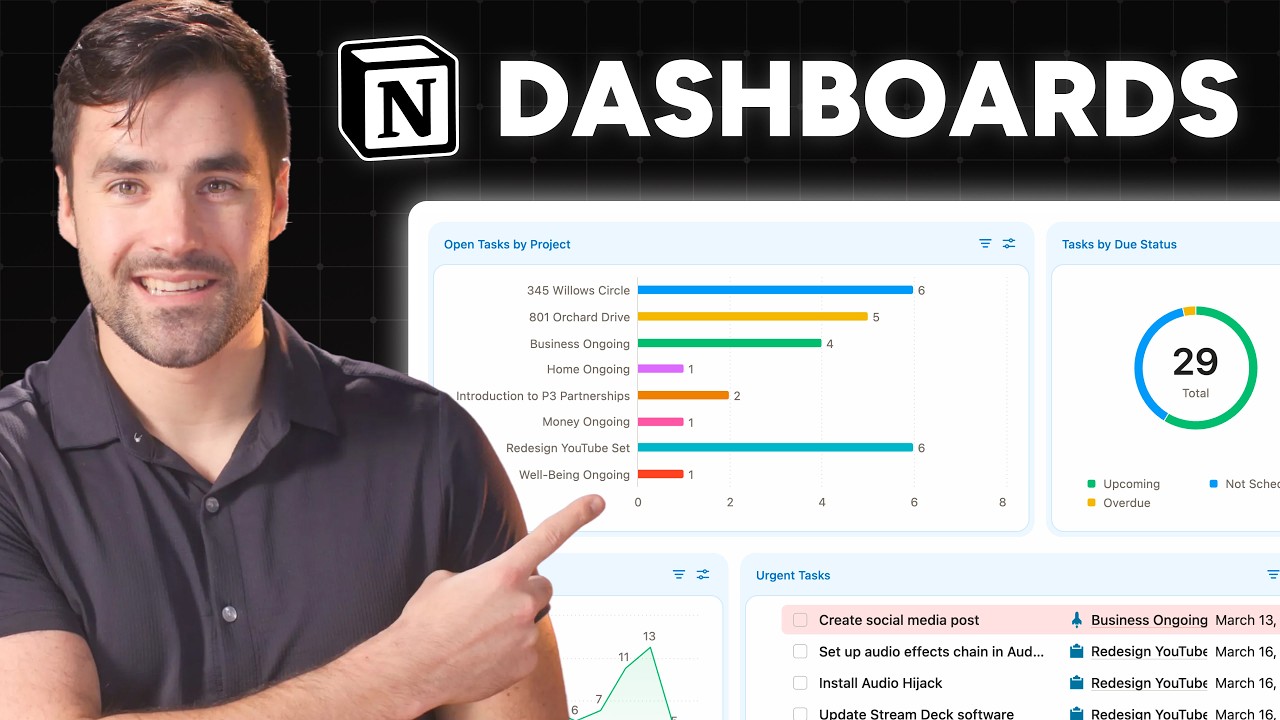
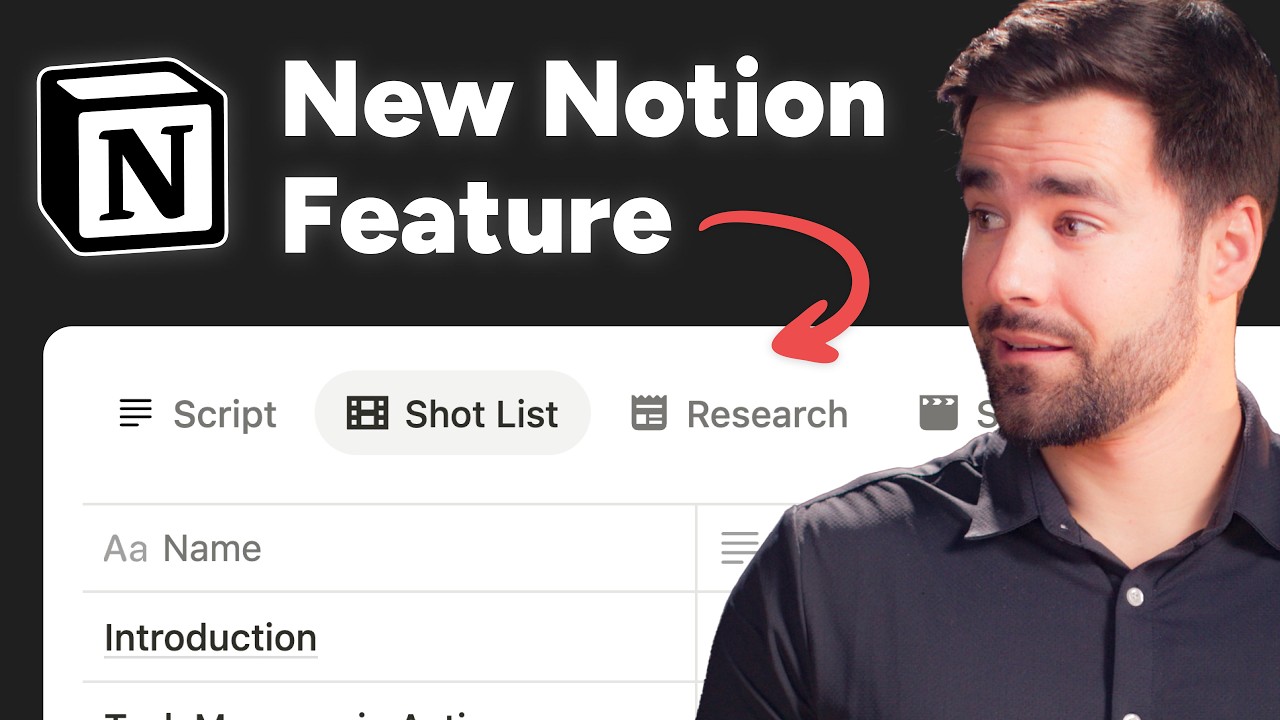
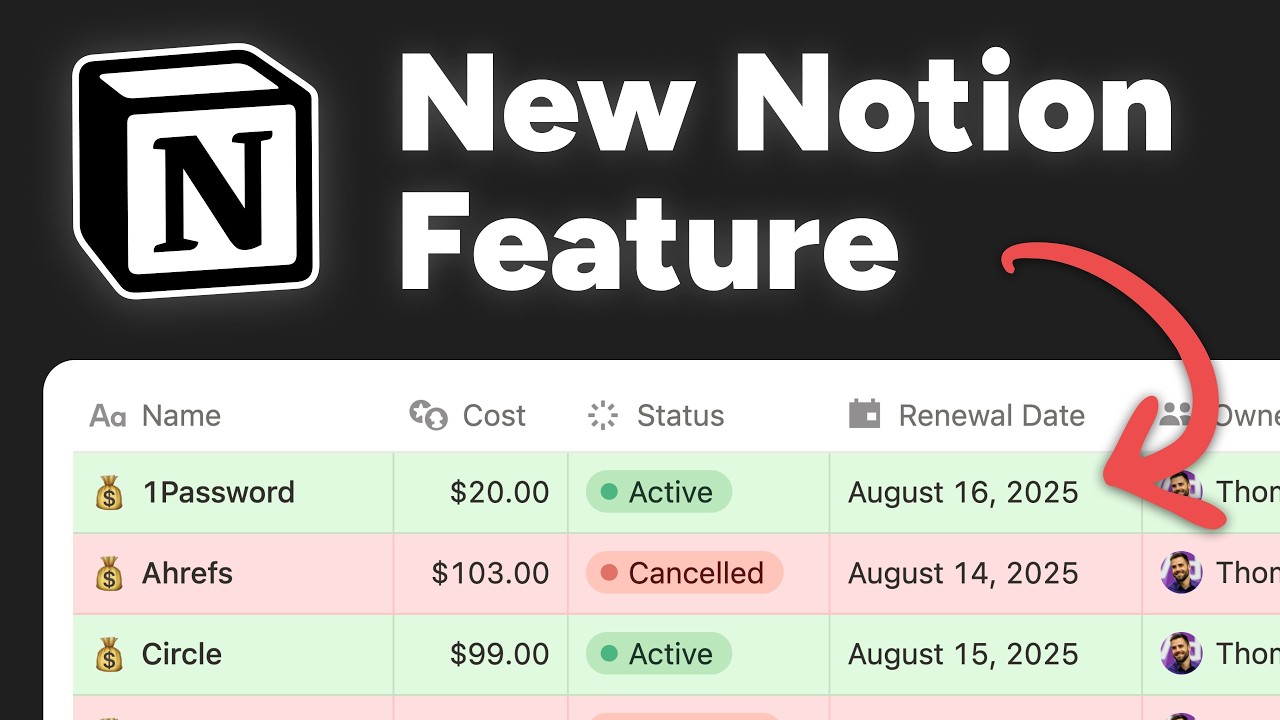
Notion just released a brand new feature called dashboards. And this is an interesting one. Before I blab a whole bunch, I just want to show you what this looks like. And we can get into exactly what it is in a second, but this is a dashboard. I've got this sort of command center here for uh my tasks database in this case. And I've got a whole bunch of widgets here. I've got one over here that shows me all of my tasks broken up by their projects. I've got one over here showing me the proportion of overdue tasks to tasks with due dates and tasks with no due date. And then I've got a list view of those tasks uh ranked by their urgency. So dashboards are an interesting feature like I said for a couple of different reasons. The keen eyed among you uh will be probably already ahead of me and you've identified one of the reasons which is the fact that this looks a little different than anything we've seen before in notion. But you can always build something like this. Like right here is basically the exact same page. I've got the same bar chart over here, the same pie chart over here, and the same list view down here. So, in one sense, dashboards are a feature that doesn't really add a whole lot of new functionality to notion. Uh, with one notable exception that I am going to talk about later, and that sort of gets into why dashboards have been a little bit controversial on the internet. Uh, and that is because dashboards are locked behind the business plan, not just the plus plan, which you need to do more than one chart view, but the actual $20 per month business plan that Notion seems to be pushing more and more. And a lot of people uh are quite confused and maybe a little bit angry about that. I personally saw this feature and I thought, well, this is just a new UI for this. I don't understand why I can build this on the free plan. Maybe plus plan, I guess, if we're talking about charts inclusion. Uh, but I need to be on the business plan to create this. We're going to get into that in this video. But first, I want to explain exactly what a dashboard is. Because a lot of you are probably rightfully confused looking at these two things and wondering why did not just ship a brand new way to do the exact same thing, maybe with some additional curved boxes thrown into the mix. So, dashboards are quite interesting because they are not what I've shown over here. here is the way in which we used to build quote unquote dashboards. And that is a mixture of column blocks on a page and linked database blocks inside of those columns. So here uh in fact if I just go ahead and drag to select everything you'll be able to see it. I've got two rows. Uh but this row right here consists of two columns inside of it. Inside of each of those columns I've got a traditional linked database block and I have set up a linked database view inside of it. In these two cases I've got chart views and then in this case I have a more traditional list view. And that's the way in which we used to build dashboards. Now, if you've ever built a dashboard like this, especially one of significant complexity, you know that it probably takes you a little bit of time to set up and it can be fragile if you're working with a team unless you go up to the three dot menu here and you fully lock down the page. So, the dashboard feature is sort of built to address a couple of those problems. First, you can actually lock down a dashboard without having to lock the page. In fact, it's kind of locked down by default. You can see up here there's this edit button. And unless I am in edit mode, I can only interact with the data here. I can uh kind of drill down into this chart data and look at this table view. I can come down here and I can easily go into any of these tasks. I can add new tasks, but I can't change most of the configuration options of any of these widgets until I click edit and I go into what's called edit mode. And at that point, I can start uh to mix things up and move widgets around and kind of just make all the changes that I want to my heart's content. But by default, we're just sort of locked down in view mode. And that means if you're working with a team and you don't want somebody to accidentally mess up your beautiful dashboard here, you don't have to lock down the entire page to get that functionality. Now, what the heck is a dashboard view in the first place? Well, actually, it's just another layout type of a database, and it's maybe the most unique one yet. So, I'm just going to go ahead and start building out a simple dashboard so you can see what I mean, and you can actually see me build it in real time. Uh, so here in this tasks view, I'm using my sort of working demo copy of my ultimate brain for notion template. Uh, I'm just going to go ahead and create a brand new view here, not a data source, but just a new view. And you're going to see that amongst our typical layout types like table and board and gallery, we have dashboard. And dashboard is a little bit different from your main ones up here because instead of it being a singular view that connects to a database or rather a data source if I want to use the technical terminology that people are still confused by, watch that video that I created actually over there uh if you want to understand the difference. Instead of this one view being hooked to one data source, what this view gives me is a sort of canvas where I can create what are called widgets and each one of
Segment 2 (05:00 - 10:00)
these widgets is its own unique linked database view. So I get to choose a data source here and I'll just go ahead and choose my tasks teaching data source for this particular uh build here. And you can see that I can either take an existing view on this data source and there's a whole bunch of them. It actually doesn't pull only from the source database. It pulls from uh basically all views that have been created across all linked database uh blocks for this data source. I can choose one of these and I can just replicate it. So right away this makes creating repeated dashboards or multiple instances of a dashboard faster. Uh and I can create more than just this one widget. Now I'm not going to go through here and configure all these options because I already made a charts video and I've already made databases videos. So, we're just going to focus on the widgets themselves here. But you can see that inside of this, I have exactly what I would get if I were building out a normal chart view. But in addition, I can click the plus button over here to create another widget in this row. Maybe this time we're going to uh also use our tasks teaching data source, but this time we're going to do a list view. Um, and just like maybe sort it by due date in ascending order. So now we see all of our tasks by their due date. We could even filter it uh by due needing to be not empty. That way we are not showing uh any tasks that don't have a due date. And there we go. Of course, we could make this a lot prettier. We could add properties, but again, I'm not going to waste your time because I've already made tons of videos covering that kind of stuff. Uh and then, of course, down here, we could create additional rows as well in the dashboard. So, you just sort of build dashboards in this very easy way. This time maybe I'll grab my notes data source just to show that we can actually mix and match data sources as well. Let's do a table view of notes. Why the heck not? There we go. Uh, and if we want to, we can change the width proportions here. If you are not as zoomed in as I am here for teaching purposes, you have even more latitude for doing that. You can move widgets around, change their order, all kinds of stuff just like that. Uh so again it's just way easier to make something like this than it is to build the same thing using actual traditional column blocks and uh linked database blocks. And of course because this is a view of a data source uh you can just duplicate it if you want just like that. So that's really the crux of what dashboards are. They're a brand new layout type on database blocks, but they're unique in that instead of just showing data from a data source in one view, they give you all of these widgets and you can pull in data from multiple data sources. They also are a little bit more resistant to accidental changes because by default they are in view mode and then you can switch over into edit mode uh and of course you can duplicate them. Now, earlier I mentioned that there is one small exception to that initial sort of criticism that I've seen leveled against the dashboard feature and that I kind of understood, which is that there really isn't anything new here. Yes, it's a little bit more resistant to changes, and you could argue that it looks a little bit different, but in terms of actual functionality, this is still kind of the same, but there is really one big uh exception to that, and that has to do with tabbed layouts inside of pages within a database. Uh, and you are probably seeing with that mouthful that I just gave you why I saved this exception for later in the video, because it's kind of hard to explain. Um, maybe it'll be easier visually. So, inside of databases, you probably know that you have your typical content tab right here, but there is also the ability to create these new tabbed layouts. And if you've watched my tabbed layouts video, you will know that a tabbed layout is a single view of the data source. And typically, it's going to be a view of uh data that is linked to the current data source via a relation. dashboards completely turn that on its head because you can now and I'm just going to go ahead and full screen this page. You can now actually create a tab that is a dashboard view and that means you can have multiple widgets inside of the tab which are potentially pulling from multiple data sources. So you can create a typical sort of data visualization style dashboard like this right here. But what you can also do, and I think this is significant, what you can also do is have a tab that shows you list views or table views or what have you, from multiple data sources. So, if you uh either have my ultimate brain template for notion, which is my personal productivity system, or you've seen me give tours of it, you will know that inside of the project management database specifically, uh we have a sort of template or like a blueprint that creates a list of the tasks associated with a project and then also creates a list of the notes associated with the project as well. And optionally, we can do this pulled tags feature, which I won't cover here, but it's just sort of a way to like pull additional unrelated research into a project uh that isn't directly related or created on the project. So, this is a blockbased way to
Segment 3 (10:00 - 15:00)
do it and it works well. It's still the typical way that I work. Um, but now you can kind of create the exact same thing with a dashboard. Here I've created a tasks plus notes tab. And instead of this being a normal content page where these are blocks, these are widgets on a dashboard view. And you might be asking, well, what's the significance of that? Uh, and it actually is pretty significant. The problem with putting traditional linked database blocks on a page here is that if I want to update the way that these blocks work in the future, I would have to go into every single page that exists in the database and make that change one by one. Let's say um I've got the due date property here and in this tasks view I also wanted to show another property. a sneige. Let's say that I would have to go in here, click that, make it visible. And now I've done that for one of these pages. Then I would have to go back to my projects database, and I would have to go into every single one of these that exists and do the exact same thing. And that's because the content area inside of a database page is just yet another place where you can place blocks. And you can't change those blocks programmatically in bulk. There's just no real easy way to do it. Um, now to dig into this a little bit further, the way in which we created those tasks and notes views in the first place is via a database template. Now, you've probably seen me talk about this before if you're not new to this channel, but I'll review it real quick. Inside of the database, the projects database, we've got a project template. And uh, inside of the templates page content, we have those linked database blocks. There's a tasks one and there's a notes one. So, this acts like a blueprint for a house when we create a new project. And I'll go ahead and do that here. We'll just call this uh project that is new. We can automatically apply that template if we want. We could either start with a blank page and choose the template or we could set the template as a default which is what I've done. U we could automatically apply that template and the filters are going to be tuned such that they are related to this new project itself. But now this functions as if it is a house that has been built from the blueprint. And what that means is if I go and change the blueprint later in the future, those changes are not going to propagate to all of the houses I built in the past. Like, oh, I've got a brand new uh better design for where the hood and the oven are going to go. I was putting them in the bathroom before. I don't know why I was doing that, but now they're in the kitchen. Crazy idea, right? But we think it's going to catch on. Well, all of these existing houses I've already built, they have the hood and the oven in the bathroom still. and I would have to go in and uh literally do the remodeling job at every single one of those houses if I wanted the benefit. It's very different with these tabs here because the tabs are not blocks that are sort of individual. They're not child blocks of the database pages. They are sort of a configuration of the database itself. I don't want to say they're the schema because they're not really the schema, but they're almost like you're building an app and you're changing the code that paints what the UI looks like for um for like the whole content area and every single page is pulling from that new set of code, right? So, uh I can demonstrate this by going into the uh customize layout button right here. I'll go ahead and hide this sidebar so I get some more room. Everything in this dashboard as well as this dashboard is editable. Now, it's a little buggy. As you can see right now, I was in edit mode and then by switching, I got into view mode. And I think Notion needs to fix that bug. So, let's just go ahead and pop back into it. I guess that's how you fix it for now. Uh, but if I wanted to make a change to this widget and this dashboard, let's say I wanted to change how the filters work and I only wanted to show uh tasks that are assigned. So, let's say assigne is not empty. That change is going to propagate across all existing pages in the database. Not just this one, but every single one of them now gets the benefit of that change. And that is extremely useful if you need to make a change that needs to affect all of these existing pages rather than just new pages you would create going forward. And that's real value, which you could use as an argument for why notion is gating this entire feature behind the business plan. But as it turns out, there is an even better reason for why this feature is gated behind that plan. Uh at first, I figured it was just value based pricing. It was just uh yet another sort of carrot to dangle to get people to upgrade. And that motivation probably is part of the reason. But I've actually now talked to uh some people who work on notion's codebase. And as it turns out, this dashboard's feature is computationally expensive to run to say the least. And I had forgotten about this, but chart views in particular are computationally expensive because unlike say a list view, which only loads a small number of
Segment 4 (15:00 - 16:00)
pages by default, uh, and could potentially even load those pages initially from your local devices cache and then kind sort of make sure they're synced up with the server. Charts have the unenviable job of uh, calculating data possibly from the entire database, which may contain tens of thousands of pages and they need to be accurate. So those calculations have to happen on the server and a dashboard view uh especially one that makes it much easier to create these dashboards compared to the old way of doing it encourages people to make more and more charts in more and more complex configurations on a page that ideally needs to load quickly. So by gating this feature on a higher tier plan, it sort of uh makes sure that fewer people are going to be building these complex and computationally expensive layouts. That's what I was told by somebody who's worked in Notion's codebase before. Uh, are they also trying to get people to upgrade? Yes, I think Notion is now trying to make more money. It's been many years since uh they first released the program. So, that makes sense as well. But, uh, in talking with people who have done actual engineering on Notion's codebase, yes, it makes sense that uh when you make it easier for people to build these very computationally expensive layouts, people are going to be incentivized to do so, and you may need to just charge for that. Anyway, that's my coverage on this feature. I will have links in the description for any of the other videos that I mentioned in case you want to check those out. I know I mentioned uh the tabbed layouts video and the charts video. So, I'll link those if you want to dig in further on how to make charts and how to uh build those tabbed layouts. If you combine the knowledge from this video with those two videos, you'll be able to make some pretty sweet dashboards. If you have any questions, let me know in the comments down below.