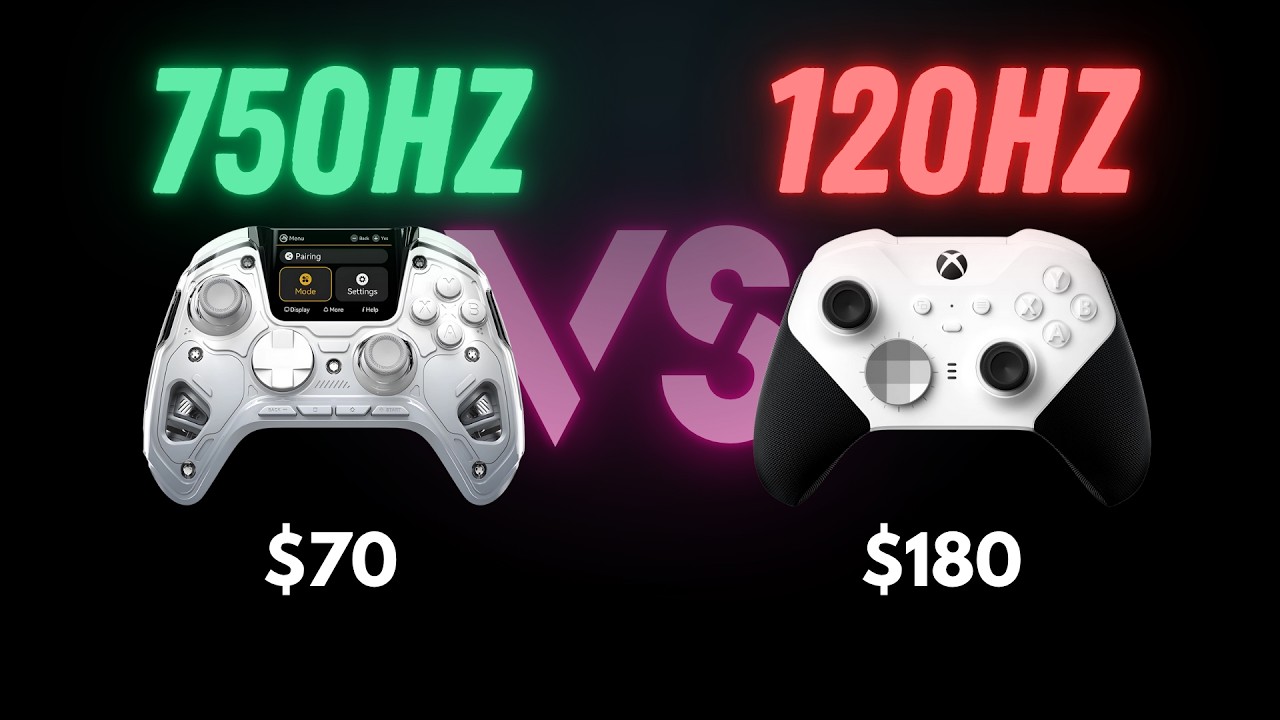
There is no way a $70 controller has a useful full color interactive screen built into it. Right? Well, that's exactly what I thought when I first heard about the MANBA one. But after spending weeks testing this thing across multiple platforms, I've got some surprising findings to share with you. Before we dive in, I need to be completely transparent. ManBoss sent me this controller to review, but they have zero influence on what I'm about to tell you. This is going to be an honest thorough breakdown of what this controller gets right, what it gets wrong, and whether it's actually worth your money. Today, we're covering the unboxing, diving deep into that screen functionality, real world testing across platforms, and my honest verdict on whether this budget controller can actually compete with options costing three times more. Let's start with what you actually get in the box. You got the controller itself, a magnetic charging dock that has a clever feature. You can store the USB dongle receiver in the bottom, a set of swappable thumbsticks, and a USB c cable. Now one thing that immediately stood out to me, and this is important given how this controller is positioned, there's no carrying case included. For a controller that's clearly designed for multiplatform on the go gaming, having that screen exposed during transport is a real concern. MANBA does not offer a case separately on their site, but I think they should if it won't be included. Here's something cool, though. The front faceplate is actually removable and magnetic. As of now, MANBA sells two versions on their site, the clear version and the black version, both for $12. 99. Let me quickly recap the core features. You've got a full color LED screen built right into the controller, hall effect sticks and triggers, four remappable buttons on the back, and compatibility with Switch, PC, iOS, and Android. If you're a PS five or Xbox user, this controller doesn't work with those consoles, and that's actually how they keep the price so low. No console licensing fees means significant cost savings. You can connect wired via USB c or wireless in two ways, 2. 4 gigahertz using the included receiver for the best gaming performance or Bluetooth five point zero for universal compatibility with mobile devices. The build quality is where you can immediately tell this isn't a $200 controller. It's lighter. The plastics feel less substantial, but I actually like the size. It's similar to the Elite Series two and just about right for travel. Most of the buttons are mechanical, and I really like that tactile feedback that tells you you've made an actuation. The d pad is more of a membrane feel, though. Those face buttons have this very distinct mouse click feel that's immediately noticeable. The screen itself is bright, responsive, and surprisingly practical for navigating menus and adjusting settings directly on the controller. So let's talk about what makes this controller unique at this price point, this interactive screen functionality. Here's what you can actually do. Real time battery monitoring, platform switching between PC, switch, iOS, and Android modes, on the fly sensitivity adjustments, RGB lighting control with several customization options, macro programming, button remapping, and full profile management, all without ever connecting to a computer or opening an app. The screen functions very well as highly visible, and the button set up to navigate through it is intuitive. Unlike some other controllers with screens, this one doesn't feel overwhelming. The profile system is genuinely practical. I can have different configurations for different game genres and switch between them instantly. My FPS setup can have back buttons mapped to jump and crouch. The racing configuration can use different trigger sensitivity, and my platformer setup can have specific macro combinations. Macro combinations are something that makes more sense on PC. And on this controller, you can remap the back buttons to macros. So one button press can execute multiple inputs. This is huge when you are used to having key binds on your keyboard setup and you want that functionality extended to your controller experience. The screen stays on during gameplay, showing battery level, current profile, and connection status. The brightness is adjustable, and it integrates well without being distracting. Now let's get into the technical specs. And I want to explain two important concepts that will help you understand what these numbers actually mean for your gaming. Polling rate is how many times per second your controller tells your device what you're doing. Think of it like raising your hand in class. If you can only raise your hand once per second, that's slow. If you can raise it 750 times per second, that's super fast, and the teacher knows exactly what you need instantly. Latency is how long it takes from when you press a button to when something happens on screen. Think of it like asking your friend a question and waiting for them to answer. If they take a full second to respond, that's slow. If they answer in four milliseconds, that's incredibly fast. Why does this matter? If
Segment 2 (05:00 - 10:00)
polling rate is too slow, your aim feels choppy and stutters across the screen instead of moving smoothly. Imagine trying to trace a circle with your stick at 30 hertz versus 750 hertz. At 30 hertz, you'd get a choppy octagon. At 750 hertz, you get a smooth circle. In fast FPS games, that difference means landing or missing headshots. If latency is too high, there's a delay between pressing jump and your character actually jumping. It feels mushy or floaty, like controlling your character through thick mud. Combined together, low polling rate and high latency make gaming feel like you're playing while wearing thick gloves and looking through foggy glasses. Now here's how the MANBA one v two actually performs in the real world. Wired, four point three milliseconds latency with around 750 hertz polling. With dongle, twenty six point six milliseconds latency with around 200 hertz polling. Bluetooth, twenty six point two milliseconds latency with around 140 hertz polling. To put this in perspective and to compare to a higher end, more popular pro controller, the Xbox Elite Series two sees wired eight point eight milliseconds latency, around 120 hertz polling dongle, thirteen point three milliseconds latency less than 100. Hertz polling, Bluetooth, twelve point seven milliseconds latency less than 100 hertz polling. This is fascinating. When plugged in via cable, the MANBA one absolutely destroys the Elite Series two. It's twice as fast in latency and over six times faster in polling rate. That four point three millisecond latency is genuinely impressive for a $70 controller. But here's the interesting part. Wirelessly, the story flips. The Elite Series two actually has better wireless latency across both dongle and Bluetooth connections. The MANBA one's wireless performance isn't bad, but it's not matching its wired excellence. The Hall effect technology means these magnetic analog sticks will never develop drift. I can set dead zones to completely zero without worrying about precision degrading over time. Battery life in my testing is getting around eighteen hours, which is solid for a controller with a screen. That's actually better than the Turtle Beach Stealth Ultra, which gets about twelve hours. The profile system supports multiple configurations with custom naming, per platform storage, and saves everything from button remapping to 20 input macros per button. Alright. Let's talk about testing. I'm testing on my Microsoft Surface and iOS devices, which actually covers a lot of real world use cases for this controller. For measuring polling rate and latency, I used a combination of software and gamepad. com. This combo helped provide and compare real time measurements from more users than just myself for the different connection types. These tools matter because they give us actual numbers instead of just subjective feelings about responsiveness. Platform compatibility switching is seamless. The controller automatically adjusts its protocol when switching modes. On PC, it uses XInput, which is Microsoft's modern standard designed for Xbox style controllers. This gives you standardized button mapping and automatic driver support. Some older games might use direct input or DINPUT, which is more flexible but requires manual configuration. The MANBA one handles both automatically. However, if you need to manually toggle between the two, you can hold both the start and the back buttons at the same time until you feel the controller vibrate. For handheld PC gaming, this should work great with devices like the ROG Ally since it runs Windows. Steam Deck compatibility is likely as well due to its Linux based Steam OS, and this controller has been confirmed to work with Linux. So what do the actual numbers tell us? The wired performance is exceptional. That four point three millisecond latency with around 750 hertz polling rate delivers incredibly responsive gaming. This is where the MANBA one really shines and justifies its value proposition. The wireless story is more nuanced. The 2. 4 gigahertz dongle gets you about 200 hertz polling with twenty six point six milliseconds latency, while Bluetooth manages 140 hertz with twenty six point two milliseconds latency. These are serviceable for casual gaming, but noticeably behind the Elite Series two's wireless performance. The Hall effect precision with zero dead zones enable provides immediate accurate response without any mushiness at the edges of movement. Platform switching works seamlessly for different gaming scenarios. Casual gaming benefits greatly from the quick profile switching and customization options. The wired performance is genuinely competitive level fast, though the wireless experience is better
Segment 3 (10:00 - 15:00)
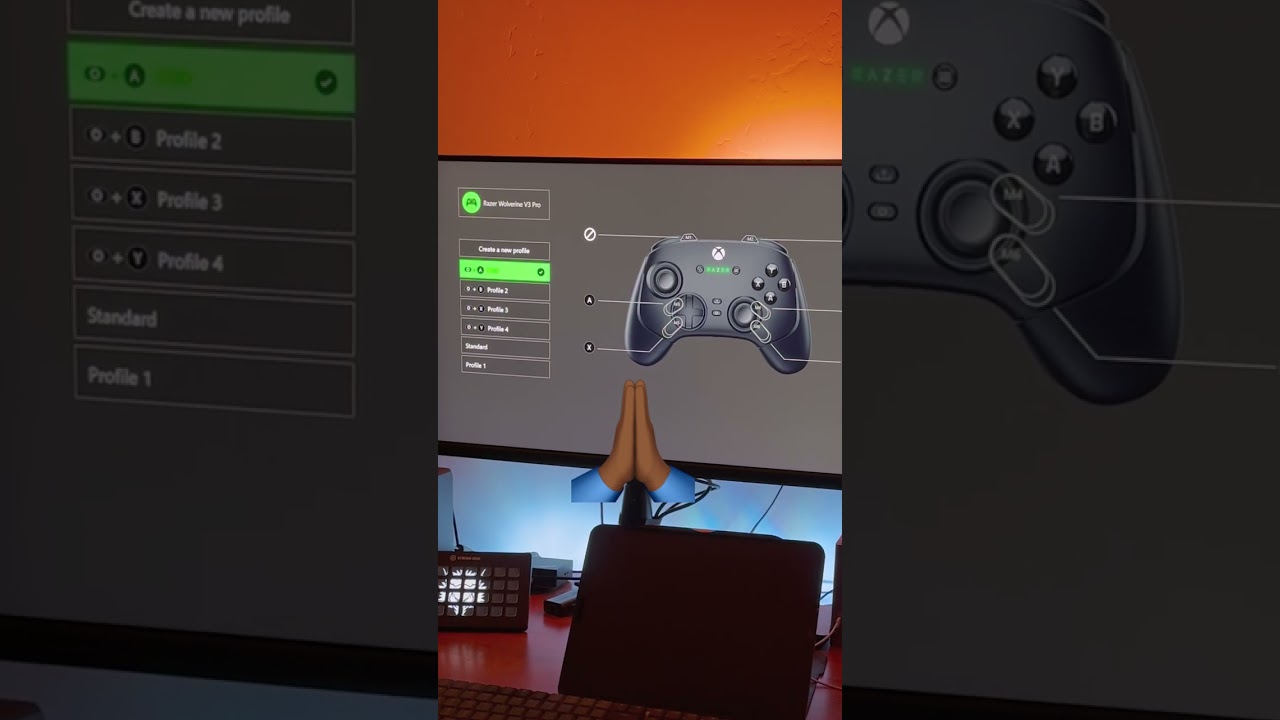
suited for less demanding titles. Let's talk about what this controller gets right. The functional screen is excellent. It's visible, intuitive to navigate, and doesn't feel overwhelming like some other screen controllers. This is genuinely well implemented. The rumble strength is solid. If you're looking for that immersive feedback that makes you feel like you're in the game, this controller delivers strong haptic response. The value proposition remains exceptional at $70. That wired performance is legitimately competitive grade with latency that beats controllers costing three times more. The customization depth is impressive, especially macro capabilities. Programming 20 input sequences per button opens up possibilities most controllers can't match. This makes a lot more sense for PC players who have keyboard key binds they want quick access to. The mechanical button feel, except for triggers, and the d pad, which is membrane, gives you satisfying tactile feedback that confirms your inputs. Four back buttons with macro support is huge, even if the layout isn't perfect for all hand sizes. Having four options at your fingertips where you can execute complex macros is genuinely powerful. The simple on off toggle switch makes it harder to accidentally turn on your controller, which is great for travel. Though be warned, if it's on, it doesn't automatically turn off, so the battery will drain if you forget. Hall effect sticks mean no drift ever, plus you can swap out joysticks and change heights just like premium controllers. USB C connectivity means you can use many of your existing cables, making travel easier. The size feels just right. Its height is just a centimeter or two more than the Elite Series two, but it is still fairly compact and travel friendly. Trigger stops give you the essentials, open and shallow settings, perfect for first person shooters. The charging dock is sleek and convenient with a clever design that stores the USB dongle receiver in the bottom. This isn't something you typically expect at this price range. RGB lighting has several customization options for those who want it, and you can turn it off to preserve battery life if that's not your thing. The eighteen hour battery life is solid for a screen controller, significantly better than the Turtle Beach Stealth Ultra's twelve hours. But this controller isn't perfect, and I need to be honest about its limitations. No protective case is a major oversight. The screen is critical to this controller's functionality. It's where you change profiles and make customizations. Without a case, the screen is vulnerable to scratches, and the buttons and joysticks can get mush during travel. MANBA should at least offer a case as an accessory on their site for purchase separately. The back button layout isn't ideal, especially for people with bigger hands. If you wanna rest and utilize each of the four back buttons with four separate fingers, you can't really do that comfortably. You kinda have to use one finger to toggle between the two on each side. The trigger feel is weird without being mechanical. I'm probably spoiled from using the Wolverine v three pro daily, but it would be nice to have that mechanical feedback on the triggers as well. And the wireless performance is disappointing compared to the wired excellence. With twenty six plus millisecond latency on both dongle and Bluetooth, you're getting notably worse performance than the Elite Series two's wireless connections. If you're planning to use this wirelessly primarily, that's worth considering. Platform limitations mean no Xbox or PlayStation support, though this is why the price is so low. No expensive console licensing fees. Build quality fills budget with plastic construction and screen vulnerability concerns. Quality control appears inconsistent based on community reports, with some units experiencing mechanical issues. So how does this stack up against established competition? The Xbox Elite Series two offers premium build quality and forty hour battery life, but you're paying $110 more for materials and longevity while getting slower polling rates and no screen functionality. The PlayStation DualSense Edge provides revolutionary haptic feedback and adaptive triggers, but costs nearly three times more and locks you to PlayStation's ecosystem. Scuf controllers offer aesthetic customization and some innovation, but they cost significantly more and have seen their share of quality issues. This controller targets mobile and PC gaming ecosystems, perfect for travelers who want capable controllers without premium pricing anxiety. The smaller form factor and budget friendly approach make it ideal for shorter gaming sessions and situations where loss or theft concerns matter. This isn't replacing your primary console controller. It's positioned as the best multi platform option for users who want premium features without premium pricing. So here's my bottom line on the MANBA ONE. This is genuinely the best value I've seen under $100, but it's not for everyone. Buy this if you're gaming across PC
Segment 4 (15:00 - 17:00)
mobile, and Switch ecosystems, someone who travels and wants a capable controller without the premium price anxiety, a customization enthusiast who loves macro programming and profile tweaking, or willing to trade some build quality for innovative features. Skip this if you need Xbox or PlayStation compatibility. If you wanna utilize the four back buttons with four separate fingers, if you prefer premium build quality over feature innovation, or if you want a controller for marathon gaming sessions, the smaller form factor might make your hand ache. The innovation here deserves high marks. This green technology is genuinely useful and well implemented, not just a gimmick. The value assessment is excellent for the price point with features that usually cost $200 plus. But let's be realistic about build quality. The plastics feel budget, and the overall construction isn't premium, but it doesn't feel like it will fall apart in your hand. But at this price point, something had to give. Here's what matters. This controller proves innovation doesn't require premium pricing. It's got features that should inspire the industry to step up, especially macro programming capabilities that controllers costing three times more don't offer. Is it perfect? No. But if you're in the compatible ecosystems and value features over premium materials, this might be the smartest $70 you can spend on a controller. The MANBA one is genuinely pushing the industry forward at a price that actually makes sense. What controller features matter most to you? Are you willing to trade some build quality for innovative features like this screen, or do you prefer the traditional approach with premium materials and proven reliability? Let me know in the comments. If this detailed review and testing was helpful in making your controller decision, I really appreciate a like and subscribe. It helps me continue doing these thorough, honest reviews. Drop a comment below and share your controller experiences, especially if you tried the MANBA one or have questions about specific features I covered. Coming up, I've got more tech reviews in the pipeline, including some interesting comparisons in the budget gaming space. Thanks for watching, and I'll see you in the next one.