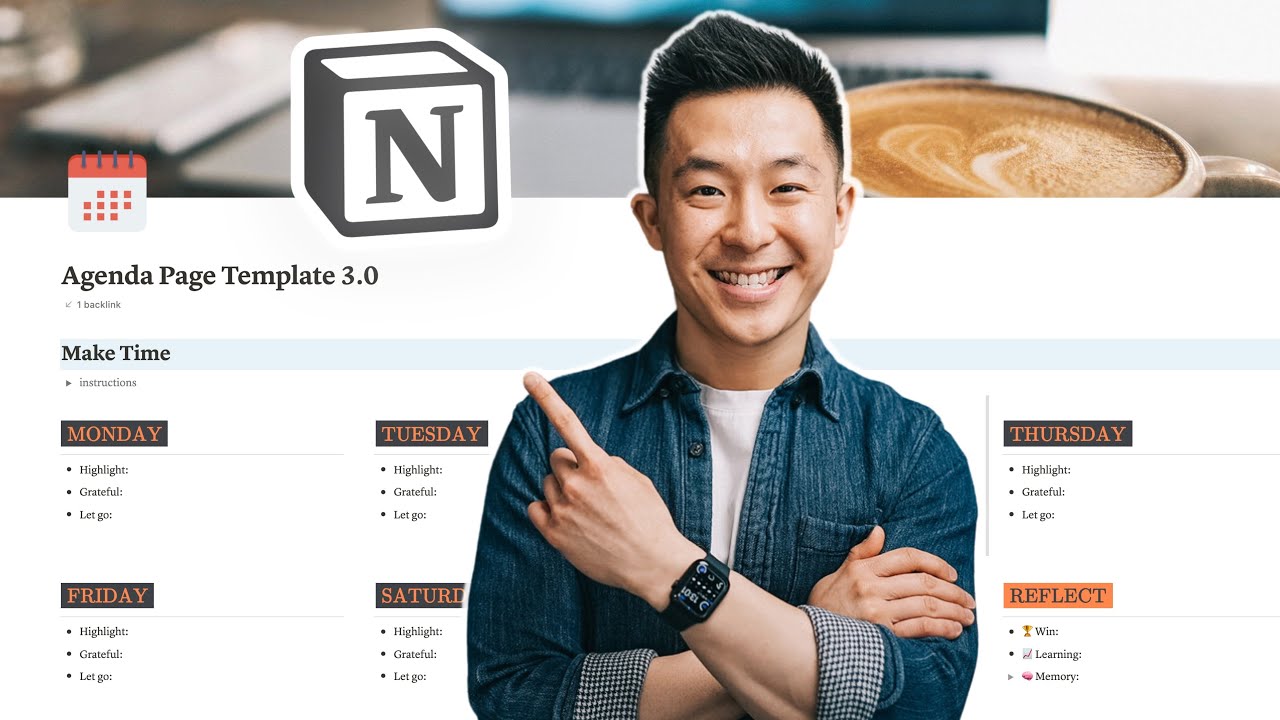
Notion Weekly Agenda Template 🌟 📆 Practical & Aesthetic!
7:39

Notion Weekly Agenda Template 🌟 📆 Practical & Aesthetic!

Jeff Su 05.04.2022 114 625 просмотров 2 680 лайков обн. 18.02.2026
Поделиться Telegram VK Бот
Транскрипт Скачать .md
Анализ с AI
Описание видео
My free Notion Toolkit: https://academy.jeffsu.org/notion-toolkit?utm_source=youtube&utm_medium=video&utm_campaign=97 ⏬ Weekly Agenda Template - https://www.jeffsu.org/notion-weekly-agenda-template/ In this video I build on my original “Plan a Productive Day using Notion” video and share my latest practical & aesthetic Weekly Agenda Template on Notion (completely for free of course)! 🌟 One area Notion truly shines is its ability to help your organize your life. And what better place to start than your week? In this weekly Notion planner, you can see I’ve boiled all the planning and organizing down to the basics to minimize friction and ensure you’re able to consistently stick with this day-to-day, week-by-week Whether you’re working professional or student, it’s extremely easy to get started with this Notion weekly agenda template. My recommendation is to sit down for 5 minutes in the morning, and write down 1 highlight, 1 thing you’re grateful for, and 1 thing you want to let go (and...let it go!) Then, under the “Daily To-Do’s” section, use the new and improved template button I created and add 1 or more action items you complete on a daily basis (stretching for example). Then, write a few high-level activities you want to go through during the day and that’s basically it! Please let me know what you think of this free Notion template and honestly I’m more excited about how you optimize and customize this template for yourself! TIMESTAMPS 00:00 Updated Notion Weekly Agenda Template 00:38 Change Notion Page Cover Image 00:59 Change Notion Page Icon 01:10 Custom Colors for Notion Text 02:32 Pick Your Color Theme and Font 03:02 Daily 5 Minute Agenda Workflow 04:05 Reflect on your Week 05:13 Daily To-Do Section 05:53 Workstream Section 06:41 Sunday Night Action Items 07:12 Minimize Friction RESOURCES I MENTION IN THE VIDEO 7 Awesome Ideas for Canva (for free)! - https://youtu.be/w0Bf4u-u9AQ Sign up for Canva - https://partner.canva.com/jeffsu Flaticons - https://www.flaticon.com/ ColorHunt - https://colorhunt.co/ Coolors - https://coolors.co/ HBR Article - https://hbr.org/2022/03/dont-underestimate-the-power-of-self-reflection MY FAVORITE GEAR 🎥 My YouTube Gear - https://geni.us/youtube-gear 🎒 What's In My Bag - https://geni.us/mybag 💻 What's On My Desk - https://geni.us/mydesk 🛩 What I Travel With - https://geni.us/mytravel MY FAVORITE SOFTWARE ✍️ Skillshare - https://geni.us/skillshare-jeff BE MY FRIEND: 📧 Subscribe to my Productivity newsletter - https://www.jeffsu.org/productivity-ping/ 📸 Instagram - https://instagram.com/j.sushie 🤝 LinkedIn - https://www.linkedin.com/in/jsu05/ 👋🏻 Clubhouse - https://www.joinclubhouse.com/@jsushie 👨🏻‍💻 WHO AM I: I'm Jeff, a full time Product Marketer. In my spare time I like to tinker with tools and create systems that help me get things done faster - or as one of my friends puts it: "Get better at being lazy" 😏 If you'd like to talk, I'd love to hear from you. Messaging me on Instagram (@j.sushie) directly will be the quickest way to get a response! PS: Some of the links in this description are affiliate links I get a kickback from 😇 Disclaimer: My opinions are my own and may not reflect that of my employer #notion #notionhq #weeklyagendaplanner

Оглавление (11 сегментов)

  1. 0:00 Updated Notion Weekly Agenda Template 146 сл.
  2. 0:38 Change Notion Page Cover Image 52 сл.
  3. 0:59 Change Notion Page Icon 40 сл.
  4. 1:10 Custom Colors for Notion Text 255 сл.
  5. 2:32 Pick Your Color Theme and Font 81 сл.
  6. 3:02 Daily 5 Minute Agenda Workflow 215 сл.
  7. 4:05 Reflect on your Week 219 сл.
  8. 5:13 Daily To-Do Section 135 сл.
  9. 5:53 Workstream Section 164 сл.
  10. 6:41 Sunday Night Action Items 89 сл.
  11. 7:12 Minimize Friction 86 сл.
0:00

Updated Notion Weekly Agenda Template

this is a weekly agenda template i used when i first downloaded a notion years ago this is how it looked after my first major upgrade and this is a current template i'm using to plan my life one day at a time in this video i go through formatting tricks i use to make this look pretty yet practical and my daily five minute workflow that i've adhered to for the past two years let's get started hi friends welcome back channel if you're new here my name is jeff come for the notion tips and stay for the free agenda template linked down below so you can follow along let's dive right into the formatting because come on what's the point of a super practical well organized potentially life-changing agenda planner if it just looks like crap starting up top if you want to
0:38

Change Notion Page Cover Image

change the cover image the dimensions for some reason is actually 1536 by 614 pixels you can simply use canva a free online tool i've made many videos about this platform links down below create a design custom size 1536 by section of 14 create new design and go nuts for the
0:59

Change Notion Page Icon

icon here i didn't want to use a default emoji so i used another free online platform flat icons and selected a material design calendar icon because i'm just that much of a special snowflake now this next part these
1:10

Custom Colors for Notion Text

weekday headers i'm particularly proud of this because usually you're limited to the default colors provided by notion for example forward slash color and this is what you have to work with but if you click into these headers you'll see i use an inline equation to change the colors of the word and the background if you want to try this yourself simply copy this find an empty row forward slash equation enter paste the equation let's say i change this to 6f's because that is pure white i can change the background color box if i wanted to and changing word here to let's say hello and click done pro tip i'm so proud of myself for this you can change the size of this as well forward slash turn into heading 1 or you can move the cursor to the beginning of the word command left on the mac you can't really see it but it's there the shortcut for heading 2 or pound space boom so i get to the workflow and what reflect means here in a little bit but i just want to point out that i flipped the colors here because as you progress through the week you're going forward and when you reflect on that week you're going back right so it's like you flipped it and the colors are flipped you get it you see what i did there you see how clear i am you get ah okay exact same idea down here i like
2:32

Pick Your Color Theme and Font

this color scheme if you want to pick your own you can simply go to color hunt cool wars or my color space to generate and find color palette inspirations lastly i'm not sure how to change the font of these equation words without using a third-party tool or plug-in so i've paired this with the serif font as opposed to the default or mono because this combination looks a bit weird onto the workflow for those of you who are
3:02

Daily 5 Minute Agenda Workflow

new here i'm a huge fan of the book make time by ex-googlers jake knapp and john zaratsky so every morning when i wake up i start the day by writing down one highlight one thing i'm grateful for and one thing i want to let go the highlight is the one thing i'm gonna get done today for sure the key thing to know here is that the highlight doesn't have to be something quote unquote productive it could literally be take two hours off and play horizon forbidden west the only requirement here is that you have to figure out when you're going to do this today and block that time off on your calendar like this i'm not a huge calendar blocker so this habit is a very healthy middle ground i can consistently stick with i've included the instructions here you can obviously delete this once you get the hang of it and as ali abdul always says it's totally okay to skip a day or two there will be those days as you can see in this week one of many examples by the way where you wake up late you forget to make time totally fine just get back into it as soon as you can two reasons i
4:05

Reflect on your Week

added the reflect section here one it fills out the second row very nicely and as we have already established if it doesn't look good it ain't good and second i've recently come across a lot of literature talking about the benefits of self-reflection one that stood out is don't underestimate the power of self-reflection published in harvard business review actually let me know down in the comments if you have any books or articles you'd recommend on this topic there are obviously no right or wrong ways to reflect but i found these three prompts to be very helpful one win from the week one learning from a failure and one memory i like to retain at the risk of sounding very preachy i think the ability to admit mistakes and learn from your failures is very important not just for personal growth but also for like healthy relationships with your partner your friends and especially colleagues in the workplace it's essential for something called psychological safety and that's a topic i really want to make a video on in the future anyways these three prompts are very self-explanatory the only pro tip is that i've added a toggle for the memory prompt so i have the option to add a photo totally optional of course moving down
5:13

Daily To-Do Section

and starting with daily to do's one cool thing i've added is this template button if i click it two action items i complete every day pops up make time which we just went over and social media this is just a reminder for me to reply to all of your youtube comments because you know i'm an angel and if you wanted to make changes to this template button you can click the uh settings icon here and make this whatever you want if i wanted to add empty checkboxes i'll just use the shortcut left bracket right bracket like so and at the end of the day i would move all the completed action items or checkboxes to this empty blank archive page and leave the unfinished ones for the next day moving
5:53

Workstream Section

over to the left work streams are basically projects that span multiple days or multiple weeks uh some may be recurring for example i upload one youtube video at least once a week and one weekly tip for my newsletter link down below some work streams i add as needed for example i've been working on my website for the last month or so and as you can probably tell i moved to a new place i've been experimenting with a few new setups these action items can obviously fall under daily to do's but it makes more sense to like bucket them together right and once i finish all the action items within a work stream i actually close the toggle and this tells me the work stream has been completed so i start uh the week with like open toggles empty check boxes and hopefully at the end of a week some of these are closed okay let's say now it's sunday
6:41

Sunday Night Action Items

evening and there's one work stream i haven't completed which is totally okay because some of these are supposed to take multiple weeks right i select it command c to copy go back to the agenda master page i made a template for this as well linked down below i move the current week page to the bottom here click this button to generate next week's weekly agenda planner and i simply paste that uncompleted workstream down here and open it very simple as you play around with this
7:12

Minimize Friction

template and customize it to suit your planning needs one recommendation i have is to minimize friction for yourself for example i could require myself to reflect every night but i know i'm not going to do that so i'd rather reflect once a week than not at all if you found this template helpful you might enjoy my notion tips and tricks video where i go over a lot more cool stuff see you on the next video in the meantime have a great one

Ещё от Jeff Su

Ctrl+V

Экстракт Знаний в Telegram

Транскрипты, идеи, методички — всё самое полезное из лучших YouTube-каналов.

Подписаться




