11 Hidden Apple Photos Features You MUST Know!
5:12

11 Hidden Apple Photos Features You MUST Know!

Jeff Su 02.11.2021 20 676 просмотров 927 лайков обн. 18.02.2026
Поделиться Telegram VK Бот
Транскрипт Скачать .md
Анализ с AI
Описание видео
🍏 Did you know the Shared Album feature provides you with FREE iCloud storage? If not, you'll love this video on 11 Hidden Apple Photos Features you simply MUST know! People make the mistake of thinking that Apple Photos is a simple Photos app, when in reality there are so many tips and tricks we can use every single day to make your lives easier and more productive For example, you can tag individual photos using captions by swiping up on a photo, then searching for those tags to quickly find the images you're looking for You can also create an Apple Watch face directly from the Photos app and also create animated wallpapers and lock screens for your iPhone as well! You can also choose to turn off location data before you send a photo to family members and/or needy friends and last but not last you can convert Photos directly to PDF via Apple Photos and Apple Books Pretty cool stuff 😎 TIMESTAMPS 00:00 Get Free iCloud Storage 01:07 Search for Photo Captions 01:26 Create Apple Watch Face 02:04 Create Animated Wallpaper 02:26 Change Album Wallpaper 02:43 Change Apple Photos Aspect Ratio 03:03 Customize Apple Photos Memories 03:23 Turn off Photos Location Data 03:45 REALLY Hide Your Photos 04:22 Use Filters to Quickly Find Photos 04:36 Convert Photos to PDF MY FAVORITE GEAR 🎥 My YouTube Gear - https://geni.us/youtube-gear 🎒 What's In My Bag - https://geni.us/mybag 💻 What's On My Desk - https://geni.us/mydesk 🛩 What I Travel With - https://geni.us/mytravel MY FAVORITE SOFTWARE ✍️ Skillshare - https://geni.us/skillshare-jeff BE MY FRIEND: 📧 Subscribe to my Productivity newsletter - https://www.jeffsu.org/productivity-ping/ 📸 Instagram - https://instagram.com/j.sushie 🤝 LinkedIn - https://www.linkedin.com/in/jsu05/ 👋🏻 Clubhouse - https://www.joinclubhouse.com/@jsushie 👨🏻‍💻 WHO AM I: I'm Jeff, a full time Product Marketer. In my spare time I like to tinker with tools and create systems that help me get things done faster - or as one of my friends puts it: "Get better at being lazy" 😏 If you'd like to talk, I'd love to hear from you. Messaging me on Instagram (@j.sushie) directly will be the quickest way to get a response! PS: Some of the links in this description are affiliate links I get a kickback from 😇 Disclaimer: My opinions are my own and may not reflect that of my employer #applephotos #hiddenfeatures #productivity

Оглавление (11 сегментов)

  1. 0:00 Get Free iCloud Storage 207 сл.
  2. 1:07 Search for Photo Captions 57 сл.
  3. 1:26 Create Apple Watch Face 131 сл.
  4. 2:04 Create Animated Wallpaper 61 сл.
  5. 2:26 Change Album Wallpaper 47 сл.
  6. 2:43 Change Apple Photos Aspect Ratio 65 сл.
  7. 3:03 Customize Apple Photos Memories 58 сл.
  8. 3:23 Turn off Photos Location Data 72 сл.
  9. 3:45 REALLY Hide Your Photos 122 сл.
  10. 4:22 Use Filters to Quickly Find Photos 39 сл.
  11. 4:36 Convert Photos to PDF 104 сл.
0:00

Get Free iCloud Storage

if you have an iphone open your photos app click select up top here and choose any amount of photos i'll pick v6 right over here click the share button on the bottom left add to shared album name it send this to yourself and click create and post now head on over to the albums tab and you'll see your new shared album show up here what was the point of all that well according to apple's official help center shared albums can store up to 5 000 photos and videos and they do not count against your icloud storage limit so feel free to go back and delete the original photos because you can now save and download images from your shared albums anytime you want you're welcome let's get started hi friends welcome back the channel if you're new here my name is jeff come for the practical tips and stay for the free icloud storage in this video i'm going to share 11 hidden apple photos features that will make your life just that much easier wrapping up tip number one if you can't see shared albums by default you need to go to your settings photos and enable shared albums here tip
1:07

Search for Photo Captions

number two tag your photos by swiping up on any photo and adding a caption you can now search for this caption in the search tab and other than memes good ideas include tagging documents you might reference a lot your id driver's license and one day in the fairy tale land of narnia a global vaccination
1:26

Create Apple Watch Face

passport apple photos feature number three is for those of you with apple watches if you come across an extremely sexy photo you don't mind seeing every single day you can actually click the share button in the bottom left here and click create watch face now you can choose between a photo's watch face and a kaleidoscope watch face and you can make further customizations within in the share menu if you don't see this by default you need to actually scroll all the way down click edit actions scroll down again enable create watch face and add it to your quick actions what if you're like me and simply too cool to own an apple watch but would still like a creative background for your iphone not a problem
2:04

Create Animated Wallpaper

because tip number four is to create an animated background for your lock screen pick a live photo you like in your photos app and press share and select use as wallpaper adjust it slightly click set and set lock screen now on your lock screen if you press and hold you basically have an animated wallpaper we're not quite done
2:26

Change Album Wallpaper

with making something look good just yet because hidden apple photos feature number five is to change your album cover all you gotta do is select an album under the album tab here find a photo you actually like long press and select make key photo if
2:43

Change Apple Photos Aspect Ratio

by default all your photos are in different sizes tip number six is for you and that is to change the aspect ratio by clicking the three dots up top and selecting square now everything is neat and tidy i love how apple engineers are so inclusive of us high maintenance ocd control freaks comment down below if you can relate tip number seven is
3:03

Customize Apple Photos Memories

slightly gimmicky but bear with me here and that is under the for you tab you can click into your memories and click again to change the background music and filter take this a step further by clicking the share button save video and now you have a pre-made instagram story for all your attention seeking needs so
3:23

Turn off Photos Location Data

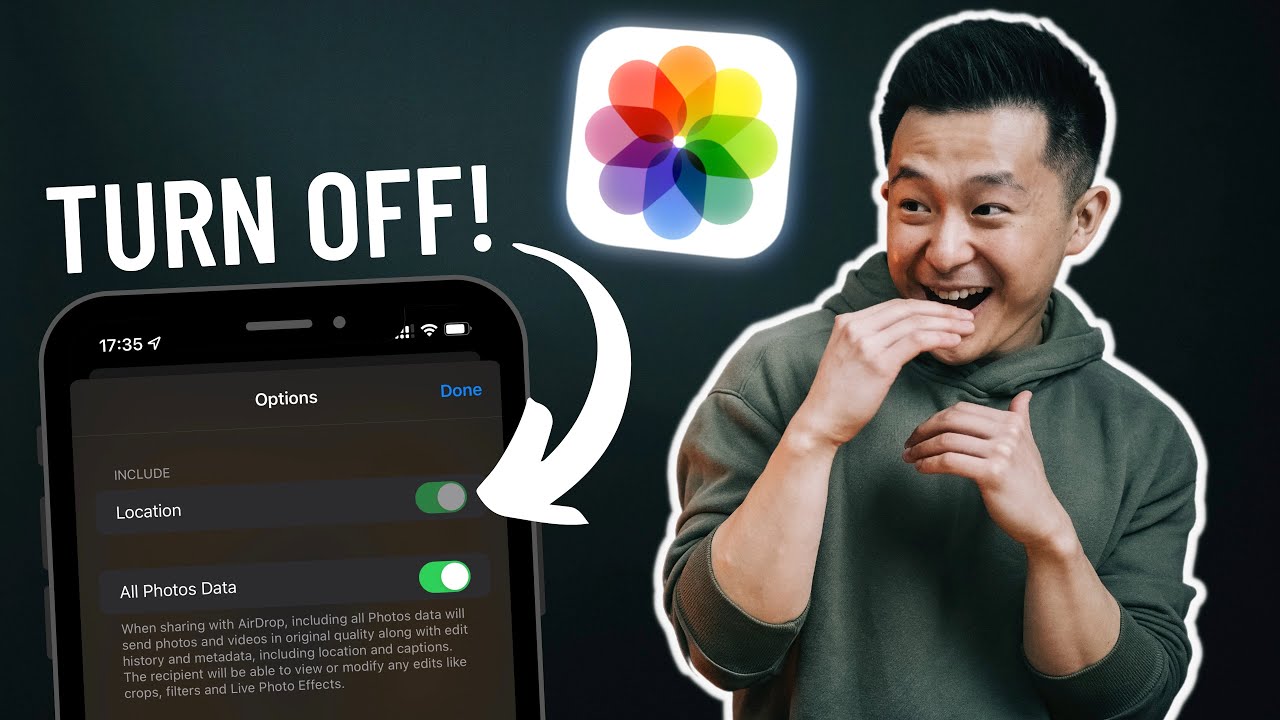
we all know apple takes privacy pretty seriously but sometimes we need to take matters into our own hands tip number eight is right before you share a photo with family members or needy friends who you'd invite to the party last night you might want to click options up here and turn off all photos data and location because if you don't they will receive the location data associated with this
3:45

REALLY Hide Your Photos

photo speaking of keeping secrets you probably already know you can hide any photo you want with apple photos and to be absolutely safe you can go to settings photos and turn off the hidden album what you might not know is that you can take this a hundred steps further by sharing the image to your notes app going to the notes app and locking that note with face id now even if the original photo is deleted that image will still be your notes app please note you should not view anything in this video as relationship advice and i am not responsible for arguments between couples suspicion among friends and any broken hearts tip number 10 is to use
4:22

Use Filters to Quickly Find Photos

the filters option up top here to quickly find photos you favorited edited and or videos you've taken you can also quickly access your favorites and specific media types in the albums tab directly and apple photos feature number
4:36

Convert Photos to PDF

11 is to convert photos into a pdf file by first selecting however many images you want and sharing your selection to the apple books app within the books app you can now markup the file like you would any pdf and share it with others this is a great little hack if you're taking photos of medical insurance forms or other documents that can only be accepted in a pdf format let me know down in the comments if i missed any apple photos feature you use all the time see on the next video and in the meantime have a great one

Ещё от Jeff Su

Ctrl+V

Экстракт Знаний в Telegram

Транскрипты, идеи, методички — всё самое полезное из лучших YouTube-каналов.

Подписаться




