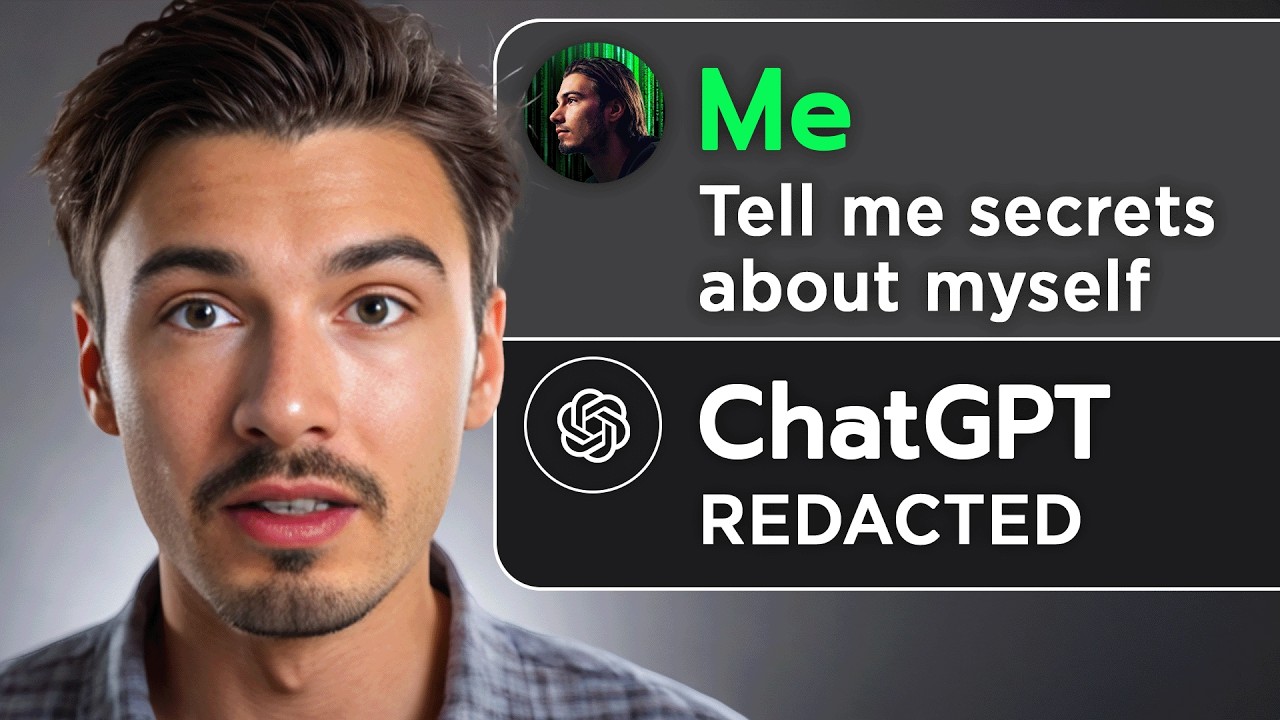
ChatGPT Upgrades, Adobe Surprise & More AI Use Cases
20:12

ChatGPT Upgrades, Adobe Surprise & More AI Use Cases

The AI Advantage 18.10.2024 16 162 просмотров 578 лайков обн. 18.02.2026
Поделиться Telegram VK Бот
Транскрипт Скачать .md
Анализ с AI
Описание видео
This was a huge week in AI! New releases and huge updates from Adobe, OpenAI, Nvidia and more. Plus we'll show you the best way to use a mind-blowing prompt that went viral on social media this week, even catching the attention of Sam Altman. Enjoy the video! Links: https://x.com/OpenAI/status/1847016089202610235 https://openai.com/chatgpt/download/ https://x.com/tomowenmorgan/status/1845126979613339838 https://gamma.app/ https://github.com/openai/swarm https://x.com/nickscamara_/status/1845858494798532711 https://www.reddit.com/r/ChatGPT/comments/1g3n8t8/ios_shortcut_when_i_plug_in_my_phone/?utm_source=share&utm_medium=web3x&utm_name=web3xcss&utm_term=1&utm_content=share_button https://routinehub.co/category/education/ https://huggingface.co/nvidia/Llama-3.1-Nemotron-70B-Instruct https://build.nvidia.com/nvidia/llama-3_1-nemotron-70b-instruct Prompts: ## Gathering Personal Context for Customized Assistance - **YOU ARE** an **INTERVIEWER** with the goal of understanding the user's background, preferences, and needs to provide personalized assistance and insights. ## Task Description - **YOUR TASK** is to **ASK** a series of questions that will **GATHER** personal context about me, including my preferences, interests, and relevant background details. ### Important - **INQUIRE** about my professional background, personal interests, and areas where I seek improvement or support. - **ASK** about my preferred style of communication and the type of information I find most helpful. - **EXPLORE** my goals or aspirations to understand the kind of outcomes I’m aiming for. (Context: "The goal is to collect enough information to tailor responses to my specific situation, preferences, and requirements.") 0:00 What’s New? 0:51 ChatGPT Canvas Update 2:15 ChatGPT App for Windows 3:01 Viral ChatGPT Technique 7:54 Llama-3.1-Nemotron-70B 9:38 Adobe AI Releases 13:48 Gamma 17:24 Swarm 18:34 iPhone ChatGPT Shortcut #ai #chatgpt #adobe Free AI Resources: 🔑 Get My Free ChatGPT Templates: https://myaiadvantage.com/newsletter 🌟 Receive Tailored AI Prompts + Workflows: https://v82nacfupwr.typeform.com/to/cINgYlm0 👑 Explore Curated AI Tool Rankings: https://community.myaiadvantage.com/c/ai-app-ranking/ 🐦 Twitter: https://twitter.com/TheAIAdvantage 📸 Instagram: https://www.instagram.com/ai.advantage/ Premium Options: 🎓 Join the AI Advantage Courses + Community: https://myaiadvantage.com/community 🛒 Discover Work Focused Presets in the Shop: https://shop.myaiadvantage.com/

Оглавление (9 сегментов)

  1. 0:00 What’s New? 197 сл.
  2. 0:51 ChatGPT Canvas Update 324 сл.
  3. 2:15 ChatGPT App for Windows 193 сл.
  4. 3:01 Viral ChatGPT Technique 1221 сл.
  5. 7:54 Llama-3.1-Nemotron-70B 402 сл.
  6. 9:38 Adobe AI Releases 1044 сл.
  7. 13:48 Gamma 869 сл.
  8. 17:24 Swarm 297 сл.
  9. 18:34 iPhone ChatGPT Shortcut 405 сл.
0:00

What’s New?

so this week in the generative AI space we found a bunch of practical applications that I just haven't seen before and Adobe Max unveiled a bunch of AI Integrations into the Creative Suite and this is very interesting because to all the AI video Skeptics and I think you know people are skeptical for a good reason like what do you even use AI video for except of anonymous YouTube channels well Adobe has the answer here they had several Integrations and especially on the video side in their video editing software they now shipped the AI features so you can do things like generatively extend video clips which let me tell you from the perspective of Video Creator feels a little magical and this week's episode will be happening from two locations because I had to move in the middle of the recording now I'm actually in the north of Brazil I'll be staying here for the next few weeks oh and if I look a little exhausted that's because the trip was quite rough I actually caught food poisoning and I was recovering today but we got to get this video out right so
0:51

ChatGPT Canvas Update

let's get to it so the first update that I want to bring your attention towards is a Chachi BT canvas update and I think this is actually big because canvas has quickly become one of my favorite features inside of cat GPT and the new feature allows to track the changes that it makes with the prompts with a so-called diff Checker let me just show you so if I run a super simple prompt here inside of GPT 40 with canvas it will go ahead and write this essay about penguins and that is all well and good I have all the features as I did before now everything here is the same as before except of this one button up here which is great out because we didn't make any changes yet so let's do that I'm just going to say make it more concise and this is the typical type of prompt where up until now was just very tricky to track the changes that it actually made sure this version is more concise but what did we lose maybe something critical was in there well now you can press this button up here show changes and it actually shows you exactly what it deleted and what it added now I think this is pretty amazing because honestly this canvas interface while being super new is open eyes version of Microsoft Word a AI first writing interface that now implemented probably the most important thing they could a way to track the changes the AI makes now this will also work if you're generating code within canvas which is absolutely amazing because if you prompt certain changes and it rewrites the entire code it shows you what it deleted and what it add it this is an essential feature that I'll be using all the time and it's available to all cat GPT plus teams or Enterprise subscribers next up
2:15

ChatGPT App for Windows

we have another update from openai and this one is simply summarized it's the desktop app finally launching for Windows up until now it was only available for Mac it's just a version of cat gbt that is a standalone application versus this web app just a few words on this app ever since it came out I actually integrated this into my day-to-day workflow and it is my primary way of using chat GPT all you need to do is press option space on Mac and now alt space on Windows and it will open up a little chat GPT bar on my desktop computer at home I even set up the custom button on my mouse to open up this chat GPT window it's a really easy way to access it plus some of these extra ways to infuse context can be a super quick way to get things done with chat GPT and now all windows users can do it too just navigate to this link that I'll put into the description of the video below and get the brand new Windows app okay so let's have a look at
3:01

Viral ChatGPT Technique

this chat gbd technique that made so many waves this week that even Sam Alman himself retweeted it this is not necessarily anything new okay memories and the ability to prompt like this have been around for a while but it just had its viral moment this week and I wanted to show you how you can try it yourself and in case it's not set up I'll also show you how to set it up inside of your cat GPT so what I'm talking about is this right here it's a very simple technique shared by Tom Morgan here where you prompt the following inside of chat gbt from all of our interactions what is the one thing that you can tell me about myself that I may not know about myself very simple prompt that you can run in the Now new interface by the way they also updated this I like it a lot still no prompt presets though but as you going to see if I run this inside of just normal GPT 40 it will not tell me anything it looks like I don't have any information stored about you yet so I don't have much to go on and that's because of the fact that I do not have memories enabled these are on by default and it's a feature that automatically looks at your chat and extracts personal information about you and saves it to chat gpts memory now I myself have consciously made this decision to turn memories off because I really like the custom control I get with the manual equivalent of memories which is custom instructions I've talked about this so much on this channel but here you can basically set up chat GPT in a custom way for yourself and everything that memories gather automatically about you can put in here but it does take manual work you need to be conscious of what you're putting in here and then it's static memories are not static they update as you go and that's why I as a power user I'm not the biggest fan of them because they tend to shift and things get added in there that you might not be aware of and all of a sudden some random phrase or fact from your work might be a part of your personal conversations with chat GPT but here's what you can do and I even prepared a prompt to set this up for yourself so you can learn some unexpected things about yourself first up you click your profile picture then you go to settings and here under personalization you can toggle on memories as mentioned they're on by default now I have turned them on too down here you can manage these memories as you can see there's none in here so let's add some and you certainly don't need this but I did prepare a prompt for you inside of GPT 40 I'm just going to run this little prompt that you can find in the description it's quite simple it sets up chat GPT to be an interviewer to understand users M backgrounds and preferences then there's a few more details to direct chat GPT here including directions on inquiring about my professional background personal interests and areas where I potentially need support or want to improve and it also asks about my goals which I find quite important anyway all of this is in the description you can simply copy paste this into chat GPT and once I run this it will come up with a list of various questions that I can now go ahead and answer now there's quite a few of them you can ignore most of them or you can answer every single one of them probably the best way to do it is just selecting it and then saying reply like so I'll say online entrepreneur generative AI educator and Community manager and at this point it's pretty much exactly two years from when I started doing this fulltime and I'm going to send this message and I could keep going I could even answer all of these things in one question but as you'll see you get this little note here memory updated and now I can answer these follow-up questions and this way chat can learn more about myself and this is how you could build out your own memory again if you want to review them you head back on over to your settings personalization and here you can manage them as you can see this memory has been saved and then with this button I could delete it now if you have enough of them in here I would probably recommend around three so in the interest of time I'll just answer that and we'll cut to once I have filled out these memories okay now I have a total of three memories in here as you can see right here and now if I just open a brand new chat I can run this little prompt that I will also put into the description of this video and now GPT tell me something about myself that I may not know let's see so one thing that stands out from our interaction is your unique ability to balance a deep focus on individuals with the broad demands of managing a community and a business you have a preference for unscalable strategies which often means you prioritize personal connections over efficienc your automation this suggest a natural inclination towards empathy and a desire to make a tangible impact on the people you work with true okay and let's round out the segment with one follow-up prompt that might unlock even more insights what are some of my blind spots and how could I prevent them from hurting me in the future now this is a prompt that I sort of came up with over course of last year I'm not even exactly sure where this comes from but this is very useful I find myself using this sometimes and look at that it tells you different blind spots you might have so over commitment to individual attention the challenges of context switching reluctancy to letting go of control and Tunnel Vision on the immediate task over a long-term strategy I would agree with all of these and then here's a strategy on how you could prevent that super useful super personalized just keep in mind that every single conversation you will have with chat GPT from here on out will be tainted by these memories so when you're writing a work email don't be surprised that it all of a sudden gets infused with your personal preferences and goals it's the part of the context window as these memories affect every chat but you can do though is simply turn them off or you could copy all these memories and put them inside of your custom instructions like so and now all the info is saved in here and you can really edit every single word add things remove things and also these you could toggle on or off there you go very neat little use case right there okay next up we have a really
7:54

Llama-3.1-Nemotron-70B

unexpected release this is Lama 3. 1 neotron set 7B which is nvidia's version of llama 3. 1 the 70b model which is really small by the way this can run on some higher end machines where something like the 405 billion parameter model or sonid or 40 could never ever dream of doing that so this is a small model that performs really well on certain benchmarks let's have a look at it if we open up the hugging face space on which we can find this model you will see that the benchmarks here are exceptionally hard okay the one that they really present themselves with is this Arena hard Benchmark which is a essentially the hard questions presented in LMS y's chatbot Arena you might be familiar we often look at the website it ranks different chatbots by user preferences and it is different sets of questions these are the hard questions they have and there a certain score that the different models get CLA 3. 5 sonets currently leads the leaderboard with a score of 82 and then the 01 models are at 81 with all the gp4 variations being in the' 70s now the surprising thing is that this brand new Nvidia model that has only 70 billion parameters actually scores at 85 that makes the best model out of all of them on a small model now this thing just came out and benchmarks are definitely not everything what matters at the end of the day is how good is this in production or how useful is this to an individual but you could go ahead and try this model over at this website I'll also link this below and only time will tell how popular this model will be but I just wanted to show this to you as it's super interesting to me that we can get so much more out of these models that are already present by specializing them for certain use cases or fine-tuning them with new data really the models don't even need to get better it really seems like there's a whole new continent of capabilities to be discovered it by just improving the models that we already have and not even training brand new ones and obviously both of it is happening we're just accelerating at a pace that is really unprecedented okay so next up let's talk
9:38

Adobe AI Releases

about adobe's AI releases and if you're not aware this week Adobe held their yearly conference called Adobe Max which is essentially a festival for All Digital creative nerds they showed of a ton of new features and releases that will be coming up but when it comes to AI features there's really two things that I want to highlight here first of all it's a brand new Photoshop feature that is all well and good but it's just a new way to remove certain objects in the frame that's good but it doesn't even come close to the level of significance of what they did inside of Adobe Premiere Pro their video editing software they finally shipped a brand new video model Firefly video okay this thing has been teased before but now it's out and it's integrated into the beta version of Premiere Pro and we'll be looking at it in a second here but before we do that I just want to highlight the fact that we have quite a few video models out and usually the point of criticism of AI video is like okay it's well and good it's incredible what it can do but do you use it for like the character consistency is not there for it to be used for narrative storytelling and there's still so many artifacts here and there that careful observers will be able to tell a AI video shot from a non-ai video shot in many cases it can to text perfect C yet and often it lacks the precise controls that are needed on projects where every frame matters now with this Premiere release I think this is the first time where we have something really significant and that is the fact that they're not including this new video generation model as like a feature where you can prompt things and generate Clips surely that will come down the line but what they're really integrating here is a new tool where generative AI is happening in the backgrounds to enable this tool so I went ahead and downloaded this beta version of the brand new premere Pro if you have a Creative Cloud subscription you simply go to your Creative Cloud head on over to Beta and download Premier Pro beta over here I did this here and imported one of the videos that influenced me as a video creator around 9 or 10 years ago when this came out this is called The Watchtower of turkey is if you're a filmmaker you will know this it's really introduced a new era of video editing but that's beside the point here we want to look at this tool okay so what I'm going to do here is insert a few cuts at points where a shot ends okay and then we're going to get test this brand new tool I remember back in the day going through this things frame by frame hundreds of times just to figure out the different editing techniques applied in here okay so the AI tool is right here generative extend tool okay first I need to agree here and what this essentially does is it allows me to take this clip and I can extend it okay so here I'm going to add an extra second to the clip now the video generator is being used to extend the clip based on the context of the original clip if you're not aware this is something that's incredibly useful in video editing because a lot of times you find yourself in a spot where you're missing some b-roll to put on top or maybe a clip is too short and you need to extend it somehow this happens all the time and one of the quick and dirty ways to do that is just taking the clip and reducing the speed of it which usually causes problems because if you didn't shoot in slow motion all of a sudden the clip will be choppy or you need to go ahead and find new clips and or what if you recorded a narrative story and all of a sudden you just want to extend it that extra second those extra two seconds in the end what if you have a drone shot and you wish it was 3 seconds longer well now you can take this tool and you can actually extend it and it generates all the new stuff so let's have a look at how well this worked I'm super curious because this would have been something I would have used all the time and that actually sort of works I even included this last frame where it shifts a little bit preparing for the transition here afterwards but look at that okay so I think this little animation here in the end really threw it off but except of the motion that was pretty perfect let's give it one more shot on another clip maybe that can be this woman here that the video opens with this is going to be a particularly tricky one cuz she blinking in the moment of the cut okay generative extend and track this out 2 seconds which seems to be the maximum right now okay it's generating okay it finished in under a minute let's have a look at what it did here that what that's perfect yeah that totally works this tool can be used in proper Productions to extend Clips without people even noticing that this is AI at all so here you go these are the real AI use cases that are going to be used by video editors all around the world from here on out and we're just getting started I'm really glad to see some of these practical implementations and I just want to highlight one thing you didn't need to open up a website you didn't need extra subscription you didn't need to prompt it's just a useful tool that was directly integrated into an environment where it's useful and this is what's going to happen with most of these features that we look at here week by week fascinating stuff and this one in particular is really amazing to
13:48

Gamma

me all right so next up I want to feature this application not sponsored by the way I just found that the updates they made are really enticing and I think you would care about these two so this thing is called gamma and it's basically a AI presentation generator and I got to say I played a bunch with co-pilot for Microsoft PowerPoint and it didn't stick for me even with the new wave to update it's not something I would want to return to regularly and sometimes I do have the need for presentations I haven't found a super efficient workflow to convert data that I have into presentations easily I know it's doable but it's just not that intuitive to me so that's not the way and some of the other apps not my style either I often find it easier to just prompt it in chat GPT and then come up with visuals and then create the presentation myself but with this update in particular I got to say they really nailed it here and I want to show it to you so what we're going to do here is we're going to take the next story that we'll talk about here which is open I swarm it's a very simplistic multi-agent framework that they open sourced and released we'll talk about that in a second but basically what I'll do here is I'll take this entire GitHub page and I'll just copy all the information in here on how to run this and what to use this for ETC okay going to take all of this and here instead of GMA which by the way all I did is log in with a free Google account here and now I'm in this AI presentation generator on free credits so what I'm going to do here is say paste in text I could also generate from a on line prompt but I personally always like to bring in my own context because then you really get the good custom stuff here paste in I'm going to do exactly that I'm going to paste all the text there and I'm going to turn it into presentation you could also do a web page or a document by saying continue here it will bring you to the next step I could edit things I don't want to I'll just keep it like this all of the setting on default it's going to condense the text and it's going to add AI generated images and when I continue I can pick one of these layouts H how about something darker a bit techy like this one perfect and now I say generate and there we go now I believe this is so fast that we don't even need to cut here right we can just kind of stay live and watch this as it gets generated pretty amazing and look at that the layout is super clean here on the left you can see the AI generated images being added and I believe it's done yeah let's review this quickly but look at that you have to different contributors that was at the end you have examples of the use cases Airlines or as a personal shopper what else let's look at the first slide here ergonomic multi-agent orchestration it's an experimental framework that explores lightweight ergonomic approaches to coordinating multi-agent system H talks about The Primitives the Swarm usage and there you go we just made a GitHub page that might be a little challenging to understand a little easier to understand there's visuals here are the free steps to running it here are the different features it has I guess we're already sort of the next segment here right the features are is that it's lightweight scalable customizable and testable and there you go it just created a nice little presentation I don't know maybe it's just me but I just find this visual enticing I like the amount of text it has in here I like the summarization it uses in the background and I could easily customize any one of these I just wanted to show this off to you we also featured this as a app of the week in the Weekly Newsletter cuz yeah I did all of this on a free plan and one more example would be from our weekly research database where we gather all the info and the testing for the apps that we feature in this very video we just copy pasted some of the entries into gamma and then it created this fantastic presentation with some of the visuals we had in there too so this is from last week's episode but there was an open eye and Altera collaboration which we decided not to feature I then featured it in advanced voice video but basically was about AI agents inside of Minecraft playing alongside with you and using voice chat there you go this is a great summary of that I thought this might be useful and if you need to create a presentation give this a shot it really couldn't be any simpler okay
17:24

Swarm

and now let's talk about swarm this is a thing that came out of openi it didn't get as much attention as I would actually expect and that's because this thing is quite simplistic now look this definitely sends a message from open ey to all of us that they're going in this direction and this is happening but when you compare it to some of the competition out there and to what's possible with agents which you know is still quite limited This falls short in many ways it just misses some of the features that you get with something like autogen like very simple integration with external documents that's one of the core things right you want to give it your custom data and for them to be informed of it there is no simple intuitive way to do that here again it's very simplistic but I guess that's what our first step should be so if there would be something gamechanging that people built with this I would show you I guess there's this one thing that we find where Nicholas from Far craw Dev showed off a workflow where it would look at a website scrape the data and then create a marketing plan from the data on there but most of these agentic use cases are not Way Beyond what you can do inside of C GPT you can just select the content and prompt inside of cat GPT and get similar results by Simply Having the right prompts and then you don't have to deal with this entire framework can setting it up I don't know if you know of specific use cases please leave them in the comments below we'll explore them and report back okay this one is super
18:34

iPhone ChatGPT Shortcut

simple and also has been around for a while but I wanted to shine a spotlight on this because it's a very simple shortcut for iOS users this one particularly is for the phone and it's a chat GPT usage that triggers when you plug in a cable okay so a Reddit user here rebuilt it I'll put the link in the description you can just open this up and say get shortcut open this in shortcuts and voila with this button you can add it to your shortcuts as you can see I don't use shortcuts much maybe I good but now I have battery GPT and if I look inside battery GPT you will see that it gets the battery level when I plug in a cable and then it runs this prompt your phone say something incredibly unhinged with dark humor that you would say to your master when you get plugged into charge and then it gives it the info about the battery state okay so what I'm going to do now is plug the phone into my charger and get you a screenshot of what I got because I just got a little notification here here's the screenshot of it a fun little touch isn't it look at that oh back already I was at 93% but sure let's make me over qualified for my job of lighting up your doom scrolling at 3:00 a. m. okay I don't know how useful this is but it's certainly fun and I wanted to show you that you have the ability to integrate chat GPT like this on your desktop quite simply you could even add extra chat GPT steps with custom messages right here so there you go that's battery GPT for you and actually found a website in the same Reddit fret here that houses a bunch of these shortcuts so you could just browse for here and find some of them that might be interesting to you and install them for free it's pretty cool I knew this exist it but I never saw a library like this or a use case like this custom battery reminder all right and that right there is everything I have for today subscribe to our newsletter for weekly updates and on sign up you get a free chat GPT template and other than that I will see you next Friday from Brazil

Ещё от The AI Advantage

Ctrl+V

Экстракт Знаний в Telegram

Транскрипты, идеи, методички — всё самое полезное из лучших YouTube-каналов.

Подписаться




