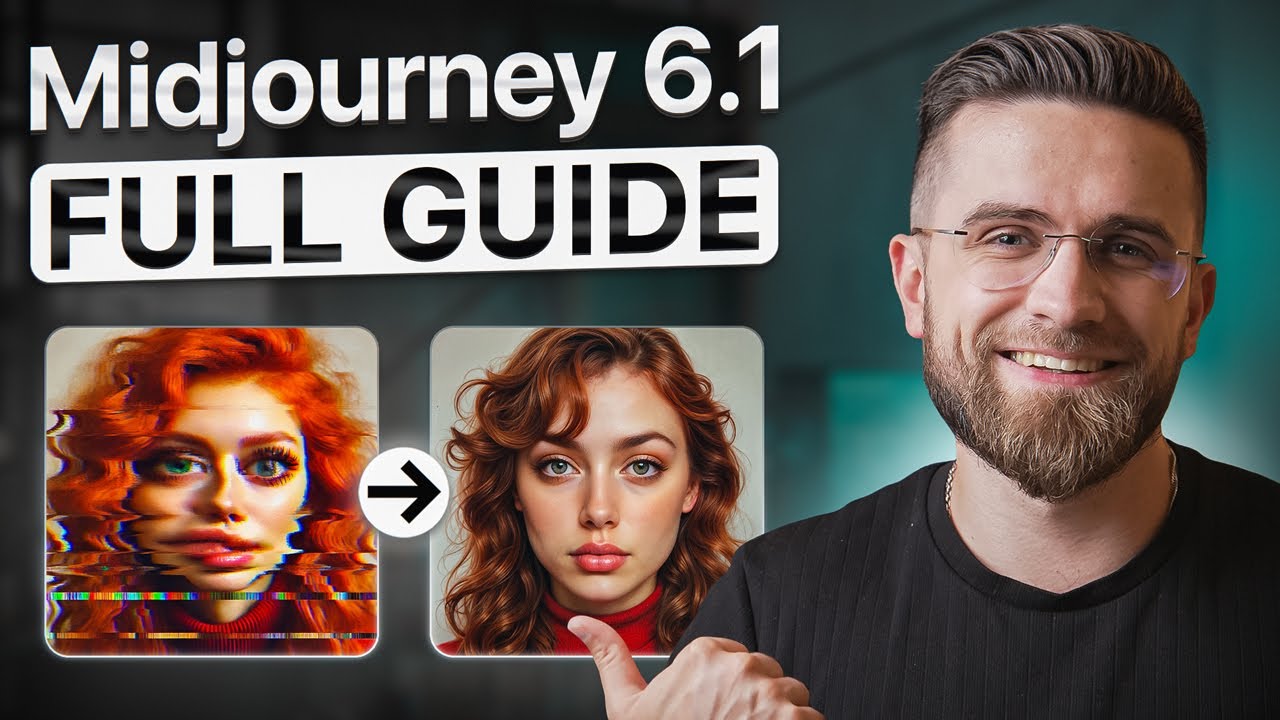
Ultimate Midjourney Guide 2025: How to Use Midjourney For Beginners
24:51

Ultimate Midjourney Guide 2025: How to Use Midjourney For Beginners

AI Master 15.12.2024 35 691 просмотров 810 лайков обн. 18.02.2026
Поделиться Telegram VK Бот
Транскрипт Скачать .md
Анализ с AI
Описание видео
#sponsored by Sign up to Freepik! https://www.freepik.com/pikaso/ai-image-generator 🚀 Become an AI Master – All-in-one AI Learning https://aimaster.me/pro 📹Get a Custom Promo Video From AI Master https://collab.aimaster.me/ In this video, we break down everything you need to know about using MidJourney AI for generating stunning, high-quality AI art. Whether you’re a beginner or looking to enhance your AI image generation skills, we cover MidJourney tips, Discord prompts, website features, image settings, and pro-level prompting techniques. Learn how to set up MidJourney, craft effective AI prompts, use Discord commands, adjust aspect ratios, and generate images with specific styles, including anime. Discover creative tools like blending, upscaling, varying regions, and pattern creation. Plus, we compare MidJourney to competitors. Watch till the end for expert tips to unlock MidJourney’s full potential! Chapters: 0:00 - Intro 0:23 - How to start? 1:24 - Subscription 2:29 - Interface 4:32 - Discord Interface 5:47 - Competitors 8:12 - Prompting commands 12:19 - More commands 13:59 - Stylization 15:17 - Useless commands 16:50 - Uploaded image prompts 18:43 - Blending 19:28 - Describe 21:19 - Special abilities 22:51 - Remix 24:15 - Finale

Оглавление (16 сегментов)

  1. 0:00 Intro 81 сл.
  2. 0:23 How to start? 201 сл.
  3. 1:24 Subscription 231 сл.
  4. 2:29 Interface 400 сл.
  5. 4:32 Discord Interface 225 сл.
  6. 5:47 Competitors 464 сл.
  7. 8:12 Prompting commands 724 сл.
  8. 12:19 More commands 309 сл.
  9. 13:59 Stylization 211 сл.
  10. 15:17 Useless commands 282 сл.
  11. 16:50 Uploaded image prompts 333 сл.
  12. 18:43 Blending 146 сл.
  13. 19:28 Describe 374 сл.
  14. 21:19 Special abilities 274 сл.
  15. 22:51 Remix 262 сл.
  16. 24:15 Finale 74 сл.
0:00

Intro

let's face it mid Journey can be confusing especially if you're just starting out it's got two versions and the prompt and VI is a bit old school compared to other AI the results some of the best AI generate images out there hands down in this video I'm going to break down everything you need to know to make the most of my journey so stick around and we'll take you from Total beginner to legit Pro in just one
0:23

How to start?

video Med Journey has two main ways you can access it the website and Discord the website is super simple it doesn't have all the TOs bad generation is a bit Mead but it's straightforward Discord it's stricter with how you prompt little clunky to use but it's faster and gives you full control so which one should you use here's my rule of thumb if you're brand new to image generation start with the website it's just easier fewer features to get lost in and less overwhelming but if you're aiming to get serious with this stuff start with Discord and plan to stick with it to get started on Med journey through Discord you'll first head over to the mid Journey website click on sign up or log in you'll need a Discord account for this if you don't have one no worries it'll redirect you straight to Discord to create one just follow the steps it's all pretty straightforward after you've got that sorted head into Discord look to the left and click create server click I don't have an invite and then look for The Med Journey server hop in and you'll see some instructions on how
1:24

Subscription

to get going now for generating images you'll need a subscription the cheapest option is 10 bucks a month and honestly it's plenty for casual use the editor feature which is still in beta isn't available right away you either need a yearly plan or enough Generations under your belt to unlock it but hey no rush still being fine-tuned so we'll save that for a future Deep dive if you want to stick with the website here's the simple path hit explore log in with your Discord account and you're good to go what's nice about going this route is that anytime you want you can jump into the Discord version seamlessly but remember this if you only log into the website with a Google account you won't get access to the Discord features so logging in through Discord is the way to go if you want to keep your options open what I love about using mid journey and Discord is that it's super convenient for our whole team we are all on the same account which means everyone in the YouTube agency team can see what others are working on and jump into the files as soon as they're generated it's a smooth workflow plus it actually saves a bit of time even if it's just a few minutes it makes a difference when we are on deadlines
2:29

Interface

so let's get into the interface itself like I said the website's the easiest way to navigate if you're just starting out there's a prompt bar right at the top and a settings menu button hit that and you'll see all the main image controls you'll need you can set the aspect ratio pick the generation mode select which version of mid Journey you want and more then there's the fun stuff controls for stylization weirdness and variety basically crank these up for more artsy Unique Images I like keeping stylization and variety on the high side but keeping weirdness low that setup usually gives me images that look cool but still stay Pretty Natural and then for when you need images in a hurry there's a speed toggle you've got two settings fast and turbo fast does the job but turbo is perfect for when you're short on time and need that image in less than a minute now when you open the website you'll land on the explore tab here you can scroll through what other people are generating and let me tell you it's a gold mine for inance inspiration on the left there are tabs for everything you need the create tab shows all the images you've generated so far organize is your go-to for sorting and filtering your work it's really handy once you've got a lot of uh images saved up there's even a chat tab that mirrors discord's chat system you can see live prompts and images other users are generating which is an awesome way to pick up new prompting techniques or just see what's trending the personalization tab though is where things get really interesting it's basically a huge image quiz where you pick what you like and yes it's 200 questions long so it takes around 10 minutes to finish but once you're done mid Journey knows your style and can tailor its results to match your preferences and anytime you want you can flip personalization on or off the last tab on the website is tasks and honestly you can skip it doesn't really add anything useful same goes for the help and updates tabs you won't need them often if at all and if you're wondering about changing the look just hit like mode and switch it to dark or system I'm a system guy myself the Discord
4:32

Discord Interface

interface couldn't be simpler you've got one text input at the bottom and that's where you'll be doing everything type forward slash to start a command and you can either pick from a drop- down list or type the command manually the most important one is forward SL imagine that's how you sort any image generation prompt one typo and the prompt just won't work so make sure you're type in it right when an image generates you'll see 10 buttons right below it four for upscaling specific images four for making variations one to regenerate all of them and a button to open the image in the website the u button works like this U1 of scales the top left image U2 the top right u3 bottom left and u4 bottom right one of just settings in Discord just type forward slash settings or pick it from the list you'll see options to tweak everything model version raw mode stylizing levels you name it personalization though has to be set up on the website so if you haven't configured there turn it on here won't do anything there's also an option to upload images directly just know that working with uploaded images on M Journey can be a bit different from what you might expect but don't worry I will walk you through it
5:47

Competitors

soon before we dive into actually prompted mid Journey let's be real for a second mid journey is awesome but it's not the only game in town there are some other solid options out there and each has its own strength Tech dolly for example it's right inside Chad gbt super easy to prompt and gives you high quality results now it doesn't offer as much control over settings like mid Journey but honestly sometimes Simplicity wins then there is doe Express this one's also easy to use with tons of options for style quality and controls over your prompts that said it doesn't require an adobe account and it can be bit picky at times sometimes it just won't generate what you want still when it works it's a fantastic to another worthy competitor to Mid Journey that I found myself using is free pick for someone like me who often switches between quick content creation and detailed projects freepick just makes everything easier and faster the AI image generator is awesome you get these three models classic flux and Mystic and all three give me exactly what I'm imagining without having to mess around with prompt tricks the best part for me is that once I generate an image I don't have to jump to another tool to tweak it I can instantly use features like retouch to clean up details or expand to adjust the size or ratio for me this is a huge time saer it's all connected and seamless if I want variety there's reimagine which lets me create endless variations with one click then there's the upscaler feature that instantly bumps up the image resolution and there are so many image Styles characters and effects to choose from another thing I love is the sketch to image feature I'm not the best artist but even my quick Doodles easily turn into something polished and professional it's honestly so satisfying but here's where free pick really surprised me video generation I've used plenty of similar tools but this is next level you can turn images into fullblown videos with animations directly on the platform I can give it a start image and the end image describe what happens in between and free pick will fill in the rest it's perfect for social media content or even marketing projects it's really shocking how good these results look if you decide to use a model other than flux you'll only need one image to start with compared to Journey which is great for detailed art free pick feels like a full workflow solution it's not just about making cool stuff it's about simplifying the entire process I will leave you a link in the description so be sure to check it
8:12

Prompting commands

out with that out of the way let's get to prompting I'll show you the majority of prompting roles on Discord but they all will work equally well on the website the only difference being that you won't have to type for/ imagine each time so there are few prompt and roles starting with this describe the main subject the scene and small details be detailed and descriptive but no useless information don't describe the feeling you want to create but give visual description instead of for Whimsical Forest type forest with pines and big cartoonish mushrooms unicorns bath and Moonlight Starry Sky in the background to make the images better try incorporate in specific keywords in specific words make it easier for a journey to understand your vision and produce cleaner results for this it will be smart to use the double colon separator lets you create multi- prompts which basically Blends together multiple Concepts here is an example spaceship and space double colon ship see the difference the number you type after it also signs the importance of each part of the prompt for example an abstract representation of a tranquil Forest double colon 3 with geometric shapes double colon 2 for and trees and foliage and a color palette inspired by was condensed G paintings double colon one in this prompt Forest becomes three times more important than the kenski style and M Journey would put an emphasis on Forest the numbers don't have to be h m Journey also works with decimals so if you have lots of things in one image you can precisely tweak everything the numbers can also be negative this way you can remove unwanted elements from the image for example Stell life watercolor painting will give us an uncontrolled painting but Stell life gouache painting double colon fruit double colon minus5 will get rid of frizz in the image without affecting the rest of the image another variation of negative prompting is double- no it works exactly the same way as adding the double colon and weight still live gou painting Double Dash no flowers negative prompting on Mid Journey simple negative prompting in life haul out the Beast because let's face it in life bad stuff is going to happen if you're building your career on YouTube you better be ready for it one wrong move one big mistake and years of progress can vanish overnight I've seen it happen too many times I've watched channels grow stall and then crash and every time boils down to two Miss ingredients competence and knowledge these are your lifelines on YouTube they will take you far but earning them takes time you can fast forward experience so here's my advice find like my people and collaborate that's exactly what I did years ago and it changed everything fast forward to now and not only do I have a bunch of successful channels including this one in our Tech Channel but we've built an entire YouTube agency around this knowledge here's why that's important for you if you're serious about YouTube having expert guidance makes all the difference and that's where we come in whether you're just starting or looking to Breathe new life into your channel my team is ready to help we'll come up with ideas that not only get views but also build a loyal audience struggling with scripts don't worry we will write you the pieces that keep your viewers glued to the screen and thumbnails if yours don't grab attention instantly we'll fix that no problem and we've got your back width filming at home our director can help you set up your space even a simple corner of your home can look professional with the right lighting angles and setup it's easier than you think when you have someone guiding you and once your videos are ready will handle the rest editing uploading optimizing titles and SEO you focus in creating and will'll handle the details and you don't even have to be on camera if that's not your thing channels like gazon and schow crush it with faceless content I will drop a link in the description if you're ready to take your YouTube game to the next level click it let's stop fighting the algorithm and start breaking it
12:19

More commands

together and like I said earlier remember about keywords I will give you a short list use these words in your promps and the images will get better for optimal results I suggest using at least one of each so the prompt will look something like this a person Outdoors under soft lighting with vibrant colors conveying an energetic mood and a close of composition if you don't want to open settings every time you can just prom the image parameters in for example aspect ratio just add a Double Dash after the prompt and then type AR and the ratio like this a towering cyber Punk CS C fell with neon lights bustling streets and futuristic skyscrapers reminiscent of Blade Runner double- AR 9 by6 another set of parameters you can tweak is seed stylization and Chaos seed number is pretty much what defines the image it's the basic noise that AI uses to create images using the same seat for different images you can pretty much create the same image over and over again can be a painting with similarly placed objects or it can be a closeup of a person with identical face proportions you got the gist Med Journey actually lets you copy the seed of one image and use it for generating new ones the easiest way to find a seed that was used for an image is by right clicking on the message and sending an envelope Emoji as a reply after which moury will send you a new message with a job ID and seed number then you just copy that seed number and generate the image as usual but at the end of your prompt you need to type double- seed space and paste the seed you just copied though you can always just come up with a seed number yourself
13:59

Stylization

stylization parameter defines how strong the style will be zero is the least dramatic one and 1,000 is the most dramatic on the website you can adjust it in the menu I showed you earlier the same goes for chaos command is double- C plus space plus number the range here is from 0 to 100 so the prompt with all three parameters will look like this steampunk Dragon saring above a Victorian city double- seed 7 double- s 300- C30 then there is a double- q parameter which controls the quality the higher the number the more Fidelity and details you'll get but it doesn't affect the resolution of the images to get highr images you still have to upscale them double- fre only controls the amount of details in the image all the miscellaneous stuff also I would suggest using the white parameter double- IW This One controls how closely MJ joury sticks to the prompt you give it basically it's the opposite of cha parameter from earlier here's an example fromom with these parameters for/ imagine cats and dogs double- Q3 double- IW 0. 25 there definitely should be an AI that writes promps for Mid journey and once I find one I will post it to my
15:17

Useless commands

website of course not all the parameters that you can feed mid Journey are that useful but it's useful to know all of them or at least have a list for example the double- stop command stops the generation a certain moment a dog EA an ice cream double Das stop B te you get a blurrier less defined image honestly I don't know how this could ever be useful but hey the more you know if you want the image to be generated faster you can always add double Das turbo to your prompt again it saves a bit of time but not a tremendous amount but there's one call command double- video this command saves a video of mid Journey generating your image to get this video in your direct messages responded with the envelope emoji from there you can just download it if you're ready for something strange add double- weird followed by the number to your prompt it will randomize the results even further but can produce some decent results oh and if you're really into anime there's a special build-in model just for that you can trigger it by typing Double Dash nit G5 here's an example Japanese Street nothing special a standard image and a Japanese Street double Das N5 what do you think of that there's also prompt for running the same generation multiple times just type uh Double Dash repeat or double- R followed by a number and mid Journey will generate the images as many times as you want this is the type of thing that the Discord version is good at bad generation on the website that's going to be tough to
16:50

Uploaded image prompts

do mid Journey magic actually extends to not only generating new images but also to working with the existing ones there's a lot of stuff you can do but first let me show you how to upload the image click on the plus sign upload and pick your image then once it's uploaded click the image select open and browser and copy the URL from the address bar you have to do it with every uploaded image every single time now you can just type for/ imag then paste the link and then type in the prompt med Journey will use the uploaded image for guidance modifying it till it fits the prompt it's a great way to turn people into art characters or create copyright images without infringing the rights check this out forward slag link superhero where in a cape flying through the air and high speed nice right if you have a stylized image like comic or Manga for example you can copy style too then you can use the style to generate new images to do it you need to use the uh double- sref command type The Prompt as usual then write double- sref and paste the link to the uploaded image there are a couple limitations to this one like style references only applied to promps that include text they can be used with image only prompts you can also use multiple style references like this double- sref Euro 1 2 and three at the same time the parameters I mentioned earlier can be combined with uploaded images for example for/ imagin a cat driving a rally car double- sref 50 length of course weights to the references can also be added like this for/ imagine the cad driving a rally car double- sr50 link one double colum 2 Link 2 Double column one now mid Journey will use two or more images for Generation take an inspiration and traits from both of them this is a
18:43

Blending

really nice way to blend two images together in a creative way though the easier way to do it would be with forward SL blend mode with a triggered you don't have to do that L thing with images you'll get a context window where you can just upload images straight up for blending you can use up to five images But be sure that all images have the same or closed Dimensions this gives the best results possible but if needed you can use the uh double- AR command to specify the exact aspect ratio and you don't need to prompt anything but can use any parameters that I've mentioned to tweak the image and as you see the results are quite interesting and a bit unexpected blend in images this way works especially well for AI generated images so keep that in mind another
19:28

Describe

command you should learn is forward SL describe allows you to upload an image and generate four prompts based on the contents of an image it's a great way to learn new prompts in vocabulary or just explore Artistic Styles all the prompts generated this way are inspirational and won't recreate the images exactly so keep that in mind and this feature Works slightly differently on the website and in Discord and Discord it generates full prompts while the website will offer suggestions of words and phrases to help you build bu your own prompts and describing the same image repeatedly will yield different results to use in Discord just type for/ describe and paste the link to the image then you can generate an image for each suggested prompt on the website click on the image icon and upload an image then hover over the image with the mouse and click on info this will give you a list of subjects that recognize and quite a few descriptions I really suggest you go through those and take notes of the ones that are unusual to you Med Journey also has this cool feature that lets you type in your prompt and then ask AI to extract valuable tokens out of it you can just type shorten and paste your huge prompt then mid Journey will highlight the tokens in it and cross everything that's not necessary as you see half of my prompt is useless for Mid journey by the way this is a very cool insight into how it all works also there are five shortened prompts each shorter than the last to generate an image based on the new prompt I just click on the number which in my case will be number one and boom here are the images just for the sake of comparison I'm going to also generate the image based on the original prompt as you can see there is really not that much of a difference between them I think this is the fastest and easiest way to learn prompt engineering right inside mid Journey if you're watching our videos and wonder where all the links to TOS are the answer is simple on our website
21:19

Special abilities

a. me on top of all that I've already shown you Med Journey also has a few more basic features that you really can't miss for example text generation this is a rare thing for image generators cuz they always struggle with text mid journey is actually the best of the bunch to add text to your images use the double quotation marks around words or phrases and your prompts to specify text you want to appear in your images like this cyberpunk CAD in a futuristic city hold in a neon sign that says AI master and you can only generate text in the Standard English alphabet the shorter the text the higher the accuracy obviously there's no control over the fonts Tex size and other features of the text if the generated text looks wacky and weird you can lower the stylize values after you've generated an image you like the next step is to upscale it just click the button below the image to do that upscaling unlocks all the other features once it's done you can use the VAR region option this lets you pick parts of the image to regenerate you can select a region using a square toe or a brushlike one the size of your selection matters larger areas give mid Journey more space to add creative details while smaller areas make more subtle changes at the bottom there's a prompt box here you only need to describe the part of the image you're regenerating don't input a prompt for the whole image once you're ready click submit and wait mid Journey will generate four new versions
22:51

Remix

pick the one you like best if you turn on remix and settings you'll be able to vary the whole image prompt then M Journey will use the same style and other parameters to generate a new version of The Prompt this can be quite useful but personally I don't really use this one under the upscaled image you'll see the pen buttons they look like arrows and let you expand the image in any direction just click the arrow pointing the way you want to go keep in mind though you can only expand in One Direction at a time for example if you expand horizontally you can't expand vertically afterward the good news is you don't need to change your prompt to expand the image that's optional and only need it if you enable remix mode but it's entirely up to you next to the pan buttons you'll find the zoom out buttons they work a bit differently than you might expect instead of expanding the canvas in all directions zooming out actually shrinks the base image within the same canvas size the original content gets scaled down and the surrounding areas are regenerated you can choose from preset Zoom levels or set your own by clicking custom zoom and as a cherry on top if you want to make patterns for wallpaper for example try adding the Double Dash tile parameter to your promt it will force ma journey to generate images with repeating patterns like this pattern of colorful watercolor fall leaves Double Dash tile see that's nice
24:15

Finale

right and now you know how to use mid journei you're not in newbie anymore you are on track to becoming a mid Journey expert I really hope you learned something and if you did like this video and leave a comment thanks free pick for sponsoring this video and also be sure to check our guide for chat GPT and Google Gemini thanks for watching and I'll see you in the next video

Ещё от AI Master

Ctrl+V

Экстракт Знаний в Telegram

Транскрипты, идеи, методички — всё самое полезное из лучших YouTube-каналов.

Подписаться




