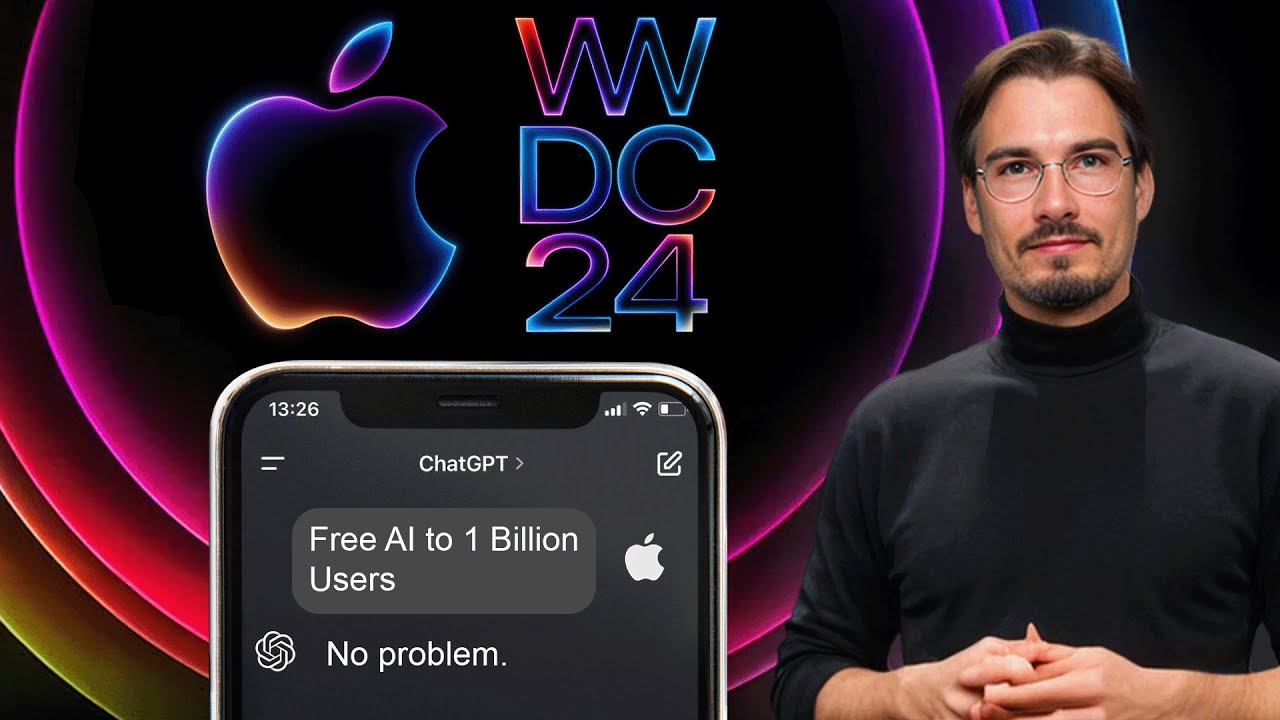
Apple Intelligence: Use Cases You Should Know About
18:30

Apple Intelligence: Use Cases You Should Know About

The AI Advantage 11.06.2024 20 645 просмотров 782 лайков обн. 18.02.2026
Поделиться Telegram VK Бот
Транскрипт Скачать .md
Анализ с AI
Описание видео
Apple's WWDC Keynote had some major AI announcements, including an official OpenAI partnership that brings GPT-4o and more to iOS 18. In this video I'll break down everything you need to know about Apple's AI strategy. Links: https://www.youtube.com/watch?v=RXeOiIDNNek Chapters: 0:00 WWDC24 0:55 Availability 1:56 Apple Intelligence 2:47 Priority Notifications 3:17 Writing Tools 4:15 Summaries 4:40 Transcription 4:58 Reduce Interruptions 5:42 Smart Reply 6:11 Image Generation 8:59 Gallery Search 9:59 Privacy 12:41 Siri Upgrade 15:14 ChatGPT Features 16:48 Availability for Developers #ai #apple Free AI Resources: 🔑 Get My Free ChatGPT Templates: https://myaiadvantage.com/newsletter 🌟 Receive Tailored AI Prompts + Workflows: https://v82nacfupwr.typeform.com/to/cINgYlm0 👑 Explore Curated AI Tool Rankings: https://community.myaiadvantage.com/c/ai-app-ranking/ 🐦 Twitter: https://twitter.com/TheAIAdvantage 📸 Instagram: https://www.instagram.com/ai.advantage/ Premium Options: 🎓 Join the AI Advantage Courses + Community: https://myaiadvantage.com/community 🛒 Discover Work Focused Presets in the Shop: https://shop.myaiadvantage.com/

Оглавление (15 сегментов)

  1. 0:00 WWDC24 187 сл.
  2. 0:55 Availability 215 сл.
  3. 1:56 Apple Intelligence 201 сл.
  4. 2:47 Priority Notifications 114 сл.
  5. 3:17 Writing Tools 248 сл.
  6. 4:15 Summaries 103 сл.
  7. 4:40 Transcription 77 сл.
  8. 4:58 Reduce Interruptions 190 сл.
  9. 5:42 Smart Reply 129 сл.
  10. 6:11 Image Generation 660 сл.
  11. 8:59 Gallery Search 264 сл.
  12. 9:59 Privacy 681 сл.
  13. 12:41 Siri Upgrade 612 сл.
  14. 15:14 ChatGPT Features 384 сл.
  15. 16:48 Availability for Developers 411 сл.
0:00

WWDC24

oh boy Apple just came out with their WWDC keynote and they announced a bunch of AI features including a chat GPT partnership and so much more there's actually way more to cover here than I expected initially and we're going to break down everything you need to know concerning all brand new Apple AI announcements that are releasing in beta over the summer and are going to be on all iPhones iPads and Mac devices in September so let's take this step by step because as I mentioned there really is a lot to unpack here okay and there categories of AI announcements they just made during this event the very first one being their very own model they did not explicitly say this but it was clear that they segmented what they can do by themselves as apple with their proprietary models with stuff that they're using cat G pt4 so their own model they're using for the on device Ai and image generation so let's talk about what exactly that means for you as a user of all this but hold up before we
0:55

Availability

get into all the details here one super important thing I need to address when is this becoming available and what devices will be able to use everything we're going to talk about here like the improved Siri or cat GPT generation well this graphic on their website says it all almost in the presentation they pointed out that the beta is going to become available this summer and then all of these Apple intelligence features including Siri chat GPT everything else are going to be coming to all of these devices in Fall 2024 probably somewhere around the release of the new iPhone end of September and there's one thing I need to highlight here which makes sense from Apple's perspective but a lot of people are not going to like this no previous iPhones except of the 15 Pros or the pro Max are going to have apple intelligence meaning even if you upgraded to a new iPhone this year and you didn't end up getting the pro version well if you want these features you'll have to upgrade this year as of iPads you need M1 chips or newer and with all the Macs it's pretty straightforward you need an mchip to run all this okay so with that out of the
1:56

Apple Intelligence

way let's talk about all these new features starting with the Apple models and they don't call it this if you're following this channel we cover all the iterations in the various models Opus coming out GPT 40 coming out being better than gbd4 these are various large language models that have different capabilities Apple chose a different style of communication as they're talking to a billion people their user base everyday consumers that are not that deep into this stuff so what we got here is a multitude of models they did not give us the details because they don't really matter it matters what you're going to be able to do with it and there's a lot matter of fact there's more than I expected and no worries we're going to talk about all the specific use cases in a second here but before that I got to add that everything we talk about here is going to be systemwide not just limited to Apple apps all right meaning all your favorite third party apps will have access to these features too amazing so what can this new Apple intelligence actually do with your phones and Macs so first
2:47

Priority Notifications

things first and this one got me very excited is that it will be able to prioritize your notifications for you in other words depending on your personal context that the phone will automatically gather what this means in practice is that it will be looking at your messages your calendar your notes even your photos and videos to give you a better personalized experience this is a word that you'll hear a lot today personalized because by looking at all of these different parts of your phone it can prioritize certain notifications over others other things are important if you're at work versus when you're at dinner with your family the next one
3:17

Writing Tools

that they'll be integrating into iPhones Macs iPads is various writing tools and these are very basic but they're also the most used ones if you're a power user of tools like GPT 40 it's changing the tone of things to be more conversational or shortening text there's only a handful of these and I would like to highlight this option to describe your change where you're essentially prompting it in a custom way so even though they had a quote in a presentation saying no need to engineer the perfect prompt yeah there's no need but doesn't mean there's no value left to it I've been saying this since a while but if you want this intuitive user interface it is there for you one funny side note is that they sort of revealed one of the prompts they're using here for the proof reading so basically what happens if you hit this button that it checks the text you wrote for grammar spelling and sentence structure something up on allow you had to prompt manually now it's a button and this theme spans throughout the whole announcement all of these improvements what you see right here are accessible in the entire operating system also for third party app so this is not going to be limited just to their Notes app or their mail app no all of your favorite apps will be able to introduce some of the features we talk about here but now
4:15

Summaries

on to the next one which is summaries and these span really across the entire OS whether you receive an email or a message it's going to be able to summarize everything for you to get you the essential information I really like this in the context of emails because a lot of times the sender gets to decide what part of the email they show you now this is going to be replaced by AI generated summaries that happen on your device by the way we'll talk about privacy in a second here I know many people are concerned and rightfully so
4:40

Transcription

but look there's more there's not just this writing assistant there's also the ability to transcribe wherever you are now so there's examples of phone calls happening where you can just summarize what the phone call was about all of these AI capabilities that you had to do manually now will be integrated right there it's just going to be the Press of a button or not even that it's just going to happen automatically in the
4:58

Reduce Interruptions

background and it can look like this feature that they implemented I'm a big fan of this one by the way if you know me personally there must have been a point in time where you were frustrated with the fact that I set my phone to do not disturb way too often I just can't focus on any work if there's notifications popping up and there's this new mod which is called reduce interruptions which is a middle ground between having notifications on and having do not disturb on because these Apple models will look at the message they context of it while considering your calendar or other conversations that you're having and it's only going to surface the notification if it's relevant to you how well will this work in practice we shall see everybody will have access to this by September which is not too far out but I really like this idea it feels like something that I would have set up on my phone most of the time I want to reduce interruptions in my life pretty much all the time and one more feature
5:42

Smart Reply

related to this text and summarization capabilities is the fact that you can have Smart replies so basically if you want to reply to a message you can now have a little toggle interface where you basically can say Hey will your partner be joining yes or no or will you be taking an Uber or driving no need to type out everything you can do it with one hand pick the reply and the large language model drafts a response for you and you can edit it or send it right away okay so those are some of the text and transcription capabilities pretty nice not going to lie I'm looking forward to some of those especially the new notifications and the prioritization but there is more way
6:11

Image Generation

more because they released some new image generation features that are going to be implemented we'll talk about those now and they overhauled Siri even offering a chat GPT integration no worries but we'll talk about it all but we need to understand these image generation capabilities before we move on to Siri because Siri brings it all together okay so what is this image generator all about well edit core it's a decent image generation model that can do freest Styles none of those are realistic okay concretely they animation illustration and sketch important side note none of these are photo realistic so you know deep fakes are not an issue but they also circumvented the biggest challenge in AI image generation which currently not many models got right how's the quality of these models it's okay obviously nowh close to leaders in the space like M Journey but hey all of this will be free and integrated right on your device if you have to write device by the way it also does something that is referred to as fine-tuning where it regenerates images of you with the AI image generator I mean to be fair it sort of looks like you turning her into a pretty generic but close enough type of image like this and again this integrates into everything so you get to write messages with them you get to add it as a contact and there's actually one kind of fun thing here that I think people will be using a lot and that is creating custom Emojis with AI they call as gen emojis but basically you can express any sort of mood you might be in with the power of these image generators this is what that would look like custom emojis for you that's kind of fun but there's more actually there's a whole set of smart features that are integrated into various apps so for example this shows a Notes app where you have a sketch that you just quickly threw up with your pen and using the image generation model you can turn the sketch into a more detailed version of it great even better than that it supports a feature where you can just draw on a certain part of your nodes and it will generate the image in there depending on what it sees on the screen right it takes the context around it into a account so in other words because this text is talking about architecture in India it will generate an appropriate image that fits here just imagine you creating some sort of presentation or Word document it's going to be really easy to enhance them with AI Imaging now for everyday users no need to round trip to Discord or installing a local model it's just right there all you need to do is circle and it works this is what AI adoption looks like in practice nice they also sh off this cleanup tool this is very simply described and actually Google photos released the same thing last week if you're following our Friday show where we update you on the new AI use cases that come out every single week you basically roughly draw around the subject and it just figures out what to do in order to remove it oh yeah and there's also this feature where they look at your photos and actually understand what's in them and then if you want to edit them into a little movie montage then you can do that with the power of AI see you just give it a little prompt there at the bottom as into what you want to create and it picks and arranges them for you in a way that is apparently better than what we have right now very much looking forward to trying this out this is really a baby step towards full AI video editing
8:59

Gallery Search

capabil abilities and that brings me to the next point and this one was so surprising to me I still haven't wrapped my head around it to be fair they're going to allow you to semantically search over all of your photos and videos in other words you can tell your phone about any subject in any picture that you have on your phone or video and it will pull up those videos and this surface is one of the big questions I have with all of this stuff how deep does the personal context it looks into go if I'm going to be receiving a new email will it be looking at videos from 2009 probably not but it could right not to get too technical but it seems almost impossible to create embeddings for all photos and videos that people have on their phones I mean people use this as an external hard drive these days they just never clean the phones and now all of that is going to be accessible by these new large language models as they help you in your everyday life I don't know we'll have to wait to see how deep that personal context really goes but that's a big deal because there's a lot of data on your phone and we haven't even considered the data that comes from the Apple watch or your everyday usage of your computer they haven't talked about that but it's sort of implied I mean if it's looking at your calendar and all your videos well in the same
9:59

Privacy

breath we should also talk about privacy which they made a big deal out of they have a brand new animation where the Apple logo kind of unlocks that's pretty neat and they made it clear that all of these Apple intelligence features are extremely secure and private matter of fact they stated that everything that can be processed on device is happening in that way but obviously a lot of these computations especially when we talk about the chat GPT integration a second here will not be able to happen on device you just cannot run GPT 40 on an iPhone it's too large too demanding so for that you need to go out and you need to send a request to the cloud now when that happens you kind of lose control over your data now they have an answer to that too they called it private Cloud compute and what they promise with it is whenever data goes out to the cloud it is never stored and it is auditable by experts and they stated this multiple times and backing it up with the fact that all of this is going to be happening on custom Apple servers that are built for specifically this resulting on all of these Apple Intelligence being aware of your personal context without collecting any data and for anybody who's new around here just a quick primer on local versus Cloud models you can run a lot of these AIS that we have these days on your local device even if you don't have a very beefy device models with smaller parameter sizes like metas llama 8p I think that would be kind of the king in terms of performance versus size right now you could run this thing on most MacBooks matter of fact I have a video on the Channel showing you exactly how to do that and it works if you turn off your internet because you have the model locally it only has 8 billion parameters but the big models have way more than that well we don't know exactly what the numbers are open ey hasn't published them that they're training right now to compete with gb4 and GP 40 will be 400 billion parameters in size and if you're new around here just a quick primer on model sizes there's really small models and there's really ginormous model something like GPT 40 is massive they haven't even released how large exactly it is but a competitor from meta that is training right now will be 400 billion parameters that's going to be their Lama free 400b now if you want to fit the model onto the phone meaning you do not need the Internet to send anything to the cloud to run the model locally you're going to be looking at something like a 8 billion sized model now these are very limited and they don't have as much or as deep of a knowledge of the world as these larger models but you don't need that if you're just summarizing or if you're just generating one tiny image and that's while having local models for everything that can be done locally and then going to the cloud if necessary is a fantastic combination but the privacy issues are the concerns so I'm definitely curious to hear more details about their privacy approach but again this type of stuff didn't even show up in the presentation cuz it doesn't matter at the end of the day you're going to hit a button it's going to summarize you're going to hit another one it's going to do something more advanced you're not going to know if it's going to the cloud or not it's like going into that sometimes so you can understand how these things work under the hood in order for you to get the most out of all of these tools that are coming our way oh and if you're enjoying this video don't forget to hit the like button it really does help out
12:41

Siri Upgrade

the channel okay so now let's bring it all together and let's talk about Siri because that's exactly what Siri does it brings it all together you're going to be able to use a voice interface by the way no new voices a lot of people expected something like the gp4 announcement no same old Siri voices which are decent but the capabilities changed a lot first of all the new Siri has a look and whenever series is working you can see this little pink purplish type of glow to indicate that you're using Apple intelligence gosh Apple intelligence people are barely getting used to the world artificial intelligence and now they changing the definition or what anyway this is the new logo for Siri and everything we talked about will be accessible through it plus so much more because Siri already integrates with actions they're actually called shortcuts on an iPhone you might be familiar with them and these are automations that can happen on your phone that are already there today it's just not easy to access them for the current Siri cuz because it's pretty clunky you got to be super specific and now Siri is going to be powered by llm meaning you can make mistakes as you speak you can speak at different Paces you can leave out certain words it's going to understand the context of the sentence and you don't have to get every single thing right so something like uh Siri set an alarm for um oh wait no set a timer for 10 minutes actually make that five it's going to be a command that understands where as of now Siri would refuse to collaborate with you and that's the reason why I have her turned off on my phone right now it's just not good enough except for setting timers maybe and you can start making these requests like you would to a human which just didn't work up until now if you say show the files June sent me last week it needs to understand who is Jun in your contacts which June you may be referring to and it needs to know about all the files and email communication from last week now that it has all this access and not just understanding of this context it is able to perform actions like this for you now yes this is a very first look at this exciting agentic feature where our devices perform some of the work for us and don't just assist and US performing the work oh and if you thought that Apple has already enough data on you well Siri is also looking at your screen so when you're using her she will be able to see what you're doing right now and use that context recognize all the images the people the context of that within your day because it also sees your calendar it will be able to consider all that to make better recommendations or take better actions right now we've seen something like this during openis gp4 announcement if you're not up to speed on that you definitely got to catch up there because those capabilities are even more advanced than what we see here but you're going to have them in here right you can just install the chat GPT app on your iPad here and just use it as a part of your workflow and then the even more advanced voice assistant that is able to pick up on tonality and assist you with the multimodal model is going to integrate into here a matter of fact you might not
15:14

ChatGPT Features

even need an external app because they announced a collaboration with open AI where chat GPT will be seamlessly integrating into iPhones Max iPads all of it so look at that there's no icon here when I open my cat GPT app there's an icon here on top but they're showing it's natively integrated into the OS making Siri even better because all the stuff that we talked about here you might have caught the fact that there's no Advance features like data analysis or writing or accessing all of the deep knowledge that GPT 40 has these local models they're not going to excel at writing backstories or simulating conversations between some of the grades in history this is stuff that gbd4 is good at and now it's going to integrate into everything just because opening eyes so far ahead Apple just had to sort of partner with them and I'm really looking forward to that because all of their Innovation is going to go right back into my devices today as a consumer that's great if they get the Privacy piece right which you know they seem to be on the right track and everything and one thing as a chat gbd power user I think that's fair to say I mean it's sort of all I do and then I teach you guys what I find along the way on this channel so as a power user I'm really excited for the fact that actually all the advanced features are going to be coming to this integration too so if you have a paid plan and The Voice Assistant will roll out it's going to be natively integrated and then my guess is that the chat histories will just translate from my Mac Mini to my phone to my MacBook to my iPad and yeah if you didn't know I'm a heavy Apple user I really like the convenience and I do a lot of creative tasks I just like the E of views but with that being said for most of my life I always had a PC on the side for specific applications or now I'm looking at it to run some of these more advanced large language models locally with rag so I really have full control anyway
16:48

Availability for Developers

these are the Apple Innovations but there's one more thing we need to point out and that is that all of this is going to be available to developers I mean heck this was the developers conference and I was kind of surprised I mean it makes sense in highsight but I was sort of surprised that they opened all of this up to thirdparty developers meaning you can enhance your own apps with these Integrations there's a whole developer kit they call Siri kit just so you can integrate that deeply into your own applications so as a consumer this means that by fall 20024 all of our Apple devices are going to be running large language models image generation models with all these little quality of life improvements across most relevant apps in the App Store you're going to be able to use all of this for free if you're one of the compatible devices that is and that's it a summary of the events that announced AI features for the largest amount of devices and therefore people in human history so yeah it's official AI is going mainstream and they even have this tagline saying AI for the rest of us in other words this is AI for all the people who are not watching this type of Channel because we do like to go deeper do custom prompts we look at all the bleeding edge Innovations but now they're all being natively integrated into the devices that you might already have that doesn't mean I'm stopping with the indepth coverage and the tutorials on how to get the most out of this technology matter of fact it means the exact opposite once we'll have this I'll show you how to get the most out of it how to create the custom shortcuts we're always looking at how to get the most out of chat GPT and similar applications so subscribe for more content like this if you want to stay on top of this technological Revolution happening right in front of us and if you're not sure where to begin learning more about this we have a newsletter that comes with a massive template that you get for free on sign up that newsletter and the template are my best attempt at helping you on your first steps and staying up to date with all this madness all right that's it for today have a good one

Ещё от The AI Advantage

Ctrl+V

Экстракт Знаний в Telegram

Транскрипты, идеи, методички — всё самое полезное из лучших YouTube-каналов.

Подписаться




