ChatGPT Memory, Nvidia's New Chatbot and More!
13:44

ChatGPT Memory, Nvidia's New Chatbot and More!

The AI Advantage 16.02.2024 7 875 просмотров 326 лайков обн. 18.02.2026
Поделиться Telegram VK Бот
Транскрипт Скачать .md
Анализ с AI
Описание видео
The first 500 people to use my link will get a 1-month free trial of Skillshare: https://skl.sh/theaiadvantage02241 This week we’ll discuss ChatGPT’s new memory feature, Copilot editing tricks, Nvidia’s Chat with RTX and more! Note that I won't be going in-depth on Gemini 1.5 or Sora in this video. Doing full, separate videos covering both of those huge releases. Links: https://openai.com/blog/memory-and-new-controls-for-chatgpt https://chat.openai.com/g/g-uO67OcaHD-book-summarizer https://twitter.com/suno_ai_/status/1754967156779852184?t=jTHFVsPMZc5p7nyIxX4qdQ&s=19 https://twitter.com/elevenlabsio/status/1757087275131748639?s=20 https://twitter.com/MSFTCopilot/status/1757832030199369769 https://copilot.microsoft.com/ https://github.com/lllyasviel/stable-diffusion-webui-forge https://www.youtube.com/watch?v=Th-jfath02E https://www.reddit.com/r/StableDiffusion/comments/1amvtoc/today_i_experimented_a_lot_to_generate_360/ https://www.reddit.com/r/StableDiffusion/comments/1aluur8/3d_inside_comfyui/ https://github.com/deroberon/stablezero123-comfyui https://www.nvidia.com/en-us/ai-on-rtx/chat-with-rtx-generative-ai/ Chapters: 0:00 What’s New? 0:38 ChatGPT Memory Bank 2:13 Book Summarizer 2:59 Suno AI Music 3:58 Voice Actor Payouts 5:25 Skill Share 6:36 Microsoft Image Editing 8:01 Forge WebUI 10:33 Nvidia Chat Interface 11:50 Can you combine all of these? #ai #chatgpt #nvidia Free AI Resources: 🔑 Get My Free ChatGPT Templates: https://myaiadvantage.com/newsletter 🌟 Receive Tailored AI Prompts + Workflows: https://v82nacfupwr.typeform.com/to/cINgYlm0 👑 Explore Curated AI Tool Rankings: https://community.myaiadvantage.com/c/ai-app-ranking/ 🐦 Twitter: https://twitter.com/TheAIAdvantage 📸 Instagram: https://www.instagram.com/ai.advantage/ Premium Options: 🎓 Join the AI Advantage Courses + Community: https://myaiadvantage.com/community 🛒 Discover Work Focused Presets in the Shop: https://shop.myaiadvantage.com/

Оглавление (10 сегментов)

  1. 0:00 What’s New? 163 сл.
  2. 0:38 ChatGPT Memory Bank 378 сл.
  3. 2:13 Book Summarizer 200 сл.
  4. 2:59 Suno AI Music 177 сл.
  5. 3:58 Voice Actor Payouts 345 сл.
  6. 5:25 Skill Share 273 сл.
  7. 6:36 Microsoft Image Editing 355 сл.
  8. 8:01 Forge WebUI 614 сл.
  9. 10:33 Nvidia Chat Interface 308 сл.
  10. 11:50 Can you combine all of these? 442 сл.
0:00

What’s New?

in this week's AI use cases we had so many releases and they're very diverse ranging from a new chat GPT feature over a new way to use your voice to monetize it with AI all the way to Nvidia introducing a personalized AI chat bot and before we get started let me just address the elephant in a room and that is that this was the biggest week for AI announcements in a long time we got Sora from openai the AI video model and we got the new Bard 1. 5 model with a ridiculous amount of context both of those are extremely interesting I created a separate video on Sora but in these videos I only try to cover things that you can use today and that's why we won't be going more in depth on that we'll do that in separate content okay so with that being said let's dive into the week use cases so first things first
0:38

ChatGPT Memory Bank

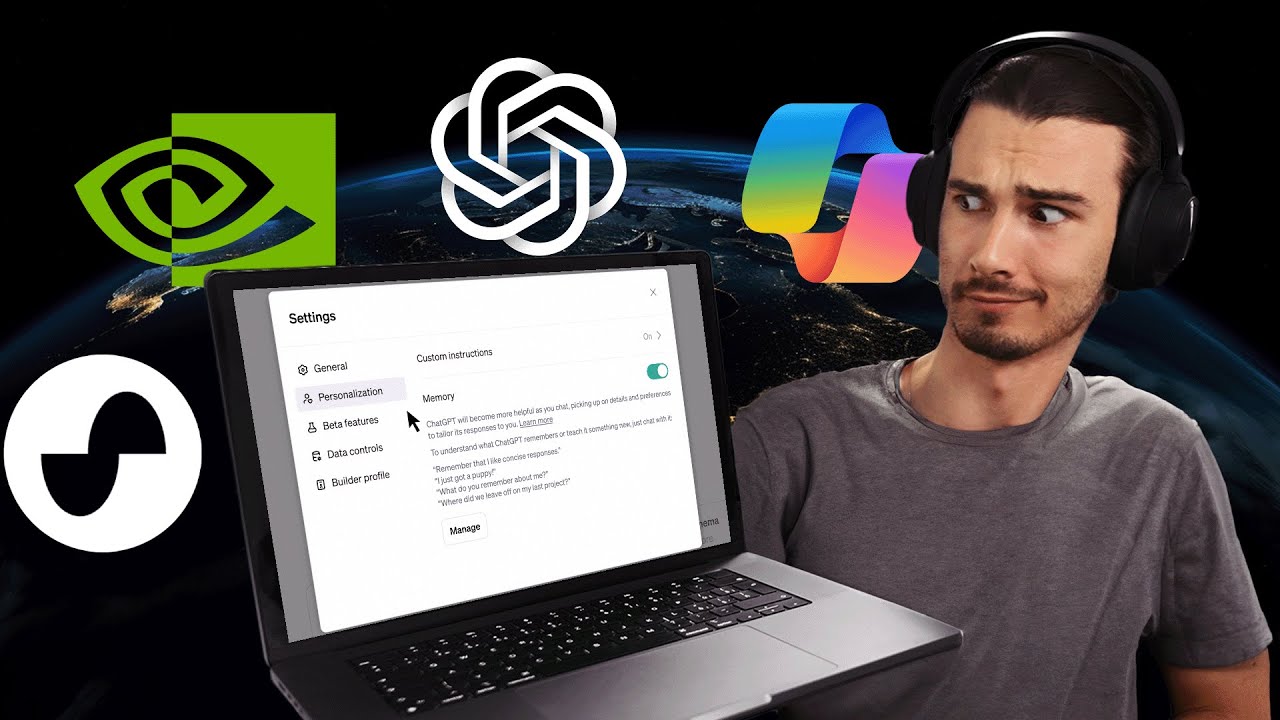
let's talk about this new chat GPD feature everybody has been tweeting about this creating YouTube videos about this and I actually have a take that is very different from everything else that I've seen so is this a big deal yes and no let me explain so brief summary of what this does is it looks at some of your previous conversations and saves the info in there to create a memory bank that it's now going to use as context moving forward yielding more personalized results if you don't do any prompt engineering at all this is fantastic it just automatically gathers the context for you and infuses it into the future prompts it can be enabled under personalization and at the time of this recording I don't have it yet but it's rolling out to everybody but why did I say yes and no cuz that would be a clear yes right well no because this is not really revolutionary it's again just like I said about gpts just a more userfriendly way to implement this because up until now we had this feature it was simply called custom instructions and you could specify your personalized context but you had to craft them yourself you had to write something up or you had to use chat GPT to generate them or you had to get one of my presets either way you could do this you could provide it with more personalized context but now it's going to gather it automatically which is a huge unlock for most users because most people don't bother with customizing the custom instructions there's an interesting post on Twitter here by Simon Willison essentially pointing out that all chat GPT is doing is saving kind of a bio in the background that it now uses as context and then Ethan molik nicely retweeted here that since gp4 is a great cold reader it can likely feel very personalized with just a few notes as hints but that was also the case with custom instructions so great feature for most people but if you're more advanced and if you use features like this and gpts not the complete Game Changer that some people make it out to be okay so
2:13

Book Summarizer

let's move on to an interesting GPT that was found by our community and this is the book summarizer and I thought this one was particularly interesting because it summarizes books really well in a way that you probably wouldn't prompt it so let me just show you I'll just say Samarai sapiens yep that's the book by yal Noah Harari it just asks me one question and what question I'm just going to say English and look at this it has these wonderful instructions in the background that actually give you a 8020 analysis this is my favorite part of the book essentially giving you the essence of the entire content and I tried this in several books that I read and it works exceptionally well this is my new favorite way to look at book summaries it gives you several other points like an action plan and blind spots of the book and then other book recommendations similar to this if you enjoyed them impressive I think this is fantastic if you have a CBT plus plan this is free just wanted to point it out now let's move on to the next one and this one is
2:59

Suno AI Music

the definition of a use case because we've talked about sunno AI before right it's the best music generator when it comes to including lyrics so you just give it the type of song that you want and it's going to generate the lyrics turn them into audio create the music match all that and it sounds really good so now by the time you're watching this video Valentine's Day is over already but they have this use case where you could create a customized Valentine's Day song for somebody on any other location I think this is one of the most interesting unique and also beautiful presents that you can create with AI for somebody and look you could just package it with some other present that you plan and make it so much more personalized cuz you're adding a personalized song so yeah I guess gifting custom songs is a use case that I wasn't aware of before this give it a shot now on to the next one and this is just a new
3:58

Voice Actor Payouts

feature from 11 lab but essentially they're allowing Creator monetization which I dare to say would be a New Concept in AI right gpts wanted to do it but haven't done it yet with the new future you can sell your own voice to other people introducing voice actor payouts now you can create an AI voice and earn while you sleep I can do what so is this a great idea should you be selling your voice I don't know my intention is telling me that huh who knows we'll see how this plays out this is a brand new thing but like you do have to consider that if you're selling the voice they claim to have a really good moderation system that doesn't let everything through but nevertheless you're giving away your voice and any words could be spoken with that as long as it gets through their moderation but still the reason I wanted to really feature this is because I feel like this is a new direction that we haven't really seen yet right generative AI tools that are monetized by creators by the people providing their voice in the case of gpts once we get monetization in the store it's people creating custom instructions and linking actions to them and uploading knowledge bases and then getting a cut of the value that it creates same with The Voice here I reckon this will be a thing across the ecosystem just thinking about it does make sense right if people are able to create something unique and something valuable yeah they should totally get a part of The Upside just like YouTube does it now this is very different because it is generative AI but I'll be watching this closely I'm very interested in how this plays out and Yeah 11 Labs is one of the first players to enter this if you know of any other AI tools that do Revenue splits I'd be very interested in seeing those just leave a comment below so all of the AI
5:25

Skill Share

tools we're looking at here every week are great at enhancing your skills but you do need a strong Foundation a so-called core skill to build upon to use these Technologies to enhance that and one of the best ways I found to build my own skills is skillshare today's sponsor so skillshare is a massive Learning Community with classes taught by industry Pros across Tech entrepreneurship and content creation one of my favorite classes on there is called notion for YouTube creators I personally use notion to manage everything in my business from the video production to the community content and everything around it and some of the tips and tricks in that course really helped me to improve all that and the course notion for YouTube creators is actually just one step in the learning path that teaches you everything you need to know to use notion well actually you can get started super fast but it's very rich in terms of its capabilities and what I also like is that the classes in there are taught by different creators so you're constantly exploring various perspectives and of course that's just one of the learning paths available to you whether you're creating content building a business or you just want to expand your skills skillshare has the right path and courses for you so invest in yourself by signing up for skillshare today and the first 500 people to click the link in the description will receive their first month completely for free thanks again to skill for sponsoring this video and now let's get back to this week's AI use
6:36

Microsoft Image Editing

cases okay so for the next use case it's just a tiny little feature inside of Microsoft co-pilot that we already talked about it's Microsoft personal assistant where you can get access to GPT for free still all you need to do is log in with Microsoft account but they added a new image editing feature and I think this one is important to point out because it really shows the direction that this space is evolving into a lot of these tools are being bundled and they're being put into one app right rather than being separate tools that you need to link together yourself so what we had up until now is delree inside of co-pilot you could generate images but now there's also editing features right in the image you don't have to leave the app go to Microsoft designer they Cana equivalent where you could do things like click the image and then say customize over here and then it takes you to Microsoft designer and then this is their canva competitor so you can do a lot of things here like remove the background and then I can add a new background like so it's really simple but as you can see it's a separate app it's a separate tab now all of these things are converging into one as of now I don't have access to this yet even with a VPN but luckily Daniel from the team had access and he just tried it out briefly Works super well you just click the cat and then you can independently blur the background you can use different filters you can turn it into watercolor painting lights so right in the app so again this is important because that's the direction that we're evolving into right they're going to bundle all this together and these AI features are just going to be the next phase of software it's not like a separate thing that is happening it's just going to make all the software you use better and in some cases B do stuff that was impossible before okay moving
8:01

Forge WebUI

on to a quite Niche one but nevertheless interesting so we're staying on the topic of AI art and as you know there's a whole sub community of people who are really into stable diffusion and more advanced tools like automatic 1111 and comy UI that you need to install locally and then you can use all the models and build Advanced workflows or download them from people who built them it's really great but it can be quite demanding on your computer now this new interface came out called Forge web UI and what it claims and from what I've seen and heard so far is that especially on the less powerful gpus like a GPU with 6 GB of vram you can expect a 60 to 75% speed up okay so this makes some of the models that were a real pain to use locally very usable now if you want a step-by-step tutorial on how to use this Olivio sast on YouTube actually made a great tutorial he leads you through it step by step it's actually totally doable for beginners just set aside an hour and open up chat GPT that you can ask along the way if anything is not clear and I'm sure you'll figure it out but this is really great because it makes some of these intermediate to advanc tools accessible to everybody independent of the computer you have I love that and while we're on the topic of running things through local interfaces like comi or automatic 1111 there's actually two new comi workflows that I just briefly want to highlight and look I'm no expert on these I spent a few hours playing with kyui and figuring out the basics but if there's interest and this is hard for me to gauge I'd be happy to spend that weekend really diving into it and then presenting you with a basic tutorial that shows you how to get those first steps done very efficiently from what I see on this channel those videos seem to be useful to you guys so if there's a comment with 10 or more likes that says yes please a tutorial on comi I'll get on it right away so why would you want to use that well you can do things like this okay so I'm going to show you two quick Reddit post of things that you could generate in there right so one of them would be these free six0 images generated with stable diffusion as you can see the seamlessly connect and obviously this would be very powerful if you're building some sort of environment on something like the Apple Vision Pro I mean it's a great starting point and as we talked about in the last use case with something like fori it's getting increasingly simple to run some of these models so at a certain point you're going to have environments like this that are generated on the Fly while you're in the VR or ar experience this is getting closer and another example of this would be this 3D workflow inside of comi where you go from a simple image to a full 3d model in about 30 seconds now this one might not be for beginners and it's probably not useful to most people nevertheless here's the GitHub page with a guide on how to install this how to run this locally it's still severely limited for example it only takes Square images as an input but this is something that wasn't possible at this quality and speed a week ago so now you know what's happening on this front interesting okay
10:33

Nvidia Chat Interface

so let's get to our last use case and this one is actually big cuz it doesn't just paint the trend that is happening but apparently it's also a very useful tool especially if you're interacting with YouTube playlists now unfortunately this is Windows only and it's not just that you need Windows you also need a concrete graphics card so concretely you need the GeForce RTX 30 and 40 series gpus as of now I don't have those but I'm going to keep an eye on this and it might just be worth getting one so I didn't get to test this use it but basically Nvidia brought out a chat interface so this is big because they're starting to move into the direction of full vertical integration right as of now they dominate the hardware space and the software front they have a lot of research but so far they didn't really have a competitor something like chat GPT so far this is their first step in that direction your personalized AI chatbot because if they're in control on both hard and software I expect this to be more efficient than most other things over time so it's very interesting to me that they entered the arena with software product like this because now you can use all the open source models in there and as those get better and their Hardware gets better and the software gets better well you're going to be able to get everything you need from Nvidia themselves I mean you can upload local files and Via rag chat with those you can chat with YouTube videos those are some of the most important features for large language models so if you have Windows and a graphics card you can test it out today so as you can see today was
11:50

Can you combine all of these?

really a mixed bag with some new features and Powerful apps that we love like gbd4 or co-pilot but also all these efficiency releases and new capabilities of these image generation models and in my mind a lot of these connect cuz if you think about the fact that it's easier than ever to run some of these image generation and free 60° environment and 3D model generation models locally well I don't think it's a coincidence that these are coming out shortly after Apple Vision Pro release because these work together really nicely and down the line you can totally expect some of these features built into the apps on devices like the Apple Vision Pro or The Meta Quest free it's going to be taking your voice input and using something like opening ey whisper which is freely available and transcribes your voice and then a large language model either open source or one of the GPT models it's going to interpret your language maybe there's going to be a smart system prompt in the background like the book summarizer has that is going to interpret what you're saying and give you the right type of result maybe the prompt is going to be set up to kind of figure out what you would prefer in that situation what is your emotional state what is your psychological profile right because just like the memory feature it listened to you previously so it knows a bit of stuff around you and it can make educated guesses and then it's going to take those educated guesses and on the Fly it's going to be generating environments that suit your mood and fre the objects that fit into those environments now this all sounds very sci-fi but I mean look at these releases this all kind of aligns this week right I found this week to be particularly interesting and if you add the fact that you're going to have a Creator economy in the Gen Space 2 with releases like 11 Labs or monetized gpts it really is going to be a brand new world inside of these headsets or inside of existing software that we already have just become better and we're going to get features that seem unreal now okay so I hope something of this is going to be useful to you can go ahead and create a song for a loved one and if you care about more brand new releases and use cases then check out the playlist because we do a video like this every single Friday all right I'll see you in the next one

Ещё от The AI Advantage

Ctrl+V

Экстракт Знаний в Telegram

Транскрипты, идеи, методички — всё самое полезное из лучших YouTube-каналов.

Подписаться




