You Need To See What AI Made This Week
11:54

You Need To See What AI Made This Week

The AI Advantage 29.12.2023 14 260 просмотров 781 лайков обн. 18.02.2026
Поделиться Telegram VK Бот
Транскрипт Скачать .md
Анализ с AI
Описание видео
In this breakdown, I’ll show you all the top AI tools that came out this week and the best ways to use them. Featuring Meta’s incredible new AI translation tool, Google’s AI tool for advanced research and much more! Links: https://twitter.com/AIatMeta/status/1737560778801389841 https://huggingface.co/spaces/facebook/seamless-streaming https://www.resemble.ai/enhance https://twitter.com/ThatRosaryGirl/status/1738661021164728438 https://twitter.com/meetmikehiggins/status/1739426943655629308?s=20 https://notebooklm.google/signup https://sites.research.google/videopoet/ https://twitter.com/ActionMovieKid/status/1738843202638000410 https://twitter.com/ciguleva/status/1739828769446355020?s=20 https://replicate.com/stability-ai/stable-video-diffusion https://app.leonardo.ai/ https://twitter.com/pika_labs/status/1739345676486561977 https://replicate.com/fictions-ai/autocaption Prompts: Anime figurine of {my physical description, skin tone, eye color, hairstyle, outfit, accessories}. The figurine is displayed inside a box with {text you want on the box} and logo for the box, allowing visibility of the figure, typography, 3D render 0:00 What’s new? 0:31 AI Real-Time Translation 2:15 AI Speech Enhancement 3:31 Figurine of Yourself 4:32 NotebookLM 6:40 Medical ChatGPT 7:51 Perfect AI Video 9:51 Leonardo AI I2V 10:31 Pika Labs 10:38 AI Captions #ai Free AI Resources: 🔑 Get My Free ChatGPT Templates: https://myaiadvantage.com/newsletter 🌟 Receive Tailored AI Prompts + Workflows: https://v82nacfupwr.typeform.com/to/cINgYlm0 👑 Explore Curated AI Tool Rankings: https://community.myaiadvantage.com/c/ai-app-ranking/ 🐦 Twitter: https://twitter.com/TheAIAdvantage 📸 Instagram: https://www.instagram.com/ai.advantage/ Premium Options: 🎓 Join the AI Advantage Courses + Community: https://myaiadvantage.com/community 🛒 Discover Work Focused Presets in the Shop: https://shop.myaiadvantage.com/

Оглавление (10 сегментов)

  1. 0:00 What’s new? 128 сл.
  2. 0:31 AI Real-Time Translation 359 сл.
  3. 2:15 AI Speech Enhancement 279 сл.
  4. 3:31 Figurine of Yourself 261 сл.
  5. 4:32 NotebookLM 532 сл.
  6. 6:40 Medical ChatGPT 285 сл.
  7. 7:51 Perfect AI Video 492 сл.
  8. 9:51 Leonardo AI I2V 177 сл.
  9. 10:31 Pika Labs 32 сл.
  10. 10:38 AI Captions 317 сл.
0:00

What’s new?

most people might be enjoying their holidays but I've been all across the internet collecting all the most useful AI use cases that have popped up over the course of the last week and today I'll be showing you all of them including this live speech translator from meta a little AI technique where you can create figurines of anyone this little workflow creating surprisingly good AI video of humans and then also Google's Deep Mind released notebook LM a brand new way of collecting your thoughts and working together with AI and there's so much more so without further Ado let's dive into all the AI applications that came out over the course of the last week that you can actually put to work today starting with
0:31

AI Real-Time Translation

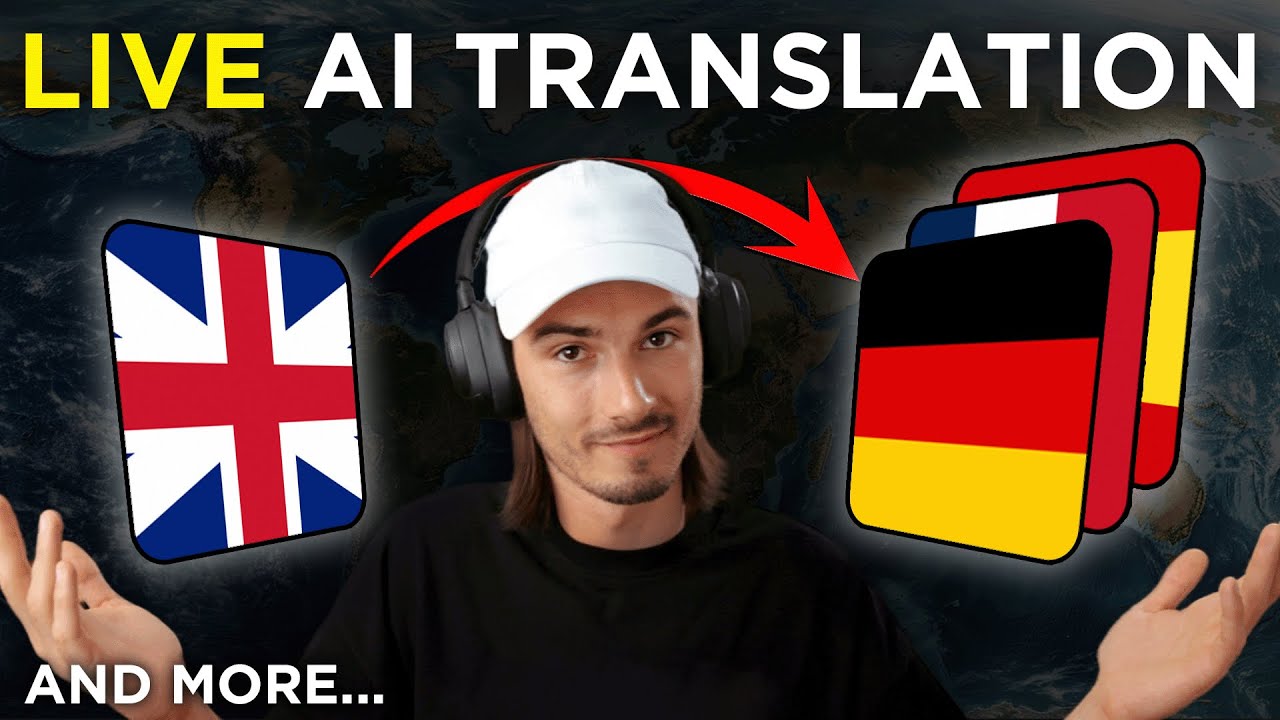
meta's seamless streaming service so just have a quick look and I'll show you how to use this yourself our model could help us talk to people from the whole world so the point here is that this isn't just AI translation it's realtime translation with a latency of under two seconds so you'll be speaking in one language and in under two seconds it outputs the voice in a different language now rightfully so the top comment on Twitter is it realtime translation or a Google like Gemini demo and I love how they just link the hugging face model so if you click this also Link in the description below you can simply create a new room and we could put this to the test right away so the model is seemless streaming my target language is going to be German because then I'm going to be able to judge the outputs accurately we're just going to do speech no text I'm going to be using my microphone and that's it we can start streaming as mentioned this happens live so let's just get into it and see how this performs hey how are you doing my name is Igor hey my is this is a quick test of live translation I've never experiences before this is quite interesting wait a minute this can do this many languages are you serious wow so honestly for translation purposes that really worked it would have got the point across to anybody that speaks German some words it repeated here and there mistranslated the phrases just like a beginner in a language would but that's completely fine it would already serve the purpose and with a two second latency I would feel confident using this on my phone and walking around a foreign country please just put this in app and let's do it if you want to try it yourself it's completely free it does all these languages and heck I guess you could even walk around with this link open and just use it on your phone already so there you go have fun okay next up we
2:15

AI Speech Enhancement

have a AI speech enhancement model and this one is something that we've seen before but this one is fully open source and what that means is that you can use it freely without signing up and you could build your own apps on top of it so when I say we've seen this already I'm referring to adobe's podast it's been around all year it's a very good tool that actually enhances speech cleans it up now you can do it here too so let's test this quickly I downloaded this famous speech by Charlie Chaplan and we're just going to upload a 30 second clip of the speech Just because through the web interface you can't do more than a minute and I'll just use default settings say submit and we can compare the before and after I don't want to be an emperor that's not my business I don't want to rule or conquer anyone I should like to help everyone if possible Jew Gentile like man white we all want to help one another human beings are like that okay now the after I don't want to be an emperor that's not my business I don't like to help everyone if possible Jew Gentile black man white we all want to help one another human beings are like that not bad not bad but also not perfect there was two mistakes in there that I caught but also there's some background music here so that makes it hotter so there you go another tool that you could be using to enhance any type of audio in this case even programmatically all right so let's move
3:31

Figurine of Yourself

on to this fun little use case it's just a mid Journey prompt but I think it's worth showing off because this has been happening all over Twitter you can create a little figurine of yourself in mid journey and look there's all kinds of variations of this I'll just try to do this on myself and the way you do this is with this prompt it's going to be linked in the description below basically I'm just going to go in and yes this does require a mour subscription and enter this prompt and all I did is replace these parts and the name on the box with my own so as you can see I described my physical appearance you could get as precise with this as you want but I'm showing you this because it's kind of a cool post either for social media or it could be a gift to somebody look at that I didn't even do a great job of describing myself but this is not bad look it used the AI YouTuber title here and there you go social media post profile picture gift and you know what if I wanted to take this even a step further I would paste prompt in here upload an image of my profile picture copy the link to that and then you can just add the link in the prompt separated with a comma from The Prompt itself hit enter and there you go that's how you remix profile pictures in M Journey okay so moving on
4:32

NotebookLM

to Google's notebook LM this is a brand new app released by Google's deep mind and I find this one particularly interesting because it's an entirely new way of interacting with your thoughts and also researching topic so whenever you really want a AI companion on your research Journey this is one of the better ways to do that so if you try notebook LM you're going to quickly find out that it's only available in the us but as you might know the standard workflow is just using a VPN so I activated mine and when I refresh this page this should work nope so what I actually needed to do here is go into my Google admin console and I had to turn on Early Access apps for everyone all right now that is done I can actually access this feature so let's click this button again and there you go it works so let's just look at this introduction notebook because this is different from any other notebook you might have seen so far you have this chat interface at the bottom and all these different files on the left side right so you can add notes PDF files text and then ask questions on top of it and the key is that it processes all of it so it's literally like an assistant that reads all the things that you give her and then you can work together and look from all the demos I've seen so far I think the coolest part here is that it interactively suggests questions it doesn't just allow you to ask questions it actually goes here and tells you what you could be asking so it's proactive in a way that chat GPT wouldn't be right you would need to prompted to ask questions but here takes that step so I really like that it's also a little technique you could take away for chat GPT but either way look at this who gave the marketing plan and it finds all the data this is going to be super useful for companies when they work together all the different people can just add their knowledge you upload standard operating procedures or external databases PDFs research and heck even when you're preparing a YouTube video you could really go deep into some of the data here I'll be exploring this more and more but I think this is definitely worth checking out as this really feels like a better interface for research as opposed to something like chat GPT where it's input only and you really have to know all the questions you need to ask here it does a lot of the work for you and also this is a way better way of collaborating and by the way this is not a use case but I just tried accessing chat GPT and it gave me this capture phrase that I can't even Sol myself good Lord am I doing this right what's going on here I've never seen this before two of these objects these are a little different though and I got a try gang anyway moving on to the
6:40

Medical ChatGPT

next use case so while we're on the topic of chat GPT let's talk about this medical use case right here so Mike Higgins here is saying he's not an AI bro but whoa this stuff is getting wild so what he did is he fed his blood work and his DNA tests to chat GPT and look I wouldn't particularly recommend this especially because of privacy issues but hey he did it and look at that these results result are surprisingly good and this is not even a specialized model or it doesn't have any external knowledge that is specialized on this right it's just a general purpose language model that gives you usable medical advice again not suggesting this at all more of a hey look at what's possible with a general purpose model today so just think about what we're going to be able to do throughout 2024 with models that are only trained for medical use cases and what I found interesting is that he prompted it to give him suggestions as different popular personalities so he asked it how would hubman suggest I approach my health or imagine you're Peter AA MD tell me exactly what you suggest I do and you get different types of recommendations from different personalities that it also knows and he claims that the surface some recommendations that his doctor actually missed so now you know that you could be doing this again I don't recommend it but I thought it was worth mentioning as this is a super unique use case and I love how he combined the personalities with medical data on a general purpose model moving on so we're kind of having
7:51

Perfect AI Video

AI video Seasons so there's a few things I should point out here one is particularly interesting because I discovered a new workflow where humans actually look good but first let me point out that video poet was announced by Google research but it's not actually usable so we're not going to be talking about it but this looks quite interesting some of this restyling looks very promising we'll talk about it more once it's out but this is the workflow I've been talking about here action movie quid on X produced this little commercial type looking clip where I was surprised by how good the Human images are and even describes the workflow that he used here look it's a combo of mid Journey 6 to stable diffusion video and then using topaz video AI to interpolate some of these frames AKA to make it look like actual video and this is actually super simple it just does require mid Journey which is $10 a month at minimum and topas videoi which right now is like $220 for a lifetime license let me just speedrun you for this workflow so you can consider if this is worth for yourself or somebody you might know so we'll be starting in Discord with M journey and I'll just use this prompt that I came up with myself water photo shoot of female model in a futuristic dress face above water volumetric lighting High fashion colorful I'll sprinkle in this little photography technique as I usually like to experiment and I'm going to use refraction here so I'm just going to add this refra fraction keyword and hit enter this creates the base for our video now I'll use table video diffusion that I showed you a few weeks ago and I'll be using the 14 frames model with six frames per second as we'll be adding additional frames with topaz and I just say run okay look at that this is actually a great result let's download this video clip but there's one problem with this it's a little stuttery right it's six frames per second we want 24 so I'll just drag and drop into topaz and on the top right here I'll pick 1080p so it upscales and for the frame rate I'll set 24 because that looks like video to the human eye and the polar model works better here for water from what I experimented with hit export and now let's have a look at the result there you go way better not perfect but way better so we went from an image to a stuttery video to a fluent full HD video certainly not perfect but the best I've seen and I really wanted to show you this workflow as it shows off the fact that all the tools that we look at in these weekly videos can be combined for Superior results okay and while on the
9:51

Leonardo AI I2V

topic of AI video Leonardo one of our favorite AI art generators actually added video generation so here's how it works by the way this one is free to use right now and they made it extremely simple once you're logged in you just click on any image here and there's a new button which says image to motion and then you can use the motion strength this is very similar to Runway so less is more and I'll just say generate and that's it that's how easy creating AI videos is these days okay now after about 30 seconds here we have the result look at that this is surprisingly good they have a great video model so now you can generate your own images animate them it does cost 25 tokens you only get to do this six times for free with video but hey I guess you could be creating multiple accounts and so on really great tool worth exploring I got to be honest this is one of the better ones right now
10:31

Pika Labs

oh and just a little side note P collabs that we also talked about a few weeks ago is now available to everybody so yeah it really is AI video season but
10:38

AI Captions

what does every video need especially on social media channels captions and that brings me to my next use case which is adding captions with AI look at this is also available on replicate and it's the best one I've seen so far because it actually tracks the words that are being said and it does the transcription super well so my only issue with this is the letters are a bit too close to each other so let's just do this ourselves I have a little int clip from one of my videos so let's add captions to this completely automatically with AI I'll deselect this as I don't need the transcript it's going to be in the bottom for the font I'll actually use aerial bolt and I'll set the curing to zero so the letters have a little more space that's it hit run and it's generating captions for me can you believe this is free and here we are let's have a look at this gbd4 with vision is absolutely insane and a team of researchers in Microsoft just published this brand new paper that pushes this Vision module to its limits wow come on that's Flawless it got everything single word right including GPT 4 with the little Dash in between now this is actually really impressive you could combine this with all the other video workflows and tools I showed you so I'll dare to say all of this is really going to change content creation 24 we didn't have most of these tools in Spring 23 so these are my favorite AI use cases from this week leave a comment below which one you enjoyed the most subscribe for weekly episodes just like this and check out the playlist for more AI use cases that you can put to work today happy New Year and I'll see you in January

Ещё от The AI Advantage

Ctrl+V

Экстракт Знаний в Telegram

Транскрипты, идеи, методички — всё самое полезное из лучших YouTube-каналов.

Подписаться




