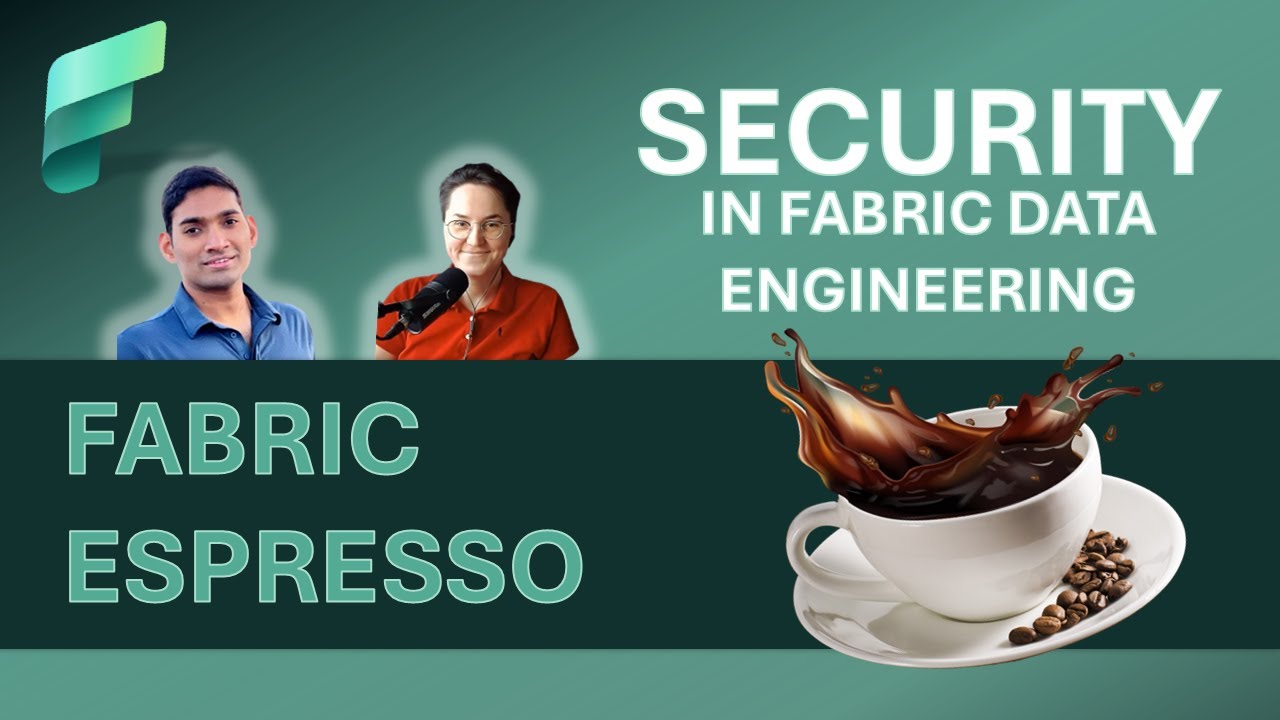
Microsoft Fabric Product Group presents: Security in Fabric Data Engineering

Microsoft Fabric Product Group presents: Security in Fabric Data Engineering

Machine-readable: Markdown · JSON API · Site index
Поделиться Telegram VK Бот
Транскрипт Скачать .md
Анализ с AI

Оглавление (7 сегментов)

Segment 1 (00:00 - 05:00)

hi everyone welcome this is another episode about Microsoft fabric data engineering and today I'm going to talk with Santos about the fundamental topic which is Security in Microsoft Fabric in the context of data engineering Santos thanks for joining us another time uh super happy to be uh back on fabric estro so thanks for having me awesome so I want to start with just a perspective so Microsoft fabric is a SLE software as a service yeah we anticipate S tools like the applications for again fabric is for processing big data in the era of AI at the same time why we should dig into security knowing that it's a SAS tool so shouldn't everything be packaged inside the SAS box uh that's a very valid question and yes uh it should be and it is so um the workloads in uh Microsoft fabric are secure and you get like security by default and all cases in this topic this becomes super critical because um security is basically a defense in depth concept right where you would want to make sure uh and each and every organization or Enterprise uh would have different use cases and they would be dealing with different sets of data different levels of criticality and based on each of these uh they would want to ensure that the data is protected on different levels some in terms of access accessing inbound or outbound scenarios where they're blocking traffic and uh it also applies based on uh the domain in which these Enterprises are operating like Financial customers have a lot of regulations and um lot of access policy enforced to make sure that the data on different layers are safe and encrypted and secure fabric as you mentioned is a SAS tool it's for everyone every Enterprise to run their production workloads at scale but we also want to make sure that different tools are available for all of these Enterprises so they can actually pick and choose which would apply well to block all the threat vectors that they foresee for running a secure data platform and yeah if I read you correctly and also integrate with the data sources in a secure way when the data is not going through the public internet but going through the Microsoft backbone so the internal Microsoft network that's correct I mean all of the traffic that's in the network layer 100% all the traffic of course goes through the Microsoft backbone public uh Network and it's not through public internet uh but there are additional capabilities which we have announced in the recent months uh which users can apply on different levels to further isolate their workloads U and again fabric as you know is comprising of multiple engines like data engineering data science powerbi uh realtime intelligence all of these workloads are different in different aspects uh data Engineering in this case which we'll be like diving deep on is much more critical because it allows users to run untrusted code where users can run arbitrary user code uh which is generally untrusted from an Enterprise security perspective because they could basically have any event listeners knowing or they could be importing public libraries which may not be approved by Enterprise security teams so Enterprise admins would want to make sure that they have all of these controls in place so the data anyone who's accessing and also running these data engineering workloads on their data uh is accessing through secure channels when they are accessing the sources they're accessing them in a secure Manner and also running the jobs in a more secure way so on different levels makes sense so I have tons of questions and I would love to understand starting from security by default in fabric also going through workspace identity have a few questions about billing but maybe let's start giving you the stage you can educate us and then we can have a discussion and pop quizzes about Security in data engineering awesome sounds good so security is multi-layered and when we're talking about data engineering today you have different layers and we will be double clicking on like each of these Concepts and what are the different tools and options that you have in Microsoft fabric to further isolate your workloads so first one is the outermost is the network so in this case it is both ways right um it comprises of um all the network traffic coming into and going

Segment 2 (05:00 - 10:00)

out of Microsoft fabric the next one is workspace and item level so as you know when an Enterprise team onboards to fabric it's at the tenant level and each and every team they create a capacity in Azure the capacity is regional they could select an Azure region where they would want this capacity to be provisioned which Pro provides a compute for all of uh the workspaces they create workspaces and a they could use different levels of access roles to allow users to give them permissions to modify items to modify settings to modify configurations which would have an impact on their security and building aspects and again at the artifact level gives them further level of control to block users or permit users to view and edit items like lake houses which is going to be a front door for one Lake for accessing your uh data next is the data security so one leg has set of features which allows fabric data engineering workloads to honor and when they run these jobs users are able to honor the access roles provisioned by the data source owner so if I'm a Enterprise uh data Lake owner uh I have data product teams who are connecting to my data source I will be able to provision access for them and these access roles all of these users to only see the files or tables that they have access to next is the interesting part where you run the arbitrary user code which we talked about a while back and how secure it is and how they could actually make it more secure this also ties into other aspects you could see an arrow pointing to a data source outside so if most of the cases in the case of data engineering workloads users are trying to ingest data from the cloud or on-prem sources and when they're bringing in the data they want to make sure that their credentials which is the most critical thing are Ure when running within a spar cluster and security at the runtime level and how they could actually access these in a more secure way uh with all of these controls is what we'll be seeing so let's Dive Right In network security um for data engineering workloads the network security is offered through manage vets and fabric being a s solution we don't expose like other past products where users would be able to create their own virtual whereas in this case these are called uh manage virtual networks because these are provision on behalf of the customers workspaces so uh whenever a user uh enables a tenant level private link or when they create managed private endpoint connections uh so private link is for the inbound access so in this case from a customer vnet they want to access a fabric like they have a private Network set up in their Enterprise say it's a company a and they have set up all of these Network infra they want to enforce this policy where they would only allow the Corp net computers in the Corp Network to access fabric then they have an NSG rule set up then in those cases users if they're trying to access it from Starbucks or any other cafe or from their home they'll not be able to access it so this block provides the inbound connection and that uses a tenant level private link concept and when that is enabled all the spark jobs all the data engineering workloads or lake house operations that they do is done within an isolated manage vnet which is provisioned by fabric for the workspace on behalf of them now the outbound so this is where they connect to external data sources um in this case it's more gr at the workspace level users can go to network security settings in the workspace they could create a manage endpoint once a manage private endpoint is created for a workspace the network isolation boundary is offered through a manage Unit is provisioned for a workspace and all the compute that gets spun up based on the jobs that are triggered within the workspace are running in this isolated Network so in this case we have 20 plus sources that we support as part of manage private endpoints users would be able to create these and once created they would be able to run their notebooks and Spark job definitions within the manage vet the next layer you have these complicated uh scenarios I mentioned about an existing infra Network infra that a company could leverage and the other one is users have data sources where they're accessing it through um manage private endpoints now simplifying it by one step further say I have a data source uh like a storage account I don't have a managed private endpoint for my workspace I don't want to create a manag PR endpoint for a workspace and I don't have any tenant level rulle set up

Segment 3 (10:00 - 15:00)

trusted access using the workspace identity provides a much more easier solution for scenarios where um users can actually enable this workspace identity from their workspace settings once enabled Microsoft fabric becomes a trusted service on the aure control plane so um users be able to select uh from their storage accounts networking page and allow list the fabric instance either within their subscription or Resource Group or the entire tenant they could select the scope once that is done they will be able to access the tables or files in the data leg gen to storage account through one leg shortcuts which we could consume through spark jobs like through lups items as you know and also through data pipelines so let's look at it with an example in this case a data is stored in a ADLs gen2 account and Storage account block is blocked from Public Access so in this case the storage account is only accessible from all listed traffic so I go to the storage account in this case this is my sample storage account in the networking tab what I do is I navigate and I search for Microsoft Fabric workspaces and I enable it or all list it on the storage account once that is done I would be able to access I have created my workspace identity for my workspace and now I also added the workspace identity to the folders that I need access to the setup is done in this case if you look at it I actually have a lake house so I go to the file section I create a shortcut as part of the shortcut creation I create a new connection I specify the storage account that we saw a second ago um I'm using the same storage account I go to the containers I get the properties or the path and I try to connect to it when I'm actually connecting to this you can see that with few clicks I'm able to access a secured storage which is block from public access and I'm able to shortcut to the folder that I have which is a sample data that I see here now that you can see that the data is already available in the Lakers as a shortcut I could immediately start running spark jobs and users can get like a spark session like within 5 Seconds you can see in this case the session start experience is going to be almost instantaneous and the job runs and you can actually see they are able to access the files from fabric without adding any other network rules on the fabric site in this case it's all they're doing is they're just allow listing the workspace identity now that we touched upon the network side going one level deeper in this case it's the workspace and artifact security so as I mentioned fabric is going to have like multiple capacities uh workload teams or an Enterprise organization could have multiple capacities which are associated with multiple teams and they could have multiple workspaces within that now within the workspace users can add an admin role member contributor or viewer so as a workspace admin I would be able to permit users to view or manage assets or items within my workspace going one level further down this is at the entire item level or the workspace level using one L access roles which was recently introduced um users would be able to specify a role for a specific table in a lake house so as part of the lake house experience you actually see this tab called manage one L access and in this case you could specify the tables and the folder paths and after you created a role uh you could add users from your organization so in this case you can see that I'm actually specifying the role and I specify the user accounts that I would want to add as part of this once that is enforced if another user is trying to run a job quing this file path they're not going to be able to read it it's only going to be allowed uh for users who are allow listed at the access layer this is more on the data plane level so we saw what is available at the network level we are now seeing what's available at the data level now comes the fourth or the final part which is more in terms of the runtime and say your you're accessing a data source you would want to make sure that you access the data in a secure way and when you're accessing data you would also want to make sure that you are handling the secrets in a secure way Ms Park utils it's a library that we ship as you know and it allows you to connect to keyal and you could you also have this client secret credential method to which you can pass a service principle ID and also uh the reference through which you will be able to access and acquire tokens for accessing the secret

Segment 4 (15:00 - 20:00)

and once that is available you're now going to be able to access storage accounts or other files where you've actually allive listed this SPN uh with a reader role contributor role which has access to access this data so now we saw what's enforced on the network level and at the workspace level and then at the data plane level now let's look at it from the end to end like at the last layer which is the runtime level which includes all of these and which honors all of these restrictions or policies that are being set up so let's take an example right so in a typical workload in an Enterprise scenario users would want to connect to a data source which is sitting behind a firewall not accessible to a public internet and to connect to this they would uh first want to like make sure that they have a secure channel that could be done using the different approaches that we talked about in this example I'm going to take an example of like manage private endpoints which is going to be offering a secure channel from my fabric workspace and its manage vet to the data source in Cloud the next one is to access this account or this data source uh I would need a valid credential so there comes this interesting part of like credential management and the credential management is very critical for spark because in this case of data engineering workloads given that they have this nature of uh allowing users to run arbitrary user code which is considered to be untrusted by Enterprise security teams you want to make sure that your secrets are not exposed or leaked at any point in time so you cannot like hardcode your secrets in your notebook or your spark jobs so using Ms spark utils in this case what I'm going to do is I'm going to refer to a keywall which is going to have the secret that's something that I'm going to use for accessing using an SPN which is given an ax data reader role for my remote storage so as a first step I would actually have to configure the manage private endpoint and once is configured so the creation of managed private endpoint is going to be simple in a second I think I should be able to show that in the jef so users would be able to go to workspace settings so in this case say first I'm running a job it's showing as forbidden I go and create a manage private end point I endpoint by giving a name specifying the resource provider and the target resource so in this case I'm actually creating two manage private end points one for my keywall where I have my secret and I can see that my manage private endpoint request has been already surfacing up as part of the keyword I go and approve it another one to my storage I specify an access justification for approving this access request you can see that it's once it's approved I go to my notebook now I add the code stops for accessing the storage using an mspar qil so I use mspar qil connect to the keyboard get the client secret use that to read the file path from the storage account you can see that the job runs so in this case both my storage account and keyal is behind the manage vet and I'm accessing it through secure Channel and then I acquire my secret uh in a secure way where I'm not exposing it during my runtime execution and I'm using that to access it uh for fetching my data as you had asked in the beginning of the call security is like offered out of the box and by default so um as you know the model in which spark in fabric operates it's always going to be one user one cluster there's not going to be any instance where multiple users could run jobs on different clusters so the user isolation Network isolation is both offered by default and in this case with added Network boundary as part of managing n should provide the tools which Enterprises could actually leverage at different layers for running a secure data platform that's awesome so we have multiple different layers starting from Network then through different layers of software based time based datab based again here we can I think that's sh that we are also working on RLS CLS so the next level the next milestone for bringing the object level security for our customers so on top of that CED question what's the billing story knowing that in the past we had a announcement situation when we said that the restriction for spefic Security Network related features is based on the a premium and defined SK yeah uh no it's a very interesting question and uh yes when we went public preview we had

Segment 5 (20:00 - 25:00)

this restriction for uh the network features the security features like in this case manage private end points and workspace and entity we're only allowed for uh SKS that are f64 and above but we heard a very good amount of feedback from community and also our users so U now it's been since at VGA the features have been available for all sqs so any fabric fq be it an F2 or F4 all the way up to like F20 48 you would be able to access this network security tab create manag private endpoint connection so it's not restricted to any premium skew and going back to your previous question in terms of billing the billing is not currently enabled for these features like in terms of manage private endpoints so uh it's coming but all the workloads that they using currently it's been GA since I think we went GA in July if I remember correctly all the work that are running um they have not been charged it's not it's yet to be implemented but that's coming soon and it would be similar to the model that we had where we charge for the private end points but currently it's not being emitted it's coming soon got it so the key topics the key features that we have to know is private endpoint workspace identity key voling integration with Ms spark utilities and however this library is going to be named and anything else um no I think and um you also touched upon the one L access policies right so at the data plane level um that so different l so is from like private links and manage private end points inbound for private links outbound for manage priv end points uh data plane level one day access policies at the runtime level all of these are honored and also uh you have U additional capabilities on like securely accessing them uh through manage v-ets uh for your spark workloads and also credential Management in a more secure way using notebook utils or like mspark utils where you would be able to uh specify connection properties to your keywall and you access them in a secure Channel and Acquire The Tokens your token is secure it's not going to be exfiltrated uh because it's going to be always within your user boundary your dedicated Network your dedicated cluster awesome so now question from a very different site so let's recall the physics so the physics is that our data centers are distributed across the globe and those data centers are connected with Microsoft backbone uh internet connection and that uh connectivity let's assume and let's say that again this is a private to Microsoft meaning that if I I'm quering a data uh here from us and my data center so that storage account is located in Australia then uh the internet I'm again asking the sending the request but the data is coming uh between those data centers let's if my computer is here through the backbone Network so it's obvious that there is some Network latency yeah right because we have to transfer the data under the ocean so in case of those extra steps on the different layers especially on the network layer what impact do we have any benchmarks that we can share or a t rule how that works and how that impacts our performance got no a very valid question so let me um answer it like there are different options have been talking about so let's take the manage private end points or like private links um so for data engineering uh workloads you know that uh everyone loves startup pools they are a very special offering for Microsoft fabric where you get like 5 Seconds session startat experience for your notebooks um you don't have to wait but currently for Works spaces that have enabled manage power 10 points or tenants that have enabled private links the startup pools are disabled and uh they have to go on demand so that adds the session start latency of 3 to 5 minutes the reason being again this is something that is a current limitation we are working on multiple other Solutions like um offset this but currently what happens is startup pools are shared are hosted as part of like uh a shared bnet uh it's a multi-tenanted one right um we manage those compute uh but for users who are asking for dedicated Network isolation through manage vets we provision a dedicated manage vet so these clusters are spun up or allocated within those uh dedicated networks so that adds to that latency this is the first one um there are multiple ways users can offset this right using High concurrency mode uh given that high concurrency mode is also within the same user boundary users can

Segment 6 (25:00 - 30:00)

start a high concurrency session say for example I have an and being pretty candid about this right say I'm an Enterprise customer I have uh a job that needs to complete within 9 minutes I cannot pay for the three minute session start time because that's going to break my SLA uh in these cases what we could do is one workaround that I would think of is like use high con currency session like from pipeline enable it high con currency uh session is going to go on and say my tenant level private link is enabled or I'm connecting to a manage vet through a manage private endpoint I'm losing my startup Full Experience so what I do is I start a session I enable pipelines High concurrency mode for pipelines I run a notebook I acquire a session the first one is going to take the hit but that could be just a session acquisition notebook uh then what I do is I pack I add my other notebook step which is going to run the code for my job like which needs to complete within 9 minutes so in that case that's going to get immediately packed into to the existing active High concurrency session and this for high concurrency session as you know uh we just create a repo so that just comes up in like 5 seconds so you're going to get the 5sec session start experience and you could run the job and in this case given that it's a shared session you're not going to be wasting additional compute on the again this is a workaround but we do have to like solve for that but I'm just giving like I've come across this scenario in like multiple Twitter conversations or on Reddit uh um so I'm just putting it out there so folks who are watching this video could actually benefit of this um but there are multiple other approaches where you could offset this is just one of those so we touched upon the session start latency the other latency in terms of cross region axis the cross region axis is going to be with or without this network isolation right because ideally you would want to make sure that you are not doing a cross region read or cross region wrs frequently because you're going to have like bandwidth limitations overall your IO cost on in terms of compute or performance is going to be higher because it's going to take longer for you and that is something that happens all the time when you communicate across like say you mentioned from United States to like Australia it's like a completely different Geo so choosing a primary region and provision provisioning your fabric capacity or compute in that primary region so that uh you make all of your calls uh to your data sources uh local uh should help address that and that's how usually Enterprise team teams also design their infra or manage their infra right so that it's and of course there are like bcdr scenar where you would want uh for business continuity reasons you would want this to be replicated in another GE but uh your primary region is where you have everything more accessible and it's you're avoiding the cross Geo queries or like frequent reads if you're doing other than that on the spark layer uh one other approach that I would talk about I also mentioned this earlier in this discussion is trusted access using trusted access you get startup pool experience you get this same level of network protection because you're all listing the fabric workspace identity um so that should if you're if you're only trying to connect to storage accounts and not to any other data sources then that should give you a faster session start experience and also the network isolation that you're looking for so um these are a couple of options but yes it's always going to be a tradeoff right at least we can guide uh everyone to be always sure that the compute is located in the same region uh where the storage and if there is any need of doing cross region calls for example through shortcut we love customers love shortcuts right but there is we need to be aware if you are doing a shortcut to a one legal ADLs Gen 2 which is a different region then there is always be the physics rule applied exactly yes that still applies and that holds true even in this case um but other than that I think we these are the possible additional hops that would be created which could impact the overall job duration or like uh add to your latency yes and from the other side we have a caching machine for shortcut shortcuts we have caching for Spar grand time we all o have caching but on a very different layer so it's enabled by default intelligent cache working for you uh but this is kind of a mitigation great Santos thanks a lot the that was an amazing uh portion of the knowledge we consume now we have to digest all of those different layers to enable extra security for every data engineer but the same rules applies for every data scientist because that experience is similar so for those who are watching us

Segment 7 (30:00 - 30:00)

please remember to share a comment leave the like button subscribe the channel because this is what feeds us and also motivates to recall those episodes is just to share the knowledge and the insights uh with you and until the next time happy exploring with uh private 10 points with workspace identity and uh with tons of different security related features thanks a lot thanks asra than soon

Другие видео автора — Azure Synapse Analytics

Ctrl+V

Экстракт Знаний в Telegram

Экстракты и дистилляты из лучших YouTube-каналов — сразу после публикации.

Подписаться

Дайджест Экстрактов

Лучшие методички за неделю — каждый понедельник