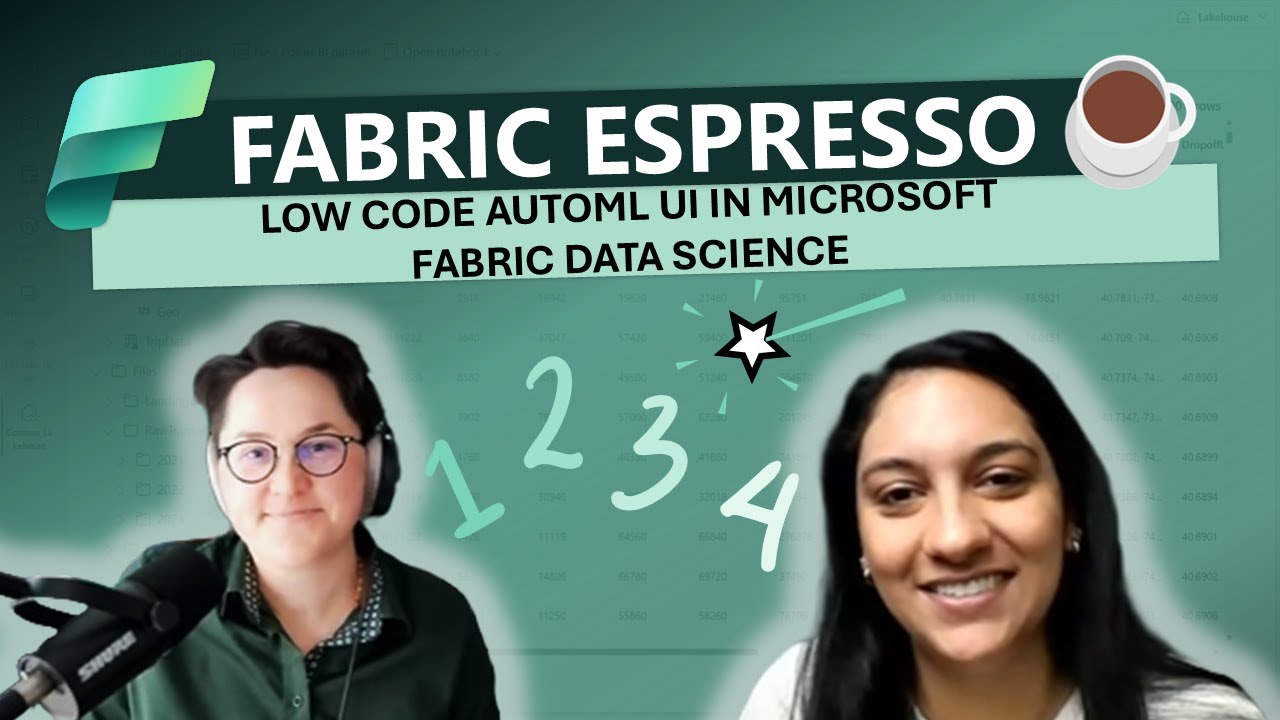
AutoML in Fabric Data Science - automated model training and optimization (do more with less work!)

AutoML in Fabric Data Science - automated model training and optimization (do more with less work!)

Machine-readable: Markdown · JSON API · Site index
Поделиться Telegram VK Бот
Транскрипт Скачать .md
Анализ с AI

Оглавление (4 сегментов)

Segment 1 (00:00 - 05:00)

hey everyone welcome back to our Channel dedicated to Microsoft Fabric and this is the special series about data integration data engineering and data science within Microsoft fabric today Misha joins us to discuss data science capabilities and a super popular fancy and useful topic which is a ml Misha thanks for joining hey nice to meet you thanks for having me so let's start with automl what is aoml yeah so autl some of you might know it as Automated machine learning it's a really cool technique which allows you whether you know you're a data scientist who wants to quickly prototype models or quickly build models to an analyst who really you know you might not be familiar with every different kind of model that might exist but it's a way for users to really explore all the different kinds of models that might best fit their data set and to kind of help automate some of the process that's often very timec consuming about tuning a model selection um so again really simplify some of the machine learning process and allows you to quickly kind of get started with building machine learning model and being able to deploy it into production Automated machine learning it means that okay I can provide the data and tell me what's the model right yeah exactly so automated machine learning can support a lot of different tasks right things like regression forecasting classification and so the idea is really simple right you take a data set you have your data say it's sitting in lake house um and you want to be able to fit an automated machine learning model or an experiment on top of it and so all you really have to do is you have to say hey here's my data here's the task that I want to do give me a model and again if you want to provide more you know granular constraints or more granular um requirements you can do that but um really it's not required and the idea is to make it super simple for you to be able to set up and um kind of iterate through a bunch of different models that might be relevant for your data and what's the building stone for outl in Microsoft fabric yeah so what we've done um we've taken a open- source project called Flamel came out of the Microsoft research teams a few years ago and what we've done is we've taken it and we've deeply integrated into the fabric ecosystem and the data science experiences and so um a lot of the things like if you've used laml locally on your machine or if you've installed it from pipy um you'll find that it's actually pretty similar to some of the experiences that you'll see in fabric you know we've done some additional work to deeply you know better integrate it into fabric there might be some special things that you see in fabric that you don't see in the open source but again there's going to be a lot of similarities a lot of things that you can leverage As you move from one to the other that's the open source similar to Apache spark that we also pull OSS version and again if there is opportunity we also contribute back in terms of models you mentioned regression classification time series prediction and what are the models supported by flam by outl in Microsoft fabric yeah so um so some of the things that we've done as you know we've worked on deeply integrating Flamel into fabric is we've added a support for a lot of different kinds of Learners some of the things that we've added are you know a lot of breath across all the different kind of spark Learners and so um typically you know a lot of like machine learning libraries like psychic learn will work on a single node spark is great if you have a large data set you want to scale out some of your training and so we also wanted to build an automl or kind of um enhance some of the automl experiences to better support spark and so a lot of support for spark based Learners um you know models like profit ARA things even coming from Psychic learn so a lot of the library Frameworks that you might already know about um I can also share a link to kind of some of these different models that exist so if you go up to the fabric docs and click the Automated machine learning section one of the sections that we have is what we call our supported models so here you can see all of the different kind of Learners that we support in Flamel and again like I mentioned we've added a lot of different support for spark based Learners and so you'll see that this set of libraries is really comprehensive and probably one of the most comprehensive sets of Learners that are supported in autl again classification regression and the third category is time serious forecasting so it's showing beautifully that in fabric data science we focus on running those models those algorithms on top of the tabular data that is coming from lake house and it's natively integrated yes exactly yeah a lot of good kind of work to natively integrate it so you know when the things that we'll show on in the demos will be things like if you're looking at the models and experiments these are first class items that we have in Fabric and what we've done is a lot of work to deeply integrate these automl Frameworks with these artifacts and so you're training a bunch of models you want to be able to see all of the different kind of iterations that have been created Flamel in fabric really enhances some of these experiences and lets you kind of visualize and see all of these different changes as well

Segment 2 (05:00 - 10:00)

okay so I can connect with data from lak house I can use just flam as aoml flam will find the best model it's natively integrated with I assume that ml flow as well and at the end I will get the result is that this model achieve the highest accuracy whatever the definition for the accuracy for the given task is but accuracy for this model is the highest one okay is that integrated also with a way to deploy this model to production yeah so um one of the things that we've done is also you know as you train all of these different mods as you know autoo comes back with all the different iterations it will automatically capture things like the metrics the parameters the schemas and also all the different model flows right so that's a really core part of mlflow is how all of these things get automatically captured and so with the integration with ML flow with how all of this metadata is captured and synced into Fabric and this lets you automatically then consume these models using uh fabric predict right and so the same kind of interfaces that you'll go through to walk through um how you want to find your Lake housee set up your prediction tables um you can do those on top of any model that's generated from Flamel as well awesome wanta let's go so now let's take a look at how you can use Automated machine learning or automl within your fabric data science workspace now before we get started one of the things I would like to highlight is that you'll be able to find all of this demo content directly from your fabric workspace you can do this by picking the samples Gallery navigating to quck tutorials and then selecting automated ml or the Automated machine learning tutorial so let's get started so in this demo we'll take a look at a step-by-step guide that walks us through a few different Automated machine learning scenarios and how you can use it within your fabric data science workspace now one of the first things that we'll do is we'll load our data contains the turn status of 10,000 customers and includes the attributes of things like their credit score the geography the number of products that they've used and most importantly our prediction variable whether or not they've exited the bank so one of the first things that we'll do is we'll load our data this will be something that we'll make available now for us within our lake house once we've loaded our data we can make it available to us from a spark based data frame so here we'll just load our data using spark. read option next we'll take a look at exploring and pre-processing our data and so here using the built-in display commands we can start exploring the distributions of various attributes in our data set so here we can look at things like the distribution of the credit score field and look at where a bulk of our distributions here might be we can also look at things like the is exited field this is our prediction output and here we can see that our data set is highly skewed towards customers that have not exited the bank now once we have a better understanding of our data now typically part of the machine learning workflow this is where you'll start doing your data pre-processing your cleaning and feature engineering to help us clean our data we'll simply remove some duplicate columns remove duplicate rows which we no longer need once we have this we'll then generate some additional features on our data and so here we'll take our geography column and go ahead and create some dummy variables using one hot encoding finally we can display our clean data looking at all of the different attributes that we've added to make it available and ready to use for machine learning now before we move on to the next step we'll Simply Save Our data our final clean data to The Lakehouse this is great because it allows us to reuse our clean data for future model training scenarios now let's move on to training our Baseline model once we have our data in place we can now Define a baseline model that we want to compare against for our automated machine learning scenarios so the first thing we'll do is we'll load our clean data set and we'll generate our test and training data sets now let's get into how we want to actually train and start tracking our results now like all other fabric ml items the key integration Point here is going to be around MLF flow and this lets us track and log all of the different metrics parameters and models that are generated in our machine learning workflow and so here I'll use the mlflow auto loging capabilities and I'll set the experiment which will allow me to compare and track all of my different results next we'll train our Baseline model and so here I'll wrap my training functions all within the MLF flow. startrun command this will tell mlflow or tell us to start tracking some of the results that we're seeing in our model training process and so here at the output of our training process we'll log The Roc and Au score and so here we can see that by default our Baseline model achieves an Roc or AU score of 84% which

Segment 3 (10:00 - 15:00)

is pretty good for a model where we didn't have to do a ton of training but one of the key things here is that in this training example we're starting with a learner often times as part of the machine learning workflow you might not know which machine learning algorithm you might want to start with you might also not know how to tune or what's the best way to explore the set of hyperparameters for that specific model so what Automated machine learning takes care of is really abstract simplifying this process of model selection and tuning and so let's take a look so our first thing will be to create an autom trial with Flamel now Flamel is an open-source library that came out of Microsoft research a few years ago and what we've done is we've deeply integrated into the fabric runtime and the fabric experiences now one of the first ways this has been really integrated into our experiences is through its support for spark so here what you can see is that we're going to create an automl spark trial here we're going to set our task to be a classification task right so in our example we are trying to predict whether a customer will exit the bank or not so really this is a classification problem the other piece that I'll have to provide for my automl configurations will be the metric I want to optimize against so here we've already decided we want to use the ROC Au score and then finally I can provide a Time budget this is an optional parameter but really just tells my automl trial What's the total running time I want to use now one of the key things here is that we're going to be using a pandas ons spark data set now this is still a spark-based data frame but what's really unique here is that allows us to use standard pandas based operations or pandas API looking operations on top of our spark data set now once we have our data set in a pandas on spark data frame we can then start running our automl trial so again this automl trial is running on a spark based data frame and because of this it's going to explore the corresponding Spark based Learners and so here you can look at our automl trial it had tried two different kinds of models both of these were light GBM models with slightly different typer parameter configurations at the end of this our automl trial was able to achieve a final model which had the ideal or highest score for the ROC Au being about 84% so again really simplifying some of the API surfaces that we had to include I didn't have to provide a bunch of code on how to train the model all I had to do was simply provide the task the time budget the metric and let automl take care of the rest in terms of finding the model and giving back some of the best results and we can then start inspecting the results of our best model right so here we can look at the configurations of the best model the vinyl metrics how long it took to run but here we can see that we're able to quickly get really great results um with just a few lines of automl code now in this next example we'll take a look at how you can use hand us to parallelize your automl trial now in some cases your data is not going to need spark scale often times you might be working with a data set that can fit into a single node and often times you might be using pandas to help you do this now one of the key things here is that the way we've integrated automl with pandas with spark is that we want to make sure that you can make use of your full spark cluster so what does this mean for you if you're using a pandas based data frame what this allows you to do is use your entire spark cluster and make it available to run multiple trials at the same time so here you can use your whole spark cluster by simply specifying the number of concurrent trials and by setting used spark equal to true and this is great because you're not using your resources or your entire cluster to run one trial at a time this actually allows you to make use of your entire spark cluster and so here again with our MLF flow. startrun command I'm going to run our automl trial and what this will do is it will allow me to track all of the different results that have been attempted in my automl process here I'll be able to select between various performance metrics various hyperparameters and really start comparing between my trials here what we can see is that using the pandas based data frames we'll also see that it's using single node algorithms or single node Learners to explore my data set now one of the last things I want to highlight is something new that we've added in to fabric specifically and we call this Flamel visualizations now this is a unique module that we've integrated into fabric which allows you to get easy access to a wide range of hyperparameter and automl plots and these are really tailored to helping you better understand your automl and tuning process and so in this case I can use a feature importance plot and understand what kinds of features are driving my final Model Behavior and so here I can see things like the number of products the balance the age geography these are

Segment 4 (15:00 - 19:00)

all features that have a high importance in My overall predictions finally I can view my model metrics and the results of my final automl run these are best model and what we can see here is that you know within a short amount of time we're also able to get pretty comparable results especially now that we're using a single pandas data frame and runting all of these different trials at the same time now one of the last things I wanted to highlight here also is how we've integrated ated all of these mlflow Automated machine learning capabilities within our fabric items and so here what you'll see is that within your fabric experiment these are items within your workspace you'll see that all of the different runs and metrics will automatically be tracked and so let's take a look now within my fabric experiment what I'll see is that even within my auto Mel trials we'll see that certain metrics like the Run metrics the ROC the total running time as well as various parameters and input output schemas all of these things will automatically be tracked I didn't have to write all of these pieces of information into my code using the integration that we have with auto logging with mlflow all of this is automatically captured for you and the reason this is really helpful is that when you then want to operationalize your model you don't have to worry about collecting all of these different pieces of information this is automatically available to you so now once I go ahead and I saved this run as a machine learning model I can then jump over to my machine learning model itself this is another item that we have in fabric which is where you can start some of your operational activities and what I can do here is that I can easily select this model version and say Hey I want to apply this model version and generate predictions off of it and with that you can see that with just a few clicks you can now make automl models available for batch predictions wow that's amazing now I want to ask and unpack elephant in the room what's the stage of this feature how I can access it is it GA ready yeah so this feature is currently in public preview um so it's available in all regions um as long as you have a fabric capacity you can be able to access laml and the automo functionality that we have um one of the things that we've done is it's also built into the runtime so you don't need to install the LI worry about configuring anything else in your spark clusters um it's already available and so um all you have to do is pick a runtime that's available on spark 3. 4 and above and you can automatically easily get started with your machine learning process awesome runtime 3. 4 means is equal to runtime 1. 2 which is the latest G runtime version right now we ship 1. 3 as public preview soon we'll name it as GA on it has the ga scope you mention fabric capacity in case if I have a powerbi premium capacity does the feature also works for me yeah you should be good to go awesome and what's the timeline to the ga stage in case I would love to use it for production ready solution we don't have a ga timeline to share just yet but we do have a lot of enhancements that are planned for automl and integrating it even further into Fabric and simplifying some of the experiences and so um definitely stay tuned for some of the upcoming announcements that we'll have in the next few months awesome all right that's all for today if you enjoyed this episode be sure to hit the like button subscribe leave a comment question reach out to us directly and Misha thanks for joining thanks for sharing I'm looking forward to record more episodes about data science thanks for having us and until the next time happy exploring and solving machine learning problems with just out ml

Другие видео автора — Azure Synapse Analytics

Ctrl+V

Экстракт Знаний в Telegram

Экстракты и дистилляты из лучших YouTube-каналов — сразу после публикации.

Подписаться

Дайджест Экстрактов

Лучшие методички за неделю — каждый понедельник