Sideline Strategies: Sales Strategist for Sales Reps
3:41

Sideline Strategies: Sales Strategist for Sales Reps

Salesloft 01.04.2026 21 просмотров 1 лайков

Machine-readable: Markdown · JSON API · Site index

Поделиться Telegram VK Бот
Транскрипт Скачать .md
Анализ с AI
Описание видео
In this video, Salesloft Senior Customer Success Manager Leah demonstrates how reps can leverage the Sales Strategist Agent to optimize their outreach and hit their targets more effectively. She explains how the agent analyzes previous activity to provide a clear overview of strengths and areas for improvement—such as balancing high-quality outreach with the necessary volume for pipeline generation—and highlights how these insights are seamlessly integrated into the daily Rhythm workflow. By surfacing actionable recommendations directly within your to-do list and providing updates via email, the Sales Strategist Agent ensures you stay focused on the right tasks without having to leave your existing workflow, making it easier than ever to turn concrete evidence of performance gaps into a winning sales strategy. Have some questions? Pop over to the Champions Hub: http://champions.salesloft.com

Оглавление (1 сегментов)

Segment 1 (00:00 - 03:00)

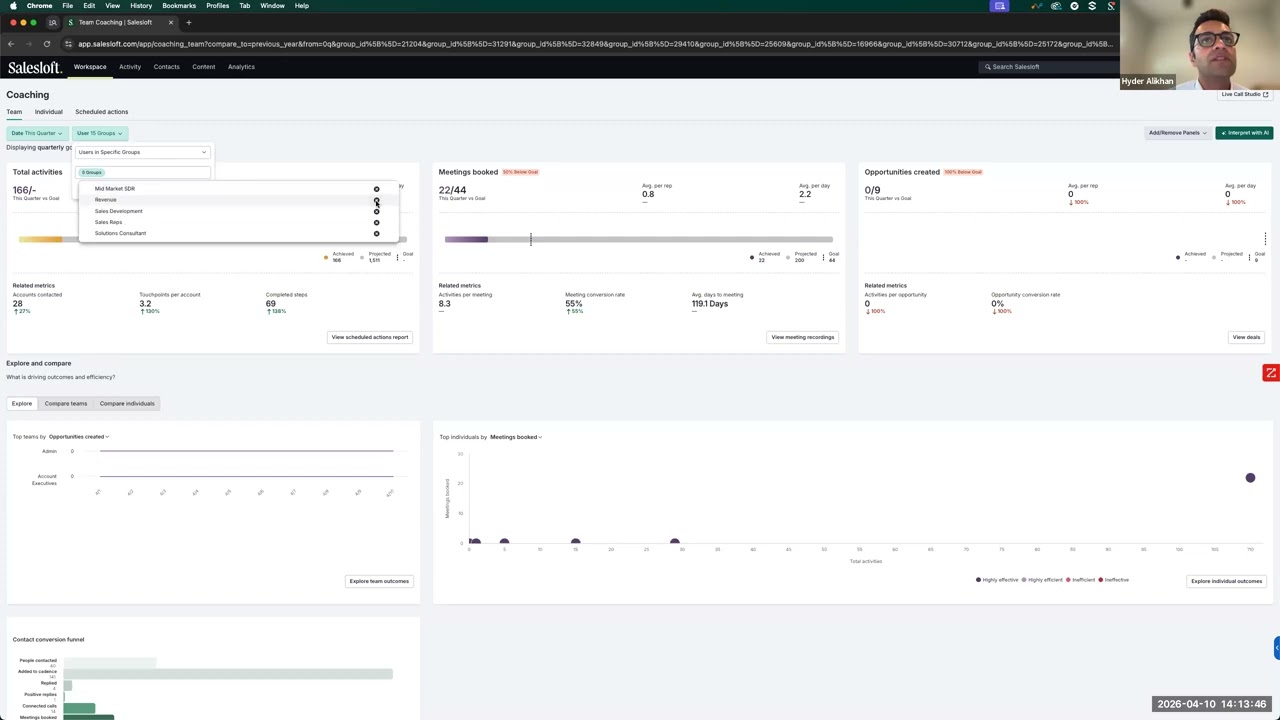
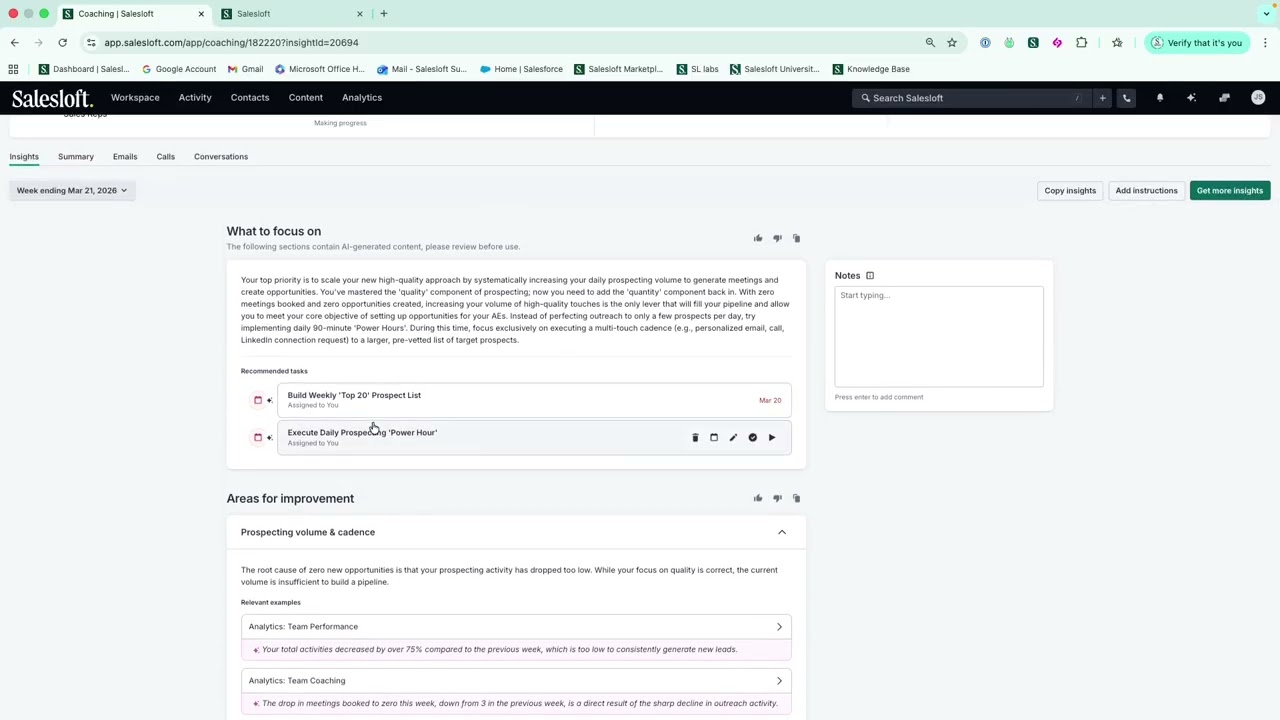
Hey team, my name's Leah. I'm a senior customer success manager here at Salesloft. And today I wanted to run you through how as a rep you can leverage the sales strategist agent to um make sure that you are focusing on optimizing your outreach. So um firstly, let's look at where to access the sales strategist agent. So if I'm a rep and this is my um to-do list for the day in my rhythm task, I'm going to head into the coaching area. So coaching is really an area where I can have a look at my team goals, my individual goals, and just see where I'm tracking. What happens with the st the sales strategist agent, if I just click into myself, today I'm John success. Um you'll see this new insights panel. So, um, what this does is essentially looks through all of my activities from the previous few weeks and generates some, um, a bit of an overview, um, with some top tips of what I've done well in the last couple of weeks, um, and what I need to focus on to make sure that I am really enhancing my sales, um, strategy. So, here we can see that initially it's saying what I need to focus on. So although my outreach is super high quality, actually the quantity um of uh my pipeline generation is just too low. So I'm not putting in enough into my pipeline in order to get the um results that I need in order to hit my targets. So you can see here um I have an overview of what um I need to focus on and then also some recommended tasks. When I scroll down, I can also see examples of where um the areas for improvement come from. So, this is concrete evidence of where these um where the um gaps are in my pipeline and what I need to focus on. I also have my strengths. So, um you can also see here what you're doing really well um and also um yeah, what I can, you know, continue doing to make sure that I stay um on top of my um of my workflow as well. What I really like about this, you'll see here the recommended tasks. But if I go over into my rhythm and just filter um by my calendar block types, um this will actually give me these two actions right within my workflow. So when I um need to um block this out, this will actually populate within my to-do list. This is a really nice reminder within my rhythm workflow. So even if I forget to go into that coaching module and take time out of my day to look into it, these um recommendations will actually autogenerate. So very similar to all of my other rhythm tasks, when I'm ready to look into it, I can go ahead and press um you know, press go and it's going to bring me back to that coaching um page that I just looked into. So again, I don't need to remember to go in um to coaching to execute. I can um do that from within my rhythm workflow and it will be um within my to-dos for the day. Um and then it will give me this um you know daily power hour. So again my um gap here this week was just volume. So you know putting in um extra time to make sure that I'm um you know doing that power hour. Um and it will yeah it'll kind of show me my calendar so I can block out time to make sure that I'm getting to that. I also will receive an email um with these top tips as well. So really, wherever I choose to work from, I'm still getting that information um leveled, like surfaced up to me in a way that um fits in with my workflow already, rather than again having another um to-do list or another place that I need to go to for that information. Hopefully this was helpful, but please do keep me posted with any questions.

Другие видео автора — Salesloft

Ctrl+V

Экстракт Знаний в Telegram

Экстракты и дистилляты из лучших YouTube-каналов — сразу после публикации.

Подписаться

Дайджест Экстрактов

Лучшие методички за неделю — каждый понедельник