Want to make money and save time with AI? Join here: https://juliangoldieai.com/07L1kg
Get a FREE AI Course + Community + 1,000 AI Agents + video notes + links to the tools 👉 https://juliangoldieai.com/5iUeBR
Оглавление (2 сегментов)
Segment 1 (00:00 - 05:00)
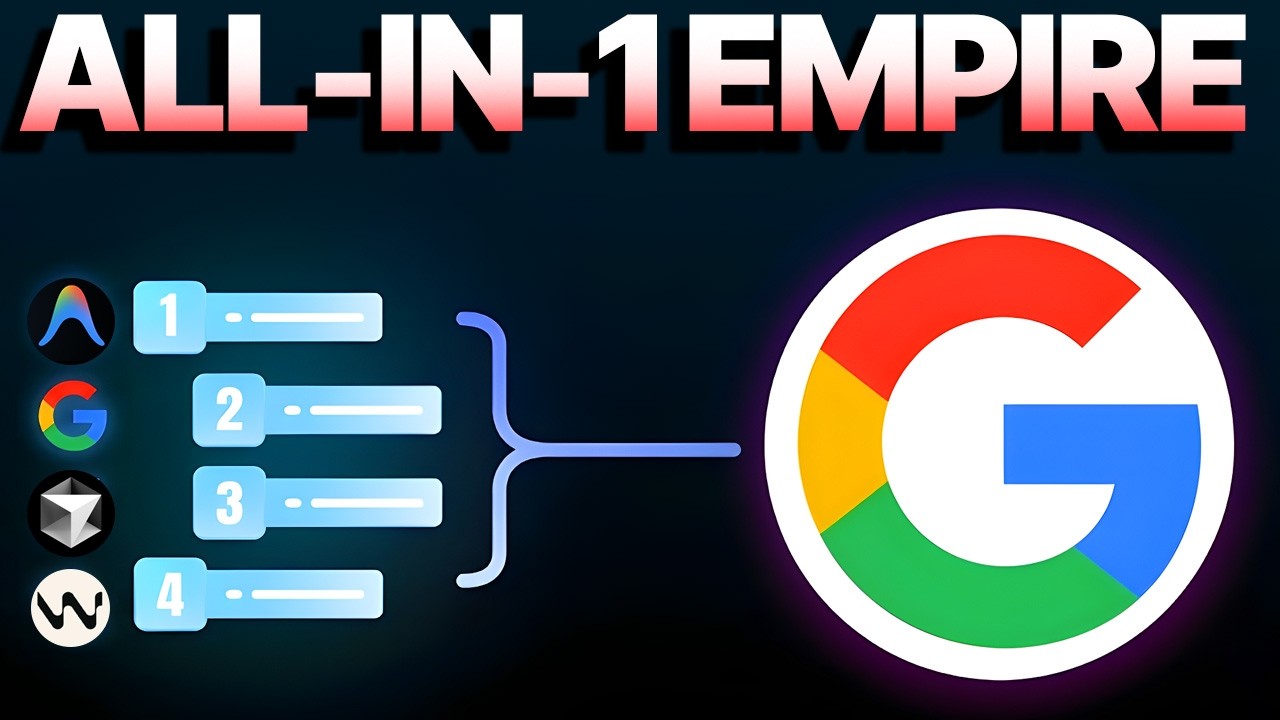
Google just dropped something crazy for Collab users. You can now run Collab notebooks with free GPUs inside your favorite code editors. No more browser only nonsense. This changes everything for AI developers and it works in anti-gravity cursor and wind surf. Let me show you why this is a gamecher. Hey, if we haven't met already, I'm the digital avatar of Julian Goldie, CEO of SEO agency Goldie Agency. Whilst he's helping clients get more leads and customers, I'm here to help you get the latest AI updates. Julian Goldie reads every comment. So, make sure you comment below. Okay, listen up. Google just changed the game for everyone who uses Collab. And I mean everyone, if you do AI work, machine learning, or just run Python notebooks, this is huge. Google released an official VS Code extension for Collab. You can now connect your local notebooks to Collab runtimes. That means free GPUs and TPUs right inside your code editor. No more dealing with that clunky browser interface. You get the power of Collab with the comfort of a real IDE. Let me break down why this matters. Before this update, you were stuck in the browser. The Collab web interface is okay for quick experiments, but for real development work, it sucks. You can't use Git properly. Version control is a nightmare. Your favorite keyboard shortcuts don't work. Extensions, forget about it. It's just not built for serious coding. Now everything changes. With this new extension, you code in VS Code or any compatible editor. You get all your normal tools, but the execution happens on Collab's cloud servers. Free GPU access from your editor. This is insane. And here's where it gets even better. The extension isn't just for VS Code. It's published on something called the Open VSX Registry. That means it works on VS Code compatible editors, too. Editors like anti-gravity, Cursor, and Windsurf. All of them can now tap into Collab's compute power. Let me talk about anti-gravity for a second because this is where things get really interesting. Anti-gravity is Google's new agent first IDE. It's built for AIdriven development workflows. Think of it as VS Code but designed specifically for working with AI agents and now you can run Collab inside it. This is like combining the best of everything. You get Google's cloud compute, Google's AI focused editor and all the modern IDE features you expect for AI developers. This is a dream setup. But hold on, I need to tell you about the limitations too because not everything is perfect yet. The execution still runs on Collab's remote servers. That means your local files aren't directly accessible. The runtimes file system is remote, not local. So if you have a huge data set on your computer, you can't just use it. You need to upload it to Collab's environment first. Also, some browserbased Collab features don't work yet. Things like mounting Google Drive can be unreliable. The integration is new, so there are rough edges. Some users report issues with certain features. And if you use a forked IDE like anti-gravity, there might be compatibility issues. Not all VS Code extensions work perfectly. But honestly, even with these limitations, this is still massive. Let me walk you through how this actually works. First, you install your editor of choice. Let's say you pick anti-gravity. You download and install it like any other app. Then you go to the open VSX registry. You search for the collab extension. You install it in your editor. Next, you open or create a Jupyter notebook file. That's a file with the IPMBB extension. You select Collab as your kernel. You sign in with your Google account. And boom, you're connected to a Collab runtime. Now, when you run a cell, it executes on Collab servers. You can check if you have a GPU assigned. You can run your machine learning models. You can train neural networks all from inside your editor with syntax highlighting, autocomplete, and all the features you love. Before I go deeper, let me tell you about something cool. If you want to learn how to save time and automate your business with AI tools like Google Collab, Anti-Gravity, and other cutting edge AI platforms, you need to check out AI Profit Board. It's a community where we share the latest AI tools and workflows. You'll learn how to integrate these tools into your actual work. Not just theory, but practical stuff you can use today. The link is in the description. Now, let's get back to this collab update. So, why does this matter so much? Let me give you a real example. Say you're building a machine learning model. Before this update, you'd write code in the collab browser. You'd run experiments. But tracking changes was hard. Collaborating with teammates was messy. Using Git was basically impossible. Now you write everything in your editor. Use Git for version control. You track every change. Your teammates can see your commits. You can create branches for experiments. You can merge code properly. It's a real development workflow. But you still get free GPU access from Google. This is what developers have wanted for years. Let's talk about the three main editors this works with. First, VS Code. This is the most popular code editor in the world. Millions of developers use it every day. Now, they can all use Collab inside it. Second, Cursor. Cursor is a VS Code fork built for AI pair programming. It has AI assistance built in to help you code. Now, you can
Segment 2 (05:00 - 08:00)
combine that with Collab's GPU power. Third, Windsurf. Windsurf is another VS Codebased editor focused on AI development. Same deal, it now supports collab. And then there's anti-gravity. Anti-gravity is special because it's from Google. It's designed as an agent first IDE. That means it's built for working with AI agents, not just AI assistants that help you write code, but actual autonomous agents that can complete complex tasks. Think of it as the future of AI development. And now it has direct collab integration. This could become the default setup for AI developers. Here's what I think is going to happen. More and more people will stop using collab in the browser. They'll switch to this IDE based workflow. It's just better for productivity, better for collaboration, better for building real projects. The browser version will still exist for quick demos and tutorials, but serious work will happen in editors. Let me give you the step by step to get started. Step one, choose your editor. VS Code, Anti-gravity Cursor, or Windsurf. Step two, install it on your computer. Most of these have downloads for Windows, Mac, and Linux. Step three, open the extensions marketplace. For Open VSSxbased editors, you'll use the Open VSX registry. Step four, search for Google Collab or just Collab. Step five, install the extension. Step six, restart your editor if needed. Step seven, open a Jupiter notebook file. You can create a new one or open an existing file. Step eight, click on the kernel selector. It's usually in the top right corner. Step nine, choose Google Collab from the list. Step 10, sign in with your Google account. Step 11, wait for the runtime to connect. This might take a minute. Step 12, start coding. Run your first cell and watch it execute on Collab servers. You can check your GPU allocation with a simple command. Just type and run Nvidia SMR. This shows you if you have a GPU and what kind. Now you're cooking with gas. Let me talk about some use cases. If you're a data scientist, this is perfect. You can work on your models locally. Use Git for version control, but train on Collabs GPUs when you need them. If you're a student learning AI, this is amazing. You get a professional development environment, but you don't need to buy expensive hardware. If you're a researcher, this changes your workflow. You can manage complex projects properly with proper code organization and version history, but still access powerful compute when you need it. If you're building AI products, this is a gamecher. You can prototype fast, iterate quickly, and scale when needed, all without leaving your editor. The possibilities are endless. And speaking of staying updated with AI tools, if you want to master AI automation and learn how to use tools like Collab, Anti-gravity, and other AI platforms to transform your workflow, join AI Profit Boardroom. It's where we share practical AI strategies you can implement right away. You'll get access to workflows, tutorials, and a community of people doing the same thing. Check the link in the description. I want to know what you think. Are you going to try this? Which editor will you use? Have you already tested it? Drop a comment below and let me know. Julian Goldie reads every comment, so we'll see your thoughts. And if you found this helpful, hit that like button. Subscribe if you want more AI updates like this. I'll see you in the next video. Peace.