My 2026 Homelab Tour (Rack + Servers + Network + Storage)
28:11

My 2026 Homelab Tour (Rack + Servers + Network + Storage)

Techno Tim 23.02.2026 140 469 просмотров 4 482 лайков

Machine-readable: Markdown · JSON API · Site index

Поделиться Telegram VK Бот
Транскрипт Скачать .md
Анализ с AI
Описание видео
My homelab has changed again… 2026. Full rack tour + upgrades: network, compute, storage, and power. Self-hosting guide next - subscribe https://youtu.be/efl2kuPNEpE GEAR LIST (affiliate) Rack & Accessories - 32u Rack https://amzn.to/3TlhdXb - 1u Brush Panels https://amzn.to/3hKNiaf - 1u Rack Mount Full Depth Shelf https://amzn.to/3jrm5Kp - Right Angle Extension Cord https://amzn.to/3Wl7gay - UniFi Power Distribution Pro https://l.technotim.com/unifi-power-tech Network - Patch Panel https://amzn.to/3YIKtHq - Wall Mount Patch Panel https://amzn.to/3WyvnCk - UniFI EFG https://l.technotim.com/unifi-gateways - UniFi Flex 2.5 Mini https://l.technotim.com/unifi-switches - UniFi Fortress Gateway https://l.technotim.com/unifi-gateways - UniFi Pro XG 48 PoE https://l.technotim.com/unifi-switches Servers & Accessories - UniFi UNAS Pro 4 https://l.technotim.com/unifi-network-storage - UniFi UNVR https://l.technotim.com/unifi-nvr - MinisForum MS-A1 https://amzn.to/3W6HMja - Beelink EQ 14 https://amzn.to/4c66WYd - HL15 https://store.45homelab.com/configure/hl15 - 14 TB Exos Seagate Drives https://amzn.to/3GbtXsk - 20 TB Exos Seagate Drives https://amzn.to/4s3xrC2 - 22 TB Exos Seagate Drives https://amzn.to/4tS9iQH - Smart ZigBee LED Controller https://amzn.to/3jtCpKI - Cooler Master SickleFlow 120mm RGB Fans https://amzn.to/3I68AtA Accessories - Wall Control Galvanized Steel Pegboard https://amzn.to/3bJ8R4s - PoE Zigbee Adapter SMLIGHT SLZB-06: https://amzn.to/4kS8iYW - HDHomeRun Network Tuner https://amzn.to/3Gdkd0x - Eaton 5P1500R UPS https://amzn.to/3OC2D90 - Tripp Lite 2200VA 1920W UPS Smart 2U Rackmount https://amzn.to/3XrnC2q - Tripp Lite BP36V15-2U Smart UPS 36V 2U Rackmount External Battery Pack https://amzn.to/3XxwBzd - APC 1500VA UPS https://amzn.to/3GXLJh6 - APC 600 VA UPS https://amzn.to/3mMxsM1 - Axxtra Power Strip https://amzn.to/3qbzIhT - Hue Light Strip https://amzn.to/3I124o3 - Hue Motion & Temp https://amzn.to/3qb1FXf - Hue Smart Bulb Starter Kit https://amzn.to/3jljCRA - Cloud Lamp https://amzn.to/3GZji24 - Fire Extinguisher https://amzn.to/3GeB2s4 Over the Air TV Gear - TV Tuner that supports 4K and up to 4 streams: https://amzn.to/3r1v3SL - Indoor Outdoor Antenna: https://amzn.to/3sHLST3 - LTE / 5G Filter: https://amzn.to/3Pax72J - Antenna Splitter with Passthrough: https://amzn.to/3sLTZy4 Intel NUC Mini Cluster - Intel NUC 11 https://amzn.to/43TK8nS - Intel NUC 12 https://amzn.to/3OGjXOi - SAMSUNG 980 PRO SSD 1TB PCIe NVMe https://amzn.to/4b1p1FL - SAMSUNG 870 EVO SATA https://amzn.to/4kQ7BPL - G.Skill RipJaws DDR4 SO-DIMM Series 64GB https://amzn.to/3AlstI8 - Rackmount Kit Mk1 Manufacturing - https://www.mk1manufacturing.com/cart.php 00:00 - 2026 Homelab Tour (Big Changes) 00:46 - The Wall of Tech (Quick Overview) 00:57 - How the Internet Gets In (and Backup) 01:21 - Why There’s a Desk Phone Here 01:44 - TV-Synced Lighting (Why Multiple Hubs) 02:22 - Old Fiber & Sensors 02:40 - Power Outages - Auto Shutdown Plan 03:18 - Backup DNS When the Rack Is Down 03:31 - Free Live TV + DVR Inside the Lab 03:50 - Whole-Home Wiring (Yes, It’s Old) 04:17 - Turning a Dumb Fan into “Smart” 04:47 - Zigbee at Scale (80+ Devices) 05:30 - Testing a Closed Sensor System 06:13 - Siren + Smoke Alarm Future Plan 06:40 - Keeping the Wall Online on Battery 07:00 - The Core Switch Upgrade (Why Now) 08:24 - How Loud is It? 09:06 - What is it Powering? (Over PoE) 09:43 - The Network Gateway (Routing + Security) 10:17 - Cable Cleanup Ideas (Next Steps) 10:35 - Building a Faster Core (Uplinks) 11:31 - Remote Power Control (Reboot Gear) 12:16 - Local Camera Storage (No Cloud) 12:55 - UPS Maintenance + What Stays On 13:39 - The Compute Cluster (VMs + K8s) 14:38 - Remote Console Access to Everything 15:44 - Custom Rack Mounts (Clean + Simple) 16:00 - Smarter Camera Alerts (AI Explained) 17:18 - Why I Run a Separate Controller Box 18:06 - My Mini PC Testing Workflow 18:34 - A Small NAS Experiment (Big Drives) 19:01 - My "Local AI" Setup 19:50 - The All Flash Mini App Server 20:15 - A Quiet Hybrid Mini NAS 20:40 - If I could Shrink My Homelab... 20:58 - New (to Me) 1U Server (Upcoming Project) 21:52 - Big Server Upgrade (On Hold) 22:32 - The New All-in-One Main Server 24:40 - Storage Changes Coming (More Space) 25:27 - How I Get 60-100+ Min UPS Runtime 26:27 - Backup Internet (Why Cellular) 27:10 - The SIM Lock Problem (Annoying!) 27:53 - Wrap-Up + Next Video Video Notes: https://technotim.com/posts/homelab-hardware-tour-2026/ Merch Shop 🛍️: https://l.technotim.com/shop Support me on Patreon: https://www.patreon.com/technotim Sponsor me on GitHub: https://github.com/sponsors/timothystewart6 Subscribe on Twitch: https://www.twitch.tv/technotim Become a YouTube member: https://www.youtube.com/channel/UCOk-gHyjcWZNj3Br4oxwh0A/join Gear Recommendations: https://l.technotim.com/gear Get Help in Our Discord Community: https://l.technotim.com/discord 2nd channel: https://www.youtube.com/@Technically-Tim Thank you for watching!

Методичка по этому видео

Структурированный конспект

Масштабирование Homelab: проектируем отказоустойчивую домашнюю инфраструктуру с нуля

Создание и оптимизация профессиональной домашней лаборатории для энтузиастов и IT-специалистов. Курс рассчитан на 28 минут глубокого погружения в сетевую архитектуру, хранение данных и автоматизацию.

Оглавление (43 сегментов)

2026 Homelab Tour (Big Changes)

It's that time of year again. Welcome to the 2026 tour of my HomeLab. Every year I tell myself, this time it'll be minor changes, and every year it turns into a full evolution. This year especially, I've made some upgrades that completely change how I run things, and I'm excited to show you what's new. Before we jump into the server room tour, I just want to say thank you for an incredible year. None of this would be possible without your support. You've genuinely helped make this all happen. And if you haven't subscribed yet, now's a great time. I've got an upcoming video where I break down all of the services running in this HomeLab and how everything fits together so you won't want to miss it. And if you know someone who's into HomeLabs and self-hosting, sharing this video helps a ton. All right, let's dive in. Here's my HomeLab in 2026. First stop on my tour

The Wall of Tech (Quick Overview)

is this wall of tech. This wall of tech contains a lot of the things that won't necessarily fit in server rack so I started attaching them here. So one thing that still is the same as fiber providers

How the Internet Gets In (and Backup)

for a little bit I did have two fiber connections. Now I fully switched over this one. I do have backup internet, we'll talk about that here in a second, but I do have two fiber lines going to the home. One is actually buried out front coming in from the front of the house and then one is actually coming from the back of the house over the wire. Coming down here I'll just talk about

Why There’s a Desk Phone Here

this really quick. I 3D printed this mount and put this UniFi phone up here. I don't have UniFi talk. I was testing some things out. I don't really have a lot of VoIP needs. I thought maybe I would try it out and maybe switch my business line to it, but I'm going to stick with my personal line for business and keep getting spammed. So coming up here, my four Hue hubs. A lot of people ask

TV-Synced Lighting (Why Multiple Hubs)

well, why do you have four Hue hubs? And then on top of that, why aren't you using a Zigbee device like this SMLight down here. The main reason why I still have Hue hubs in my home is because I use Hue Play and Hue Play is a way to synchronize lights to your TV through HDMI. In order to do that you have to have a dedicated hub for each play device that you have. And so I have three play devices to still keep one per play device in order to synchronize the lights to the TV. PoE comes up over to here, powers this switch, and then all four of those are connected.

Old Fiber & Sensors

Moving over, yeah, this is my old fiber. It's actually unplugged. Maybe one day if they lower the prices, I'll switch to them for backup fiber, but not now. This is a little sensor, UniFi sensor I was testing as well, motion sensor. So I just put it up here, but it's working and it's running. Down here is my Raspberry Pi. I still have this Pi, and this is still running.

Power Outages - Auto Shutdown Plan

This is running NUT Server. As you can see, I have all of these USB cables plugged into it, and those run to my UPS devices. A couple in here, and actually one down here. And so it's running NUT Server, which will help me coordinate and shut down devices if I lose power. I accidentally locked myself out of this Raspberry Pi. I was rotating my SSH keys, and I removed my old one before applying my new one. Same with this one. I'm locked out, but that's an easy fix for Raspberry Pi is just take the microSD out and fix it

Backup DNS When the Rack Is Down

I've just been too busy to do that. So this Raspberry Pi is running PiHole It's my backup DNS for everything that's in my server rack So if my server rack goes down this will still provide DNS for my whole network. This right here is my HDHomerun

Free Live TV + DVR Inside the Lab

This actually gives me over-the-air TV. I have it connected to Plex It has four channels and it goes to a gigantic antenna in the attic, but this gives me four channels to watch, record, rewind, live TV, all to my Plex.

Whole-Home Wiring (Yes, It’s Old)

This is where all of my network cables come in throughout my house. You can see up there it's a little bit messy coming down to here and then they're punched down in the back and then they all connect here. It's Cat5e. I did it a long time ago. I don't know, maybe 10 years ago and it's been running fine. I actually have 10 gig going over a Cat5e and it's totally fine too. Super cheap then and it's probably super cheap now. Well, not as cheap as it was then. Okay, so coming down to here, this is a

Turning a Dumb Fan into “Smart”

little Broadlink device and this is an IoT device that can control RF signals. My ceiling fan doesn't remember any of its settings when I turn it off via power. So I made the most complicated automation ever to make my fan remember its last setting even though it technically doesn't remember it. But this is nice because then I can automate this with Home Assistant and everything else because my ceiling fan's super dumb. So this makes it smart. All right so coming up to here this is my

Zigbee at Scale (80+ Devices)

SM Lite SMB. I don't know it has a really long name. I can't remember. I'll put it on the screen. But this is a really cool device. It can be configured in many different ways. I have a video on it you can check it out but it can be configured as a thread border router as a bluetooth device to be able to connect to other bluetooth devices a repeater for zigbee or even a zigbee coordinator and so I have it configured as a zigbee coordinator I think I have 84 85 devices connected over zigbee all kinds of devices we're talking leak sensors switches you know even this motion sensor up here and it's really awesome to be able to do it through Home Assistant through you know open software. So next up this is the exact opposite so not open but closed but this

Testing a Closed Sensor System

is Ubiquiti's Superlink and so this is a way to connect a lot of devices to their IoT you know kind of network and this is one of the sensors that connects to the Superlink. This is an environmental sensor. It does temperature, humidity, light or lumens and then does leak detection too. I don't have it hooked up for leak detection. I think you need another dongle for it. But anyways, this is one I was testing out along with the Superlink, which this motion sensor also connects to it. I haven't done much other than test it out. I know that it has a super long range. The battery life is pretty incredible too. And the same story with this. This is a Siren. It's

Siren + Smoke Alarm Future Plan

powered over PoE. I was testing it. I would love to be able to use this with a smoke alarm. Hopefully to do a little more home security. I'm happy with the home security stuff I have in place. I'm not happy with my smoke alarms, which are Nest, which are being discontinued. So it'd be pretty cool if Ubiquiti came out with both of those. So then I can, you know, kind of manage it in a single pane

Keeping the Wall Online on Battery

of glass on my Ubiquiti network. So, and then this whole wall is powered by these power strips. backed up by this UPS. And then for all of the things that are PoE, you see scattered throughout here are connected to my PoE switch which we'll see here in a second.

The Core Switch Upgrade (Why Now)

So first up is this switch. This is a new switch. I bought this year. This is the USW Pro XG 48 PoE. It's kind of hard to remember. I think the XG, someone told me the X is Roman numeral X which would mean this is 10. So 10G. Anyways this is the USW Pro XG 48 port switch. 32 of these are 10 And then 16 of them are 2. 5 gig, which is pretty incredible. All of them support PoE+++. And so the reason why I jumped to this big of a switch is because I already had a 48 port PoE switch here, but it didn't have PoE+++, and it really didn't have any 10 gig. And so I have enough 10 gig Ethernet where I could use a switch like this, And then I have enough PoE+++ devices where I could use a switch like this. So anyways, I ended up buying this one and replacing the one that I had before. It can pump out, I think, over a kilowatt, which is crazy to think about. I'm only using, I think, around 100 watts, which is still a lot. I'm pumping 100 watts out to all of these PoE devices. Oh, it also has four 25 gig ports here. So I have two of them LAG'd to my EFG. but it does support four total and I have two extra ones right there. It is pretty quiet at

How Loud is It?

least right now. This is the first switch ever that I've owned where you can hear the fan. Ubiquiti switches are pretty quiet in general. I've never heard any noise out of any of my switches. This is the first switch where I will hear some noise. So in the summertime if it gets really warm down here. And then on top of that, I'm doing a lot of transferring with 10 gig or plug in some additional 10 gig over ethernet. The thing will kind of heat up. It's not super loud by any means. It's not like a banshee screaming like you hear some of the switches, but it does move some air. And that's exactly what it sounds like moving air. It's not a high-pitched whine. It's just moving air. So again, yeah, this is powering lots of devices. It's powering access points

What is it Powering? (Over PoE)

cameras, Cloud Key, AI Port, Siren, the phone over here, all of the JetKVMs I have down here, even switches in here and then switches throughout the home. And this PoE switch is backed up by this UPS here, which means that if the power goes out, all of these devices will be on backup power because of this, which means the devices throughout my home that are powered via PoE will still have power. So next is the EFG and I think I had this last year but this is a 25 gig gateway.

The Network Gateway (Routing + Security)

It's way more than I need but it has two 2. 5 gig ethernet ports then to 10 gig and then to 25 gig. So I have the 25 gig up linked to my switch right here in a LAG but it does support up to 25 gig internet if I wanted to use it that way another reason why I like this is because it can do 12. 5 gigabit IPS and IDS routing so if i'm doing inter vlan routing and I want IDS and IPS turned on this will do up to 12 13 gigabits per second brush panel uh it's pretty obvious what this is

Cable Cleanup Ideas (Next Steps)

a brush panel I actually have two brush panels I saw that somebody else has a device like this where they were able to turn them at a 45 degree angle and put them through one brush panel so I might do that anyways I'll get to that here in a second next up is the USW Pro XG aggregation switch and

Building a Faster Core (Uplinks)

this is an upgrade uh to my previous aggregation switch that I actually gave away in Discord but this is a 25 gig switch uh which is super nice i'm only using 10 gigs so you can see you know lag here LAG here and then a couple other devices but then I have 25 gig uplinked actually to this switch right here and this uplink actually goes to this switch so I have you know two 25 gigabit uh in a LAG right here so you know 50 total I guess both ways going up to both my EFG and going up to my USW Pro XG but yeah pretty nice pretty solid pretty quiet. That's a lot of speed. I am going to be adding a couple of more 10 gig here, and one day if I ever can run fiber from UPStairs to down here, this is where I will terminate it. Next is the

Remote Power Control (Reboot Gear)

USB PDU Pro. I bought this a long time ago. I love it. A lot of people ask, hey, do you still like that PDU Pro? I'm thinking about doing something like that. Yeah, I do. I love it. It's great. Does everything that I need. You know, I can toggle the power on and off of all of these switches individually. The one thing I will say though is that it takes a little bit sometimes to toggle these on and off. Kind of a nuisance. Doesn't really affect anything but it's one of those things when I'm down here and working on something I want it to be a little bit more responsive. These USB-C ports are kind of nice too. I forget the wattage on here. It is a little bit low, lower than I would like, but this thing is pretty old in general too. I keep wondering if Ubiquiti is going to come out with a new version of this next is my UNVR I bought this a while ago too way back when it came with a

Local Camera Storage (No Cloud)

free G4 camera if you bought it so I jumped on it but this has uh all of my recordings from Protect on here love it because it keeps everything local and I have I don't know I think three eight terabyte drives in here in a raid 5 so I can lose up to one and then I have three remaining I think I can get up to two months and that's with I think I have 12 cameras some hd some 4k some 2k some 1k two months of storage on all of these guys running 24 7 and then I have some other things that make that better I'll show you here in a second uh this is my UPS right here so this UPS this Eaton UPS

UPS Maintenance + What Stays On

is pretty cool it's you know obviously 1u and it fits right here in the rack oh if the power goes out this UPS is powering everything up here except for the UNVR and again since this is a PoE switch it'll be powering those devices throughout my home so the batteries actually died a little bit ago and Eaton sent me some so thank you Eaton that was awesome pretty cool design too uh they have a battery tray which slides right in I'll show an image of that but pretty awesome uh but otherwise i love it I just wish batteries lasted longer I think I got five years exactly out of these batteries and those batteries down there are already telling me hey we're older than five years but they seem to be doing okay uh this right here is my Intel NUC cluster i'm still running a cluster

The Compute Cluster (VMs + K8s)

these are each running Proxmox so three Proxmox nodes in a cluster i'm not running high availability LXCs or virtual machines but I do have them in a cluster to give me a single pane of glass and so also I can do migrations pretty easy connect to NFS for backUPS or PBS actually now for backups these are running Kubernetes nodes within Proxmox too so I have a high availability Kubernetes cluster in here and then I have some LXC containers a Windows machine another Linux machine VMs all in here so I manage three Kubernetes clusters and so this one is kind of my play one at home. My one that's in my colo is kind of my, you know, production one. That's where all my documentation and stuff like that runs that hopefully helps you guys out. But I would love to upgrade them at some point, but they're just running so well. Next is an entire row of JetKVMs.

Remote Console Access to Everything

So this is six JetKVMs. So this metal piece right here that helps me rack mount these was made by Jared. I don't know if you know JaredC01, I think it is. He gave me the design. I actually had two of them made. I had one sent to him as a thank you. And then I put the six JetKVMs in here. So Jet KVMs are awesome. If you don't know what a KVM is, it's keyboard, video, mouse. And what that does is allow you to remote control machines through a web browser. So I can connect to a web browser on each of these, and each of these are connected to a machine that I can then remote control. So this one's connected to this Intel NUC. This one's connected this Intel NUC and then this one is actually connected to a device down there that I'll talk about. Same with this one, same with this one. But all six are connected and being used. I should probably at this point pull down my EZCOO switch down here so I can use one of these to connect to multiple. Next up after the JetKVMs are some 3D printed mounts that I printed. This was actually

Custom Rack Mounts (Clean + Simple)

one piece, this was another piece, and then they connect together so that they can fit in a 19-inch rack. And so the same here. This one connects to this one, and then I can put them in a 19-inch rack.

Smarter Camera Alerts (AI Explained)

So first up is the AI Key from Ubiquiti. I tested this device for a while, and this device helps make your NVR a little bit smarter. I guess that's the way I can describe it. So you have the option with this device to classify, describe, transcribe a lot of different events that get picked up in your camera feed. I would love to see this used for more than just an NVR. I would love to see it used for more devices in their ecosystem. And then this is an AI Port. It's kind of hard to see, but I printed it and put it here. So if you think about these two devices, the way I think about it is this one kind of gives devices, I guess, glasses. It helps devices recognize AI events might not be able to recognize AI events because they're older cameras or they're third party. And so you can enable AI events on those types of cameras here. And then this will kind of pick up from there and help you to detect specific things within those events. Face recognition, animals, and the things I talked about a little bit earlier. So again, I'm probably doing a poor job of describing it. They are, I think, a little bit confusing on these two products. What does what? but I think of it like glasses and brains. That's the way I kind of lump it up in my head. This is

Why I Run a Separate Controller Box

an older Cloud Key than I had from a while back that I was testing and I was actually testing it with UniFi Talk because the EFG only does Network. I think you can only install Network in some other app but you can't install, you know, Talk or Protect or anything else like that. So I had this old UniFi Cloud Key Plus that was here. The hard drive actually died and I swapped it out for an SSD. So there's a tiny SSD in there and really that's just to test out talk or any other applications that I need. And this little keystone jack right here, I couldn't find a model that didn't have a keystone jack. So there was just a hole there and I thought, well, I have a keystone jack. I might as well put it in there, but I'm not using it. But it looks a lot better than just a hole right there.

My Mini PC Testing Workflow

Next here is Beelink. This is my EQ14. I'm a huge fan of these tiny little Beelink devices. I bought one for my mom and for my dad and I shipped it to them for their home PCs. And so this is my EQ14. This is where I test a lot of my containers. I usually use virtual machines, but say I need to test something like QuickSync or an N150, I'll use this device because it has, I think, an N150 plus quick sync. So next is the UNAS Pro 4. This is a device I've been testing for a long time. I

A Small NAS Experiment (Big Drives)

could finally show it. I think by the time you see this video you'll be able to buy it. I will say that this is a really interesting device and I'm going to do some interesting stuff in the future. I bought four 22 terabyte drives in here. They're in a RAID 5 and it's working really well. So I'm going to have a video on that coming up soon and another device down here that I'll talk

My "Local AI" Setup

about so I won't spoil it. Below that I have a bunch of mini PCs. This is the MSA-1. I've used this for a long time. I actually use it in a lot of my tutorials that require a video card and so I use Oculink to connect to my NVIDIA 3090, my RTX 3090. You can kind of see it back there. It's kind of cluttered but it won't fit in here right now due to this server but I'll talk about that here in a little bit. But this is pretty awesome. It has AMD processor, Oculink connected to a video card externally. And so a lot of my tutorials where I do anything with local AI, I'm usually using this one or I'm doing it in my main server down here. But I like to do tutorials and stuff on a separate box. And I'll kind of get into that here in a second. Next is the Beelink ME Mini. And

The All Flash Mini App Server

It's all NVMe. I think it runs better as a Proxmox server with LXC containers because it has so many low latency devices. NVMe is just kind of a weird storage option for NAS in general. So I like to think of this as a little app server. Got a video on that. You should check it out.

A Quiet Hybrid Mini NAS

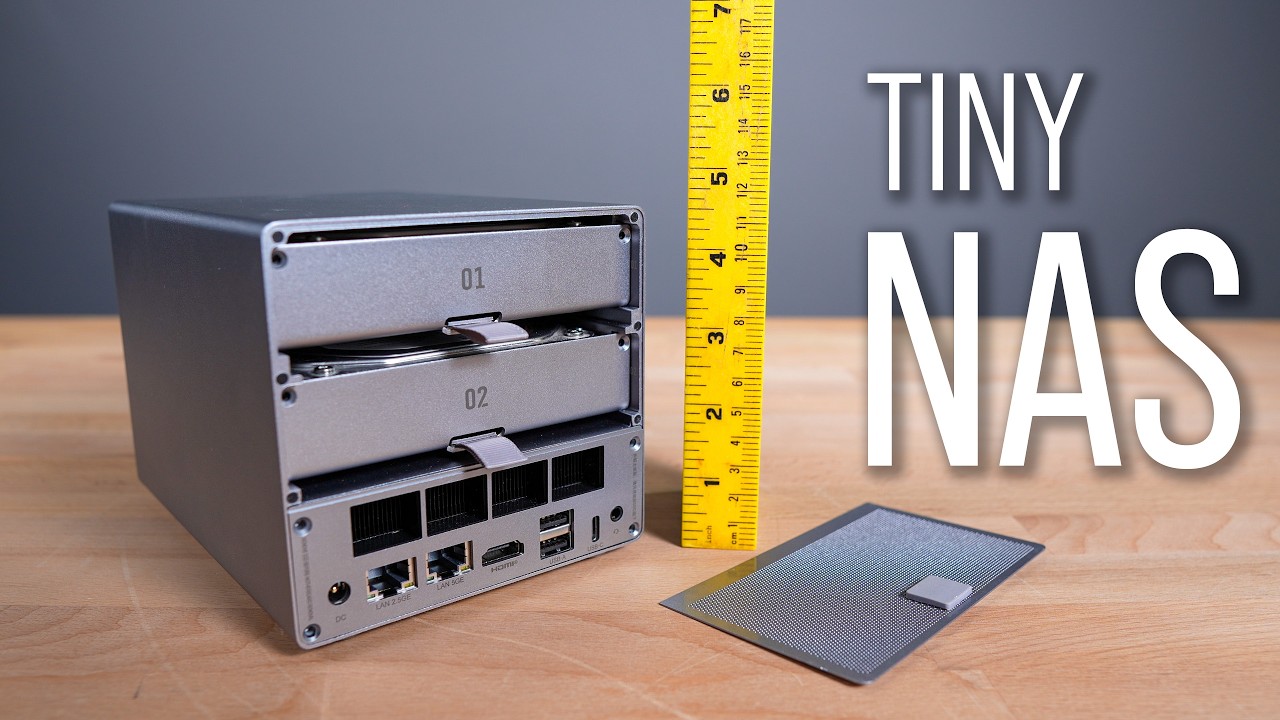
Next to that is the Beelink ME Pro. I just did a video on this, and this is more like a NAS device. It has up to three NVMe drives, which is pretty cool. and then it has two SATA drives, 3. 5 inch drives, and it's all removable. It's all metal, and it's very, very silent. Most of this metal right here is a heat sink. It has an exhaust fan, and it's really quiet. If I could shrink my HomeLab, it would probably be these three devices

If I could Shrink My Homelab...

and these three would give me most of what I need. Storage here, apps and containers here, and then maybe virtualization here with a video card back there.

New (to Me) 1U Server (Upcoming Project)

Below that is a 1U server, and this isn't one of my 1U servers that you've seen before. This is actually one that I bought and built here in 2026, which is kind of wild to think about. This thing's over 10 years old, but I needed something very specific. I needed 1U and as many drive bays as possible and IPMI. When I started doing the math, this ended up being the cheapest solution and the best solution for the money for what I needed to do. So anyways, I'll have a video coming up on this shortly. What is it right now? It's Supermicro Server. It has the Intel Xeon. I forget which one. I'll put it up on the screen. It only has 16 gigs of DDR4, which is totally fine. And then it has four 22 terabyte XOS Seagate Enterprise drives in here. So hopefully what I want to do will work out here in a little bit and hopefully you'll see that video soon

Big Server Upgrade (On Hold)

Next up is the Storinator or the AV60 from 45Drives. This is one that they built for me. Sadly, it's off right now I have big plans for this one I actually have an EPYC CPU that Wendell sent me about six months ago that I plan to put in here But due to prices of DDR5 I can't build it right now and that's the position that I think a lot of people are in right now. So coming soon I'm gonna gut this, rebuild it with an EPYC. As soon as I can get my hands on some DDR5 and the motherboard that I want it's also really hard to get my hands on. But yeah I'd love to build it now but I can't.

The New All-in-One Main Server

Next is my HL15 and this has gone through a transformation too. This year I decided that I was going to build up a better all-in-one system and that's what this is. I think a lot of people might end up doing that this year too is kind of putting all of their eggs in one basket since it's so hard to get a hold of things. But anyways I did upgrade this. This is my all-in-one now. I have 10 14 terabyte drives. The RAM is maxed out. A better CPU that I got from Patrick from Serve the Home. He ended up having a platinum CPU to put in here. It's a pretty old CPU but at the same time and now it's upgraded to the best one it can have upgraded fans upgraded power supply threw in a bunch of mvme and then put a video card in here too so lots of internal changes to this so yeah 10 drives 10 14 terabyte drives in here and this has all of my data and it's ZFS of course because it's running on trunas uh replace the fans uh this year replace the fan and heat sink here too better power supply. And then some more NVMe. I bought these ICYDock adapters that let me convert NVMe M. 2 to U. 2. And then from there, I have these Oculink adapters that connect to the Oculink ports on my motherboard. So these are connected directly to PCI Express. So yeah, it gives me a little bit more NVMe, which is pretty cool. And down here, I have some more NVMe here as well. that's directly connected to PCI Express. Some even on the board you see down there. So lots of NVMe. I got to check to make sure that these are all online because now that I look at this, I should have one, two, three, four. Oh yeah, okay. OS, yep, I do. Nevermind. Anyways, the things you think about when you start opening up your system and looking at it and comparing it to the software. So anyways, this did change a lot this year. Probably not going to change much this year unless I bring the Storinator AV60 back online with an EPYC. Then this will change.

Storage Changes Coming (More Space)

Oh, one thing I might change is my ZFS layout. And so that'll be in a future video that I kind of hinted at. Right now I'm running mirrored pairs. I'll talk about that in the software video too. But right now running mirrored pairs. but I think i'm going to change that to get a little bit more storage space and a little more resiliency so i'm going to change that now that I have 10 drives i'm in a good spot to actually make some changes where building up to 10 drives it was nice to have mirrored pairs but once I get to a certain point I don't need this much IOPS in here and I want to change my resiliency and get some more storage out of here without affecting IOPS too much at least for what I use it for but I'll talk about that in that video and probably in my software video coming up next is my TRIPP LITE

How I Get 60-100+ Min UPS Runtime

UPS here at the bottom this not only has batteries here but another battery pack behind it too and that's how i'm able to get such long run time a lot of people look at this and they think i'm joking when I say hey you know I get 60 50 70 minutes out of here 103 most people think no way but yeah I can because this has a battery pack behind it too you might have seen the power at the four or five hundred range a little bit earlier and that's because I had all of these test devices on and this server that won't be here too long all of these test devices that test device so in general i've kind of maintained the same power that I was using last year which was around three to 350 watts and that is just for the compute the network stuff up there I don't know, uses roughly 100, maybe 150, 200. I'd love to be lower, and I'm sure I could get lower in the future, but we'll see. So my backup internet right now is provided by T-Mobile. It's

Backup Internet (Why Cellular)

cheap home internet over 5G. I decided to go with that because it is cheaper than having my second fiber, and I kind of like the idea of it being 5G, that if something goes wrong with my internet, at least the landline, the fiber coming in, then I can rely on 5G. But the thing is, if people have problems with their hard wire coming in, most people are going to be on 5G too. So I don't know how good of a backup solution that is. But either way, it's really cheap and it is here and that's what I'm going to use. It actually has fallen back a few times to 5G and it works fine.

The SIM Lock Problem (Annoying!)

Now you might be wondering what I'm doing with the UniFi 5G Max. Well, I was kind of hoping that I could use my SIM from my T-Mobile home and put it in this device. But it turns out T-Mobile won't let you, which is kind of a bummer. They make you use their device. I was hoping to use it with this. If there's someone from T-Mobile watching, please, you guys, let me take the SIM and put it in this UniFi device because I want to manage this because I have a lot more visibility and observability than I do from this device right here. So anyways, and you could send that back and put it back in service. I don't care. Just let me use my SIM in there, please. Hopefully a firmware update or something

Wrap-Up + Next Video

from T-Mobile will let me do it. And that's my HomeLab in 2026. I'll have most of the gear and links listed in the description. And if you've got questions, leave a comment and I'll reply. Make sure you're subscribed because the full services running in this HomeLab breakdown is coming soon. I'm Tim. Thanks for watching.

Другие видео автора — Techno Tim

Ctrl+V

Экстракт Знаний в Telegram

Экстракты и дистилляты из лучших YouTube-каналов — сразу после публикации.

Подписаться

Дайджест Экстрактов

Лучшие методички за неделю — каждый понедельник