What Most Python Developers Miss About Generators
24:00

What Most Python Developers Miss About Generators

ArjanCodes 17.04.2026 23 578 просмотров 1 026 лайков

Machine-readable: Markdown · JSON API · Site index

Поделиться Telegram VK Бот
Транскрипт Скачать .md
Анализ с AI
Описание видео
Talk to the internet when you need answers. Talk to Recall when you need your answers. 🔗 https://www.recall.it/?t=arjan   Use code ARJAN25 for 25% off, valid until 1 June 2026. Do the Ports & Adapters quiz here: https://app.getrecall.ai/challenge/e24770a5-1aab-5d6c-b2a8-dbee424c22a4 Most Python developers think generators are just about saving memory. That’s only a small part of the story. In this video, I show how generators give you control over when work happens, and how you can use them to build powerful data pipelines, handle backpressure, enable two-way communication, and even work with async streams. 🔥 GitHub Repository: https://git.arjan.codes/2026/generators. 🎓 ArjanCodes Courses: https://www.arjancodes.com/courses. 💬 Join my Discord server: https://discord.arjan.codes. ⌨️ Keyboard I’m using: https://amzn.to/49YM97v. 🔖 Chapters: 0:00 Intro 0:44 What are Generators? 1:44 Step 1: From Strings to Structured Data 6:36 Sponsored Section (recall.it) 9:08 Step 2: Pipelines with Function Composition 13:15 Step 3: Backpressure — Why This Scales 15:08 Step 4: Two-Way Communication with send() 17:52 Bonus: Generators Can Return a Value 19:08 Step 5: Async Generators 22:58 Final Thoughts #arjancodes #softwaredesign #python

Оглавление (10 сегментов)

Intro

Here's a simple Python function that processes log lines. When you run this, you see something interesting. Producing and consuming are interled. And that means that this function here, read logs, only does work when the next value is requested. And this is exactly what generators do in Python. You can recognize that this is a generator by this line here. And most Python developers already know about generators, but did you know there are other really cool things you can do with them? From building pipelines, two-way communication, even async streams. Today, I'll show you how to do exactly those things. This video is sponsored by Recall. More about them later. Now, what

What are Generators?

are generators? Basically, a generator function like the one that we have here, as you can see, it returns a generator type. It's a function that basically pauses at this yield statement and then resumes later. It has an internal state that remembers between these iterations, things like variables, position, basically everything. And instead of pushing data like normal Python code does, it waits until the consumer pulls it. And that means this function won't do any unnecessary work. there's no large intermediate data structures that need to be stored that required a lot of memory. Uh it's basically natural streaming behavior and that's exactly what you're seeing here. So only when I call the function here in a for loop it yields a result and then we can use that result. There is no memory being used to construct an entire list of things or something and that's what makes generator so powerful. So this is a starting point. It's a stream of log lines basically. Now, instead of just

Step 1: From Strings to Structured Data

working with raw strings, let's convert these into structured objects. And this is going to make the rest of the pipeline that we're going to build easy to reason about and safer to type. So, let's say we're going to introduce a class log record that is going to contain information about a particular log item. And what I'd like to do is use a data class for that. And if we want to be very efficient, we can let this use slots. And we can also make this frozen. Then inside the log record, we're going to have a message. What we can also do is add a log level because this is actually information that is in this raw log string. So let's use an enumerator type for that. So going to have a class log level. This is a string enum. And this is going to have the various levels. So we have info, warning and error. Like so. And now to our log record, we can add the level as well. So now that we have the structure, we can start building out the pipeline. For example, let's create a parse logs function. And this is going to get lines log lines. And that's going to be an iterable of string. And in order to turn this into a pipeline, this will also be a generator. And this is going to give us a log record. And the rest of the types are none. And I'll talk more about those types later on in the video. So what this does is for line in lines. So it iterates over this lines iterable, we're going to get the level text and the message. And that's going to be, let me type that correctly, line dotsplit. And we're going to use a space here and a max split of one. So we only use the first space. Let's also import iterable from typing so that we remove all of these errors here. So now we have the level text and the message. So now we can create the level from the level text and then we can yield note yield because we have a generator. We can yield a log record that contains the level and the message. We can extend this pipeline even more. For example, we can have a handle records which gets records which is then an iterable of log records. And let's say this just returns none. And there we can take this code let's also call that handling and then like so and this is a record and then in the main function we can call these pipeline functions that we just created. So we have records which is going to be parse logs of read logs like so and then we're going to handle the records. And now when we run this again we see that we get this behavior. So interestingly the interle part that we had in the first version is still here. So we're producing, we're handling, we're producing, we're handling. And this is exactly what generators allow us to do. But at the same time, we can specify these functions separately and they all get an iterable and they return a generator. You can add more things here. pipeline functions here and you still get this behavior of producing, handling, and having them into leaves so that you're only producing the data that you need on the fly. The reason this works is because of the design choice where the input of these functions is always an iterable. So that's here in parse logs, but it's also here. And that will also be the case for anything else that you want to put in this pipeline. So the input is an iterable and the output is a generator. That's what you see here. And that's also that makes this pipeline composable. It doesn't care where the data comes from. And this is actually the first building block of a pipeline. Now before I take

Sponsored Section (recall.it)

this further, there's something I need to address. A scary reality of today is that intelligence is becoming commoditized. Everyone has access to the same AI, the same models. Anyone can build anything now. So what actually gives you your edge? It's not what you can build. It's your knowledge, judgment, and your unique ideas. That's the thing AI can't replicate. The problem is all of that knowledge and ideas are siloed and the AI you use has none of it. I'm really excited to introduce you to the tool that's flipping the approach and giving your knowledge powers. Recall 2. 0 today's sponsor. You save your knowledge, videos, PDFs with the browser extension in one click. Recall summarizes, organizes, and connects everything automatically and you can add your own notes alongside it. The headline feature is a gentic chat. You choose what to talk to, your knowledge, the internet or both, and which model to use. So instead of generic answers, you can rely on sources you trust using GPT, Claude or Gemini, and even switch models mid conversation. Let me show you. Here's a recent video I posted about mixing fast API with business logic and port and adapter pattern. If I add this to recall, then it automatically generates a structured summary and it organizes it alongside your other content. Now, I've been saving some other content related to fast API in the ports and adapters pattern here as well. Now, let's ask recall to explain the pattern to me. As you can see, it used the knowledge base and it also refers to several areas in the videos and articles as well. Now, let's follow up by asking what important other information I'm still missing. And for that, I'm going to select the recall plus web option. So, it also searches the internet of time. As you can see, recall also gives me a list of closely related material that I can look into. I can even ask this and then it pulls the precise moment from the video. Plus, with API and MCP access, it's extendable into all my existing workflows. Last thing, anything you save, you can learn from or challenge your friends with. I've created a public quiz from this video in one click. You can do the quiz as well. It's in the video description. Try Recall for free or use my code Arion25 for 25% off. Link is in the description.

Step 2: Pipelines with Function Composition

So far, we've seen that generators give us control over when data is produced. The next step is making that flow more structured by turning it into an actual pipeline. So, we already started this work by having read logs, parse logs, etc. But we can extend this even more. And each of these steps in the pipeline follow the same design decision where the input is an iterable and the output is a generator. For example, we could have another step that filters only the important log records. And we could have yet another function that normalizes the message by turning the messages into a lowercase string. And then if you want to use those functions, we can simply extend the pipeline right here. So I can do filter important on the pasted logs and then we can also do normalize the messages from the logs that are important like so. And now when I run this again you see that we have less messages. For example, the uh user loggedin message wasn't deemed important enough because it's only info. So we ignore it in the rest of the stages. But then we still have this interleaf producing and handling for the rest of the messages. Also, the message is now lowercase because we normalized it. So, each of these stages in the pipeline consumes an iterable and yields transformed values. Now, of course, this is not really a great way to compose functions, right? We might want to use function composition. And the cool thing is that actually works really well combined with these generators. And in order to do that, we need a compose function. Now, that's really easy to build. From fun tools we can import reduce which is the easiest way to create a compos function like this. And then what you can do let me paste that right here is that we can have a type let's call that a pipeline stage which is a callable but we also need to import from typing just like the any type and this gets an iterable as input and also returns an iterable as output. So this gives us maximum flexibility. Our compose function then gets the stages which is just any number of arguments of the of type pipeline stage. So these are basically the functions and then defines an apply function that takes data and then turns it into another iterable. And what this does is basically apply these stages that we pass as an argument to the compose function in order. So then what we can do instead of this is that we can now define an actual pipeline and this is going to be a composition of let's say parse logs filter important and normalize messages. And then instead of doing all of this, what we can then do is simply call the pipeline like so. And we don't need all of these parentheses anymore. And now when we run this again, we should get exactly the same result as before. But now this is really nice. This basically reads like a data flow where we have the source, we parse, we filter, we normalize. And the advantages here by combining this with generator is that we have lazy evaluation throughout. There's low memory usage because we only yield the data when we actually need it. There's clear separation of concerns. Now, one practical note is that typing these individual stages that we have here is relatively straightforward. Well, I mean this type is a bit complicated, but uh other than that, it's relatively straightforward. The composition function itself is a bit complicated. Uh that's why I stuck with the any types here. Otherwise, you would have to think about how to um model that the type of the previous function in the composition matches the type of the next function. Unfortunately, you can't easily express that in Python. So, this is let's say the second best thing to do it. What I want to say here is that typing is important, but in real code, clarity often wins over perfect typing. So, if the types are slightly imperfect, I think it's fine as long as the design is

Step 3: Backpressure — Why This Scales

clear. The next thing that I want to show you is so-called back pressure. And that's exactly why this approach scales so well. So, the consumer in this code, if I scroll down, is actually handle records. This is what basically requests the records. And the nice thing about generators is that the consumer actually dictates the pace. So for example, if I import sleep from the time module and then we go here and instead of just handling the record and immediately going to the next item, I can do a time. Let's say 1 second like so. And now if I run this code again, you see that it waits with producing the next element only after it handles the previous one. So the entire pipeline slows down with what the consumer does and that's called back pressure. The consumer controls the speed of the system. Each stage only runs when the next value is requested. So the flow is that the consumer asks for something then we go downstream through the stages. we end up at read logs which is the source that produces one item and then it runs the rest of the stage again and this prevents a lot of problems over production large buffers memory issues and so on. Now the reason this works and also I mentioned this earlier in the video is that each of these steps in the pipeline are themselves generators. If somewhere in between you don't use generator but you simply convert it into a list the model is broken. Then basically that's the point where all the results need to be collected and then you lose all the advantages of using generators. Now so far everything is one way right we start here at the top with reading logs and then it passes through the pipeline in the end to the consumer but generators

Step 4: Two-Way Communication with send()

can actually also receive values and you can do that by calling send. And when you do that, instead of just pulling values out, you can actually push values back in. And you can use this in this example to make log filtering dynamic. So initially, for example, you can only handle errors, but later you update the threshold to include warnings as well. Here you see a slightly modified version of the code example that does exactly this. So we still have our read logs source generator. We then parse the logs. We then have a threshold filter generator. So this is also part of the pipeline. Now in the main function we see that we have our basic pipeline of reading logs and parsing them. But we then have the filter settings. But then I'm going over these records and I can decide at any point to change the threshold by sending something to that particular generator. And otherwise I will simply get the next value which if you go to the threshold filter function you can see that it's normally just the threshold that it yields. So we start at error. So that's the threshold level but we can at any point decide to change that by sending it a value and that is basically the two-way communication that I mentioned. And the generator itself stores this threshold internally and updates it when it receives this new value. So that turns it into a sort of small stateful component. Now there's a few important things you need to know in order to use this mechanism. One is that you need to prime the generator before you call send. That means you need to at least once uh have collected a value from the generator in order to be able to send it values. And you do that by calling next. In fact, next is nothing more than sending none under the hood. So what happens conceptually is that yield produces a value and send resumes the generator and injects a value optionally. This can be really powerful but it's also pretty low level. In practice you will almost never use it. But if you truly need two-way communication with your generator like in this example even though you could also set this up differently obviously uh you could potentially use the send mechanism for that. But like I said, in most cases it's overkill and that's probably a simpler way to do it. But at least in theory you can. And by the way, if you look at the return type of this threshold filter, you see that now we have in this second area also a type log level or none. And this is actually the type of the thing that you send to the generators. So that's where the two-way communication is encoded. Now you might wonder what is this then? Well

Bonus: Generators Can Return a Value

generators don't just yield values. They can return a final result. For example, what you can do in let's say parse logs is that we could count how many records it processes and returns that count at the end. So in that case, the return type is going to be an int and we're going to have a count value that will be zero. And then what we'll do is after the yield, we'll increase the count by one. And at the end, we're going to return the count. Now when the generator finishes, it raises a stop iteration. and the return value is attached to that exception. So if you use let's say a y loop that goes through the records by calling next on this simple pipeline then we can catch this stop iteration and then it's going to provide us with the count of the records that are processed because that's the return value of par logs. So when I run this particular version of the code you see that we get in total three records that are processed. Normally a for loop hides this from you obviously but if you use a y loop like I'm using here with a try except block then you can actually do something with that. Again it's not something you will use every day but it is possible with generators and it gives you an idea of what this type actually means. The final thing I want to show

Step 5: Async Generators

you and that makes generators really cool which is that it integrates really well with concurrency. So you can take the same idea of generators and apply it to asynchronous data as well. Let's say these log lines, they're coming not from a function that generates them, but from a network or an API. In that case, you might want an async generator. And the nice thing about async generators is you can await inside the generator and still yield values lazily. Now, in order to do that, there's only a few things you need to change. So, one is that let's say read log becomes async. In that case, it shouldn't have a generator as a return type, but it should be an async generator. And of course, we need to import this from the typing module like so. And then since this now returns an async generator, this should be an async function like so. There are a few small differences between normal generators and async generators. For one, you can see that I already get the error here is that the async generator doesn't have a return type. It only has a yield value and a send value. So this is what we need to remove. And that's because the async generator works differently. It doesn't raise stop iteration at the end which can carry a value like I showed you before, but it actually generates a stop async iteration which doesn't have a value. So it can't have a return value. Now the only thing you still need to do because the function is async and we have an async generator is that we can now simulate a delay which is quite normal if you read log lines from an API. So I'm going to import asyncio and then here I'm going to do async. io sleep and let's say we're going to sleep 1 second and of course we need to await that. Now if you want to handle that properly it means that the other stages in the pipeline should also be async. So for example parse log here we should also make that async and then this should also be an async generator. Going to remove the account behavior because that no longer works. And then here this is going to be removed as well. And then what you can do inside parse log is make the for loop also async. And we need to change the type here so that lines is actually an async generator. So it all ties up neatly. So now parse logs can process these lines asynchronously as well. To show you, let's write some logs here like so. And then what I'm going to do here is make main async as well. And then we can have another async for loop here. like so. And then of course here we need to do async io run the main function like so. So now we're all in async land. Let's run this again. And as you can see this is now handled asynchronously taking into account the sleep that we added here. But if this was an API, then basically the rest of this pipeline would simply wait until the next item arrived. Again, really cool feature of generators. And when you look at this code, it's actually not that different from normal non async code. We simply add different type annotation and a couple of asyncs and weights here and there where we need them. By the way, if you're enjoying this kind of deeper Python content, like and subscribe to the channel. It helps me understand what type of videos you like so I can make more. And on top of that, it helps me reach more developers.

Final Thoughts

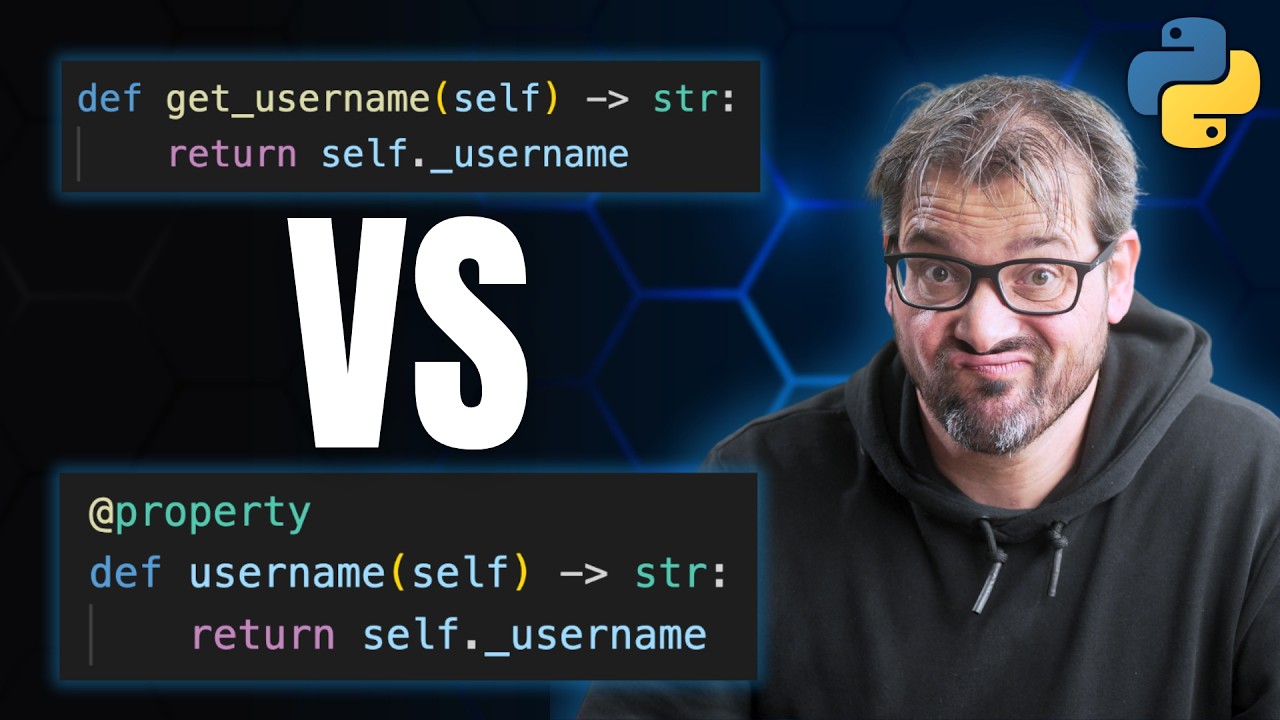
Now, as you can see, generators, they scale really well from simple iteration to pipelines to flow control with back pressure. They have two-way communication. They can return a value. You can use them to build async streams. Even if you don't use features like send every day, I think understanding it still gives you a better mental model of how generators in Python actually work. But I'd like to hear from you. Do you use generators? Do you use them mainly for simple tasks? Or do you build complete pipelines and streaming systems with them? Uh do you have you ever used scent in real code? Or does it feel a bit too adventurous to you? Let me know your thoughts in the comments. Now, if you want to write clean, expressive Python code, I've got another video you might enjoy. It's about when to use properties versus methods. It sounds simple, but it has a big impact on how intuitive and easy your code is to use. Check it out right here.

Другие видео автора — ArjanCodes

Ctrl+V

Экстракт Знаний в Telegram

Экстракты и дистилляты из лучших YouTube-каналов — сразу после публикации.

Подписаться

Дайджест Экстрактов

Лучшие методички за неделю — каждый понедельник