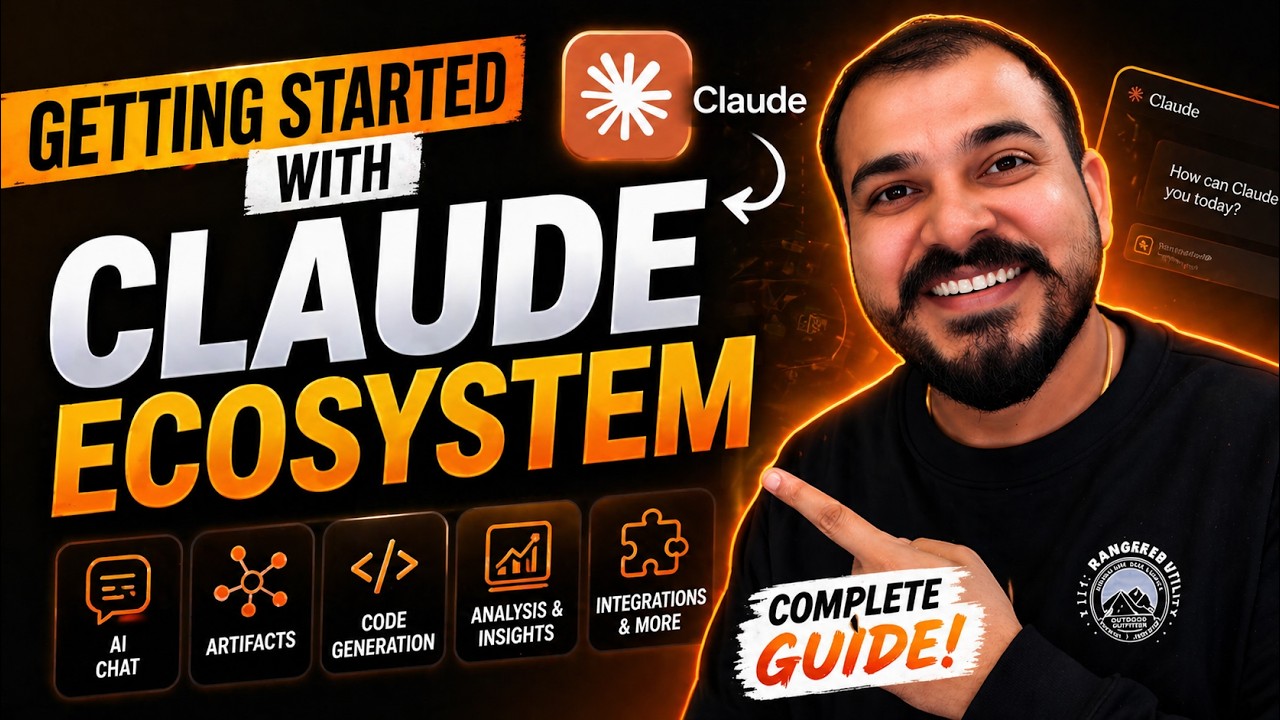
1- Getting Started With Claude Ecosystem- Claude Chat, Claude Cowork And Claude Code
20:12

1- Getting Started With Claude Ecosystem- Claude Chat, Claude Cowork And Claude Code

Krish Naik 01.05.2026 22 665 просмотров 614 лайков

Machine-readable: Markdown · JSON API · Site index

Поделиться Telegram VK Бот
Транскрипт Скачать .md
Анализ с AI
Описание видео
https://claude.com/product/overview In this series video we will be discussing about the entire ecosystem of Claude where in we understand about Claude chat, Claude cowork and claude Code. Claude is an advanced AI assistant developed by Anthropic, designed to help users with reasoning, coding, content creation, analysis, and automation. It is part of a new generation of safe, aligned AI systems focused on being helpful, honest, and harmless.


Оглавление (5 сегментов)

Segment 1 (00:00 - 05:00)

Hello guys. So I'm super excited to start a new series of videos on understanding about the cloud ecosystem and in this ecosystem like when we talk about the cloud ecosystem it is the most popular ecosystem right now because it has amazing products like cloud chat then you have cloud code co-work then you have cloud security right along with this it also has a lot of features let's say for chrome directly you want to integrate in the form of extension in slack use different kind of lm models that is provided by claude to do multiple task. Yes, it is possible, right? But uh our main aim is that in this particular series of videos, we will try to discuss like how we can probably do our day-to-day activities. Let it be in terms of development. maintaining a project. Let it be in terms of doing some of the activities let's say with respect to excel sheet analyzing you know how we can actually use claude and improve our productivity right in this era as we go ahead you know the coding industry is going to completely change because here you're not just going to code right you are going to take a help of AI as much as possible in order to code. Yes, on top of it, you're going to put a lot of permissions. You're going to provide permissions for the cloud models to probably work in a specific way, right? You need to make sure to apply human in the loop approvals so that you do all this kind of activities with respect to development with respect to any kind of analysis in a better way. Right? So u again the major aim of this series of videos is that in this particular series is that to tell everyone like how you can use efficiently the entire cloud ecosystem for doing your day-to-day activities. This series is applicable for everyone whether you are a business analyst, data analyst, whether you're coming from a known coding background, you're coming from the coding background, right? Who is developing every day some of the new requirements for their clients, right? So we are going to learn each and everything as we go ahead in this particular series of video. So let's first of all start. Now first thing what I'm actually going to do this is the website of claude. As I said that we are going to first of all focus on all the specific products but I really want to start with the claude code. Okay. All the features that we'll be seeing in cloud code with the help of this you'll be easily be able to apply it in cloud chat and even in cloud co-work right. But just to give you an idea who cloud code is for you know uh this is definitely for developers who are currently developing I know non like if you're also coming from the non-programming background you can definitely use cloud code but when I talk about the real use case let's say that you have joined a team you have got a project that is being maintained by your team right if a new requirements comes you can probably jol down all the plannings and requirements with the help of cloud code again with your approval and do the development in the terms of VIP coding. Okay, if I talk about cloud co-work, uh this is just like your personal AI assistant which stays in your computer. Okay, so I will talk about all these three things in depth. Okay, so the first thing what I will do, you need to go ahead and download claude. Okay, so first of all, I will go ahead and download claude. So I will say claude download. Once I click on claude download, so here is the. exe file that you need to download. So it can be like if you're working for Mac uh you'll be getting a different extension file for Windows you'll be able to get aexe file. So first of all go ahead and download this and then the second thing that I really want to discuss is about the pricing. So if I go ahead and just search for claude pricing. So here you can see it is plans and pricing over here. Now with respect to this plans and pricing um there are three different plans uh which you can specifically use. One is the free. You can try the cloud. Uh initially to start with you can try the free version. Okay. Uh here you'll be able to chat on web, iOS, Android and on your desktop. Generate code and visualize data, write, edit, create content, analyze text, image, ability to search the web, all these things, right? Then you have this pro and then you have the max version. See in my companies also I whoever are the developers, I usually tell them to probably get this max version. So that we do a lot of development, we do lot of analysis with respect to the things the requirements that we have and we try to quickly execute things right but again for everyday productivity my suggestion would be to probably go ahead and take the $17 per month with a annual subscription also you can basically get it to $100. Okay. So here it is. Here you'll be able to get an access of cloud code, cloud co-work and all. Right. And uh to follow this specific series since we are going to discuss about cloud code, cloud co-work and all. Please uh make sure to probably go ahead with this. Okay. I know uh there's some amount involved over here but you know trust me after learning this you'll be able to see that how much good productivity you'll be having in your day-to-day work. Okay.

Segment 2 (05:00 - 10:00)

Then after you download this cloud uh then you download for the windows and once you download it you just go ahead and install it. It's a simple installation process of a exe file. Once you install it you will be able to see something like this. Okay. So here you can see okay uh I'm able to get this. These are all my chats that you'll be able to see. Right. Then inside this once you download this cloud right u it is just like getting a app installed in your desktop. You have three important things as I said one is chat, one is cowwork and one is code. This claude code you'll be able to see that uh directly you can select a folder you can probably write the prompts and uh you know do the coding but my uh way of using cloud code will be a little bit different. I will show you both the ways by directly using this chat AI assistant and the other way is directly from the terminal right which many developers usually follow. So guys, now let's talk about this uh cloud co-work. Uh when I click on the cloud co-work, it looks something like this, right? Now cloud co-work uh is just like a personal AI assistant uh in your local desktop, right? Local desktop or laptop. All you have here you have to do is that give the access to one of the folder and try to ask any kind of task you really want to do for the cloud. It'll try to create an agentic workflow and it'll do that specific task. Let's say in my case uh since I run a company I have to see how many invoices has been raised how many clients we are specifically working with you know or all those administrative task let's say every month we have to probably provide a salaries to our employees so for that we have to probably go ahead and create it keep it in the form of excel you know probably do the all those kind of reportings do the quick analysis and all right so here you can see that I what I will do I'll show you an example I will go ahead and select one of the folder let's say one dummy folder I have selected files. Okay. Um I'll say okay allow uh and I will remove this. Okay. Now see uh please analyze this folder and tell me what is there. Okay. I've just asked a simple question. So I've given access to the folder over here and it is just going to go ahead and analyze it. In that particular folder, I have a lot of invoices, dummy invoices, just to show you an example. And here you can see that it is load the tool, right? And then it is probably running a script, right? Uh workspace unavailable. Then it'll try to find out. See, now it has found out different uh invoices. See, invoice summary dot this then you have PDFs. Okay. Then you have expense tracker, crochet. xls, product inventory, and you know all this information is there. Now I have another question. What I can actually do is that I can go ahead and ask okay provide me the details uh for the invoices. Okay, for the invoices and create a report okay I'll just go ahead and ask this particular question. Right. So this is basically ask uh acting as a kind of a you know personal AI assistant. Now along with this what you have is that you also have a lot of options to add connector skills. We'll talk more about this. See I've created lot of skills over here. Setup co-work skill creator and say fint techch agent lot of things. What format do you want the invoice report in? I will just say okay whatever is fine. Uh I'll show plain text. I'll give just my just the five vendor invoices. So I will go ahead and select this. Okay. So it has asked me some of the questions. See it is working completely like an agentic workflow. So I'll talk more about this very much handy for people who are you know doing those kind of work right as a non- tech guy like a manager this one right like where you also want to see that how quickly you can in short like it's just like communicating with your personal assistant right so all these things are there and here you can see loading tools everything is there and the best part is that you can see the file access over here how many different files it is able to access all those information is also there right and here you can the cloud MD file is also created. we'll talk more about it uh what why this particular file is there and all right so now here you can see that it has probably explored all the PDF files uh with respect to the invoices I guess and then it'll probably be able to provide me the summary so this is one example of cloud co-working work will be with respect to cloud code and cloud co-work I specifically use whenever I really want to do some kind of task uh that is just like a personal assistant for doing multiple task itself to get a quick summary to see how many things are and this is very helpful for me to running my company right then you have this particular cloud code okay so these three products we are going to focus more on uh but you should understand how

Segment 3 (10:00 - 15:00)

that agentic workflow is basically getting created what all tools are actually there you know what is this files what is if I probably talk about the files that you'll be seeing in the right hand side then you have context right what this is exactly so we will be talking in much more depth right as we Go ahead and here you'll be able to see there there's something called as projects you know so if you create the projects we'll also be able to provide the entire context right and then here you have live artifacts why do we use artifacts so now you here you can see right you view invoice report all the information is basically given quickly okay this particular company uh the invoice number is this is the amount priyamea I've just put some dummy text to show you all these things right so this we will discuss as we go ahead you know but our main name is over here t that okay we this is what we are going to do I'll be taking some very beautiful use cases to probably solve this okay now I have installed this uh with respect to the cloud desktop uh so I've installed it and this is how it looks like uh I would suggest please go ahead and take that $17 $20 plan uh instead of charge GPT because charge GPT also open codeex is there so we'll think about that also some other time when we discuss about the detailed module about that also Okay. But I think uh till here it is very much clear. Right now what I'm actually going to do uh I will just go ahead and open my cursor. Okay. Let me open a folder and this folder will be something like this. I will open some of the examples that I have already taken and chain update. Okay. Now here you can see this. Okay. So this is uh one of the lang chain of co code that I had actually written the updated langchain codes right and here you can see that I have all my requirement txt and all right so whenever you go to any companies right let's say you're joining a new company and all right so what you basically do is that you I'll just let me close this particular tab so that I will Just close all. Okay. Perfect. Now here you'll be able to see that whenever you join any company, right? Initially they'll not give you directly a project from scratch. Yes, there are startups where you may be working in the uh project space, right? You'll be working completely from scratch. But most of the time you'll be getting a project which has already been running, right? So I will just go ahead and open my terminal. Okay. I will just go ahead and write command prompt over here. Okay. And here I will just go ahead and say claude. Okay. See once I write cla this is basically using claude code. If I write claude here you'll be able to see that it'll ask me whether do I trust this particular folder. I'll say yes I'll And now I'll just show you an example how you can actually use claude. Okay. So here I'll say that okay in claude right you have multiple options. So if you say press shift tab there is a plan mode on then here it is auto mode on um then there is something called as accept edit on plan mode on these all options are basically there so let's say that I will go ahead and ask a question okay for the cloud code and I may ask a question that hey uh tell me about this project okay project particular project or analyze this entire object right so I'll just go ahead and press enter so what it is basically going to do right this cloud code create an agentic loop in understanding what is there in that particular project folder right and it is going to do the proper analysis right for every folder that is created every files that is basically created right so initially let's say that you are joining a team you may not know or you may not have any idea about the project if you just say cloud code hey okay I've given you the access of this particular folder please tell me about this entire project. Okay. So, it'll go ahead and analyze. It'll do the detailed analysis of this, right? And then this is just like a getting a KT directly from the AI models, LM models, right? Just imagine how much your productivity level will be increasing instead of taking appointment from someone in order to understand a project, right? Yeah, there may be some more understanding that you may be requiring, but in terms of other things, uh it'll be much more easier, right? So in short this is Krishna's boot camp companion repo for lang chain sex tutorial notebooks these all things are basically there and nothing has been committed yet right so I may also make sure to probably do the GitHub commit directly from here and make sure to update directly from there itself right and here you have lot of options now you may be thinking kish you wrote cloud right how did it get logged in so how do you probably go ahead and do the installation and that is what uh we will learn all those things in the cloud code

Segment 4 (15:00 - 20:00)

Right? There are lot of things. Let's say if I go ahead and search for context now I'm doing this specific chat. Right? So there is something called as context. The context is being reserved. You will be able to see that which model is basically used. How much system prompt tokens has been used. Right? U so this is basically like whenever you go ahead and work with cloud go right it also sets up it own context to understand how much information it has related to this specific project. Uh there is also a term which is basically uh used in cloud right with respect to context engineering. How do I go ahead and compact this particular complex this particular context you know all those things we will be learning in cloud code there are different commands let's say um if I want to go ahead and login I can go ahead and write login if I want to probably go ahead and create agents right I will go ahead and able to create agents now this agents u will be doing some kind of task so let's say if I go ahead and write/ agents so right now no agent is there I will go ahead and create a new agent right now this new agent will basically be like a sub specialized sub agent that claude can delegate to. Right now you may be thinking Kish how do I understand what agent to basically create? Okay ask claude. Okay say that okay based on this project what sub aents can I create? Okay create and here you'll be able to get the entire information automatically it'll do the analysis right usually sub aents is created for different types of task. Let's say you're committing before that you want to probably go ahead and update the readme file. Let's say uh if you're committing you want to probably go ahead and create a new PR right if you're committing anything before that you want to probably go ahead and run a test to cases so that sub agent will be able to do that right so here you will be able to see that okay based on this project what sub based on this repo plus middleware script you have producing teaching content the high level sub agents would be strong content notebook learn lesson reviewer right so here this is just like a sub aent I can actually go ahead and create it which will basically be a reviewer for the notebooks that you have actually created over here right and it depends on various kind of use cases so there are lot different kind of things so there is also something called as skills we'll try to see what are the available skills over here right so let's say there is an explainer PR from here so these all skills I have actually created earlier and I have saved it in all my for every projects that I probably do it so how do I go ahead and save those things in the project or in the entire system right there is something called as memory uh settings there is also something called as project settings each and everything right so this will just give you an idea that how you can clearly work with let's say that I want to see with which models I'm actually working so here you can see by default opus 4. 7 is selected because it has 1 million context but sometimes you can also use sonet 4. 6 six you can change it right how do you go ahead and use it so this is so interesting right and that is how we are going to cover each and everything right I will probably go ahead and take one example of a project and then we'll try to go ahead and work with respect to this right so this is really important this is how we are going to cover this just imagine if you know all these things and if you are doing all your product development in this way it'll be quite better in terms of productivity right and that is what we are going to do. So in the next video what we are going to do is that from all these things right first of all I will go ahead and teach you about cloud code. So here is you can see in cloud code I have done six sessions 380. 7k tokens is there right this is my company account if you see my personal account right I've crossed almost 3 million tokens right that much ideas whenever we get we try to implement things and all right favorite model is open for and this 3day streak you can see this right and for this uh series right I've actually taken this entire and my plan is $100 max plan because I really do a lot of things uh with along with this that we have right and here you'll be able to see models how we have specifically used in this particular three days and all right so I'm hope you're super excited please make sure to hit like and in the next series of videos we are uh going to discuss about cloud code in cloud code we are going to see around four to five uh different topics see when I talk about and documentation and also make sure to follow the documentation page it is really good so I have claude code docs okay if you Go ahead and see over here. This is what it is like overview, quick start, get start, how do you build with code and all. So all these things I will be teaching you how to go ahead and create a custom sub agents, how to run that agents, right? Everything we'll be discussing. How do you compare with sub aents everything right? How in getting started you'll be able to see how cloud code works. We'll be discussing about all these things. So step by step in this series of video we are going to cover each and everything. First of all we are going to go ahead and start with cloud code. Then you're going to go ahead and understand about cloud cod and then we'll also see about cloud chat.

Segment 5 (20:00 - 20:00)

This way when we cover the series whether you're coming from a programming non-programming background it is applicable for everyone. Okay. So yes this was it from my side. I'll see you all in the next video.

Другие видео автора — Krish Naik

Ctrl+V

Экстракт Знаний в Telegram

Экстракты и дистилляты из лучших YouTube-каналов — сразу после публикации.

Подписаться

Дайджест Экстрактов

Лучшие методички за неделю — каждый понедельник