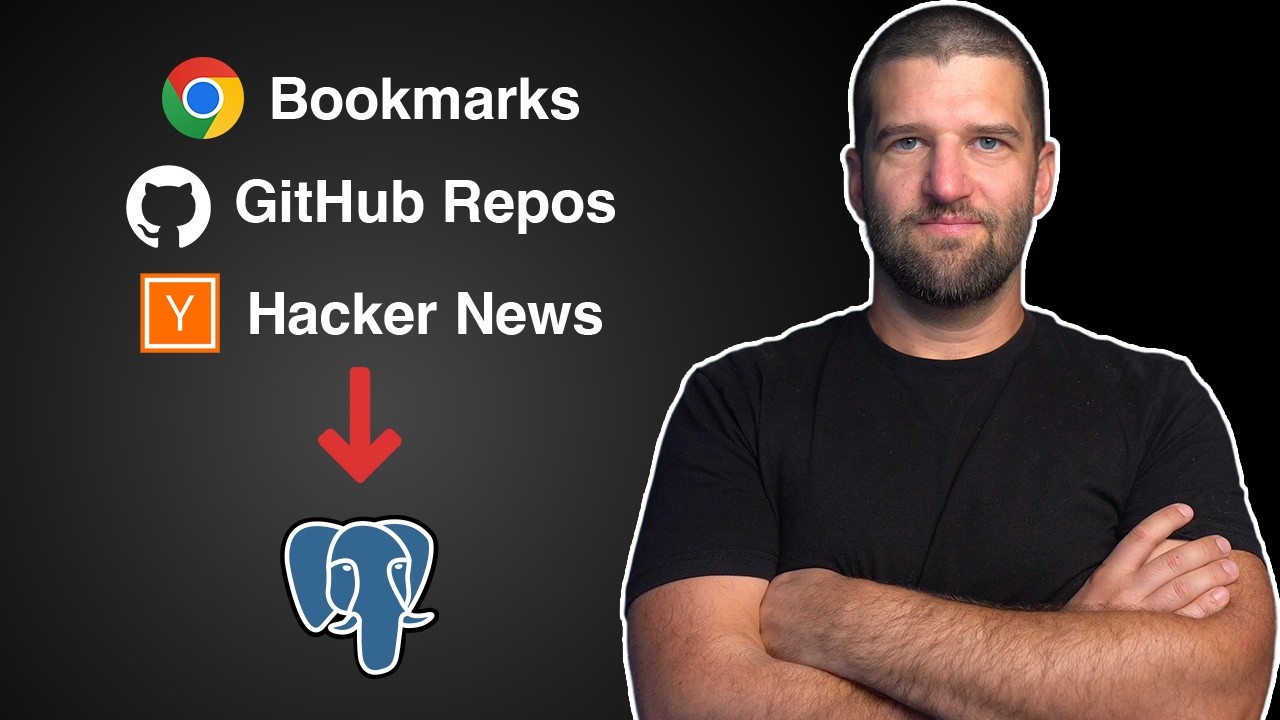
⭐️ Get Ghost for fast free postgres right now: https://b.link/ghost-jmyt
I built a pipeline to automatically grab my starred GitHub repos, extract trending repos, and the hackernews feed into a single Postgres database using Ghost and GitHub Actions.
Now any AI agent I use can search anything I've ever saved or have been interested in. This video will show you exactly how. We'll fork the repo, add a custom runbook, and learn to build your own personal data pipeline. Own the algorithm!
✅ Code: https://github.com/codingforentrepreneurs/remember-me
✅ Subscribe: https://cfe.sh/youtube
⏱️ Chapters
00:00 Welcome
00:06:57 Getting Started with GitHub
00:11:00 Postgres for Agents with Ghost
00:14:53 Your First Markdown Runbook
00:18:05 Run Markdown as Code for Hacker News
00:20:20 Run Markdown as Code with an AI Coding Agent
00:26:46 GitHub Action Workflow for Hacker News Automation
00:32:14 Ghost API Key for Full Automation
00:36:50 GitHub Personal Access Token
Now, you might want to start bookmarking more pages, posts, or maybe even starring more things on GitHub significantly more. And the reason is pretty straightforward. Number one, yes, we have LLMs, and if we have a personal database that they can look at, great. It will help us that much more achieve things. And then number two, you become the filter. Anything that catches your attention is now a filter for any sort of AI system you might use. And this actually helps you build your own algorithm of the things that you care about that then help surface this up later. Now, for me, so many of my bookmarks went dormant. I stopped doing it because I stopped looking at them. But with AI, we don't need to worry about that anymore. So, I'm going to show you exactly what it is that we're going to be doing in this project so you have a better sense of how it's done. Now, I will say, yes, you can use an agent to extract a lot of data, but you're going to be burning tokens that way unless you turn it into a process, into a script. So, that's exactly what I want to show you. It's really straightforward, and there's a lot of great tools that make this far easier than it's ever been. — Let's take a look at how we can track GitHub trending repositories. This gives you a pulse of open-source technology, and it's a great signal for your personal database. On top of that, we can also track the things that you have starred and maybe the repos that you have on your account. So, we're going to track both of those things. And the way we're going to do that is by using something called GitHub Actions. It's a workflow automation tool that allows you to do all sorts of really cool things on a schedule. You can do it on demand, and it's basically free. So, if you've heard of things like Zapier or n8n, this is a really good alternative to using those tools because it's all based in open-source, and it's really straightforward, as we'll see in just a moment. We're also going to use a tool called Workbooks. Workbooks allow you to run a Markdown file as a script. Very similar to like a Jupyter notebook, but specifically with actual Markdown files because LLMs are really, really good at writing Markdown files, and also they're really well designed for us people to review them as well in one single go. And the other thing that we're going to be using is a Ghost database. Now, Ghost allows you to make databases really, really fast. So, you got unlimited databases and unlimited forks. So, in other words, I'm going to be able to take all of this trending repo, and then if I want to give that data to another agent, I can just fork it at that point in time, and then give that agent access to it. And of course, Ghost is Postgres, so you get all of the advantages from that as well. So, we're doing all of those things, and the way it actually works, let's take a look. So, if I go into my Remember Me GitHub repo here, what I can do is I can jump into GitHub Actions, and I can see all of these workflows here. The one I just ran is called My GitHub Sync. Now, I actually didn't write this GitHub Action anymore, but I do know the parameters of how these things can work, so that actually does help. So, those parameters are fairly straightforward. If you go into GitHub Actions, you click on one of them, you can go ahead and hit run workflow. But I actually want to prove to you how simple this ends up being. So, going back into the trending, what I'm going to do is I'm going to go ahead and star this repo right here. Now, the reason I did that is cuz I can now refresh on my page, and I can see that I have, if I do it right, 12 stars. Okay, so it went from 11 to 12. Cool. So, a moment ago, I ran this workflow by going in here and clicking run workflow inside of GitHub Actions, which triggers a new workflow to run. But of course, before that, I actually ran it, so I'm going to look at the one that I ran. And in here, I can see this My GitHub Sync. I can click on this, and then I can scroll down to the part where it actually does the runbook, where it runs it with Workbooks. dev. If I scroll all the way to the bottom here, what I can see is the verifying of the rows. I've got my GitHub stars at 11. And then I've got some of the other repos in here as well. So, I quite literally have all of that data into a database. It removes all duplicates as needed. But the point here is that we have that data stored into our project. Great. And of course, it is stored in a Postgres database from Ghost. So, if we look at the runbook itself, this will help clarify what's actually happening under the hood. But before we do that, the most recent sync I did, the most recent workflow run, I can actually take a look at, and I can scroll down to run my top workflows, scroll all the way to the bottom, and we can see GitHub stars has gone up by one, just like we did when we started. So, in other words, I can run this as many times as I need to make sure it's up to date. That's it. And so now, I'm mostly in sync with what's going on with my activity related to trending repos and my stars and even my own repositories. Pretty cool. So, the way this works is if we look at the runbook itself inside of Runbooks inside of GitHub, this is the one that actually gets run. But the point here is that it sets up some basic configuration overall. It authenticates with the GitHub CLI. It also then uses the GitHub CLI to grab my own stars and to get my own repos. Now, I actually didn't write any of this code. Previous years, I would have, but now of course, an AI tool does it, and it does it in Markdown, just like I asked for. I said, "Hey, make it in Markdown. " And so that's what it did. It can also search the top repos on GitHub in general, which are 50,000. You can change these parameters as you see fit. You can change what's being extracted as well if you want more data than that. I think this is a good amount of data. But then you can also see the recent trending workflows. We can actually filter down by all of this stuff, right? Which is pretty cool. So, it works on Mac and Linux with these two different dates, and then it gives you a week ago of trending stars, and that's what this filter ends up doing, very similar to the one above it. But the point here is it's using GitHub's built-in tools. It's not using an AI agent to open up the webpage and try and scrape it. Although you can do that, that is burning tokens. So, this little Markdown file is just a simple way to make all of that work. And then little by little, it turns the JSON data into a CSV file, and then it loads that CSV file into a Ghost database. So, in here then, we actually configure and get into Ghost. We grab the Postgres database itself. Then we use Postgres directly to make sure we're creating the correct tables. Again, I didn't write any of this. I'm just sort of explaining what's happening for some reason. But then we remove the duplicates, and then we've got our Postgres verifying of all of those rows. And now, what we've got here is something we can actually give on a regular basis to our AI agent saying, "Hey, these are the things I care about on GitHub. "
Getting Started with GitHub
To get started, we're going to go ahead and duplicate the Remember Me code from my GitHub repo, which you can find on cfe. sh/github. Just go into repositories and take a look for Remember Me. Now, the idea here is you can actually copy this code in many different ways. You can hit on code here and hit download zip. If you're logged into GitHub, you can do something called a fork. And if you're logged in on your local computer, you can do something called a clone. But before we do any of those things, I actually want to make sure you download the GitHub CLI. This is going to be an important part of making all of this work. Now, you can use your agent to do this as well. You can use any LLM pretty much to say, "Hey, download this thing. " Um but download this to your machine so that when you have it downloaded, you can open up any terminal and do gh, and it'll show you something like this. So, in my case, I'm going to go ahead and do gh auth log out, and I'm going to go ahead and log in to a new account. That account is one that I'm logged into right here called Hungry Pi CFE. But the point here is I want to make sure that I'm getting this repo, so I'll go ahead and fork it so that it automatically goes into my Hungry Pi account here, and then I'll go ahead and hit create fork. This brings it to my own account. There's a lot of different things that you can do with it from a fork, but the point is that we'll be able to have the code on here, and then I can go ahead and clone this one. It's still public. It's still got all of the things that I might want to do. And so then I'm going to go ahead and bring this into a location I want it to store in. So, I'm going to go ahead and open folder here. I'm going to go into a folder I called dev. I just created this one for all of my projects here, and I'm going to call it Remember Me. And then I'll go ahead and hit create. And we'll open up this folder in my code editor. I'm using Antigravity cuz Google gives you a bunch of free models. But the point here is I you can use any of them, or none of them. You can also just use Cloud Code or Code X or Open Code to do all of this as well. The point being is we open up terminal then, and if you have gh installed, you should also have Git installed because Git and gh are installed together. But the point here is now, I'm going to go ahead and do Git clone that repo and hit period, and that will bring it locally. Now, the point here is that if I make a simple little change, like I'll go ahead and say, "My Remember Me Personal Data Pipeline. " Save that. Then what I want to do is do Git add {dash} all, Git commit, and update GitHub repo, and then I want to go ahead and do Git push. And what this would in theory do is push it to this location right here. This is where the GitHub CLI is very important for everything going forward, and that is just simply gh auth and log in. This will then ask you, do you want to log in to github. com, which I'll go ahead and say yes, I'll use HTTPS, and then I'll log in with the browser. Basically, all of the default things. I'm going to go ahead and copy this, hit enter, it's going to open up Chrome for me, then I'll activate this device with this right here, hit continue, it's going to say, "Hey, I want access to all this stuff. " That's totally fine cuz it's GitHub doing GitHub, and then it's going to need to verify it, which I'll do. Got my code from my email, hit it verify, and sure enough, there it goes. Congratulations, you're all set. Now, it shows me that I'm logged in. Now, if I go to do a git push again, it will actually push it there. You might need to write out git push origin main. Uh there's some configuration that you can change to make it just get push. The point here is that my change should have gone to GitHub. So, if I go back on GitHub now, I can now see that I made a slight change to make this work. Now, the only reason we're doing this is to prove out every little step to make the automations work, which we'll see very soon.
Postgres for Agents with Ghost
We have now completed the personal part of the personal data pipeline by creating a GitHub account, logging into GitHub, and forking the code. Even if you didn't fork the code, we can still do the next part, which is the data part of the data pipeline. And for that, we're going to be using the world's most popular database, Postgres. So, Postgres itself has a lot of great features I'm not going to get into right now, but instead, we want a specific Postgres that's really well suited for the agentic era. And what that means then is that I can give an agent its own copy of all of my data, and it can do whatever it needs to with that. Maybe it deletes all that data on accident, maybe it adds a bunch of new data that I don't care about, or it just has access to it so it can, you know, know about the things I care about as well. It gives me a lot of flexibility. Now, the way we're going to be doing this is with a database called Ghost. This is unlimited Postgres databases for agents. So, you can do all of these different forks. So, that's what we'll do right now. I'm going to go ahead and install it on my local machine by grabbing that command there and running the installation script itself. And so, now that we've got that, it shows us very simple getting started. I'm only going to be focusing on the login at this point. At some point, we'll look at the MCP server as well. But for here, we do ghost login. What this is going to do is it's going to go into your GitHub account. Hey, what do you know? Why did we have GitHub? This is another reason why. So, this is how you authenticate with it, um so you can actually bring it back and use it. So, now that we've got that, what we can see in here is just do ghost {dash} help, and you'll see all of the different commands you can run. Now, of course, you can feed this into Codex or uh cloud code or something like that to build out everything you want instead of doing it manually like I am, like the old school way, but I'm going to go ahead and do it manually because I want to see these things in action. So, what we've got here is ghost list. I see that there are no databases in here currently, so I'm going to go ahead and just run ghost create and hit enter. This will make one instantly. So, that's already ready, and you can see that it's from Timescale DB. I've worked with them a bunch. We partnered on this series, of course, because this is a great tool that you should know about. But the idea here is if you actually go into ghost create and then do {dash} name, you can name it what you want. So, in my case, I'm going to name it remember me and hit enter, and there we go. So, now we've got remember me as the database. There's a reason for this that I'll go into more in a little bit, but the idea now is we actually have our ghost database. Now, if you're a little bit wanting to see Postgres itself, you can absolutely use PSQL and log into that database. Some of those automations we'll look at very, very soon, but at this point, we now have the data part of the personal data pipeline. All we really need to start looking at is how use ghost inside of some sort of workflow, which is the next part of this. But just keep in mind that at any time, you can list out all of your databases here, and then you can do something like ghost destroy, and you can grab the ID for the database and hit enter, and ghost destroy is not the right command. So, let's go ahead and see what it is. Looks like it's delete. I keep it with ghost delete and hit that again. And then we'll go ahead and say yes. I got rid of remember me. If I look at the list, I can go ahead and delete the other one as well, and then, of course, I can go ahead and say and create another one. Now, the speed here is the important part to look at in, of course, um that is my actual connection string that I probably don't want to share on a video for real, but at this point, it's totally okay cuz you can see I can go ahead and delete them at any time, and it's really simple.
Your First Markdown Runbook
Let's use an AI coding agent to build our first runbook. The agent you use doesn't really matter, but I'm going to be using Codex. I'm going to go ahead and log it in. I'll trust this folder, and I'm going to go ahead and paste in a simple prompt about creating a runbook in markdown that uses Hacker News API to grab some stuff and model it after this file right here with the ghost database stuff. Here we go. Uses few third-party dependencies as possible. Now, I actually don't know how well this part is going to end up working, but we'll give it a shot anyway. I'll hit enter, and I'll let it run. Okay, let's see how it did. In here, we've got Hacker News. It copied a lot of the things that we did. It's got ghost database in there. Great. Hacker News API, maybe that's it. I don't know. So, the question really would be, is this actually good? Maybe, maybe not. So, what I'll do then inside of Antigravity, or of course, you could also do it in other places, but I want another agent to look at it. So, in my case, I'm using Gemini in addition to using Codex, which means that then I'll just go ahead and say something like, let's grab this and say review the actual path here. So, I'll copy the relative path at that file, and then I'll go ahead and say something along the lines of to ensure this runbook is well designed and can use the concepts of workbooks. dev. Now, I don't have that installed yet, or you don't, but the point is that it actually reviews it. I hit enter, and then it'll go run it. Now, runbooks. dev, or workbooks. dev, rather, is a way to run your runbooks and basically turn a markdown file into basically like a Jupyter notebook where it runs each cell block itself. That's kind of the point because agents are really good at creating markdown files and then reviewing them as well. And so, that's what it's going to go ahead and do. Uh the goal, of course, hopefully it keeps the goals in mind that we wanted at the ghost database. I didn't actually tell it to do that. This is actually asking me to run it, which is something that I'm going to go ahead and allow cuz I already have it installed, uh but it says command not found. Maybe the agent doesn't have access to it at this point. That's not really the key here. The key isn't so much of what this actual agent's doing, but rather just verifying that all of this data ends up working and all of that. So, we actually wanted to run this, and we're going to do it locally first before we go anywhere else. Now, why is it that we're even going through this process at all? Number one, Hacker News. We want to probably keep in mind what's going on with Hacker News itself as a personal database. That's something I'm interested in, and it has a very open API that's pretty easy to use and run. But on the other hand, I already have examples of this whole entire data pipeline working with GitHub Actions also working, so it can be fully automated. So, that's kind of the point as to why we're even building this markdown file itself. And of course, you can go through the process of making sure all of this works. I'm actually not going to do that on the video. Instead, what I want to do is install workbooks. dev and get that working so we can try it out ourselves.
Run Markdown as Code for Hacker News
Let's go ahead and run our markdown as code using workbooks CLI. So, we're going to go to workbooks. dev, we're going to copy the install script and bring it in locally, and go ahead and run that in our terminal. So, the idea then would be to check the actual markdown file for something specific that is the ghost name. So, whatever you named your ghost database, this is what you're going to want to use here, which is why I've been using remember me. In fact, in the entire runbooks, if you do a quick search in here, find in folder for ghost name, you will see every single one of them is using remember me. If you want to change it, feel free to do it. Why is it remember me versus something different? Well, if we go into ghost first and do ghost list, what of course we see is the name remember me, but this ID is going to be different depending on where you are. So, if I do ghost delete that ID right now, and then ghost create with {dash} name of remember me, I can now see there's the name of this database and the connection string and all the other things that go with it. So, the name is more for this project, not necessarily for everything else. So, here we go. We've got ghost. name in here. We've got WB, or the workbooks CLI, in here. So, now I can do WB, and then grab this actual relative path, do run, and then go ahead and hit enter. Now, one of the key things for the actual workbooks to run is the location configuration for the runbooks themselves. So, if it's in a different location, you might need to you know, address that and change these things as you see fit. Mo- mostly because of how it ends up running the runbooks and relative files and all of that. But, the point here is then it actually did the scraping. So, looks like it did pretty well. So, it has all of this data in here and all of that. And then we're done. So, going forward, that's how straightforward it's going to be. Let me show you another example.
Run Markdown as Code with an AI Coding Agent
I'm not going to use the Workbooks CLI with a coding agent to run one of the runbooks to fix any errors that might come up and also show you what a another potential runbook would be. So, the idea then is if we jump into Chrome, what we're going to do is we're going to go into Bookmarks, Bookmark Manager, we're going to click the three little dots over here and export bookmarks. I would imagine this is going to change over time, but overall we're going to grab that export. We're going to navigate to where our remember me folder is into raw, into the folder called Chrome. I'll go ahead and save it right in there. And so, as soon as I do that, I can go into this raw folder. This is kind of like raw inputs. I can just go ahead and grab that and I can see all of these different bookmarks. And you can add things as you see fit, but notice that it has the URL and the add date. So, what we need to do is we need to be able to parse this data. It's a little bit different than Hacker News or GitHub where there's actually an API. This is like as if you were to web scrape something and you want to automate that. Luckily for us, we already have a runbook that essentially does that. But, there's a few keys that we have to remember. Number one, the location itself, that is this folder where it's going to be located and then the things that are relative to that. So, we've got this CSV path and of course, if we look in raw inside of Chrome here, we actually don't see any CSV files. That's because I'm treating those as ephemeral, as in they'll be deleted at some point. You can change that if you'd like, but I wanted to make this entire repo really narrow to the things that actually matter. We also see the ghost name, right? The actual database name that we've been using. Feel free to use that as you see fit. And if we do ghost list, we should be able to see that name in there. Next up is going to be the actual Google Bookmarks Parser download. So, what this is there's something called a gist on GitHub where we can copy the first part of it and we can take a look at this and this is quite literally the code to parse a Chrome book, um you know, actual data. It parses it really well with built-in tools that Python just has. Now, the point of this is not for you to rewrite code all of the time. So, in these runbooks, every once in a while you'll want to store it as a gist. You want it to be code that's been written by some coding agent and then this runbook can just pull that code and run it as it sees fit. Now, I actually know there's already a bug with this. So, we'll see what that bug looks like in a moment, but then it goes ahead and runs all of the things that you might expect. Or maybe not. But, the point is now we're going to go ahead and use Codex or Claude Code or whatever to run this runbook for us. So, I already wrote out the prompt for it, but it says, "Let's use WB to run runbooks Google Workbooks on any new HTML in raw Chrome. " So, that's this folder right here. And then I'll go ahead and run that. Now, one of the things I might want to say is, "Oh, ensure you fix any errors in the runbook if they come up. Use WB to find those errors. " Something like that, right? And so, having those messages in there will help you be a little ti- a little bit more iterative into these automations. Now, again, doing an automation like this can be done with an agent, but you're going to burn tokens just doing the same thing over and over again. In some cases, what you'll end up seeing with some of the agents is they will write this in there. They'll say like, "Oh, it's going to execute some bash code in here. " Um and then it'll run that, right? So, like it'll ask you, "Hey, can it run this code? " And if you see that many, many times, that's a good example of something that should just be a runbook and that it's always the same exact code, but of course it can refine it overall. So, what we see here is we've got a runbook issue is something related to this project. So, it says something related to gists. So, in here the gist was not actually downloaded. It was not created. The folder itself was not created. And like I was aware of that, but if you look in the runbook itself beforehand, it actually didn't make this directory. So, this is a new one that it just created just to make sure that the gist was actually downloaded and then could eventually run. And I think now it will end up being successful, which I'll let the actual Codex finish and then I'll come back and actually run it manually myself. So, I actually wanted to jump in cuz it actually switched the location. This is why we use AI agents to help build stuff. It shouldn't be here, it should be up here. That's what it learned on its own. Now, I helped design this in the first place knowing this in advance, but the point is it actually moved it. Now, the reason you're seeing this stuff grayed out is that the getignore file that I created was specifically to ignore those gist files. Because if you want to run it on GitHub, then you can. Otherwise, the markdown itself is really just self-contained. You could move this around as you see fit going forward, which is why the getignore is like that. And if you're not familiar with getignore, it's just basically saying, "Hey, don't send this to GitHub. " We'll look at that in a moment, too. But, here we go. It looks like it actually ended up working. Um and so, I'll go ahead and run this same command outside of Codex. So, let's go ahead and exit out of Codex or any coding agent. I'll go ahead and run this command now and sure enough it seems to be running. It seems like it's getting every single uh you know, actual like markdown uh component here, each little cell, if you will, uh running. And so, that's what ended up happening and we've got a count of 14. I've run it again, it's going to do the same exact thing, which I think is so cool. Okay. So, at this point it's time to actually move to the next part of the pipeline, which would be automating it, right? So, we've got the personal data pipeline done, but now we want to automate it. The actual bookmarks part of automation is not going to be so clean. What we would need to do is manually export those bookmarks like we did up here and then it would need to be able to run those things in the future. That part will probably not be automated, but what could be automated is Hacker News. So, we'll go back to that.
GitHub Action Workflow for Hacker News Automation
We're now at a point where we can automate these runbooks at any time and pretty much anywhere. Using GitHub Actions is one of the easiest ways to do so, but we really only have a few parameters to make this work. One of them is the ghost login, that way we can actually store that data and move it wherever we need to. The next one would be actually doing the, you know, workbooks. dev run of that markdown file itself. Now, one of the ways you could actually automate this is by using something like cron. So, cron is a scheduler that can run a script. And so, WB run runbooks, you know, Hacker News, all of that is just a way to run a script. You could do it with Python. It could be Python run or UV run or Node. js run. There's a lot of different options on what you can actually run in there. But, the point being is that you can use cron on your local machine to do this. You can also do it on your OpenClaw uh or you can Hermes uh agent or is it Hermes agent? However you pronounce it. But, there's a lot of different ways now that we have this markdown file, we can run it in a lot of ways. The other part is the structure of this particular project could be completely ignored. The markdown file is the key one that any sort of AI agent could end up doing. So, what I'm going to do now though is I'm actually going to prepare this project to be able to run on our own GitHub Actions workflows. So, what I want to do here is I'm going to just copy and paste a little prompt that's not really that big of a deal, but it's basically saying, "Hey, create a GitHub Actions workflow like this other one and have it run daily and then update the getignore so we don't add a bunch of stuff to GitHub that we just simply don't need. " Especially those like sort of temporary files. So, like these JSON files that were actually exported from the markdown. Some of them make sense, some of them don't. So, I'm going to basically want to ignore these things because they get turned into the database itself. And so, I'm going to go ahead and let Codex actually do its work to make that happen. And of course, this will take a little bit of time, but you can use Open Code, you can use Claude Code. It doesn't really matter how you end up doing it. You could even use the agent inside of Antigravity. But, the point is to actually build out the workflow. You could also do this manually because it's actually really easy to do. What it looks like manually would be to just copy this and we'll go ahead and say run workbook always or something like that. You've got a cron schedule in here that says Monday. You can look at how to change cron. You can turn it on or off. You've got environment variables that we still need to set up. Hey, what do you know, ghost name is still in there. That's in a lot of places on purpose. This what it does will install ghost for us. It will also install uh your workbooks. dev and then the runbook itself will go to the next phase. So, we'll talk more about ghost stuff in just a little bit, but the point is the only thing you would really need to change is this. In fact, you can pipe a few more in here as well. So, if I came in and did another one, then I can have another one in there. Those things I'm not going to do. I'm going to let actually Codex build it out. But, it's actually really just that simple. And so now Codex is letting asking if I can if I want to do this. I'll go ahead and say yes. And you can also verify all of the things it did. So, in here it got rid of the Hacker News stuff, which is no longer uh going green in there. The green ones are showing what's going to go to GitHub on at least antigravity, which is not always going to be true in all of the different code editors. The main thing is that Git Ignore was updated to include the things it should and ignore not. And so, that's what it's doing right now. And then we're going to end up pushing this very, very soon. What I mean by pushing, of course, is sending it to GitHub with this data. And I'll go ahead and say don't ask for those commands. All the different things on here. Uh let's go ahead and say make sure you include Oops. Uh sure you include the Google bookmarks. And keep that in there as well uh to make sure that ends up going. And it looks like it already pushed it for me. So, I didn't actually have to do anything. So, jumping back into my repo then for this, which is right here, which I think I can also click on right here with control click or command click. That will open up the repo. And in here we should see our new workbooks. So, we're really close to being able to fully automate this. I'm not going to do it just yet cuz there's a few things a few API keys we need to set up overall, but the code is on there. And then if we look in raw, notice that inside of raw it doesn't have any of those other folders in there that you may or may not want. So, I do have a readme file in here for what to do for some of this raw data. And maybe you actually do want to track some of this raw data yourself. Um I don't recommend necessarily doing that because we are tracking the data in our database. You don't want your GitHub repo to have a lot of raw data in there because then it's a lot harder to move around. But again, it's up to you on whether or not you want to do that. I would rather move my data around with a simple Postgres database, which is exactly why we're doing that. Okay. So, I made some minor changes here. The next part is about doing some API key related things both for GitHub and also Ghost.
Ghost API Key for Full Automation
In order for our automations to run in GitHub Actions, we need a few API keys. The first one is going to be the Ghost API key. It's very straightforward. Let's take a look at how it's done. Now, what I'm going to do here is I'm going to jump into my local project and I'm going to go ahead and do ghost and list. I want to see all of my databases. Right now it has zero because off the video I actually deleted it, which I'll go ahead and delete again. Now, why am I doing this? Mostly to see how this all works and with fresh data because all the data at this point isn't really historical. Uh to some degree it might be, but overall we can repeat all of the automations we've done. So, now I'm going to go ahead and do my ghost create and then I'll give it a name of remember-me. Again, that's very important so that I don't have to deal with a bunch of environment variables for this database name and that all of my automations can actually use that same thing. Of course, there are more advanced ways to do that, but we're all going to stick with just this name for now. Okay. So, now we can create that and we can also do ghost list and we can see, hey, there's that database. Fantastic. Now, if we look inside of our workflows, we are using that same exact name everywhere. And you could do a quick search for it, but overall we just want to make sure whatever this name is it matches my automations so that it goes into the same Ghost Postgres database. That doesn't mean it's going in the same table. Of course, it's going to go in their own dedicated tables, but overall we've got that. Cool. Step one. Step two is going to be our API key stuff. So, if I do ghost and just hit enter, we can see that it says API key right here. So, ghost API key, hit enter. We've got a few options: create, list, and delete. So, I'll go ahead and run it again. This time with create and I'll do dash name. I'm going to give it a name of something like GitHub Actions API key and hit enter. It's not letting me write it out that way, so I probably have to put quotes around it, which actually makes a whole lot of sense, and hit enter. Now it's giving me the API key that I want. So, where to put this? Well, there's a couple of different ways on where we can put it. I'm going to go ahead and copy this real quick. And then I'll go ahead and jump on over into Chrome into my settings for my GitHub Actions or for the actual repo itself and then the settings for GitHub Actions secrets and variables, which are in there. And then we're going to go ahead and do a new repository secret. I'll paste that value in for Ghost. And the name the API key variable that Ghost will be looking for is simply the Ghost API key. That's it. That's all we need to set and then all of the other Ghost commands will just work like this one right here. Notice I don't have to do login anywhere. It'll just work because of the environment variables and how all of those things get injected at runtime. So, go ahead and add this secret now. And so, at this point I should be able to run one of the workflows. So, let's go into actions here. I'm going to go into my daily Hacker News one and I'm going to go ahead and run this one. There's a very specific reason I'm not using the GitHub ones yet, but one of the reasons is we just did this one. So, let's go ahead and see if this ends up working right inside of GitHub. And sure enough, it seems to be working. We've got installing. We've got system dependencies and I'll let this finish. But, a quick refresher too is if we go into Ghost list, it should be empty at this point. So, there is nothing in there. Once the actual workflow finishes, then there should be something in there. Even if it's a small amount of data, there should be something. It looks like we got a bunch of data in here. So, I'll go ahead and now run that again and it's still basically no data. So, there there's a good chance that there's just a very small amount of data because we're not actually scraping that much data. It's like 100 items. So, maybe that's why it still says zero. The point there is not so much that it says zero or not, but rather we will validate this data soon. So, in other words, I will delete that database again in the near future and we'll recreate it and then we'll do some cool stuff making sure that parts works. But, now we need to move over into using GitHub itself. And more specifically building out a GitHub personal access token so that we can run things inside of the GitHub workflow that require additional permissions for that. And more specifically being able to grab personal things like the things that we've starred in the repos and all that.
GitHub Personal Access Token
So often when you're using a command line tool like GH, like Ghost, if you have an account with that tool, it's going to issue a API key specifically for that command line tool. You might be able to see what that API key is. You might not be able to see what it is. In the case of Ghost, the actual login process, we don't necessarily see that key. In order for us to actually see a key, we have to do ghost API-key and that's how we're able to list out our various keys. GitHub Actions is not a whole lot different. When I logged in, I had to log in to github. com directly and then come back and get a token. Hey, I did the same thing with Ghost. I logged into GitHub, which is cool. But, the point here is that we have tokens and then those tokens have access to do various things. We've already seen that Ghost ends up working this way with our daily Hacker News sync. Now, something that's interesting that we can do with Ghost that's not necessarily something you have to do is actually use tho- those API keys. Ghost itself gives you a database. So, if we list out our databases again, we see this database here. And then we can actually do our Ghost commands again and we can see that we've got Postgres in here and then we also have this thing for connect. So, if I do ghost and let's do ghost and connect, hit enter and then the actual ID and hit enter. There is my Postgres URL. So, in many ways I don't necessarily have to use the Ghost API key. I could just use the Postgres URL to run all of the different Postgres commands as well. So, that's a whole another option that you can do with the Ghost API keys in particular. In fact, the first version of Ghost didn't even have API keys. It just had this because this is what most people use Postgres want to know about. But, of course, if you're anything like me, you want API keys and luckily we've got that with Ghost. So, why am I saying this? A big part of it is one, knowing more about Ghost for sure and that it is Postgres under the hood. The other one being the GitHub Actions tokens, the GitHub token. There's ones that just come in on every single workflow and then there's ones that we need to provision ourself. Provisioning ourself means give it specific scopes or granted specific access so that it can do some of these things. Now, the idea here for the GitHub sync is it has like very permission related things for the actual run book itself. So, looking inside of GitHub, that's these two right here. Exporting your starred repos and your owned repos. Those things, the standard GitHub Actions token, does not do that. We need to bring our own, and it's in this GH personal access token. So, let's go back into our repo here. We'll go into settings. And we'll scroll on down into secrets and variables into actions. And then in repository secrets, we'll go ahead and add that specific one. It has to be GH. GitHub does not like it when you write out GitHub as a secret because it sort of reserves that, right? Secret names like do not start with that. GitHub has other ones that it injects that you can look into as well. So, we're just going to do GH personal access token, which actually makes a whole lot of sense because we're wanting to use the GitHub command line tool anyway, as we can see inside of the runbook itself. So, coming down into that runbook, and whoops, wrong one. We see it's GH. So, again, the GitHub tool. Okay, great. So, now that we've got this personal access token, or actually starting to do it, where do we actually create these? Well, the place you create them, I'm going to go ahead and open up a new terminal or a new browser window um inside of GitHub so that I have basically this key still here. And inside of GitHub, I'm going to go and click on my account and go into my account settings. This is where you're going to do it for your own personal account. If you're in an organization, you might need to ask for this same key or go to the organization version of it and get like actual access to do it. But the idea is you want to look for developer settings and specifically personal access tokens. And we're going to be using a fine-grained token. I'm going to go ahead and generate this token here. And I'm going to give it no permissions, but I'm going to go ahead and say it's going to be my uh remember dash me API key, something like that. And then I'll leave the resource owner. Naturally, you can change more if you have other access or grants to things uh or other accounts essentially or organization accounts. Next up, what we have is the expiration. Now, the amount of things that I'm going to be granting this are minimal. So, I would end up putting a really long expiration or maybe even none. So, I'm actually not going to grant anything just yet. I'm just going to go ahead and leave it like this, and I'm going to do only my public or actually, I want all of my repositories. And that's will be true very soon. But we'll see all repositories. I'll create this token. I did not grant any permissions. I'm going to go ahead and generate this token. I'm going to copy this, bring it into my GitHub actions. I'm going to paste this token in, hit add secret, and right away, I want to run my GitHub action for my GitHub sync. So, now if I go to run this, what is going to happen is it's going to have most likely permission errors on the runbook itself. Not for everything, but just part of it. It will have errors for. And that's because of the permissions itself. So, I'll let that finish out, and we'll go back into our token here. So, again, to find this, you go into your user account into settings, scroll on down to dev- developer settings, personal access tokens, fine-grained tokens, and there we go. Okay. So, it gives you a warning about the expiration date. You can delete it and create a new one anytime you want. Just remember, if you do that, you need to update the repo with that new one. Now, if I jump in here, I can actually change the permissions I want to give it by going into edit, and I can give it public repositories, all of them. I can add permissions in here like the metadata for the repository, which is giving you the ability to search repositories, list collaborators, and all of that. Another permission you might want to have for your account is the starring one. Oh, wait. We need to go into the account tab and hit permissions there. And then the starring one as in what repositories you've starred. In fact, look at that. You can actually manage the repositories that a user stars. So, it looks like you might be able to also create stars for a user. In which case you would want to change it to read and write. Right now, we're only doing read-only for both of these. So, they're both read-only. I update the access, and then I'll be able to run the workflow again. Going into the workflow, let's just take a look at what happened with the runbook itself. What ended up happening probably is that we had no stars. Oh, it looks like it did pull some. So, maybe it did give some action uh act- activity already, uh which is interesting. Uh but anyways, I went ahead and granted some more. I'm not sure if it actually got all of the values there. So, let's go ahead and take a look at how many things I've starred. Oh, it did. It did one. Interesting. So, it actually worked. So, maybe we don't need the personal access token. But through my testing, I did, and now you know how to do it anyway, and you can grant different access as well. Uh so, I think that was the key part there is if you need to do more things with it uh then you'll be able to. But at this point, let's go ahead and try out the weekly top repos one. We can run that one as well, and more than likely that will succeed. Now that we have some automations working on our personal data pipeline, how do we actually use that data? Well, there's a few different ways on how we can approach it. Number one, what we could do is we could use the Ghost list and get the connection string for um you know, one of the databases. So, if we did Ghost connect and then grabbed that connection string, this is something I could then feed into whether it's a Postgres MCP or otherwise. You could do that, or what you could do is use the Ghost MCP. So, if you do Ghost MCP install, hit enter, you can select what you're using. In my case, I'm using Codex. So, I'll go ahead and do that. I've installed it on Codex. And now, if I go into Codex and just take a look at the various MCP servers I've got, which is really just going to be the Codex one and Ghost. So, inside of Codex now, I can do all of the things I was doing with the CLI. No big surprise there. I could also probably just use the CLI directly. So, we'll go ahead and say using let's say using Ghosts and the remember me database, give me the top Y combinator stories. Or something like that. I didn't even spell it right, but that's not even the point. So, once it does, and it will be able to go through, it sees that, and it's doing it's going to execute the various SQL that's necessary. It's going to ask me for of course. I'll go ahead and allow it for this session. And of course, now it's going to go through there and grab all of that stuff for me. Now, of course, at this point, you could make a skill for it if you wanted to make that whole thing a lot easier. And again, like I said before, you could use the Postgres MCP and all that. Let's go ahead and say, "What are my starred GitHub repos, too? " Hopefully at this point, it understands what I'm asking because of the database, and sure enough, it does. And so, now it shows me the single one. I'm not sure why that's the only one I have starred, but there it is. Cool. So, now of course, we could do all that data like you'd want to with other things, and we can also say, "What are the top GitHub repos for AI agents from today? " That will probably give us a little bit more of an advanced query. This also, there's a chance that this would end up doing a Google search or like a browser search for it. But since I've prompted it with Ghost in the first place, then it actually went through that process itself. Uh and of course, now it's actually doing some searching here. And of course, we could also make these things a lot more advanced using other kinds of SQL or Postgres specific things that would then make this even better, right? And so, at this point, what it did is it did it the top search for all sorts of things. Uh let's go ahead and how about the trending ones from today? And again, it'll do that same sort of search. And this is not doing any sort of browser lookup. It's literally just calling Postgres and getting that data back. So, you could do the same sorts of queries using an open source model, and it would probably be just as good if not better because you're not burning a bunch of tokens. But there you go. Here's a bunch of things. GBrain on here, Gary Tan's thing, Hermes agent, Orange Book, Phone Claw. Cool. Lots of stuff worth checking out. You know, what should we review, do you think? Use the browser if needed. Something like that. And then you can really jump into those things, and you can do a lot more from there. So, that's using the MCP. Obviously, there's a lot of options on how to actually use Ghost directly, but using the MCP might be the way you actually build out and work with all of the different SQL-like things because right now, it's doing additional research you buy searching the web, which may or may not yield good results, but we'll see. So, that's pretty cool. This actually might be really good in conjunction with using the GH CLI or starting to build out runbooks that also do some of this as well cuz it doesn't have to only be in the agent itself. Uh but overall, look at this. We've got a few in here. So, these are also worth looking at. I don't know. Phone Claw, worth a look. On-device iPhone agent, interesting. That's pretty cool. Uh Obsidian Wiki, yeah, that makes sense. Yeah, so there's a lot of good stuff. It's important to remember that Ghost is a Postgres database. So, when you hear all of the benefits of Postgres, Ghost has them, too. So, like backing up your data so you don't ever lose it is something you can do with a lot of native Postgres tools. But there is another option that you'd want to look into, which is forking the database that Ghost has. It basically does a snapshot this point in time and then splitting it off to make a brand new Ghost instance of that same data. And then from that, what you'll be able to do is start to actually use that fork data wherever you want to. So, a good example of this is what we have. This is all the tech stuff I might be interested in that I want to give over to my Claude code agent that's running inside of a sandbox container environment, and I don't want to give it my original. I want to give it a copy of it, and it could just work off of that, do analysis off of that based off whatever parameter. And then at the same time, I'm going to go ahead and send another fork instance over to open claw and have it do some stuff with that. And then finally, I'm like, "Oh, I want to actually track all the places I want to travel and put that into another database. " Ghost is really well suited for all of these things, and it's why you probably want to look into it a lot more. So, the idea here then is go through these demos. We got this fork db. md, and then the also AI one where it actually the like sort of simulates a agent deleting a Postgres database, which I've seen happened with production-based databases, which of course hopefully you already have a Postgres backup for your key data. But the fact that an agent, if you accidentally say something, it might delete everything. And of course, that's one of the reasons you want to have forked versions of the databases for your various agents. Really, for the project that I'm on right now, forking is not a huge issue until the database starts getting big and I want to start sharing it with other agents. Through this whole series, I was able to delete the database and bring it back up pretty easily because of the markdown files that we have. Those run books that we already have are really easy to bring back up. But it's important to know that actually forking these databases is pretty straightforward. So, if we were to go in here into Ghost list, you can see those two databases here. So, one's a forked one. And so, the way you do it is we type out ghost fork, and it accepts one argument. So, if I fork that database, let's go ahead and give it a new name, and I'll go ahead and say DB fork and hit enter. And so, what it's doing is it's forking that database, and it gives us a new connection string just like that. I can list it out, and there's the DB fork right there. So, it will take a little bit of time to fully bring all of the data over, especially depending on the size of the database. But the cool thing is you can absolutely wait for it to finish, which is what fork DB ends up doing. So, you can go through that code if you want to. But the point here is forking this database is a really good idea when it comes to sharing this database anywhere. So, I highly recommend that you do that as well. Now, if you make some cool run books, please contribute them back to the original GitHub repository where you submit a pull request so I can add them in. For example, we brought in Hacker News in this series. I'm going to go ahead and go back into my repo here. Notice that this is a forked copy where I can go ahead and open a new pull request on Coding for Entrepreneurs and say added Hacker News. You could also use AI to do this. I'll go ahead and create that pull request, and it'll be submitted to my other project, in which case I could then go to there, and let's go ahead and actually just grab the link here real quick, and I'll go ahead and open this pull request up. And so, here we go. Added Hacker News. I'll go ahead and merge this one in here. Obviously, it added a few other things, but now that code exists. So, by the time you're watching this, Hacker News will probably be in there. So, of course, if you find other run books, I would really appreciate it if you brought them in here. And of course, the concept of forking came from Git, right? So, forking a database came from Git cuz it made a whole lot of sense because that's how you are able to contribute to other projects. There's a couple of other projects you might want to consider now that we've gone through Ghost. One of them is the memory engine at memory. build, which is built off of Ghost. So, memory engine quite literally is on top of Ghost, and you could use it in a very similar way on your own as well. Another one that's really cool is production-ready sandboxes. Now, I'm not sure if this has Ghost support just yet, but I would imagine in the near future it will because all of these are from TigerData, and they helped bring this one to life. Now, the other thing is I actually created this workbooks. dev as a quick way to run markdown files as code. This I think is a interesting project and something I'll continue to build on top of. So, yeah, if you have any suggestions for any of these, please let us know in the comments or directly on their GitHub repos because we want to make these tools better for all of us so that we can just really do a lot with agents and agentic building. — Really soon, my personal database will have all of my YouTube comments. So, please, down below, comment tools that you're using that I really should check out or really anyone should check out. Maybe even say why you're using it or what you're using it for. But realistically, if we could have a bunch of different tools listed below, that would be awesome. And I'll try to remember to come back and post some tools as well. Thanks again for watching. Hopefully you got something out of this, and I'm really curious to see where all of this AI stuff goes. And in the meantime, I'm going to continue to explore. I hope you do as well. Thanks again. We'll see you next time.
Ctrl+V
Экстракт Знаний в Telegram
Экстракты и дистилляты из лучших YouTube-каналов — сразу после публикации.