Create a fully functional website with me using ChatGPT
5:51

Create a fully functional website with me using ChatGPT

Hostinger Academy 16.05.2026 137 просмотров 21 лайков

Machine-readable: Markdown · JSON API · Site index

Поделиться Telegram VK Бот
Транскрипт Скачать .md
Анализ с AI
Описание видео
Build a full website with ChatGPT in minutes - no code, no GitHub, no hassle. Here's how 🚀 Want to know how to create a website with ChatGPT fast and without touching a single line of code? In this tutorial, you'll see exactly how by connecting it to Hostinger Horizons, the vibe coding tool that makes AI website creation with ChatGPT ridiculously easy. No GitHub. No juggling five different platforms. Just prompt and publish. We'll walk through how to build a website with ChatGPT from scratch: writing the perfect prompt, previewing your site inside Horizons, making edits through AI chat, and publishing on a live domain. Whether you're building an e-commerce store, a portfolio, or a template to sell to clients, this ChatGPT website tutorial covers everything you need. By the end, you'll have a fully functional website with ChatGPT ready to go live. ________________ 📌 Handy Links Get started with Hostinger Horizons https://hostingeracademy.com/4uieEol Get 10% off with code HA10 Connect ChatGPT and Hostinger https://hostingeracademy.com/4evR6ae HT: Prompt Engineering Guide https://hostingeracademy.com/4epRx62 HT: Hostinger Horizons Prompting Tips Beginners https://hostingeracademy.com/41WajL7 HT: Vibe Coding Basics https://hostingeracademy.com/4tQNlRs Hostinger Tutorials: Turn brainstorms into real websites right inside ChatGPT https://hostingeracademy.com/4muQmUW ________________ 🟣 Ask this before generating your website! 1. What is the goal of this website? e.g.: buy something, contact you, sign up, book a service. 2. Who is your website for? e.g.: who are your users and what do they care about when they land on your site. 3. What pages do you need? e.g.: homepage, product or service pages, about, contact, blog, landing pages. 4. What features are required? e.g.: payments, forms, bookings, user accounts, search, filters, integrations. 5. What content will go on each page? 6. How should it look and feel? e.g.: clean, playful, premium, minimal, bold. Add any references or styles you like. 7. What tools or integrations are involved? e.g.: APIs, databases, email tools, analytics, payment providers. 8. How will you know it works? e.g.: conversions, signups, sales, engagement. ________________ 💥How to Build a Website with ChatGPT: Why Does This Combination Work So Well? ChatGPT acts as your website architect while Hostinger Horizons serves as the live building environment, and together they let you go from idea to published site without writing a single line of code. 📌 How to Connect ChatGPT to a Vibe Coding Tool: What Are the Steps? Log in to ChatGPT, open the Apps panel, search for Hostinger, and hit Connect. Or use the direct link above. Once linked, the Horizons logo appears in your chat, confirming the integration is live. 👉 How to Write the Perfect Website Prompt: What Makes a Prompt Actually Work? Vague prompts produce vague websites. This section covers how to structure a detailed, specific prompt - including layout, pages, brand colors, and functionality - so ChatGPT generates something worth keeping. 💥 How to Make Edits to Your ChatGPT Website: Can You Change Things After It's Built? Yes, and it's easier than you'd think. Use ChatGPT to generate edit prompts from screenshots, then paste them into Horizons. You can also use the built-in Horizons editor to manually tweak text, images, and design elements section by section. 📌 How to Publish Your Website Built with ChatGPT: What Happens After You Hit Publish? Hitting Publish in Horizons makes your site live instantly on a temporary domain. Connect your own custom domain directly from the Hostinger dashboard, or claim the free domain included with Starter plans and above. ________________ 🕒 Timestamps 00:00 - Introduction 00:23 - How to Build a Website with ChatGPT 01:10 - How to Connect ChatGPT to Hostinger Horizons 01:24 - How to Write the Perfect Website Prompt 02:59 - How to Make Edits to Your Website with AI 04:56 - How to Publish Your ChatGPT Website ________________ ⭐ Follow Us ⭐ TikTok: https://www.tiktok.com/@hostingeracademy Instagram: https://www.instagram.com/hostingeracademy/ Twitter: https://twitter.com/Hostinger Facebook: https://www.facebook.com/Hostinger/ Reddit: https://www.reddit.com/r/Hostinger Hostinger Tutorials: https://www.hostinger.com/tutorials ________________ ▶ Subscribe to our channel: https://www.youtube.com/c/HostingerAcademy/?sub_confirmation=1 Ready to build your first website with ChatGPT? Subscribe for more tutorials that actually show you how to build things. Three. Two. Online 🚀 Join the community and build smarter together: https://www.hostinger.com/horizons/community #howtocreateasitewithchatgpt #createawebsitewithchatgpt #buildwebsitewithchatgpt #chatgptwebsitetutorial #aiwwebsitecreation #vibecodingtutorial #hostingeracademy

Оглавление (6 сегментов)

Introduction

Chat GPT just made it ridiculously easy to build a website. Like, you literally connect it to a vibe coding tool, prompt it, and you have a full site without having to code, use GitHub, or juggle deployments on five different platforms. So, in this video, we're going to build a website together with Chat GPT and test it out. So, get your Chat GPT accounts and vibe coding skills ready, and let's get started.

How to Build a Website with ChatGPT

All right, for this tutorial, I'm going to obviously use the star of the show, Chat GPT, or as my friend calls it, Chad. — And of course, Hostinger Horizons as my vibe coding tool, because it's one of the easiest and also one of the only tools you can connect directly to Chat GPT. A nice way to think about this integration is as if Chat GPT was the architect of your website, and Horizons is the construction site, where your website actually lives and where you can go in and make edits. For you to follow along, you're going to need a business Chat GPT account and a Horizons plan. If you don't have a Horizons account yet, I've left a link in the description, plus a little discount coupon code.

How to Connect ChatGPT to Hostinger Horizons

All right, let's set this up. Log in to Chat GPT and check out the left-hand panel. Click on apps and search for Hostinger and hit connect. You can also just use the link in the description if you don't want to search for it manually.

How to Write the Perfect Website Prompt

And now, the fun part. Let's create a website with Chat GPT. Once you're redirected to the new chat, you should see the Hostinger logo. That's how you know the integration worked. And from here, you can just start prompting. Now, this part matters a lot because the quality of your website really depends on prompt. If your prompt is vague, the results will be vague, too. For this example, I want to keep things a bit generic, so I can reuse the website for different types of businesses. But, if you're building something specific like a portfolio or a site for a rental business, you'll want to be more precise. A good way to start is by using AI to plan the site first and write a thorough prompt. I've put a quick guide in the description down below with the kind of questions you should answer before generating anything. For now, I'm going to type this. Create a clean and modern e-commerce website with a homepage. gray and black. All right. Now, let's hit send and watch ChatGPT send this over to Horizons. — All right. Once it's done, ChatGPT should generate a preview link to the site inside of Horizons. — And I can see that here it is. Let's open it. Wow. Okay, this looks really good already. Nice. But, there are definitely a few things I want to tweak.

How to Make Edits to Your Website with AI

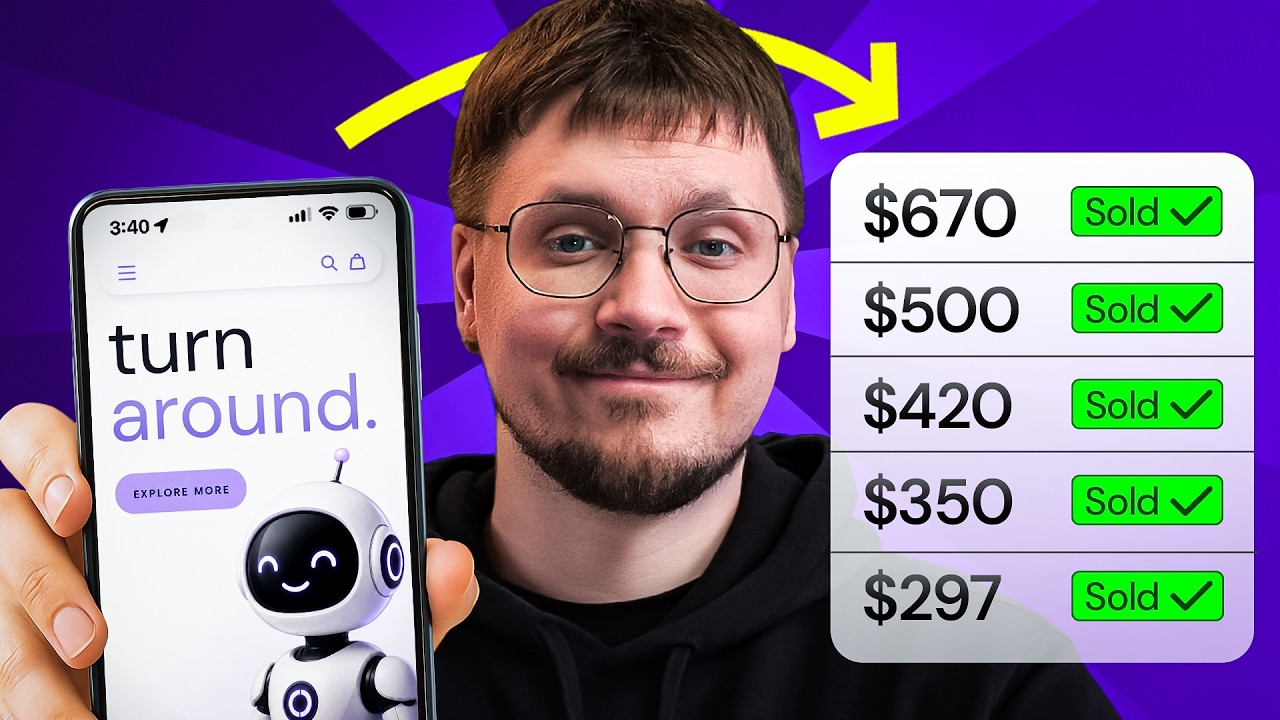
Here's where it gets way more exciting than just vibe coding because ChatGPT makes it super easy to make edits to your website. It's actually spooky how hands-off it is. So, let's say I really like this about us page and I want to recreate that style somewhere else. Instead of just guessing the prompt, I'll just go back to ChatGPT and ask it to write one for me. I can even drop in an image of the design and have [clears throat] a prompt based on that. Then, I just hit copy and paste it into Hostinger Horizons and watch the page come to life. Now, I really love this part because you end up with a super detailed prompt you can literally copy and paste into your vibe coding tool and it takes literally 20 seconds to generate. Now, inside of Hostinger Horizons, there's a built-in editor so you can actually manually change things like text, images, videos, right? And also prompt things into the chat directly. For example, I am not a fan of these titles right here, right? It feels a bit outdated, and I want something cleaner and more modern. So, I'm going to prompt that and attach an example image. All right, it's looking a lot better, but I do want to polish the homepage a little bit. So, I'm going to use this prompt right here. And there we go. I'd say it's a pretty solid site now. Of course, it still needs some final touches like my fonts, real product images, and logo, but as a starting point or even as a reusable template, this is really strong. Now, if you're following along, you could duplicate this and send it over to a client and sell it as a template, which you could earn $160 for or just, of course, use it for your own brand. Now, I'm going to stop the edits right here, but you can keep going section by section replacing all the placeholder content with your own details. Oh, and one more little thing. Since this is an e-commerce site, you can actually set up an online store through the integrations button in the top right here.

How to Publish Your ChatGPT Website

And once you're happy with everything, let's just hit publish inside of Horizons. Your site will be live instantly on a temporary domain, and if you want your own custom domain, you can connect it directly from your Hostinger dashboard right here. You can also get a domain through your Horizons plan. The Starter plan and the tiers above it include a free domain for a year, plus a couple of email inboxes. All right, that's it. We've just built a full ChatGPT-powered website from scratch. And honestly, it's crazy how fast it's come together. If you enjoyed it and want more tutorials like this where we actually build stuff together, make sure to hit that subscribe button and turn on the notification so you don't miss the next one. And if you want to go on deeper on Vibe Coding, this video is a great one to watch. Thanks for building with me and I'll see you in the next video.

Другие видео автора — Hostinger Academy

Ctrl+V

Экстракт Знаний в Telegram

Экстракты и дистилляты из лучших YouTube-каналов — сразу после публикации.

Подписаться

Дайджест Экстрактов

Лучшие методички за неделю — каждый понедельник