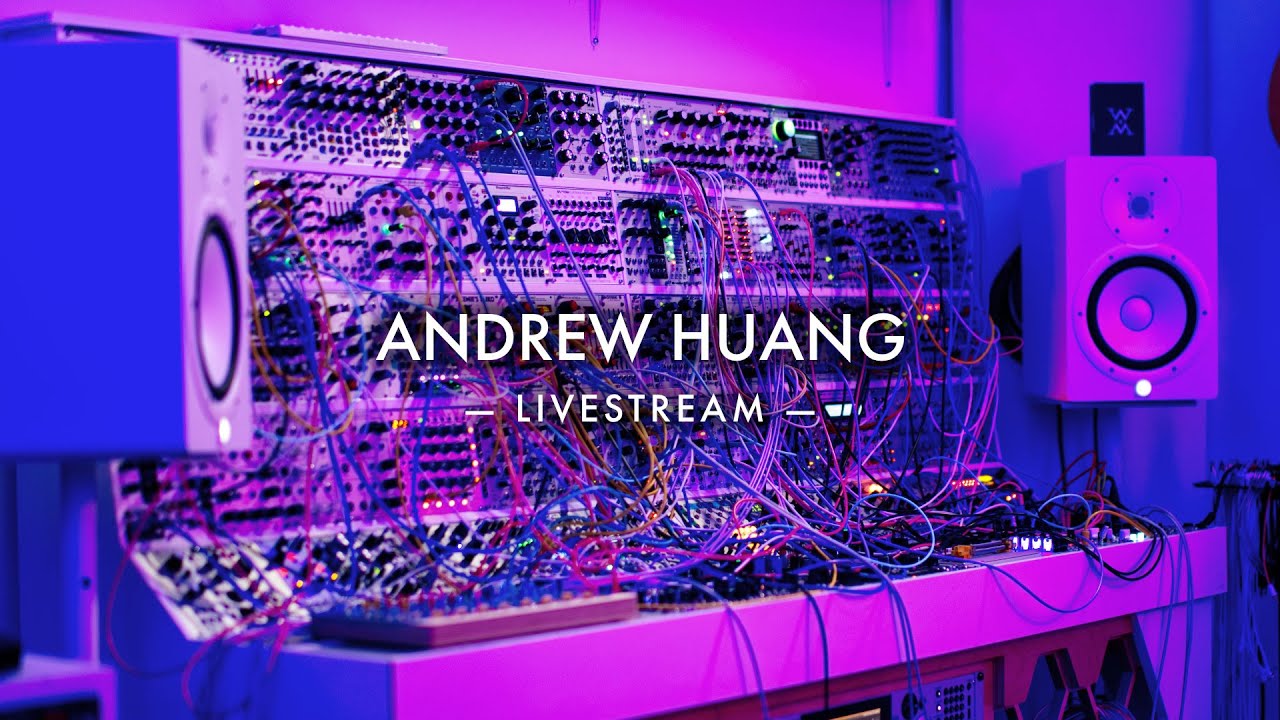
Experimental instrument! (Elta Solar 42N)
11:52

Experimental instrument! (Elta Solar 42N)

ANDREW HUANG 02.06.2026 31 363 просмотров 1 277 лайков

Machine-readable: Markdown · JSON API · Site index

Поделиться Telegram VK Бот
Транскрипт Скачать .md
Анализ с AI
Описание видео
Thanks Elta for sponsoring this video! Check out Solar 42N here: https://www.eltamusic.com/product-page/solar-42n The album I made with it: https://solar42.andrewhuang.com/ Solar 42 sample pack: https://www.patreon.com/posts/solar-42-sample-159686111 Subscribe: http://bit.ly/subAndrewHuang If you're new here: https://andrewhuang.com/about My plugin: http://babyaud.io/transit My book: https://andrewhuang.com/book My online course: http://studio.com/andrew Support my work on Patreon and get some bonuses: http://patreon.com/andrewhuang Join my Discord: https://discord.gg/Fu8zwbFQAa ★ Socials ★ Instagram https://instagram.com/andrewismusic TikTok https://vm.tiktok.com/weEbNK/ Facebook https://facebook.com/andrewismusic ★ Stream My Music ★ Spotify http://spoti.fi/2pF0qRB Apple https://music.apple.com/us/artist/andrew-huang/130057628 Bandcamp http://bit.ly/2oRWCby Tidal https://tidal.com/browse/artist/4956795 ★ Software & Equipment ★ Disclosure: Most of these are affiliate links - if you buy anything through them (even if it's not the linked item) I'll receive a small percentage, which helps support my channel. My most used plugins https://www.pluginboutique.com/articles/2066-Spotlight-on-Andrew-Huang-Plus-His-Recommended-Plugins-from-Plugin-Boutique?a_aid=627b76c3d6dc5 My music software https://www.ableton.com/shop/live/?affiliate=TlTs9eL4 Small audio interface https://amzn.to/2H7x4mx Big audio interface https://www.perfectcircuit.com/ua-apollo-x8p-heritage.html?utm_source=pepperjam&utm_medium=affiliate&utm_campaign=241038&clickId=4977028111 Modular https://www.pntrac.com/t/TUJGR0tHS0JHSUZFSE1CR0hMRUZL Headphones - lots of hype https://amzn.to/2JmTmDK Headphones - low latency wireless https://fas.st/t/2JhrAk9k Headphones - super pro omg https://amzn.to/2VOcmjz How I learned synthesis https://nativeinstruments.sjv.io/c/6444742/3030282/29910 Main camera https://amzn.to/3FngomP 2nd camera http://amzn.to/2aHkv35 I use Distrokid to get my music on streaming platforms - get 7% off your first year here: http://distrokid.com/vip/huang Chapters 0:00 Meet the SOLAR 42N! 0:56 Overview & drones 2:37 FX cards 3:59 Touch keyboard 4:40 Contact mic & modular synthesis 5:45 Touch plate magic 6:11 Arpeggiator 7:53 Pressure control 8:27 Filter & distortion 9:21 Sequencer 10:12 Bonus sequencer! 10:34 LFOs & joystick 11:21 New album & sample pack
Оглавление (13 сегментов)

Meet the SOLAR 42N!

It's an exicting day, because we are going to be playing with this hefty pink slab of synthesizer! (whoosh) Hey, it's Andrew Huang and we're back with another episode of Weird Gear. Thanks Elta Music for sponsoring this video. They wanted me to show their Solar 42N ambient machine, which I'm so happy to do. And even though it says ambient machine right on the synth, it actually can do so much more. I've had a ton of fun exploring it, getting all kinds of different sounds, making all different kinds of music. Let me give you a tour.

Overview & drones

So it's got eight voices and naturally they're numbered one, two, four, five, three, A, B, six. And they're set up in kind of different ways. So the numbered ones are drone voices, although they can be used in lots of different ways, but let me show you some drones. You can trigger them with these nice clicky keyboard buttons: But they also each have a hold button for droning. The top four voices, one, two, four, and five, each have five oscillators. So if I press this hold button, you're hearing five oscillators at once. You can tune them individually. They each get their own mute button: And underneath the pitch controls for each, there are also these buttons that determine whether or not they're receiving modulation, which can be from this light receptor: or an external CV. All five voices share an envelope control. And then there's this volt control, which detunes them all. And eventually also gets them frequency modulating each other. Drones three and six are a different circuit that feature an audio oscillator, a noise oscillator, and some modulation. And so when you have all the drone voices going at once, it sounds massive: Blend in some reverb

FX cards

So yeah, you're hearing all of this go into this Infinity card. There are 13 of these effects cards and each card has three effects. So you flip these switches to choose which effect you want on each stereo channel. You can have a different one left and right, but they will share the same three parameter controls and blend control. But also flipping the switches just loads them into the memory of the machine. So you can actually load something from one card, take that card out and then load something from another card on the other channel. Obviously you can load the same effect on both stereo channels, but let's just see what it sounds like with a different one on each. You just flick the switch and then that's the program that's loaded even if you take out the card. So that was the Magic card. Some really great sounding delays on that one. And then yeah, you've got 12 other cards with things like filters and distortion and chorus and reverbs.

Touch keyboard

I was just playing this touch keyboard and it is normal to VCO A and B that we haven't talked about yet, which are just kind of your standard analog oscillators. Both are sounding at once here. Actually, why don't we hear just one? You can have... a sub. There's a switch to make it lower tuning. You can also have the sub there. There's a few selectable waveforms. And you get pulse width modulation: And then you can play them on this really nice responsive keypad. Touch... plate...? Finger... spot! (chiptune-y sounds) ♪ And there are so many cool things about this. But before I show you that

Contact mic & modular synthesis

I wanna mention the final sound generating thing, which is the sun circle here. It's a contact mic! So let's turn it up. This is also the gain, by the way, for any external audio you wanna feed into the device. Now you've got a contact mic that you can send through the effects, which sounds great: (knocking and plinking sounds) And you can use the instrument... as an instrument. Weird! (knocking) (wibbly warbly weird) ♪ But all right, let's get into this touch plate area

Touch plate magic

which is a phenomenal interface for performing as well as sequencing. You can set it up as a single surface, which I have right now, but you can also choose twin, which means there are two independent sides that can be used at the same time, but they share settings. Or you can choose split, and that means each of the sides can have a different mode. It can either be set to be a keyboard, an arpeggiator, or a sequencer.

Arpeggiator

So you've been seeing me play in the keyboard mode. Let's switch to the arpeggiator. Now it's gonna arpeggiate whatever notes I press. You can obviously clock this either internally or from an external source. You don't have to have hold on either. You can just have it arpeggiate while you're pressing. For direction, you have forward... reverse... ping pong... and of course, random. You can set a variation, which means it'll repeat the arpeggio pattern shifted by different amounts, and the next menu select the variation interval. And what I appreciate about this is that most arpeggiators do this transposition after the scale quantization for some reason, and then you just end up with notes that are all out of key. And here it takes into account what scale you have selected. And so you're not exactly transposing by a specific semitone amount. It's more like degrees of your scale. You can set different arpeggio rhythms: You can make the arpeggio a weird length: You got portamento built in: And then I really like this. You've got vibrato built in. Let's change the patterns so we can hear vibrato a little better. There's also vibrato delay, so a little bit of a timing offset before vibrato starts on any given note: And then there are some pressure control settings

Pressure control

and that basically sets what's coming out of this pressure output. So it's like the amount of surface area that you're covering on the touch plates gets converted into a voltage: But you can also configure the pressure output to be something else. You've got different envelope options. So every time you press a key, it triggers that envelope. It could be a looping envelope, or random value that gets generated every time you press a key. (clicking)

Filter & distortion

So here's keyboard mode with the random value patch to the filter. And by the way, didn't mention this yet, it's got a filter! Also up here with the filter is a distortion stage at the output, so you can blend... from the dry to the distorted, and of course: there's some gain. This can sound really gnarly: Going back to the touch plate, you can load scales, you can edit scales. They make it really easy.

Sequencer

Now though, let's show the sequencer. So this is the final mode of this touch area. Same as we've been doing with everything else, you can click and turn the encoder to edit different aspects of your sequence. It's very intuitive. You can set it to any length between two and 16. It's got a lot of the same controls as the arpeggiator, like the rhythm and the vibrato, direction, and as well, you can have it constantly free running, or play the sequence only when you touch a key. And then you can use the keys to transpose the sequence. And of course, all of this is respecting your currently selected scale. It's such a fantastic sequencer

Bonus sequencer!

and guess what? There's another sequencer! There is a five-step sequential voltage source, very Buchla inspired, even though five-step Buchla sequencers have been around for like 50 years. It's still pretty weird. So yeah, just like set the rate of it. For each step, you can set a value and whether there's a gate or not, and then patch the CV and gate outputs to whatever you want to sequence with those.

LFOs & joystick

I think there are just two final things that I haven't talked about. There are a pair of LFOs that are provided. Pretty standard, morphable between triangle and square. Plenty of range on the rate. And then lastly, we've got this nice joystick that snaps back to center. And here you can offset the X and Y axis. So when those are at noon, as you can see, we go positive with green, negative with red, but we can also change those so that the values... are offset. And this is such a fun tool for sound design and performance. I don't know if you caught the Collisions thing

New album & sample pack

that I did a few months ago, where, it's kind of a new way that I'm doing music where I curate different groups of recordings that can fit together in any combination. I've made sort of an album in that format using the Solar 42N. I'll link that in the description. There's also a sample pack that I'm gonna be sharing. That's linked in the description. And of course, I'll put Elta's link in the description. Thank you again to them for sponsoring. I had so much fun exploring the Solar 42N. I'll see you in the next one. (cards clinking) Oooh, we should sample that later.

Другие видео автора — ANDREW HUANG

Ctrl+V

Экстракт Знаний в Telegram

Экстракты и дистилляты из лучших YouTube-каналов — сразу после публикации.

Подписаться

Дайджест Экстрактов

Лучшие методички за неделю — каждый понедельник