Distortion: Vocal Secret Sauce
10:10

Distortion: Vocal Secret Sauce

recordingrevolution 21.09.2023 24 165 просмотров 891 лайков

Machine-readable: Markdown · JSON API · Site index

Поделиться Telegram VK Бот
Транскрипт Скачать .md
Анализ с AI
Описание видео
▶︎▶︎ Free 5-Step Mix Guide here: http://www.recordingrevolution.com/5stepmix

Оглавление (3 сегментов)

Segment 1 (00:00 - 05:00)

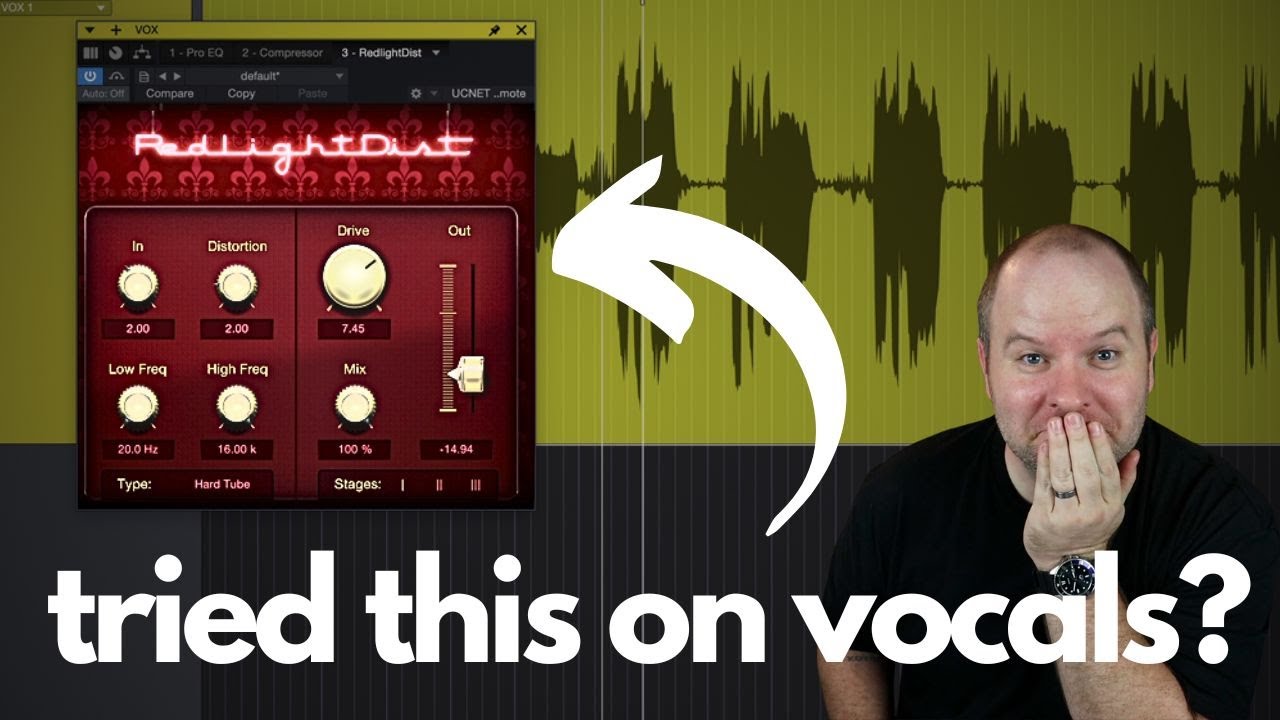
hey this is Joe with the recording Revolution do you ever have a vocal track that you're just kind of bored with you do the normal mixing stuff to it and it's just kind of meh one thing you can try is adding Distortion to the vocal in this video I'm going to show you three different ways I like to use distortion on vocal mixes obviously I don't do it all the time but occasionally a particular vocal is just begging for it and I'll show you how I set that up by the way if you don't have a mixing process if I were to say hey write down on this piece of paper your mixing process and you would say good my mixing process is to mix and then cross my fingers and hope that it's done if that's you I've got a system that allows you to have all the creativity you want but it gives you some uh Milestones mile markers along the way to make sure you're moving in the right direction so that you actually finish the mix it's called my five step Mix guide if you don't have a copy you can have one for free just go to recordingrevolution. com five step mix early on in my music production journey I would hear these vocals on these albums and they would have this like grit to them this kind of I couldn't explain I didn't know what it was but I liked it and my assumption was it was compression it was just you drive the compressor hard enough it kind of adds this kind of grittiness that's there that's not the case generally speaking so let me show you that um I've got a vocal that's already mixed here or roughly mixed and so I thought okay so this is the case of just slap more compression on to it you know set all the settings as high as they'll go and then that's going to give you that kind of aggressive sound but it doesn't it just gives you this much of a fighter and I never was it makes you like hold your breath because the vocal like the in-between sounds are so ridiculously loud anyway so I would try it and I would it wouldn't come close to the sound that I was hearing on the radio so I would just give it up uh and move on but then eventually I discovered oh it's not compression dummy it's something called sometimes it's called saturation sometimes it's called Distortion overdrive it all kind of means the same thing so how do you get distortion on your vocal there's lots of ways you can do it you could run the vocal out of your interface into like a guitar pedal board you could run it through a guitar amp one thing that's a lot easier to do is to put if you've got some sort of amp modeler inside your software you could put a guitar amp on the vocal plug in like a distortion plug-in on the vocal if you want what I like to do in Studio One and I know most dos have some version of this studio one has a distortion plug-in called red light Distortion I like it a lot because it's got a lot of customization that you can do you can really dial in the tone but this is the one I typically like to use I've got a bunch of different circuits I can choose I can adjust the amount of drive all that stuff but here's just when I drag it on and just crank the drive here's what that sounds like on the vocal is massive fighter and never was much of a fighter and that's the sound that I was hearing now it could be that they were driving an analog tube preamp or compressor and it was going into overdrive and that was the sound that's the kind of the asterisk to what I said earlier but this is the sound you're running it through some sort of a circuit that is distorting you're literally breaking what the circuit was designed to do right like the old guitarist just wanted louder amps so they cranked up the volume and it started distorting next thing you know we've got rock music but that's the idea but now we can create that in the Box super easy by just adding some sort of a saturation or Distortion plug-in if you aren't using Studio One I know Pro Tools has some built-in Distortion plugins uh other dolls I believe logic does as well if not if you go do a quick look online there's probably plenty of free search for free saturation plugins or free Distortion plugins and you'll find some there should be plenty of options there but that can give it an interesting sound so that's the first simplest approach is just slap a distortion onto the vocal depending on the song and the arrangement and lots of other factors it might work it this isn't the one that I do the most but occasionally maybe on just one section of the song it can be kind of cool problem with that is the vocal you lose any Clarity that the vocal had so my the second approach to Distortion is to do this same thing but to do it in parallel

Segment 2 (05:00 - 10:00)

so I've talked about parallel processing before where I keep a version of the clean vocal without the Distortion and I blend in a copy of the vocal with the Distortion there's lots of ways to do this my favorite at least one of the things I like about red light Distortion is it has a mix knob so I can just literally blend the dry signal with a distorted signal like this fighter and it never was much of a fighter that can work really well so then you're just blending between the two actually as simple as that is I actually don't use that very much I prefer to have more control over both sounds the dry sound and the distorted sound so I like to actually duplicate everything so I'll duplicate the track entirely and then I'll take the Distortion off of one of them and then I can have both kind of do my bidding so the first one sounds like this and then the second one should have no Distortion right internet I can adjust both I can adjust the volume of both or I could even what I really like to do is EQ the second one to be a little bit different so maybe I don't want it to have as much low mids on the distorted Vocal Track I might do something like this much of a fighter so give it kind of a Lo-Fi effect right take away the lows and the highs blend that with the original you can you get kind of the best of both worlds and it never was much of a fighter that one's a lot more subtle right we're adding more sound on top of the vocal we already had but it helps it kind of cut through the mix more so if I just distorted the vocal it's gonna be hard to hear the clarity of the vocal over the entire mix but if I blend the two I get the clarity from one and then the grit from the other it's a lot like if you do processing it play a guitar through a clean app and a dirty amp at the same time you get the best of both worlds that's the idea here so those are two options they're great I use those occasionally but here's my favorite way to do distortion on a vocal and it's a similar to The Parallel one but it's got a cool difference first thing I do is set up a delay send on the vocals I'm going to send this vocal to a delay track and now this delay I'm going to set up as a slap back DeLay So it's going to have uh no repeats in the around 120 millisecond uh on the delay itself no repeats that should just be a single slap of a delay we should hear that here was a fire then what I like to do is I like to put distortion on that DeLay So this particular delay actually has a drive knob built in but for sake of argument let's just take the red light Distortion that we had before on the main vocal slap that same distortion on to the delayed vocal and then we can dial in that tone however we want maybe remove all the low end so it's not any kind of like thickness or muddiness to it and here's what that sounds like so you get the clean vocal hitting your ear first and then the slap back coming later with all the disgusting distortion on top of it can be a very cool way to get kind of what you got with parallel the parallel processing version but you're getting a taste of the clean vocal completely by itself then the distorted slapback delay comes in later can be pretty cool foreign also slapback delay just adds this cool kind of vibe to it I arguably and people will probably comment and say yes it's true I probably use this too much but I just love slapback delay like all my guitar patches have slap back delay that's just on by default I just love it distorted slapback delay is my second favorite version of slapback delay anyway that is it for this video I hope this was helpful for you go try one or all of these on your next vocal mix see which one works you'll notice pretty quickly uh this is cool but doesn't work for this specific song that's fine just file it in your back pocket for when a song comes along where this works perfectly and it will be a game changer for you by the way if you don't have that free Mix guide yet it's still waiting for you go to

Segment 3 (10:00 - 10:00)

recordingrevolution. com five step mix and you can have it for free thanks for watching see ya

Другие видео автора — recordingrevolution

Ctrl+V

Экстракт Знаний в Telegram

Экстракты и дистилляты из лучших YouTube-каналов — сразу после публикации.

Подписаться

Дайджест Экстрактов

Лучшие методички за неделю — каждый понедельник